1
0820771003.book Page 5 Monday, March 19, 2001 2:49 PM
4-5
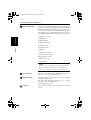
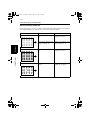
2. Initial Settings List
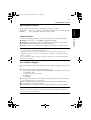
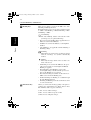
This system offers two types of settings: one is the user settings that are made by the user on
the control panel and the other is the system settings that are made by the authorized
dealer. Here is a list of factory settings for these two setting types.
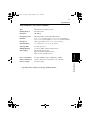
User Settings
Initial Setting
Exposure mode
Auto
Print image density
Center
Print Format
Portrait
Film type
Auto
Auto Skew Correction
OFF
Auto Masking
OFF
Enabled only when the Manual Frame Masking Kit
(option) is mounted.
OFF
* When any of these functions has been changed and you want to store that new setting in
the system’s memory, press the Memory Input Key.
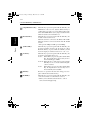
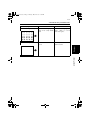
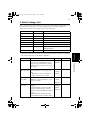
System Settings
Auto reset
Description
Setting changes made to the control panel
that are not used within 60 seconds of
being input are automatically cancelled
and the system reverts back to the original settings.
Selection
Initial Setting
Enabled
√
Disabled
Auto power save Turns the Printer’s fuser OFF if the sys(PR mode only) tem is left idle for a specific period of
time.
* 200V units operate on a default 30
minute Auto Power Save setting.
Disabled
Auto Projection
Lamp OFF
Turns the Scanner’s Projection Lamp
OFF if the system is left idle for a specified period of time.
Disabled
Applies the following functions as
required:
Contrast Emphasis: applied when film
contains text that is poorly contrasted
against its background making it difficult
to read.
Outline Emphasis: applied when film
contains blurred black and white images.
Contrast
Emphasis
Fine mode contrast select
√
30 min.
60 min.
√
30 min.
60 min.
Outline
Emphasis
√
Chapter 4
Centering/Fit
-
Miscellaneous
Manual Masking
Remark