1
Ubee Interactive
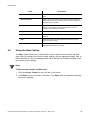
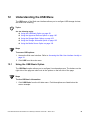
Using the DMZ Host Option
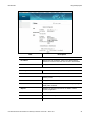
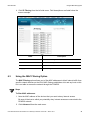
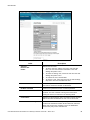
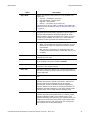
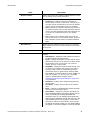
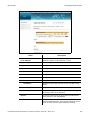
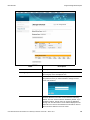
Label
6.8
Description
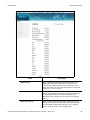
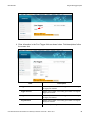
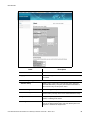
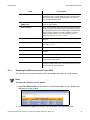
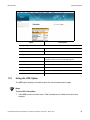
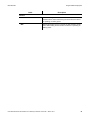
Pass Through MAC Addresses
Allows you to enter the input host’s MAC address.
Add MAC Address
Adds the entered MAC address.
Addresses entered: n/32
Displays the MAC addresses to be blocked. The number of
MAC addresses is shown as 0/32 where 0 is the number of
addresses in the list. You can add up to 32 MAC addresses at
one time.
Remove MAC Address
Removes the selected input host’s MAC address.
Clear All
Removes all of the input host’s MAC addresses.
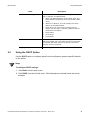
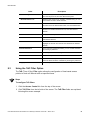
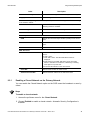
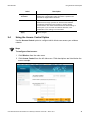
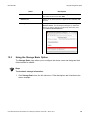
Using the DMZ Host Option
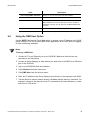
Use the DMZ (Demilitarized Zone) Host option to expose a host IP address to the WAN
(public Internet). You can use this option when applications do not work with port triggers
or other networking strategies.
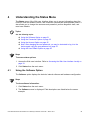
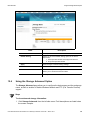
Steps
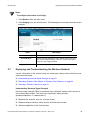
To set up a DMZ host:
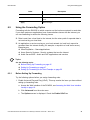
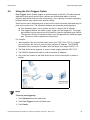
1. Connect a PC to an Ethernet port on the DVW326. Make sure both devices are
powered on and functioning.
2. Connect a Home Gateway (or other device you wish to be in the DMZ) to an Ethernet
port on the DVW326.
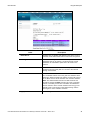
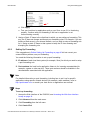
3. Log in to the DVW326 Web user interface.
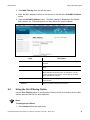
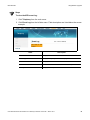
4. Click Advanced from the main menu.
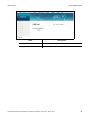
5. Click DMZ Host from the left side menu.
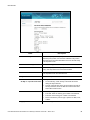
6. Enter the IP address of the Home Gateway (host device) to be exposed to the WAN.
7. Test the device to ensure Internet access is available and the device is functional. For
example, connect to the Internet from a PC connected to the Home Gateway, or make
calls from a VoIP phone.
Ubee DVW326 Advanced Wireless Voice Gateway Subscriber User Guide • March 2014
55