1
Table of Contents
Table of Contents.......................................................................................... 1
Usage Notice................................................................................................. 3
Precautions...........................................................................................................3
Introduction................................................................................................... 5
Product Features...................................................................................................5
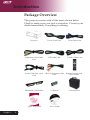
Package Overview................................................................................................6
Product Overview .................................................................................................7
Main Unit.........................................................................................................................7
Control Panel..................................................................................................................8
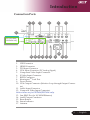
Connection Ports............................................................................................................9
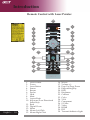
Remote Control with Laser Pointer...............................................................................10
Installation................................................................................................... 11
Connecting the Projector.....................................................................................11
Powering On/Off the Projector.............................................................................13
Powering On the Projector............................................................................................13
Powering Off the projector............................................................................................14
Warning Indicator..........................................................................................................14
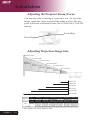
Adjusting the Projected Image............................................................................15
Adjusting the Projector Image Height...........................................................................15
Adjusting the Projector Zoom / Focus...........................................................................16
Adjusting Projected Image Size....................................................................................16
User Controls.............................................................................................. 17
Control Panel & Remote Control.........................................................................17
On-Screen Display Menus..................................................................................21
How to operate ............................................................................................................21
Color (Computer/Video Mode) .....................................................................................22
Image (Computer/Video Mode).....................................................................................24
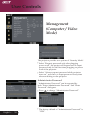
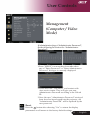
Management (Computer/Video Mode) . .......................................................................26
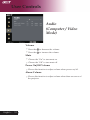
Audio (Computer/Video Mode) ....................................................................................32
Timer (Computer/Video Mode) ....................................................................................33
Language(Computer/Video Mode) . .............................................................................34
Wireless Projection..................................................................................... 35
Introduction..........................................................................................................35
System Requirements .................................................................................................35
I/O Interface .................................................................................................................35
Setting up your WPG...........................................................................................36
... English