1
COPY FUNCTIONS
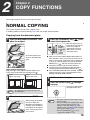
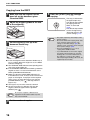
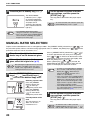
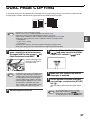
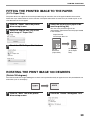
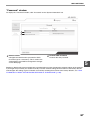
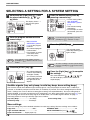
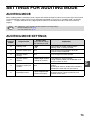
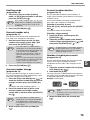
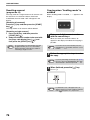
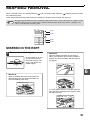
Copying from the RSPF
1
2
Make sure that an original has not
been left on the document glass.
Close the RSPF.
5
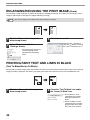
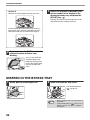
Press the [START] key (
copying.
The copy is delivered to
the paper output tray.
The default output mode
for copying from the
RSPF is sort mode
(p.29).
The default output mode
can be changed using
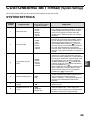
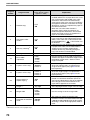
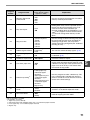
"Sort auto select" in the
system settings (p.71).
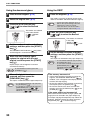
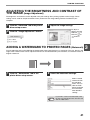
Adjust the original guides to the size
of the original(s).
Note
3
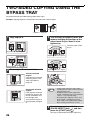
Set the original(s) face up in the
document feeder tray.
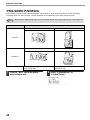
● Insert the original into the document feeder tray as
far as it will go. When the original is set, the RSPF
indicator will light up.
● The ORIGINAL SIZE indicator corresponding to the
size of the original lights up.
● If the ORIGINAL SIZE indicator is blinking, rotate the
original so that it is in the same orientation as the
blinking ORIGINAL SIZE indicator.
● Make sure that the PAPER SIZE indicator is lit.
If the indicator is not lit, no tray has the same size of
paper as the original. Load paper of the required
size in a tray, or select the bypass tray with the
[PAPER SELECT] key ( ) and copy from the
bypass tray.
● The bypass tray must be manually selected.
● To copy on paper of a different size than the
original, select the paper with the [PAPER
SELECT] key ( ).
Note
4
16
Do not place originals of different sizes
together in the document feeder tray. This
may cause misfeeds.
Set the number of copies.
) to begin
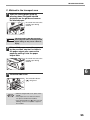
• The paper output tray can hold up to 250
sheets of paper.
• About one minute after copying ends, "Auto
clear" activates and restores the copy
settings to the initial settings. (p.8) The
setting for "Auto clear" time can be changed
in the system settings. (p.69)
• Press the [CLEAR] key (
) to stop
copying in the middle of a run.
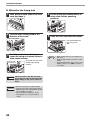
• If you find it difficult to remove the original
from the document feeder tray, open the
feeding roller cover first and then remove
the original. If you remove the original
without opening the feeding roller cover, the
original may become dirty.