1
Configuring the User Settings
B
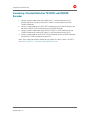
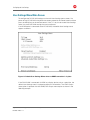
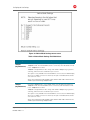
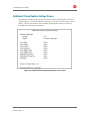
Advanced Audio/Video Settings Screen
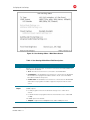
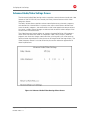
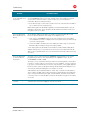
The Advanced Audio/Video Settings menu customizes several advanced audio and video
features of the DCX3510-M, most notably the Dolby Volume feature and the Video
Sharpness feature.
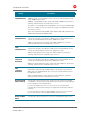
The Dolby Volume feature provides volume normalization across channels, programs,
and commercials. Normalization is a process that adjusts the different volume levels
across channels, programs, and commercials to the same approximate output volume.
As a result, sudden volume changes are reduced and the overall volume output of the
DCX3510-M is more consistent.
The Video Sharpness feature softens or sharpens Standard Definition (SD) programs
when viewed on either the HDMI or Component Video (YPbPr) outputs. When SD
programs are viewed on a large screen television, picture quality can suffer because
noise and other imperfections in the picture can be magnified on the large display. The
Video Sharpness feature is used to soften the picture and reduce the appearance of
these imperfections.
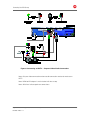
Figure 18: Advanced Audio/Video Settings Menu Screen
High-Definition All-Digital Dual Tuner DVR Set-top DCX3510-M • User Guide
365-095-17067-x.1
41