1
Advanced Features
Teletext and Fastext
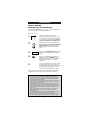
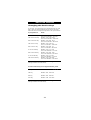
The ONE FOR ALL 4 is designed to operate the basic functions
of teletext (text on, text off, expand and hold).
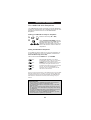
Symbol
Title
Description
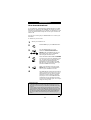
TEXT
Puts the Television in the teletext
mode.
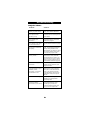
TV
Switches the Television back to
regular viewing mode. On some
Televisions, this may be done by
pressing the TEXT key several times.
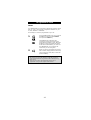
EXPAND
Shows the top half of the teletext
page in larger letters. By pressing
again, you can see the bottom half
of the teletext page enlarged.
To return to regular teletext
viewing, press the EXPAND key
again, or press the TEXT key,
depending on your television.
HOLD/STOP
Stops changing pages.
The keys marked red, green, yellow and blue are used to
access the fastext functions of your TV.
Important note: For a more detailed explanation of teletext and
fastext, please refer to the manual of your Television. Remember,
different Televisions control teletext and fastext features in
different ways. Not all of the teletext functions may be available
for your particular model.
23