1
ESG Family Signal Generators
Remote Data Transfer
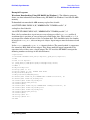
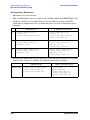
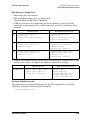
User File Data Downloads
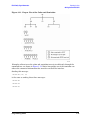
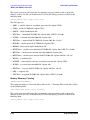
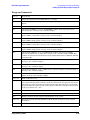
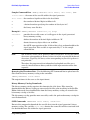
a continuous stream of unframed data for the active TDMA format.
NOTE
To select a user file from the binary memory catalog, execute the same
commands shown in the following examples without BIT: preceding the
filename.
For example, [:SOURce]:RADio:<desired format>:DATA "<file name>"
[:SOURce]:RADio:<desired format>:DATA "BIT:<file name>"
[:SOURce]:RADio:<desired format>[:STATe] On activates the desired TDMA format.
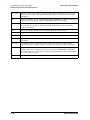
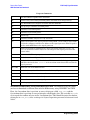
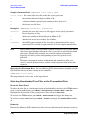
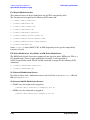
Execute the following SCPI command to select the user file as a continuous stream of data
for the custom modulation format.
[:SOURce]:RADio:CUSTom:DATA "BIT:<file name>"
[:SOURce]:RADio:CUSTom[:STATe] On activates the custom modulation format.
From the Front Panel
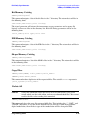
To select the user file as framed data for the active TDMA format: press Mode > desired
format > Data Format Pattern Framed > Configure Timeslots > Configure (current active
timeslot) > Data > User File. Highlight the desired file in the catalog of user files and press
Select File.
To activate the TDMA format press Mode > desired format and toggle the format on.
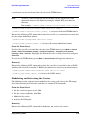
Remotely
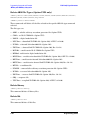
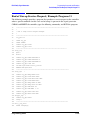
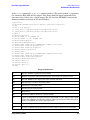
Execute the following SCPI command to select the user file as framed data for an NADC
uplink traffic channel in timeslot 1. Modify the command as necessary for other formats.
[:SOURce]:RADio:NADC:SLOT1:UTCHannel:DATA "BIT:<file name>"
[:SOURce]:RADio:NADC[:STATe] On activates the NADC format.
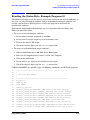
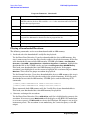
Modulating and Activating the Carrier
The following section explains how to modulate the carrier, and activate the RF output;
first from the front-panel interface and then via remote SCPI commands.
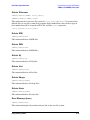
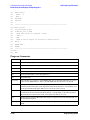
From the Front Panel
1. Set the carrier frequency to 2.5 GHz.
2. Set the carrier amplitude -10.0 dBm.
3. Modulate the carrier.
4. Activate the RF output.
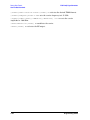
Remotely
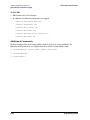
Execute the following SCPI commands to modulate and activate the carrier:
Programming Guide
3-21