1
ES2400 – ES2403 – ES4800 - ES6000
User's Manual
___________________________________________________________________________________________________________________________________________________
BATTERY CONNECTION – AUTOMATIC VOLTAGE CHECK AND AUTOSTART
ATTENTION!
EagleSmart chargers are programmed to do a complete cycle of charge automatically, however
it's recommended to survey the operation of the charger when the battery remains connected to
the charger for more than 12 hours.
Connect the battery to the charger, using an adequate plug.
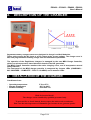
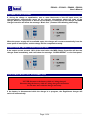
When the battery is correctly connected, all the LEDs of the control panel will light on in
sequence for a quick check.
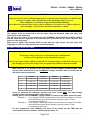
If the voltage of the battery is below 1,60 V/cell, the charger will not start, and the MRG front
panel will show the error message “Wrong Battery - Voltage Low”.
If the voltage of the battery is higher than 2,50 V/cell, the charger will not start, and the MRG
front panel will show the error message “Wrong Battery - Voltage High”.
If the voltage of the battery is in the correct range [1,60 to 2,50 V/cell], the charge will start
automatically.
CHARGE OPERATION
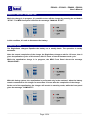
While the charge is in progress, the 3 LED ammeter will indicate the output current level, while
the status LED “Charging” blink continuously.
When the battery will reach the gassing voltage (2,40 V/cell) the status LED “80% Charged”
will start blinking, together with the LED “Charging”.
The charge will continue for the programmed finishing time (2 to 12 hours), following the Wa
charge curve.
__________________________________________________________________________________________________________________________________________________
Page 9/14