1
10-1085_RF-HD3025_MAN_ENG_V1.fm Page 4 Friday, October 29, 2010 1:08 PM
For highest performance and reliability, install the
latest updates and service pack (SP). For Windows,
go to the Start menu and select Windows Update.
Physical description
Setting up your hard drive
enclosure
Installing your hard drive in the
enclosure
Read the safety precautions before you install your
hard drive in the enclosure:
• Use only the accessories provided.
• Make sure that you first touch an unpainted,
grounded metal object to discharge any static
electricity stored on your clothing or body
before touching any electronic components.
• Handle the printed circuit board (PCB) edges
only. Avoid touching the onboard electronic
components.
To install your hard drive in the enclosure:
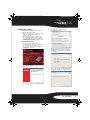
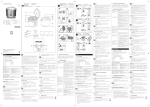
1 Slide the lock switch to the left to open the
enclosure.
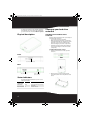
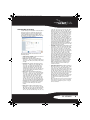
Front
Lock switch to open the case
Back
Backup button with
power/activity LED
USB 3.0 Micro-B port
Status indicators
The following table describes the power-on and
backup active LED.
Operating mode LED status
Solid
Starting mode
Active mode
Flashing
Disconnect mode Off
4
Description
The hard drive is turned on.
Data is being transmitted between your computer
and the hard drive.
The hard drive is turned off.
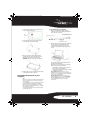
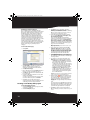
2 Remove the four screws from the printed
circuit board, then remove the printed circuit
board.