1
Installing the Modem Configurer
Before configuring the modem, the ADR Modem Configurer utility will have to be installed. It comes with the TOPS
installation CD, but is not installed as part of TOPS. It includes both the utility itself and a set of preconfigured modem
files, which can be used directly or copied as the source for your own modem file. To install the configurator, follow
these steps:
1.
On a Windows computer, insert the TOPS CD into the CD-ROM drive.
2.
If the autorun feature is active on this PC, the TOPS installation will start on its own. From the main TOPS menu
choose the command to E x p l o r e t h e C D . (If the installation does not start automatically, you can just explore
the CD by opening W i n d o w s E x p l o r e r and browsing to the C D d r i v e .)
3.
Open the A D R M o d e m C o n f i g folder and double-click on the M o d e m C o n f i g . E X E file. This will launch
the Configurer installer.
4.
Follow the steps to install the utility to the default location on your computer. By default, it saves the file to
C:\Program Files\Peek\ADR Modem Config Tool\. It also creates a shortcut to the utility in your Windows Start
menu.
5.
Exit from the TOPS installation screen, if it was started.
6.
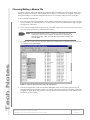
If you don't already have a copy of Windows Explorer open, open one. Browse to:
C:\Program Files\Peek\ADR Modem Config Tool\.
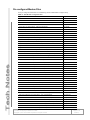
In this folder, you will see the utility itself (adr modem configurer.exe), an uninstaller for the utility
(UNWISE.EXE), and a whole passel of modem setup files (*.mdm).
This folder is where you will need to be to perform the remainder of the configuration. You will run the ADR Modem
Configurer from this folder, and this is also where you will select and/or edit a modem file to use with your modem.
Tech Note: Configuring a Modem for an ADR
Copyright © 2012 Peek Traffic Corporation. All rights reserved.
Page 3 of 11
99-363, 3