1
27
1.7 Program Swap (SWAP)
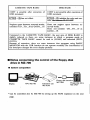
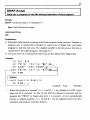
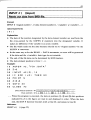
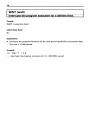
Program files on the floppy disk are read-in to the memory, and control is moved to
this program, by SWAP command but, when this program is finished, the original
program (the program which did the SWAP command) can be reset. This movement is
exactly in the same way as the sub-routine in the program, and the reset to the original
program becomes a return to the next command, which did the SWAP command. As a
result, the SWAP command can be taken as <gosub "filename">.
In order for this operation to be made, the program which has the SWAP command is
temporarily shunted to the floppy disk during SWAP execution. Then the program
area is made NEW, and another program is read in. After the end of the other
program, the original program is read in. The usual form of the SWAP command is:
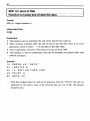
SWAP" FDn : filename"
This is a command to SWAP the sub-program designated by the "filename" registered
on the floppy disk in drive number n (n = 1 - 4), and the shunting of the program
prior to the read-in of the other program is done on the floppy disk in the drive set by
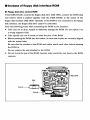
the default condition. Therefore, a floppy disk on which it is possible to temporarily
write-in the program text must be set in that drive. The SWAP level must not exceed
the 1 level.
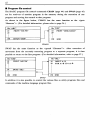
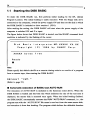
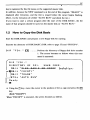
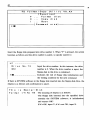
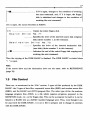
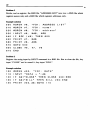
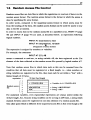
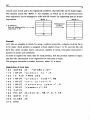
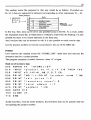
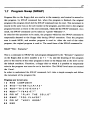
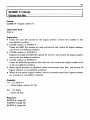
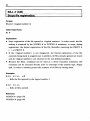
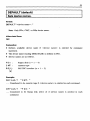
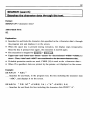
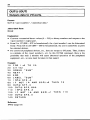
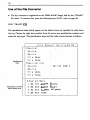
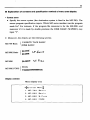
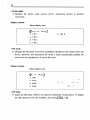
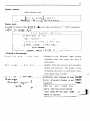
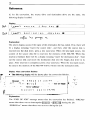
In order to understand the SWAP command, let's take a simple example and follow
the movement of the program file.
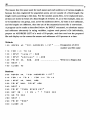
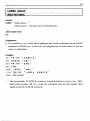
Program now in text area
10
REM
20
M1 $
COMPOSER
~.
" A 7 B 6 + C3 A 7 A 3 "
30
M2$="B+C+D+E 6A3"
40
M3 $ = " + F 6 A 3 +E 7
50
PR I NT
60
SWAP
70
PRINT
80
END
"P L AY
H
T HE
CELL 0"
"FD2: PLAYER"
"VERY
GOOD"