1
AXIS Q1614–E Network Camera
3. Attach and screw on the new lens.
Reset to Factory Default Settings
Important
Reset to factory default should be used with caution. A reset to factory default will reset
all settings, including the IP address, to the factory default values.
To reset the product to the factory default settings:
1. Disconnect power from the product.
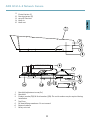
2. Press and hold the control button and reconnect power. See Hardware Overview, on
page 10.
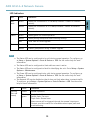
3. Keep the control button pressed for about 15–30 seconds until the status LED indicator
flashes amber.
4. Release the control button. The process is complete when the status LED indicator turns
green. The product has been reset to the factory default settings. If no DHCP server is
available on the network, the default IP address is 192.168.0.90
5. Use the tools provided on the Installation and Management Software CD to assign an IP
address, set the password and access the video stream. This information is also available
from the support pages on www.axis.com/techsup
6. Refocus the product.
It is also possible to reset parameters to factory default via the web interface. Go to Setup
> System Options > Maintenance.
Further Information
The User Manual is available at www.axis.com
Visit www.axis.com/techsup to check if there is updated firmware available for your network
product. To see the currently installed firmware version, go to Setup > About.
Visit Axis learning center www.axis.com/academy for useful trainings, webinars, tutorials and
guides.
Warranty Information
For information about Axis’ product warranty and thereto related information, see
www.axis.com/warranty/
22