1
However, preparing the Windows OS for Oracle involves more than simply popping the CD in and clicking through a few menus. One
of the key problems is all of the drivers and hardware support required for an Oracle RAC installation. For example, all RAC
implementations require shared external storage. A variety of BIOS settings, drivers, and support software installations are required
to implement shared storage on a SAN. If any of the software versions are out of synch, the San may simply not function.
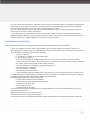
One of the best ways to avoid this type of pitfall is to use Dell’s Windows installation media to assist in the installation of Windows
and associated drivers. The Dell Server Assistant CD is perfect for this purpose. This CD will provide a matched set of drivers that will
provide a tested and certified configuration for an Oracle RAC. You simply insert the Dell Server Assistant CD, and then work through
the menu choices. You will then be prompted to insert your Microsoft Windows CDs. The result will be a Windows installation that is
designed to work with all of your hardware.
After the OS installation, there are a few additional steps that need to be performed to prepare for the Oracle installation. The first
step is to ensure that hostnames and IP addresses are resolved for all servers in the RAC cluster. Check that the External/Public Hostnames are defined in your Directory Network Services (DNS) and that the correct IP addresses resolve for all nodes in the cluster. In
addition, you need to define all External/Public and Internal/Private Hostnames in the HOSTS file on all nodes of the cluster. This file
is located in the WINDOWS_HOME\System32\drivers\etc directory.
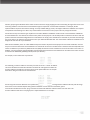
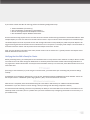
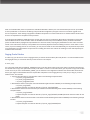
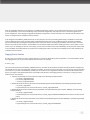
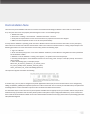
For example, a two node cluster may look like:
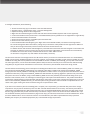
For Oracle10g, an extra IP address is necessary for each server for a “virtual” IP address.
The virtual IP addresses should be included in the hosts file and registered in DNS. The
virtual IP addresses should be in the same subnet as the public addresses. An example
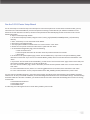
hosts file for a10g two node cluster would look like:
Do not assign the Virtual IP addresses to a specific network adapter; Oracle will manage these IP addresses directly and will assign
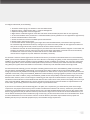
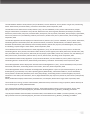
them to the correct network adapter during Oracle installation. To test host name resolution, open a
command line window and use the “ping” command to check all IP addresses and host names from each host. The
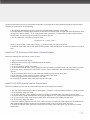
virtual IP addresses will time-out if ping’ed; this is expected behavior. For example: