1
Contents
Product Registration................................................... 2
For Your Records....................................................... 2
Getting Started
Package Contents...................................................... 3
Requirements............................................................. 3
Ergonomic Safety Precautions................................... 3
Quick Setup................................................................ 4
Keyboard Functions ................................................... 5
More about the keyboard ........................................... 6
Enhanced Function Keys ....................................... 6
Office Application Keys .......................................... 6
Internet Keys .......................................................... 6
Application Keys .................................................... 6
Clipboard Keys ....................................................... 7
Multimedia Keys ..................................................... 7
Other Information
Specifications ............................................................. 8
Uninstalling Keyboard Software ................................. 9
Troubleshooting ......................................................... 9
Cleaning Instructions.................................................. 9
Customer Support.................................................... 10
LIMITED WARRANTY ............................................. 11
03/18/02
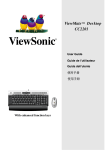
ViewSonic
ViewMate™ Office Keyboard KP102/202
1