1
1. Introduction
About the Pogoplug Service
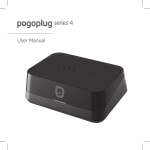
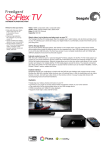
The FreeAgent® GoFlex™ Net media sharing device allows you to share and access your
digital content from anywhere (inside or outside your home). You can dock a FreeAgent®
GoFlex™ drive in one of the drive slots, or connect any compatible USB 2.0 mass storage
device. You simply connect GoFlex Net to your router, attach a drive, activate your account,
and then access your files either locally or remotely. You can even access GoFlex Net from
your mobile phone.
While the Pogoplug service enables access to your drive content, no copies from your
drives are retained during the process. All of the data remains on your drives attached
to GoFlex Net. The only personal information stored is your e-mail address. See the
Pogoplug Web site (pogoplug.com) for more information.
The GoFlex Net media sharing device is part of the GoFlex storage family, which delivers an
easy-to-use, plug-and-play external hard drive experience. Keep your GoFlex drive docked
in GoFlex Net, connect it directly to your computer, or take the drive with you while on the go.
About This Guide
This guide provides information about using GoFlex Net with the Pogoplug service, and
includes information about features specific to the media sharing device. Instructions for
using the Pogoplug service’s features are available by clicking the Help button located at
the top of the menu bar once you have signed in to your account.
GoFlex Net includes a subscription to the Pogoplug service, which allows you to access
your content remotely, and share your files with friends and family outside of your home.
System Requirements
• Router with an available Ethernet port
• Internet connection for activation and Internet file sharing
• Windows® XP, Windows Vista®, Windows 7, or Mac OS® X 10.4.9 or later
operating system
• Internet Explorer® 7, Firefox® 3.x, Chrome 4.x, Safari® 3.0 or later Web browser
• Any USB mass storage device, GoFlex or GoFlex Pro ultra-portable drive
See www.seagate.com/support for the most up to date documentation, including
frequently asked questions and helpful articles about your new media sharing device.
The following drive formats are supported:
Overview
• FAT32
With GoFlex Net, you can:
• Mac OS Extended Journaled and non-Journaled (HFS Plus)
• Transform your GoFlex drive into your personal cloud storage, accessible from anywhere
• ext2/ext3
• Share pictures, movies and files with friends and family anywhere in the world using a
Web browser
The GoFlex Net media sharing device works with most consumer home network
equipment with no setup required. If you have a business-grade router in your home, you
may need to adjust its network settings.
• Set up each GoFlex drive connected to the device as a logical drive letter for simple
drag-and-drop access and for easy backup of new content
• NTFS
NOTE: USB drives that require password entry for access are not supported.
• Enable Windows® file sharing (Samba) and access GoFlex Net on your local network
without using the Pogoplug service, beneficial in the event of a failed Internet
connection
• Continue backing up to your drive content whether your FreeAgent GoFlex drive is
connected directly to your computer (via USB) or to GoFlex Net
• Integrate with popular social media Web sites and always keep your friends in the loop
• Create and securely share slideshows of your favorite photos, videos and music
• Connect up to two GoFlex drives and one additional USB mass storage device
directly to GoFlex Net
4
5