1
Chapter 3
Load Fail-Safe/Optimized Defaults
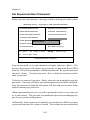
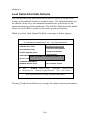
The two options on the main menu allow users to restore all of the BIOS
settings to the default Fail-Safe or Optimized values. The Optimized Defaults
are the default values set by the mainboard manufacturer specifically for the
optimal performance of the mainboard. The Fail-Safe Defaults are the default
values set by the BIOS vendor for the stable system performance.
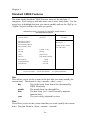
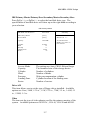
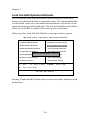
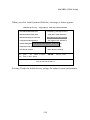
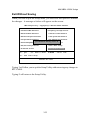
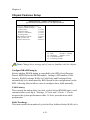
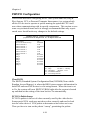
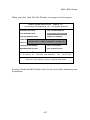
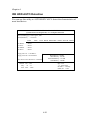
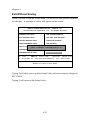
When you select Load Fail-Safe Defaults, a message as below appears:
CMOS Setup Utility - Copyright(C) 1984-2001 Award Software
8Standard CMOS Features
8Frequency/Voltage Control
8Advanced BIOS Features
Load Fail-Safe Defaults
8Advanced Chipset Features
Load Optimized Defaults
8Integrated Peripherals
Set Supervisor Password
Fail-Safe Defaults
(Y/N)?
N
Set User
Password
8Power ManagementLoad
Setup
8PnP/PCI Configurations
Save & Exit Setup
8PC Health Status
Exit Without Saving
Esc : Quit
↑ ↓ → ← : Select Item
F9 : Menu in BIOS
F10 : Save & Exit Setup
Load Fail-Safe Defaults
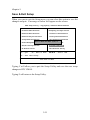
Pressing Y loads the BIOS default values for the most stable, minimal system
performance.
3-28