1
Total solder points: 159
Difficulty level: beginner 1
2
3
4
5
advanced
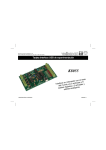
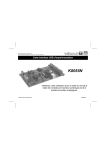
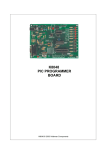
USB Experiment interface board
K8055
the
uter with 8
p
m
o
c
r
and
e you
Interfac ing 5 digital in– utputs.
o
s
world u alogue in-and
n
,2a
outputs
ILLUSTRATED ASSEMBLY MANUAL
H8055IP-1
Features
Features:
5 Digital inputs (0= ground, 1= open). On board test buttons provided.
2 Analog inputs with attenuation and amplification option. Internal test +5V provided.
8 Digital open collector output switches (max 50V/100mA). On board LED indication.
2 Analog outputs
0 to 5V, output resistance 1K5.
PWM 0 to 100% open collector outputs max 100mA / 40V
On board LED indication.
General conversion time: 20mS per command
Power supply through USB approx. 70mA.
Diagnostic software and communication DLL included
FR
Vous trouverez la traduction de cette notice sur le CD, avec d'autres informations
NL
Vertaling van deze handleiding, als ook meer gegevens kan men terugvinden op de CD.
UK
The translation of this manual and all other information can be found on the CD.
D
Dieübersetzung dieser anleitung und alle anderen Informationen finden Sie auf der CD.
S
Svensk Bruksanvisning och annan information finns på medföljande CD.
SF
Tämän käyttöohjeen sekä muun informaation suomenkielinen käännös on oheisella CD:llä.
I
La traduzione di questo manuale e tutte le informazioni concernenti l'unità possono essere trovate sul CD.
DK
Oversættelsen af denne manual, samt alle øvrige informationer vedrørende enhederne, kan findes på CD'en.
SP
La traducción de este manual de instrucciones y toda otra información sobre los dispositivos se encuentran en el CD
P
A tradução deste Manual e toda a informação referente às unidades pode ser encontrada no CD
3
Assembly hints
1. Assembly (Skipping this can lead to troubles ! )
Ok, so we have your attention. These hints will help you to make this project successful. Read them carefully.
1.1 Make sure you have the right tools:
•
A good quality soldering iron (25-40W) with a small tip.
•
Wipe it often on a wet sponge or cloth, to keep it clean; then apply solder to the tip, to give it a wet look. This is called ‘thinning’ and will
protect the tip, and enables you to make good connections. When solder rolls off the tip, it needs cleaning.
•
Thin raisin-core solder. Do not use any flux or grease.
•
A diagonal cutter to trim excess wires. To avoid injury when cutting excess leads, hold the lead so they
cannot fly towards the eyes.
•
Needle nose pliers, for bending leads, or to hold components in place.
•
Small blade and Phillips screwdrivers. A basic range is fine.
0.0
00
For some projects, a basic multi-meter is required, or might be handy
1.2 Assembly Hints :
⇒
⇒
⇒
⇒
⇒
⇒
⇒
⇒
Make sure the skill level matches your experience, to avoid disappointments.
Follow the instructions carefully. Read and understand the entire step before you perform each operation.
Perform the assembly in the correct order as stated in this manual
Position all parts on the PCB (Printed Circuit Board) as shown on the drawings.
Values on the circuit diagram are subject to changes.
Values in this assembly guide are correct*
Use the check-boxes to mark your progress.
Please read the included information on safety and customer service
* Typographical inaccuracies excluded. Always look for possible last minute manual updates, indicated as ‘NOTE’ on a separate leaflet.
4
Assembly hints
1.3 Soldering Hints :
1- Mount the component against the PCB surface and carefully solder the leads
2- Make sure the solder joints are cone-shaped and shiny
3- Trim excess leads as close as possible to the solder joint
REMOVE THEM FROM THE TAPE ONE AT A TIME !
AXIAL COMPONENTS ARE TAPED IN THE CORRECT MOUNTING SEQUENCE !
5
Construction
3. Resistors
1. Jumper
R...
J (2x)
2. Diodes, check the polarity !
CATHODE
D...
D1 : 1N4148
D2 : 1N4148
6
R1
R2
R3
R4
R5
R6
R7
R10
R11
R12
R13
R14
R15
R16
R17
R18
R19
R20
R21
R22
R23
:
:
:
:
:
:
:
:
:
:
:
:
:
:
:
:
:
:
:
:
:
10K
10K
1K
1K
10K
100K
100K
10K
10K
100K
100K
1K5
1K5
1K5
1K5
1K
1K
10K
10K
10K
10K
(1 - 0 - 3 - B)
(1 - 0 - 3 - B)
(1 - 0 - 2 - B)
(1 - 0 - 2 - B)
(1 - 0 - 3 - B)
(1 - 0 - 4 - B)
(1 - 0 - 4 - B)
(1 - 0 - 3 - B)
(1 - 0 - 3 - B)
(1 - 0 - 4 - B)
(1 - 0 - 4 - B)
(1 - 5 - 2 - B)
(1 - 5 - 2 - B)
(1 - 5 - 2 - B)
(1 - 5 - 2 - B)
(1 - 0 - 2 - B)
(1 - 0 - 2 - B)
(1 - 0 - 3 - B)
(1 - 0 - 3 - B)
(1 - 0 - 3 - B)
(1 - 0 - 3 - B)
R24
R25
R26
R27
R28
R29
R30
R31
R32
R33
R34
R35
R36
R37
R38
R39
R40
R41
R42
R43
:
:
:
:
:
:
:
:
:
:
:
:
:
:
:
:
:
:
:
:
10K
10K
10K
1K
47K
47K
47K
47K
47K
47K
47K
1K5
1K
1K
1K
1K
1K
1K
1K
1K
(1 - 0 - 3 - B)
(1 - 0 - 3 - B)
(1 - 0 - 3 - B)
(1 - 0 - 2 - B)
(4 - 7 - 3 - B)
(4 - 7 - 3 - B)
(4 - 7 - 3 - B)
(4 - 7 - 3 - B)
(4 - 7 - 3 - B)
(4 - 7 - 3 - B)
(4 - 7 - 3 - B)
(1 - 5 - 2 - B)
(1 - 0 - 2 - B)
(1 - 0 - 2 - B)
(1 - 0 - 2 - B)
(1 - 0 - 2 - B)
(1 - 0 - 2 - B)
(1 - 0 - 2 - B)
(1 - 0 - 2 - B)
(1 - 0 - 2 - B)
Remark:
R8 & R9 are not mounted at this
time. 4 Resistors should be left
over!
Construction
4. Ceramic Capacitors
6. Push buttons
8. Capacitors.
C...
C...
SW...
C1
C2
C3
C4
C5
C7
: 100nF
: 100nF
: 100nF
: 33pF
: 33pF
: 100nF
(104, 0.1, u1)
(104, 0.1, u1)
(104, 0.1, u1)
(33)
(33)
(104, 0.1, u1)
5. IC sockets. Watch the position of the notch!
C6 : 220nF/50V~
SW1
SW2
SW3
SW4
SW5
9. LED’s. Watch the polarity!
KRS0610
7. Potentiometer
IC1 :
IC2 :
IC3 :
IC4 :
14P
18P
28P
18P
RV1 : 100K
RV2 : 100K
LD1
LD2
LD3
LD4
LD5
LD6
LD7
LD8
LD9
LD10
LD11
LD1
CATHODE
3mm RED
7
Construction
10. Transistors
12. Electrolytic capacitor.
Watch the polarity !
C8 : 4,7µF/50V
T1 : BC337
T2 : BC337
C...
13. Quartz crystal
11. USB connector
14. Header
X...
SK2
SK3
SK5
SK6
:
:
:
:
2P
2P
2P
2P
15. Screw connectors
SK7: USBB90
X1 : 6MHz
SK1 : 3P
8
Construction
16. IC’s. Watch the position of the notch!
IC1 : TLV274IN
IC2 : ULN2803
IC3 : VK8055 (Programmed PIC16C745-IP)
IC4 : ULN2803
1
PIN 1
SK4 : 2 x 3P
SK8 : 5 x 3P
9
Gain factor
17. GAIN FACTOR
The analogue inputs A1 and A2 have a standard range of 0 ~ +5Vdc.
To use them externally, remove the jumper caps on SK2 and SK3.
The internal 5V voltage source can only be used for testing purposes.
When the input voltage is too low you can amplify it x4 / x15.
A gain of x4 requires a resistance of 3K3 for R8 (input signal 1) and for R9 (input signal 2). A x15 gain requires a resistance of 820ohm.
When the gain is set to e.g. x4, the max. input voltage falls inversely proportional to 1,25V.
If you want a different gain factor you can calculate it quite easily using the following formula :
Gain A1 = 1 + (R10/R8)
10
Gain A2 = 1 + (R11/R9)
Rubber feet
18. Rubber feet
Mount the rubber feet on the solder side of the PCB, see fig 1.0.
Fig. 1.0
11
Connection / settings
19. Connection / settings
3
4
5
6
7
2
8
1
9
10
12
Connection / settings
1 5 digital inputs (e.g. push button, switch, relay contact, ...). Input is generally "high" (1), connection to GND
makes the input "low" (0)
2 Analogue inputs (e.g. temperature sensor, potentiometer, ...) 0 ... +5VDC MAX!
3
If the jumper is mounted, then you can use the internal voltage and adjust it using RV2/RV1. If the jumper is
4 not mounted you must use the external voltage A2/A1.
5 Adjusting of the internal voltage for input A1.
6 Adjusting of the internal voltage for input A2.
7 Address selection, open = 1, closed = 0
8 Analogue outputs.
9 Digital outputs
10 USB connection to computer
13
Connection / settings
Select the correct address in the test program
DIGITAL OUTPUTS :
8 open collector contacts, to be connected with suitable inputs.
These exits function as ‘dry contact points’: you need an external voltage to control a component such as a LED or
a relay switch.
See the connection scheme on p.19.
ANALOGUE OUTPUTS :
2 analogue outputs with an output voltage between 0 and +5V (impedance 1K5).
2 PWM outputs with a pulse width modulation between 0 and 100%.
A fixed PWM frequency (23.43kHz) is used.
REMARK: the analogue outputs and PWM outputs are always activated /deactivated together.
14
Software installation & test
20. Demo-software installation
•
•
•
Start “Setup.exe”, this software is located at the folder K8055 from the Velleman Software CD. If the necessary
software is not included or if you want to check for updates, you can always download it for free from our Velleman Website www.velleman.be
An installation wizard will guide you trough the installation procedure.
By default the software is installed in the folder : ‘C:\Program Files\Velleman\K8055’
Fig 2.0
15
Test procedure
21 Test procedure
The included demo software makes it easy to experiment.
Start by selecting the address : tick off SK5 and/or SK6 (see address selection).
SK5
ON
OFF
ON
OFF
SK6
ON
ON
OFF
OFF
ADDRESS
0
1
2
3
ATTENTION : Execute these settings before connecting the kit with the computer or before booting the computer.
Connect the USB cable.
LED LD3 'Power' lights up if the connection has been executed properly.
After startup LD8 (output 8) will flash momentarily to indicate that the circuit works as it should.
Start the program 'K8055_Demo.exe'.
! Next press the 'connect' button to connect the K8055 with the computer.
16
Test procedure
The message "Card x connected" is displayed if the connection is successful, see fig 3.0.
FIG 3.0
You can now simulate the inputs via push buttons Inp1 through Inp5. The matching check box remains ticked off
as long as you keep one of the push buttons pressed down.
Always tick off the check box for the matching output if you wish to test a digital output.
You can also conduct this procedure automatically : press the 'output test' button or activate all outputs with the
'Set all digital' button. Press the 'output test' button to test all digital outputs automatically.
Test the analogue outputs with the 'set all analog' button and modify the output voltage with DA1 & DA2
17
Test procedure
Counter 1 & 2 are hardware integrated 16-bit counters, they are triggered by INP1 & INP2.
You can test the counter with push buttons Inp1 and Inp2 : the counter adds 1every time one of these two buttons
is pressed. The debouncing control allows you to determine the reaction time of the counter (0ms - 2ms - 10ms 1000ms).
You can use the internal analogue voltage to simulate the analogue input via potentiometers ATT1 (RV1) & ATT2
(RV2).
The scroll bars AD1 & AD2 change on the screen whenever you adjust the position of the potentiometers. The
"digital" value (0 to 255) of this internal analogue voltage can be read directly under the scroll bars.
18
Connection scheme
22. CONNECTION SCHEME
ANALOG VOLTAGE 0 ...5V
"0"
RVx : FOR EXPERIMENTAL USE
mount SK2 & SK3 when using RV1,2
+
-
To external electronics
analog output 0 ... 5V
+
220V
AC
+
RELAY
"1"
-
LED
P8055-1
C VELLEMAN 2003
EXTERNAL !
DC voltage 5 ... 30V
DC Adapter (ex. PS1208)
OR
USB
From PC USB1.X
19
PCB
23. PCB
20
Schematic diagram
24. Schematic diagram.
21
This device complies with Part 15 of the FCC Rules provided
the enclosed instructions are followed to the letter. Use of the
device is subject to the following conditions: (1) this device
must not cause harmful interference and (2) the operation of
this device should not be influenced by unwanted interference.
More information about FCC can be look at http://www.fcc.gov
22
VELLEMAN Components NV
Legen Heirweg 33
9890 Gavere
Belgium Europe
www.velleman.be
www.velleman-kit.com
Modifications and typographical errors reserved
© Velleman Components nv.
H8055IP - 2005 - ED1 (rev 3.0)
5 410329 292065