1
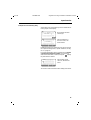
BK_FRONT.FM
Gigaset 2011 Tango: A30852-X1106-B307-2-7619
s
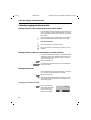
The cordless digital
DECT telephone system
expandable to 6 handsets
Operating instructions
Before starting up the equipment, pease read these
operating instructions with the safety notes!
ACHTUNG! Schnittkante ggf. auf Titelseite U1 nach außen versetzen wg. Falz-Ausklappseite
Gigaset 2011
Tango
18.7.99
KAP00.FM5
18.7.99
Gigaset 2011 Tango: A30852-X1106-B307-2-7619
Dear Customer,
By purchasing your Gigaset 2011 Tango, you now own a cordless telephone which combines the advantages of "cordless telephone use" with the convenience of a high-quality telephone. It is suitable
for private use both at home and in the office.
The device is designed on the basis of state-of-the-art digital technology and according to the new
European standard for cordless telephones (DECT). Among other things, DECT technology offers a
high level of security against unauthorized persons listening in on calls as well as a high level of digital quality. Your Gigaset 2011 Tango can easily be expanded to form a small telephone system in
which you can make both internal and external calls.
The outstanding features of the Gigaset 2011 Tango include:
●
Menu-driven operation
●
"Telephone directory" containing up to 100 call numbers
●
Lock function to prevent unauthorized use
●
Ability to expand the phone for the use of up to six handsets at a single base station for private
use and the operation of a handset at several base stations.
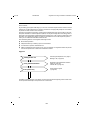
Signposts
Making the first call
Switching the telephone on(➔ page 1).
Making a call (➔ page 10).
Using additional handsets
Registering new handsets at the base
station (➔ page 48).
Internal calls (➔ page 14).
The quickest way
Quick reference guide
(➔ page 68).
In addition to these signposts, the table of contents and index at the beginning and end of this manual will provide further help in the optimum use of this device.
-II
U2
KAP00.FM5
18.7.99
Gigaset 2011 Tango: A30852-X1106-B307-2-7619
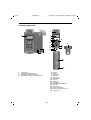
Overview: Gigaset 2011 Tango
5
1
6
7
8
9
16
10
11
12
13
3
4
19
15
14
2
17
18
1
2
3
4
5
6
7
8
9
10
11
12
13
14
15
16
17
18
19
Charging unit
Paging key (calling handsets)
Left LED for display "Line busy"
Right LED for display "Charge batteries"
Earpiece
Display
Display keys
Menu key
On-hook key
Dialling pad
Star key
Signal key
Microphone
ON/OFF/PROTECTED key
Hash key
Off-hook key
Ringer loudspeaker
Battery compartment/cover
Carrying clip
-I
U3
KAP00.FM5
18.7.99
Gigaset 2011 Tango: A30852-X1106-B307-2-7619
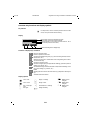
Overview: Key functions and display symbols
Key function
.
to call up menu; cancel = return to previous menu or main
menu; end a procedure without saving
Display
Menu items that can be opened with "OK"
Menu items that can be reached withZ
Menu end (press Zto scroll to 1st menu item or Yto
scroll to the previous menu item)
Ringer Volume
Ringer Tone
---------------------
Z {
YWEITER
OK
Current meaning of the display keys
Functions of display keys on handset
Z
Y
X
OK
d
{
<
>
z
W
[
Move to next menu item
Return to previous menu item
Go back and delete during entry (e.g. when entering names/call numbers/macros, etc.)
Selecting a menu item; confirmation of the entry/setting to be saved
Access to directory
Go back to previous menu
Go back in stages (input prompt) without deleting; go back to previous
setting (e.g. volume, etc.)
Go forward in stages forward (insertion mark) without deleting; move
on to next setting (e.g. volume, etc.)
Redial
Opening the sub-menu for the menu item (e.g. telephone directory entry)
Activate internal connection
Display symbols
l
m
(
v
Lock = ON
Lock = OFF
Aut. call acceptance
Aut. light
n
r
q
T
Ringer = settings
Ringer = OFF
Volume/tones = settings
Range boundary
0
U4
U
V
e
Battery 100%
charged
Battery 66%
charged
Battery 33%
charged
KAP01.FM5
Gigaset 2011 Tango: A30852-X1106-B307-2-7619
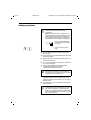
Safety precautions
Only use approved nickel-cadmium (NiCd) and
nickel-metal-hydride (NiMH) batteries
(➔ page 62)!
Never use other batteries or ordinary (non-rechargeable) batteries! These batteries can short
circuit or destroy the battery unit (dangerous).
The following labels are found on the battery
compartments of the handset and charging unit:
B
18.7.99
+
_
Only use rechargeable batteries with the poles aligned
as shown!
Type according to instructions
●
Do not submerge batteries in water; do not throw
them into fire.
●
Do not dispose of old, defective batteries with normal
household garbage.
●
Batteries become warm during charging. This is normal and not dangerous
●
Do not use any third-party charging units. The batteries could be damaged.
●
Use only the supplied power adapter number
C39280-Z4-C59 (220/230V version) or
C39280-Z4-C69 (110/120V version).
Check that the socket into which you insert the
plug-in power unit has the correct voltage. If
your plug-in power unit does not have the right
voltage, please contact Siemens.
●
Do not confuse the plugs of the base station. Abnormally high voltages could be imposed across the
charging contacts for brief intervals, such as during
thunder storms.
●
The handset may not be operated in rooms with explosion hazards.
Research has demonstrated that cordless telephones (DECT) which are switched on can interfere with the operation of medial equipment.
When using a mobile telephone in medical institutions, the regulations of the institution in question must be observed.
I
KAP01.FM5
18.7.99
Gigaset 2011 Tango: A30852-X1106-B307-2-7619
Certification and CE marking
The Siemens Gigaset 2011 Tango meets
the requirements contained in EU guideline:
89/336/EEC
"Electromagnetic Compatibility"
The handset of the Siemens Gigaset 2000C Tango
carries the "CE" symbol
II
GIG2011T.IVZ
18.7.99
Gigaset 2011 Tango: A30852-X1106-B307-2-7619
Contents
Singposts
Overviews
Safety precautions
Stepwise startup ..........................................................................................................................
Step 1: Observe the safety precautions .........................................................................................
Step 2: Check the contents of the package ...................................................................................
Step 3: Connecting the base station ..............................................................................................
Step 4: Inserting the batteries into the handset .............................................................................
Step 5: Charging the batteries .......................................................................................................
Step 6: Check signaling method ....................................................................................................
1
1
1
1
2
3
3
Menu-driven operation ................................................................................................................ 4
Operating modes ......................................................................................................................... 6
ON/OFF/PROTECTED modes ........................................................................................................ 6
Signaling method ........................................................................................................................... 7
Incoming calls .............................................................................................................................. 8
Accepting calls ............................................................................................................................... 8
External call-waiting during internal calls ..........................................................................................9
Ending a call ................................................................................................................................... 9
External outgoing calls .............................................................................................................. 10
Calling external subscribers ......................................................................................................... 10
No answer or line busy ................................................................................................................ 11
Redial ........................................................................................................................................... 11
Dialing using the directory ............................................................................................................ 12
Device control using dual-tone multifrequency signaling (DTMF) ..................................................13
Dialing a DSS number from a locked handset .............................................................................. 13
Ending a call ................................................................................................................................. 13
Collective ringing and internal calls .........................................................................................
Making collective calls to all handsets from the base station ......................................................
Making collective calls from one handset to all other handsets ...................................................
Making internal calls .....................................................................................................................
Allowing internal parties to listen in on a call ...............................................................................
Ending an internal call ..................................................................................................................
Switching off the microphone (mute function) .............................................................................
14
14
14
14
15
15
15
Internal consultation calls and transferring calls ................................................................... 16
Consultation calls ......................................................................................................................... 16
Transferring calls ............................................................................................................................17
Creating and managing the directory ...................................................................................... 18
Entering/copying/editing/deleting call numbers/names ..................................................................19
Delete directory ............................................................................................................................ 21
Available memory ......................................................................................................................... 21
Input function ............................................................................................................................. 22
The input field .............................................................................................................................. 22
Entering letters, special characters, and digits ............................................................................. 24
Base station settings ................................................................................................................. 26
Service function ........................................................................................................................... 26
Switching the base station ringer off and setting the ringer volume ........................................... 26
Setting the base station ringer tone ...............................................................................................27
III
GIG2011T.IVZ
18.7.99
Gigaset 2011 Tango: A30852-X1106-B307-2-7619
Contents
Handset settings ........................................................................................................................ 28
Setting the handset volume ......................................................................................................... 28
Ringer settings ...............................................................................................................................29
Activating/deactivating the call duration display ........................................................................... 29
Selecting a language ......................................................................................................................30
Activating/deactivating automatic backlight ................................................................................. 30
Automatic call acceptance ............................................................................................................ 30
Activating/deactivating notification and warning tones ................................................................ 31
Baby alarm .....................................................................................................................................32
The Gigaset 2011 Tango lock functions .................................................................................... 33
Activating/deactivating the Gigaset 2011 Tango lock for outgoing calls ...................................... 33
Emergency calls when the Gigaset 2011 Tango is locked ........................................................... 33
Barred numbers for handsets ........................................................................................................35
Activating/deactivating the call number lock ..................................................................................37
Setting trunk access for the handsets ............................................................................................38
Lock functions on the handset ................................................................................................. 39
Activating/deactivating the handset lock ...................................................................................... 39
Handset display with active lock ....................................................................................................41
Short cuts ................................................................................................................................... 42
Descriptions with example ........................................................................................................... 42
Short cut menu ............................................................................................................................ 42
New entry ......................................................................................................................................43
Editing an entry ............................................................................................................................ 45
Deleting an entry .......................................................................................................................... 45
Displaying an entry ....................................................................................................................... 45
Deleting all entries .........................................................................................................................46
Available Memory ........................................................................................................................ 46
Starting a short cut ....................................................................................................................... 46
Default short cuts ......................................................................................................................... 47
Operating more than one handset ...........................................................................................
Registering/de-registering more than one handsets at the base station ......................................
Registering a Gigaset 2000C Tango handset at a base station ....................................................
De-registering a handset from a base station ..............................................................................
Ring priority for incoming calls .....................................................................................................
48
48
48
49
49
Operating in a telephone system .............................................................................................
Activating/deactivating the automatic attenuation function .........................................................
Possible signaling method settings ..............................................................................................
Analog trunks ...............................................................................................................................
52
52
52
53
Operation at more than one base station ............................................................................... 55
Procedure for operating at more than one base station ............................................................... 55
Selecting the best station ............................................................................................................ 55
Setting the preferred station ........................................................................................................ 56
Base station names ........................................................................................................................57
De-registering a base station ....................................................................................................... 57
Code numbers and factory defaults ......................................................................................... 58
Changing the system code, changing the PIN ............................................................................. 58
Resetting the base station to factory defaults ............................................................................. 59
Resetting the Gigaset 2000C Tango handset to factory defaults ...................................................60
IV
18.7.99
GIG2011T.IVZ
Gigaset 2011 Tango: A30852-X1106-B307-2-7619
Contents
Notes on operation .................................................................................................................... 61
Installing the base station ............................................................................................................. 61
Notes on operating the handset ................................................................................................... 61
Technical data ................................................................................................................................64
Connecting the telephone socket ................................................................................................ 65
Maintenance notes ...................................................................................................................... 65
Third party use/disposal ............................................................................................................... 65
Procedure in the case of malfunctions ...........................................................................................66
Overview: signal tones ...................................................................................................................67
Quick reference guide handset Gigaset 2000C Tango ........................................................... 68
Index ............................................................................................................................................ 70
V
Kap02.fm5
18.7.99
Gigaset 2011 Tango: A30852-X1106-B307-2-7619
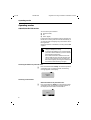
Stepwise startup
Stepwise startup
Step 1: Observe the safety precautions
It is essential that you read the safety precautions at the begining of this manual before startup!
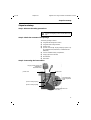
Step 2: Check the contents of the package
The factory package contains:
●
a Gigaset 2011 Tango base station,
●
a Gigaset 2000C Tango handset,
●
a phone cord,
●
a power cord with RJ-11 plug and plug-in power supply C39280-Z4-C59 (220/230V) or C39280-Z4-C69
(110/120V),
●
cover for handset battery compartment,
●
carrying clip for the handset,
●
two batteries,
●
instructions.
Step 3: Connecting the base station
Plug-in power supply and
220/230V or
110/120Vsocket
power cord
phone cord
cord channel for
power and phone
cords
power cord RJ-11 plug
phone cord RJ-11 plug
Underside of base station case
1
Kap02.fm5
18.7.99
Gigaset 2011 Tango: A30852-X1106-B307-2-7619
Stepwise startup
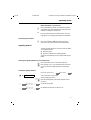
Phone cord
Insert the RJ-11 plug on your phone cord into the base station. The jack on the bottom of the base station is marked
with the
symbol.
Insert the phone plug on your phone cord into your phone
socket.
Power cord
Insert the RJ-11 plug on your power cord into the base
station. The jack on the bottom of the base station is
marked with the
symbol.
Insert the power cord plug-power supply into a 220/230V
socket (C39280-Z4-C59) or a 110/120V socket (C39280Z4-C69).
For safety reasons, the phone must only be operated with the supplied Siemens
C39280-Z4-C59 adaptor for 220/230V voltage or
C39280-Z4-C69 adaptor for 110/120V.
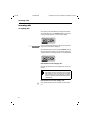
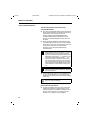
Step 4: Inserting the batteries into the handset
The handset is powered by two batteries.
Batt. compartment cover
Batt. comp. and batteries
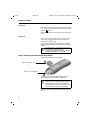
Hold the handset with the keypad side facing down.
Slot the batteries into the battery compartment.
Make sure that the +/– battery poles are aligned
correctly. The +/– marks on the plate must be
aligned with the +/– marks on the batteries.
The handset will not work if the batteries are incorrectly inserted and it may be damaged.
Slide the cover of the battery compartment from above
into the grooves in the handset and close the compartment.
2
Kap02.fm5
18.7.99
Gigaset 2011 Tango: A30852-X1106-B307-2-7619
Stepwise startup
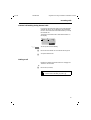
Step 5: Charging the batteries
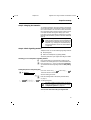
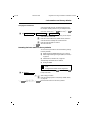
To charge the batteries, place the handset in the handset
rest on the base station. The charging contacts on the bottom of the handset must come into contact with the bottom of the base station and its charging contacts. It does
not matter whether the keypad is facing up or down.
If you have correctly inserted the mobile unit for charging,
the LED under the battery symbol on the base station will
light up.
You must charge the batteries before you can
make any calls or settings. We recommend that
the batteries be charged for 16 hours without interruption, e.g. overnight, for the initial startup.
For more information on the use of the batteries
(➔ page 62).
Step 6: Check signaling method
Telephone lines can use the following signaling methods:
●
dial pulsing (DP)
dual-tone multifrequency signaling (DTMF)
The factory default for your Gigaset 2011 Tango is DTMF.
●
Checking your own telephone’s signalling method
c
o
Setting the phone to dial pulsing (DP)
.t Service
Press the off-hook key (corresponds to picking up the
handset on an ordinary phone). You will hear the dial tone.
Press any digit, e.g. 2. If you can still hear the dial tone
you will have to set the signaling method to dial pulsing
(DP).
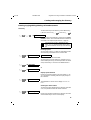
(t means: browse using x Z , confirm using u OK )
Select the "Service" menu item.
#1
o
u REDIAL @33 x SET
Start the setting procedure
Enter the four-digit base code (factory default:"0000")
(➔ page 7).
Set dial pulsing (DP).
The other signaling method settings are intended for the operation of the Gigaset 2011 Tango
in telephone systems (➔ page 52 ).
You can now make calls with your Gigaset 2011
Tango.
3
KAP03A.FM5
18.7.99
Gigaset 2011 Tango: A30852-X1106-B307-2-7619
Menu-driven operation
Menu-driven operation
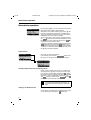
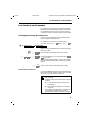
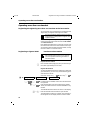
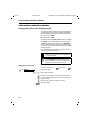
By pressing the. key, you can call up the local menu of
the Gigaset 2000C Tango Comfort handset.
Handset Lock
Short Cut
Baby Alarm
WEITER
▲ ▼
{
OK
When the menu has been called up by pressing ., the
first menu level appears. Three lines of available menu
options are shown in the display. The top menu option is
highlighted. This menu option is selected.
You can move down to the next menu item by pressing
the Z display key. The broken line indicates the end of
the menu. If this line is selected and you press Z you
will go back to the top of the menu.
Confirm the selection of the menu item by pressing the
OK display key. By pressing the { display key, you
can go back to the menu item, from which you moved to
a submenu. To leave the menu from the top level, press
the . key. The off-line appears.
Menu structure
The menu structure is hierarchical.
Settings
If, for example, you select the Settings
option in the
top menu, you will access a sub-menu with settings.
Service
__________
WEITER
▲ ▼
{
OK
Handset Volume
Ringer Options
Register
WEITER
▼
▲
{
OK
Moving to higher menu levels and leaving a menu
When you are in the top menu level, you can leave the
menu by pressing .. If you are at a lower menu level,
you can move up one level by pressing the { display
key without saving any settings made. If you have reached
the end of a menu – indicated by a broken line – the {
and OK display keys become the Go Back display key,
which allows you to leave this menu level.
You can leave all functions without implementing changes by pressing the on-hook key a
and return to the "off-line display". (Panic function).
Calling up an additional menu
Some menus, e.g. Redial, have an additional menu which
can be called up by pressing the W display key.
4
4
KAP03A.FM5
18.7.99
Gigaset 2011 Tango: A30852-X1106-B307-2-7619
Menu-driven operation
Presentation in the user manual
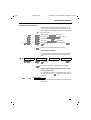
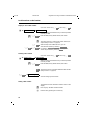
The selection of a function in one of the menus or submenus is depicted using symbols. For example, the following entries must be made to obtain the confirm beep:
x
x
x
x
x
Z
Z
Z
Z
ON / OFF
u
u
u
u
u
u
.
Press menu key,
OK
Move down to Settings
OK
Move on to Handset Settings
and confirm.
OK
Continue down to Beeps and confirm.
OK
Then on to Confirm Beep
OK
Switch the confirm beep on or off by pressing OFF /
ON and store.
and confirm.
and confirm.
or
{
Leave the menu without making any changes.
Abbreviated presentation
In the descriptions of procedures in this manual, the path
to the "target menu item" is presented in abbreviated
form.
.t Settings
x
ON / OFF
t Handset Settings t Beeps
u
u
OK
t Confirm beep
Switch the confirm beep on or off by pressing OFF /
ON and store.
or
{
Leave the menu without implementing any changes.
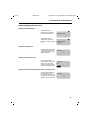
Abbreviated presentation where the menu is called
up using a display key
If, for example, you want to call up "New Entry" in the directory menu using the W display key, it is presented
as follows:
u
d
uW
t New Entry
Light gray menu items have no significance in the Gigaset
2011 Tango.
5
5
KAP04.FM5
18.7.99
Gigaset 2011 Tango: A30852-X1106-B307-2-7619
Operating modes
Operating modes
ON/OFF/PROTECTED modes
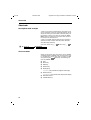
You can switch your handset to
●
protected mode,
●
off,
●
and on (again).
In protected mode, the keypad is locked to prevent unintended use. Incoming calls are received automatically. If
you want to make an outgoing call, you will have to unlock
the keypad first.
When the handset is switched off, incoming calls are not
signaled.
PROTECTED mode is useful, for example, if you
carry your telephone in a bag.
To preserve the batteries, we recommend that
you switch off the handset if you move outside
the base station radio range.
If the handset has been switched on and outside the radio range for a longer period of time,
you can speed up the process of "finding" the
base station again by switching the handset off
for a moment and switching it on again.
Switching the handset to protected mode
h
Press the handset button briefly. You will hear a positive
confirmation beep. In protected mode, the following
message appears on the display:
U
:
Keypad
locked
Switching on the handset
When the handset is in protected mode:
h
Press the handset key briefly. You will hear the positive
confirmation beep. The following message appears on
the display when the handset is switched on:
:
U
Base 1
d
6
[
z
KAP04.FM5
18.7.99
Gigaset 2011 Tango: A30852-X1106-B307-2-7619
Operating modes
When the handset is switched off:
h
Press the handset key briefly. You will hear the positive
confirmation beep. The display flashes. Wait until it stops
flashing. The handset is switched on.
or
Place the handset back into the base station. The message appears on the display. The handset is switched on.
Switching off the handset
h
Press the handset key until the display message is
cleared. You will hear the positive confirmation beep.
Signaling method
The PTT operates telephone connections with two different signaling methods:
●
Dial pulsing (DP)
●
Dual-tone multifrequency signaling (DTMF)
The factory default setting for your Gigaset 2011 Tango is
DTMF.
Checking the signaling method of your telephone line
c
o
Press the off-hook key. You will hear the dial tone.
Press any digit, e.g. 2. If you still hear the same dial tone,
you must switch the signaling method to dial pulsing
(DP).
Setting the signaling method
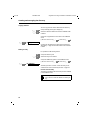
(t means: browse using x Z , confirm using u
.t Service
OK
)
Call up the "Service" menu item.
#1
o
Start the setting procedure
Enter the four-digit base code (factory default: "0000")
(➔ page 7).
u REDIAL @ 3 3 x SET
Set to dial pulsing (DP).
u REDIAL @37 x SET
Set to DTMF. A flash time of 100ms is set.
or
7
KAP05.FM5
18.7.99
Gigaset 2011 Tango: A30852-X1106-B307-2-7619
Incoming calls
Incoming calls
Accepting calls
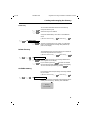
An incoming call is indicated by the ringer (bell symbol).
You will know that it is an external call when you the following message appears on your handset display
:
External call
RNG OFF
u
RNG OFF
You can switch off the ring tone. Calls can be accepted as
long as the call symbol is displayed.
You will know that you are receiving an internal call if you
see the following message on your handset display (the
example shows an incoming call from a second handset):
:
Internal call 2
RNG OFF
If the handset is in the charging unit:
Remove the handset from the charging unit. You are connected.
The automatic acceptance of calls by removing
the handset from the charging unit is an adjustable setting (➔ page 30). If you have switched
this function off, you must press the c button
when you have removed the handset from the
charging unit.
If the handset is not in the charging unit:
c
8
Press the off-hook key on the handset. You are connected.
KAP05.FM5
18.7.99
Gigaset 2011 Tango: A30852-X1106-B307-2-7619
Incoming calls
External call-waiting during internal calls
If you are on an internal call with a second handset and a
external call arrives, this is indicated by the call-waiting
function. Your internal call is terminated when you accept
the external call.
The arrival of the external call is indicated as follows on
the display:
:
EXT.
INT.
2
TALK
RUF
AUS
u
TALK
You accept the call immediately.
or
a
Disconnect the internal call. You will hear the ring tone.
c
Accept the external call.
Ending a call
Replace the handset in the base station or charging unit.
The line is disconnected.
or
a
Disconnect ("on-hook").
If the handset was in protected mode, it remains in this mode after you press a.
9
KAP06.FM5
18.7.99
Gigaset 2011 Tango: A30852-X1100-B301-2-7619
External outgoing calls
External outgoing calls
Calling external subscribers
c
o
Press the off-hook key. You will hear the dial tone.
Enter the desired call number on the dialling keypad. The
number you have entered is shown on the display, e.g.:
:
Extern
123456
INT
RUF
AUS
PAUSE
You will hear the ring tone.
Dialing with call number checking (en-bloc dialing)
En-bloc dialing allows you to check the external call
number entered before it is dialed and correct it, if necessary, using the X display key before the line is seized.
(For instructions on how to edit the call number, "Input
function" ➔ page 22).
The maximum length of call numbers that you
can enter is 22 digits.
o
Enter the desired call number. The number you have entered is shown on the display, e.g.:
:
123456_
WEITER
>X W
<
You can correct the number entered using the enter function.
c
Press the off-hook key within 30 seconds to seize the
line. The call number is dialed. You will then hear the ring
tone.
or
u
(t means: browse using x Z , confirm using u OK )
W t Dial
The call number is dialed.
You can also leave this additional menu without dialing by
pressing the { display key.
10
KAP06.FM5
18.7.99
Gigaset 2011 Tango: A30852-X1100-B301-2-7619
External outgoing calls
Manually inserting a pause
If you repeatedly get the busy symbol following automatic
dialing from the telephone directory, e.g. after the country
code, you can enter a pause (three seconds), e.g. between the trunk or country code and the call number:
u
(t means: browse using x Z , confirm using u OK )
W
t Pause
The dial pause "P" is shown on the display.
:
0043P123456_
WEITER
▲ ▼ X
W
No answer or line busy
Replace the handset in the base station or charging unit.
The call is disconnected.
or
a
Disconnect call ("on-hook").
You can use the redial function to repeat this
call.
Redial
Repeating the last number dialed
x
You can call up a list with numbers for redial by pressing
the z display key. You will be presented with a list of
the last five different numbers you called, including numbers which were dialed from the directory.
Z
c
Select the desired call number.
Press the off-hook key. The number is dialled.
or
u
(t means: browse using x Z , confirm using u OK )
W t Dial number
You can enter additional digits while the number
is being dialed.
11
KAP06.FM5
18.7.99
Gigaset 2011 Tango: A30852-X1100-B301-2-7619
External outgoing calls
Dialing using the directory
You can store up to 100 call numbers with corresponding
names in your handset directory (➔ page 19). You can
search for names and dial the numbers directly from the
directory.
x
d
Call up directory.
:
ALPHA
BRAVO
CHARLIE
x
Z
WEITER
{ W
▲ ▼
Browse to desired entry.
or
2…9
c
Enter letter
e.g. the letter "B" – press digit key 2 twice.
The directory moves to the first entry starting with the letter "B". If there is no such entry in the directory, it will stay
on the current entry and you will hear the error beep.
Press the off-hook key within 30 seconds. The call
number is dialed. You will hear the ring tone.
or
u
(t means: browse using x Z, confirm using u OK )
W t Dial number
The number is dialed.
You can also leave this additional menu without dialing by
pressing the { display key.
12
KAP06.FM5
18.7.99
Gigaset 2011 Tango: A30852-X1100-B301-2-7619
External outgoing calls
Device control using dual-tone multifrequency signaling (DTMF)
If your telepone is connected to a line with dial pulsing
(DP), you can switch to dual-tone multifrequency signaling
(DTMF) once the connection has been set up.
Precondition: an external connection exists.
(t means: browse using x Z , confirm using u OK )
.t Switch to Tone
Select and confirm.
When you have switched to DTMF, you can
switch between the two signaling methods during the connection using the R signal key.
When the line is disconnected, the telephone
will automatically return to the original signaling
method.
Any digits or symbols that you enter after
switching signaling methods are not stored in
the memory for redialing.
Dialing a DSS number from a locked handset
If the handset has been locked for external calls (➔ page
39) and a DSS number is stored (➔ page 39), it is possible
to dial this direct number despite the lock.
o
Press any key on the handset. The direct number is dialed.
It is not possible to dial a DSS number from a
locked handset,
●
if "unrestricted trunk access or outward restricted trunk access" is set (➔ page 38), or
●
if the base station is locked
(➔ page 33).
Ending a call
Replace the handset in the loading unit. The line is disconnected.
or
a
Disconnect (on-hook key).
13
KAP07.FM5
18.7.99
Gigaset 2011 Tango: A30852-X1106-B307-2-7619
Collective ringing and internal calls
Collective ringing and internal calls
Making collective calls to all handsets from the base station
It can be useful to make a collective call from the base station, for example, to locate mislaid handsets. It is not possible to make internal calls during a collective call from the
base station.
?
Press the paging key on the base station. All accessible
handsets will be called for approximately 30 seconds.
End call prematurely
?
or
c
Press the paging key on the base station.
Disconnect the line by pressing the on-hook key on the
handset.
Making collective calls from one handset to all other handsets
If your phone has several handsets, it is possible to make
a collective call from each handset to all the other accessible handsets. The first internal party who accepts the
call is connected to you.
x [
x COLL.CALL
Press the internal key.
You will hear the internal ring tone. All accessible handsets will be called.
Making internal calls
If your telephone has more than one handset (➔ page 52),
you can call the other handsets free of charge.
x [
o
Press the internal key.
Enter the number of the handset you wish to call (1 to 6).
You will hear the internal ring tone. The handset you dialed is being called.
Checking your own internal number
x [
14
Press the internal key.
The internal call number
of the handset from
which you are calling is
shown on the display.
Intern
2
SET
RUF AUS
COLL.CALL
18.7.99
KAP07.FM5
Gigaset 2011 Tango: A30852-X1106-B307-2-7619
Collective ringing and internal calls
Allowing internal parties to listen in on a call
It is possible to enable an internal party to listen in on a
call with an external party from his/her handset.
c
x [
An external connection is already set up.
Set up an internal connection.
1...6
Dial the internal party (1... 6). An external call is under way.
The internal party answers. Hold your conversation.
x SET R
The external call is resumed and the internal party can listen in.
Disconnect internal party again
x SET R
The internal party is disconnected and hears the busy
tone.
or
a
The internal party hangs up by pressing the on-hook key.
Ending an internal call
Replace the handset in the base station or charging unit.
The line is disconnected.
or
a
Disconnect line ("on-hook").
Switching off the microphone (mute function)
It is possible to switch the microphone off during external
calls. This allows you to consult other people in the room
while the external party is on hold. The external party cannot hear what you are saying and will hear music.
x [
(
Set up an internal connection.
The microphone is switched off. Hold consultation with
people in the room. The external party will hear music.
R
Switch the microphone back on. You are reconnected
with the external party.
15
KAP08.FM5
18.7.99
Gigaset 2011 Tango: A30852-X1106-B307-2-7619
Internal consultation calls and transferring calls
Internal consultation calls and transferring calls
During a external call it is possible to:
●
hold a consultation call with an internal party,
●
transfer the external call to the internal party.
Consultation calls and call transfer are only possible if more than one handset is in operation
(➔ page 52).
Consultation calls
When more than one handsets are in operation
If more than one handset is in operation (➔ page 52), you
can make a consultation call to an internal party during a
call with an external party. The external party cannot hear
your conversation with the internal party and will hear music while on hold.
x [
o
(
Set up an internal connection.
Enter the number of the handset which you wish to call
(1 to 6). You will hear the internal ring tone. The handset
is being called. The external call is held.
End consultation/continue external call
R
End the internal consultation call. You are now reconnected to the external party.
When a telephone system is in operation
You can make a consultation call to a party in your telephone system during an external call. Please check the
operating instructions for the telephone system.
16
R
Set up a consultation call. You will hear the dial tone. The
external call is held.
o
Enter the desired extension number. The relevant party is
called.
R
End the internal consultation call. You will be reconnected
with the external party.
KAP08.FM5
18.7.99
Gigaset 2011 Tango: A30852-X1106-B307-2-7619
Internal consultation calls and transferring calls
Transferring calls
When more than one handsets are in operation
It is possible to transfer an external call to an internal party
when more than one handset is in operation (➔ page 52).
x [
o
(
Set up an internal connection.
Enter the number of the handset to which you want to
transfer the call (1 to 6). You will hear the internal ring
tone. The handset is being called. The external call is
held.
either
Wait until the internal party answers and inform him/her
about the external call you are about to transfer.
a
or
a
Transfer the external call by pressing the on-hook key.
Do not wait until the internal party answers and transfer
the external call directly by pressing the on-hook key.
Instead of pressing a, you can also replace
your handset in the charging unit.
If you have transferred the external call and the
internal party does not accept the call within 30
seconds, an automatic recall is carried out.
If you have transferred the external call and the
internal party is busy, an automatic recall is carried out immediately.
If you accept the recall, you will be reconnected
to the external party. A recall is accepted in the
same way as all other calls (➔ page 8).
When a telephone system is in operation
If a telephone system is in operation, you can transfer an
external call to another internal party. Please check the operating instructions for the telephone system.
R
o
a
Setup a consultation call. You will hear the dial tone. The
external call is held.
Enter the desired extension number. The party in question is called.
Transfer the external call by pressing the on-hook key.
17
KAP08A.FM5
18.7.99
Gigaset 2011 Tango: A30852-X1106-B307-2-7619
Creating and managing the directory
Creating and managing the directory
You can store up to 100 entries in the electronic directory.
The entries comprise:
●
call numbers (maximum 32 digits), and
●
names (maximum 16 characters).
When you call up the directory, the names are presented
in alphabetical order. You can browse through it at your
ease and dial directly from it (➔ page 12).
You can call up the directory and its entries by pressing
the d display key. To manage the directory – e. g.
change or delete entries – call up the directory menu in
the directory by pressing the W key.
The following menu items are available in the directory
menu:
●
Dial number
●
New Entry
●
Edit Entry
●
Delete Entry
●
Display Entry
Copy Entry (not available with Gigaset 2011 Tango)
●
Delete Directory
Copy Directory (not available with Gigaset 2011 Tango)
●
Available Memory
In the following descriptions, the calling up of the individual menu items is presented in abbreviated form:
u
18
d
uW
(t means: browse using x Z, confirm using u
t e.g. New Entry
OK
)
KAP08A.FM5
18.7.99
Gigaset 2011 Tango: A30852-X1106-B307-2-7619
Creating and managing the directory
Entering/copying/editing/deleting call numbers/names
New Entry
To add a new entry to the directory, select "New Entry".
u
d
u
W t New Entry
(t means: browse using x Z, confirm using u
)
OK
When you select the "New Entry" menu item, the input
function is active. You can enter the name and number as
described in the chapter "Input function" ➔ page 22.
The names are sorted in alphabetical order.
With : or # as the first letter of the name,
you can move entries to the top of the directory
list.
Inserting a pause
You can insert a pause, e.g. after the "international code"
when entering call numbers in the "content" field.
u
W t Insert function
t Pause
A "P" is inserted into the call number.
You must store your entry when it is complete or if you
want to delete your entry, cancel the procedure. To do this
call up "Save Entry" or "Cancel" in the additional menu.
u
W t Save Entry
or
u
W t Cancel
Display special character
If there is a special character in the call number, e.g. "P",
you can display its meaning. Place the input prompt on
the character:
u
W t Show Function
The explanation is shown on the display: Character "P":
Pause.
Checking for double entries
To prevent an entry appearing in the directory more than
once, it is possible to have new entries checked.
u
W t Check Duplicate
If there is an identical number in the directory, the name
of the double entry is shown on the display.
19
KAP08A.FM5
18.7.99
Gigaset 2011 Tango: A30852-X1106-B307-2-7619
Creating and managing the directory
Copying numbers
u
x
You can copy the last number dialed into the directory.
z
Z
Call up redial by pressing the display key.
Select the desired number from the five available redial
numbers.
Call up the "Copy Number" menu item in the additional
menu.
u
(t means: browse using x Z, confirm using u
OK
)
W t Copy Number
Continue as described in the above section "Directory",
"New Entry" ➔ page 19 and add a name to the selected
number.
Editing an entry
It is possible to edit existing entries.
x
d
Z
Call up the directory and
select the entry to be editi.ed.
Call up the "Edit Entry" option in the additional menu.
u
(t means: browse using x Z, confirm using u
OK
)
W t Edit Entry
The "Entry function" is active. Correct the entry as described in the rules for the "Entry function" ➔ page 22.
Process and save entry
The options provided under "New Entry" are also available
in the additional menu.
It is not possible to add new entries if the directory is full. You must first delete an existing entry.
20
KAP08A.FM5
18.7.99
Gigaset 2011 Tango: A30852-X1106-B307-2-7619
Creating and managing the directory
Delete entry
You can delete individual entries from the directory.
u d
x Z
Call up the directory and
select the entry to be deleted.
Call up the "Delete Entry" menu item in the additional
menu.
u
(t means: browse using x Z, confirm using u
)
OK
W t Delete Entry
x
OK
The entry is deleted when you confirm. A confirmation
beep is sounded and the message "Entry Deleted" appears on the display.
Delete directory
The "Delete Directory" menu item allows you to delete all
of the directory data from the memory.
u
d
uW
o
(t means: browse using x Z, confirm using u
)
OK
t Delete Directory
x
x
OK
YES
Enter the PIN and confirm. The message "Delete all entries?" appears on the display.
If you confirm by pressing YES, all entries are deleted.
the message "All entries deleted" is shown on the display.
You can cancel the procedure by pressing NO .
Available memory
It is possible to show the percentage of memory available
for your entries.
u
d
uW
(t means: browse using x Z, confirm using u
OK
)
t Available Memory
The available memory percentage is displayed for approximately two seconds e.g. "Memory: 99% available":
U
Memory:
99% available
21
KAP08B.FM5
18.7.99
Gigaset 2011 Tango: A30852-X1106-B307-2-7619
Input function
Input function
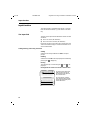
The input function is activated when names or call numbers are entered or edited, e.g. new entries in the directory.
The input field
The lines in the input field are divided for entries or edits
as follows:
●
Line 1 for "name" (16 characters)
●
Lines 2 and 3 for "content" (32 characters)
If the entry or edit is only made in the "content" lines, the
"name" line remains empty or contains information such
as the redial number.
Adding, deleting, and moving characters
Adding
Characters are always added to the left of the input
prompt.
Deleting
Characters to the left of the input prompt are deleted by
pressing the X display key.
Moving
The input prompt is moved using the
play keys.
<
and
>
dis-
Moving from the "name" line to the "content" lines
_
sssssssssssssss
ssssssssssssssss
ssssssssssssssss
ssssssssssssssss
_s s s s s s s s s s s s s s s
ssssssssssssssss
22
To move to the "name" line,
shift the input prompt to
the left of the first place in
the "content" line".
To move to the "content"
line, shift the input prompt
to the right of the last place
in the "name" line.
18.7.99
KAP08B.FM5
Gigaset 2011 Tango: A30852-X1106-B307-2-7619
Input function
Example of a new directory entry
Select "New entry" in the directory menu to obtain the following output on the display:
_s s s s <Name>s s s s s
s
< Tel. number >
ss
No character has been
entered yet.
ssssssssssssssss
WEITER
W
M_s s s s s s s ss s s s s s
s
< Tel. number> ss
The first character, in
this case an "M", has
been entered.
ssssssssssssssss
WEITER
WEITER
W
> X
<
Detailed instructions on making an entry can be found in
the chapter "Entering letters, special characters, and digits" on ➔ page 24.
If you have entered the name in full and wish to add the
corresponding telephone number, move the entry
mark to the second line ("content") using the > display
key and enter the number.
White s s s s s s s s s s s
0_s s s s s s s ss s s s s s
The first digit, in this
case a "0", has been entered.
ssssssssssssssss
WEITER
WEITER
<
W
W
> X
You can also make corrections while making new entries.
23
KAP08B.FM5
18.7.99
Gigaset 2011 Tango: A30852-X1106-B307-2-7619
Input function
Example of field boundaries
If 16 characters have already been entered in the "name"
field and 32 characters have already been entered in the
"content" field and you enter another character, the last
character in each field will be moved to the right and lost.
Smih - Macallister
089P1234567_s s s s s
ssssssssssssssss
WEITER
WEITER
W
> X
<
Smith_-Macalliste
For example, in the case
of the double name
Smith-Macallister, if the
missing "t" is inserted in
Smith, the last "r" of Macallister will disappear.
089P1234567 s s s s s s
ssssssssssssssss
WEITER
WEITER
W
> X
<
If, in this example, the last "e" were to be replaced by an
"l", the entry mark would have to be set to this place because the next place is in the second line and does not belong to the "name" field.
Entering letters, special characters, and digits
Name entry field
123
4%6
789
@
:
a, b, c, d....x, y, z
To make entries in the "name" field", use the digit keys
as an alphanumeric keypad. The letters are assigned to
the digit keys in groups of three or four. Special characters, such as é, ö, ñ etc. are entered by pressing the key
for the relevant letter group several times. To enter a
space, full stop, and hyphen, press the 0 digit key.
You can shift from lower case to upper case by pressing
the "*" key. The shift will apply to one character, after
which the default lower case setting is restored.
Depending on the position of the digit key, letters are input by briefly pressing the key. For example, if you wish
to enter the letter "R", you must press the 7 key three
times in succession, as "R" is the third letter assigned to
this key.
Character set
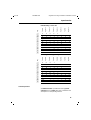
The following table shows how often a key has to be
pressed to enter a specific character (letter, digit, and special character).
24
KAP08B.FM5
18.7.99
Gigaset 2011 Tango: A30852-X1106-B307-2-7619
Input function
1
8. press
7. press
6. press
5. press
4. press
3. press
2. press
1. press
key
Default setting = lower case
ä
ö
ü
ß
1
,
a
b
c
2
ä
à
â
ç
4
d
e
f
3
ë
é
è
ê
g
h
i
4
ï
î
6
j
k
l
5
m
n
o
6
ö
ñ
ó
ô
p
q
r
s
7
ß
ú
ù
û
2
3
%
7
8
9
t
u
v
8
ü
w
x
y
z
9
:
s
.
_
0
+
:
?
!
a}A
*
/
(
)
=
&
@
@
#
#
8. press
6. press
5. press
4. press
1
Ä
Ö
Ü
3
A
B
C
2
Ä
À
Â
Ç
D
E
F
3
Ë
É
È
Ê
G
H
I
4
Ï
Î
5
Ñ
Ó
Ô
Ú
Ù
Û
2
4
%
6
7
8
7. press
1. press
3. press
key
2. press
Shift to upper case by pressing "*"
1
J
K
L
M
N
O
6
Ö
P
Q
R
S
7
9
T
U
V
8
Ü
W
X
Y
Z
9
:
.
_
0
+
:
?
!
a}A
*
/
(
)
=
&
@
@
#
s
#
Content input field
An additional menu is provided for entering special
characters in the "content" field. This is indicated in the
descriptions of corresponding functions.
25
KAP09.FM5
18.7.99
Gigaset 2011 Tango: A30852-X1106-B307-2-7619
Base station settings
Base station settings
You can program your Gigaset 2011 Tango to suit your own
individual requirements. The settings are made from a
registered handset.
Service function
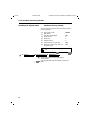
Base station settings are introduced using the "Service"
menu function.
(t means: browse using x Z , confirm using u OK )
.t Service
Switching the base station ringer off and setting the ringer volume
It is possible to define whether the ringers should be signaled on the base station or only on the handset. You can
set the ringer volume for the ringer on the base station.
There are seven volume levels available:
Level 0
=
Level 1 ... Level 6 =
Switch off base station ringer.
Calls will only be signaled on the
handset.
Ringer volume low ... loud
The factory default is level 6 (loud).
It is also possible to set the ringer volume on the
handset (➔ page 29).
.t Service
(t means: browse using x Z , confirm using u OK )
Call up "Service" menu item.
#:%
Start setting procedure. The ringer setting is sounded.
The set volume is indicated on the display:
:
*5 6
SET
ox
26
SET
(Example: ringer volume 6
is set)
SET
RUF
AUS
REDIAL
Press the digit for the desired volume (1 to 6) or 0 to
switch the ringer off and store setting.
KAP09.FM5
18.7.99
Gigaset 2011 Tango: A30852-X1106-B307-2-7619
Base station settings
Setting the base station ringer tone
It is possible to define the tone used to signal calls at the
base station. You can choose from a range of six tones.
The factory default is level 1.
To set the ringer tone, the base station ringer
must be switched on.
The ringer tone can also be set for the handset
(➔ page 29).
.t Service
(t means: browse using x Z , confirm using u OK )
Call up the "Service" menu item.
#:6
Start setting procedure. The selected ringer tone is
sounded. The set tone level is indicated on the display:
:
*6 1
SET
ox
SET
(Example: tone level 1 is
set)
SET
RUF
AUS
REDIAL
Enter the applicable digit for the required ringer tone (1 to
6) and save.
27
KAP10.FM5
18.7.99
Gigaset 2011 Tango: A30852-X1106-B307-2-7619
Handset settings
Handset settings
You can program your handset to suit your own individual
requirements. All settings are made directly on the handset.
Setting the handset volume
The handset has three volume settings:
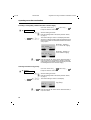
Level 1 ... Level 3 =
handset volume normal ... loud
The factory default is level 1 (normal).
This setting can also be adjusted during a call.
.t Settings
(t means: browse using x Z, confirm using u
OK
)
t Handset volume
The following appears on your display:
:
(Example: handset volume
is set to 2)
Handset vol. 2
x
> or x <
u
u
OK
WEITER
> {
<
WEITER
OK
Set handset volume and
store,
or
{
quit the function without implementing any changes.
The set volume is shown on the display.
U
Base 1
Handset vol 2
d
28
[
z
KAP10.FM5
18.7.99
Gigaset 2011 Tango: A30852-X1106-B307-2-7619
Handset settings
Ringer settings
You can set the ringer on your handset to suit your individual requirements.
.t Settings
(t means: browse using x Z , confirm using u
t Ringer Options
Option
t followed by:
Description
Ringer Volume
Sets the handset’s ringer volume:
level 0 = off, level 6 = loud (7 levels)
Ringer Tone
Sets the handset’s ringer tone –
10 levels are available
x
u
> or x <
OK
or u
{
)
OK
Default value
6 (loud)
1
The options are changed the same way:
Change the option.
Store the setting or quit the function without implementing any changes.
If several handsets are being operated in one
room, it is easier to distinguish their ringers if
they are set to different tones.
Activating/deactivating the call duration display
In the case of external calls (➔ page 10), the call duration
display is started approximately 12 seconds after the last
digit is dialed. The display remains visible for about four
seconds after the call is finished. The call duration display
can be switched on and off.
.t Service
(t means: browse using x Z , confirm using u OK )
Call up the "Service" menu item.
#1
o
u REDIAL 9 6
Start setting procedure.
Enter the four-digit system code (factory default "0000").
The current setting is shown on the handset display:
96 1
SET
(Example: the call duration
display is on.)
SET
RUF
AUS
REDIAL
@ x SET
Switch off the call duration display.
1 x SET
Switch on the call duration display (factory default).
or
29
KAP10.FM5
18.7.99
Gigaset 2011 Tango: A30852-X1106-B307-2-7619
Handset settings
Selecting a language
You can chose one of the following seven languages for
the messages on your display:
German, English, French, Italian, Spanish, Portuguese,
Dutch.
.t Settings
x
u
(t means: browse using x Z , confirm using u
)
t Handset Settings t Language
:
Z or x Y
OK
OK
or u {
✓German
English
French
WEITER
Z { OK
Y
Select a language.
Store setting or leave active language.
Activating/deactivating automatic backlight
If the automatic backlight is set, the display backlight is activated automatically when you press a key or when a call
is signaled (factory default.
.t Settings
u
ON / OFF
(t means: browse using x Z, confirm using u
OK
)
t Handset Settings t Auto Backlight
x
x
OK
Switch the automatic backlight on or off by pressing the
OFF / ON key and save. Symbol for ON =v, symbol
for OFF =w .
or
{
Quit the function without implementing any changes.
Automatic call acceptance
If the automatic call acceptance function is active, calls
are accepted if the handset is removed from the charging
unit (factory default).
.t Settings
u
ON / OFF
(t means: browse using x Z, confirm using u
)
t Handset Settings t Auto Talk
x
x
30
OK
OK
Switch the automatic call acceptance function on or off by
pressing the OFF / ON button and save. Symbol for ON
= (, symbol for OFF =).
or
{
Quit the function without implementing any changes.
KAP10.FM5
18.7.99
Gigaset 2011 Tango: A30852-X1106-B307-2-7619
Handset settings
Activating/deactivating notification and warning tones
It is possible to switch the following notification tones on
and off:
.t Settings
●
Key confirmation
●
Battery warning
●
Range warning
●
Positive confirmation
●
Error beep
●
In range beep
(t means: browse using x Z , confirm using u OK )
t Handset Settings t Beeps
Tone
t followed by:
Description
Default
Key beeps
Confirms each key stroke
on
Batt. Low Beep
Warns when the battery charge is too low
on
Range Warning
Warns if the handset is too far away from the
base station
off
Confirm Beep
Confirms correctly completed settings
on
Error Beep
Signals an incorrect entry
on
In Range Beep
Sounds when a handset which was too far from the
base station has moved back into range
off
u
ON / OFF
x
x
All tones can be activated/deactivated in the same way:
OK
Switch the beep on or off by pressing
the ON / OFF key and save.
or
{
Quit the menu without implementing any changes.
31
KAP10.FM5
18.7.99
Gigaset 2011 Tango: A30852-X1106-B307-2-7619
Handset settings
Baby alarm
A registered handset can also be used as a baby alarm. If
this function is switched on, an internal call is made to a
second handset if noise above a specified volume is detected. The call lasts approximately one minute and then
the baby alarm switches back to "BabyAlarm active" until
the noise level exceeds the specified level again.
Activating/deactivating the baby alarm
(t means: browse x Z , confirm u
.t Baby Alarm
o
OK
)
The entry function is active (➔ page 22). Enter the internal number to be called.
The baby alarm function cannot be used if the handset is
locked.
u
W t Store
u
W t Cancel
or
To deactivate the baby alarm function, press the OFF
display key.
Setting the volume level for the baby alarm
It is possible to set the voice level at which the baby alarm
function is activated.
.t Settings
x
u
32
(t means: browse using x Z , confirm using u
t Handset Settings t BabyAlarm Level
> or x <
OK
OK
or u {
)
A value of 1 corresponds to a sensitive baby alarm,
whereas a value of 3 will require a higher volume to be activated.
Set Alarm Level and
Store setting or quit without implementing changes.
●
Do not place the handset in the charging
unit if the baby alarm is activated as the microphone will be covered.
●
This function must only be used if the batteries are fully charged.
●
Standby times are reduced when the baby
alarm is activated.
●
Warning beeps, such as the battery and in
range warnings, should be deactivated before you switch on the baby alarm so that
the baby is not disturbed by them.
KAP13.FM5
18.7.99
Gigaset 2011 Tango: A30852-X1106-B307-2-7619
The Gigaset 2011 Tango lock functions
The Gigaset 2011 Tango lock functions
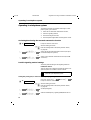
Activating/deactivating the Gigaset 2011 Tango lock for outgoing calls
It is possible to lock the Gigaset 2011 Tango for outgoing
calls.
If emergency numbers are stored, they can be dialed even
if the lock is active.
It is possible to receive calls while the lock function is on.
The factory default for this function is deactivated.
You can also lock individual handsets for outgoing external calls (➔ page 39).
.t Service
(t means: browse x Z , confirm u OK )
Call up the "Service" menu item.
#24
o
Start the setting procedure.
Enter the four-digit system code (factory default "0000").
1 x SET
Switch on the lock.
@ x SET
Switch off the lock.
or
Emergency calls when the Gigaset 2011 Tango is locked
Emergency calls can be dialed
●
even if the Gigaset 2011 Tango is locked for outgoing
calls, or
●
if the handset is only set for "outward-restricted trunk
access" (➔ page 38).
You can program four emergency call numbers.
Emergency call numbers can have up to 16 digits.
33
KAP13.FM5
18.7.99
Gigaset 2011 Tango: A30852-X1106-B307-2-7619
The Gigaset 2011 Tango lock functions
Displaying and storing emergency numbers
.t Service
(t means: browse x Z , confirm u OK )
Call up the "Service" menu item.
# 2%
o u REDIAL
Start the setting procedure.
Enter the four-digit system code (factory default "0000")
(➔ page 7). The first emergency number stored in the
memory is shown on the display:
:
1
(Example: no emergency
number stored)
~
SET
SET
RUF
AUS
REDIAL
:
1 999
SET
u REDIAL
or
x SET
or
o
u REDIAL
(Example: emergency
number 999 stored)
SET
RUF
AUS
REDIAL
Display the next emergency number.
Quit the display.
Enter the emergency number to be stored in the displayed memory slot (1 to 4). If a number is already stored
there, the new number will overwrite the old one.
Display the next number. The emergency numbers you
have entered are programed for storage.
or
x SET
End procedure. Store all entries.
Deleting all emergency numbers
.t Service
(t means: browse x Z , confirm u OK )
Call up the "Service" menu item.
#27
o
x SET
34
Start the setting procedure.
Enter the four-digit system code (factory default "0000").
Delete all emergency numbers.
KAP13.FM5
18.7.99
Gigaset 2011 Tango: A30852-X1106-B307-2-7619
The Gigaset 2011 Tango lock functions
Barred numbers for handsets
By storing barred numbers for each registered handset,
you can prevent certain external call numbers or types of
number from being dialed if the call number lock is activated (➔ page 37). Thus, for example, you can bar all call
numbers starting with 00 (international calls), and special
rate numbers, e.g. numbers starting with 0900.
You can store up to three barred numbers for each handset. Barred numbers can have up to eight digits.
Displaying or storing barred numbers
.t Service
(t means: browse using x Z , confirm using u OK )
Call up the "Service" menu item.
# 8%
o
Start the setting procedure.
Enter the four-digit system code (factory default "0000")
(➔ page 7). The registered handsets or their internal call
numbers are shown on the display:
:
1 2 3
SET
(Example: handsets 1, 2,
and 3 are registered)
SET
RUF
AUS
REDIAL
o
Enter the internal call number of the desired handset (1
to 6).
u REDIAL.
Select the first barred number for the selected handset.
The barred number is shown on the display:
:
1
~
SET
(1st example: no barred
number stored)
SET
RUF
AUS
REDIAL
:
1 00
SET
(2nd example: barred
number 00 stored)
SET
RUF
AUS
REDIAL
35
KAP13.FM5
18.7.99
Gigaset 2011 Tango: A30852-X1106-B307-2-7619
The Gigaset 2011 Tango lock functions
u REDIAL
or
Display the next barred number.
o
Enter a barred number for the displayed memory slot (1
to 3). If a barred number is already stored, the new
number overwrites the old one.
u REDIAL
Display the next barred number. The barred number you
entered is stored.
or
x SET
End procedure:
The barred numbers only take effect if the call
number lock is switched on (➔ page 37).
Deleting all barred numbers
.t Service
(t means browse using x Z, confirm using u OK )
Call up the "Service" menu item.
#87
o
Start the setting procedure.
Enter the four-digit system code (factory default "0000")
(➔ page 7). The registered handsets, i.e. their internal call
numbers, which have a barred number stored are shown
on the display:
:
1
SET
o
x SET
4 5
SET
(Example: barred numbers
are stored for handsets 1, 4,
and 5)
RUF
AUS
REDIAL
Enter the internal call number of the desired handset (1
to 6).
Delete all barred numbers for the selected handset.
The delete function must be repeated for each
handset.
36
KAP13.FM5
18.7.99
Gigaset 2011 Tango: A30852-X1106-B307-2-7619
The Gigaset 2011 Tango lock functions
Activating/deactivating the call number lock
You can activate and deactivate the call number lock separately for each registered handset. Other handsets are
not affected by the lock.
Calls can still be accepted on the handset even if the call
number lock is switched on.
The factory default setting is off.
.t Service
(t means: browse using x Z , confirm using u OK )
Call up the "Service" menu item.
#84
o
Start the setting procedure.
Enter the four-digit system code (factory default "0000")
(➔ page 7). The registered handsets, i.e. their internal call
numbers, are shown on the display:
:
1 2 3
SET
o
(Example: handsets 1, 2,
and 3 are registered)
SET
RUF
AUS
REDIAL
Enter the internal call number of the desired handset (1
to 6).
1 x SET
Switch on the call number lock for the selected handset.
@ x SET
Switch off the call number lock for the selected handset.
or
37
KAP13.FM5
18.7.99
Gigaset 2011 Tango: A30852-X1106-B307-2-7619
The Gigaset 2011 Tango lock functions
Setting trunk access for the handsets
You can define for each registered handset whether external calls can be made from it or not. A distinction is made
between:
.t Service
●
Unrestricted trunk access (factory default) – external calls allowed, and
●
Outward restricted trunk access (authorization for
incoming calls) – external calls cannot be made but incoming calls can be accepted.
(t means: browse using x Z , confirm using u OK )
Call up the "Service" menu item.
#1
o
u REDIAL : 1
o
Start the setting procedure.
Enter the four-digit system code (factory default "0000")
(➔ page 7).
Prepare to select the desired handset.
Enter the handset internal call number (1 to 6). The current status of the selected handset is shown on the display:
:
*12 1
SET
(Example: handset 2 =1 =
unrestricted trunk access)
SET
RUF
AUS
REDIAL.
1 x SET
Set "Unrestricted trunk access".
@ x SET
"Outward restricted trunk access".
or
38
KAP14.FM5
18.7.99
Gigaset 2011 Tango: A30852-X1106-B306-2-7619
Lock functions on the handset
Lock functions on the handset
It is possible to lock both the entire Gigaset 2011 Tango
telephone and individual handsets against unauthorized
use. Depending on the type of lock you select, DSS or
emergency numbers can still be called from the handset.
Activating/deactivating the handset lock
You can lock your handset for outgoing external calls to
protect it against unauthorized use.
It is possible to accept calls on a locked handset.
.t Handset Lock
o
u
ON / OFF
(t means: browse using x Z , confirm using u OK )
t Lock on/off
x
x
When you select the handset lock you will be requested
to enter your PIN.
OK
Enter the PIN (factory default "0000 ") and confirm.
OK
Switch the handset lock on or off by pressing the OFF /
ON key and save.
The message "Handset locked" is shown on the display.
If you have already entered a DSS number, this will be displayed.
x
or
{
Quit the menu without implementing any changes.
DSS number for handset lock
You can store one DSS number which can be dialed when
the handset is locked. The DSS number can be a number
where you can be reached in your absence.
The DSS number must not be the same as a
barred number.
The DSS number cannot be dialed from a locked
handset,
●
if "outward-restricted trunk access" is set
(➔ page 38), or
●
if the Gigaset 2011 Tango lock is activated
➔ page 33.
If the Gigaset 2011 Tango lock is activated, it is
only possible to dial emergency numbers.
Exception: DSS number = emergency number.
39
KAP14.FM5
18.7.99
Gigaset 2011 Tango: A30852-X1106-B306-2-7619
Lock functions on the handset
Display or store a DSS number
(t means: browse using x Z , confirm using u OK )
t DSS Number
.t Handset Lock
o
x
x
x
Z
x
When you select the handset lock you will be requested
to enter your PIN.
OK
Enter the PIN (factory default "0000 ") and confirm.
o
The "entry function" is active. Enter a DSS number (see
chapter "Entry Function" ➔ page 22).
W
With the help of the additional menu, you can
OK
save the DSS number by selecting Save Entry
by selecting Insert Function
e.g. insert a pause,
cancel the procedure by selecting Cancel .
Deleting a DSS number
.t Handset Lock
o
(t means: browse using x Z , confirm using u OK )
t DSS number
x
When you select the handset lock you will be requested
to enter your PIN.
OK
X
u
Enter the PIN (factory default "0000 ") and confirm.
The "entry function" is activated. Delete the DSS number
("Entry Function" ➔ page 22).
W t Save Entry
Save the change you have made.
Dialing a DSS number
The handset is locked. The DSS number is shown on the
display.
40
o
Press any key. The DSS number is dialed.
a
End the call by pressing the on-hook key.
18.7.99
KAP14.FM5
Gigaset 2011 Tango: A30852-X1106-B306-2-7619
Lock functions on the handset
Handset display with active lock
Display with locked handset
The handset lock is
switched on and there is
no DSS number stored.
The handset lock is
switched on and a DSS
number is stored (➔ page
40).
U
Handset locked
U
Handset locked
12345678
Display with system lock
The seizure of the line with
or without prior entry of a
call number results in the
opposite display.
EXTERN
J
–––
RUF AUS
Display with call number lock
Any attempt to dial a
barred number is rejected
with an error tone and
shown on the display. "No."
shows the barred number.
EXTERN
No.
SET
J
RUF AUS
Display with outward-restricted trunk access or internal access
In the case of outward-restricted trunk access
(➔ page 38), an error tone
is output and shown on the
display if the line is seized.
EXTERN
J
–––
RUF AUS
41
KAP14A.FM5
18.7.99
Gigaset 2011 Tango: A30852-X1106-B307-2-7619
Short cuts
Short cuts
Descriptions with example
A short cut is a short command which can involve one or
more commands. A series of commands involving, for example, the storing of a call number as directory entry can
be stored as a short cut. A short cut consists of "Functions" and has a name which is used to call it up from a
list of short cuts and execute it.
A short cut created using the entry function could be inserted in the short cuts list under the name "diversion"
and called up by selecting:
.t Short cut
(t means: browse using x Z , confirm using u
OK
)
t Diversion
Short cut menu
When you call up the short cut function, a list is available
containing all of the available short cuts. If the list is empty, a broken line is shown. The "Short cut menu" is called
up by pressing the W display key. The following options are available:
●
Start
●
New Entry
●
Edit Entry
●
Delete Entry
●
Display Entry
Copy Entry (not possible with Gigaset 2011 Tango)
●
Delete Memory
Copy Memory (not possible with Gigaset 2011 Tango)
42
●
Default ShortCuts
●
Available Memory
KAP14A.FM5
18.7.99
Gigaset 2011 Tango: A30852-X1106-B307-2-7619
Short cuts
New entry
To create a short cut, call up the short cut function in the
main menu. If no short cut has previously been created,
the "Shortcut List" will contain a broken line. You can create a new short cut using the "New Entry" option in the
"Short Cut menu".
.t Short cut
u
(t means: browse using x Z, confirm using u
OK
)
W t New Entry
When you select "New Entry" you can access a field for
"name" and "content". First give the new short cut a name.
Entries for a short cut follow the rules described in the
chapter "Input function" ➔ page 22.
Function list
To make it possible to enter "Characters" (special characters) in the "content" field in addition to digits, call up the
"Insert Function" option in the additional menu.
u
W t Insert Function
A list of functions is displayed from which you can
choose. Each function which can occur in a command line
is presented in this list as plain text. The available functions and their meanings are explained in the following table.
Function
C
N
P
Q
B
I
S
W
E
M
R
4
Meaning
Request PIN code
Request number
Insert Pause
Request Acknowledgement
Base Prompt
INT Key
SET Key
Redial Key
On-hook Key
Switch to tone
Recall key
Dial 4
In order to create the "deviation" short cut, the special
character "N" is required for "request number". As this
character can not be entered on the keypad for the "content" field, it must be obtained from the "Function List".
43
KAP14A.FM5
18.7.99
Gigaset 2011 Tango: A30852-X1106-B307-2-7619
Short cuts
Diversions s s s
s s s
_s s s s s s s s s s s s s s s
ssssssssssssssss
WEITER
WEITER
W
> X
<
The numerical values and the *, # symbols are entered directly on the keypad.
Diversions s s s
s s s
*21*_s s s s s s s s s s s
ssssssssssssssss
u
W t Insert Function
WEITER
WEITER
W
> X
<
t Request Number
Deviations s s s
s s s
*21*N#_s s s s s s s s s s
ssssssssssssssss
WEITER
WEITER
W
> X
<
Displaying a function
To find out the meaning of a special character, set the entry mark on the character and call up the "Display Function" menu item. An explanatory text is shown on the display.
u
W t Show Function
Saving a short cut
You can save the short cut when all of the values have
been entered.
u
W t Save Entry
Cancel procedure
You can also delete the entry by selecting "Cancel".
u
W t Cancel
Checking for double entries
To avoid having a short cut feature several times under different names in your list, you can have the list checked automatically. An identical entry is shown on the display.
u
44
W t Check Duplicate
KAP14A.FM5
18.7.99
Gigaset 2011 Tango: A30852-X1106-B307-2-7619
Short cuts
Editing an entry
You can edit any entry in the short cuts list at any time.
(t means: browse using x Z, confirm using u
.t Short cut
u
x
Z
)
OK
Select the entry to be edited and call up the "Edit Entry"
menu option.
W t Edit Entry
The entry function is active. Proceed as with "New Entry".
Deleting an entry
You can also delete short cuts from the list.
(t means: browse using x Z, confirm using u
.t Short cut
u
x
Z
)
OK
Select the entry to be deleted from the list and call up the
"Delete Entry" menu option.
W t Delete Entry
The entry is deleted and the short cuts list is displayed
again.
Displaying an entry
You can show all short cuts on the display in order to
check the entries.
(t means: browse using x Z, confirm using u
.t Short cut
u
x
Z
OK
)
See
Select the entry you wish to display from the list and call
up the "Display Entry" menu option.
W t Display Entry
The short cut "name" and "content" will be shown on the
display. You can return to the short cuts list by pressing
the Go Back display key.
45
KAP14A.FM5
18.7.99
Gigaset 2011 Tango: A30852-X1106-B307-2-7619
Short cuts
Deleting all entries
You can delete all entries in the short cuts list.
(t means: browse using x Z , confirm using u
u
.t Short cut
W
o
x
YES
x
OK
)
t Delete Memory
You will be requested to enter the PIN (factory default
"0000 ").
When you have entered the correct PIN, you can delete
all entries by pressing the YES display key and return to
an empty short cuts list.
or
NO
You can cancel the procedure by pressing the NO display
key, or by pressing the . menu key.
Available Memory
You can display the percentage of memory available for
further entries using this function.
u
.t Short cut
(t means: browse using x Z , confirm using u
W
OK
)
t Available Memory
A message with the requested information, for example
"Memory: 70% available" is displayed.
Starting a short cut
If one or more short cuts have been created, you can select them and start them when you are both "off-line" and
"on-line" (after pressing the off-hook key).
(t means: browse using x Z, confirm using u
.t Short cut
u
x
Z
OK
)
Select the desired short cut from the list and call up the
"Start" menu option.
W t Start
The active status is shown on the display until the short
cut is completed. A typical message would read "Short
cut active: deviation".
The display message will only be interrupted if, for example, the user is requested to enter the PIN.
46
KAP14A.FM5
18.7.99
Gigaset 2011 Tango: A30852-X1106-B307-2-7619
Short cuts
Default short cuts
A list of "Default short cuts" is already loaded in your short
cuts list. The list contains the following short cuts:
Name
Base lock
Sequence
S#24CBS
Meaning
Switch base lock on/off
Base Ringer Vol.
S#*5BS
Change base ringer volume
Base Tone Ringer
S#*6BS
Change base tone ringer
Call barring off
S#84CB0S
Switch off call barring for any handset
Call barring on
S#84CB1S
Switch on call barring for any handset
Total units
S#83C*BS
Request call charges for all handsets
(not available with Gigaset 2011 Tango)
Unit check
S#22BS
Check petty cash (not available with Gigaset 2011
Tango)
Restoring default short cuts
If one or more default short cuts have been deleted or
changed, they can be reloaded.
Procedure
(t means: browse using x Z , confirm using u
OK
)
. t Short cut
u
W t Default short cuts
All of the default short cuts can be loaded into the short
cuts list by pressing the Load display key.
You can quit the procedure by pressing the Cancel display key. The system short cuts are arranged alphabetically in an existing short cuts list.
47
KAP15.FM5
18.7.99
Gigaset 2011 Tango: A30852-X1106-B307-2-7619
Operating more than one handset
Operating more than one handset
Registering/de-registering more than one handsets at the base station
You can operate up to six handsets from the Gigaset 2000
Tango family at a Gigaset 2011 Tango base station.
You can only register handsets from the Gigaset
Tango family. It is not possible to register other
Gigaset handsets.
The handset supplied with your telephone is already registered at the base station with the internal call number
1 and base number 1.
Each additional handset that you purchase must be registered at the base station. We recommend that when you
are registering other handsets at the base station, to keep
the base number 1 for this base station.
Registering a Gigaset 2000C Tango handset at a base station
If you want to operate your handset at more
than one base station (up to six) (➔ page 52),
you must repeat the following procedure at
each base station.
Prepare the base station
?
Press the base station paging key until you hear the logon
tone (after approximately ten seconds).
Register the handset
To avoid unauthorized users from registering a handset at
your base station, you must carry out the following procedure within one minute.
(t means: browse using x Z , confirm using u
.t Settings
x
t Register
Z
o
u
x
OK
)
t Base 1
or
OK
If another base is available, at which the handset should
be registered.
OK
Enter four-digit base code and confirm (factory default:
"0000"). The handset looks for the base available for registration.
The available internal numbers are shown on the display.
2…6
48
Enter the desired internal number for your handset.
The registration procedure is complete. The message "Internal" appears on the display with the internal number.
KAP15.FM5
18.7.99
Gigaset 2011 Tango: A30852-X1106-B307-2-7619
Operating more than one handset
De-registering a handset from a base station
.t Service
(t means: browse using x Z , confirm using u
)
OK
Call up the "Service" menu item.
#72
Start the setting procedure.
ox
Enter the internal call number of the desired handset (1
to 6) and confirm by pressing x SET .
o
SET
Enter the four-digit base code (factory default: "0000")
(➔ page 7). All registered handsets are shown on the display.
Ring priority for incoming calls
It is possible to set how incoming calls should be signaled
when operating several handsets. A distinction is made
between:
●
Collective call (factory default) – incoming calls are
signaled to all handsets. You can exclude individual
handsets from the collective call and reinclude previously excluded handsets.
●
Ring priority – an incoming external call is first signaled to a prioritized handset. If this party does not accept the call, the system automatically switches to
"collective call" after an adjustable number of rings.
Switching between collective ringing and ring priority
.t Service
(t means: browse using x Z , confirm using u
OK
)
Call up the "Service" menu item.
#1
o
u REDIAL. : 2 3
Start the setting procedure.
Enter the four-digit base code (factory default: "0000")
(➔ page 7).
The current setting is shown on the display
:
(Example:1 = collective
ringing is set)
*23 1
SET
SET
RUF
AUS
REDIAL
1 x SET
Set collective ringing.
2 x SET
Set ring priority.
or
49
KAP15.FM5
18.7.99
Gigaset 2011 Tango: A30852-X1106-B307-2-7619
Operating more than one handset
Excluding or reintegrating a handset from/into collective ringing
.t Service
(t means: browse using x Z , confirm using u
OK
)
Call up the "Service" menu item.
#1
o
u REDIAL : 2 1
Start the setting procedure.
Enter the four-digit base code (factory default: "0000")
(➔ page 7).
The current setting is shown on the display. Handsets
which are in collective ringing mode are indicated by their
internal call numbers and excluded handsets are indicated by a space:
:
*21 123 4
SET
(Example 1: handsets1,
2,3,4 are in coll. ringing)
SET
RUF
AUS
REDIAL
:
*21 12 4
SET
ox
SET
(Example 2: handset 3 is
not in collective ringing)
SET
RUF
AUS
REDIAL
Enter the internal call number of the desired handset (1
to 6) and confirm. If the handset is already in collective
ringing mode it is excluded. If it was previously excluded
it is reintegrated into the collective ringing.
Selecting a handset for ring priority
.t Service
(t means: browse using x Z , confirm using u
Call up the "Service" menu item.
#1
o
u REDIAL : 2 2
Start the setting procedure.
Enter the four-digit base code (factory default: "0000")
(➔ page 7).
The current setting is shown on the display:
:
*22 1
SET
ox
50
OK
SET
(Example: handset 1 has
ring priority)
SET
RUF
AUS
REDIAL
Enter the internal call number of the desired handset (1
to 6) and confirm.
)
KAP15.FM5
18.7.99
Gigaset 2011 Tango: A30852-X1106-B307-2-7619
Operating more than one handset
Setting the number of rings for ring priority
.t Service
(t means: browse using x Z , confirm using u
OK
)
Call up the "Service" menu item.
#1
o
u REDIAL : 6
Start the setting procedure.
Enter the four-digit base code (factory default: "0000")
(➔ page 7).
The current setting is shown on the display:
:
(Example:3 rings are set)
*6 3
SET
ox
SET
SET
RUF
AUS
REDIAL
Enter the desired number of rings (two to nine) and confirm.
51
KAP16.FM5
18.7.99
Gigaset 2011 Tango: A30852-X1106-B307-2-7619
Operating in a telephone system
Operating in a telephone system
To be able to operate your Gigaset 2011 Tango in a telephone system, you must first
1.
switch off the "Automatic Attenuation" function,
2. check the signaling method,
3. enter the analog trunk or MSI,
4. enter the pause lengths after the analog trunk or MSI.
Activating/deactivating the automatic attenuation function
.t Service
Call up the "Service" menu item.
#1
o
u REDIAL 4 @ @x SET
Start the setting procedure.
Enter the four-digit base code (factory default: "0000")
(➔ page 58).
Switch off the automatic attenuation function (for operation behind telephone systems).
or
u REDIAL 4 @ 1x SET
Switch on the automatic attenuation function (for PSTN
connection).
Possible signaling method settings
The factory default setting for the signaling method is
DTMF/Flash 100 ms.
This may have to be changed to operate the device in telephone systems or in PSTNs in some countries.
Please also consult the instructions for use supplied with your telephone system.
Setting dial pulsing (DP) or dual-tone multifrequency signaling
.t Service
(t means: browse using x Z , confirm using u
Call up the "Service" menu item.
#1
o
OK
Start the setting procedure.
Enter the four-digit base code (factory default: "0000")
(➔ page 58).
u REDIAL @ 3 3x SET
Set dial pulsing (DP).
u REDIAL @ 3 7 x SET
dual-tone multifrequency signaling DTMF/Flash 100 ms.
or
52
)
KAP16.FM5
18.7.99
Gigaset 2011 Tango: A30852-X1106-B307-2-7619
Operating in a telephone system
Setting the flash time in dual-tone multifrequency signaling (DTMF)
.t Service
(t means: browse using x Z , confirm using u
)
OK
Call up the "Service" menu item.
#1
o
Start the setting procedure.
Enter the four-digit base code (factory default: "0000")
(➔ page 58).
u REDIAL 9 3 0x SET
Set a flash time of 80 ms.
u REDIAL 9 3 6x SET
Set a flash time of 100 ms (factory default).
u REDIAL 9 3 3x SET
Set a flash time of 300 ms.
u REDIAL 9 3 4x SET
Set a flash time of 600 ms.
or
or
or
Analog trunks
For through connection to the public telephone network
you must set:
●
the analog trunk
●
the pause length after the analog trunk (if a pause is
necessary after entry of the analog trunk)
If the telephone system is connected as a subsystem to
a main system, you must set the:
●
the analog trunk
●
the MSI
●
the pause length after the analog trunk/MSI
For the pause length to be entered after the analog trunk/MSI, please consult the documentation about your telephone system.
Deleting the analog trunk/MSI
.t Service
(t means: browse using x Z , confirm using u
OK
)
Call up the "Service" menu item.
#1
o
u REDIAL 2 % 3 x SET
Start the setting procedure.
Enter the four-digit base code (factory default: "0000")
(➔ page 58).
Delete analog trunk/MSI
53
KAP16.FM5
18.7.99
Gigaset 2011 Tango: A30852-X1106-B307-2-7619
Operating in a telephone system
Entering the analog trunk and the MSI
The analog trunk and MSI have one to three characters
and can comprise the digits @ to 6 and the :, #,
and R keys.
.t Service
(t means: scroll using x Z , accept using u
OK
)
Call up the "Service" menu item.
#@
o
u REDIAL
or
u REDIAL u REDIAL
o
x SET
Start the setting procedure.
Enter the four-digit base code (factory default: "0000")
(➔ page 58).
Select the analog trunk.
Select the MSI.
Enter the analog trunk or the MSI. If more than one analog trunk or MSI is available, you can enter the next analog
trunk/MSI by pressing u REDIAL .
Store setting.
Modify the pause length according to the analog trunk/MSI
.t Service
(t means: browse using x Z , confirm using u
#1
o
Start the setting procedure.
Enter the four-digit base code (factory default: "0000")
(➔ page 58).
u REDIAL @ 2 4 x SET
Select pause length of 1 second.
u REDIAL @ 2 % x SET
Select pause length of 2 seconds.
u REDIAL @ 2 @ x SET
Select pause length of 3 seconds (factory default).
u REDIAL @ 2 1 x SET
Select pause length of 6 seconds.
or
or
or
54
OK
Call up the "Service" menu item.
)
18.7.99
KAP17.FM5
Gigaset 2011 Tango: A30852-X1106-B307-2-7619
Operation at more than one base station
Operation at more than one base station
You can register and operate your handset at up to 6 Gigaset Tango base stations.
A Gigaset Tango handset can only be registered
at Gigaset Tango base stations.
This offers the following advantages:
●
You can operate the same handset at base stations in
different locations (e.g. in the office and at home).
●
You can extend the range or the area in which you can
call with the same handset in large areas.
Please note the following when operating at
more than one base station:
●
Ongoing calls are interrupted or cleared
down when you move from one base station radio range to another.
●
Internal calls can only be made within the radio range of a base station, i.e. not to handsets that are in another base station radio
range.
●
If you are out of range of a base station for
several minutes, and your handset is
switched on, when you reenter the range it
may take up to 20 minutes to "find" the base
station again. In such cases, switch the mobile unit off for a brief time and then on
again (➔ page 6).
Procedure for operating at more than one base station
We recommend following the procedure below:
1.
Register your handset at the required base stations
(➔ page 48) and assign the required base station
numbers (1 to 6).
2. Register your handset at all base stations with the
same internal call number, provided this is not yet assigned.
Selecting the best station
Normally, radio contact is automatically reestablished if
you move your handset from one base station radio area
to another. You can select the best station, to which your
handset can set up the best radio connection.
55
KAP17.FM5
18.7.99
Gigaset 2011 Tango: A30852-X1106-B307-2-7619
Operation at more than one base station
Setting the preferred station
We recommend that you define a preferred base station
if the handset is located in an overlap area between two
or more base station radio areas.
There are two ways of setting the preferred station:
●
you can specify a base station at which the handset
should operate permanently ("fixed"). This prevents
automatic change to other base stations,
●
you specify a station at which the handset should
"preferably" operate. In this case, the handset
searches for the preferred station. The best station is
then selected if the preferred station is not found
within 30 s.
Selecting the fixed station
(t means: browse using x Z , confirm using u
.t Select Base
Base 1
2
Base 3
✔Base
WEITER
Z {
Y
(
u
x
W
Z
t Fixed Selection
W
OK
)
OK
)
(Example: "Base 2" is
the fixed station,
indicated by " ✔ ")
Select a base station.
Select the setting.
Searching for the preferred station
(t means: browse using x Z , confirm using u
.t Select Base
Base 1
*Base 2
Base 3
WEITER
Z {
Y
x
u
56
W
Z
t Priority Select.
W
Select the preferred base station.
Select the setting.
(Example: "Base 2" is
the preferred station,
indicated by " * ")
KAP17.FM5
18.7.99
Gigaset 2011 Tango: A30852-X1106-B307-2-7619
Operation at more than one base station
Base station names
You can change the preset base station names ("Base 1",
"Base 2" ... "Base 6"). In a company, one station can be
called "Purchasing", for example, and another "Stock".
(t means: browse using x Z , confirm using u
.t Settings
u
W
)
OK
t Base Settings
x
Z
Select the base station you want to rename.
Activate "Change Base Name" in the additional menu.
t Change Base Name
The input function is active (➔ page 22).
If you change a name, save it with "Save Name".
u
W
t Save Name
You can exit the relevant menu levels at any time without
making any changes by pressing { .
The menu item "ISDN Config." does not apply
to Gigaset 2011 Tango.
De-registering a base station
This menu option is for de-registering the handset if the
base station is no longer available, i.e. if it is defective or
at a remote location.
.t Settings
u
W
t Base Settings
x
Z
Select the base station you want to de-register.
Activate "De-register" in the additional menu.
t De-register Base
With this function, the registration data is only
deleted in the handset.
To ensure that your handset is de-registered at
the base station, the de-registration must be
performed at your base station (➔ page 49).
57
KAP17A.FM5
18.7.99
Gigaset 2011 Tango: A30852-X1106-B307-2-7619
Code numbers and factory defaults
Code numbers and factory defaults
Changing the system code, changing the PIN
To protect your personal settings, Gigaset 2011 Tango has
a four-digit system code and an eight-digit handset PIN
(personal identification number). The factory defaults are:
●
System code: "0000"
●
Handset PIN: "0000"
You need to know the system code in order to create basic settings or to lock the telephone for outgoing calls.
The PIN primarily protects settings on your handset(s);
it has no effect on the basic functions of the base station.
For security reasons, a new system code and a new PIN
should be entered.
If several handsets are operated (➔ page 52), the same
system code is valid for each one.
Incorrect entries can be modified. Do do this,
follow the input function rules described from
➔ page 22 onwards.
When entering a new system code or PIN you
must not forget the number entered. Otherwise intervention in the device is necessary. If
this happens, please contact Siemens.
Changing the system code
(t means: browse using x Z , confirm using u
.t Service
#8:
o
)
Start setting procedure.
Enter the current system code (factory default "0000").
o
Enter the new four-digit system code. Note carefully the
number entered.
o
Enter the new system code again to confirm.
x SET
58
OK
Call up menu item.
Store the setting.
KAP17A.FM5
18.7.99
Gigaset 2011 Tango: A30852-X1106-B307-2-7619
Code numbers and factory defaults
Changing the handset PIN
Changing the PIN prevents unauthorized persons from,
for example, deleting entries from your telephone book.
. t Settings
(t means: browse using x Z , confirm using u
)
OK
t Handset Settings t Change PIN
Once "Change PIN" has been confirmed, you are requested to enter the current PIN.
x
o
Enter the current PIN (factory default "0000"). Enter the
new PIN and note carefully the number entered.
o
Enter the new PIN again to confirm.
OK
Store the new PIN.
Resetting the base station to factory defaults
You can use this procedure to reset the following settings
to factory defaults:
●
Signaling method (DTMF/flash 100 ms) ➔ page 52
●
Pause length following analog trunk/MSI ( 3 seconds)
➔ page 54
●
Call allocation (collective call) ➔ page 49
The following stored data can be deleted:
●
Analog trunk/MSI
The stored system code (➔ page 58) is not deleted.
All registered handsets remain registered.
(t means: browse using x Z , confirm using u OK )
.t Service
Call up menu item.
#1
o
u REDIAL 2 % 0 x SET
Start setting procedure.
Enter the four-digit system code (factory default "0000")
(➔ page 58).
Reset the base station to the factory default.
59
KAP17A.FM5
18.7.99
Gigaset 2011 Tango: A30852-X1106-B307-2-7619
Code numbers and factory defaults
Resetting the Gigaset 2000C Tango handset to factory defaults
You can use this procedure to reset the following settings
to factory defaults:
●
DSS number, redial,
Baby Alarm,
Deleted
●
Auto Talk, Auto Backlight
ON
●
Ringer volume
6
●
Ringer tone
1
●
Handset volume
1
●
Range warning, in-range beep
OFF
●
Error beep, confirm beep, batt. low
beep, key beeps
ON
The stored handset PIN (➔ page 59) is not deleted.
.t Settings
(t means: browse using x Z , confirm using u
t Handset Settings t Initialization
o
x
60
OK
OK
You are requested to enter the PIN (factory
default "0000").
Confirming the PIN resets the settings to factory defaults.
)
18.7.99
KAP18.FM5
Gigaset 2011 Tango: A30852-X1106-B307-2-7619
Notes on operation
Notes on operation
Installing the base station
Installation site/installation area
●
A power socket must be located at the installation
site.
●
In order to avoid interference, the base station should
not be in the direct vicinity of other electronic equipment such as HiFi, office or microwave equipment.
●
Place the base station on a level, non-slip surface. The
device feet do not normally leave marks. However,
due to the variety of varnishes used on furniture, the
possibility of marks cannot be entirely ruled out.
●
Radio transmission between the base station and
handsets complies with the DECT standard. Gigaset
2011 Tango thus observes all relevant regulations.
However, if there is interference to the picture or
sound of your satellite equipment, consult your specialist satellite dealer.
●
Depending on ambient conditions, the maximum radio range between the base station and the handset
is approx. 300 m outdoors, and approx. 50 m indoors.
If the range warning is activated for the handset
(➔ page 31), a signal will sound when you move outside the radio range.
●
The base station is designed for operation in protected areas with a temperature range
from +5 °C to +45 °C.
●
The base station should not be installed in damp areas (such as bathrooms or laundry rooms), or close to
heat sources, or in direct sunlight.
Temperature/ambient conditions
Notes on operating the handset
For users who wear hearing aids
If you wear a hearing aid, please note that radio signals
can interfere with hearing aids, and if sufficiently loud, can
cause a very unpleasant humming sound.
61
KAP18.FM5
18.7.99
Gigaset 2011 Tango: A30852-X1106-B307-2-7619
Notes on operation
Using rechargeable batteries
The following should be noted when using
rechargeable batteries:
●
Only use the rechargeable battery types supplied (AA
nickel-cadmium batteries). When replacing rechargeable batteries, the following can be used:
Saft RC6, Panasonic P-60 AA/1P, Philips R6 NC-P,
UCAR RC6, Eveready RC6, DAIMON ACCU 1000,
Sanyo N-3U, Varta Rechargeable Accu Plus Ni-Cd 1.2V,
No. 5006.
●
Nickel-metal-hydride (NiMH) rechargeable batteries
can significantly increase the time for which Gigaset
2000C Tango can be used. The following can be used:
Sanyo HR-3U (1300 mAh), GP GP120 AAHC,
Emmerich CE R 6, Energizer EMH-1100AAC,
Varta VH1101AA,
To ensure maximum lasting power from your
NiMH batteries observe the following: once the
batteries have been fully charged for the first
time, the handset prematurely indicates that the
batteries are running low ( e ). Continue to use
the handset until the battery symbol = appears and the batt. low beep sounds (caution:
max. operating time remaining is 10 minutes). In
this way the handset recognizes the extended
capacity of the rechargeable batteries and will in
future display the correct battery charging status.
Opening the battery compartment resets the
display to the capacity of the batteries delivered
with the telephone.
●
Using other battery types or non-rechargeable batteries may cause malfunctions or even damage the
equipment. The manufacturer shall assume no liability
in this case.
Never use ordinary batteries.
When installing and using the rechargeable batteries,
please follow the rules below:
●
62
Charge new batteries thoroughly. We recommend
charging the batteries for approximately 16 hours
without interruption (overnight for example). During
the first week of operation, continually place the
handset in the charging unit for recharging.
18.7.99
KAP18.FM5
Gigaset 2011 Tango: A30852-X1106-B307-2-7619
Notes on operation
●
New batteries do not usually reach their full capacity
until they have been in normal use for several days. Although the battery LED indicates that the handset’s
batteries have been charged (LED off), you must assume during this initial phase that the capacity may
not reach it’s maximum.
●
Standby time:
●
–
Up to 70 hours (NiCd, 650 mAh)
–
Up to 110 hours (NiMH, 1110 mAh)
–
Up to 130 hours (NiMH, 1300 mAh)
When the telephone is in use
–
Up to 7 hours (NiCd, 650 mAh)
–
Up to 11 hours (NiMH, 1100 mAh)
–
Up to 13 hours (NiMH, 1300 mAh)
●
After they have initially been thoroughly charged, the
rechargeable batteries are fully operative. For normal
operation, we recommend that the handsets are not
placed in the charging unit each time a call is completed. The rechargeable batteries should be discharged
from time to time.
Caution: partially discharged batteries only offer limited operating time.
●
Make sure that the contacts do not touch metal or oily
objects.
●
Battery charging times
●
–
Charging time in the handset
NiCd
approx. 4–5 hours
NiMH, 1100 mAh
approx. 8–9 hours
–
Charging time in the charging unit
backup battery compartment
NiCd
approx. 24 hours
NiMH, 1100 mAh
approx. 40 hours
The LED display lights up occasionally to indicate that
trickle charging is taking place.
Mounting the carrying clip onto the handset
Hold the handset with the keypad facing the palm of your
hand. You will see two small holes on the sides, level with
the display. Place the clip in one hole and then insert it into
the opposite hole until it clicks into place.
63
KAP18.FM5
18.7.99
Gigaset 2011 Tango: A30852-X1106-B307-2-7619
Notes on operation
Technical data
Standard:
Number of channels:
Radio frequency range:
Duplex method:
Channel grid:
Bit rate:
Modulation:
Voice coding:
Transmitted power:
Range:
Base station power supply:
Base station power consumption:
Handset operating times
(with fully charged battery):
NiCd
NiMH, 1100 mAh
NiMH, 1300 mAh
120 duplex channels
1910 MHz to 1930 MHz
Time-division multiplexing, 10 ms frame length
1728 kHz
1152 kbit/s
GFSK
32 kbit/s
10 mW, average output per channel
up to 300 m outdoors,
up to 50 m in buildings
230 V +6% –15% (C39280-Z4-C59 AC adapter)
120 V +10% –10% (C39280-Z4-C69 AC adapter)
In standby mode and when the telephone is in use approx. 3 W, during charging approx. 5 W
Stand-by:
Talk time:
up to 70 hours
up to 110 hours
up to 130 hours
up to 7 hours
up to 11 hours
up to 13 hours
Charging time in base station:
Approx. 5 hours (NiCd batteries)
Permitted ambient conditions
for operation:
+5 °C to +45 °C
20 % to 75 % relative humidity
Signaling method:
Signal key function:
DP (dial pulsing) / DTMF (dual tone multifrequency)
Programmable, default flash 100 ms
Base station dimensions:
approx. 90 x 125 x 140 mm (L x B x D)
Handset dimensions:
approx. 163 × 55 × 25 mm (L × B × D)
Weight:
Cable lengths:
Plugs:
64
DECT, GAP
Base station 210 g
Handset with rechargeable batteries approx. 165 g
Telephone connecting cord approx. 3 m
Power cord approx. 3 m
TSV 6/6 (power cord)
European plug (C39280-Z4-C59 AC adapter)
US flat plug (C39280-Z4-C69 AC adapter)
KAP18.FM5
18.7.99
Gigaset 2011 Tango: A30852-X1106-B307-2-7619
Notes on operation
Connecting the telephone socket
Only use a Siemens telephone connecting cable. Cables
by other manufacturers may have a different pin assignment.
The telephone cable socket is connected on the underside of the base station as follows:
3
4
2
5
1
6
1
2
3
4
5
6
Free
Free
a
b
Free
Free
Maintenance notes
Simply wipe the handset and base station with a damp
cloth or an antistatic wipe.
Never use a dry cloth as this causes static discharge.
Third party use/disposal
Gigaset 2011 Tango telephone should only be passed onto
third parties if the instructions for use are included.
When the system or batteries have reached the end of
their service life, they should be disposed of in an environmentally friendly manner in accordance with relevant legislation.
65
KAP18.FM5
18.7.99
Gigaset 2011 Tango: A30852-X1106-B307-2-7619
Notes on operation
Procedure in the case of malfunctions
Not every malfunction means that there is an actual defect in your telephone. In some situations you may save
time and money if you can eliminate the cause of simple
faults yourself. The information below will help you do
this.
Symptom
Cause
Remedy
No display appears
Handset is not switched on.
Switch on the handset.
Battery is empty.
Replace the battery with a backup
battery or recharge it.
The plug on the power cord
is not connected properly.
Check the plug on the base station
and telephone socket; if necessary
remove it and plug it back in
(➔ page 1).
The plug on the power cord
is not connected properly.
Check the plug on the base station
and the socket; if necessary remove it and plug it back in (➔ page
1).
The dial-up line is being used
by another handset.
Wait until the dial-up line is free.
Handset is not registered.
Register the handset at the base
station (➔ page 48).
The plug on the AC power
adapter cord is not connected properly.
Check the plug on the base station
and the socket; if necessary remove it and plug it back in.
Ringer volume is set to low.
Adjust the base station (➔ page
26) or handset (➔ page 29) ringer
volume.
The ring assignment is not
set correctly.
Adjust the ring assignment
(➔ page 49).
No connection after dialing a
call number; dial tone can
still be heard.
Wrong signaling method.
Reset the signaling method
(➔ page 7).
With telephone systems:
no connection or wrong connection after dialing from a
memory.
Analog trunk/MSI not entered
Enter analog trunk/MSI (➔ page
53).
Cannot seize the dial-up line;
no dial tone
Cannot set up a radio link to
the base station- symbol on
the handset flashes.
Base station or handset does
not ring.
66
KAP18.FM5
18.7.99
Gigaset 2011 Tango: A30852-X1106-B307-2-7619
Notes on operation
Overview: signal tones
Recall:
tuuuuut
tuuuuut
0.8 s tone
Internal dial tone:
0.8 s pause
tuuut
tuuut
tuuut
3 x 0.2 s tone repetition following 0.8 s pause
Internal busy tone
tuuuut
0.5 s tone
Batt. low
beep/batteries
almost empty:
Batt. low beep/radio
range is being exited:
tuuuut
0.5 s pause
tuuuut
0.5 s tone
tut
tut
tuuuut
30 s pause
tut
tut
4 x short tones
Call waiting tone:
tut
tut
Short tone sychronized with the external call
67
KAP19.FM5
18.7.99
Gigaset 2011 Tango: A30852-X1106-B307-2-7619
Quick reference guide handset Gigaset 2000C Tango
Quick reference guide handset Gigaset 2000C Tango
Switch handset to
ON/OFF/PROTECTED:
Accepting a call:
External call:
h
Call rings: remove the handset from the charging unit or
press the off-hook key c (it is possible to set the automatic call acceptance function).
Press c, then dial the call number.
Or: o dial call number, then press c.
Internal call:
Press INT . Then press 1...6 dial internal call
number.
Transferring an external call to an
internal party:
Press INT . Then press 1...6 dial internal call
number. Press a before or after internal party answers.
Accepting an external call
internally:
Call rings: remove the handset from the charging unit or
press the off-hook key c (it is possible to set automatic
call acceptance function). Internal call. Press R to accept external call on hold.
Internal consultation:
Press INT . Then press 1...6 dial internal call
number. Consult internal party. Press R to return to external call.
Redial function:
68
Press u z . Select desired number using Z and
then press.
Setting handset volume:
Press .. Select "Settings" and "Handset Volume"
menu options and confirm. Regulate the volume using
x > or x < and confirm by pressing u
OK .
Setting ringer volume:
Press .. Select "Ringer" and "Ringer Volume" submenu options and confirm. Regulate the volume using
x > or x < and confirm by pressing u
OK .
KAP19.FM5
18.7.99
Gigaset 2011 Tango: A30852-X1106-B307-2-7619
Notes:
69
23.04.1998
GIG2011T.SIX
Gigaset 2011 Tango: A30852-X1106-B307-2-7619
Index
Index
A
Activating, macro .......................................... 46
Additional menu, calling up ............................. 4
Alphanumeric keypad .................................... 24
Analog trunk .................................................. 54
Automatic backlight, activating/deactivating . 30
Automatic call acceptance, activating/
deactivating ................................................... 30
B
Baby alarm activating/deactivating ................ 32
Baby alarm, setting volume level .................. 32
Barred numbers
deleting ................................................... 36
details ..................................................... 35
displaying ................................................ 35
storing ..................................................... 35
Base station
collective call .......................................... 14
connecting ................................................ 1
de-registering a handset ......................... 49
installation site ........................................ 61
installation surface .................................. 61
more than one, details ............................ 55
resetting to factory defaults ................... 59
ring pitch ................................................. 27
ringer volume .......................................... 26
rings ........................................................ 26
settings ................................................... 26
Base station ring pitch .................................. 27
Basic settings
signaling method .................................... 52
Batteries
charging .................................................... 3
inserting in the handset ............................ 2
Battery charging time .................................... 63
Battery duration in standby mode ................. 63
Battery duration when the telephone
is in use .................................................. 63
C
Call number checking .................................... 10
Call number lock, activating/deactivating ...... 37
Calls
accepting (lifting the handset) .................. 8
connecting .............................................. 17
ending ..................................................... 15
ending (replacing the handset) ...........9, 13
external ..................................................... 8
incoming ................................................... 8
internal ...................................................... 8
outgoing .................................................. 10
transferring ............................................. 17
70
Character set .................................................25
Charging time ................................................63
Checking your internal number ......................14
Collective call .................................................49
from a handset ........................................14
from the base station ..............................14
Connecting ....................................................17
Consistency ...................................................19
Consultation call ............................................16
Contents of the package .................................1
D
DECT .............................................................64
Deleting
analog trunk/MSI .....................................53
barred numbers .......................................36
directory ..................................................21
directory entry .........................................21
emergency number .................................34
Deleting analog trunk/MSI .............................53
De-registering a handset ...............................49
De-registering the handset ............................49
Device control ................................................13
Dial pause, manual ........................................11
Dial pulsing (DP) ..............................................3
Dialing
DSS number ............................................13
en-block dialing ........................................10
with call number checking .......................10
with the directory ....................................12
Digits .............................................................24
Directory
alphanumeric keypad ..............................24
creating/managing ...................................18
deleting ...................................................21
deleting entry ..........................................21
double entry ............................................19
editing an entry .......................................20
memory ...................................................21
new entry ................................................19
Disposal .........................................................65
Double entry ..................................................19
DSS number
deleting ...................................................40
details ......................................................39
dialing ............................................... 13, 40
storing .....................................................40
DTMF (dual-tone multifrequency signaling) ... 3,
13
Dual-tone multifrequency signaling (DTMF) .. 3,
13
23.04.1998
GIG2011T.SIX
Gigaset 2011 Tango: A30852-X1106-B307-2-7619
Index
E
Emergency numbers
deleting ................................................... 34
details ..................................................... 33
displaying ................................................ 34
saving ..................................................... 34
En-block dialing ............................................. 10
External and internal calls ............................... 8
F
Factory defaults ......................................59, 60
Fault clearance .............................................. 66
Flash ............................................................. 53
Function, macro ............................................ 43
G
GAP ............................................................... 64
Gigaset 2000C handset menu structure ......... 4
H
Handset
collective call ....................................14, 49
de-registering at the base station ........... 49
listening in .............................................. 15
lock ......................................................... 39
locking .................................................... 39
operating modes ....................................... 6
PIN .......................................................... 59
quick reference guide ............................. 68
resetting to factory defaults ................... 60
ring priority .............................................. 49
saving a DSS number ............................. 40
searching for ........................................... 14
switching off ............................................. 7
switching on ............................................. 7
switching to protected mode ................... 6
Handset displays with active lock ................. 41
Handset operating modes ............................... 6
Handset volume, setting ............................... 28
I
Incoming calls ................................................. 8
Input function ................................................ 22
character set ........................................... 25
example .................................................. 23
input field ................................................ 22
letters, digits and special characters ...... 24
Internal access .............................................. 41
L
Language, selecting .......................................30
Letters ...........................................................24
Lifting the handset ...........................................8
Line busy .......................................................11
Listening-in function ......................................15
Lock
barred numbers .......................................35
base station .............................................33
emergency numbers ...............................33
trunk access ............................................38
Lock functions ........................................ 33, 39
Locking the handset ......................................39
Locking, displays ...........................................41
M
Macro
checking for double entries .....................44
deleting all entries ...................................46
deleting an entry .....................................45
details ......................................................42
displaying an entry ..................................45
displaying available memory ...................46
displaying memory ..................................46
editing an entry .......................................45
function list ..............................................43
menu .......................................................42
new entry ................................................43
saving ......................................................44
starting ....................................................46
Maintenance notes ........................................65
Malfunctions, procedure ................................66
Manually inserting a pause ............................11
Memory
directory ..................................................21
Memory, macro .............................................46
Menu
presentation ..............................................5
Menu-driven operation ....................................4
Mounting the carrying clip onto the handset .63
MSI ................................................................54
Mute function ................................................15
71
23.04.1998
GIG2011T.SIX
Gigaset 2011 Tango: A30852-X1106-B307-2-7619
Index
N
New entry, directory ..................................... 19
Notes
for users who wear hearing aids ............ 61
rechargeable batteries ............................ 62
O
Operation at more than one base station ..... 55
Outgoing calls, external ................................ 10
Outward-restricted trunk access .............38, 41
P
Paging ........................................................... 14
Pause length according analog trunk/MSI ..... 54
Personal identification number ..................... 58
Phone cord ...................................................... 2
Phone plug ...................................................... 2
PIN
changing ................................................. 59
details ..................................................... 58
forgetting ................................................ 58
Power cord ...................................................... 2
Power supply unit ........................................... 2
Protected mode .............................................. 6
Q
Quick reference guide ................................... 68
R
Rechargeable batteries
important notes ...................................... 62
Redial ............................................................ 11
Registering
at a base station ..................................... 48
preparing the base station ...................... 48
Replacing the handset ..............................8, 13
Ring priority ................................................... 49
Ringer volume
base station ............................................ 26
Ringer, setting ............................................... 29
Rings
base station ............................................ 26
number of rings for collective ringing ..... 51
S
Searching for handset ................................... 14
Selecting best station ................................... 55
Service function ............................................ 26
Setting
handset volume ...................................... 28
language ................................................. 30
ringer ...................................................... 29
72
Settings
base station .............................................26
dial pulsing (DP) .........................................3
dual-tone multifrequency signaling (DTMF)
3
PIN ..........................................................58
system code ............................................58
Short cuts ......................................................42
Signaling method
at a telephone system .............................52
checking ....................................................3
details ........................................................7
setting .................................................. 3, 7
Special characters ..........................................24
Standby time .................................................64
Starting, macro ..............................................46
Startup
in 6 steps ...................................................1
Station
naming ....................................................57
selecting, best .........................................55
setting, preferred ....................................56
station selection ......................................56
Station names ................................................57
Subscriber
calling external .........................................10
internal calling ..........................................14
no answer ...............................................11
System code
changing ..................................................58
details ......................................................58
forgetting .................................................58
T
Telephone socket, connecting .......................65
Telephone system .........................................54
operating in a ...........................................52
Third party use ...............................................65
Tones, activating/deactivating ........................31
Transferring, calls ..........................................17
Trunk access ..................................................38
U
Unrestricted trunk access ..............................38
18.7.99
KAP20.FM5
Gigaset 2011 Tango: A30852-X1106-B307-2-7619
Issued by
Private Communications Systems Group
Hofmannstraße 51, D-81359 Munich
© Siemens AG 1998. All rights reserved.
Subject to availability.
Right of modification reserved.
Siemens Aktiengesellschaft
Order No.: A30852-X1106-B307-2-7619
Printed in Germany
4/98
U6