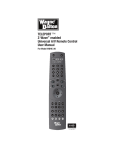
1
Focus 3
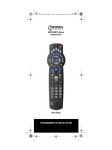
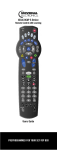
Universal Remote Control
Users Guide
PREPROGRAMMED FOR YOUR SET-TOP BOX
(Note: Some keys different than displayed)
Table of Contents
About Your UNIVERSAL FOCUS 3-MODE.......................................................................................................................3
Batteries................................................................................................................................................................................3
The Keypad...........................................................................................................................................................................4
Device Keys:....................................................................................................................................................................5
LED:.................................................................................................................................................................................5
AV Key:...........................................................................................................................................................................5
Menu Key:........................................................................................................................................................................5
Power Key:.......................................................................................................................................................................5
Shift Key:.........................................................................................................................................................................5
Number Keys:..................................................................................................................................................................5
Menu Key:........................................................................................................................................................................5
Channel Up / Down Control:............................................................................................................................................5
Mute Key:........................................................................................................................................................................5
Volume Up / Down Control:............................................................................................................................................5
Directional Keys...............................................................................................................................................................5
OK Key............................................................................................................................................................................5
TXT Key:.........................................................................................................................................................................6
Action Key:......................................................................................................................................................................6
The BACK Key ...............................................................................................................................................................6
VCR / DVD keys (PLAY, PAUSE, STOP, REW , FF, RECORD).................................................................................6
Setting up the FOCUS 3-MODE...........................................................................................................................................6
Step and Set......................................................................................................................................................................7
Code blink out..................................................................................................................................................................7
Quick Code Reference......................................................................................................................................................8
Volume Punch Through...................................................................................................................................................8
Real Time Macro..............................................................................................................................................................9
Troubleshooting...............................................................................................................................................................9
MANUFACTURER’S CODES ..........................................................................................................................................11
Setup Codes for TVs......................................................................................................................................................11
Setup Codes for TVs (DLP)...........................................................................................................................................14
Setup Codes for TVs (HDTV)........................................................................................................................................14
Setup Codes for TVs (LCD)...........................................................................................................................................14
Setup Codes for DVD Players........................................................................................................................................15
Setup Codes for DVD Recorders....................................................................................................................................17
Setup Codes for VCRs...................................................................................................................................................17
2
About Your UNIVERSAL FOCUS 3-MODE
Congratulations on your purchase of the FOCUS 3-MODE Universal Remote Control. By choosing the FOCUS 3-MODE
remote you have opted for the User Friendly remote control solution. Made according to the highest quality, the FOCUS
3-MODE will provide you with long-term satisfaction. Please read these enclosed instructions carefully before putting
your FOCUS 3-MODE to use.
Your FOCUS 3-MODE Remote Package contains:
●
●
Your FOCUS 3-MODE Remote
Your FOCUS 3-MODE Manual
Your Manual is divided into two parts: the set-up instructions and the device codes.
PLEASE DO NOT DISCARD THIS MANUAL AS YOU MAY NEED IT AGAIN IN THE FUTURE!
Your FOCUS 3-MODE can operate three devices: a Television, DVD Player and the ADB set top box.
Batteries
Your FOCUS 3-MODE Remote needs 2 new "AA/LR6" Alkaline batteries.
1. Push and slide the battery door downwards and lift it up to remove it.
2. Match the batteries to the (+) and (–) marks inside the battery case,then insert the batteries.
3. Place the battery cover by sliding upwards and allowing it to click back into position.
- Also it is recommended that you do not use rechargeable batteries.
- On the inside of the battery compartment door you will find a label on which to write your Set-Up Codes for future
reference. This you will do after setting up your UNIVERSAL FOCUS 3-MODE remote for your devices.
3
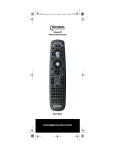
The Keypad
Please refer to the picture of the UNIVERSAL FOCUS 3-MODE Remote Control .
4
Device Keys:
The TV, DVD & STB keys select the home entertainment device you wish to control. For example, pressing the TV key
allows the remote to control the functions of your television. Pressing the DVD key allows the remote to access either
DVD or VCR devices.
LED:
During the use of your FOCUS 3-MODE, the LED under the corresponding device key will light up red.
AV Key:
The AV key operates the same function it did on your original remote.
Menu Key:
The Menu key brings up the menu.
Power Key:
The Power key controls the same function as it did on your original remote.
Shift Key:
The Shift key is used to set-up your FOCUS 3-MODE Remote Control and to access special functions.
Number Keys:
The Number keys (0-9) provide the functions just like your original remote, such as the direct access to program/channel
selection.
Menu Key:
The Menu key brings up the menu list, The menu allows scrolling access to Guide, PVR (if so equipped), Vault, Settings,
Favorites, Search. Use Navigation keys to highlight an item and OK to select it.
Channel Up / Down Control:
These keys control the same functions as your original remote control.
Mute Key:
The Mute key operates the same function it did on your original remote.
Volume Up / Down Control:
These keys operate just as those on your original remote.
Directional Keys
Tthese keys will allow you to navigate through menus or the program guide.
OK Key
If your original remote control required that you press an “OK” or “ENTER” key during Menu operation, this key can be
used for this function.
5
TXT Key:
The TXT key accesses the Closed Captioning capabilities of the ADB set top box.
Action Key:
This key accesses the electronic program guide. Once the guide is visible pressing this key again cycles through your
favorites lists. Once the cycle returns to the original selection the guide will disappear. To navigate one channel at a time,
use the navigation keys. To scroll ahead or back by one screen use the CH+/CH- keys. You can scroll ahead in time using
the right navigation key.
The BACK Key
This key allows quickly jumping between the current channel and the last accessed channel.
VCR / DVD keys (PLAY, PAUSE, STOP, REW , FF, RECORD)
After pressing the DVD mode key, the Playback keys operate the same functions of your Video Recorder or DVD Keys.
Setting up the FOCUS 3-MODE
Example: To set up the FOCUS 3-MODE for your television:
1. Make sure your device (television) you wish to operate is switched on (not in standby).
2. Find the code for your device in the Code List (page ). The device codes are listed per device type and brand
name. Also the most popular code for each brand is listed first. If your brand is not listed at all, try the Search
Method on page 7.
3. Press the device mode key (e.g. TV) on the Focus remote for the device you wish to set up.
4. Press and hold down FUNC until the red light blinks twice (the red light will blink once then twice).
5. Enter your four-digit device code using the number keys. The red light will blink twice.
6. Now aim the FOCUS 3-MODE remote at your device (television) and press POWER. If your device switched off,
the FOCUS 3-MODE is ready to operate your device.
- Most TV’s do not switch back on pressing the POWER key, please try pressing a “number” key or the “TV-text off” key
to switch your TV back on.
- If your device does not respond, follow steps 1 through 6 with each code listed for your brand. If none of the codes listed
for your brand operate your device, then try the Search Method described on page 7, even if your brand is not listed at all.
- Some codes are quite similar. If your device does not respond or is not functioning properly with one of the codes, try
another code listed under your brand.
- If the original remote control from your Video Recorder / DVD player did not have a POWER key, press PLAY instead
of POWER during step 6.
- To set up your other devices, follow the same instructions above, only press the appropriate device key during step 3.
- Remember to press the correct device key before operating your device. Only one device can be assigned to a device
key.
- Write your device code in the applicable four digit boxes provided in the battery compartment and on page 8 for future
reference.
6
Step and Set
--> If your device does not respond to the FOCUS 3-MODE after you have tried all the codes listed for your brand.
--> If your brand is not listed at all.
The Search Method allows you to scan through all the codes contained in the memory of the FOCUS 3-MODE.
Example: To search for your television code:
1. Switch your television on (not in standby mode).
2. Press the TV key on the FOCUS 3-MODE.
3. Press and hold down FUNC key until th red light blinks twice (the red light will blink once then twice).
4. Press 9 9 1. The red light will blink twice.
5. Next, press a function. *
6. Aim the FOCUS 3-MODE at your Television. Now press PROG+ over and over, in order to scan through the
codes available in the memory. You may have to press this key many times (up to 150 times) so please be patient.
If you skip past a code, you can go to the previous code(s) by pressing the PROG- key. Remember to keep
pointing the FOCUS 3-MODE at your Television while pressing this key. **
7. As soon as you have found an appropriate code, press Shift key to store the code.
(*) You can sample all functions (0, 1,2 3, Power, Volume Up, Play Stop and Mute), the last function that was sampled
before PROG up/PROG down will be the designated function to send for each PROG up/PROG down key press. If no key
is pressed before PROG up/PROG down then the default function will be power.
(**) In each code you can test the following functions: 0, 1,2 3, Power, Volume Up, Play Stop and Mute. After sampling
these functions you can continue the search with the previous (PROG down) or next (PROG up) code which will send the
function that was originally pressed after 991.
- Most TV’s do not switch on pressing the POWER key. Please try pressing a “number” key or the “TV-text off” key to
switch your TV back on.
- If you cannot control your Television properly, please continue the Search Method, you may be using the wrong Code.
- To search for the code for another device follow the instructions above only press the appropriate device key instead of
TV during step 2.
- If the original remote control of your Video recorder or DVD player does not have a POWER key, press PLAY instead
of POWER during step 5.
Code blink out
Once you have Set-Up your FOCUS 3-MODE, you can blink back your Set-up Code for future reference.
Example: to blink out your television code:
1. Press the TV key once.
2. Press and hold down FUNC until the red light blinks twice (the red light will blink once then twice).
3. Press 9 9 0. The red light will blink twice.
4. For the first digit of your four-digit code, press 1 and count all the red blinks. If there are no blinks, the digit is
“0”.
5. For the second digit of your four-digit code, press 2 and count all the red blinks. If there are no blinks, the digit is
“0”.
6. For the third digit of your four-digit code, press 3 and count all the red blinks. If there are no blinks, the digit is
“0”.
7
7. For the fourth digit of your four-digit code, press 4 and count all the red blinks. If there are no blinks, the digit is
“0”. Now you have your four-digit code.
- To blink back the code for your other devices, press the appropriate device key during step 1.
Quick Code Reference
Make sure you write down the codes for your devices in the boxes below and in the battery compartment for future easy
reference.
Device Type
1 ……………………………………
2 ……………………………………
3 ……………………………………
Volume Punch Through
You may be able to use some functions of your Television, DVD player or ADB set top box at the same time. For
example: if you are watching a program on your DVD player, you can adjust the volume (a TV function) without pressing
the TV mode key on your FOCUS 3-MODE. The table below lists some of the possibilities.
Last Device Mode Key Pressed:
You Can Control:
STB
TV volume up and down, mute
DVD
TV volume up and down, mute
To punch through to TV volume while in the DVD or STB mode:
1. Press and hold FUNC until the red light blinks twice.
2. Press 9 9 3.
3. Then press the TV key and the red light will blink twice.
To cancel the “Volume Punch Through” per mode:
(Example: to cancel the “Volume Punch Through” for the DVD mode)
1. Press DVD once.
2. Press and hold down the FUNC key until the red light blinks twice.
3. Press 9 9 3.
4. Then press the Volume (-) key and the red light will blink four times.
Example: being in DVD mode, you will be able to control VOL+/- or MUTE functions of your DVD (provided it has
volume control).
To cancel the “Volume Punch Through”:
1. Press and hold SHIFT until the red light blinks twice.
2. Press 9 9 3.
3. Press the Volume (+) key and the red light will blink four times.
8
Real Time Macro
You can program your UNIVERSAL FOCUS 3-MODE to issue a sequence of commands at the press of one button. For
example, you may want to turn off your TV, DVD and ADB set top box at the same time. Any sequence you regularly use
can be reduced to one keystroke for your convenience. A key that is programmed with a Macro works through all modes
(provided it is accessible in that mode). You can install a Macro on any key except for the Mode keys and SHIFT key.
To set up a Macro:
1. Press and hold SHIFT until the red light blinks twice.
2. Press 9 9 5
3. Press the key to which you want to assign the Macro to
4. Press the command you want program in the macro (up to 8 commands are possible)
5. Press the SHIFT key to store the Macro
To clear a Macro setup:
1. Press and hold SHIFT until the red light blinks twice.
2. Press 9 9 5
3. Press the key to which you had the Macro assigned to
4. Press the SHIFT key to clear the Macro
Feature Reset (980)
The feature reset clears all configuration settings that you programmed with features as Macros and Volume Lock.
1. Press and hold FUNC until the red light blinks twice.
2. Press 9 8 0
3. A successful reset is indicated when the red light will blink twice, pause and blink twice again.
Master Reset (977)
The master reset clears all configuration settings that you programmed with features as Macros and Volume Lock as well
as it clears the programmed devices codes. The remote will revert back to the default settings for features and default
device codes. As a result the remote will start up in the STB mode.
1. Press and hold FUNC until the red light blinks twice.
2. Press 9 7 7
3. A successful reset is indicated when the red light blinks twice, pause and blink twice again
Troubleshooting
Your brand is not listed in the code section?
–
Try the search method on page 7.
The FOCUS 3-MODE does not operate your device(s)?
a. Try all the codes listed for your brand.
b. Try the search method on page 7.
The FOCUS 3-MODE is not performing commands properly?
–
You may be using the wrong code. Try repeating the Direct Set-Up using another code listed under your brand or start
the search method over again to locate the proper code.
9
Problems changing channels?
–
Enter the program number exactly as you would on your original remote.
The FOCUS 3-MODE does not respond after pressing a key?
–
Make sure you are using new batteries and are aiming the FOCUS 3-MODE at your device.
The red light (LED) does not blink when you press a key?
–
Replace batteries with 2 fresh, new “AA/LR6” alkaline batteries.
10
MANUFACTURER’S CODES
Setup Codes for TVs
A-Mark
Abex
Accurian
Action
Admira
Advent
Adventura
Aiko
Aiwa
Akai
Alaron
Albatron
Ambassador
America Action
Ampro
Anam
Anam National
AOC
Apex Digital
Archer
Astar
Audiovox
Aventura
Axion
Belcor
Bell & Howell
BenQ
Bradford
Brockwood
Broksonic
Byd:sign
Cadia
Candle
Carnivale
Carver
CCE
Celebrity
Celera
Champion
Changhong
Cinego
Citizen
0003
0032
1803
0873l
0093, 0463
0761, 0783, 0815, 0817,
0842, 1933
0046
0092
0701
0812, 0702, 0030, 0098,
0672, 1207, 1903, 1935
0179, 0183, 0216
0700, 0843
0177
0180
0751
0180, 0004, 0009, 0068
0055, 0161
0030, 0003, 0019, 0052,
0137, 0185, 1365
0748, 0879, 0765, 0767,
0890, 1217, 1943
0003
1548
0451, 0180, 0092, 0003,
0623, 0710, 0802, 0846,
0875, 1284, 1937, 1951,
1952
0171
1937
0019
0154, 0016
1032, 1315
0180
0019
0236, 0463, 0003, 1935,
1938
1309, 1311
1283
0030, 0046, 0056, 0186
0030
0054, 0170
0217, 0329
0000
0765
1362
0765
1986
Clairtone
Clarion
Commercial Solutions
Concerto
Contec
Craig
Crosley
Crown
Curtis Mathes
CXC
CyberHome
Cytron
Daewoo
Daytron
Dell
Denon
Denstar
Diamond Vision
Dumont
Durabrand
Dwin
Dynatech
Electroband
Electrograph
Electrohome
Emerson
Emprex
Envision
Epson
ESA
Fisher
FlexVision
Fujitsu
Funai
Futuretech
0060, 0030, 0092, 0039,
0046, 0056, 0186, 0280
0185
0180
1447, 0047
0056
0180, 0157, 0158, 0185
0180, 0161
0054
0180, 0039
0047, 0054, 0154, 0451,
0093, 0060, 0702, 0030,
0145, 0166, 1347, 1147,
0747, 0466, 0056, 0039,
0016
0180
0794
1326
0451, 0092, 1661, 0019,
0039, 0066, 0067, 0091,
0623, 0661, 0672
0019
1080, 1178, 1264, 1403
0145, 0511
0628
1996, 1997
0017, 0019
0463, 0180, 0178, 0171,
1034, 0003
0720, 0774
0049
0000, 0185
1623, 1755
0381, 0389, 0409
0154, 0236, 0463, 0180,
0178, 0171, 1963, 1944,
0623, 0282, 0280, 0270,
0185, 0183, 0182, 0181,
0179, 0177, 0158, 0039,
0038, 0019
1422, 1546
0030, 0813, 1365
0833, 0840, 1290
0812, 0171, 1944, 1963
0154, 0159
0710
0179, 0186, 0683, 0809,
0853
0180, 0171, 0179, 1271,
1963
0180
11
Gateway
GE
Gibralter
Go Video
GoldStar
Goodmans
Gradiente
Grunpy
Haier
Hallmark
Hannspree
Hantarex
Harley Davidson
Harman/Kardon
Harvard
Havermy
Helios
Hello Kitty
Hewlett Packard
Hisense
Hitachi
HP
Hyundai
iLo
Infinity
Initial
Insignia
Inteq
Janeil
JBL
JCB
Jensen
JVC
Kamp
Kawasho
Kaypani
KEC
Kenwood
KLH
Kloss
KMC
1001, 1002, 1003, 1004,
1755, 1756
1447, 0047, 0051, 0451,
0178, 1347, 0747, 0282,
0279, 0251, 0174, 0138,
0135, 0055, 0029, 0027,
0021
0017, 0030, 0019
0886
0178, 0030, 0001, 0002,
0019, 0032, 0106, 0409
0360
0392
0180, 0179
1034, 0768
0178
1348, 1351, 1352
1338
0043, 0179
0054, 0078
0180, 0068
0093
0865
0451
1088, 1089, 1101, 1494,
1502
0748
1145, 0145, 0016, 0032,
0038, 0056, 0095, 0097,
0151, 0173, 0227, 0279,
0409, 0413, 0797, 1960
1088, 1089, 1101, 1494,
1502
0849, 1219, 1294
1286, 1603, 1990
0054
1603, 1990
0171, 1204, 1326, 1517,
1963, 2002
0017
0046
0054
0000
0761, 0050, 0815, 0817,
1299, 1933
0053, 0036, 0069, 0160,
0169, 0182, 0731, 1253
0216
0158, 0216, 0308
0052
0180
0030, 0019
0765, 0767, 1962
0024, 0046, 0078
0106
Konka
Kost
KTV
LG
Loewe
Logik
Luxman
LXI
Magnavox
Majestic
Marantz
Matsushita
Maxent
Megapower
Megatron
MEI
Memorex
MGA
Midland
Mintek
Minutz
Mitsubishi
Monivision
Motorola
Moxell
MTC
Multitech
NAD
NEC
Neovia
NetTV
Nikko
Noblex
Norcent
Norwood Micro
0628, 0632, 0638, 0703,
0707
1262, 1483
0180, 0030, 0039, 0183,
0185, 0217, 0280
1265, 0178, 0442, 0700,
0829, 0856, 1178, 1325,
1423, 1758, 1993
0136
0016
0056
0047, 0054, 0154, 0156,
0178, 0148, 0747
1454, 0054, 0030, 0706,
1963, 1944, 1525, 1254,
1198, 0802, 0386, 0230,
0187, 0186, 0179, 0096,
0036, 0028, 0024, 0020
0015, 0016
0054, 0030, 0444, 0704,
0854, 0855, 1154, 1398
0250, 0650
0762, 1211, 1755
0700
0178, 0145, 0003
0185
0154, 0463, 0150, 0178,
0016, 0106, 0179
0150, 0178, 0030, 0019,
0155
0047, 0017, 0051, 0032,
0039, 0135, 0747
1603, 1990
0021
0093, 1250, 0150, 0178,
0014, 0019, 0098, 0155,
0331, 0358, 0836, 0868,
1550
0700, 0843
0093, 0055, 0835
0835
0060, 0030, 0019, 0049,
0056, 0091, 0185, 0216
0180, 0049, 0217
0156, 0178, 0866
0030, 0019, 0036, 0056,
0170, 0434, 0497, 0882,
1398, 1704
1338
0762, 1755
0178, 0030, 0092, 0317
0430
0748, 0824, 1089, 1365,
1589, 1590, 1591
1286, 1296, 1303
12
Noshi
NTC
Olevia
Olympus
Onwa
Optimus
Optoma
Optonica
Orion
Panasonic
Penney
Petters
Philco
Philips
Pilot
Pioneer
Polaroid
Portland
Prima
Princeton
Prism
Proscan
Proton
Protron
Proview
Pulsar
Quasar
RadioShack
RCA
0018
0092
1144, 1240, 1331, 1610
1342
0180
0154, 0250, 0166, 0650
0887
0093, 0165
0236, 0463, 1463, 0179
0250, 0051, 0055, 0162,
0226, 0338, 0375, 0650,
1291, 1410, 1941, 1946,
1947
0047, 0156, 0051, 0060,
0178, 0030, 1347, 0747,
0309, 0149, 0138, 0135,
0110, 0039, 0032, 0027,
0021, 0019, 0018, 0003,
0002
1523
0054, 0030, 0019, 0020,
0028, 0096, 0302
1454, 0054, 0690, 1154,
1483
0030, 0019, 0039
0166, 0038, 0172, 0679,
0866, 1260, 1398
0765, 0865, 1262, 1276,
1314, 1316, 1326, 1327,
1328, 1341, 1498, 1523,
1991, 1992
0092, 0019, 0039
0761, 0783, 0815, 0817,
1933
0700, 0717
0051
1447, 0047, 0747, 1347
0178, 0003, 0031, 0052,
0466
1320, 1323
0835, 1401, 1498
0017, 0019
0250, 0051, 0055, 0165,
0219, 0650
0047, 0154, 0180, 0178,
0030, 0019, 0032, 0039,
0056, 0165, 0409, 0747
1447, 0047, 2002, 1958,
1953, 1948, 1547, 1347,
1247, 1147, 1047, 0747,
0679, 0278, 0174, 0135,
0090, 0038, 0029, 0019,
0018
Realistic
Rhapsody
Runco
Sampo
Samsung
Samsux
Sansui
Sanyo
Sceptre
Scimitsu
Scotch
Scott
Sears
Sharp
Sheng Chia
Sherwood
Shogun
Signature
Signet
SIM2 Multimedia
Simpson
Sony
Soundesign
Sova
Soyo
Spectricon
Squareview
SSS
Starlite
Studio Experience
Superscan
Supre-Macy
Supreme
SVA
0154, 0180, 0178, 0030,
0019, 0032, 0039, 0056,
0165
0183, 0185, 0216
0017, 0030, 0251, 0497,
0603, 1398
0030, 0032, 0039, 0052,
0100, 0110, 0762, 1755
0060, 0812, 0702, 0178,
0030, 1903, 1575, 1395,
1312, 1060, 0814, 0766,
0427, 0408, 0329, 0056,
0032, 0019
0039
0463, 1409, 1935
0154, 0088, 0107, 0146,
0159, 0232, 0484, 0799,
0893, 1142
0878, 1217, 1360, 1599
0019
0178
0236, 0180, 0178, 0019,
0179, 0309
0047, 0054, 0154, 0156,
0178, 0171, 0015, 0056,
0146, 0148, 0149, 0159,
0168, 0179, 0281, 0747
0093, 0039, 0153, 0157,
0165, 0220, 0281, 0386,
0398, 0491, 0688, 0689,
0818, 0851, 1602
0093
1399
0019
0016
1262
1297
0186, 0187
1100, 0000, 0011, 0080,
0111, 0273, 0353, 0810,
0834, 1317
0180, 0178, 0179, 0186
1320, 1952
1520
0003, 0137
0171
0180, 0019
0180
0843
0093, 0864
0046
0000
0748, 0587, 0768, 0865,
0870, 0871, 0872
13
Sylvania
Symphonic
Syntax
Tandy
Tatung
Technics
Technol Ace
Technovox
Techview
Techwood
Teknika
Telefunken
Tera
Thomson
TMK
TNCi
Toshiba
Tosonic
Totevision
Trical
TVS
Ultra
Universal
Universum
US Logic
Vector Research
Victor
Video Concepts
Vidikron
Vidtech
Viewsonic
Viking
Viore
Visart
Vizio
Wards
Waycon
0054, 0030, 0171, 0020,
0028, 0065, 0096, 0381,
1271, 1944, 1963
0180, 0171, 1944
1144, 1240, 1331
0093
0003, 0049, 0055, 0396,
1101, 1285, 1286, 1287,
1288, 1361, 1756
0250, 0051
0179
0007
0847
0051, 0003, 0056
0054, 0180, 0150, 0060,
0092, 0016, 0019, 0039,
0056, 0175, 0179, 0186,
0312, 0322
0702, 0056, 0074
0031
0209, 0210
0178, 0056, 0177
0017
0154, 1256, 0156, 1265,
0060, 1945, 1935, 1704,
1656, 1635, 1356, 1343,
1325, 1306, 1156, 0845,
0832, 0650, 0149, 0036
0185
0039
0157
0463
0391, 1323
0027
1337
1286, 1303
0030
0053
0098
0054, 0242, 1398
0178, 0019, 0036
0797, 0857, 0864, 0885,
1330, 1342, 1578, 1627,
1755
0046, 0312
1207
1336
0864, 0885, 1499, 1756,
1758
0054, 0178, 0030, 1156,
0866, 0202, 0179, 0174,
0165, 0111, 0096, 0080,
0056, 0029, 0028, 0027,
0021, 0020, 0019, 0016
0156
Westinghouse
White Westinghouse
Wyse
Yamaha
Zenith
Zonda
0885, 0889, 0890, 1282,
1577
0463, 0623
1365
0030, 0019, 0769, 0797,
0833, 0839
0017, 0463, 1265, 0178,
0092, 0016
0003
Setup Codes for TVs (DLP)
Hewlett Packard
HP
LG
Magnavox
Mitsubishi
Optoma
Panasonic
RCA
Samsung
SVA
Toshiba
Vizio
1494
1494
1265
1525
1250
0887
1291
1447
0812, 1060, 1312
0872
1265, 1306
1499
Setup Codes for TVs (HDTV)
Advent
Hitachi
Marantz
Mitsubishi
Panasonic
Pioneer
Princeton
RCA
Samsung
Sharp
Toshiba
0842
1960
0854
0150
0250, 0650, 1291
0679
0717
1447
0812, 0702
0688, 0689
1256
Setup Codes for TVs (LCD)
Accurian
Action
Akai
AOC
Apex Digital
Astar
Audiovox
BenQ
Byd:sign
Cadia
CyberHome
1803
0873
1935
1365
0890, 1217
1548
0180, 0710, 0802, 0846,
0875, 1284, 1937, 1951,
1952
1315
1309, 1311
1283
0794
14
Dell
Emprex
Envision
FlexVision
Funai
Go Video
Hannspree
Hewlett Packard
HP
Hyundai
iLo
Initial
Insignia
Jensen
Kost
LG
Magnavox
Marantz
Maxent
Mintek
Mitsubishi
NetTV
Norcent
Norwood Micro
Olevia
Panasonic
Petters
Philips
Polaroid
Protron
Proview
RCA
Sampo
Samsung
Sansui
Sanyo
Sceptre
Sharp
Sherwood
Signet
Sony
Sova
Soyo
Superscan
SVA
Sylvania
Symphonic
Syntax
Tatung
Techview
Toshiba
Ultra
US Logic
1080, 1178, 1264
1422, 1546
0813, 1365
0710
0171
0886
1348, 1351
1088
1088
0849, 1219, 1294
1286, 1603, 1990
1603, 1990
1204, 1517, 2002
1299
1262
0856, 1178, 1993
1454, 0802, 1198
0855
0762, 1211
1603, 1990
1250
0762
1365, 1589, 1591
1286, 1296
1144, 1240, 1331, 1610
0650, 1941
1523
1454, 1483
1262, 1276, 1316, 1341,
1498, 1523
1320, 1323
1401
0047, 1958
0762
0812, 0766, 0814, 1395,
1575
1409
1142
0878, 1217, 1360, 1599
0093, 0818, 1602
1399
1262
0810
1320
1520
0864
0587, 0870, 0871
0171, 1271
0171
1144, 1240, 1331
1286
0847
0845, 1343, 1635, 1656
1323
1286
Vidikron
Viewsonic
Visart
Vizio
Westinghouse
Wyse
Zenith
1398
0857, 0864, 0885, 1330,
1578, 1627
1336
0864, 0885, 1756
0885, 0889, 0890, 1282,
1577
1365
1265
Setup Codes for DVD Players
Accurian
Adcom
Advent
Aiwa
Akai
Alco
Allegro
Amphion Media Works
AMW
Apex Digital
Arrgo
Aspire Digital
Audiologic
Audiovox
Axion
B&K
BBK
Bel Canto Design
Blaupunkt
Blue Parade
Broksonic
Buffalo
Cary Audio Design
CAVS
Centrios
Cinea
Cinego
CineVision
Citizen
Coby
Craig
Curtis Mathes
CyberHome
D-Link
Daewoo
Denon
Desay
1072, 1416
1094
1016
0641
0695, 0770, 0899, 1089
0790
0869
0872, 1245
0872, 1245
0672, 0717, 0755, 0794,
0796, 0797, 0830, 1004,
1020, 1056, 1061, 1100
1023
1168, 1407
0736
0790, 1041, 1071, 1072,
1121, 1122
1071, 1072
0655, 0662
1224
1571
0717
0571
0695, 0868, 1419
1882
1477
1057
1577
0831
1399
0876, 0833, 0869
1277
0778, 0852, 1086, 1107,
1165, 1177, 1351
0831
1087
0816, 0874, 1023, 1024,
1117, 1129, 1502, 1537
1881
0784, 0705, 0833, 0869,
1169, 1172, 1234, 1242,
1441, 1443
0490, 0634
1407, 1455
15
Diamond Vision
Disney
Dual
Durabrand
DVD2000
Emerson
Enterprise
ESA
Fisher
Funai
Gateway
GE
Go Video
Go Vision
GoldStar
GPX
Greenhill
Harman/Kardon
Hitachi
Hiteker
iLo
Initial
Innovative Technology
Insignia
Integra
Jaton
JBL
Jensen
JSI
JVC
jWin
Kawasaki
Kenwood
KLH
Konka
Koss
Kreisen
Landel
Lasonic
Lenoxx
LG
LiteOn
Loewe
Magnavox
Malata
Marantz
McIntosh
Memorex
1316, 1609, 1610
0675, 1270
1068, 1085
1127
0521
0591, 0675, 0821, 1268
0591
0821, 1268, 1443
0670, 1919
0675, 1268, 1334
1073, 1077, 1158
0522, 0815, 0717
0744, 0715, 0741, 0783,
0833, 0869, 1044, 1075,
1099, 1144, 1158, 1304,
1443, 1730
1071, 1072
0741
0699, 0769
0717
0582, 0702
0573, 0664, 1247, 1919
0672
1348, 1472
0717, 1472
1542
1268
0627
1078
0702
1016
1423
0558, 0623, 0867, 1164,
1275, 1602, 1863
1049, 1051
0790
0490, 0534, 0682, 0737
0717, 0790, 1020, 1149,
1261
0711, 0719, 0720, 0721
0651, 0896, 1423
1421
0826
0798, 1173
1127
0591, 0741, 0801, 0869,
1526
1058, 1158, 1416, 1440
0511
0503, 0539, 0646, 0675,
0821, 1268, 1506
0782, 1159
0539
1273
0695, 0831, 1270
Microsoft
Mintek
Mitsubishi
Momitsu
NAD
Nakamichi
NEC
Nesa
NeuNeo
Next Base
NexxTech
Norcent
Onkyo
Oppo
OptoMedia Electronics
Oritron
Panasonic
Philips
Pioneer
Polaroid
Polk Audio
Portland
Presidian
Prima
Primare
Princeton
Proscan
ProVision
Qwestar
RCA
Rio
RJTech
Rotel
Rowa
Sampo
Samsung
Sansui
Sanyo
Sensory Science
Sharp
Sharper Image
Sherwood
Shinsonic
Sigma Designs
Sonic Blue
Sony
0522, 1708
0839, 0717, 1472
1521, 0521
1082
0741
1222
0785
0717, 1603
1454
0826
1402
1003, 0872, 1107, 1265,
1457
0503, 0627, 0792
1224, 1525
0896
0651
0490, 0632, 0703, 1362,
1462, 1490, 1762
0503, 0539, 0646, 0675,
0854, 1260, 1267, 1354
0525, 0571, 0631, 0632
1020, 1061, 1086, 1245,
1316, 1478, 1480, 1482
0539
0770
0675, 1072
1016
1467
0674
0522
0778
0651
0522, 0571, 0717, 0790,
0822, 1022, 1132, 1193
0869
1360
0623, 1178
0823
0698, 0752, 1501
0490, 0573, 0820, 0899,
1044, 1075
0695
0670, 0695, 0873, 1919
1158
0630, 0675, 0752, 1256
1117
0633, 0770, 1043, 1077,
1889
0533, 0839
0674
0869, 1099
0533, 1533, 0864, 1033,
1431, 1432, 1433, 1548,
1892
16
Sound Mobile
Sova
Sungale
Superscan
SVA
Sylvania
Symphonic
TAG McLaren
Teac
Technics
Technosonic
Techwood
Terapin
Theta Digital
Toshiba
Tredex
Urban Concepts
US Logic
Valor
Venturer
Vialta
Vizio
Vocopro
Xbox
Xwave
Yamaha
Zenith
Zoece
1298
1122
1074, 1532
0821
0860, 1105
0675, 0821, 1268
0675, 0821
0894
0790, 0809
0490, 0703
0730
0692
1031
0571
0503, 0695, 1045, 1154,
1854
0799, 0800, 0803, 0804
0503
0839
1298
0790
1509
1064, 1226
1027, 1360
0522, 1708
1001
0490, 0539, 0545
0503, 0591, 0741, 0869
1265
Setup Codes for DVD Recorders
Accurian
Apex Digital
Aspire Digital
Coby
CyberHome
Funai
Gateway
Go Video
iLo
JVC
Kreisen
LG
LiteOn
Magnavox
Panasonic
Philips
Pioneer
Polaroid
RCA
Samsung
Sensory Science
Sharp
Sony
Sylvania
1416
1056
1168
1086
1129, 1502
0675, 1334
1073, 1158
0741, 1158, 1304, 1730
1348
1164, 1275
1421
0741
1158, 1416, 1440
0646, 0675, 1506
0490
0646
0631
1086
0522
0490
1158
0675
1033, 1431, 1432, 1433
0675
Zenith
0741
Setup Codes for VCRs
ABS
Admiral
Adventura
Aiko
Aiwa
Akai
Alienware
America Action
American High
Asha
Audiovox
Beaumark
Bell & Howell
Broksonic
Calix
Canon
Capehart
Carver
CCE
Citizen
Colt
Craig
Curtis Mathes
Cybernex
CyberPower
Daewoo
Daytron
Dell
Denon
DirecTV
Durabrand
Dynatech
Electrohome
Electrophonic
Emerex
Emerson
Fisher
Fuji
Funai
1972
0048, 0209
0000
0278
0037, 0000, 0124, 0307,
0468
0041, 0049, 0053, 0061,
0106, 0175
1972
0278
0035
0240
0037, 0278
0240
0104
0184, 0121, 0209, 0002,
0211, 0295, 0361, 0479,
1479, 1815
0037
0035, 0102
0020
0081
0072, 0278
0037, 0278, 1278
0072
0037, 0047, 0240, 0072,
0271
0060, 0035, 0162, 0041,
0760, 1035
0240, 0051
1972
0045, 0278, 0020, 0561,
0637, 1278
0020
1972
0042
0739
0039, 0038
0000
0037
0037
0032
0037, 0184, 0000, 0121,
0043, 0209, 0002, 0278,
1479, 1278, 0637, 1593,
0593, 0561, 0510, 0479,
0361, 0295, 0294, 0212,
0211, 0208, 0088, 0068,
0061, 0036
0047, 0104, 0054, 0066
0035, 0033
0000, 0593, 1593
17
Garrard
Gateway
GE
Go Video
GoldStar
Gradiente
Grundig
Harley Davidson
Harman/Kardon
Harwood
Headquarter
Hewlett Packard
HI-Q
Hitachi
Howard Computers
HP
Hughes Network Systems
Humax
Hush
iBUYPOWER
Jensen
JVC
KEC
Keen
Kenwood
KLH
Kodak
LG
Linksys
Lloyd's
Logik
LXI
Magnasonic
Magnavox
Magnin
Marantz
Marta
Matsushita
Media Center PC
MEI
Memorex
MGA
MGN Technology
Microsoft
0000
1972
0060, 0035, 0240, 0065,
0202, 0760, 0761, 0807,
1035, 1060
0232, 0279, 0432, 0526,
0643
0037, 0038, 0018, 1237
0000, 0408
0195
0000
0081, 0038, 0075
0072, 0068
0046
1972
0047
0000, 0042, 0041, 0065,
0082, 0089, 0105, 0166
1972
1972
0042, 0739
0739
1972
1972
0041
0067, 0041, 0008, 0206,
0207, 0384, 1707
0037, 0278
0693
0067, 0041, 0038, 0384
0072
0035, 0037
1037
1972
0000, 0208
0072
0037
0593, 1278
0035, 0039, 0081, 0000,
0149, 0110, 0563, 0593,
1593, 1781
0240
0035, 0081
0037
0035, 0162, 1162
1972
0035
0035, 0162, 0037, 0048,
0039, 0047, 0240, 0000,
0104, 0209, 0046, 0307,
0454, 0479, 1037, 1162,
1237, 1262
0240, 0043, 0061
0240
1972
Mind
Minolta
Mitsubishi
Motorola
MTC
Multitech
NAD
NEC
Nikko
Nikon
Niveus Media
Noblex
Northgate
Olympus
Onkyo
Optimus
Optonica
Orion
Panasonic
Penney
Pentax
Philco
Philips
Pilot
Pioneer
Polk Audio
Portland
Presidian
Profitronic
Proscan
Protec
Pulsar
Quarter
Quartz
Quasar
RadioShack
Radix
Randex
RCA
1972
0042, 0105
0067, 0043, 0061, 0075,
0173, 0443, 0807
0035, 0048
0240, 0000
0000, 0072
0058
0104, 0067, 0041, 0038,
0040, 0050, 0082
0037
0034
1972
0240
1972
0035, 0226
0222
1062, 0162, 0037, 0048,
0104, 0058, 0432, 0454,
0593, 1048, 1162, 1262
0062
0184, 0209, 0002, 0295,
0479, 1479
1062, 0035, 0162, 0077,
0102, 0225, 0226, 0227,
0378, 0454, 0616, 1035,
1162, 1262
0035, 0037, 0240, 0042,
0038, 0040, 0054, 1035,
1237
0042, 0065, 0105
0035
0035, 0081, 0062, 0110,
0618, 0739, 1081, 1181
0037
0067, 0058
0081
0020
1593
0240
0060, 0202, 0760, 0761,
1060
0072
0039, 0051
0046
0046
0035, 0162, 0077, 0454,
1035, 1162
0000, 1037
0037
0037
0060, 0240, 0042, 0149,
0058, 0065, 0077, 0105,
0106, 0202, 0760, 0761,
0807, 0880, 1035, 1060
18
Realistic
ReplayTV
Ricavision
Ricoh
Runco
Salora
Samsung
Samtron
Sanky
Sansui
Sanyo
Scott
Sears
Sharp
Shintom
Shogun
Singer
Sonic Blue
Sony
Stack 9
STS
Sylvania
Symphonic
0035, 0037, 0048, 0047,
0000, 0104, 0046, 0062,
0066
0614, 0616
1972
0034
0039
0075
0240, 0045, 0051, 0053,
0739, 1014
0643
0048, 0039
0000, 0067, 0209, 0041,
0082, 0271, 0479, 1479
0047, 0240, 0104, 0046,
0159
0184, 0045, 0121, 0043,
0210, 0211, 0212
0035, 0037, 0047, 0000,
0042, 0104, 0046, 0054,
0066, 0105, 1237
0048, 0062, 0807, 0848
0072
0240, 0051
0072
0614, 0616
0035, 0032, 0033, 0000,
0011, 0034, 0636, 1032,
1232, 1972
1972
0042
0035, 0081, 0000, 0043,
0110, 0593, 1593, 1781
0000, 0593, 1593
Systemax
Tagar Systems
Tatung
Teac
Technics
Teknika
Thomas
Tivo
TMK
Toshiba
Totevision
Touch
Unitech
Vector
Vector Research
Video Concepts
Videomagic
Videosonic
Viewsonic
Villain
Voodoo
Wards
White Westinghouse
XRYamaha
Zenith
ZT Group
1972
1972
0041
0000, 0041
0035, 0162
0035, 0037, 0000, 0052
0000
0618, 0636, 0739, 1996
0240, 0036, 0208
0045, 0043, 0066, 0210,
0212, 0366, 0845, 1008,
1145, 1972, 1996
0037, 0240
1972
0240
0045
0038, 0040
0045, 0040, 0061
0037
0240
1972
0000
1972
0060, 0035, 0048, 0047,
0081, 0240, 0000, 0042,
0072, 0149, 0062, 0212,
0760
0209, 0072, 0637
1000 0035, 0000, 0072
0038
0039, 0033, 0000, 0209,
0034, 0479, 0637, 1139,
1479
1972
19