1
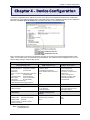
Chapter 4 – Device Configuration
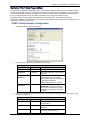
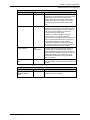
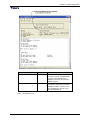
GPRS Cellular Port Configuration
Port Dependent
Option
Default
Description
E) Local Port
23
Local Port is the port that the MultiConnect AW
listens on for inbound traffic.
F) Remote Port
0
Remote Port is the IP port that the remote device
listens on. When you change the Remote Port, it
becomes the new default port.
G) Remote IP
none
Remote IP is the IP address of the device you are
connecting to for outbound. When you change the
Remote IP, it becomes the new default IP.
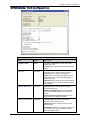
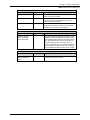
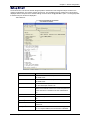
Phone Number/IP Conversion Table
Option
Default
Selection
This option allows for additional connections to be
added to the Phone Number/ IP Conversion Table.
When a dialed number matches one of those in this
table, the default Remote Port and IP options are
overridden during the call. If the entry does not
match, the default is used. For detail instructions on
entering data in this table, refer to View or Change
Phone Number/IP Conversion Table in this chapter.
J) View or change
Phone Number/IP
Conversion Table
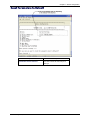
Wireless Band
Option
Default
Selection
This option is default depending on the region of the
world the unit is set up for, e.g., 900/1800MHz for
Europe.
0) dual-band 850/1900 MHz
1) dual-band 900/1800 MHz
K) Wireless Band
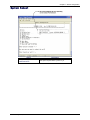
APN* Dependent
Option
Default
Selection
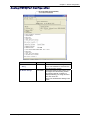
L) APN User Name
The APN User Name is assigned by your cellular
network provider for security and authentication
purposes. The user name may not be required by all
network providers.
M) APN Password
The APN Password is assigned by your cellular
network provider for security and authentication
purposes. The password may not be required by all
network providers.
N) APN Server
The APN assigned by your cellular network provider.
* The Access Point Name (APN) is a server name that your account is setup on with your provider. Your
APN will be provided to you by your provider. Here are some well known APNs:
● AT&T; PROXY, INTERNET, or PUBLIC
● T-Mobile; INTERNET2, VOICESSTREAM.COM, INTERNET2, or WAP.VOICESTREAM.COM
● Rogers Wireless of Canada; INTERNET.COM
Multi-Tech Systems, Inc. MultiConnect AW User Guide
21