1
5312/5324 IP Phones User Guide
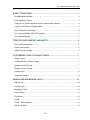
ABOUT YOUR PHONE ............................................................................................. 1
Ring/Message Indicators ..................................................................................................... 4
Selecting Menu Options....................................................................................................... 4
Using Your IP Phone with Mitel Unified Communicator Express......................................... 4
Using Your IP Phone in Remote Mode................................................................................ 4
About Feature Access Codes .............................................................................................. 4
For Users on Resilient 3300 ICP Systems .......................................................................... 5
Line Interface Module .......................................................................................................... 5
TIPS FOR YOUR COMFORT AND SAFETY ............................................................ 6
Don't cradle the handset! ..................................................................................................... 6
Protect your hearing ............................................................................................................ 6
Adjust the viewing angle ...................................................................................................... 6
CUSTOMIZING YOUR 5312/5324 IP PHONE .......................................................... 7
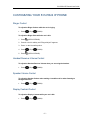
Ringer Control...................................................................................................................... 7
Handset Receiver Volume Control ...................................................................................... 7
Speaker Volume Control...................................................................................................... 7
Display Contrast Control...................................................................................................... 7
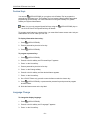
Feature Keys ....................................................................................................................... 8
Language Change ............................................................................................................... 8
MAKING AND ANSWERING CALLS ..................................................................... 10
Make a Call........................................................................................................................ 10
Answer a Call..................................................................................................................... 10
Emergency Calls................................................................................................................ 10
Auto–Answer ..................................................................................................................... 11
Phonebook......................................................................................................................... 12
Redial................................................................................................................................. 13
Redial – Saved Number..................................................................................................... 13
Speed Call Keys ................................................................................................................ 13
- iii -