1
CTGAE4P 4021 manual booklet
5/24/04
12:10 PM
Page 6
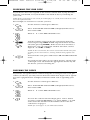
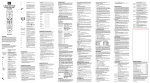
Use REW, PLAY, FWD, PAUSE,or STOP to control your VCR,
PVR (or DVR), or DVD player.
For a DVD player, use SKIP F. or SKIP R. to view the next
or previous chapter.
For a VCR, PVR (or DVR), or VOD (if available), use SCANor SCAN+ to quickly scan forward or back through a video
program. Use REPLAY for an instant replay. Use QUICK
SKIP to advance the video program a preset amount (as
set on your device).
Press REC twice to record a VCR or PVR (or DVR) program.
Use SLEEP to set the sleep timer on a selected device if
equipped with this feature.
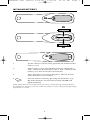
Use SET for all programming sequences.
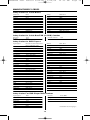
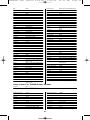
Device Table
NOTE: Please refer to the table below when performing the instructions in “Programming
Device Control” on page 8.
After programming, the One For All 4 Device Universal Remote Control will
be able to control the following types of devices:
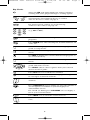
DEVICE KEY
CONTROLS THESE TYPES OF DEVICES
• DVD Player
• TV/DVD Player Combo
• VCR/DVD Player Combo
•
•
•
•
•
VCR
TV/VCR Combo
TV/VCR/DVD Player Combo
VCR/DVD Player Combo
PVR (or DVR)
•
•
•
•
Cable Box (or Converter)
Cable Box/PVR (or DVR) Combo
Satellite Receiver
Satellite Reciver/PVR (or DVR) Combo
• Television
6