1
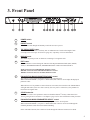
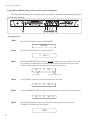
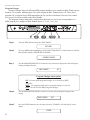
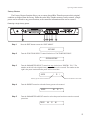
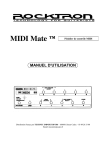
3. Front Panel
1
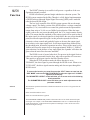
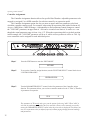
POWER switch
2
PRESET control
This control scrolls through and instantly recalls the successive presets.
3
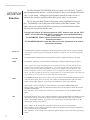
TAP (DELAY/RATE) button
This button is used to select a new delay time or modulation rate based on the length of time
occurring between two taps. See Section 7 (page 42): "Tap Delay" for more information.
4
DISPLAY panel
The DISPLAY panel provides 16 characters consisting of 14 segments each.
5
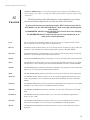
EDIT button
The EDIT button is used to change the function of the EQUALIZATION knobs (Bass, Middle,
Treble) to PARAMETER ADJUST, PARAMETER SELECT and FUNCTION SELECT.
BASS Control becomes PARAMETER ADJUST Control
MIDDLE Control becomes PARAMETER SELECT Control
TREBLE Control becomes FUNCTION SELECT Control
6
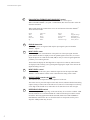
EQUALIZATION BASS/PARAMETER ADJUST control
This control is used to adjust the BASS LEVEL of the selected preset.
When in the EDIT MODE - (see point 5 - EDIT button) this control is used to adjust the displayed
parameter value.
When the bass level or parameter is altered from its stored value, the LED above the STORE button
will light until either (a) the new value is stored, (b) a new preset is selected or (c) the parameter is
returned to its original value.
7
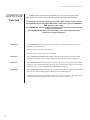
STORE button/led
This button is used to store parameter values into the Blue Thunder™ memory when altered. See
"Storing Changed Preset Parameters" in Chapter 7 (page 32) for more information on this procedure.
8
EQUALIZATION MIDDLE/PARAMETER SELECT control
This control is used to adjust the MIDDLE frequency level of the selected preset.
When in the EDIT MODE - (see point 5 - EDIT button) this control is used to scroll through the
available parameters under the current function heading.
In the "Title Edit" function, this control will scroll through the character locations to be edited.
4