1
BN68-00848A-00Eng_0404
4/4/05
4:00 PM
Page 42
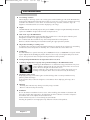
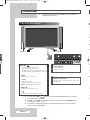
Viewing an External Signal Source
TV
Input
Source List
√
: AV
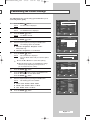
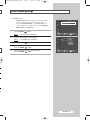
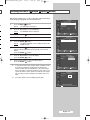
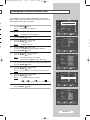
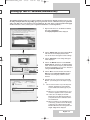
Once you have connected up your various audio and video
systems, you can view different sources by selecting the
appropriate input.
√
Edit Name
1
Press the MENU (
Result:
Enter
TV
Return
Result:
3
Source List
AV
:----
√
S-Video
:----
√
Component
:----
√
PC1
:----
√
PC2
:----
√
DVI
:----
√
Move
Enter
TV
Result:
5
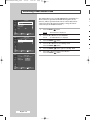
Press the … or † button to select the signal source, press the
ENTER (
) button.
Result:
➢
√
Enter
TV
6
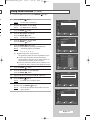
Repeat steps 1 to 3.
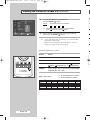
S-Video
Component
: - - - - VCR
: - - - - DVD
PC1
: - - -Cable
STB
PC2
: - - - HD
- STB
STB
: - -Satellite
-AV Receiver
DVI
The Input menu is displayed again.
7
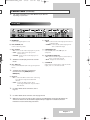
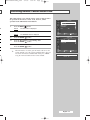
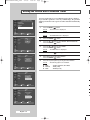
Press the … or † button to select Edit Name.
Press the ENTER (
) button.
8
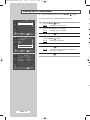
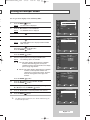
Press the … or † button to select external source to be edited.
Press the ENTER (
) button.
Edit Name
: - - - -----
The available signal sources are listed.
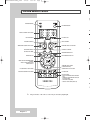
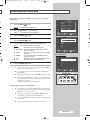
◆ You can also set these options simply by pressing the
SOURCE (
) button on the remote control.
Return
AV
) button again.
◆ AV, S-Video, Component, PC1, PC2, or DVI
Result:
Move
The Source List is selected.
Press the ENTER (
√
: AV
) button.
4
Return
Edit Name
The Input menu is displayed.
Press the ENTER (
Input
Source List
The main menu is displayed.
Press the … or † button to select Input.
2
Move
) button.
Result:
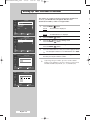
The available device names are listed.
VCR, DVD, Cable STB, HD STB, Satellite STB,
AV Receiver, DVD Receiver, Game, Camcorder,
DVD Combo, DHR (DVD HDD Recorder), or PC
Select the required device by pressing the … or † button.
Press the ENTER (
) button.
9
†
Move
Enter
English - 42
Return
➢
If you change the external source while viewing, it might
take a short period of time for picture to be switched.
☛