1
English
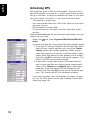
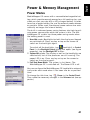
As explained in the GPS Reset window, you may reduce
the time to first fix by running the GPS Initialization utility
(see Initializing GPS on page 12). Until a new almanac
file is received from the GPS constellation, MobileMapper
CE uses a non-erasable almanac file stored in its memory
to start the satellite acquisition process.
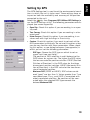
GPS Settings
See Setting Up GPS on page 13.
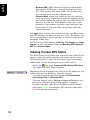
GPS Status
See Viewing Current GPS Status on page 14.
Mission Planning
The Mission Planning utility enables you to view the visibility
and availability of the constellation of satellites and determine
the dilution of precision (DOP) for any location on the Earth.
It allows you to plan the best time of the day for data collection and maximize productivity.
To be able to determine the configuration of satellites, an almanac file is used in Mission Planning. This file is generated
and loaded automatically when you get the first GPS fix.
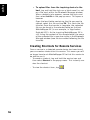
- Tap on
, then Programs>GPS Utilities>Mission Planning.
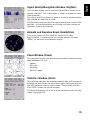
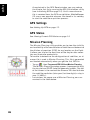
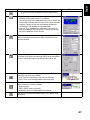
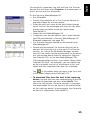
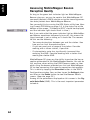
The Mission Planning window appears (see opposite) with
the sky plot and PDOP (satellite geometry) graphs. Top left
of the screen is the name of the almanac file used to make
the satellite prediction (alm<year (last two digits)><day in
year (1-365)>).
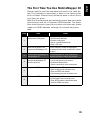
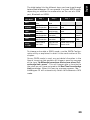
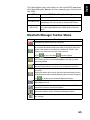
- Instructions for proper use of Mission Planning are summarized in the table below.
46