1
Basic adjustment
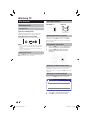
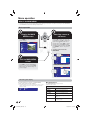
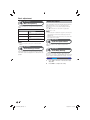
Languages
Languages
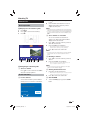
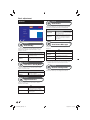
Audio Language
Settings
AV Settings
Subtitle \Language
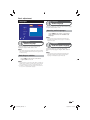
This function allows you to set the default audio language
to English, Welsh, Gaelic or Irish.
Audio Language
Languages
Audio Description Language
Selecting audio languages
Parental Control
Freeview +
General
OK
Select
Exit
Exit Menu
Languages
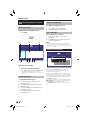
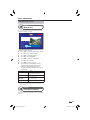
Press AUDIO on the remote control unit to
toggle switch between the available audio
languages.
NOTE
• Not all programmes are broadcast with alternative audio
languages. If the selected audio language is not broadcast,
English will be used.
Languages
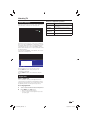
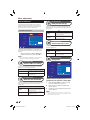
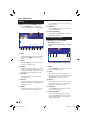
Subtitle Language
This function allows you to set the default subtitle
language to English, Welsh, Gaelic or Irish.
NOTE
• Some subtitle languages are available with enhanced subtitles.
These provide additional information about the programme for
the hard of hearing.
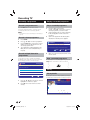
Switching on subtitles
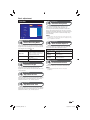
Audio Description Language
This function allows you to set the default audio
description (AD) language to English, Welsh, Gaelic or
Irish.
NOTE
• Not all programmes are broadcast with alternative audio
description languages. If the selected audio description
language is not broadcast, English will be used.
Press SUBT on the remote control unit to
toggle subtitles on or off.
NOTE
• Not all programmes are broadcast with subtitles. If subtitles are
available for a programme, the SUBT symbol will be displayed
in the Information Screen (Page 10) and the EPG (Page 12).
• If subtitles are available they will be displayed at the bottom of
the screen in the default subtitle language.
21
TU-T2HR32_GB.indd 21
29/06/2010 15:16:31