1
Introduction
Important safety precautions
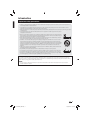
• Cleaning—Unplug the AC power adapter from the AC outlet before cleaning the product. Use a damp cloth to clean the product. Do
not use liquid cleaners or aerosol cleaners.
• Use a soft damp cloth to gently wipe the product when it is dirty. To protect the product, do not use a chemical cloth to clean it.
Chemicals may cause damage or cracks in the casing of the product.
• Water and moisture—Do not use the product near water, such as bathtub, washbasin, kitchen sink, laundry tub, swimming pool and in
a wet basement.
• Do not place vases or any other water-filled containers on this product. The water may spill onto the product
causing fire or electric shock.
• Stand—Do not place the product on an unstable cart, stand, tripod or table. Doing so can cause the product
to fall, resulting in serious personal injuries as well as damage to the product. Use only a cart, stand, tripod, or
table recommended by the manufacturer or sold with the product.
• When relocating the product placed on a cart, it must be moved with utmost care. Sudden stops, excessive
force and uneven floor surface can cause the product to fall from the cart.
• Ventilation—The vents and other openings in the casing are designed for ventilation. Do not cover or block
these vents and openings since insufficient ventilation can cause overheating and/or shorten the life of the
product. Do not place the product on a bed, sofa, rug or other similar surface, since they can block ventilation
openings. This product is not designed for built-in installation; do not place the product in an enclosed place
such as a bookcase or rack, unless proper ventilation is provided or the manufacturer’s instructions are
followed.
• Heat sources—Keep the product away from heat sources such as radiators, heaters, stoves and other heatgenerating products (including amplifiers).
• To prevent fire, never place any type of candle or naked flames on the top or near the product.
• To prevent fire or shock hazard, do not place the AC power adapter under the product or other heavy items.
• The product uses power even in Standby. Unplug the product from the AC outlet when you are not using it.
• Servicing—Do not attempt to service the product yourself. Removing covers can expose you to high voltage
and other dangerous conditions. Request a qualified person to perform servicing.
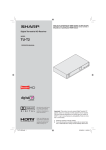
TU-T2HR32
HD
+
TU-T2HR32
HD
+
Devices connected to the protective earthing of the building installation through the MAINS connection or through other devices with a
connection to protective earthing and to a television distribution system using coaxial cable, may in some circumstances create a fire
hazard. Connection to a television distribution system therefore has to be provided through a device providing electrical isolation within a
certain frequency range (galvanic isolator, see EN 60728-11).
NOTE
• For requirements in Norway and Sweden, the requirements for isolation are also relevant for devices that can be connected to
television distribution systems.
3
TU-T2HR32_GB.indd 3
29/06/2010 15:15:50