1
Notes:
• Some devices connect immediately after pairing so the LED on the Bluetooth speaker remains on.
Other devices may ask you if you wish to connect. In this instance, the LED continues to blink until
a connection is established.
• Your Bluetooth speaker saves pairing information for up to eight devices. However, it can only be
connected and playing content from one device at a time.
Reconnecting your device:
If you move out of range or turn off the Bluetooth feature on your Bluetooth device, the Bluetooth
speaker disconnects from your device. When this happens, the LED will slowly blink on and off.
To restore the connection:
• Move the music device back into range (within 33 feet). Make sure that there there is a clear line
of sight and there are no obstructions between the Bluetooth speaker and the device.
The connection is automatically reestablished and the LED turns on.
Note: The auto-connect feature may not work with some Bluetooth devices. If this occurs, you
need to select the Bluetooth speaker from the list of available players on your device.
Connecting to a different device:
To switch from one device to another:
1 On your Bluetooth device you are currently connected to, turn off the Bluetooth function or
unpair the Bluetooth speaker in your Bluetooth device list.
The Bluetooth speaker can now be connected to another Bluetooth device.
2 Follow the section “Pairing your devices using Bluetooth” to connect a new device.
Playing music from an external, connected source
You can enjoy music from an external source, such as a digital music player, through this wireless
speaker.
To play music from an external, connected source:
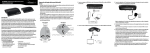
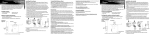
1 Connect an external device to the AUX IN jack on the back of your wireless speaker using the
stereo audio cable provided.
To an audio device,
such as a CD or MP3
player.
Specifications
Model
RF-WSP313
Type
Bluetooth Indoor/Outdoor Speaker
Bluetooth support
Bluetooth 1.2, 2.0, and 2.1 compliant, A2DP
Input terminal
External DC IN (for AC adapter), AUX IN
Power source
DC 18 V/2.5 A
AC adapter
Input: AC 120/240V 50/60 Hz
Output: DC 18 V/2.5 A
Battery operation time
Up to six hours
Water resistant rating
IPX4
Dimensions (H×W×D)
15.3 × 6.5 × 8 in. (38.8 × 16.6 × 20.3 cm)
Weight
9 lbs. (4.1 kg)
One-year limited warranty
Note: When the audio cable is connected to the AUX IN jack, the speaker enters the AUX IN mode
automatically.
2 Turn on the wireless speaker.
3 Start playback on the external device.
4 Adjust the volume to a comfortable level.
Note: If there is no sound source for 15 seconds when in AUX IN mode, the speaker automatically
switches to Bluetooth mode. If the sound source is later active on AUX IN and there is no Bluetooth
source, then the speaker switches back to AUX IN mode.
Visit www.rocketfishproducts.com for details.
Contact Rocketfish:
For customer service, call 1-800-620-2790 (U.S. and Canada) or 01-800-926-3010 (Mexico)
www.rocketfishproducts.com
is a registered trademark of Bluetooth SIG, Inc. Please read the rating label on the back of the system for power input and other
safety information.
aptX® audio decoding - highest Bluetooth stereo audio quality possible. The CSR logo is a trademark of CSR plc or one of its group of
companies. All other product and brand names are trademarks of their respective owners.
© 2013 BBY Solutions, Inc., All Rights Reserved. Distributed by Best Buy Purchasing, LLC, 7601 Penn Avenue South, Richfield, MN USA 55423-3645
V1 ENGLISH 13-0773