1
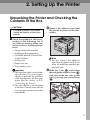
Setting Up the Printer
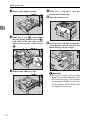
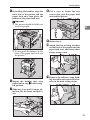
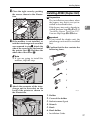
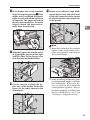
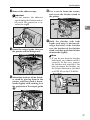
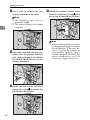
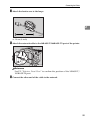
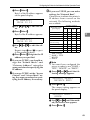
I Close the right cover by pushing
the area as shown in the illustration.
2
ZAEP690E
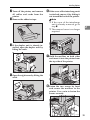
J If the duplex unit is already installed, close the unit.
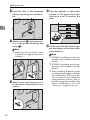
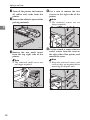
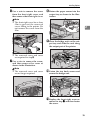
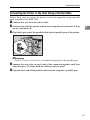
K Slide the four mailbox trays into
the lower side of the mailbox
first.
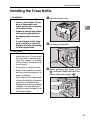
Installing Memory Unit TypeB
Important
❒ The memory unit can be damaged
by small amounts of static electricity. Before touching it, ground
yourself by touching something
metal to remove static electricity
from you.
Note
❒ If you want to install Memory Unit
TypeB and Printer Hard Disk Type
185, Memory Unit TypeB must be
installed first.
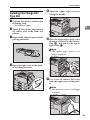
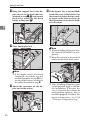
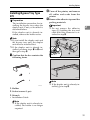
A Confirm that the box contains the
following item.
• Memory unit
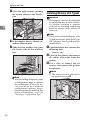
B Turn off the printer, and remove
all cables and cords from the
printer.
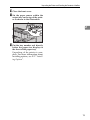
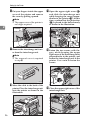
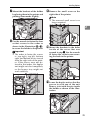
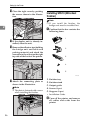
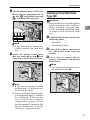
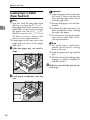
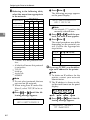
C Use
a coin to remove the six
screws, and remove the printer
board cover.
ZAEP360E
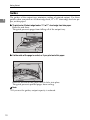
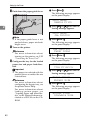
Note
❒ After installing all options, print
a configuration page to confirm
the installation. If the new device is listed in the column of
configuration options, then it
has been properly installed. For
more information, see P.54
“Printing a Configuration Page”.
Note
❒ The removed cover and screws
are required in step E.
ZDEP100E
40