1
Telephone operation
Line power mode (no AC power)
This telephone provides minimal functionality during a power failure. When AC
power is not available, the screen is blank and many telephone features do
not function. Only touch-tone dialing and handset listening volume adjustment
are supported. The telephone uses power from the telephone line to enable
you to make and answer calls using only the handset and dial pad keys.
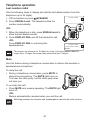
To make a call during a power failure
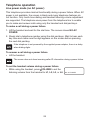
1. Lift the handset and wait for the dial tone. The screen shows NO AC
POWER.
2. Slowly dial a telephone number using the dial pad keys. Wait to hear each
key tone and make sure the digit appears on the screen before pressing
the next dial pad key.
If the telephone is not powered by the supplied power adapter, there is a delay
when dialing digits.
To answer a call during a power failure
• Lift the handset.
The screen does not show incoming caller ID information during a power failure.
To set the handset volume during a power failure
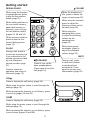
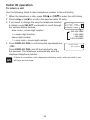
• While using the handset, press VOLUME to set the
listening volume from the handset to L1, L2, L3, or L4.
24
NO AC POWER