1
5-2. User Management
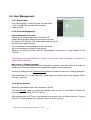
5-2-1. Current User
If you are logging in for the first-time, the user name
in the “Current User” section should display
“administrator”.
5-2-2. Account Management
User authorization required:
Checking the “Enable use check” check box will
enable the user check when the users want to access
the Observer IP NetCam. The Login window will prompt for
the User name and Password.
If the check box is not checked, then the user check
will not be enabled. All users can access the
Observer IP NetCam directly, with the administrator’s permission. A Login window is not
required.
Note: Before you select “Enable user check” check button, please remember to change the
administrator password.
Add a user or change password:
Enter a new user name and password information to create a new user account, or enter an
existing user account, then set a new password to replace the old password.
Confirm by clicking on the [Change/Create] button to create the account or change password.
After submitting, the “Current User List:” would display the newly created user account. In this
example: “newuser”.
5-2-3. Delete Account
Select the user account from the “Username” list box.
Click the [Delete] button to delete the selected user account. A confirmation window will
prompt the user to select “OK” or “Cancel”.
After selecting the “OK” button, the selected user account will be deleted from the “Current
User List”. In this example, the “newuser” account will be removed.
VIPN1100 Veo Europe IP Netcam Manual rev 1.2 EN
18 -