1
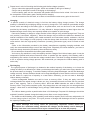
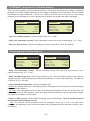
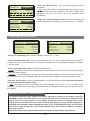
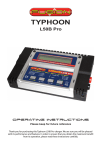
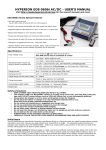
Exterior of the charger
Intelligent
cooling fan
Input (12V DC)
Power cable
CHANNEL
Graphic LCD
buttons
128 X 64 dot matrix
STOP/ESC
buttons
Intelligent
cooling fan
USB
port
▶
OUTPUT-1
Temperature MODE UP/DOWN DEC/INC
port
buttons
buttons
buttons
Individual cell
port
Temperature
port OUTPUT-2
START/ENTER
Individual cell
buttons
port
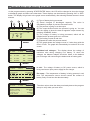
- ‘CHANNEL’ button
Switches the screen display between output-1 and output-2. The user can see the values for each
output separately when the process is running by pressing this button.
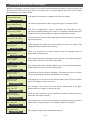
- ‘MODE’ button
Select the sub-programs in the program set-up screen.
- ‘UP’ and ‘DOWN’ buttons
Navigate the cursor through the main menus vertically, and scroll the program set-up screen.
- ‘DEC’ and ‘INC’ buttons
Decrease or increase the parameter value or enter the program mode. And also, they navigate the
cursor through the main menu horizontally. Switch the process data screen between graph, informations
and individual cell voltages during charging or discharging.
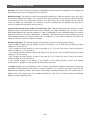
- ‘START/ENTER’ button
Commence the program by pressing this button at the program set-up screen.
Confirms the message.
- ‘STOP/ESC’ button
Suspend the program by pressing this button during the program is running.
Deletes the error message.
Returns to the previous screen.
-3-