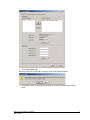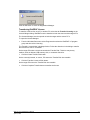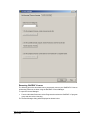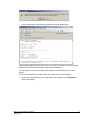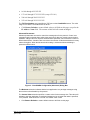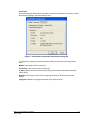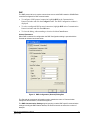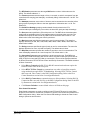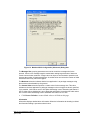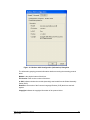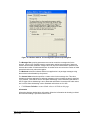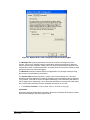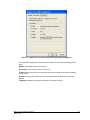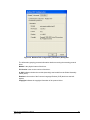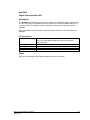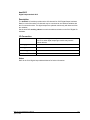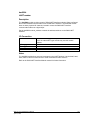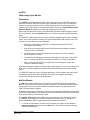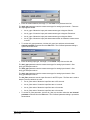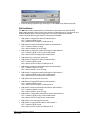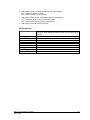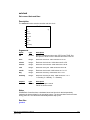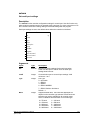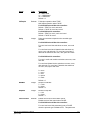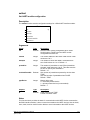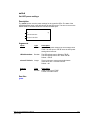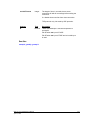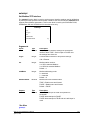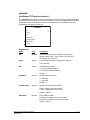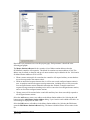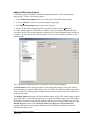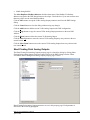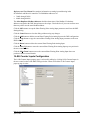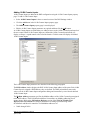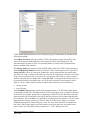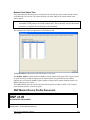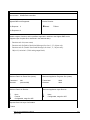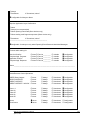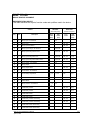
1
IEC 61131User Manual CONTROL MICROSYSTEMS SCADA products... for the distance 48 Steacie Drive Kanata, Ontario K2K 2A9 Canada Telephone: Facsimile: Technical Support: 613-591-1943 613-591-1022 888-226-6876 888-2CONTROL IEC61131 Reference and User Manual Copyright 2007 Control Microsystems Inc. All rights reserved. Printed in Canada. Trademarks TelePACE, SCADASense, SCADAServer, SCADALog, RealFLO, TeleSAFE, SCADAPack, TeleBUS, SCADAWave and ClearSCADA are registered trademarks of Control Microsystems. All other product names are copyright and registered trademarks or trade names of their respective owners. Table of Contents Table of Contents ................................................................................................................. i Index of Figures .................................................................................................................. v Overview ............................................................................................................................. 1 Supported Languages ................................................................................................... 1 Custom Functions .......................................................................................................... 1 Custom I/O Connections ................................................................................................ 2 Custom Controller Commands ...................................................................................... 2 Organization of the Manual ............................................................................................ 2 Control Microsystems Technical Support ...................................................................... 2 IEC 61131-3 Installation ...................................................................................................... 3 System Requirements ................................................................................................... 3 IEC 61131-3 Installation ................................................................................................ 3 ISaGRAF 3.5 Licensing ................................................................................................. 5 ISaGRAF 3.5 Compatibility with ISaGRAF 3.32 .......................................................... 16 Project Development Overview ......................................................................................... 19 IEC 61131-3 Installation .............................................................................................. 19 Initialize the Target Controller ...................................................................................... 20 Create an ISaGRAF Project ........................................................................................ 21 Declare Variables......................................................................................................... 21 Select I/O Hardware..................................................................................................... 22 Select Functions and Function Blocks ......................................................................... 22 Configure PC to Controller Link ................................................................................... 22 Controller Commands and Options ............................................................................. 23 Make the Application ................................................................................................... 23 Download and Start the Application............................................................................. 24 PC to Controller Link ......................................................................................................... 25 Configuring PC-PLC Link Parameters ......................................................................... 25 Configuring PC Communication Settings .................................................................... 26 Controller Menu Commands ............................................................................................. 97 Controller Type ............................................................................................................ 97 Connect to Controller Command ................................................................................. 98 Disconnect from Controller Command......................................................................... 98 Write to Controller Command ...................................................................................... 98 Read from Controller Command .................................................................................. 98 Initialize Controller Command ...................................................................................... 98 Controller Serial Ports Command .............................................................................. 102 Controller IP ............................................................................................................... 114 Real Time Clock......................................................................................................... 127 DNP ........................................................................................................................... 128 DNP Status ................................................................................................................ 128 DNP Master Status .................................................................................................... 128 Controller I/O Error Indication Command .................................................................. 128 Lock Controller Command ......................................................................................... 129 Unlock Controller Command ...................................................................................... 129 Override Controller Lock Command .......................................................................... 130 Show Lock Status Command .................................................................................... 130 C/C++ Program Loader Command ............................................................................ 130 Program Status Dialog ............................................................................................... 133 Options Command ..................................................................................................... 137 Modbus Addressing ................................................................................................... 138 I/O Connection Reference .............................................................................................. 142 IEC61131 User and Reference Manual April 22, 2008 i I/O Boards .................................................................................................................. 142 I/O Equipment ............................................................................................................ 184 Custom Function Reference ........................................................................................... 226 clearsf ........................................................................................................................ 227 cominfo ...................................................................................................................... 228 ctlrstat ........................................................................................................................ 230 devConf ...................................................................................................................... 231 dial ............................................................................................................................. 234 dlog ............................................................................................................................ 237 dlogcnfg ..................................................................................................................... 239 dlogread ..................................................................................................................... 242 dlogfcfg ...................................................................................................................... 245 dlogf ........................................................................................................................... 253 dnpconn ..................................................................................................................... 256 dnpevent .................................................................................................................... 257 dnplog ........................................................................................................................ 258 dnppoll ....................................................................................................................... 259 dnpport ....................................................................................................................... 260 dnpstn ........................................................................................................................ 262 dnpsync ...................................................................................................................... 263 dnpunsol .................................................................................................................... 264 dtroff ........................................................................................................................... 265 flow ............................................................................................................................. 266 forceled ...................................................................................................................... 268 getclock ...................................................................................................................... 269 getcom ....................................................................................................................... 270 gethart ........................................................................................................................ 272 getipi .......................................................................................................................... 273 getled ......................................................................................................................... 273 getmbip ...................................................................................................................... 274 getmtcp ...................................................................................................................... 276 getmtcpi ..................................................................................................................... 277 getmtpi2 ..................................................................................................................... 278 getpmode ................................................................................................................... 280 getprot ........................................................................................................................ 281 getprot2 ...................................................................................................................... 282 getregb ....................................................................................................................... 284 getregf ........................................................................................................................ 285 getregsl ...................................................................................................................... 286 getregss ..................................................................................................................... 287 getregus ..................................................................................................................... 288 getsf ........................................................................................................................... 289 getsfip ........................................................................................................................ 290 getsfip2 ...................................................................................................................... 292 hart0 ........................................................................................................................... 294 hart1 ........................................................................................................................... 297 hart2 ........................................................................................................................... 300 hart3 ........................................................................................................................... 303 hart33 ......................................................................................................................... 306 inimodem ................................................................................................................... 309 ipstatus ....................................................................................................................... 311 master ........................................................................................................................ 312 masterip ..................................................................................................................... 316 mbusinfo .................................................................................................................... 321 pida ............................................................................................................................ 323 pidd ............................................................................................................................ 327 IEC61131 User and Reference Manual April 22, 2008 ii protinfo ....................................................................................................................... 331 rxstring ....................................................................................................................... 333 setclock ...................................................................................................................... 334 setcom ....................................................................................................................... 335 sethart ........................................................................................................................ 338 setipi ........................................................................................................................... 340 setled ......................................................................................................................... 341 setmbip ...................................................................................................................... 342 setmtcp ...................................................................................................................... 344 setmtcpi ...................................................................................................................... 345 setmtpi2 ..................................................................................................................... 346 setpmode ................................................................................................................... 348 setprot ........................................................................................................................ 349 setprot2 ...................................................................................................................... 351 setregb ....................................................................................................................... 353 setregf ........................................................................................................................ 354 setregsl ...................................................................................................................... 355 setregss ..................................................................................................................... 356 setregus ..................................................................................................................... 357 setResp ...................................................................................................................... 358 setsf ........................................................................................................................... 359 setsfip ......................................................................................................................... 361 setsfip2 ....................................................................................................................... 364 sleep .......................................................................................................................... 367 toeeprom .................................................................................................................... 369 total ............................................................................................................................ 370 txstring ....................................................................................................................... 373 TELEBUS PROTOCOLS OVERVIEW ................................................................................ 374 Compatibility.................................................................................................................... 374 Serial Port Configuration ................................................................................................. 374 Communication Parameters ...................................................................................... 374 Protocol Parameters .................................................................................................. 379 I/O Database ................................................................................................................... 383 Accessing the I/O Database ...................................................................................... 383 Extended Station Addressing .......................................................................................... 387 Theory of Operation ................................................................................................... 387 Slave Mode ..................................................................................................................... 387 Broadcast Messages ................................................................................................. 388 Function Codes .......................................................................................................... 388 Modbus Master Mode ..................................................................................................... 398 Modbus Function Codes ............................................................................................ 398 Enron Modbus Master Mode ..................................................................................... 406 Sending Messages .................................................................................................... 408 Store and Forward Messaging ........................................................................................ 409 Translation Table ....................................................................................................... 409 Invalid Translations .................................................................................................... 411 Store and Forward Configuration ............................................................................... 411 Diagnostics Counters ................................................................................................. 423 Point–To–Point Protocol (PPP) ....................................................................................... 423 PPP Client Setup in Windows 2000 ........................................................................... 424 IEC61131 User and Reference Manual April 22, 2008 iii DNP3 USER AND REFERENCE MANUAL ........................................................................ 445 DNP3 Protocol Overview ................................................................................................ 445 DNP Architecture ....................................................................................................... 445 Modbus Database Mapping ....................................................................................... 453 SCADAPack DNP Operation Modes ......................................................................... 453 SCADAPack DNP Outstation .......................................................................................... 454 How to Configure SCADAPack DNP Outstation ....................................................... 454 SCADAPack DNP Master ............................................................................................... 464 SCADAPack DNP Master Concepts.......................................................................... 464 How to Configure SCADAPack DNP Master ............................................................. 470 How to Configure SCADAPack Address Mapping .................................................... 474 How to Configure SCADAPack DNP Mimic Master .................................................. 475 SCADAPack DNP Router ............................................................................................... 476 How to Configure a SCADAPack DNP Router .......................................................... 477 Design Considerations .................................................................................................... 480 Considerations of DNP3 Protocol and SCADAPack DNP Driver .............................. 480 Typical Configuration Malpractices and Recommendations...................................... 481 Configuration FAQ ..................................................................................................... 486 DNP Configuration Menu Reference .............................................................................. 488 Application Layer Configuration ................................................................................. 490 Data Link Layer Configuration ................................................................................... 494 Master ........................................................................................................................ 497 Master Poll ................................................................................................................. 498 Address Mapping ....................................................................................................... 504 Routing ....................................................................................................................... 507 Binary Inputs Configuration ....................................................................................... 512 Binary Outputs Configuration ..................................................................................... 515 16–Bit Analog Inputs Configuration ........................................................................... 518 32-Bit Analog Inputs Configuration ............................................................................ 522 Short Floating Point Analog Inputs ............................................................................ 526 16-Bit Analog Outputs Configuration ......................................................................... 530 32-Bit Analog Outputs Configuration ......................................................................... 533 Short Floating Point Analog Outputs ......................................................................... 536 16–Bit Counter Inputs Configuration.......................................................................... 539 32-Bit Counter Inputs Configuration .......................................................................... 542 DNP Diagnostics ............................................................................................................. 546 DNP Status ................................................................................................................ 547 DNP Master Status .................................................................................................... 551 DNP Master Device Profile Document ............................................................................ 555 DNP Slave Device Profile Document .............................................................................. 565 TELEBUS DF1 PROTOCOL OVERVIEW ........................................................................... 575 Compatibility.................................................................................................................... 575 Serial Port Configuration ................................................................................................. 575 Communication Parameters ...................................................................................... 575 Protocol Parameters .................................................................................................. 579 Default Parameters .................................................................................................... 583 I/O Database ................................................................................................................... 583 Coil and Status Registers .......................................................................................... 584 Input and Holding Registers ...................................................................................... 584 Accessing the I/O Database Using TelePACE .......................................................... 584 Accessing the I/O Database Using ISaGRAF ........................................................... 590 IEC61131 User and Reference Manual April 22, 2008 iv Slave Mode ..................................................................................................................... 594 Broadcast Messages ................................................................................................. 594 Function Codes .......................................................................................................... 594 Master Mode ................................................................................................................... 600 Function Codes .......................................................................................................... 600 Sending Messages .................................................................................................... 605 MODEM COMMANDS ......................................................................................................... 607 Modem Settings .............................................................................................................. 607 Generic Modem ............................................................................................................... 607 5901 High Speed Dial-up Modem ................................................................................... 608 ATI 14400 ETC-Express ................................................................................................. 608 ATI 14400 ETC-E, ETC-I ................................................................................................ 608 Hayes Smartmodem 1200 .............................................................................................. 608 Hayes ACCURA 96, 144 and 288 Modems .................................................................... 609 Kama 2400 EI ................................................................................................................. 609 Megahertz XJ4288 28.8 PC Card Modem ...................................................................... 609 Multitech 224E7B ............................................................................................................ 609 TeleSAFE 6901 Bell 212 Modem .................................................................................... 610 US Robotics Sportster 28,800 ........................................................................................ 611 Index of Figures Figure 1: Communication Protocols Configuration dialog. .................................................................. 26 Figure 2: ClearSCADA Configuration (General) Dialog Box .............................................................. 27 Figure 3: ClearSCADA Configuration (Advanced) Dialog Box ........................................................... 28 Figure 4: ClearSCADA Configuration (Information) Dialog Box......................................................... 29 Figure 5: DNP Configuration (General) Dialog Box ........................................................................... 30 Figure 6: DNP Configuration (Flow Control) Dialog Box .................................................................... 32 Figure 7: DNP Configuration (Dial Up) Dialog Box ............................................................................ 33 Figure 8: DNP Configuration (Advanced) Dialog Box ........................................................................ 34 Figure 9: DNP Configuration (Information) Dialog Box ...................................................................... 35 Figure 10: Modbus ASCII Configuration (General) Dialog Box.......................................................... 52 Figure 11: Modbus ASCII Configuration (Flow Control) ..................................................................... 54 Figure 12: Modbus ASCII Configuration (Dial Up) ............................................................................. 55 Figure 13: Modbus ASCII Configuration (Advanced) Dialog Box ...................................................... 57 Figure 14: Modbus ASCII Configuration (Information) Dialog Box .................................................... 58 Figure 15: Modbus ASCII in TCP Configuration (General) Dialog Box ............................................. 59 Figure 16: Modbus ASCII in TCP Configuration (Advanced) Dialog Box .......................................... 61 Figure 17: Modbus ASCII in TCP Configuration (Information) Dialog Box ........................................ 62 Figure 18: Modbus ASCII in UDP Configuration (General) Dialog Box ............................................. 63 Figure 19: Modbus ASCII in UDP Configuration (Advanced) Dialog Box .......................................... 65 Figure 20: Modbus ASCII in UDP Configuration (Information) Dialog Box ........................................ 66 Figure 21: Modbus RTU Configuration (General) Dialog Box ............................................................ 67 Figure 22: Modbus RTU Configuration (Flow Control) ....................................................................... 69 Figure 23: Modbus RTU Configuration (Dial Up) ............................................................................... 70 Figure 24: Modbus RTU Configuration (Advanced) Dialog Box ........................................................ 72 IEC61131 User and Reference Manual April 22, 2008 v Figure 25: Figure 26: Figure 27: Figure 28: Figure 29: Figure 30: Figure 31: Figure 32: Figure 33: Figure 34: Figure 35: Figure 36: Figure 37: Figure 38: Figure 39: Figure 40: Figure 41: Figure 42: Figure 43: Figure 44: Modbus RTU Configuration (Information) Dialog Box ...................................................... 73 Modbus RTU in TCP Configuration (General) Dialog Box ............................................... 74 Modbus RTU in TCP Configuration (Advanced) Dialog Box ............................................ 76 Modbus RTU in TCP Configuration (Information) Dialog Box .......................................... 77 Modbus RTU in UDP Configuration (General) Dialog Box ............................................... 78 Modbus RTU in UDP Configuration (Advanced) Dialog Box ............................................ 80 Modbus RTU in UDP Configuration (Information) Dialog Box .......................................... 81 Modbus/TCP Configuration (General) Dialog Box ............................................................ 82 Modbus/TCP Configuration (Advanced) Dialog Box......................................................... 84 Modbus/TCP Configuration (Information) Dialog Box....................................................... 85 Modbus/UDP Configuration (General) Dialog Box ........................................................... 86 Modbus/UDP Configuration (Advanced) Dialog Box ........................................................ 88 Modbus/UDP Configuration (Information) Dialog Box ...................................................... 89 Modbus/USB Configuration (General) Dialog Box ............................................................ 90 Multiple Controller USB Error Dialog ................................................................................ 91 Selecting a USB controller from list .................................................................................. 91 Modbus/USB Configuration (Information) Dialog Box ...................................................... 92 SCADAServer Configuration (General) Dialog Box .......................................................... 93 SCADAServer Configuration (Advanced) Dialog Box....................................................... 94 SCADAServer Configuration (Information) Dialog Box..................................................... 95 IEC61131 User and Reference Manual April 22, 2008 vi Overview Control Microsystems IEC 61131-3 implementation enables the programming of SCADAPack controllers using the IEC 61131-3 programming languages. The programming environment uses the ISaGRAF Workbench to create, load and debug IEC 61131-3 application programs. Supported Languages ISaGRAF Workbench supports the five standard IEC 61131-3 programming languages and a sixth language called Flow Chart. These languages may be mixed and matched within an application to provide an optimum control strategy. The supported programming languages are described below. Sequential Function Chart (SFC) The Sequential Function Chart is a graphic language used to describe sequential operations in a process. The process is graphically partitioned into a set of well-defined steps containing actions performed using other languages such as ST, IL, LD and FBD. Steps are linked together with conditional transitions. This language is useful for batch processes and process procedures such as automatic startup and shut down. Functional Block Diagram (FBD) The Function Block Diagram is a graphic language used to build complex procedures from a library of functions. Standard library functions such as math and logic may be combined with custom library functions such as dial up modem control, HART Interface, PID controllers and Modbus master and slave protocols to create Function Block Diagram application programs. A class of programs called functions allows the creation of user functions that are not included in the library. Ladder Diagram (LD) Ladder Diagram is a graphic language combining contacts and coils to build logical discrete control procedures. This language is identical to the relay ladder logic used by most programmable Logic Controllers. Ladder Diagram contacts and coils may be used in the Function Block Diagram language for discrete control of functions. Structured Text (ST) Structured Text is a high-level structured language, similar to Pascal and C, that is used for complex procedures or calculation that cannot be easily implemented using graphic languages. Structured Text is the default language used to describe actions within the steps of the Sequential Function Chart language. Instruction List (IL) Instruction List is a low-level programming language, similar to assembly language that is used in small applications that require fast execution. This language is typically used to optimize sections of an application. Flow Chart (FC) Flow Chart is a graphic language that is used to describe sequential operations in an application. A Flow Chart diagram is composed of actions to be performed and tests on the actions performed. Actions and tests are connected by oriented links, representing data flow through the Flow Chart. Tests determine the yes or no path of the data flow. Custom Functions The standard ISaGRAF Workbench is enhanced with custom functions to support features provided by the SCADAPack controllers. Custom functions provide support for dial up IEC61131 User and Reference Manual April 22, 2008 1 modems, HART Interface modules, Store and Forward messaging, PID controllers and Modbus master and slave protocols. Custom functions are integrated into the ISaGRAF Workbench application programming environment. Custom I/O Connections All 5000 Series I/O modules and SCADAPack I/O modules are fully supported by the enhanced ISaGRAF Workbench. The ISaGRAF Workbench I/O connection dialog is used to add selected modules to the I/O connection list. Any combination of I/O modules may be selected up to the maximum number of I/O points supported by the SCADAPack controller. Each input or output point on a module is referenced with a variable name and, if required, a Modbus register address. Variables are updated continuously with data from 5000 Series I/O modules and SCADAPack I/O modules. Custom Controller Commands Custom controller commands are specific to the operation of SCADAPack controllers. Operating parameters are configured using selected controller commands. Parameters such as controller serial port settings, controller initialization, I/O module error indication and controller locking functions are configured using controller commands. Control of the connection and disconnection of dialup modem communication links and reading and writing parameters to the controller are also executed using controller commands. Organization of the Manual The remainder of the manual is organized as follows. New users should read the sections in order, to gain an understanding of underlying concepts before tackling detailed material. The Project Development Overview section describes how to create, load and run an application containing custom functions, function blocks and I/O modules and equipment. The PC to Controller Link section describes the configuration of the communication link between the PC running ISaGRAF and the target controller. The Controller Menu Commands section describes the commands and options available for the SCADAPack controllers. The Modbus Addressing section describes methods for assigning Modbus addresses to declared variables. The I/O Connection Reference section describes the I/O modules and equipment available with the SCADAPack controllers. The IEC61131 User and Reference Manual April 22, 2008 2 Custom Function Reference section describes custom functions and function blocks used with SCADAPack controllers. Control Microsystems Technical Support Telephone, facsimile and e-mail support is available from 8:00 to 18:30 (North American Eastern Time Zone) at the following numbers. When calling, please ask for a Technical Support Representative. Direct Worldwide: (613) 591-3878 Toll Free within North America: 1 (888) 267-2232 E-Mail: [email protected] IEC61131 User and Reference Manual April 22, 2008 3 IEC 61131-3 Installation System Requirements The ISaGRAF Workbench requires the following minimum system configuration. Microsoft Windows NT4, Windows 2000 or Windows XP PRO operating systems. NOTE: Windows 95, 98 and ME operating systems are no longer supported. Pentium 133MHz or better. Minimum 32 MB of RAM, 64MB recommended. Mouse or compatible pointing device. Hard disk with approximately 35 Mbytes of free disk space. IEC 61131-3 Installation The installation of the IEC 61131-3 software is completed using the following steps: Install ISaGRAF Install ISaGRAF Extensions Install TelePACE Firmware Loader Install Sentinel driver and key – Required when a hardware license key is used. Install ISaGRAF ISaGRAF is the IEC 61131-3 programming environment. This installation installs the ISaGRAF Workbench. Insert the ISaGRAF CD in your CD-ROM drive. From the Windows start menu select Run. Enter d:\setup (where d is your CD-ROM drive) and click OK. Follow the on-screen instructions to complete the ISaGRAF Workbench installation. Install ISaGRAF Extensions The ISaGRAF Extensions provide a driver to communicate with Control Microsystems controllers and a set of functions that are specific to the controllers. The installation of the ISaGRAF Extensions also installs complete documentation for the Workbench and Extensions. The following procedure installs the ISaGRAF Extensions. Insert the ISaGRAF CD in your CD-ROM drive. From the Windows start menu select Run. Enter d:\ISaGRAF Extensions\setup (where d is your CD-ROM drive) and click OK. Follow the on-screen instructions to complete the ISaGRAF Extensions installation. Install Firmware Loader The Firmware Loader allows you to update the firmware in your controller. The following procedure installs the Firmware Loader. Insert the ISaGRAF CD in your CD-ROM drive. IEC61131 User and Reference Manual April 22, 2008 4 From the Windows start menu select Run. Enter d:\Firmware Loader\setup (where d is your CD-ROM drive) and click OK. Follow the on-screen instructions. Demo Mode When first installed ISaGRAF will run in the Demo Mode until a permanent license is installed. The Demo version will run for a maximum of 30 days. The following message is displayed when Projects is selected from the ISaGRAF 3.5 program group. Note: When a hardware license is to be used you will see the above dialog if the hardware key is not connected. When running in the Demo Mode ISaGRAF does not support the following features: Archiving or Restoring projects. Exporting IEC 61131 programs to a library. Exporting variables. Embedding project source code in a target controller. Uploading source code from a target controller. You will need to permanently license your copy of ISaGRAF version 3.5 in order to use the above listed features. Technician Tool License The ISaGRAF Technician (Maintenance) Tool license provides the following limited capabilities when working with applications: Perform many tasks: overwriting and backing up archives, updating, downloading, starting, stopping, and debugging applications, setting communication parameters, cycle timing, execution mode, and IL / SFC breakpoints, controlling SFC programs, timer variables, and variable states, and locking/unlocking variables. Access in read-only mode: reading project descriptions and modification histories, viewing the dictionary contents (local / global variables and defined words), I/O connections, conversion tables, run-time parameters, compiler options, and resource definitions, visualizing Spotlight debugging interfaces and spy lists Downloads are also possible from the Technician Tool. Full License A permanent license grants access to all the IDE functionality. IEC61131 User and Reference Manual April 22, 2008 5 ISaGRAF 3.5 Licensing The ISaGRAF Workbench 3.5 provides two types of licenses, a software license and a hardware license. If you are using a Hardware License see the section Install Sentinel Driver and Key. The ISaGRAF License Manager is used to enable the I/O variable capacity used in projects and to enable the features not supported in the Demo Mode. The following sections of this user manual describe the ISaGRAF License Manager. The License Manager is used to: Install an ISaGRAF license on a personal computer. Transfer a license from one personal computer to another. Remove an ISaGRAF license from a personal computer. Installing ISaGRAF License The following procedure describes how to permanently license your copy of ISaGRAF 3.5. All licensing functions are done using the ISaGRAF License Manager. To open the License Manager: From the Windows Start menu select Programs then select the ISaGRAF 3.5 program group and then select Licensing. The License Manager dialog will be displayed as shown below. IEC61131 User and Reference Manual April 22, 2008 6 The Add Licensing tab displays the dialog necessary to add a permanent ISaGRAF license. In the Configuration area of the dialog the Available Components section displays the licensing formats available. From the Available Components window click on ISaGRAF 3 Software License and then click the Add button to move the selection to the Selected Components window. The following dialog is displayed. Select the number of IO variables shown on the ISaGRAF CD jewel case and select the OK button. When the dialog closes the licensing window will display the license in the Selected Components column as shown below. IEC61131 User and Reference Manual April 22, 2008 7 Click the Proceed button. New user codes are created and a prompt to call or email CMI is displayed. Click the Yes button to automatically generate an License Request email as shown below. IEC61131 User and Reference Manual April 22, 2008 8 Enter the fields displayed and send the email. If you wish you can phone Customer Support at 888-267-2232 for telephone support of the licensing installation. You will receive a return email containing the registration keys needed to activate your license. There are two sets of four registration keys that need to be entered in the License Manager. Enter the first four registration keys in the appropriate entry windows of the Registration section of the dialog. IEC61131 User and Reference Manual April 22, 2008 9 Click the Register button and enter the second set of registration keys. The following dialog is displayed to prompt you to enter the second set of registration keys. When the second set of registration keys are entered click the Register button. The following dialog is then displayed to indicate the license has been enabled. IEC61131 User and Reference Manual April 22, 2008 10 Click the OK button to close the Registration Manager. Transferring ISaGRAF License To transfer a license from one PC to another PC select the tab Transfer Licensing on the License Manger dialog. ISaGRAF must be installed on both the source and the target PC‟s. The License Manager must be opened on both the target and the source PC‟s. To open the License Manager: From the Windows Start menu select Programs then select the ISaGRAF 3.5 program group and then select Licensing. The Transfer License dialog is displayed below. Follow the directions in the dialog to transfer the license from one PC to another. On the target PC select a drive that contains the Transfer Disk. This drive may be any medium, such as diskette, USB memory stick, or a network disk drive. Click the Create Transfer Disk button. On the currently licensed, or source, PC ensure the Transfer Disk is accessible. Click the Transfer License to Disk button. On the target PC ensure the Transfer Disk is accessible. Click the Complete Transfer button to transfer the license. IEC61131 User and Reference Manual April 22, 2008 11 Removing ISaGRAF License The following procedure describes how to permanently remove your ISaGRAF 3.5 license. All licensing functions are done using the ISaGRAF License Manager. To open the License Manager: From the Windows Start menu select Programs then select the ISaGRAF 3.5 program group and then select Licensing. The License Manager dialog will be displayed as shown below. IEC61131 User and Reference Manual April 22, 2008 12 The Remove Licensing tab displays the dialog necessary to remove an ISaGRAF license. In the Configuration area of the dialog the Licensed Components section displays the licenses available. From the Available Components window click on ISaGRAF 3 Software License (Active)– WDL and then click the Add button to move the selection to the Selected Components window. Click the Proceed button and the following dialog is displayed. IEC61131 User and Reference Manual April 22, 2008 13 Click the Yes button to automatically generate an email as shown below. Enter the fields displayed and send the email. If you wish you can phone Customer Support at 888-267-2232 for telephone support of the licensing installation. You will receive a return email containing the registration keys needed to remove your license. There are four registration keys that need to be entered in the License Manager. Enter the four registration keys in the appropriate entry windows of the Registration section of the dialog. IEC61131 User and Reference Manual April 22, 2008 14 Click the Register button and the following dialog is displayed indicating the license has been removed. IEC61131 User and Reference Manual April 22, 2008 15 Install Sentinel Driver and Key Note: ISaGRAF 3.5 does not support hardware Keys used with ISaGRAF 3.32. A replacement Hardware Key or Software License must be obtained. If you are using a hardware key for your license you will need to connect the hardware key to any parallel port on your PC, or a USB port if you have a USB key, and install the Sentinel driver for the key. The following procedure describes the steps required to install the hardware key and Sentinel driver. Connect the hardware key to any parallel port, or USB port, on your PC. Insert the ISaGRAF CD in your CD-ROM drive. From the Windows start menu select Run. Enter d: \ISaGRAF Workbench\sentinel\SSD5411-32bit.EXE (where d is your CDROM drive) and click OK. In the Sentinel Driver Setup Program window click on the Functions menu and select Install Sentinel Driver. For further information refer to the Readme.txt file in the d:\sentinel folder on the CD. IEC61131 User and Reference Manual April 22, 2008 16 Upgrading your ISaGRAF License This section of the manual covers software and hardware license upgrades. Upgrades include: Increasing the IO Count Upgrading from a hardware to software key Upgrading the license from one version to another, e.g. 3.32 to 3.5 To perform a remote hardware license upgrade, ISaGRAF License Manager 3.5Revb is required. Note that this version of the License Manager is more current than the one installed with ISaGRAF 3.54. Increasing License IO count The following procedure is used to increase the IO count of your software or hardware license. 1. Launch ISaGRAF License Manager 3.5Revb and select the new IO count. 2. Identify and provide your Setup Code, User Code 1 and User Code 2, to Control Microsystems. Indicate that the Setup Code is for an IO count increase. 3. Enter the set of 4 keys provided by Control Microsystems and click on Proceed, to update the license. Upgrading Hardware License version The following procedure is used to change the version of your hardware license e.g from 3.32 to 3.54. 1. Launch ISaGRAF License Manager 3.5Revb. 2. Identify and provide your Setup Code, User Code 1 and 2, to Control Microsystems. Indicate that the code is for a hardware license upgrade. 3. Enter the sets of 4 keys provided by Control Microsystems and click on Proceed, to update the license. 4. To upgrade the license and software version, two sets of 4 keys will be required. ISaGRAF 3.5 Compatibility with ISaGRAF 3.32 Upgrading from ISaGRAF 3.32 to ISaGRAF 3.5 To upgrade an installed version 3.32 of ISaGRAF to version 3.5 you may install overtop of the older version or choose to uninstall ISaGRAF first. Installing Overtop of ISaGRAF 3.32 This is the better choice because it allows you to keep all your current projects restored. 1. Install ISaGRAF Workbench 3.5. 2. Install ISaGRAF Extensions. Even if the version of the ISaGRAF Extensions has not changed, it must be re-installed after installing the Workbench 3.5. Any version of the Extensions may be installed with ISaGRAF 3.5. 3. ISaGRAF will run in demo mode for 30 days. Use a Hardware license key or select Licensing from the ISaGRAF 3.5 program group to enable a permanent software license. IEC61131 User and Reference Manual April 22, 2008 17 Note: Hardware Keys used with ISaGRAF 3.32 are not supported by ISaGRAF 3.5. A replacement Hardware Key or Software License must be obtained. 4. Existing projects and any restored projects must be recompiled completely: Open the project and select Touch from the Make menu on the Programs dialog. This will select a full make the next time Make application is selected. Select Make application from the Make menu. Un-installing ISaGRAF 3.32 This choice requires that all projects be archived first. Note that archived projects cannot be restored with a Demo License in ISaGRAF 3.5. A permanent license is required to restore projects. 1. Archive all projects that you wish to keep by selecting Archive from the Tools menu on the Project Manager dialog. 2. Un-install ISaGRAF Extensions from the Control Panel. 3. Delete the directory C:\ISAWIN where ISaGRAF 3.32 was installed. 4. Install ISaGRAF Workbench 3.5. 5. Install ISaGRAF Extensions. Any version of the Extensions may be installed with ISaGRAF 3.5. 6. ISaGRAF will run in demo mode for 30 days. Use a Hardware license key or select Licensing from the ISaGRAF 3.5 program group to enable a permanent software license. Note: Hardware Keys used with ISaGRAF 3.32 are not supported by ISaGRAF 3.5. A replacement Hardware Key or Software License must be obtained. 7. Any restored projects must be recompiled completely: Open the project and select Touch from the Make menu on the Programs dialog. This will select a full make the next time Make application is selected. Select Make application from the Make menu. Restoring ISaGRAF 3.3 Projects into ISaGRAF 3.5 When upgrading to ISaGRAF 3.5 you may at some point need to restore into ISaGRAF 3.5 a project that was archived in ISaGRAF 3.32. If an attempt is made to enter Debug mode with a restored ISaGRAF 3.32 project, the following error message box is displayed: The message indicates that he project must be recompiled. Once this is done the project can be downloaded and will then run correctly. To re-make the entire project: IEC61131 User and Reference Manual April 22, 2008 18 1. Open the project and select Touch from the Make menu on the Programs dialog. This will select a full make the next time Make application is selected. 2. Select Make application from the Make menu. 3. If there are no make errors, the restored project may now be downloaded to the controller. IEC61131 User and Reference Manual April 22, 2008 19 Project Development Overview This section of the manual is intended as a starting point in the development of an ISaGRAF application. Each of the steps listed below is fully described in the following sections. It is intended that this manual and the ISaGRAF User‟s Guide be used together to provide the information needed to create, load and run an application. 1. IEC 61131-3 Installation 2. Initialize the target controller. 3. Create an ISaGRAF project. 4. Declare variables. 5. Select I/O hardware. 6. Select custom functions and function blocks. 7. Configure PC to controller Link. 8. Configure controller commands and options. 9. Make the application. 10. Download and start the application. IEC 61131-3 Installation The installation of the IEC 61131-3 software is completed using the following steps: Install ISaGRAF Install ISaGRAF Extensions Install TelePACE Firmware Loader Install Sentinel driver and key – Required when a Hardware License key is used. Install ISaGRAF ISaGRAF is the IEC 61131-3 programming environment. This installation installs the ISaGRAF Workbench. Insert the ISaGRAF CD in your CD-ROM drive. From the Windows start menu select Run. Enter d:\setup (where d is your CD-ROM drive) and click OK. Follow the on-screen instructions. IEC61131 User and Reference Manual April 22, 2008 20 Install ISaGRAF Extensions The ISaGRAF Extensions provide a driver to communicate with Control Microsystems controllers and a set of functions that are specific to the controllers. The following procedure installs the ISaGRAF Extensions. Insert the ISaGRAF CD in your CD-ROM drive. From the Windows start menu select Run. Enter d:\ISaGRAF Extensions\setup (where d is your CD-ROM drive) and click OK. Follow the on-screen instructions. Install Firmware Loader The Firmware Loader allows you to update the firmware in your controller. The following procedure installs the Firmware Loader. Insert the ISaGRAF CD in your CD-ROM drive. From the Windows start menu select Run. Enter d:\Firmware Loader\setup (where d is your CD-ROM drive) and click OK. Follow the on-screen instructions. Install Sentinel Driver and Key Note: ISaGRAF 3.5 does not support hardware Keys used with ISaGRAF 3.32. A replacement Hardware Key or Software License must be obtained. If you are using a hardware key for your license you will need to connect the hardware key to any parallel port on your PC, or a USB port if you have a USB key, and install the Sentinel driver for the key. The following procedure describes the steps required to install the hardware key and Sentinel driver. Connect the hardware key to any parallel port, or USB port, on your PC. Insert the ISaGRAF CD in your CD-ROM drive. From the Windows start menu select Run. Enter d: \ISaGRAF Workbench\sentinel\SSD5411-32bit.EXE (where d is your CDROM drive) and click OK. In the Sentinel Driver Setup Program window click on the Functions menu and select Install Sentinel Driver. For further information refer to the Readme.txt file in the d:\sentinel folder on the CD. Initialize the Target Controller There are two methods that are used to initialize SCADAPack controllers. The first method, cold boot, is used when new controller firmware is installed. A cold boot completely initializes the target controller. This method is recommended the first time a SCADAPack controller is used. The second method, service boot, is used during program development and maintenance. A service boot halts program execution in the controller and sets the controller serial ports to the default settings. IEC61131 User and Reference Manual April 22, 2008 21 Cold Boot Procedure A cold boot is performed after installing new controller firmware. When the SCADAPack controller starts in the cold boot mode: The default serial communication parameters are used. The ISaGRAF application program is erased. The C program is erased. The controller is unlocked. A cold boot is performed using the following procedure: 1. 2. 3. 4. Remove power from the SCADAPack controller. Hold down the LED POWER button. Apply power to the controller. Continue holding the LED POWER button for 25 seconds until the STAT LED begins to flash on and off continuously. 5. Release the LED POWER button. If the LED POWER button is released before the STAT LED begins to flash the SCADAPack controller will start in service mode, not the cold boot mode. Service Boot Procedure A service boot is usually performed before application programming and maintenance work. When the SCADAPack controller starts in service mode: The default serial communication parameters are used. The ISaGRAF application program is stopped. The C program is stopped. All programs are retained in non-volatile memory. Controller lock settings and password are used. A service boot is performed using the following procedure: 1. 2. 3. 4. 5. Remove power from the SCADAPack controller. Hold down the LED POWER button. Apply power to the controller. Continue holding the LED POWER button until the STAT LED turns on. Release the LED POWER button. If the LED POWER button is released before the STAT LED turns on, the SCADAPack controller will start in the run mode, not the service mode. Create an ISaGRAF Project An ISaGRAF application, or project, is created from the Project Management dialog. This dialog opens, and displays all projects in the library, when ISaGRAF is started. There are a number of sample projects included in the library and these are displayed in the dialog. Refer to section A.1.3 A sample application of the ISaGRAF User‟s Guide for an example of the basic operations required to develop an application. Declare Variables Before any programs can be written the variables used in the application must be declared. Variables are declared using the Dictionary dialog in ISaGRAF. To open the dictionary dialog select Dictionary from the File menu in the Programs window. Refer to section A.10 Using the dictionary editor in the User‟s Guide for complete information on declaring variables. Any number of internal variables may be created. A maximum of 32 I/O variables may be created unless a protection key is installed. IEC61131 User and Reference Manual April 22, 2008 22 Modbus Registers Modbus registers are called network addresses in the Dictionary; see section A 10.2 setting network addresses in the User‟s Guide. All analog variables declared in the Dictionary are 32-bit format. This means two Modbus registers will be automatically assigned to an analog variable within the controller. Refer to the section Modbus Addressing in this manual for further information on using Modbus registers. The dictionary dialog will use hexadecimal format for the network address when the dialog is first opened. To change the format to decimal: Select Advanced options from the Tools menu in the Programs window. Click the Network addresses in decimal option. Input / Output Variables Variables with the attribute input or output are assigned to I/O Boards or I/O Equipment in the I/O Connection dialog. Only variables of these types may be assigned to physical hardware input or output devices. See the section Select I/O Hardware for more information on using input and output variables. Select I/O Hardware The term I/O hardware refers to the physical input and output devices that are accessed by the application program in the target controller. The I/O hardware is divided into two types, I/O boards and I/O equipment. I/O boards are 5000 Series I/O modules and controller onboard I/O such as counter/digital inputs, interrupt input, RAM battery voltage and board temperature. I/O equipment are I/O modules that contain multiple types of I/O such as SCADAPack upper I/O module and SCADAPack lower I/O modules. I/O boards and equipment are defined using the I/O connection dialog in ISaGRAF. To open the I/O connection dialog select I/O connection from the Project menu in the Programs window. Refer to section A.11.1 Defining I/O boards in the User‟s Guide for complete information on defining I/O boards and equipment. Refer to the I/O Connection Reference section of this manual for complete details on all I/O boards and equipment that are available. Select Functions and Function Blocks Functions and function blocks are used in programs written in any of the IEC11 31-3 languages. Descriptions and examples of all ISaGRAF functions and function blocks are found in section B.9 Standard operators, function blocks and functions of the ISaGRAF User‟s Guide. Control Microsystems custom functions and function blocks have been added to the standard ISaGRAF environment. These functions support features provided by the SCADAPack controllers. Complete descriptions of all custom functions and function blocks are found in the IEC61131 User and Reference Manual April 22, 2008 23 Custom Function Reference section of this manual. Configure PC to Controller Link A communication link is used to connect the ISaGRAF debugger and the target SCADAPack controller. The ISaGRAF debugger controls the downloading of applications to the target controller and the starting and stopping of applications in the target controller. Refer to the PC to Controller Link section of this manual for complete information. For a serial communication link an RS-232 serial communication cable is required to connect the PC serial port to any of the controller serial ports. The RS-232 communication ports on the controller are 9-pin male D-sub-miniature connector (DE-9P) configured as Data Terminal Equipment (DTE). Generally the RS-232 communication port on the PC will either be a 9 pin or a 25 pin male connector configured as Data Terminal Equipment (DTE). A null modem cable is required to connect two RS-232 DTE devices. The communication link may be an Ethernet connection, wither directly connected or through a Ethernet network. This type of communication link uses Modbus/TCP. Modbus/TCP is an extension of serial Modbus, which defines how Modbus messages are encoded within and transported over TCP/IP-based networks. Modbus/TCP is just as simple to implement and flexible to apply as serial Modbus. Controller Commands and Options Controller commands are specific to the operation of SCADAPack controllers. Operating parameters are configured using selected controller commands. Controller commands are selected from the Controllers selection in the Tools menu of the Programs window. Refer to the Controller Menu Commands section of this manual for information on the controller commands available. Controller parameters such as serial port settings, initialization, I/O error indication and controller locking functions are configured using controller commands. Control of the connection and disconnection of dialup modem communication links and reading and writing parameters to the controller are also executed using controller commands. Make the Application Before an application may be downloaded to the target controller it must be compiled. Compiling an ISaGRAF project is done using the Make Application command. Refer to section A.13 Using the code generator of the ISaGRAF User‟s Guide for complete information on the ISaGRAF compiler. To make an application: 1. Select Compiler Options from the Make menu in the Programs window. The Compiler Options dialog appears. 2. In the Targets: list, select ISA86M: TIC code for Intel. This is the target Independent Code dedicated to ISaGRAF kernels installed on Intel based processors. 3. Select the appropriate compiler options for you project by clicking the square to the right of the option in the Optimizer: section of the dialog. 4. If you wish to be able to upload the project from a controller select the Upload button and then, in the Prepare project for upload dialog click the Embed source code for upload option. Select the parameters you wish to upload in the Embed also: window. Click the OK button to close the dialog. IEC61131 User and Reference Manual April 22, 2008 24 5. Click on the Select button to select the target and then click the OK button to close the dialog. 6. Select Make application from the Make menu in the Programs window. 7. The Code Generator window opens and a listing of the compiler output messages are displayed as the application is made. 8. If there are any errors, shown in red text, the application is not made. The indicated errors must be corrected before the application will be made. Once all corrections have been completed and the application has been successfully made it is ready for download to the target controller. Download and Start the Application Application downloading and execution control is accomplished using the ISaGRAF debugger. Refer to section A.15 Using the graphic debugger of the ISaGRAF User‟s Guide for complete information on the debugger. To download an application to the target controller: 1. Select Debug from the Debug menu in the Programs window. 2. The debugger automatically connects to the target controller using the communication link. The Debugger window is opened. 3. Select Download from the File menu in the Debugger window. 4. Select ISA86M: TIC code for Intel from the Download dialog. 5. A progress bar will display the progress of the download command. 6. Once the download is complete the application will start to run. The application may now be viewed in real time. Select the Dictionary or one of the programs in the Programs window to view real time data. IEC61131 User and Reference Manual April 22, 2008 25 PC to Controller Link A communication link is used to connect the ISaGRAF debugger and the target SCADAPack controller. The ISaGRAF debugger controls the downloading of applications to the target controller, monitoring the applications running in the target controller and the starting and stopping of applications in the target controller. Configuring PC-PLC Link Parameters The ISaGRAF PC-PLC Link parameters define how the communication link between the PC and the target controller functions. To open the PC_PLC link parameters dialog: Select Link setup from the Debug menu. When selected the PC-PLC Link Parameters dialog is displayed. The Target Slave Number: entry is ignored when the TeleBUS Driver is selected. The TeleBUS Driver sets the target slave number. Ignore the value in this field. From the Communication port: dropdown list-box select TeleBUS Driver. Note: If the TeleBUS Driver is not selectable from the Communication port: drop down menu then the Control Microsystems Extensions have not been installed. Refer to the installation CD jacket for installation information. The Time out (seconds): edit-box sets the length of time, in seconds, to wait for a response to a command from the target controller. It is an integer in the range 1 to 255 seconds. The default value is 3. Note: This value must be set for a value larger than the Timeout value in the communication Protocols Configuration. See the Configuring PC Communication Settings section. The Retries: edit-box sets the number of communication attempts before a message is aborted. It is an integer in the range 1 to 20. The default value is 3. Note: This value must be set for a value larger than the Attempts value in the communication Protocols Configuration. See the Configuring PC Communication Settings section. Select the Setup button. When selected the PC Communication Settings dialog is displayed. IEC61131 User and Reference Manual April 22, 2008 26 Configuring PC Communication Settings The PC Communication Settings command defines the communication protocol and communication link used for communication between the PC and a SCADAPack or SCADASense controller. When the command is select the Communication Protocols Configuration dialog is displayed as shown below. Figure 1: Communication Protocols Configuration dialog. IEC61131 User and Reference Manual April 22, 2008 27 ClearSCADA The ClearSCADA protocol driver is used for communicating with a local or remote ClearSCADA server. The ClearSCADA server will then, in turn, communicate with devices as per its configuration. The ClearSCADA protocol driver communicates with the ClearSCADA server using a TCP connection. To configure a ClearSCADA protocol connection, highlight ClearSCADA in the Communication Protocols window and click the Configure button. The ClearSCADA Configuration window is displayed. To select a configured ClearSCADA protocol connection, highlight ClearSCADA in the Communication Protocols window and click the OK button. To close the dialog, without making a selection click the Cancel button. General Parameters When ClearSCADA protocol is selected for configuration the ClearSCADA Configuration dialog is opened with the General tab selected as shown below. Figure 2: ClearSCADA Configuration (General) Dialog Box The General tab component information section contains the name of Communication Component and the author, Control Microsystems. The Communications Settings grouping contains all the essential details necessary to establish communication to a device through a local or remote ClearSCADA installation. The Modbus Station entry specifies the station address of the target device. Valid values are 1 to 65534. The Outstation Set entry specifies the ClearSCADA outstation set to which the target device is attached. The valid range is 0 to 65535. The default value is 0. The IP Address / Name entry specifies the Ethernet IP address in dotted quad notation, or a DNS host name that can be resolved to an IP address, of the PC where the ClearSCADA server is installed. The following IP addresses are not supported and will be rejected: IEC61131 User and Reference Manual April 22, 2008 28 0.0.0.0 through 0.255.255.255 127.0.0.0 through 127.255.255.255 (except 127.0.0.1) 224.0.0.0 through 224.255.255.255 255.0.0.0 through 255.255.255.255. The TCP Port Number entry specifies the TCP port on the ClearSCADA server. The valid range is 0 to 65535. The default value is 49155 Click Restore Defaults to restore default values to all fields on this page, except for the IP Address / Name field. The contents of this field will remain unchanged. Advanced Parameters Advanced parameters are used to control the message size for the protocol. Control over message length is needed when writing large amounts of data over certain communication networks. A larger value can improve communication speed but can increase the number of failed transmissions. A smaller value can reduce the number of failed transmissions but may reduce throughput. When the Advanced tab heading is clicked the Advanced dialog is opened as shown below. Figure 3: ClearSCADA Configuration (Advanced) Dialog Box The Maximum selection indicates that the host application is to package messages using the maximum size allowable by the protocol. The Custom Value selection specifies a custom value for the message size. This value will indicate to the host application to package messages to be no larger than what is specified, if it is possible. Valid values are 2 to 264. The default value is 264. Click Restore Defaults to restore default values to all fields on this page. IEC61131 User and Reference Manual April 22, 2008 29 Information Information displays detailed driver information. When the Information tab heading is clicked the Information dialog is opened as shown below. Figure 4: ClearSCADA Configuration (Information) Dialog Box The Information grouping presents informative details concerning the executing protocol driver. Module is the physical name of the driver. File Version is the version number of the driver. In GAC indicates whether the module (assembly) was loaded from the Global Assembly Cache (GAC). Runtime is the version of the Common Language Runtime (CLR) the driver was built against. Copyright indicates the copyright information of the protocol driver. IEC61131 User and Reference Manual April 22, 2008 30 DNP The DNP protocol driver is used to communicate over a serial DNP network to SCADAPack controllers configured for DNP communication. To configure a DNP protocol connection, highlight DNP in the Communication Protocols window and click the Configure button. The DNP Configuration window is displayed. To select a configured DNP protocol connection, highlight DNP in the Communication Protocols window and click the OK button. To close the dialog, without making a selection click the Cancel button. General Parameters When DNP is selected for configuration the DNP Configuration dialog is opened with the General tab selected as shown below. Figure 5: DNP Configuration (General) Dialog Box The General tab component information section contains the name of Communication Component and the author, Control Microsystems. The DNP Communication Settings logical grouping contains DNP specific communication settings including the DNP Station address, the timeout interval as well as the number of attempts. IEC61131 User and Reference Manual April 22, 2008 31 The RTU Station parameter sets the target DNP station number. Valid entries are 0 to 65519. The default address is 1. The Timeout parameter sets the length of time, in seconds, to wait for a response from the controller before retrying (see Attempts), or ultimately failing. Valid entries are 1 to 255. The default is 3. The Attempts parameter sets number of times to send a command to the controller before giving up and reporting this failure to the host application. Valid entries are 1 to 20. The default is 3. This Serial Port Settings grouping contains details directly related to the PC‟s communication port including the port number, the baud rate, parity and stop bit settings. The Port parameter specifies the PC serial port to use. The DNP driver determines what serial ports are available on the PC and presents these in the drop-down menu list. The available serial ports list will include any USB to serial converters used on the PC. The default value is the first existing port found by the driver. The Baud parameter specifies the baud rate to use for communication. The menu list displays selections for 300, 600, 1200, 2400, 4800, 9600, 19200, 38400, and 57600. The default value is 9600. The Parity parameter specifies the type of parity to use for communication. The menu list displays selections for none, odd and even parity. The default value is None. The Stop Bits parameter specifies the number of stop bits to use for communication. The menu list displays selections for 1 and 2 stop bits. The default value is 1 bit. The Connection Type parameter specifies the serial connection type. The DNP driver supports direct serial connection with no flow control, Request-to-send (RTS) and clear-tosend (CTS) flow control and PSTN dial-up connections. The menu list displays selections for Direct Connection, RTS/CTS Flow Control and Dial Up Connection. The default selection is Direct Connection. Select Direct Connection for RS-232 for RS-485 connections that do not require the hardware control lines on the serial ports. Select RTS/CTS Flow Control to communicate over radio or leased-line networks using modems that require RTS/CTS handshaking. Selecting RTS/CTS Flow Control adds a new tab, Flow Control, to the DNP Configuration dialog. Refer to the Flow Control Parameters section below for configuration details. Select Dial Up Connection to communication over dial up modems. Selecting Dial Up Connection adds a new tab, Dial Up, to the DNP Configuration dialog. Refer to the Dial Up Parameters section below for configuration details. Click Restore Defaults to restore default values to all fields on this page. Flow Control Parameters Flow Control parameters are used to configure how RTS and CTS control is used. When RTS/CTS Flow Control is selected for Connection Type the Flow Control tab is added to the DNP Configuration dialog. When the Flow Control tab heading is clicked the Flow Control dialog is opened as shown below. IEC61131 User and Reference Manual April 22, 2008 32 Figure 6: DNP Configuration (Flow Control) Dialog Box The RTS/CTS Flow Control grouping contains two mutually exclusive options, Use Hardware Control Lines and Use CTS Delay Time. These options enable the driver to communicate over radio or leased-line networks using modems that require RTS/CTS handshaking. The Use Hardware Control Lines option specifies a half-duplex connection requiring the use of the Request to Send (RTS) and Clear to Send (CTS) hardware control lines to control the flow of data. This selection is used with radios and dedicated telephone line modems. The driver turns on the RTS signal when it wants to transmit data. The modem or other device then turns on CTS when it is ready to transmit. The driver transmits the data, and then turns off the RTS signal. This selection is mutually exclusive of the Use CTS Delay Time selection described below. This is the default selection. The Use CTS Delay Time option is selected if the device cannot generate a CTS signal. The driver will assert RTS then wait the specified Delay Time, in milliseconds, before proceeding. This option is mutually exclusive with the Use Hardware Control Lines selection described above. The Delay Time parameter sets the time in milliseconds that the driver will wait after asserting RTS before proceeding. The value of this field must be smaller than the Time Out value set in the General parameters dialog. For example, if the Timeout value is set to 3 seconds, the CTS Delay Time can be set to 2999 milliseconds or less. The minimum value for this field is 0 milliseconds. The value is initially set to 0 by default. IEC61131 User and Reference Manual April 22, 2008 33 The Hold Time parameter specifies the time, in milliseconds, that the driver will hold RTS after the last character is transmitted. This is useful for devices that immediately end transmission when RTS is turned off. The value of this field must be smaller than the Time Out value set in the General parameters dialog. For example, if the Timeout value is set to 3 seconds, the CTS Delay Time can be set to 2999 milliseconds or less. The minimum value for this field is 0 milliseconds. The value is initially set to 0 by default. Click Restore Defaults to restore default values to all fields on this page. Dial Up Parameters Dial Up parameters are used to configure a dial up connection. When Dial Up is selected for Connection Type the Dial Up tab is added to the DNP Configuration dialog. When the Dial Up tab heading is clicked the Dial Up dialog is opened as shown below. Figure 7: DNP Configuration (Dial Up) Dialog Box The Dialing Prefix parameter specifies the commands sent to the modem before dialing. A maximum of 32 characters can be entered. All characters are valid. The default value is “&F0 &K0 S0=1 &W0 &Y0”. The Phone Number parameter specifies the telephone number of the remote controller. A maximum of 32 characters can be entered. All characters are valid. This field‟s default value is blank. The Dial Type parameter specifies the dialing type. Valid values are Pulse and Tone. The default value is Tone. IEC61131 User and Reference Manual April 22, 2008 34 The Dial Attempts parameter specifies how many dialing attempts will be made. Valid values are 1 to 10. The default value is 1. The Connect Time parameter specifies the amount of time in seconds the modem will wait for a connection. Valid values are 6 to 300. The default value is 60. The Pause Time parameter specifies the time in seconds between dialing attempts. Valid values are 6 to 600. The default value is 30. Check the Inactivity Timeout check box to automatically terminate the dialup connection after a period of inactivity. The Inactivity Time edit box is enabled only if this option is checked. The default state is checked. Enter the inactivity period, in minutes, in the Inactivity Timeout box. The dialup connection will be terminated automatically after the specified number of minutes of inactivity has lapsed. This option is only active if the Inactivity Timeout box is checked. Valid values are from 1 to 30 minutes. The default value is 1. Click Restore Defaults to restore default values to all fields on this page, except for the Phone Number field. The content of this field will remain unchanged. Advanced Parameters DNP Configuration Advanced parameters set the DNP master station address and message size control. When the Advanced tab heading is clicked the Advanced dialog is opened as shown below. Figure 8: DNP Configuration (Advanced) Dialog Box IEC61131 User and Reference Manual April 22, 2008 35 The Master Station parameter is the DNP station address assumed by this communication component. When this driver sends out commands, responses form the controller will be directed to this address. The default value is 100. The Message Size grouping parameters are used to control the message size for the protocol. Control over message length is needed when writing large amounts of data over certain communication networks. A larger value can improve communication speed but can increase the number of failed transmissions. A smaller value can reduce the number of failed transmissions but may reduce throughput. The Maximum selection indicates that the host application is to package messages using the maximum size allowable by the protocol. The Custom Value selection specifies a custom value for the message size. This value indicates to the host application to package messages to be no larger than what is specified, if it is possible. Valid values are 2 to 231. The default value is 231. Click Restore Defaults to restore default values to all fields on this page. Information Information displays detailed driver information. When the Information tab heading is clicked the Information dialog is opened as shown below. Figure 9: DNP Configuration (Information) Dialog Box The Information grouping presents informative details concerning the executing protocol driver. IEC61131 User and Reference Manual April 22, 2008 36 Module is the physical name of the driver. File Version is the version number of the driver. In GAC indicates whether the module (assembly) was loaded from the Global Assembly Cache (GAC). Runtime is the version of the Common Language Runtime (CLR) the driver was built against. Copyright indicates the copyright information of the protocol driver. IEC61131 User and Reference Manual April 22, 2008 37 DNP/TCP The DNP/TCP protocol driver is used to communicate over an Ethernet DNP network to SCADAPack controllers configured for DNP/TCP communication. To configure a DNP/TCP protocol connection, highlight DNP/TCP in the Communication Protocols window and click the Configure button. The DNP/TCP Configuration window is displayed. To select a configured DNP/TCP protocol connection, highlight DNP/TCP in the Communication Protocols window and click the OK button. To close the dialog, without making a selection click the Cancel button. General Page When DNP/TCP protocol is selected for configuration the DNP/TCP Configuration dialog is opened with the General tab selected as shown below. The DNP Communication Settings grouping contains DNP specific communication settings including the DNP Station address, the timeout interval as well as the number of attempts. The RTU Station parameter specifies the DNP station number of the target device. The valid range is 0 to 65519. The default is station 1. The Timeout parameter specifies the length of time, in seconds, to wait for a response from the controller before retrying (see Attempts) or ultimately failing. Valid values are 1 to 255. The default value is 3 seconds. IEC61131 User and Reference Manual April 22, 2008 38 The Attempts parameter specifies the number of times to send a command to the controller before giving up and reporting this failure to the host application. Valid values are 1 to 20. The default value is 3 attempts. The Host Network Details grouping contains information about the IP network including the target‟s IP address or name, and the TCP port number on which it is listening. More details on these below. IP Address / Name The IP Address / Name parameter specifies the Ethernet IP address of the target RTU, or a DNS name that can be resolved to an IP address. The default value is blank. The following IP addresses are not supported and will be rejected: 0.0.0.0 through 0.255.255.255 127.0.0.0 through 127.255.255.255 (except 127.0.0.1) 224.0.0.0 through 224.255.255.255 255.0.0.0 through 255.255.255.255. The TCP Port No. field specifies the TCP port of the remote device. Valid values are 0 to 65535. The default value is 20000. Click Restore Defaults to restore default values to all fields on this page, except for the IP Address / Name field. The content of this field will remain unchanged. Advanced Page Advanced parameters are used to set the Master Station address and control the message size for the protocol. Control over message length is needed when writing large amounts of data over certain communication networks. A larger value can improve communication speed but can increase the number of failed transmissions. A smaller value can reduce the number of failed transmissions but may reduce throughput. When the Advanced tab heading is clicked the Advanced dialog is opened as shown below. IEC61131 User and Reference Manual April 22, 2008 39 The Master Station parameter specifies the DNP station address of the RealFLO application. When RealFLO sends out commands, responses from the target controller will be directed to this address. The valid range is 0 to 65519, except that this value cannot be the same as the target RTU Station number. The default value is 100. The Maximum selection indicates that you want the host application to package messages using the maximum size allowable by the protocol. The Custom value selection specifies a custom value for message size. This value indicates to the host application to package messages to be no larger than what is specified if possible. The valid range for the Custom value field is from 2 to 231. Maximum is selected by default. Click Restore Defaults to restore default values to all fields on this page IEC61131 User and Reference Manual April 22, 2008 40 Information Page The Information page displays detailed driver information. When the Information tab is clicked the Information dialog is opened as shown below. The Information grouping presents informative details concerning the executing protocol driver. Module is the physical name of the driver. File Version is the version number of the driver. In GAC indicates whether the module (assembly) was loaded from the Global Assembly Cache (GAC). Runtime is the version of the Common Language Runtime (CLR) the driver was built against. Copyright indicates the copyright information of the protocol driver. IEC61131 User and Reference Manual April 22, 2008 41 DNP/UDP The DNP/UDP protocol driver is used to communicate over an Ethernet DNP network to SCADAPack controllers configured for DNP/UDP communication. To configure a DNP/UDP protocol connection, highlight DNP/UDP in the Communication Protocols window and click the Configure button. The DNP/UDP Configuration window is displayed. To select a configured DNP/UDP protocol connection, highlight DNP/UDP in the Communication Protocols window and click the OK button. To close the dialog, without making a selection click the Cancel button. General Page When DNP/UDP protocol is selected for configuration the DNP/UDP Configuration dialog is opened with the General tab selected as shown below. The DNP Communication Settings grouping contains DNP specific communication settings including the DNP Station address, the timeout interval as well as the number of attempts. The RTU Station parameter specifies the DNP station number of the target device. The valid range is 0 to 65519. The default is station 1. The Timeout parameter specifies the length of time, in seconds, to wait for a response from the controller before retrying (see Attempts) or ultimately failing. Valid values are 1 to 255. The default value is 3 seconds. IEC61131 User and Reference Manual April 22, 2008 42 The Attempts parameter specifies the number of times to send a command to the controller before giving up and reporting this failure to the host application. Valid values are 1 to 20. The default value is 3 attempts. The Host Network Details grouping contains information about the IP network including the target‟s IP address or name, and the UDP port number on which it is listening. More details on these below. IP Address / Name The IP Address / Name parameter specifies the Ethernet IP address of the target RTU, or a DNS name that can be resolved to an IP address. The default value is blank. The following IP addresses are not supported and will be rejected: 0.0.0.0 through 0.255.255.255 127.0.0.0 through 127.255.255.255 (except 127.0.0.1) 224.0.0.0 through 224.255.255.255 255.0.0.0 through 255.255.255.255. The UDP Port No. field specifies the UDP port of the remote device. Valid values are 0 to 65534. The default value is 20000. Click Restore Defaults to restore default values to all fields on this page, except for the IP Address / Name field. The content of this field will remain unchanged. Advanced Page Advanced parameters are used to set the Master Station address and control the message size for the protocol. Control over message length is needed when writing large amounts of data over certain communication networks. A larger value can improve communication speed but can increase the number of failed transmissions. A smaller value can reduce the number of failed transmissions but may reduce throughput. When the Advanced tab heading is clicked the Advanced dialog is opened as shown below. IEC61131 User and Reference Manual April 22, 2008 43 The Master Station parameter specifies the DNP station address of the RealFLO application. When RealFLO sends out commands, responses from the target controller will be directed to this address. The valid range is 0 to 65519, except that this value cannot be the same as the target RTU Station number. The default value is 100. The Maximum selection indicates that you want the host application to package messages using the maximum size allowable by the protocol. The Custom value selection specifies a custom value for message size. This value indicates to the host application to package messages to be no larger than what is specified if possible. The valid range for the Custom value field is from 2 to 231. Maximum is selected by default. Click Restore Defaults to restore default values to all fields on this page IEC61131 User and Reference Manual April 22, 2008 44 Information Page The Information page displays detailed driver information. When the Information tab is clicked the Information dialog is opened as shown below. The Information grouping presents informative details concerning the executing protocol driver. Module is the physical name of the driver. File Version is the version number of the driver. In GAC indicates whether the module (assembly) was loaded from the Global Assembly Cache (GAC). Runtime is the version of the Common Language Runtime (CLR) the driver was built against. Copyright indicates the copyright information of the protocol driver. Modbus ASCII The Modbus ASCII protocol driver is used to communicate over a serial network, using Modbus ASCII framing, to SCADAPack controllers configured for Modbus ASCII protocol. To configure a Modbus ASCII protocol connection, highlight Modbus ASCII in the Communication Protocols window and click the Configure button. The Modbus ASCII Configuration window is displayed. To select a configured Modbus ASCII protocol connection, highlight Modbus ASCII in the Communication Protocols window and click the OK button. IEC61131 User and Reference Manual April 22, 2008 45 To close the dialog, without making a selection click the Cancel button. General Parameters When Modbus ASCII is selected for configuration the Modbus ASCII Configuration dialog is opened with the General tab selected as shown below. The Modbus Communication Settings grouping contains Modbus specific communication settings including the addressing mode, the station address, the timeout interval as well as the number of attempts. The Addressing parameter selects standard or extended Modbus addressing. Standard addressing allows 255 stations and is compatible with standard Modbus devices. Extended addressing allows 65534 stations, with stations 1 to 254 compatible with standard Modbus devices. The default is Standard. The Station parameter sets the target station number. The valid range is 1 to 255 if standard addressing is used, and 1 to 65534 if extended addressing is used. The default is 1. The Timeout parameter sets the length of time, in seconds, to wait for a response from the controller before retrying (see Attempts), or ultimately failing. Valid entries are 1 to 255. The default is 3. The Attempts parameter sets number of times to send a command to the controller before giving up and reporting this failure to the host application. Valid entries are 1 to 20. The default is 3. IEC61131 User and Reference Manual April 22, 2008 46 This Serial Port Settings grouping contains details directly related to the PC‟s communication port including the port number, the baud rate, parity and stop bit settings. The Port parameter specifies the PC serial port to use. The DNP driver determines what serial ports are available on the PC and presents these in the drop-down menu list. The available serial ports list will include any USB to serial converters used on the PC. The default value is the first existing port found by the driver. The Baud parameter specifies the baud rate to use for communication. The menu list displays selections for 300, 600, 1200, 2400, 4800, 9600, 19200, 38400, and 57600. The default value is 9600. The Parity parameter specifies the type of parity to use for communication. The menu list displays selections for none, odd and even parity. The default value is None. The Data Bits parameter specifies the number of data bits contained in the character frame. Valid values are for this field is 7 and 8 bits. The default value is 8 bits. The Stop Bits parameter specifies the number of stop bits to use for communication. The menu list displays selections for 1 and 2 stop bits. The default value is 1 bit. The Connection Type parameter specifies the serial connection type. The Modbus ASCII driver supports direct serial connection with no flow control, Request-to-send (RTS) and clear-to-send (CTS) flow control and PSTN dial-up connections. The menu list displays selections for Direct Connection, RTS/CTS Flow Control and Dial Up Connection. The default selection is Direct Connection. Select Direct Connection for RS-232 for RS-485 connections that do not require the hardware control lines on the serial ports. Select RTS/CTS Flow Control to communicate over radio or leased-line networks using modems that require RTS/CTS handshaking. Selecting RTS/CTS Flow Control adds a new tab, Flow Control, to the Modbus ASCII Configuration dialog. Refer to the Flow Control Parameters section below for configuration details. Select Dial Up Connection to communication over dial up modems. Selecting Dial Up Connection adds a new tab, Dial Up, to the Modbus ASCII Configuration dialog. Refer to the Dial Up Parameters section below for configuration details. Click Restore Defaults to restore default values to all fields on this page. Modbus ASCII Configuration (Flow Control) Flow Control parameters are used to configure how RTS and CTS control is used. When RTS/CTS Flow Control is selected for Connection Type the Flow Control tab is added to the Modbus ASCII Configuration dialog. When the Flow Control tab heading is clicked the Flow Control dialog is opened as shown below. IEC61131 User and Reference Manual April 22, 2008 47 The RTS/CTS Flow Control grouping contains two mutually exclusive options, Use Hardware Control Lines and Use CTS Delay Time. These options enable the driver to communicate over radio or leased-line networks using modems that require RTS/CTS handshaking. The Use Hardware Control Lines option specifies a half-duplex connection requiring the use of the Request to Send (RTS) and Clear to Send (CTS) hardware control lines to control the flow of data. This selection is used with radios and dedicated telephone line modems. The driver turns on the RTS signal when it wants to transmit data. The modem or other device then turns on CTS when it is ready to transmit. The driver transmits the data, and then turns off the RTS signal. This selection is mutually exclusive of the Use CTS Delay Time selection described below. This is the default selection. The Use CTS Delay Time option is selected if the device cannot generate a CTS signal. The driver will assert RTS then wait the specified Delay Time, in milliseconds, before proceeding. This option is mutually exclusive with the Use Hardware Control Lines selection described above. The Delay Time parameter sets the time in milliseconds that the driver will wait after asserting RTS before proceeding. The value of this field must be smaller than the Time Out value set in the General parameters dialog. For example, if the Timeout value is set to 3 seconds, the CTS Delay Time can be set to 2999 milliseconds or less. The minimum value for this field is 0 milliseconds. The value is initially set to 0 by default. The Hold Time parameter specifies the time, in milliseconds, that the driver will hold RTS after the last character is transmitted. This is useful for devices that immediately end IEC61131 User and Reference Manual April 22, 2008 48 transmission when RTS is turned off. The value of this field must be smaller than the Time Out value set in the General parameters dialog. For example, if the Timeout value is set to 3 seconds, the CTS Delay Time can be set to 2999 milliseconds or less. The minimum value for this field is 0 milliseconds. The value is initially set to 0 by default. Click Restore Defaults to restore default values to all fields on this page. Modbus ASCII Configuration (Dial Up) Dial Up parameters are used to configure a dial up connection. When Dial Up is selected for Connection Type the Dial Up tab is added to the Modbus ASCII Configuration dialog. When the Dial Up tab heading is clicked the Dial Up dialog is opened as shown below. The Dialing Prefix parameter specifies the commands sent to the modem before dialing. A maximum of 32 characters can be entered. All characters are valid. The default value is “&F0 &K0 S0=1 &W0 &Y0”. The Phone Number parameter specifies the telephone number of the remote controller. A maximum of 32 characters can be entered. All characters are valid. This field‟s default value is blank. The Dial Type parameter specifies the dialing type. Valid values are Pulse and Tone. The default value is Tone. The Dial Attempts parameter specifies how many dialing attempts will be made. Valid values are 1 to 10. The default value is 1. IEC61131 User and Reference Manual April 22, 2008 49 The Connect Time parameter specifies the amount of time in seconds the modem will wait for a connection. Valid values are 6 to 300. The default value is 60. The Pause Time parameter specifies the time in seconds between dialing attempts. Valid values are 6 to 600. The default value is 30. Check the Inactivity Timeout check box to automatically terminate the dialup connection after a period of inactivity. The Inactivity Time edit box is enabled only if this option is checked. The default state is checked. Enter the inactivity period, in minutes, in the Inactivity Timeout box. The dialup connection will be terminated automatically after the specified number of minutes of inactivity has lapsed. This option is only active if the Inactivity Timeout box is checked. Valid values are from 1 to 30 minutes. The default value is 1. Click Restore Defaults to restore default values to all fields on this page, except for the Phone Number field. The content of this field will remain unchanged. Advanced Parameters Advanced parameters are used to control the message size for the protocol. Control over message length is needed when writing large amounts of data over certain communication networks. A larger value can improve communication speed but can increase the number of failed transmissions. A smaller value can reduce the number of failed transmissions but may reduce throughput. When the Advanced tab heading is clicked the Advanced dialog is opened as shown below. IEC61131 User and Reference Manual April 22, 2008 50 The Message Size grouping parameters are used to control the message size for the protocol. Control over message length is needed when writing large amounts of data over certain communication networks. A larger value can improve communication speed but can increase the number of failed transmissions. A smaller value can reduce the number of failed transmissions but may reduce throughput. The Maximum selection indicates that the host application is to package messages using the maximum size allowable by the protocol. The Custom Value selection specifies a custom value for the message size. This value indicates to the host application to package messages to be no larger than what is specified, if it is possible. Valid values are 2 to 250 when Addressing is set to Extended and Station is 255 or higher. When Addressing is set to Extended and Station is less than 255 valid values are 2 to 252. When Addressing is set to Standard valid values are 2 to 252. Click Restore Defaults to restore default values to all fields on this page. Information Information displays detailed driver information. When the Information tab heading is clicked the Information dialog is opened as shown below. IEC61131 User and Reference Manual April 22, 2008 51 The Information grouping presents informative details concerning the executing protocol driver. Module is the physical name of the driver. File Version is the version number of the driver. In GAC indicates whether the module (assembly) was loaded from the Global Assembly Cache (GAC). Runtime is the version of the Common Language Runtime (CLR) the driver was built against. Copyright indicates the copyright information of the protocol driver. IEC61131 User and Reference Manual April 22, 2008 52 Modbus ASCII The Modbus ASCII protocol driver is used to communicate over a serial network, using Modbus ASCII framing, to SCADAPack controllers configured for Modbus ASCII protocol. To configure a Modbus ASCII protocol connection, highlight Modbus ASCII in the Communication Protocols window and click the Configure button. The Modbus ASCII Configuration window is displayed. To select a configured Modbus ASCII protocol connection, highlight Modbus ASCII in the Communication Protocols window and click the OK button. To close the dialog, without making a selection click the Cancel button. General Parameters When Modbus ASCII is selected for configuration the Modbus ASCII Configuration dialog is opened with the General tab selected as shown below. Figure 10: Modbus ASCII Configuration (General) Dialog Box The Modbus Communication Settings grouping contains Modbus specific communication settings including the addressing mode, the station address, the timeout interval as well as the number of attempts. IEC61131 User and Reference Manual April 22, 2008 53 The Addressing parameter selects standard or extended Modbus addressing. Standard addressing allows 255 stations and is compatible with standard Modbus devices. Extended addressing allows 65534 stations, with stations 1 to 254 compatible with standard Modbus devices. The default is Standard. The Station parameter sets the target station number. The valid range is 1 to 255 if standard addressing is used, and 1 to 65534 if extended addressing is used. The default is 1. The Timeout parameter sets the length of time, in seconds, to wait for a response from the controller before retrying (see Attempts), or ultimately failing. Valid entries are 1 to 255. The default is 3. The Attempts parameter sets number of times to send a command to the controller before giving up and reporting this failure to the host application. Valid entries are 1 to 20. The default is 3. This Serial Port Settings grouping contains details directly related to the PC‟s communication port including the port number, the baud rate, parity and stop bit settings. The Port parameter specifies the PC serial port to use. The DNP driver determines what serial ports are available on the PC and presents these in the drop-down menu list. The available serial ports list will include any USB to serial converters used on the PC. The default value is the first existing port found by the driver. The Baud parameter specifies the baud rate to use for communication. The menu list displays selections for 300, 600, 1200, 2400, 4800, 9600, 19200, 38400, and 57600. The default value is 9600. The Parity parameter specifies the type of parity to use for communication. The menu list displays selections for none, odd and even parity. The default value is None. The Data Bits parameter specifies the number of data bits contained in the character frame. Valid values are for this field is 7 and 8 bits. The default value is 8 bits. The Stop Bits parameter specifies the number of stop bits to use for communication. The menu list displays selections for 1 and 2 stop bits. The default value is 1 bit. The Connection Type parameter specifies the serial connection type. The Modbus ASCII driver supports direct serial connection with no flow control, Request-to-send (RTS) and clear-to-send (CTS) flow control and PSTN dial-up connections. The menu list displays selections for Direct Connection, RTS/CTS Flow Control and Dial Up Connection. The default selection is Direct Connection. Select Direct Connection for RS-232 for RS-485 connections that do not require the hardware control lines on the serial ports. Select RTS/CTS Flow Control to communicate over radio or leased-line networks using modems that require RTS/CTS handshaking. Selecting RTS/CTS Flow Control adds a new tab, Flow Control, to the Modbus ASCII Configuration dialog. Refer to the Flow Control Parameters section below for configuration details. Select Dial Up Connection to communication over dial up modems. Selecting Dial Up Connection adds a new tab, Dial Up, to the Modbus ASCII Configuration dialog. Refer to the Dial Up Parameters section below for configuration details. Click Restore Defaults to restore default values to all fields on this page. Modbus ASCII Configuration (Flow Control) Flow Control parameters are used to configure how RTS and CTS control is used. When RTS/CTS Flow Control is selected for Connection Type the Flow Control tab is added to the IEC61131 User and Reference Manual April 22, 2008 54 Modbus ASCII Configuration dialog. When the Flow Control tab heading is clicked the Flow Control dialog is opened as shown below. Figure 11: Modbus ASCII Configuration (Flow Control) The RTS/CTS Flow Control grouping contains two mutually exclusive options, Use Hardware Control Lines and Use CTS Delay Time. These options enable the driver to communicate over radio or leased-line networks using modems that require RTS/CTS handshaking. The Use Hardware Control Lines option specifies a half-duplex connection requiring the use of the Request to Send (RTS) and Clear to Send (CTS) hardware control lines to control the flow of data. This selection is used with radios and dedicated telephone line modems. The driver turns on the RTS signal when it wants to transmit data. The modem or other device then turns on CTS when it is ready to transmit. The driver transmits the data, and then turns off the RTS signal. This selection is mutually exclusive of the Use CTS Delay Time selection described below. This is the default selection. The Use CTS Delay Time option is selected if the device cannot generate a CTS signal. The driver will assert RTS then wait the specified Delay Time, in milliseconds, before proceeding. This option is mutually exclusive with the Use Hardware Control Lines selection described above. The Delay Time parameter sets the time in milliseconds that the driver will wait after asserting RTS before proceeding. The value of this field must be smaller than the Time Out IEC61131 User and Reference Manual April 22, 2008 55 value set in the General parameters dialog. For example, if the Timeout value is set to 3 seconds, the CTS Delay Time can be set to 2999 milliseconds or less. The minimum value for this field is 0 milliseconds. The value is initially set to 0 by default. The Hold Time parameter specifies the time, in milliseconds, that the driver will hold RTS after the last character is transmitted. This is useful for devices that immediately end transmission when RTS is turned off. The value of this field must be smaller than the Time Out value set in the General parameters dialog. For example, if the Timeout value is set to 3 seconds, the CTS Delay Time can be set to 2999 milliseconds or less. The minimum value for this field is 0 milliseconds. The value is initially set to 0 by default. Click Restore Defaults to restore default values to all fields on this page. Modbus ASCII Configuration (Dial Up) Dial Up parameters are used to configure a dial up connection. When Dial Up is selected for Connection Type the Dial Up tab is added to the Modbus ASCII Configuration dialog. When the Dial Up tab heading is clicked the Dial Up dialog is opened as shown below. Figure 12: Modbus ASCII Configuration (Dial Up) The Dialing Prefix parameter specifies the commands sent to the modem before dialing. A maximum of 32 characters can be entered. All characters are valid. The default value is “&F0 &K0 S0=1 &W0 &Y0”. IEC61131 User and Reference Manual April 22, 2008 56 The Phone Number parameter specifies the telephone number of the remote controller. A maximum of 32 characters can be entered. All characters are valid. This field‟s default value is blank. The Dial Type parameter specifies the dialing type. Valid values are Pulse and Tone. The default value is Tone. The Dial Attempts parameter specifies how many dialing attempts will be made. Valid values are 1 to 10. The default value is 1. The Connect Time parameter specifies the amount of time in seconds the modem will wait for a connection. Valid values are 6 to 300. The default value is 60. The Pause Time parameter specifies the time in seconds between dialing attempts. Valid values are 6 to 600. The default value is 30. Check the Inactivity Timeout check box to automatically terminate the dialup connection after a period of inactivity. The Inactivity Time edit box is enabled only if this option is checked. The default state is checked. Enter the inactivity period, in minutes, in the Inactivity Timeout box. The dialup connection will be terminated automatically after the specified number of minutes of inactivity has lapsed. This option is only active if the Inactivity Timeout box is checked. Valid values are from 1 to 30 minutes. The default value is 1. Click Restore Defaults to restore default values to all fields on this page, except for the Phone Number field. The content of this field will remain unchanged. Advanced Parameters Advanced parameters are used to control the message size for the protocol. Control over message length is needed when writing large amounts of data over certain communication networks. A larger value can improve communication speed but can increase the number of failed transmissions. A smaller value can reduce the number of failed transmissions but may reduce throughput. When the Advanced tab heading is clicked the Advanced dialog is opened as shown below. IEC61131 User and Reference Manual April 22, 2008 57 Figure 13: Modbus ASCII Configuration (Advanced) Dialog Box The Message Size grouping parameters are used to control the message size for the protocol. Control over message length is needed when writing large amounts of data over certain communication networks. A larger value can improve communication speed but can increase the number of failed transmissions. A smaller value can reduce the number of failed transmissions but may reduce throughput. The Maximum selection indicates that the host application is to package messages using the maximum size allowable by the protocol. The Custom Value selection specifies a custom value for the message size. This value indicates to the host application to package messages to be no larger than what is specified, if it is possible. Valid values are 2 to 250 when Addressing is set to Extended and Station is 255 or higher. When Addressing is set to Extended and Station is less than 255 valid values are 2 to 252. When Addressing is set to Standard valid values are 2 to 252. Click Restore Defaults to restore default values to all fields on this page. Information Information displays detailed driver information. When the Information tab heading is clicked the Information dialog is opened as shown below. IEC61131 User and Reference Manual April 22, 2008 58 Figure 14: Modbus ASCII Configuration (Information) Dialog Box The Information grouping presents informative details concerning the executing protocol driver. Module is the physical name of the driver. File Version is the version number of the driver. In GAC indicates whether the module (assembly) was loaded from the Global Assembly Cache (GAC). Runtime is the version of the Common Language Runtime (CLR) the driver was built against. Copyright indicates the copyright information of the protocol driver. IEC61131 User and Reference Manual April 22, 2008 59 Modbus ASCII in TCP Modbus ASCII in TCP message format is exactly same as that of the Modbus ASCII protocol. The main difference is that Modbus ASCII in TCP protocol communicates with a SCADAPack controller through the Internet and Modbus ASCII through the serial port. The Modbus ASCII in TCP protocol does not include a six-byte header prefix, as with the Modbus\TCP, but does include the Modbus „CRC-16‟ or „LRC‟ check fields. To configure a Modbus ASCII in TCP protocol connection, highlight Modbus ASCII in TCP in the Communication Protocols window and click the Configure button. The Modbus ASCII in TCP Configuration window is displayed. To select a configured Modbus ASCII in TCP protocol connection, highlight Modbus ASCII in TCP in the Communication Protocols window and click the OK button. To close the dialog, without making a selection click the Cancel button. General Parameters When Modbus ASCII in TCP is selected for configuration the Modbus ASCII in TCP Configuration dialog is opened with the General tab selected as shown below. Figure 15: Modbus ASCII in TCP Configuration (General) Dialog Box The Modbus Communication Settings grouping contains Modbus specific communication settings including the addressing mode, the station address, the timeout interval as well as the number of attempts. IEC61131 User and Reference Manual April 22, 2008 60 The Addressing parameter selects standard or extended Modbus addressing. Standard addressing allows 255 stations and is compatible with standard Modbus devices. Extended addressing allows 65534 stations, with stations 1 to 254 compatible with standard Modbus devices. The default is Standard. The Station parameter sets the target station number. The valid range is 1 to 255 if standard addressing is used, and 1 to 65534 if extended addressing is used. The default is 1. The Timeout parameter sets the length of time, in seconds, to wait for a response from the controller before retrying (see Attempts), or ultimately failing. Valid entries are 1 to 255. The default is 3. The Attempts parameter sets number of times to send a command to the controller before giving up and reporting this failure to the host application. Valid entries are 1 to 20. The default is 3. The Host Network Details grouping contains entries for the host‟s IP address or name and the TCP port on which it is listening. The IP Address / Name entry specifies the Ethernet IP address in dotted quad notation, or a DNS host name that can be resolved to an IP address, of the PC where the ClearSCADA server is installed. The following IP addresses are not supported and will be rejected: 0.0.0.0 through 0.255.255.255 127.0.0.0 through 127.255.255.255 (except 127.0.0.1) 224.0.0.0 through 224.255.255.255 255.0.0.0 through 255.255.255.255. The TCP Port No. field specifies the TCP port of the remote device. Valid values are 0 to 65535. The default value is 49153. Click Restore Defaults to restore default values to all fields on this page, except for the IP Address / Name field. The content of this field will remain unchanged. Advanced Parameters Advanced parameters are used to control the message size for the protocol. Control over message length is needed when writing large amounts of data over certain communication networks. A larger value can improve communication speed but can increase the number of failed transmissions. A smaller value can reduce the number of failed transmissions but may reduce throughput. When the Advanced tab heading is clicked the Advanced dialog is opened as shown below. IEC61131 User and Reference Manual April 22, 2008 61 Figure 16: Modbus ASCII in TCP Configuration (Advanced) Dialog Box The Message Size grouping parameters are used to control the message size for the protocol. Control over message length is needed when writing large amounts of data over certain communication networks. A larger value can improve communication speed but can increase the number of failed transmissions. A smaller value can reduce the number of failed transmissions but may reduce throughput. The Maximum selection indicates that the host application is to package messages using the maximum size allowable by the protocol. The Custom Value selection specifies a custom value for the message size. This value indicates to the host application to package messages to be no larger than what is specified, if it is possible. Valid values are 2 to 250 when Addressing is set to Extended and Station is 255 or higher. When Addressing is set to Extended and Station is less than 255 valid values are 2 to 252. When Addressing is set to Standard valid values are 2 to 252. Click Restore Defaults to restore default values to all fields on this page. Information Information displays detailed driver information. When the Information tab heading is clicked the Information dialog is opened as shown below. IEC61131 User and Reference Manual April 22, 2008 62 Figure 17: Modbus ASCII in TCP Configuration (Information) Dialog Box The Information grouping presents informative details concerning the executing protocol driver. Module is the physical name of the driver. File Version is the version number of the driver. In GAC indicates whether the module (assembly) was loaded from the Global Assembly Cache (GAC). Runtime is the version of the Common Language Runtime (CLR) the driver was built against. Copyright indicates the copyright information of the protocol driver. IEC61131 User and Reference Manual April 22, 2008 63 Modbus ASCII in UDP Modbus ASCII in UDP protocol is similar to Modbus ASCII in TCP protocol. It has the same message format as the Modbus ASCII in TCP. The only difference between them is one uses TCP protocol and another uses UDP protocol. To configure a Modbus ASCII in TCP protocol connection, highlight Modbus ASCII in UDP in the Communication Protocols window and click the Configure button. The Modbus ASCII in UDP Configuration window is displayed. To select a configured Modbus ASCII in TCP protocol connection, highlight Modbus ASCII in UDP in the Communication Protocols window and click the OK button. To close the dialog, without making a selection click the Cancel button. General Parameters When Modbus ASCII in UDP is selected for configuration the Modbus ASCII in UDP Configuration dialog is opened with the General tab selected as shown below. Figure 18: Modbus ASCII in UDP Configuration (General) Dialog Box The Modbus Communication Settings grouping contains Modbus specific communication settings including the addressing mode, the station address, the timeout interval as well as the number of attempts. The Addressing parameter selects standard or extended Modbus addressing. Standard addressing allows 255 stations and is compatible with standard Modbus devices. Extended addressing allows 65534 stations, with stations 1 to 254 compatible with standard Modbus devices. The default is Standard. IEC61131 User and Reference Manual April 22, 2008 64 The Station parameter sets the target station number. The valid range is 1 to 255 if standard addressing is used, and 1 to 65534 if extended addressing is used. The default is 1. The Timeout parameter sets the length of time, in seconds, to wait for a response from the controller before retrying (see Attempts), or ultimately failing. Valid entries are 1 to 255. The default is 3. The Attempts parameter sets number of times to send a command to the controller before giving up and reporting this failure to the host application. Valid entries are 1 to 20. The default is 3. The Host Network Details grouping contains entries for the host‟s IP address or name and the TCP port on which it is listening. The IP Address / Name entry specifies the Ethernet IP address in dotted quad notation, or a DNS host name that can be resolved to an IP address, of the PC where the ClearSCADA server is installed. The following IP addresses are not supported and will be rejected: 0.0.0.0 through 0.255.255.255 127.0.0.0 through 127.255.255.255 (except 127.0.0.1) 224.0.0.0 through 224.255.255.255 255.0.0.0 through 255.255.255.255. The UDP Port No. field specifies the UDP port of the remote device. Valid values are 0 to 65535. The default value is 49153. Click Restore Defaults to restore default values to all fields on this page, except for the IP Address / Name field. The content of this field will remain unchanged. Advanced Parameters Advanced parameters are used to control the message size for the protocol. Control over message length is needed when writing large amounts of data over certain communication networks. A larger value can improve communication speed but can increase the number of failed transmissions. A smaller value can reduce the number of failed transmissions but may reduce throughput. When the Advanced tab heading is clicked the Advanced dialog is opened as shown below. IEC61131 User and Reference Manual April 22, 2008 65 Figure 19: Modbus ASCII in UDP Configuration (Advanced) Dialog Box The Message Size grouping parameters are used to control the message size for the protocol. Control over message length is needed when writing large amounts of data over certain communication networks. A larger value can improve communication speed but can increase the number of failed transmissions. A smaller value can reduce the number of failed transmissions but may reduce throughput. The Maximum selection indicates that the host application is to package messages using the maximum size allowable by the protocol. The Custom Value selection specifies a custom value for the message size. This value indicates to the host application to package messages to be no larger than what is specified, if it is possible. Valid values are 2 to 250 when Addressing is set to Extended and Station is 255 or higher. When Addressing is set to Extended and Station is less than 255 valid values are 2 to 252. When Addressing is set to Standard valid values are 2 to 252. Click Restore Defaults to restore default values to all fields on this page. Information Information displays detailed driver information. When the Information tab heading is clicked the Information dialog is opened as shown below. IEC61131 User and Reference Manual April 22, 2008 66 Figure 20: Modbus ASCII in UDP Configuration (Information) Dialog Box The Information grouping presents informative details concerning the executing protocol driver. Module is the physical name of the driver. File Version is the version number of the driver. In GAC indicates whether the module (assembly) was loaded from the Global Assembly Cache (GAC). Runtime is the version of the Common Language Runtime (CLR) the driver was built against. Copyright indicates the copyright information of the protocol driver. IEC61131 User and Reference Manual April 22, 2008 67 Modbus RTU Introduction The Modbus RTU protocol driver is used to communicate over a serial network, using Modbus RTU framing, to SCADAPack controllers configured for Modbus RTU protocol. To configure a Modbus RTU protocol connection, highlight Modbus RTU in the Communication Protocols window and click the Configure button. The Modbus RTU Configuration window is displayed. To select a configured Modbus RTU protocol connection, highlight Modbus RTU in the Communication Protocols window and click the OK button. To close the dialog, without making a selection click the Cancel button. General Parameters When Modbus RTU is selected for configuration the Modbus RTU Configuration dialog is opened with the General tab selected as shown below. Figure 21: Modbus RTU Configuration (General) Dialog Box The Modbus Communication Settings grouping contains Modbus specific communication settings including the addressing mode, the station address, the timeout interval as well as the number of attempts. IEC61131 User and Reference Manual April 22, 2008 68 The Addressing parameter selects standard or extended Modbus addressing. Standard addressing allows 255 stations and is compatible with standard Modbus devices. Extended addressing allows 65534 stations, with stations 1 to 254 compatible with standard Modbus devices. The default is Standard. The Station parameter sets the target station number. The valid range is 1 to 255 if standard addressing is used, and 1 to 65534 if extended addressing is used. The default is 1. The Timeout parameter sets the length of time, in seconds, to wait for a response from the controller before retrying (see Attempts), or ultimately failing. Valid entries are 1 to 255. The default is 3. The Attempts parameter sets number of times to send a command to the controller before giving up and reporting this failure to the host application. Valid entries are 1 to 20. The default is 3. This Serial Port Settings grouping contains details directly related to the PC‟s communication port including the port number, the baud rate, parity and stop bit settings. The Port parameter specifies the PC serial port to use. The DNP driver determines what serial ports are available on the PC and presents these in the drop-down menu list. The available serial ports list will include any USB to serial converters used on the PC. The default value is the first existing port found by the driver. The Baud parameter specifies the baud rate to use for communication. The menu list displays selections for 300, 600, 1200, 2400, 4800, 9600, 19200, 38400, and 57600. The default value is 9600. The Parity parameter specifies the type of parity to use for communication. The menu list displays selections for none, odd and even parity. The default value is None. The Stop Bits parameter specifies the number of stop bits to use for communication. The menu list displays selections for 1 and 2 stop bits. The default value is 1 bit. The Connection Type parameter specifies the serial connection type. The Modbus RTU driver supports direct serial connection with no flow control, Request-to-send (RTS) and clear-to-send (CTS) flow control and PSTN dial-up connections. The menu list displays selections for Direct Connection, RTS/CTS Flow Control and Dial Up Connection. The default selection is Direct Connection. Select Direct Connection for RS-232 for RS-485 connections that do not require the hardware control lines on the serial ports. Select RTS/CTS Flow Control to communicate over radio or leased-line networks using modems that require RTS/CTS handshaking. Selecting RTS/CTS Flow Control adds a new tab, Flow Control, to the Modbus RTU Configuration dialog. Refer to the Flow Control Parameters section below for configuration details. Select Dial Up Connection to communication over dial up modems. Selecting Dial Up Connection adds a new tab, Dial Up, to the Modbus RTU Configuration dialog. Refer to the Dial Up Parameters section below for configuration details. Click Restore Defaults to restore default values to all fields on this page. Modbus RTU Configuration (Flow Control) Flow Control parameters are used to configure how RTS and CTS control is used. When RTS/CTS Flow Control is selected for Connection Type the Flow Control tab is added to the Modbus RTU Configuration dialog. When the Flow Control tab heading is clicked the Flow Control dialog is opened as shown below. IEC61131 User and Reference Manual April 22, 2008 69 Figure 22: Modbus RTU Configuration (Flow Control) The RTS/CTS Flow Control grouping contains two mutually exclusive options, Use Hardware Control Lines and Use CTS Delay Time. These options enable the driver to communicate over radio or leased-line networks using modems that require RTS/CTS handshaking. The Use Hardware Control Lines option specifies a half-duplex connection requiring the use of the Request to Send (RTS) and Clear to Send (CTS) hardware control lines to control the flow of data. This selection is used with radios and dedicated telephone line modems. The driver turns on the RTS signal when it wants to transmit data. The modem or other device then turns on CTS when it is ready to transmit. The driver transmits the data, and then turns off the RTS signal. This selection is mutually exclusive of the Use CTS Delay Time selection described below. This is the default selection. The Use CTS Delay Time option is selected if the device cannot generate a CTS signal. The driver will assert RTS then wait the specified Delay Time, in milliseconds, before proceeding. This option is mutually exclusive with the Use Hardware Control Lines selection described above. The Delay Time parameter sets the time in milliseconds that the driver will wait after asserting RTS before proceeding. The value of this field must be smaller than the Time Out value set in the General parameters dialog. For example, if the Timeout value is set to 3 seconds, the CTS Delay Time can be set to 2999 milliseconds or less. The minimum value for this field is 0 milliseconds. The value is initially set to 0 by default. IEC61131 User and Reference Manual April 22, 2008 70 The Hold Time parameter specifies the time, in milliseconds, that the driver will hold RTS after the last character is transmitted. This is useful for devices that immediately end transmission when RTS is turned off. The value of this field must be smaller than the Time Out value set in the General parameters dialog. For example, if the Timeout value is set to 3 seconds, the CTS Delay Time can be set to 2999 milliseconds or less. The minimum value for this field is 0 milliseconds. The value is initially set to 0 by default. Click Restore Defaults to restore default values to all fields on this page. Modbus RTU Configuration (Dial Up) Dial Up parameters are used to configure a dial up connection. When Dial Up is selected for Connection Type the Dial Up tab is added to the Modbus RTU Configuration dialog. When the Dial Up tab heading is clicked the Dial Up dialog is opened as shown below. Figure 23: Modbus RTU Configuration (Dial Up) The Dialing Prefix parameter specifies the commands sent to the modem before dialing. A maximum of 32 characters can be entered. All characters are valid. The default value is “&F0 &K0 S0=1 &W0 &Y0”. The Phone Number parameter specifies the telephone number of the remote controller. A maximum of 32 characters can be entered. All characters are valid. This field‟s default value is blank. The Dial Type parameter specifies the dialing type. Valid values are Pulse and Tone. The default value is Tone. IEC61131 User and Reference Manual April 22, 2008 71 The Dial Attempts parameter specifies how many dialing attempts will be made. Valid values are 1 to 10. The default value is 1. The Connect Time parameter specifies the amount of time in seconds the modem will wait for a connection. Valid values are 6 to 300. The default value is 60. The Pause Time parameter specifies the time in seconds between dialing attempts. Valid values are 6 to 600. The default value is 30. Check the Inactivity Timeout check box to automatically terminate the dialup connection after a period of inactivity. The Inactivity Time edit box is enabled only if this option is checked. The default state is checked. Enter the inactivity period, in minutes, in the Inactivity Timeout box. The dialup connection will be terminated automatically after the specified number of minutes of inactivity has lapsed. This option is only active if the Inactivity Timeout box is checked. Valid values are from 1 to 30 minutes. The default value is 1. Click Restore Defaults to restore default values to all fields on this page, except for the Phone Number field. The content of this field will remain unchanged. Advanced Parameters Advanced parameters are used to control the message size for the protocol. Control over message length is needed when writing large amounts of data over certain communication networks. A larger value can improve communication speed but can increase the number of failed transmissions. A smaller value can reduce the number of failed transmissions but may reduce throughput. When the Advanced tab heading is clicked the Advanced dialog is opened as shown below. IEC61131 User and Reference Manual April 22, 2008 72 Figure 24: Modbus RTU Configuration (Advanced) Dialog Box The Message Size grouping parameters are used to control the message size for the protocol. Control over message length is needed when writing large amounts of data over certain communication networks. A larger value can improve communication speed but can increase the number of failed transmissions. A smaller value can reduce the number of failed transmissions but may reduce throughput. The Maximum selection indicates that the host application is to package messages using the maximum size allowable by the protocol. The Custom Value selection specifies a custom value for the message size. This value indicates to the host application to package messages to be no larger than what is specified, if it is possible. Valid values are 2 to 250 when Addressing is set to Extended and Station is 255 or higher. When Addressing is set to Extended and Station is less than 255 valid values are 2 to 252. When Addressing is set to Standard valid values are 2 to 252. Click Restore Defaults to restore default values to all fields on this page. Information Information displays detailed driver information. When the Information tab heading is clicked the Information dialog is opened as shown below. IEC61131 User and Reference Manual April 22, 2008 73 Figure 25: Modbus RTU Configuration (Information) Dialog Box The Information grouping presents informative details concerning the executing protocol driver. Module is the physical name of the driver. File Version is the version number of the driver. In GAC indicates whether the module (assembly) was loaded from the Global Assembly Cache (GAC). Runtime is the version of the Common Language Runtime (CLR) the driver was built against. Copyright indicates the copyright information of the protocol driver. IEC61131 User and Reference Manual April 22, 2008 74 Modbus RTU in TCP Modbus RTU in TCP message format is exactly same as that of the Modbus RTU protocol. The main difference is that Modbus RTU in TCP protocol communicates with a controller through the Internet and Modbus RTU protocol through the serial port. The Modbus RTU in TCP protocol does not include a six-byte header prefix, as with the Modbus\TCP, but does include the Modbus „CRC-16‟ or „LRC‟ check fields. The Modbus RTU in TCP message format supports Modbus RTU message format. To configure a Modbus RTU in TCP protocol connection, highlight Modbus RTU in TCP in the Communication Protocols window and click the Configure button. The Modbus RTU in TCP Configuration window is displayed. To select a configured Modbus RTU in TCP protocol connection, highlight Modbus RTU in TCP in the Communication Protocols window and click the OK button. To close the dialog, without making a selection click the Cancel button. General Parameters When Modbus RTU in TCP is selected for configuration the Modbus RTU in TCP Configuration dialog is opened with the General tab selected as shown below. Figure 26: Modbus RTU in TCP Configuration (General) Dialog Box The Modbus Communication Settings grouping contains Modbus specific communication settings including the addressing mode, the station address, the timeout interval as well as the number of attempts. The Addressing parameter selects standard or extended Modbus addressing. Standard addressing allows 255 stations and is compatible with standard Modbus devices. Extended IEC61131 User and Reference Manual April 22, 2008 75 addressing allows 65534 stations, with stations 1 to 254 compatible with standard Modbus devices. The default is Standard. The Station parameter sets the target station number. The valid range is 1 to 255 if standard addressing is used, and 1 to 65534 if extended addressing is used. The default is 1. The Timeout parameter sets the length of time, in seconds, to wait for a response from the controller before retrying (see Attempts), or ultimately failing. Valid entries are 1 to 255. The default is 3. The Attempts parameter sets number of times to send a command to the controller before giving up and reporting this failure to the host application. Valid entries are 1 to 20. The default is 3. The Host Network Details grouping contains entries for the host‟s IP address or name and the TCP port on which it is listening. The IP Address / Name entry specifies the Ethernet IP address in dotted quad notation, or a DNS host name that can be resolved to an IP address, of the PC where the ClearSCADA server is installed. The following IP addresses are not supported and will be rejected: 0.0.0.0 through 0.255.255.255 127.0.0.0 through 127.255.255.255 (except 127.0.0.1) 224.0.0.0 through 224.255.255.255 255.0.0.0 through 255.255.255.255. The TCP Port No. field specifies the TCP port of the remote device. Valid values are 0 to 65535. The default value is 49152. Click Restore Defaults to restore default values to all fields on this page, except for the IP Address / Name field. The content of this field will remain unchanged. Advanced Parameters Advanced parameters are used to control the message size for the protocol. Control over message length is needed when writing large amounts of data over certain communication networks. A larger value can improve communication speed but can increase the number of failed transmissions. A smaller value can reduce the number of failed transmissions but may reduce throughput. When the Advanced tab heading is clicked the Advanced dialog is opened as shown below. IEC61131 User and Reference Manual April 22, 2008 76 Figure 27: Modbus RTU in TCP Configuration (Advanced) Dialog Box The Message Size grouping parameters are used to control the message size for the protocol. Control over message length is needed when writing large amounts of data over certain communication networks. A larger value can improve communication speed but can increase the number of failed transmissions. A smaller value can reduce the number of failed transmissions but may reduce throughput. The Maximum selection indicates that the host application is to package messages using the maximum size allowable by the protocol. The Custom Value selection specifies a custom value for the message size. This value indicates to the host application to package messages to be no larger than what is specified, if it is possible. Valid values are 2 to 250 when Addressing is set to Extended and Station is 255 or higher. When Addressing is set to Extended and Station is less than 255 valid values are 2 to 252. When Addressing is set to Standard valid values are 2 to 252. Click Restore Defaults to restore default values to all fields on this page. Information Information displays detailed driver information. When the Information tab heading is clicked the Information dialog is opened as shown below. IEC61131 User and Reference Manual April 22, 2008 77 Figure 28: Modbus RTU in TCP Configuration (Information) Dialog Box The Information grouping presents informative details concerning the executing protocol driver. Module is the physical name of the driver. File Version is the version number of the driver. In GAC indicates whether the module (assembly) was loaded from the Global Assembly Cache (GAC). Runtime is the version of the Common Language Runtime (CLR) the driver was built against. Copyright indicates the copyright information of the protocol driver. IEC61131 User and Reference Manual April 22, 2008 78 Modbus RTU in UDP Modbus RTU in UDP protocol is similar to Modbus RTU in TCP protocol. It has the same message format as the RTU in TCP message. The only difference between them is one uses TCP protocol and another uses UDP protocol. To configure a Modbus RTU in UDP protocol connection, highlight Modbus RTU in UDP in the Communication Protocols window and click the Configure button. The Modbus RTU in UDP Configuration window is displayed. To select a configured Modbus RTU in UDP protocol connection, highlight Modbus RTU in UDP in the Communication Protocols window and click the OK button. To close the dialog, without making a selection click the Cancel button. General Parameters When Modbus RTU in UDP is selected for configuration the Modbus RTU in UDP Configuration dialog is opened with the General tab selected as shown below. Figure 29: Modbus RTU in UDP Configuration (General) Dialog Box The Modbus Communication Settings grouping contains Modbus specific communication settings including the addressing mode, the station address, the timeout interval as well as the number of attempts. The Addressing parameter selects standard or extended Modbus addressing. Standard addressing allows 255 stations and is compatible with standard Modbus devices. Extended addressing allows 65534 stations, with stations 1 to 254 compatible with standard Modbus devices. The default is Standard. IEC61131 User and Reference Manual April 22, 2008 79 The Station parameter sets the target station number. The valid range is 1 to 255 if standard addressing is used, and 1 to 65534 if extended addressing is used. The default is 1. The Timeout parameter sets the length of time, in seconds, to wait for a response from the controller before retrying (see Attempts), or ultimately failing. Valid entries are 1 to 255. The default is 3. The Attempts parameter sets number of times to send a command to the controller before giving up and reporting this failure to the host application. Valid entries are 1 to 20. The default is 3. The Host Network Details grouping contains entries for the host‟s IP address or name and the TCP port on which it is listening. The IP Address / Name entry specifies the Ethernet IP address in dotted quad notation, or a DNS host name that can be resolved to an IP address, of the PC where the ClearSCADA server is installed. The following IP addresses are not supported and will be rejected: 0.0.0.0 through 0.255.255.255 127.0.0.0 through 127.255.255.255 (except 127.0.0.1) 224.0.0.0 through 224.255.255.255 255.0.0.0 through 255.255.255.255. The UDP Port No. field specifies the UDP port of the remote device. Valid values are 0 to 65535. The default value is 49152. Click Restore Defaults to restore default values to all fields on this page, except for the IP Address / Name field. The content of this field will remain unchanged. Advanced Parameters Advanced parameters are used to control the message size for the protocol. Control over message length is needed when writing large amounts of data over certain communication networks. A larger value can improve communication speed but can increase the number of failed transmissions. A smaller value can reduce the number of failed transmissions but may reduce throughput. When the Advanced tab heading is clicked the Advanced dialog is opened as shown below. IEC61131 User and Reference Manual April 22, 2008 80 Figure 30: Modbus RTU in UDP Configuration (Advanced) Dialog Box The Message Size grouping parameters are used to control the message size for the protocol. Control over message length is needed when writing large amounts of data over certain communication networks. A larger value can improve communication speed but can increase the number of failed transmissions. A smaller value can reduce the number of failed transmissions but may reduce throughput. The Maximum selection indicates that the host application is to package messages using the maximum size allowable by the protocol. The Custom Value selection specifies a custom value for the message size. This value indicates to the host application to package messages to be no larger than what is specified, if it is possible. Valid values are 2 to 250 when Addressing is set to Extended and Station is 255 or higher. When Addressing is set to Extended and Station is less than 255 valid values are 2 to 252. When Addressing is set to Standard valid values are 2 to 252. Click Restore Defaults to restore default values to all fields on this page. Information Information displays detailed driver information. When the Information tab heading is clicked the Information dialog is opened as shown below. IEC61131 User and Reference Manual April 22, 2008 81 Figure 31: Modbus RTU in UDP Configuration (Information) Dialog Box The Information grouping presents informative details concerning the executing protocol driver. Module is the physical name of the driver. File Version is the version number of the driver. In GAC indicates whether the module (assembly) was loaded from the Global Assembly Cache (GAC). Runtime is the version of the Common Language Runtime (CLR) the driver was built against. Copyright indicates the copyright information of the protocol driver. IEC61131 User and Reference Manual April 22, 2008 82 Modbus/TCP Modbus/TCP is an extension of serial Modbus, which defines how Modbus messages are encoded within and transported over TCP/IP-based networks. The Modbus/TCP protocol uses a custom Modbus protocol layer on top of the TCP protocol. Its request and response messages are prefixed by six bytes. These six bytes consist of three fields: transaction ID field, protocol ID field and length field. The encapsulated Modbus message has exactly the same layout and meaning, from the function code to the end of the data portion, as other Modbus messages. The Modbus „CRC-16‟ or „LRC‟ check fields are not used in Modbus/TCP. The TCP/IP and link layer (e.g. Ethernet) checksum mechanisms instead are used to verify accurate delivery of the packet. To configure a Modbus/TCP protocol connection, highlight Modbus/TCP in the Communication Protocols window and click the Configure button. The Modbus/TCP Configuration window is displayed. To select a configured Modbus/TCP protocol connection, highlight Modbus/TCP in the Communication Protocols window and click the OK button. To close the dialog, without making a selection click the Cancel button. General Parameters When Modbus/TCP is selected for configuration the Modbus/TCP Configuration dialog is opened with the General tab selected as shown below. Figure 32: Modbus/TCP Configuration (General) Dialog Box IEC61131 User and Reference Manual April 22, 2008 83 The Modbus Communication Settings grouping contains Modbus specific communication settings including the addressing mode, the station address, the timeout interval as well as the number of attempts. The Addressing parameter selects standard or extended Modbus addressing. Standard addressing allows 255 stations and is compatible with standard Modbus devices. Extended addressing allows 65534 stations, with stations 1 to 254 compatible with standard Modbus devices. The default is Standard. The Station parameter sets the target station number. The valid range is 1 to 255 if standard addressing is used, and 1 to 65534 if extended addressing is used. The default is 1. The Timeout parameter sets the length of time, in seconds, to wait for a response from the controller before retrying (see Attempts), or ultimately failing. Valid entries are 1 to 255. The default is 3. The Attempts parameter sets number of times to send a command to the controller before giving up and reporting this failure to the host application. Valid entries are 1 to 20. The default is 3. The Host Network Details grouping contains entries for the host‟s IP address or name and the TCP port on which it is listening. The IP Address / Name entry specifies the Ethernet IP address in dotted quad notation, or a DNS host name that can be resolved to an IP address, of the PC where the ClearSCADA server is installed. The following IP addresses are not supported and will be rejected: 0.0.0.0 through 0.255.255.255 127.0.0.0 through 127.255.255.255 (except 127.0.0.1) 224.0.0.0 through 224.255.255.255 255.0.0.0 through 255.255.255.255. The TCP Port No. field specifies the UDP port of the remote device. Valid values are 0 to 65535. The default value is 502. Click Restore Defaults to restore default values to all fields on this page, except for the IP Address / Name field. The content of this field will remain unchanged. Advanced Parameters Advanced parameters are used to control the message size for the protocol. Control over message length is needed when writing large amounts of data over certain communication networks. A larger value can improve communication speed but can increase the number of failed transmissions. A smaller value can reduce the number of failed transmissions but may reduce throughput. When the Advanced tab heading is clicked the Advanced dialog is opened as shown below. IEC61131 User and Reference Manual April 22, 2008 84 Figure 33: Modbus/TCP Configuration (Advanced) Dialog Box The Message Size grouping parameters are used to control the message size for the protocol. Control over message length is needed when writing large amounts of data over certain communication networks. A larger value can improve communication speed but can increase the number of failed transmissions. A smaller value can reduce the number of failed transmissions but may reduce throughput. The Maximum selection indicates that the host application is to package messages using the maximum size allowable by the protocol. The Custom Value selection specifies a custom value for the message size. This value indicates to the host application to package messages to be no larger than what is specified, if it is possible. Valid values are 2 to 246 when Addressing is set to Extended and Station is 255 or higher. When Addressing is set to Extended and Station is less than 255 valid values are 2 to 248. When Addressing is set to Standard valid values are 2 to 248. Click Restore Defaults to restore default values to all fields on this page. Information Information displays detailed driver information. When the Information tab heading is clicked the Information dialog is opened as shown below. IEC61131 User and Reference Manual April 22, 2008 85 Figure 34: Modbus/TCP Configuration (Information) Dialog Box The Information grouping presents informative details concerning the executing protocol driver. Module is the physical name of the driver. File Version is the version number of the driver. In GAC indicates whether the module (assembly) was loaded from the Global Assembly Cache (GAC). Runtime is the version of the Common Language Runtime (CLR) the driver was built against. Copyright indicates the copyright information of the protocol driver. IEC61131 User and Reference Manual April 22, 2008 86 Modbus/UDP Modbus/UDP communication mode is similar to Modbus/TCP communication mode. It has the same message format with the Modbus/TCP. The only difference between them is one uses TCP protocol and another uses UDP protocol. To configure a Modbus/UDP protocol connection, highlight Modbus/UDP in the Communication Protocols window and click the Configure button. The Modbus/ UDP Configuration window is displayed. To select a configured Modbus/UDP protocol connection, highlight Modbus/ UDP in the Communication Protocols window and click the OK button. To close the dialog, without making a selection click the Cancel button. General Parameters When Modbus/UDP is selected for configuration the Modbus/ UDP Configuration dialog is opened with the General tab selected as shown below. Figure 35: Modbus/UDP Configuration (General) Dialog Box The Modbus Communication Settings grouping contains Modbus specific communication settings including the addressing mode, the station address, the timeout interval as well as the number of attempts. The Addressing parameter selects standard or extended Modbus addressing. Standard addressing allows 255 stations and is compatible with standard Modbus devices. Extended addressing allows 65534 stations, with stations 1 to 254 compatible with standard Modbus devices. The default is Standard. IEC61131 User and Reference Manual April 22, 2008 87 The Station parameter sets the target station number. The valid range is 1 to 255 if standard addressing is used, and 1 to 65534 if extended addressing is used. The default is 1. The Timeout parameter sets the length of time, in seconds, to wait for a response from the controller before retrying (see Attempts), or ultimately failing. Valid entries are 1 to 255. The default is 3. The Attempts parameter sets number of times to send a command to the controller before giving up and reporting this failure to the host application. Valid entries are 1 to 20. The default is 3. The Host Network Details grouping contains entries for the host‟s IP address or name and the TCP port on which it is listening. The IP Address / Name entry specifies the Ethernet IP address in dotted quad notation, or a DNS host name that can be resolved to an IP address, of the PC where the ClearSCADA server is installed. The following IP addresses are not supported and will be rejected: 0.0.0.0 through 0.255.255.255 127.0.0.0 through 127.255.255.255 (except 127.0.0.1) 224.0.0.0 through 224.255.255.255 255.0.0.0 through 255.255.255.255. The UDP Port No. field specifies the UDP port of the remote device. Valid values are 0 to 65535. The default value is 502. Click Restore Defaults to restore default values to all fields on this page, except for the IP Address / Name field. The content of this field will remain unchanged. Advanced Parameters Advanced parameters are used to control the message size for the protocol. Control over message length is needed when writing large amounts of data over certain communication networks. A larger value can improve communication speed but can increase the number of failed transmissions. A smaller value can reduce the number of failed transmissions but may reduce throughput. When the Advanced tab heading is clicked the Advanced dialog is opened as shown below. IEC61131 User and Reference Manual April 22, 2008 88 Figure 36: Modbus/UDP Configuration (Advanced) Dialog Box The Message Size grouping parameters are used to control the message size for the protocol. Control over message length is needed when writing large amounts of data over certain communication networks. A larger value can improve communication speed but can increase the number of failed transmissions. A smaller value can reduce the number of failed transmissions but may reduce throughput. The Maximum selection indicates that the host application is to package messages using the maximum size allowable by the protocol. The Custom Value selection specifies a custom value for the message size. This value indicates to the host application to package messages to be no larger than what is specified, if it is possible. Valid values are 2 to 246 when Addressing is set to Extended and Station is 255 or higher. When Addressing is set to Extended and Station is less than 255 valid values are 2 to 248. When Addressing is set to Standard valid values are 2 to 248. Click Restore Defaults to restore default values to all fields on this page. Information Information displays detailed driver information. When the Information tab heading is clicked the Information dialog is opened as shown below. IEC61131 User and Reference Manual April 22, 2008 89 Figure 37: Modbus/UDP Configuration (Information) Dialog Box The Information grouping presents informative details concerning the executing protocol driver. Module is the physical name of the driver. File Version is the version number of the driver. In GAC indicates whether the module (assembly) was loaded from the Global Assembly Cache (GAC). Runtime is the version of the Common Language Runtime (CLR) the driver was built against. Copyright indicates the copyright information of the protocol driver. IEC61131 User and Reference Manual April 22, 2008 90 Modbus/USB This driver provides the means to communicate with SCADAPack controllers equipped with a Universal Serial Bus (USB) peripheral port using Modbus/USB messaging. The driver does not require configuration making it possible to connect and communicate with a SCADAPack controller almost instantaneously. To configure a Modbus/USB protocol connection, highlight Modbus/USB in the Communication Protocols window and click the Configure button. The Modbus/ USB Configuration window is displayed. The pages in this configuration window are described in the sections below. To select a configured Modbus/USB protocol connection, highlight Modbus/ USB in the Communication Protocols window and click the OK button. To close the dialog, without making a selection click the Cancel button. The following sections describe the information presented and user input required to configure the Modbus/USB driver. General Page The general page identifies the type of driver and its author. This page also allows a user to specify how the application searches and connects to a USB equipped SCADAPack controller. User input depends on the number of USB equipped controllers connected on the bus. Figure 38: Modbus/USB Configuration (General) Dialog Box The Connection Settings grouping presents two connection options: Select Automatic Connection when a single controller is present on the bus. A typical scenario involves a single controller connected directly to a USB port on the host PC. The driver will reject connection requests by the application if this mode is selected with multiple controllers detected on the bus. In this case, the following error message is displayed: IEC61131 User and Reference Manual April 22, 2008 91 Figure 39: Multiple Controller USB Error Dialog Note that this option is selected by default. Select Connect to controller with this ‘Controller ID when multiple controllers are present on the bus. A typical scenario involves more than one USB equipped SCADAPack controller connected via a USB hub to the host PC. If multiple controllers exist on the bus, the controller ID drop down box will display a list of all identifiable devices. The user connects to the controller in question by selecting its Controller ID from the list. The Controller ID takes on the format „A123456‟ and can be found printed on the controller casing or the circuit board. Figure 40: Selecting a USB controller from list Note that this option can also be used when there is a single controller present on the bus. However, the Controller ID must be known and entered in the Controller ID dialog. The chosen controller does need to be present on the bus at configuration time. Click on the Restore Defaults button to reset the page contents to its default state. In the default state, the Automatic Connection option is selected and the Controller ID text box is disabled. Any text in the Controller ID text box remains but is displayed in grey. IEC61131 User and Reference Manual April 22, 2008 92 Information Page The Information page identifies the driver type and author. This page further provides detailed driver information which can be useful in identification and troubleshooting scenarios. Figure 41: Modbus/USB Configuration (Information) Dialog Box Module is the physical name of the driver. File Version is the version number of the driver. In GAC indicates whether the module (assembly) was loaded from the Global Assembly Cache (GAC). Runtime is the version of the Common Language Runtime (CLR) the driver was built against. Copyright indicates the copyright information of the protocol driver. IEC61131 User and Reference Manual April 22, 2008 93 SCADAServer The SCADAServer protocol specifies a SCADAServer Host connection. Applications will act as an OPC client and route all programming commands through the SCADAServer Host to the SCADAPack controller. The type of connection to the field device: no flow control, hardware flow control or dial-up modem is configured in the SCADAServer Host itself. To configure a SCADAServer protocol connection, highlight SCADAServer in the Communication Protocols window and click the Configure button. The SCADAServer Configuration window is displayed. To select a configured SCADAServer protocol connection, highlight SCADAServer in the Communication Protocols window and click the OK button. To close the dialog, without making a selection click the Cancel button. General Parameters When SCADAServer is selected for configuration the SCADAServer Configuration dialog is opened with the General tab selected as shown below. Figure 42: SCADAServer Configuration (General) Dialog Box The Communication Settings grouping contains all essential details necessary to establish communication to a device through a local or remote SCADAServer installation. The Modbus Station parameter specifies the station address of the target device. The valid range is 1 to 65534. The default is station 1. The Access Path parameter specifies the access path to a SCADAServer connection. This parameter is entered as a string with a maximum size of 16 characters. This access path was named when a connection was defined within the SCADAServer installation. If the access path is left blank, the default SCADAServer connection will be used, as defined within the SCADAServer installation. The default for this entry is blank. The Use a remote server check box defines whether the SCADAServer connection uses a SCADAServer installation installed on the same physical PC as the client application or on a IEC61131 User and Reference Manual April 22, 2008 94 remote PC. If the SCADAServer installation is located on a separate machine, check this option and enter the host name or IP address of the remote PC into the “IP Address / Name” edit box. If the SCADAServer installation is located on the same PC as the client application leave this box unchecked. The default state for this check box is unchecked. The IP Address / Name entry specifies the Ethernet IP address in dotted quad notation, or a DNS host name that can be resolved to an IP address, of the PC where the ClearSCADA server is installed. The following IP addresses are not supported and will be rejected: 0.0.0.0 through 0.255.255.255 127.0.0.0 through 127.255.255.255 (except 127.0.0.1) 224.0.0.0 through 224.255.255.255 255.0.0.0 through 255.255.255.255. Click Restore Defaults to restore default values to all fields on this page. Advanced Parameters Advanced parameters are used to control the message size for the protocol. Control over message length is needed when writing large amounts of data over certain communication networks. A larger value can improve communication speed but can increase the number of failed transmissions. A smaller value can reduce the number of failed transmissions but may reduce throughput. When the Advanced tab heading is clicked the Advanced dialog is opened as shown below. Figure 43: SCADAServer Configuration (Advanced) Dialog Box The Message Size grouping parameters are used to control the message size for the protocol. Control over message length is needed when writing large amounts of data over certain communication networks. A larger value can improve communication speed but can increase the number of failed transmissions. A smaller value can reduce the number of failed transmissions but may reduce throughput. IEC61131 User and Reference Manual April 22, 2008 95 The Maximum selection indicates that the host application is to package messages using the maximum size allowable by the protocol. The Custom Value selection specifies a custom value for the message size. This value indicates to the host application to package messages to be no larger than what is specified, if it is possible. Valid values are 2 to 246. Click Restore Defaults to restore default values to all fields on this page. Information Information displays detailed driver information. When the Information tab heading is clicked the Information dialog is opened as shown below. Figure 44: SCADAServer Configuration (Information) Dialog Box The Information grouping presents informative details concerning the executing protocol driver. Module is the physical name of the driver. File Version is the version number of the driver. In GAC indicates whether the module (assembly) was loaded from the Global Assembly Cache (GAC). Runtime is the version of the Common Language Runtime (CLR) the driver was built against. Copyright indicates the copyright information of the protocol driver. IEC61131 User and Reference Manual April 22, 2008 96 IEC61131 User and Reference Manual April 22, 2008 97 Controller Menu Commands Controller and Option commands are specific to the operation of SCADAPack controllers. These commands are selected from the menu bar in the ISaGRAF Workbench Programs window. Operating parameters are configured using selected controller commands. Controller commands are selected from the Controllers selection in the Tools menu of the Programs window. Controller parameters such as serial port settings, initialization, I/O error indication and controller locking functions are configured using controller commands. Control of the connection and disconnection of dialup modem communication links and reading and writing parameters to the controller are also executed using controller commands. Controller Type The Controller Type dialog allows selection of the current controller type from a drop down list. Selecting a controller type will change the default and available settings displayed on the Serial Ports dialog as well as enable or disable IP Configuration dialog where applicable. Available hardware types in the list are: The controller types available for selection are: Micro16 SCADAPack SCADAPack PLUS SCADAPack LIGHT SCADAPack LP SCADAPack 32 SCADAPack 32P SCADAPack 100: 256K: This controller type can only be used when the controller firmware is version older than 1.80 and the controller ID is less than or equal to A182921. SCADAPack 100: 1024K: This controller type can only be used when the controller firmware is version 1.80 or newer and the controller ID is greater than or equal to A182922. SCADASense 4202 DR SCADASense 4202 DS SCADAPack 350 SCADASense 4203 DR SCADASense 4203 DS SCADAPack 330 IEC61131 User and Reference Manual April 22, 2008 98 SCADAPack 334 Select the appropriate target controller this application is intended for. Selecting OK saves the setting and closes the dialog. Selecting Cancel closes the dialog without saving any changes. ISaGRAF verifies the controller type when writing to the target controller. If the controller type selected is different than the target controller connected, then the following error message is displayed: "Cannot write to a different type or model of controller. Do you want to switch the controller type to xxxx?" Where xxxx is the detected controller type. Connect to Controller Command This command connects to a controller using a dial-up modem. The command is available only if a dial-up modem connection is selected in the Link Setup. A connection must be established with the controller to enable the other commands on the controller menu. Disconnect from Controller Command This command disconnects from a controller using a dial-up modem. The command is available only if a dial-up modem connection is selected in the Link Setup and a connection has been made using the Connect to Controller command. Write to Controller Command This command writes the controller serial port settings, TCP/IP settings, Modbus/TCP settings and I/O error indication settings to the target controller. Programs that are executing in the target controller are paused momentarily when commands are written. The length of the pause depends on the command written. Observing the Maximum Cycle Time parameter in the Debug window gives an indication of the pause length for the parameter written. The controller serial port settings are edited using the Serial Ports command; the controller TCP/IP settings are edited using the TCP/IP command; the controller Modbus/TCP settings are edited using the Modbus/TCP command; and the I/O error indication settings are edited using the I/O Error Indication command. Read from Controller Command This command reads the controller serial port settings, TCP/IP settings, Modbus/TCP settings and I/O error indication settings from the target controller. The controller serial port settings are edited using the Serial Ports command; The controller TCP/IP settings are edited using the TCP/IP command; The controller Modbus/TCP settings are edited using the Modbus/TCP command; and the I/O error indication settings are edited using the I/O Error Indication command. Initialize Controller Command The Initialize command is used to restore a controller to default settings. This is typically done when starting a new project with a controller. The Initialize dialog presented depends on the type of controller. IEC61131 User and Reference Manual April 22, 2008 99 SCADAPack and SCADAPack 32 Controllers For SCADAPack and SCADAPack 32 controllers, the Initialize dialog shown below appears when the command is selected. Check the Erase IEC 61131 Application selection to erase the ISaGRAF application program in the target controller. Check the Erase C Program selection to erase the C application program in the target controller. Check the Initialize Controller selection to reset the target controller to default settings. When this option is selected, the following actions are performed: All locked variables are unlocked. All Permanent Non-Volatile Modbus Registers are set to zero. All digital outputs and analog outputs are cleared. Data logged by all DLOG functions is erased. Data logged by all FLOW and TOTAL function blocks is erased. Alarm clock is cleared. Serial port communication event counters are reset to zero. Store and forward table is cleared. Friendly IP List is cleared (if applicable). The controller settings below are set to factory default values: - Serial port communication parameters - Modbus/IP and DNP/IP protocol settings - HART modem configurations - LED power control Note that the Ethernet port settings, where applicable, are not changed by the initialize controller command. If you are communicating using settings other than the default, the PC Communication Settings will have to be changed once the controller has been initialized unless communication was being performed via the Ethernet port. Click on the OK button to perform the requested initializations. Click on the Cancel button to exit without performing any action. IEC61131 User and Reference Manual April 22, 2008 100 SCADAPack 330/334, SCADAPack 350 and SCADASense Controllers For SCADAPack 330/334, SCADAPack 350 and SCADASense 4202 and 4203 Series of controllers (SCADASense 4202 DR, SCADASense 4202 DS, SCADASense 4203 DR and SCADASense 4203 DS), the Initialize dialog shown below appears when the command is selected. Select the Initialize All to Factory Settings radio button to reset the target controller to default settings. In addition, all IEC 61131 and C/C++ programs in the controller memory are erased when this option is selected. When this option is selected, the following actions are performed: The IEC 61131 and C/C++ programs are erased from memory. All locked variables are unlocked. All Permanent Non-Volatile Modbus Registers are set to zero. All digital outputs and analog outputs are cleared. Data logged by all dlog functions is erased. Data logged by all flow and total function blocks is erased. Alarm clock is cleared. Serial port communication event counters are reset to zero. Store and forward table is cleared. Friendly IP List is cleared (if applicable). The controller settings below are set to factory default values: - Serial port communication parameters - Modbus/IP and DNP/IP protocol settings - HART modem configurations - LED power control Note that the Ethernet port settings are not changed by the initialize controller command. If you are communicating using settings other than the default, the PC Communication Settings will have to be changed once the controller has been initialized unless communication was being performed via the Ethernet port. IEC61131 User and Reference Manual April 22, 2008 101 Select the Initialize radio button to initialize only the selected items. The items that may be selected are as follows: Check the Erase IEC 61131 Application selection to erase the IEC 61131 application in the controller. Check the Erase All C/C++ Programs selection to erase all C/C++ programs in the controller. Check the Initialize Controller selection to reset the target controller to default settings. When this option is selected, the following actions are performed: All locked variables are unlocked. All Permanent Non-Volatile Modbus Registers are set to zero. All digital outputs and analog outputs are cleared. Data logged by all dlog functions is erased. Data logged by all flow and total function blocks is erased. Alarm clock is cleared. Serial port communication event counters are reset to zero. Store and forward table is cleared. Friendly IP List is cleared (if applicable). The controller settings below are set to factory default values: - Serial port communication parameters - Modbus/IP and DNP/IP protocol settings - HART modem configurations - LED power control Note that the Ethernet port settings are not changed by the initialize controller command. Click on the OK button to perform the requested initializations. Click on the Cancel button to exit without performing any action. IEC61131 User and Reference Manual April 22, 2008 102 Controller Serial Ports Command This command is used to configure the serial port settings of the target controller serial ports. When selected this command opens the Controller Serial Ports dialog. Options presented in this dialog depend on the controller type selected in the Controller Type menu. The Port drop down menu selects the controller serial port to configure. The settings for the port are displayed in the Port Settings controls section of the dialog. The valid serial ports depend on the controller type. The default serial port is com1. Controller Type Micro16 SCADAPack SCADAPack Plus SCADAPack Light SCADAPack LP SCADAPack 100 SCADAPack 32 SCADAPack 32P SCADAPack 350 SCADAPack 330/334 IEC61131 User and Reference Manual April 22, 2008 com1 X X X X X X X X X X com2 X X X X X X X X X X com3 X X com4 X X X X X X X X 103 Controller Type com1 SCADASense 4202 DR SCADASense 4202 DS SCADASense 4203 DR SCADASense 4203 DS X X X X com2 X X X X com3 com4 X X X X The Protocol drop down menu selects the communication protocol type. Valid protocols depend on the controller type as shown in the following table. Controller Type Valid Protocols Default Protocol Micro16 SCADAPack SCADAPack Plus SCADAPack Light SCADAPack LP SCADAPack 100 None Modbus RTU Modbus ASCII DF1 Full Duplex BCC DF1 Full Duplex CRC DF1 Half Duplex BCC DF1 Half Duplex CRC DNP * Note that SCADAPack 100 controllers with firmware older than version 1.80 do not support DF1 protocols. None Modbus RTU Modbus ASCII DF1 Full Duplex BCC DF1 Full Duplex CRC DF1 Half Duplex BCC DF1 Half Duplex CRC DNP PPP Com 1 fixed as Sensor. Com 2 and Com 3: None Modbus RTU Modbus ASCII DF1 Full Duplex BCC DF1 Full Duplex CRC DF1 Half Duplex BCC DF1 Half Duplex CRC DNP None Modbus RTU Modbus ASCII DF1 Full Duplex BCC DF1 Full Duplex CRC DF1 Half Duplex BCC Modbus RTU SCADAPack 32 SCADAPack 32P SCADASense family of programmable controllers (4202 DR, 4202 DS, 4203 DR and 4203 DS) SCADAPack 330/334 SCADAPack 350 IEC61131 User and Reference Manual April 22, 2008 Modbus RTU Com 1 fixed as Sensor. Com 2 and Com 3 default is Modbus RTU. Modbus RTU 104 Controller Type Valid Protocols Default Protocol DF1 Half Duplex CRC DNP The Addressing drop down menu selects the addressing mode for the selected protocol. The control is disabled if the protocol does not support it. Valid addressing modes depend on the selected protocol as shown in the following table. Protocol Valid Mode Default Mode Modbus RTU Modbus ASCII DF1 Full Duplex BCC DF1 Full Duplex CRC DF1 Half Duplex BCC DF1 Half Duplex CRC DNP PPP None Standard Extended Control is disabled Standard Control is disabled Control is disabled Control is disabled N/A N/A N/A N/A The Station entry sets the station address for the selected controller serial port. Valid addresses depend on the protocol and addressing mode selected, as shown in the table below. Protocol Valid Addresses Default Address Modbus RTU Modbus ASCII Standard addressing: 1 to 255 Extended addressing: 1 to 65534 0 to 254 1 Control is disabled Control is disabled Control is disabled N/A N/A N/A DF1 Full Duplex BCC DF1 Full Duplex CRC DF1 Half Duplex BCC DF1 Half Duplex CRC DNP PPP None N/A The Duplex drop down menu selects full or half-duplex operation for the selected Port. Valid and default duplex settings depend on the serial port and controller type, as shown in the table below. Note that the duplex is forced to Half if a SCADASense multivariable transmitter is configured on the port. Controller Type Micro16 SCADAPack SCADAPack Plus IEC61131 User and Reference Manual April 22, 2008 com1 com2 com3 Valid Def. Valid Def. Full Half Full Half Full Half Full Full Half Full Half Full Half Full Full Full com4 Valid Def. Full Half Half Full Half Half Valid Def. Half Half 105 Controller Type SCADAPack Light SCADAPack LP SCADAPack 100 SCADAPack 32 SCADAPack 32P SCADASense 4202 DR SCADASense 4202 DS SCADASense 4203 DR SCADASense 4203 DS SCADAPack 330/334 SCADAPack 350 com1 com2 com3 Valid Def. Valid Def. Full Half Half Full Full Full Half Full Half Full Half Full Full Full Half Full Half Full Half Full Half Full Half Half Half Half Half Half Half Half Half Full Half Half Full Full Half Full Half Half Full Half Full Half Full Half Half Full Full Half Full Full Full Valid com4 Full Def. Half Half Half Half Valid Def. Half Half Full Half Full Half Full Full Full Full Half Half Full Full The Baud Rate drop down menu selects the communication speed for the selected serial port. Valid baud rates depend on the serial port and controller type, as shown in the table below. The default value is always 9600 baud. Micro 16 Com 1, Com 2 115200 57600 38400 19200 9600 4800 2400 1200 600 Controller 300 Baud Rate X X X X X X X X SCADAPack Com 1, Com 2 Com 3 X X X X X X X X X X X X X X X X SCADAPack Plus Com 1, Com 2 Com 3, Com 4 X X X X X X X X X X X X X X X SCADAPack Light Com 1, Com 2 Com 4 X X X X X X X X X X X X X X X SCADAPack LP Com 1, Com 2 Com 3 X X X X X X X X X X X X X X X IEC61131 User and Reference Manual April 22, 2008 X X X 106 SCADAPack 100: 1024K Com 1, Com 2 115200 57600 38400 19200 9600 4800 2400 600 300 Controller 1200 Baud Rate X X X X X X X X X X X X X X X X X X X X X X X X X X SCADAPack32P Com 1, Com 2, Com 4 X X X X X X X X X X SCADAPack 330/334 Com 1, Com2, Com3 X X X X X X X X X X SCADAPack 350 Com 1, Com2, Com3 X X X X X X X X X X SCADASense Series of Programmable Controllers Com1 X Com2 X X X X X Com3 X X X X X X X X X X X SCADAPack32 Com 1, Com 2, Com 4 Com 3 The Data Bits drop down menu selects the number of data bits. Valid selections are 7 and 8 bits. This parameter is forced to 8 bits when the protocol type is Modbus RTU, PPP or any DF1 protocol. The default selection is 8 bits. The Parity drop down menu selects the parity for the selected port. Valid selections depend on the serial port, controller type and data bits, as shown in the table below. The default selection is always none. Controller Type com1 com2 com3 7 bits Micro16 SCADAPack SCADAPack Plus None even odd None even odd none even odd none even odd None even odd none even odd IEC61131 User and Reference Manual April 22, 2008 com4 8 bits N/A even odd space mark even odd 7 bits 8 bits N/A none even odd mark none even odd N/A even odd none even odd 107 Controller Type SCADAPack Light SCADAPack LP SCADAPack 100 com1 none even odd none even odd com2 none even odd none even odd none even odd none even odd none even odd none even odd none even odd none none even odd none even odd SCADASense 4203 DR SCADASense 4203 DS none SCADAPack 330/334 SCADAPack 350 none even odd none even odd none even odd SCADAPack 32 SCADAPack 32P SCADASense 4202 DR SCADASense 4202 DS com3 com4 7 bits 8 bits 7 bits space mark N/A mark space mark even odd space mark even odd space mark N/A even odd space mark N/A none even odd 8 bits mark none even odd mark mark none even odd none even odd mark none even odd N/A none even odd mark none even odd None even odd N/A N/A The Stop Bits drop down menu selects the number of stop bits for the selected serial port. Valid selections are 1 and 2. Valid selection for com3 is 1 stop bit. The default selection is 1. Note: The SCADAPack 330/334 and SCADAPack 350 have only 1 stop bit. This cannot be changed. The Rx Flow drop down menu selects the receiver flow control for the selected port. Valid selections depend on the protocol, controller type, and serial port, as shown in the table below. If there is only one valid value the control is disabled. If there is more than one possible value, the default selection is none. Protocol Controller com1 com2 com3 com4 DF1 Full BCC Micro16 None None N/A N/A IEC61131 User and Reference Manual April 22, 2008 108 Protocol Controller com1 com2 com3 com4 DF1 Full CRC DF1 Half BCC DF1 Half CRC DNP SP SP Plus SP Light SP LP SP 100 SP 32 SP 32P SCADASense 4202 DR SCADASense 4202 DS SCADASense 4203 DR SCADASense 4203 DS SCADAPack 330/334 SCADAPack 350 Micro16 SP None None None None None None None N/A None None None None None None None None N/A None none N/A N/A None None N/A N/A None None None N/A None N/A None N/A None Ignore CTS None None None None None None None None None N/A N/A N/A N/A SP Plus None None None None N/A Modbus RTU Modbus RTU SP Light None None SP LP None None SP 100 SP 32 None Modbus RTU Modbus RTU None None Modbus RTU Modbus RTU None None Modbus RTU Modbus RTU N/A Modbus RTU Modbus RTU None Xon/Xoff None Xon/Xoff None Xon/Xoff None Xon/Xoff None Xon/Xoff Modbus RTU Modbus RTU none Xon/Xoff none Xon/Xoff none Xon/Xoff none Xon/Xoff none Xon/Xoff Modbus RTU Modbus RTU N/A Modbus RTU SP 32P SCADASense 4202 DR SCADASense 4202 DS SCADASense 4203 DR SCADASense 4203 DS SCADAPack 330/334 SCADAPack 350 None Modbus ASCII Micro16 SP SP Plus SP Light SP LP IEC61131 User and Reference Manual April 22, 2008 Modbus RTU N/A Modbus RTU N/A Modbus RTU Modbus RTU N/A Modbus RTU Modbus RTU Modbus RTU N/A N/A None N/A None None N/A None None N/A 109 Protocol Controller com1 com2 com3 com4 SP 100 None Xon/Xoff None None None none Xon/Xoff None None None None None None None N/A None None None N/A None Modbus RTU None None None Queued Queued None None Queued Queued None None Queued Queued N/A N/A Queued Queued SP 32 SP 32P SCADASense 4202 DR SCADASense 4202 DS SCADASense 4203 DR SCADASense 4203 DS SCADAPack 330/334 SCADAPack 350 SP 32 SP 32P PPP N/A The Tx Flow drop down menu selects the transmitter flow control for the selected port. Valid selections depend on the protocol, controller type, and serial port, as shown in the table below. The default selection is none. Protocol Controller com1 com2 com3 com4 Modbus RTU DF1 Full BCC DF1 Full CRC DF1 Half BCC DF1 Half CRC DNP Micro16 SP None None None None N/A N/A SP Plus None None SP Light None None N/A None Ignore CTS None Ignore CTS N/A SP LP None None SP 100 SP 32 None None Ignore CTS SP 32P None Ignore CTS SCADASense 4202 DR SCADASense 4202 DS SCADASense 4203 DR SCADASense 4203 DS SCADAPack 330/334 SCADAPack 350 Micro16 None None None Ignore CTS None Ignore CTS None None None None None None Xon/Xoff None Xon/Xoff None Xon/Xoff None None None Xon/Xoff None Xon/Xoff None Xon/Xoff None Modbus ASCII SP SP Plus IEC61131 User and Reference Manual April 22, 2008 None Ignore CTS N/A None Ignore CTS None Ignore CTS None Ignore CTS N/A N/A None Ignore CTS N/A None Ignore CTS None Ignore CTS None N/A None None N/A N/A N/A N/A None Ignore CTS None Ignore CTS N/A N/A None Ignore CTS 110 Protocol Controller com1 com2 com3 com4 SP Light None Xon/Xoff None Xon/Xoff None Xon/Xoff None Ignore CTS N/A None Ignore CTS N/A SP 32P None Ignore CTS SCADASense 4202 DR SCADASense 4202 DS SCADASense 4203 DR SCADASense 4203 DS SCADAPack 330/334 SCADAPack 350 N/A None Xon/Xoff None Xon/Xoff None Xon/Xoff None Ignore CTS None Ignore CTS None N/A None None Ignore CTS None None None None None None None SP LP SP 100 SP 32 None Ignore CTS N/A N/A None Ignore CTS None Ignore CTS N/A None Ignore CTS N/A N/A N/A N/A The Port Type drop down menu selects the type of serial port. Valid selections depend on the serial port and controller type as shown in the table below. The default selection is RS232. The options are as follows: RS-232: for a regular RS-232 connection. RS-232 Dial-up modem: If an external dial-up modem is used on the RS-232 connection. This setting is required if the RTU is initiating a dialup connection through an external modem connected to the corresponding serial port. For SCADASense controllers, the digital input point can be used to provide a DCD signal, as required by the external modem. RS-232 Collision Avoidance: RS-232 connection with collision avoidance based on the CD signal is available only when the DNP protocol type is selected on the serial port, and the serial port supports handshaking. When this flow control is enabled, the protocol uses the Carrier Detect (CD) signal provided by the serial port to detect if the communication medium is in use. If it is, it waits until the medium is free before transmitting. Prior to transmitting each Data Link (DL) frame, the controller will test the CD line. If it is active, a countdown equal to the DL timeout will be set and CD will be monitored every 100 ms throughout this countdown period. If the Data Link timeout is set to the minimum of 100 ms, the CD line will be tested once. If the CD line reports inactive (line not in use), a frame will be transmitted immediately, and a new DL timeout is started as normal. On the other hand, if CD remains active during the DL timeout, the transmission attempt will fail. If a non-zero retry is configured in the Data Link layer, the test will be repeated until the number of retries has been exhausted. Note: RS-232 Collision Avoidance is supported only on serial ports which support handshaking and whose protocol type is to DNP. RS-485: for a regular RS-485 connection. IEC61131 User and Reference Manual April 22, 2008 111 Controller Type com1 com2, com4 com3 Micro16 SCADAPack SCADAPack Plus SCADAPack Light RS-232 RS-232 dial-up modem RS-232 Collision Avoidance RS-485 RS-232 RS-232 dial-up modem RS-232 Collision Avoidance S-232 RS-232 dial-up modem SCADAPack 32 SCADAPack 32P RS-232 RS-232 dial-up modem RS-232 Collision Avoidance Note: com4 is available on the SCADAPack Light and Plus only. RS-232 RS-232 dial-up modem RS-232 Collision Avoidance S-232 RS-232 dial-up modem NOTE: Port type RS-232 applies for RS-232 or RS-485 operation on COM1. Jumper J9 on the controller board must be installed to configure COM1 for RS-485 operation. IEC61131 User and Reference Manual April 22, 2008 112 Controller Type com1 com2, com3 SCADASense Programmable Controllers (4202 DR, 4202 DS, 4203 DR and 4203 DS). N/A (RS-232) RS-232 RS-232 Dialup Up Modem (com 2 only) NOTE: RS-232 Port Type applies for RS-232 or RS-485 operation. SCADAPack 100 RS-232 RS-232 Collision Avoidance NOTE: Port type RS-232 applies for RS-232 or RS-485 operation on Com 1. SCADAPack LP RS-485 SCADAPack 330/334 RS-232 RS-232 dial-up modem RS-232 Collision Avoidance RS-485 NOTE: Port type RS-232 applies for RS-232 or RS-485 operation on COM1. Jumper J8 on the controller board must be installed to configure COM1 for RS-485 operation. SCADAPack 350 RS-485 RS-232 RS-232 dial-up modem RS-232 Collision Avoidance Com 3: not available RS-232 RS-232 dial-up modem RS-232 Collision Avoidance RS-232 RS-232 dial-up modem RS-232 Collision Avoidance NOTE: Port type RS-232 applies for RS-232 or RS-485 operation on COM2. Jumper J10 on the controller board must be installed to configure COM2 for RS-485 operation. RS-232 RS-232 dial-up modem RS-232 Collision Avoidance NOTE: Port type RS-232 applies for RS-232 or RS-485 operation on COM2. Jumper J13 on the controller board must be installed to configure COM2 for RS-485 operation. IEC61131 User and Reference Manual April 22, 2008 113 The Store and Forward drop down menu selects whether store and forward messaging is enabled for the port. Valid selections are enabled and disabled. If this option is enabled, messages will be forwarded according to the settings in the store and forward routing table. The default selection is disabled. This control is disabled when PPP protocol is selected for a serial port, or if any of the DF1 protocols are selected and for com 1 on the SCADASense series of programmable controllers. The Store and Forward menu selection changes to Routing menu selection when DNP protocol is selected for a serial port. Valid selections are enabled and disabled. Routing must be enabled on a serial port to enable routing of DNP messages. The Enron Modbus drop down menu selects whether Enron Modbus is enabled for the port. If this option is enabled, the controller, in addition to regular Modbus messages, will handle Enron Modbus messages. Valid selections depend on the protocol as shown in the table below. This control is disabled when PPP protocol is selected for a serial port and for com 1 on the SCADASense series of programmable controllers. Protocol Valid Selections Default Selection Modbus RTU Modbus ASCII DF1 Full Duplex BCC DF1 Full Duplex CRC DF1 Half Duplex BCC DF1 Half Duplex CRC DNP None Enabled Disabled Control is disabled Disabled Control is disabled Control is disabled N/A N/A N/A The Enron Station entry selects the Enron Modbus station address for the serial port. Valid entries depend on the protocol. The Enron station must be different from the Modbus station set in the Station control. This ensures Enron Modbus and Modbus communication can occur on the same port. This entry is greyed out if Enron Modbus is not enabled. Protocol Valid Values Default Value Modbus RTU Modbus ASCII Standard addressing: 1 to 255 Extended addressing: 1 to 65534 Control is disabled 2 Control is disabled Control is disabled N/A N/A DF1 Full Duplex BCC DF1 Full Duplex CRC DF1 Half Duplex BCC DF1 Half Duplex CRC DNP None N/A The OK button saves the settings for all serial ports and closes the dialog. The Cancel button closes the dialog without saving. The Default button sets the parameters for the port to their default values. IEC61131 User and Reference Manual April 22, 2008 114 Controller IP When the IP Configuration menu item is clicked under the Controller menu the IP Configuration dialog is opened. This dialog is available only when the controller type is set to SCADAPack 330/334, SCADAPack 350, SCADAPack 32 or SCADAPack 32P. The IP Configuration dialog has a tree control on the left side of the window. The SCADAPack 32 and SCADAPack 32P support Point-To-Point Protocol (PPP) on the serial ports. The tree control displays headings for com 1 Port through com 4 Port and PPP Login are displayed for configuring the serial ports for PPP. The SCADAPack 330/334 and SCADAPack 350 do not support PPP on the serial ports and the headings for com 1 Port through com 4 Port and PPP Login are not displayed. Each of the tree control selections is explained in the following sections of this user manual. This tree control for the SCADAPack 32 and SCADAPack 32P contains headings for: LAN Port com 1 Port com 2 Port com 3 Port com 4 Port PPP Login Modbus Common Modbus/TCP Modbus RTU in UDP Modbus ASCII in UDP DNP in TCP DNP in UDP Friendly IP List This tree control for the SCADAPack 330/334 and SCADAPack 350 contains headings for: LAN Port Modbus Common Modbus/TCP Modbus RTU in UDP Modbus ASCII in UDP DNP in TCP DNP in UDP Friendly IP List When a tree control is selected by clicking the mouse on a heading, a property page is opened for the header selected. From the property page the IP configuration parameters for the selected header is displayed. The Default button selects the default values for the current property page. The OK button saves the configuration and closes the Controller IP Configuration dialog. The Cancel button closes the Controller IP Configuration dialog without saving any changes. IEC61131 User and Reference Manual April 22, 2008 115 LAN Port The LAN Port property page is selected for editing by clicking LAN Port in the tree control section of the Controller IP Configuration dialog. When selected the LAN Port property page is active. The IP Address is the address of the controller LAN port. The IP address is statically assigned. Contact your network administrator to obtain an IP address for the controller. The default value is 0.0.0.0. The Subnet Mask is determines the subnet on which the controller LAN port is located. The subnet mask is statically assigned. Contact your network administrator to obtain the subnet mask for the controller. The default value is 255.255.255.0. The Gateway determines how your controller communicates with devices outside its subnet. The LAN radio button selects the gateway specified in the LAN edit box. Enter the IP address of the gateway. The gateway is located on the LAN port subnet. The gateway is statically assigned. Contact your network administrator to obtain the gateway IP address. The default value is 0.0.0.0. The PPP radio button selects the serial port where the gateway is located. The PPP drop down menu displays only those serial ports currently configured for the PPP protocol. Select a serial port from this menu to select its remote IP address as the gateway. The gateway is automatically assigned to the remote IP address of the selected serial port. com1 Port The com1 Port property page is selected for editing by clicking com1 Port in the tree control section of the Controller IP Configuration dialog. When selected the com1 Port property IEC61131 User and Reference Manual April 22, 2008 116 page is active. This page configures the IP settings for com1 when the PPP protocol is selected for this serial port. The Enable Auto Answer (PPP Server) checkbox enables the PPP Server on this serial port. Check this box if you want to allow a remote PPP client to connect to this port. This checkbox enables the remaining settings in the page. The IP Address is the address of this serial port. The IP address is statically assigned. Contact your network administrator to obtain an IP address for this serial port. The Subnet Mask determines the subnet on which this serial port is located. The subnet mask is statically assigned. Contact your network administrator to obtain the subnet mask for this serial port. In a standard PPP configuration, a subnet mask of 255.255.255.255 is used to restrict routing on this serial port to a single host (i.e. the Remote IP Address). If another subnet mask is used, all packets on that subnet will be forwarded to this serial port. Any address on that subnet in addition to the Remote IP Address can be used for the remote host in this case. The Remote IP Address is the address that will be assigned to the remote PPP client connected to this serial port. The Automatic radio button automatically selects the address to be the serial port‟s IP address + 1. The second radio button selects the address specified in the edit box. Enter the IP address to assign to the remote client. The Allow remote to specify its own IP address checkbox allows the remote PPP client to assign its own IP address. Check this box if you want to allow this option. Note that the client may or may not request its own IP address. If the client does not make this request, the PPP Server will assign the IP address selected. The Authentication determines the login protocol used at the start of every PPP connection. The None radio button removes the login step. The PAP radio button selects the Password Authentication Protocol (PAP). The CHAP radio button selects the Challenge- IEC61131 User and Reference Manual April 22, 2008 117 Handshake Authentication Protocol (CHAP). PAP and CHAP usernames and passwords are configured on the PPP Login page. The Inactivity Timeout is the inactivity timeout for this serial port. If there has been no activity on an existing PPP connection for the selected number of minutes, then the connection is automatically closed. If there is a modem connected it is hung up. Setting this value to zero disables the timeout. com2 Port The com2 Port property page is selected for editing by clicking com2 Port in the tree control section of the IP Configuration dialog. When selected the com2 Port property page is active. This page configures the IP settings for com2 when the PPP protocol is selected for this serial port. The com2 Port property page provides the same options as the com1 Port page. See the com1 Port page for a description of these options. com3 Port The com3 Port property page is selected for editing by clicking com3 Port in the tree control section of the IP Configuration dialog. When selected the com3 Port property page is active. This page configures the IP settings for com3 when the PPP protocol is selected for this serial port. The com3 Port property page provides the same options as the com1 Port page. See the com1 Port page for a description of these options. com4 Port The com4 Port property page is selected for editing by clicking com4 Port in the tree control section of the IP Configuration dialog. When selected the com4 Port property page is active. This page configures the IP settings for com4 when the PPP protocol is selected for this serial port. The com4 Port property page provides the same options as the com1 Port page. See the com1 Port page for a description of these options. PPP Login The PPP Login property page is selected for editing by clicking PPP Login in the tree control section of the IP Configuration dialog. When selected the PPP Login property page is active. This page configures the username and password list for PPP login authentication. The list is used only by those serial ports configured for the PPP protocol using PAP or CHAP authentication. IEC61131 User and Reference Manual April 22, 2008 118 Select the Add button to enter a new username to the list. Selecting the Add button opens the Add PPP Username dialog. Select the Edit button to edit the username highlighted in the list. Selecting the Edit button opens the Edit PPP Username dialog. This button is disabled if there are no entries in the list. The Delete button removes the selected usernames from the list. This button is disabled if there are no entries in the list. Add PPP Username dialog This dialog selects a new PPP username and password. The Username edit box selects the username. A username is any alphanumeric string 1 to 16 characters in length, and is case sensitive. The Password edit box selects the password. A password is any alphanumeric string 1 to 16 characters in length, and is case sensitive. The Verify Password edit box selects the verify password. Enter the same string entered for the password. The Cancel button discards any changes made to this dialog and exits the dialog. IEC61131 User and Reference Manual April 22, 2008 119 The OK button to accepts all changes made to this dialog and exits the dialog. Edit PPP Username dialog This dialog edits a PPP username and password selected from the list. The Username edit box selects the username. A username is any alphanumeric string 1 to 16 characters in length, and is case sensitive. The Password edit box selects the password. A password is any alphanumeric string 1 to 16 characters in length, and is case sensitive. The Verify Password edit box selects the verify password. Enter the same string entered for the password. The Cancel button discards any changes made to this dialog and exits the dialog. The OK button to accepts all changes made to this dialog and exits the dialog. Modbus Common The Modbus Common property page is selected for editing by clicking Modbus Common in the tree control section of the IP Configuration dialog. When selected the Modbus Common property page is active. IEC61131 User and Reference Manual April 22, 2008 120 The Addressing menu selects standard or extended Modbus addressing. Standard addressing allows 255 stations and is compatible with standard Modbus devices. Extended addressing allows 65534 stations, with stations 1 to 254 compatible with standard Modbus devices. The default value is standard. The Station menu sets the station number of the controller. The valid range is 1 to 255 if standard addressing is used, and 1 to 65534 if extended addressing is used. The default value is 1. The Store and Forward selection controls forwarding of messages using IP based protocols. If this option is enabled, messages will be forwarded according to the settings in the store and forward routing table. The default value is disabled. The Enron Modbus box selects whether Enron Modbus is enabled for the port. If this option is enabled, the controller, in addition to regular Modbus messages, will handle Enron Modbus messages. The Enron Station box selects the Enron Modbus station address. The valid range for Enron Station is 1 to 255 if the Addressing control is set to Standard. The valid range for Enron Station is 1 to 65534 if the Addressing control is set to Extended. The Enron station must be different from the Modbus station set in the Station edit box. This ensures Enron Modbus and Modbus communication can occur on the same port. Modbus/TCP The Modbus/TCP property page is selected for editing by clicking Modbus/TCP in the tree control section of the IP Configuration dialog. When selected the Modbus/TCP property page is active. IEC61131 User and Reference Manual April 22, 2008 121 The Server selection selects whether the server is enabled. If this option is enabled the controller supports incoming slave messages. Disabling this option prevents the controller from processing slave messages. Master messaging is always enabled. The Master Idle Timeout determines when connections to a slave controller are closed. Setting this value to zero disables the timeout; the connection will be closed only when your program closes it. Any other value sets the timeout in seconds. The connection will be closed if no messages are sent in that time. This allows the slave device to free unused connections. Valid timeout range is 0 to 4294967295 seconds. The default value is 10 seconds. The Server Idle Timeout determines when connections from a remote device are closed. Setting this value to zero disables the timeout; the connection will be closed only when the remote device closes it. Any other value sets the timeout in seconds. The connection will be closed if no messages are received in that time. This allows the controller to free unused connections. Valid timeout range is 0 to 4294967295 seconds. The default value is 250 seconds. The TCP Port sets the port used by the Modbus/TCP protocol. In almost all cases this should be set to 502. This is the well-known port number for Modbus/TCP. Modbus/TCP devices use 502 by default, and on many devices the value cannot be changed. It is suggested that you change this value only if this port is used by another service on your network. Valid port number range is 1 to 65534. Consult your network administrator to obtain a port if you are not using the default. IEC61131 User and Reference Manual April 22, 2008 122 Modbus RTU in UDP The Modbus RTU in UDP property page is selected for editing by clicking Modbus RTU in UDP in the tree control section of the IP Configuration dialog. When selected the Modbus RTU in UDP property page is active. The Server selection selects whether the server is enabled. If this option is enabled the controller supports incoming slave messages. Disabling this option prevents the controller from processing slave messages. Master messaging is always enabled. The UDP Port sets the port used by the protocol. Valid port number range is 1 to 65534. The default value is 49152. This is a recommendation only. Consult your network administrator to obtain a port if you are not using the default. IEC61131 User and Reference Manual April 22, 2008 123 Modbus ASCII in UDP The Modbus ASCII in UDP property page is selected for editing by clicking Modbus ASCII in UDP in the tree control section of the IP Configuration dialog. When selected the Modbus ASCII in UDP property page is active. The Server selection selects whether the server is enabled. If this option is enabled the controller supports incoming slave messages. Disabling this option prevents the controller from processing slave messages. Master messaging is always enabled. The UDP Port sets the port used by the protocol. Valid port number range is 1 to 65534. The default value is 49153. This is a recommendation only. Consult your network administrator to obtain a port if you are not using the default. IEC61131 User and Reference Manual April 22, 2008 124 DNP in TCP The DNP in TCP property page is selected for editing by DNP in TCP in the tree control section of the IP Configuration dialog. When selected the DNP in TCP property page is active. The Protocol selection selects whether the DNP in TCP protocol is enabled. If this option is enabled the controller supports DNP in TCP protocol. Disabling this option prevents the controller from processing DNP in TCP protocol messages. Master messaging is always enabled. The default selection is disabled. The Server Idle Timeout determines when connections from a remote device are closed. Setting this value to zero disables the timeout; the connection will be closed only when the remote device closes it. Any other value sets the timeout in seconds. The connection will be closed if no messages are received in that time. This allows the controller to free unused connections. Valid timeout range is 0 to 4294967295 seconds. The default value is 250 seconds. The Master Idle Timeout determines when connections to a slave controller are closed. Setting this value to zero disables the timeout; the connection will be closed only when your program closes it. Any other value sets the timeout in seconds. The connection will be closed if no messages are sent in that time. This allows the slave device to free unused connections. Valid timeout range is 0 to 4294967295 seconds. The default value is 10 seconds. The TCP Port sets the port used by the DNP in TCP protocol. Valid port number range is 1 to 65534. The default value is 20000. Consult your network administrator to obtain a port if you are not using the default. IEC61131 User and Reference Manual April 22, 2008 125 DNP in UDP The DNP in UDP property page is selected for editing by DNP in UDP in the tree control section of the IP Configuration dialog. When selected the DNP in UDP property page is active. The Protocol selection selects whether the DNP in UDP protocol is enabled. If this option is enabled the controller supports DNP in UDP protocol. Disabling this option prevents the controller from processing DNP in UDP protocol messages and sending DNP in UDP master messages. The default selection is disabled. The UDP Port sets the port used by the DNP in UDP protocol. Valid port number range is 1 to 65534. The default value is 20000. Consult your network administrator to obtain a port if you are not using the default. Friendly IP List The Friendly IP property page is selected for editing by Friendly IP in the tree control section of the IP Configuration dialog. IEC61131 User and Reference Manual April 22, 2008 126 The Enable Friendly IP List checkbox enables or disables the friendly IP list. Check this box to accept messages from only the IP addresses in the list. Uncheck this to accept message from all IP addresses. Select the Add button to enter a new row in the Friendly IP list. Selecting the Add button opens the Add Friendly IP address dialog. The button is disabled if the Enable Friendly IP List control is not checked. The button is disabled if the table is full. Up to 32 entries can be added to the table. Select the Edit button to edit range in the Friendly IP list. Selecting the Edit button opens the Edit Friendly IP address dialog. The button is disabled if the Enable Friendly IP List control is not checked. The Delete button removes the selected rows from the list. This button is disabled if there are no entries in the list. The button is disabled if the Enable Friendly IP List control is not checked. Click on the column headings to sort the list by that column. Click a second time to reverse the sort order. The order is indicated by the triangle next to the text. The settings are verified when the OK button is pressed or another settings page is selected. An error message is displayed if the friendly IP list is enabled and the list is empty. A warning message is displayed if the IP address of the PC is not in the friendly IP table. Add Friendly IP Address Range Dialog The Add Friendly IP Address Range dialog specifies an IP address range to add to the Friendly IP list. IEC61131 User and Reference Manual April 22, 2008 127 Start Address specifies the starting IP address in the range. Enter any valid IP address. End Address specifies the ending IP address in the range. Enter a valid IP address that is numerically greater than or equal to the IP Start Address. This field can be left blank if only a single IP address is required. The OK button adds the IP address range to the list and closes the dialog. An error is displayed if the address range is invalid. The Cancel button closes the dialog without making any changes. Real Time Clock The Real Time Clock command is used to set the controller Real Time Clock. The user may set the clock to the PC time, to a user specified time or adjust the clock forward or back by a number of seconds. The Real Time Clock Setting dialog shown below appears when the command is selected. The following controls are available from the Real Time Clock Setting dialog. IEC61131 User and Reference Manual April 22, 2008 128 Controller time shows the current time and date in the controller. It is updated continuously while the dialog is open. The time and date are displayed in the short time format as defined in the Windows Control Panel. The Set to PC Time radio button selects setting the controller time to match the PC time. The current PC time and date are shown to the right of the button. The time and date are displayed in the short format as defined in the Windows Control Panel. The Set to User Entered Time radio button selects setting the time and date to the values specified by the user in the Year, Month, Day, Hour, Minute and Second controls. The valid values for entry are shown in the dialog. If the Set to User Entered Time radio button is not selected these controls are grayed. The Adjust Forward or Backward radio button selects adjusting the time by the number of seconds specified in the Adjust Clock by Seconds edit box. The value can be negative or positive. The edit box is grayed if the Adjust by radio button is not selected. The Close button closes the dialog. The Write button writes the selected time to the controller. DNP The DNP command is used to configure the DNP protocol settings for the controller. For complete information on DNP configuration refer to the DNP3 User and Reference Manual. DNP Status The DNP Status command opens the DNP Status dialog. This dialog shows the run-time DNP diagnostics and current data values for the local DNP points. For complete information on the DNP Status command refer to the DNP3 User and Reference Manual. DNP Master Status The DNP Status command opens the DNP Master Status dialog. This dialog shows the runtime DNP diagnostics and status of the DNP outstations defined in the Master Poll table and current data values for the DNP points in these outstations. For complete information on the DNP Status command refer to the DNP3 User and Reference Manual. Controller I/O Error Indication Command The I/O Error Indication command selects if I/O errors are indicated on the target controller status LED and output. When I/O Error Indication is enabled, the controller STAT LED blinks and the controller STAT output opens when an I/O error occurs. Refer to the target controller hardware manual for information on the STAT output. When selected this command opens the I/O Error Indication dialog. IEC61131 User and Reference Manual April 22, 2008 129 The Indicate I/O errors on STAT LED and output selection enables error indication. The Disable I/O error indication selection disables error indication. The OK button saves the parameters to the configuration file and closes the dialog. The Cancel button discards changes and closes the dialog. Lock Controller Command The Lock Controller command locks the target controller to prevent unauthorized access. The target controller rejects commands sent to it when it is locked. A controller that is unlocked operates without restriction. When selected this command opens the Lock Controller dialog. If the controller is already locked, a message indicating this is shown instead of the dialog. To lock the target controller enter a password in the Password edit box. Re-enter the password in the Verify Password edit box. Any character string up to eight characters in length may be entered. Typing in these edit boxes is masked. An asterisk is shown for each character typed. The Prevent radio buttons select the commands that are locked. Selecting programming commands prevents modifying or viewing the program in the controller. Communication protocols can read and write Modbus registers. Selecting programming commands and database write prevents modifying or viewing the program and prevents writing to Modbus registers,. Communication protocols can read data from Modbus registers, but cannot modify any data. Selecting programming commands and database read/write prevents modifying or viewing the program and prevents reading and writing the Modbus registers,. Communication protocols cannot read or write Modbus registers. The OK button verifies the passwords are the same and the lock controller command is sent to the controller. The dialog is closed. If the passwords are not the same an error message is displayed. The Cancel button closes the dialog without any action. Unlock Controller Command The Unlock Controller command unlocks the target controller. The Unlock Controller dialog prompts the user for a password to be used to unlock the controller. When selected this command opens the Unlock Controller dialog. If the controller is not locked a message indicating this is shown instead of the dialog. IEC61131 User and Reference Manual April 22, 2008 130 To unlock the target controller enter the password that was used to lock the controller in the Password edit box. Any character string up to eight characters in length may be entered. Typing in this edit box is masked. An asterisk is shown for each character typed. The Cancel button closes the dialog without any action. The OK button sends the Unlock Controller command to the controller. If the password is correct the controller will be unlocked. If the password is not correct, the controller will remain locked. If the password is forgotten the Override Controller Lock command can be used to unlock the controller. The Override Controller Lock will erase all programs in the controller. Override Controller Lock Command The Override Controller Lock command unlocks a controller without knowing the password. This can be used in the event that the password is forgotten. To prevent unauthorized access to the information in the controller, the IEC 61131 Application and C programs are erased. Use this command with caution, as the programs in the target controller are lost. When selected this command opens the Override Controller Lock dialog. The Yes button unlocks the controller and erases all programs. The No button closes the dialog without any action. Show Lock Status Command The Show Lock Status command displays the Lock State of the target controller. When selected this command opens a dialog showing one of the following states: unlocked locked against programming commands locked against programming commands and database write locked against programming commands and database read/write The OK button closes the dialog. C/C++ Program Loader Command The C/C++ Program Loader command opens the C/C++ Program Loader dialog. This dialog allows the user to load, run, stop and delete C/C++ programs. IEC61131 User and Reference Manual April 22, 2008 131 The C/C++ Program Loader dialog presented is the same for all controller types. For all controllers except the SCADAPack 330/334 or SCADAPack 350, this dialog may be used to load, run, stop or delete just one C/C++ program. SCADAPack and SCADAPack 32 Controllers The dialog shown below appears when the C/C++ Program Loader command is selected from the controller menu and the Controller Type is either a SCADAPack32 or any one of the SCADAPack series of controllers (Micro16, SCADAPack, SCADAPack Light, SCADAPack Plus, SCADAPack 100 and SCADASense series of controllers) but not a SCADAPack 330/334, SCADAPack 350 or SCADASense 4203. For all controllers except the SCADAPack 330/334, SCADAPack 350 and the SCADASense 4203 the C/C++ Program Loader dialog may be used to load just one C/C++ program. The dialog displays the status of the C/C++ Program if one has been loaded in the controller. The status of the program is indicated as Running or Stopped. The list is empty if there is no C/C++ Program loaded in the controller. The Close button closes the dialog. The Add button writes a C/C++ program to the controller. Selecting the Write button opens the Add C/C++ Program dialog. The Run button stops and restarts the C/C++ program in the controller. The Stop button stops the selected C/C++ program in the controller. The Delete button stops and erases the selected C/C++ program in the controller. The Run, Stop and Delete buttons are disabled if there is no C/C++ program loaded in the controller. The Reset button resets the controller. A reset restarts the controller processor, the C/C++ program and the Ladder Logic program. The Refresh button refreshes the status of the loaded C/C++ program. Add C/C++ Program Dialog The Add C/C++ Program dialog writes a C/C++ Program to the controller. IEC61131 User and Reference Manual April 22, 2008 132 File Name specifies the C/C++ Program to write to controller. The file name may be selected in a number of ways. Click on the Browse button to open a standard file open dialog. Use the drop-down menu to select the file from a list of previously written files. Type the path and file name directly into the edit box. The Write button writes the selected file to the controller. The communication progress dialog box displays information about the write in progress, and allows you to cancel the write. If a C/C++ program is already loaded, it is stopped and erased before the selected file is written to the controller. The Cancel button exits the dialog without writing to the controller. SCADAPack 330/334, SCADAPack 350 and SCADASense 4203 Controllers If the controller type is a SCADAPack 330/334, SCADAPack 350 or a SCADASense 4203, the C/C++ Program Loader dialog is given below. In contrast to all other SCADAPack controllers, this dialog allows multiple C/C++ programs to be loaded, monitored and controlled. The dialog displays the C/C++ Programs that have been loaded in the controller. The status of each program is indicated as Running or Stopped. The Close button closes the dialog. The Add button writes a new C/C++ program to the controller. Selecting the Add button opens the Add C/C++ Program dialog. Refer to the Add C/C++ Program Dialog section for a description of the Add C/C++ program dialog. IEC61131 User and Reference Manual April 22, 2008 133 Note: When using DNP communication between ISaGRAF and the target controller the DNP Application Layer timeout may need to be increased if a large C/C++ application is added. The default Application Layer timeout of 5 seconds may not be long enough. The Run, Stop and Delete buttons apply to the C/C++ program selected from the list of loaded C/C++ programs. These buttons are disabled when there are no C/C++ programs loaded. The Run button stops and restarts the selected C/C++ program in the controller. The Stop button stops the selected C/C++ program in the controller. The Delete button stops and erases the selected C/C++ program in the controller. The Reset button resets the controller. A reset restarts the controller processor, all C/C++ programs and the Ladder Logic program. The Refresh button refreshes the list of loaded programs and their status. Click on the column headings to sort the list by that column. Click a second time to reverse the sort order. Program Status Dialog The Program Status dialog displays status information about the programs currently loaded in the controller. There are two versions of this dialog depending on the type of controller selected in the Controller Serial Ports Command dialog. Controllers with firmware version SCADAPack version 1.53 or older, or, SCADAPack 32 version 1.14 or older, so not support the program status feature. The message “The controller does not support the Program Status feature.” is displayed. SCADAPack and Micro16 Controllers When the controller type is SCADAPack or Micro16 controller the Program Status dialog displays the current state of the IEC-61131 program and the C\C++ program. The state may be one of the following: Stopped – program has been downloaded and is currently stopped. Running – program has been downloaded and is currently running. No Program – there is no program in the controller. The Close button closes the dialog. IEC61131 User and Reference Manual April 22, 2008 134 Information displayed in the Memory Usage section shows the memory usage by the IEC61131 program. For memory usage by a C program, refer to the C program map file. RAM Allocated by IEC-61131 – This memory includes RAM allocated for the IEC-61131 application code and data. RAM Allocated by OS – This memory includes RAM allocated by the OS for the ISaGRAF function blocks dlogcnfg, flow, and total when these are used in the IEC-61131 application. RAM Remaining – Unused RAM available to the IEC-61131 application. The size of memory allotted for the IEC-61131 application depends on the size of the memory installed. SCADAPack 32 Controllers When the controller type is SCADAPack 32 the Program Status dialog displays the current state of the IEC-61131 program and the C\C++ program. The state may be one of the following: Stopped – program has been downloaded and is currently stopped. Running – program has been downloaded and is currently running. No Program – there is no program in the controller. The Close button closes the dialog. IEC61131 User and Reference Manual April 22, 2008 135 Information displayed in the Memory Usage section shows the memory usage by the IEC61131 program. For memory usage by a C/C++ program, refer to the C/C++ program map file. Flash Memory Section Flash Used by IEC-61131 – The IEC-61131 application code is saved to flash when downloaded to the controller. If the source code is embedded with the application, it is also saved to flash. Flash Remaining for IEC-61131 – Unused flash available to save the IEC-61131 application code. There is 1 MB of flash allotted for IEC-61131 application code. Flash Used by C/C++ Program – The C/C++ application code is saved to flash when downloaded to the controller. Refer to the C/C++ application map file for the size and location of the code section that is saved to flash. There is 1 MB of flash allotted for C/C++ application code. Non-Volatile Memory (SRAM) Section SRAM Allocated by IEC-61131 – This memory includes SRAM allocated for all ISaGRAF variables defined with the retained attribute. SRAM Allocated by OS – This memory includes SRAM allocated by the OS for the ISaGRAF function blocks dlogcnfg, flow, and total when these are used in the IEC-61131 application. IEC61131 User and Reference Manual April 22, 2008 136 SRAM Allocated by C/C++ Program – This memory includes SRAM allocated by a C/C++ application when the function allocateMemory() is called (e.g. the Flow Computer application). SRAM Remaining – Unused SRAM memory available to IEC-61131 and C/C++ applications. There is approximately 1 MB of SRAM allotted for the C/C++ and IEC-61131 applications. Dynamic Memory (DRAM) Section DRAM Used by IEC-61131 – This memory includes DRAM allocated for the IEC-61131 application code and data. Note that the IEC-61131 application code is loaded from flash and executed from DRAM. DRAM Remaining for IEC-61131 – Unused DRAM available to the IEC-61131 application. There are 2 MB of DRAM allotted for the IEC-61131 application. DRAM Used by C/C++ Program – The C/C++ application code is loaded from flash and executed from DRAM. Refer to the C/C++ application map file for the size and location of the code and data sections created in DRAM. There are 2 MB of DRAM allotted for C/C++ application code and data. SCADAPack 330/334, SCADAPack 350 and SCADASense 4203 Controllers When the controller type is set to SCADAPack 330/334, SCADAPack 350 or a SCADASense 4203, the Program Status dialog displays the current state of the IEC-61131 program and all C\C++ programs loaded in controller. The state may be one of the following: Stopped – program has been downloaded and is currently stopped. Running – program has been downloaded and is currently running. No Program – there is no program in the controller. The Close button closes the dialog. The memory used by each program is displayed in addition to the program state. ROM – The values in this column describe the amount of memory used in ROM by each program. This memory is used for program code. RAM – The values in this column describe the amount of memory used in RAM by each program. This memory is used for program data. NVRAM – The values in this column describe the amount of memory used in non-volatile RAM by each program. This memory is used by the ISaGRAF function blocks such as IEC61131 User and Reference Manual April 22, 2008 137 dlogcnfg, flow, and total when these are used in the IEC-61131 application. This memory is also used by a C/C++ application when the function allocateMemory() is called (e.g. the Flow Computer application). Memory Remaining – describes the unused memory available to all programs. Options Command The Options command sets workbench options unique to Control Microsystems. The Options command is selected from the Workbench selection in the Tools menu of the Programs window. When selected this command opens the Workbench Options dialog. The Check Dictionary for Address Conflicts check-box selects if additional checks are performed on the dictionary for address conflicts. When selected this check is done each time the dictionary is saved. If a conflict has been detected during the check the Conflict Table is displayed. Refer to the Conflict Table section below for further details. The Hang up when debugger exits check-box selects if dial-up connections are closed when the debugger exits. If selected, exiting the debugger will hand up the phone. If not checked, the phone is left connected. To disconnect, select Disconnect from Controller on the Controller menu. This is useful if you are often switching from the debugger to the editor on a dial-up connection. The OK button saves the settings to the configuration file and closes the dialog. The Cancel button closes the dialog and discards the changes. Conflict Table When the Check Dictionary for Address Conflicts check-box has been selected and a conflict is found the Conflict Table is displayed showing the conflicting addresses and variables. An example of a Conflict Table is shown below. The OK button closes the dialog. IEC61131 User and Reference Manual April 22, 2008 138 The conflicting addresses should be corrected and then saved again. It is not required that any corrections be made to the Conflict Table. The table only displays detected conflicts. Modbus Addressing The ISaGRAF Dictionary is used to assign Modbus register addresses to declared variables. Assigning a network address for the variable in the edit variable dialog does this. To open the Edit Variable dialog select Dictionary from the File menu in the ISaGRAF Programs window. An example of an entry in the dialog is shown below. Modbus registers are called network addresses in the Dictionary; see section A 10.2 setting network addresses in the ISaGRAF User‟s Guide. In the above example Network Address: entry is 30001. The variable SP_AIN01 is assigned Modbus address 30001. Note that the edit variable dialog will use hexadecimal format for the network address when the dialog is first opened. To change the format to decimal select Advanced options from the Tools menu in the Programs window. Then click the Network addresses in decimal option. All analog, input or output, variables declared in the Dictionary are 32-bit format. This means two Modbus registers will be automatically assigned to an analog variable within the controller. Only the first register of the register pair is entered in the Dictionary for each variable. If two registers per variable are not allotted, registers will be assigned twice and be corrupted by the overlap. ISaGRAF only checks that each variable has a unique network address, it is not aware that the target controller requires two registers for each 32-bit variable. Control Microsystems has added a dictionary check feature to detect Modbus addressing conflicts. Selecting Workbench from the Tools menu in the Program window and then selecting the Check Dictionary for Address Conflicts check box enables this feature. Refer to the section Conflict Table of this manual for further details. Modbus Addressing Rules The Dictionary allows entry of several different types of variables. Refer to section A 10 Using the dictionary editor in the ISaGRAF User‟s Guide for detailed information on declaring each variable type. Variables of the types Real, Integer, Timers, Messages and Boolean may be assigned a Modbus address. Any Modbus address may be used for each type of variable. For example, while analog or message variables will usually be assigned to input or holding registers, they IEC61131 User and Reference Manual April 22, 2008 139 may also be assigned to a coil or status register. And a Boolean variable may be assigned to an input or holding register, instead of a status or coil register. When variable types Real, Integer, Timers, Messages or Boolean are assigned to a coil or status register each variable requires only one unique Modbus address, the assigned Network Address. When variable types Real, Integer and Timers are assigned to an input or holding register, each variable requires two unique addresses, the assigned Network Address and Network Address + 1. When Boolean variables are assigned to input or holding registers, each variable requires only one unique address, the assigned Network Address. When Messages variables are assigned to input or holding registers, each variable requires enough registers for each byte in the declared message length, one Network Address for every two bytes of the message. The number of registers needed is (the declared size + 2 length bytes +1)/2. Modbus Address Search Order When a Modbus protocol accesses a Modbus register in the controller, the register address is searched for under these three categories in the order listed below until the address is found. Search Order Category Address Range Available Search Algorithm 1 ISaGRAF Dictionary If the address is not assigned to a variable in the ISaGRAF Dictionary, then search next category. 2 C/C++ Application Database Handler 00001 to 09999 10001 to 19999 30001 to 39999 40001 to 49999 00001 to 09999 10001 to 19999 30001 to 39999 40001 to 49999 3 Permanent Non-Volatile Modbus Registers 00001 to 00128 40001 to 40200 SCADAPack 32: 00001 to 00512 40001 to 42000 If the address is not assigned to a register in a database handler (by a C/C++ application, e.g. Flow Computer), then search next category. If the address is not in the range of Permanent Non-volatile Modbus Registers, then a Modbus Exception response may be returned. The setResp function is used to control the exception response. If the address is not found in the ISaGRAF dictionary or the C/C++ Application Database Handler, a Modbus Exception response may be returned. The user can configure the setResp function to do one of the following. An exception is sent when an unavailable register is read or written. A zero is returned when an unavailable register is read and writing an unavailable register has no effect. An address is not found when it has not been defined under one of the listed categories. If the address is defined in more than one category, the first occurrence of the address in the order listed is used. IEC61131 User and Reference Manual April 22, 2008 140 Permanent Non-Volatile Modbus Registers By default, the controller has a selection of Modbus registers already defined. These are the Permanent Non-volatile Modbus Registers and consist of the following: For Micro16 and SCADAPack, SCADAPack LP, SCADAPack 100, SCADASense 4202 controllers: Register Type Address Range Coil Registers Holding Registers 00001 to 00128 40001 to 40200 For SCADAPack 330/334, SCADAPack 350, SCADAPack 32 and SCADASense 4203 controllers: Register Type Address Range Coil Registers Holding Registers 00001 to 00512 40001 to 42000 These registers reside in non-volatile memory so they retain their values when the controller is reset or while an ISaGRAF application or C/C++ application is being downloaded. These registers may be used to store data during application downloads. To initialize all Permanent Registers to zero, select Initialize Controller from the Initialize Controller dialog. This dialog is selected using the Controller | Initialize command from the Tools menu on the Programs window. The Permanent Registers are also set to zero on a Cold Boot. Using Permanent Registers in an ISaGRAF Project Variables declared with the Retain attribute reside in non-volatile memory so they retain their values when the controller is reset. But when a new version of the project is downloaded, the retained variables are reset to zero. To save variable data during application downloads; the variable data may be copied to a Permanent Register. Declare Variables in ISaGRAF Dictionary To do this declare the variable in the ISaGRAF Dictionary but do not assign a Network Address to the variable. Save Data in Permanent Registers each Scan Save the contents of the variable each scan using one of these Function Blocks: Function Block Description setregb setregf setregsl setregss setregus Set value of boolean register. Set value of floating point register. Set value of signed long integer register. Set value of signed short integer register. Set value of unsigned short integer register. Read Data from Permanent Registers on Startup After downloading a new version of this ISaGRAF project, the saved data can be restored to these two variables by reading from the Permanent Registers on the first scan only. Copy IEC61131 User and Reference Manual April 22, 2008 141 the data saved in a Permanent Register to a Dictionary variable using one of these Function Blocks: Function Block Description getregb getregf getregsl getregss getregus Get value of boolean register. Get value of floating point register. Get value of signed long integer register. Get value of signed short integer register. Get value of unsigned short integer register. Addressing Conflicts During Application Downloading ISaGRAF Dictionary Variables When an ISaGRAF application is being downloaded or re-started, the Dictionary variables are temporarily undefined. If a protocol accesses the controller while the Dictionary is undefined, the protocol will return a Modbus Exception. Most polling masters will simply log this as a command error and retry the protocol command until the Dictionary is no longer undefined. When an address from the range of Permanent Non-Volatile Registers is used as the Network Address for a variable in the ISaGRAF Dictionary, Modbus protocols will access this address from the Dictionary instead of from the Permanent Registers. However, when the ISaGRAF application is being downloaded or re-started, the Dictionary will be temporarily undefined. If a protocol accesses the controller while the Dictionary is undefined, the protocol will search and find a different value for the register under the Permanent NonVolatile Registers. If this scenario is expected, assign Dictionary network addresses outside the range of Permanent Registers. C/C++ Application Database Handler A C/C++ application may install a Database Handler to define Modbus registers. This creates registers without having to create an ISaGRAF Dictionary of variables. When a C/C++ application is being downloaded or is stopped, the database handler is temporarily uninstalled. If a protocol accesses the controller while the handler is uninstalled, the protocol will return a Modbus Exception. Most polling masters will simply log this as a command error and retry the protocol command until the database handler is installed. When an address from the range of Permanent Non-Volatile Registers is also defined in a database handler in a C/C++ application, Modbus protocols will access this address from the database handler instead of from the Permanent Registers. However, when the C/C++ application is being downloaded or is stopped, the database handler will be temporarily uninstalled. If a protocol accesses the controller while the handler is uninstalled, the protocol will search and find a different value for the register under the Permanent Non-Volatile Registers. If this scenario is expected, only define registers in a database handler for addresses outside the range of Permanent Registers. IEC61131 User and Reference Manual April 22, 2008 142 I/O Connection Reference The term I/O hardware refers to the physical input and output devices that are accessed by the application program in the target controller. The I/O hardware is divided into two types, I/O boards and I/O equipment. I/O boards are 5000 Series I/O modules and controller onboard I/O such as counter/digital inputs, interrupt input, RAM battery voltage and board temperature. I/O equipment refers to I/O modules that contain multiple types of I/O such as SCADAPack upper I/O module and SCADAPack lower I/O modules. I/O Boards I/O boards are defined using the I/O connection dialog in ISaGRAF. To open the I/O connection dialog select I/O connection from the Project menu in the Programs window. Refer to section A.11.1 Defining I/O boards in the User‟s Guide for complete information on defining I/O boards and equipment. IEC61131 User and Reference Manual April 22, 2008 143 ain5501 Analog input module 5501 Description The ain5501 I/O module provides eight I/O channels from 5501 Analog Input hardware. Data for each of the eight I/O channels may be connected to user-defined variables with the I/O connection editor. Connected variables are updated continuously with data from the 5501 Analog Input module. Set the ain5501 module_address to match the address switches on the 5501 Analog Input hardware. I/O Connection Module address Library type Data type Channel type Number of channels This module is assigned a unique module address between 0 and 15. No other analog input-type module may use this module address. IO board Integer / real Input 8 Notes Refer to the 5501 Analog Input Module User Manual for further information. IEC61131 User and Reference Manual April 22, 2008 144 ain5502 Analog input module 5502 Description The ain5502 I/O module provides eight I/O channels from 5502 Differential Analog Input hardware. Data for each of the eight I/O channels may be connected to user-defined variables with the I/O connection editor. Connected variables are updated continuously with data from the 5502 Differential Analog Input hardware. Set the ain5502 module_address to match the address switches on the 5502 Differential Analog Input hardware. I/O Connection Module address Library type Data type Channel type Number of channels This module is assigned a unique module address between 0 and 15. No other analog input-type module may use this module address. IO board Integer / real Input 8 Notes Refer to the 5502 Differential, Analog Input Module User Manual for further information. IEC61131 User and Reference Manual April 22, 2008 145 ain5503 Analog input module 5503 Description The ain5503 I/O module provides four I/O channels from 5503 RTD Analog input hardware. Data for each of the four I/O channels may be connected to user-defined variables with the I/O connection editor. Connected variables are updated continuously with data from the 5503 RTD Analog input hardware. Set the ain5503 module_address to match the address switches on the 5503 RTD Analog input hardware. I/O Connection Module address Library type Data type Channel type Number of channels This module is assigned a unique module address between 0 and 15. No other analog input-type module may use this module address. IO board Integer / real Input 4 Notes Refer to the 5503 RTD Analog Input Module User Manual for further information. IEC61131 User and Reference Manual April 22, 2008 146 ain5504 Analog input module 5504 Description The ain5504 I/O module provides eight I/O channels from 5504 Thermocouple Analog input hardware. Data for each of the eight I/O channels may be connected to user-defined variables with the I/O connection editor. Connected variables are updated continuously with data from the 5504 Thermocouple Analog input hardware. Set the ain5504 module_address to match the address switches on the 5504 Thermocouple Analog input hardware. I/O Connection Module address Library type Data type Channel type Number of channels This module is assigned a unique module address between 0 and 15. No other analog input-type module may use this module address. IO board Integer / real Input 8 Notes Refer to the 5504 Thermocouple Analog Input Module User Manual for further information. IEC61131 User and Reference Manual April 22, 2008 147 ain5521 Analog input module 5521 Description The ain5521 I/O module provides eight I/O channels from 5521 Potentiometer Analog input hardware. Data for each of the eight I/O channels may be connected to user-defined variables with the I/O connection editor. Connected variables are updated continuously with data from the 5521 Potentiometer Analog input hardware. Set the ain5521 module_address to match the address switches on the 5521 Potentiometer Analog input hardware. I/O Connection Module address Library type Data type Channel type Number of channels This I/O module is assigned a unique module address between 0 and 15. No other analog input-type I/O module may use this module address. IO board Integer / real Input 8 Notes Refer to the 5521 Potentiometer Analog Input Module User Manual for further information. IEC61131 User and Reference Manual April 22, 2008 148 ain8pt Generic 8 point AIN module Description The ain8pt I/O module provides eight I/O channels from Generic 8 Point Analog input hardware. Data for each of the eight I/O channels may be connected to user-defined variables with the I/O connection editor. Connected variables are updated continuously with data from the Generic 8 Point Analog input hardware. Set the ain8pt module_address to match the address switches on the Generic 8 Point Analog input hardware. The ain8pt I/O module may be used in place of any other 8-point analog input-type module. The ain8pt module type is a useful selection early on in the system design stage before the final selection of the specific analog input module is known. I/O Connection Module address Library type Data type Channel type Number of channels IEC61131 User and Reference Manual April 22, 2008 This module is assigned a unique module address between 0 and 15. No other analog input-type module may use this module address. IO board Integer / real Input 8 149 ainbatt RAM battery voltage Description The ainbatt I/O module provides a single I/O channel for the RAM backup battery voltage of the SCADAPack controller. This module provides an I/O channel for the Input voltage of the SCADASense series of programmable controllers (4202 DR, 4202 DS, 4203 DR and 4203DS). Data for the I/O channel may be connected to a user-defined variable with the I/O connection editor. The connected variable is updated continuously with data read from the controller. The lithium battery input measures the voltage of the battery that maintains the non-volatile RAM in a SCADAPack controller. The reading returned from this input is in the range from 0 – 5000 representing the battery in mV. It is useful in determining if the battery needs replacement. The 3.6V lithium battery will return a typical value of 3600 or 3700. The RAM battery voltage resolution is 100 millivolts. A reading less than 3000 (3.0V) indicates that the lithium battery requires replacement. I/O Connection Module address Library type Data type Channel type Number of channels No physical module address is required. IO board Integer / real Input 1 Notes The SCADAPack 100 controller uses the complex equipment sp100 module to access the RAM backup battery voltage. See the sp100 IO connection for details. Refer to the SCADAPack System Manual for further information on controller board RAM backup battery. IEC61131 User and Reference Manual April 22, 2008 150 aintemp Temperature Description The aintemp I/O module provides two analog input I/O channels for the circuit board temperature of the SCADAPack controller. Channel 1 data is circuit board temperature in degrees Celsius. Channel 2 data is circuit board temperature in degrees Fahrenheit. The ambient temperature input measures the temperature at the controller circuit board. It is useful for measuring the operating environment of the controller and returns an integer value in the range –40 to 75 or –40 to 167. The temperature reading represents temperatures in the range -40°C to 75°C or -40°F to 167°F. Temperatures outside this range cannot be measured. Data for the I/O channels may be connected to user-defined variables with the I/O connection editor. The connected variables are updated continuously with data read from the controller. I/O Connection Module address Library type Data type Channel type Number of channels No physical module address is required. IO board Integer / real Input 2 Notes The temperature sensor returns a value in the range -40°C to 75°C or -40°F to 167°F. Temperatures outside this range cannot be measured. The SCADAPack 100 controller uses the complex equipment sp100 module to access the RAM backup battery voltage. See the sp100 IO connection for further details. Refer to the SCADAPack System Manual for further information on controller circuit board temperature. IEC61131 User and Reference Manual April 22, 2008 151 aout2pt Generic 2 point AOUT module Description The aout2pt I/O module provides two I/O channels for Generic 2 Point Analog output hardware. Data for each of the I/O channels may be connected to user-defined variables with the I/O connection editor. The analog outputs are updated continuously with data read from the variables. Set the aout2pt module_address to match the address switches on the Generic 2 Point Analog output hardware. The aout2pt I/O module may be used in place of any other 2-point analog output-type module. The aout2pt module type is a useful selection early on in the system design stage before the final selection of the specific analog output module is known. I/O Connection Module address Library type Data type Channel type Number of channels IEC61131 User and Reference Manual April 22, 2008 This module is assigned a unique module address between 0 and 15. No other analog output-type module may use this module address. IO board Integer / real Output 2 152 aout4pt Generic 4 point AOUT module Description The aout4pt I/O module provides four I/O channels for Generic 4 Point Analog output hardware. Data for each of the four I/O channels may be connected to user-defined variables with the I/O connection editor. The analog outputs are updated continuously with data read from the variables. Set the aout4pt module_address to match the address switches on the Generic 4 Point Analog output hardware. The aout4pt I/O module may be used in place of any other 4-point analog output-type module. The aout4pt module type is a useful selection early on in the system design stage before the final selection of the specific analog output module is known. I/O Connection Module address Library type Data type Channel type Number of channels IEC61131 User and Reference Manual April 22, 2008 This module is assigned a unique module address between 0 and 15. No other analog output-type module may use this module address. IO board Integer / real Output 4 153 aout5301 Analog output module 5301 Description The aout5301 I/O module provides two I/O channels for 5301 Analog Output hardware. Data for each of the I/O channels may be connected to user-defined variables with the I/O connection editor. The analog outputs are updated continuously with data read from the variables. Set the aout5301 module_address to match the address switches on the 5301 Analog Output hardware. I/O Connection Module address Library type Data type Channel type Number of channels This module is assigned a unique module address between 0 and 15. No other analog output-type module may use this module address. IO board Integer / real Output 2 Notes Refer to the 5301 Analog Output Module User Manual for further information. IEC61131 User and Reference Manual April 22, 2008 154 aout5302 Analog output module 5302 Description The aout5302 I/O module provides four I/O channels for 5302 Analog Output hardware. Data for each of the four I/O channels may be connected to user-defined variables with the I/O connection editor. The analog outputs are updated continuously with data read from the variables. Set the aout5302 module_address to match the address switches on the 5302 Analog Output hardware. I/O Connection Module address Library type Data type Channel type Number of channels This module is assigned a unique module address between 0 and 15. No other analog output-type module may use this module address. IO board Integer / real Output 4 Notes Refer to the 5302 Analog Output Module User Manual for further information. IEC61131 User and Reference Manual April 22, 2008 155 aout5304 Analog output module 5304 Description The aout5304 I/O module provides four I/O channels for 5304 Analog Output hardware. Data for each of the four I/O channels may be connected to user-defined variables with the I/O connection editor. The analog outputs are updated continuously with data read from the variables. Set the aout5304 module_address to match the address switches on the 5304 Analog Output hardware. I/O Connection Module address Library type Data type Channel type Number of channels This module is assigned a unique module address between 0 and 15. No other analog output-type module may use this module address. IO board Integer / real Output 4 Notes Refer to the 5302 Analog Output Module User Manual for further information. IEC61131 User and Reference Manual April 22, 2008 156 cntrCtrl Counter inputs counter Description The cntrCtrl I/O module provides three I/O channels for the three counter inputs on the SCADAPack controller. Data for each of the three I/O channels may be connected to userdefined variables with the I/O connection editor. Connected variables are updated continuously with data read from the counter inputs. I/O Connection Module address Library type Data type Channel type Number of channels No physical module address is required. IO board Integer / real Input 3 Notes Refer to the SCADAPack System Manual for further information on controller board counter inputs. IEC61131 User and Reference Manual April 22, 2008 157 cntr5410 Counter input module 5410 Description The cntr5410 I/O module provides four I/O channels for 5410 High Speed Counter Input hardware. Data for each of the four I/O channels may be connected to user-defined variables with the I/O connection editor. Connected variables are updated continuously with data read from the counter inputs. Set the cntr5410 module_address to match the address switches on the 5410 High Speed Counter Input hardware. The maximum count is 4,294,967,295. Counters roll over to zero when the maximum count is exceeded. I/O Connection Module address Library type Data type Channel type Number of channels This module is assigned a unique module address between 0 and 15. No other counter input-type module may use this module address. IO board Integer / real Input 4 Notes Refer to the 5410 High Speed Counter Input Module User Manual for further information. IEC61131 User and Reference Manual April 22, 2008 158 cntrint Interrupt input counter Description The cntrint I/O module provides an I/O channel for the SCADAPack controller interrupt input counter. Data for the I/O channel may be connected to a user-defined variable with the I/O connection editor. The connected variable is updated continuously with data read from the SCADAPack controller interrupt input counter. I/O Connection Module address Library type Data type Channel type Number of channels No physical module address is required. IO board Integer / real Input 1 Notes Refer to the SCADAPack System Manual for further information on controller board interrupt input. IEC61131 User and Reference Manual April 22, 2008 159 din16pt Generic 16 point DIN module Description The din16pt I/O module provides sixteen I/O channels from Generic 16 Point Digital input hardware. Data for each of the sixteen I/O channels may be connected to user-defined variables with the I/O connection editor. Connected variables are updated continuously with data from digital inputs. Set the din16pt module_address to match the address switches on the Generic 16 Point Digital input hardware. The din16pt I/O module may be used in place of any other 16-point digital input-type module. The din16pt module type is a useful selection early on in the system design stage before the final selection of the specific digital input module is known. I/O Connection Module address Library type Data type Channel type Number of channels IEC61131 User and Reference Manual April 22, 2008 This module is assigned a unique module address between 0 and 15. No other digital input-type module may use this module address. IO board Boolean Input 16 160 dinCtrl Counter input status Description The dinCtrl I/O module provides three I/O channels from SCADAPack controller digital inputs. Data for each of the three I/O channels may be connected to user-defined variables with the I/O connection editor. Connected variables are updated continuously with data from the SCADAPack controller. I/O Connection Module address Library type Data type Channel type Number of channels No physical module address is required. IO board Boolean Input 3 Notes Refer to the SCADAPack System Manual for further information on controller board digital inputs. IEC61131 User and Reference Manual April 22, 2008 161 din5401 Digital input module 5401 Description The din5401 I/O module provides eight I/O channels from 5401 Digital I/O hardware. Data for each of the eight I/O channels may be connected to user-defined variables with the I/O connection editor. Connected variables are updated continuously with data from the digital inputs. Set the din5401 module_address to match the address switches on the 5401 Digital I/O hardware. I/O Connection Module address Library type Data type Channel type Number of channels This module is assigned a unique module address between 0 and 15. No other digital input-type module may use this module address. IO board Boolean Input 8 Notes Refer to the 5401 and 5402 Digital I/O Module Users Manual for further information. IEC61131 User and Reference Manual April 22, 2008 162 din5402 Digital input module 5402 Description The din5402 I/O module provides sixteen I/O channels from 5402 Digital I/O hardware. Data for each of the eight I/O channels may be connected to user-defined variables with the I/O connection editor. Connected variables are updated continuously with data from the digital inputs. Set the din5402 module_address to match the address switches on the 5402 Digital I/O hardware. I/O Connection Module address Library type Data type Channel type Number of channels This module is assigned a unique module address between 0 and 15. No other digital input-type module may use this module address. IO board Boolean Input 16 Notes Refer to the 5401 and 5402 Digital I/O Modules User Manual for further information. IEC61131 User and Reference Manual April 22, 2008 163 din5403 Digital input module 5403 Description The din5403 I/O module provides eight I/O channels from 5403 Digital Input hardware. Data for each of the eight I/O channels may be connected to user-defined variables with the I/O connection editor. Connected variables are updated continuously with data from the digital inputs. Set the din5403 module_address to match the address switches on the 5403 Digital Input hardware. I/O Connection Module address Library type Data type Channel type Number of channels This module is assigned a unique module address between 0 and 15. No other digital input-type module may use this module address. IO board Boolean Input 8 Notes Refer to the 5403 and 5404 Digital Input Modules User Manual for further information. IEC61131 User and Reference Manual April 22, 2008 164 din5404 Digital input module 5404 Description The din5404 I/O module provides sixteen I/O channels from 5404 Digital Input hardware. Data for each of the sixteen I/O channels may be connected to user-defined variables with the I/O connection editor. Connected variables are updated continuously with data from the digital inputs. Set the din5404 module_address to match the address switches on the 5404 Digital Input hardware. I/O Connection Module address Library type Data type Channel type Number of channels This module is assigned a unique module address between 0 and 15. No other digital input-type module may use this module address. IO board Boolean Input 16 Notes Refer to the 5403 and 5404 Digital Input Modules User Manual for further information. IEC61131 User and Reference Manual April 22, 2008 165 din5405 Digital input module 5405 Description The din5405 I/O module provides thirty-two I/O channels from 5405 Digital Input hardware. Data for each of the thirty-two I/O channels may be connected to user-defined variables with the I/O connection editor. Connected variables are updated continuously with data from the digital inputs. Set the din5405 module_address to match the address switches on the 5405 Digital Input hardware. I/O Connection Module address Library type Data type Channel type Number of channels This module is assigned a unique module address between 0 and 15. No other digital input-type module may use this module address. IO board Boolean Input 32 Notes Refer to the 5405 Digital Input Module User Manual for further information. IEC61131 User and Reference Manual April 22, 2008 166 din5414 Digital input module 5414 Description The din5414 I/O module provides sixteen I/O channels from 5414 Digital Input hardware. Data for each of the sixteen I/O channels may be connected to user-defined variables with the I/O connection editor. Connected variables are updated continuously with data from the digital inputs. The module_address parameter defines the module address of the sp5414 I/O module. The address on the module is selected via dipswitches on the module. Set the din5414 module_address to match the address switches on the 5414 Digital Input hardware. A maximum of sixteen 5414 I/O type modules may be added to a system. To set the module address, click the module address icon and then select the set / channel parameter command from the Edit menu. The I/O Board parameter dialog is opened as shown below. Enter the module address, 0 through 15, in the Value: entry field and click OK. The acdc parameter sets the analog input type for analog input channel 1. There are four input types available. An acdc of 0 sets the input to measure DC input signals (default). An acdc of 1 sets the input to measure AC input signals. To set the acdc parameter, click the acdc icon and then select the set / channel parameter command from the Edit menu. The I/O Board parameter dialog is opened as shown below. Enter the acdc type, 0 or 1, in the Value: entry field and click OK. The scanfreq parameter sets the input scan rate for the digital inputs. The scan rate selection is not critical but AC noise rejection is improved at the correct frequency. If the module is used in a DC environment, the 60 Hz setting will yield slightly faster response time. A scanfreq value of 0 synchronizes the input scanning to 60Hz. A scanfreq value of 1 synchronizes the input scanning to 50Hz. To set the scan_freq parameter, click the scan_freq icon and then select the set / channel parameter command from the Edit menu. The I/O Board parameter dialog is opened as shown below. IEC61131 User and Reference Manual April 22, 2008 167 Enter the scan frequency, 0 or 1, in the Value: entry field and click OK. I/O Connection Module address Library type Data type Channel type Number of channels This module is assigned a unique module address between 0 and 15. No other digital input-type module may use this module address. IO board Boolean Input 16 Notes Refer to the 5414 Digital Input Module User Manual for further information. IEC61131 User and Reference Manual April 22, 2008 168 din5421 Digital input module 5421 Description The din5421 I/O module provides eight I/O channels from 5421 Toggle Switch Digital Input hardware. Data for each of the eight I/O channels may be connected to user-defined variables with the I/O connection editor. Connected variables are updated continuously with data from the digital inputs. Set the din5421 module_address to match the address switches on the 5421 Toggle Switch Digital Input hardware. I/O Connection Module address Library type Data type Channel type Number of channels This module is assigned a unique module address between 0 and 15. No other digital input-type module may use this module address. IO board Boolean Input 8 Notes Refer to the 5421 Toggle Switch Input Module Manual for further information IEC61131 User and Reference Manual April 22, 2008 169 din8pt Generic 8 point DIN module Description The din8pt I/O module provides eight I/O channels from Generic 8 Point Digital input hardware. Data for each of the eight I/O channels may be connected to user-defined variables with the I/O connection editor. Connected variables are updated continuously with data from the digital inputs. Set the din8pt module_address to match the address switches on the Generic 8 Point Digital input hardware. The din8pt I/O module may be used in place of any other 8-point digital input-type module. The din8pt module type is a useful selection early on in the system design stage before the final selection of the specific digital input module is known. I/O Connection Module address Library type Data type Channel type Number of channels IEC61131 User and Reference Manual April 22, 2008 This module is assigned a unique module address between 0 and 15. No other digital input-type module may use this module address. IO board Boolean Input 8 170 dinint Interrupt input status Description The dinint I/O module provides an I/O channel for the SCADAPack controller interrupt input. Data for the SCADAPack controller interrupt input may be connected to a user-defined variable with the I/O connection editor. The connected variable is updated continuously with data read from the SCADAPack controller interrupt input. I/O Connection Module address Library type Data type Channel type Number of channels No physical module address is required. IO board Boolean Input 1 Notes Refer to the SCADAPack System Manual for further information on the controller board interrupt input. IEC61131 User and Reference Manual April 22, 2008 171 dinoptsw Option switches Description The dinoptsw I/O module provides three I/O channels for the SCADAPack controller option switches. Data for the three I/O channels may be connected to user-defined variables with the I/O connection editor. The connected variables are updated continuously with data read from the SCADAPack controller option switches. I/O Connection Module address Library type Data type Channel type Number of channels No physical module address is required. IO board Boolean Input 3 Notes Refer to the SCADAPack System Manual for further information on controller board option switches. IEC61131 User and Reference Manual April 22, 2008 172 dout16pt Generic 16 point DOUT module Description The dout16pt I/O module provides sixteen I/O channels for Generic 16 Point Digital output hardware. Data for each of the sixteen I/O channels may be connected to user-defined variables with the I/O connection editor. The digital outputs are updated continuously with data read from the variables. Set the dout16pt module_address to match the address switches on the Generic 16 Point Digital output hardware input hardware. The dout16pt I/O module may be used in place of any other 16-point digital output-type module. The dout16pt module type is a useful selection early on in the system design stage before the final selection of the specific digital output module is known. I/O Connection Module address Library type Data type Channel type Number of channels IEC61131 User and Reference Manual April 22, 2008 This module is assigned a unique module address between 0 and 15. No other digital output-type module may use this module address. IO board Boolean Output 16 173 dout5401 Digital output module 5401 Description The dout5401 I/O module provides eight I/O channels for 5401 Digital I/O hardware. Data for each of the eight I/O channels may be connected to user-defined variables with the I/O connection editor. The digital outputs are updated continuously with data read from the variables. Set the dout5401 module_address to match the address switches on the 5401 Digital I/O hardware. I/O Connection Module address Library type Data type Channel type Number of channels This module is assigned a unique module address between 0 and 15. No other digital output-type module may use this module address. IO board Boolean Output 8 Notes Refer to the 5401 and 5402 Digital I/O Module Users Manual for further information. IEC61131 User and Reference Manual April 22, 2008 174 dout5402 Digital output module 5402 Description The dout5402 I/O module provides sixteen I/O channels for 5402 Digital I/O hardware. Data for each of the sixteen I/O channels may be connected to user-defined variables with the I/O connection editor. The digital outputs are updated continuously with data read from the variables. Set the dout5402 module_address to match the address switches on the 5402 Digital I/O hardware. I/O Connection Module address Library type Data type Channel type Number of channels This module is assigned a unique module address between 0 and 15. No other digital output-type module may use this module address. IO board Boolean Output 16 Notes Refer to the 5401 and 5402 Digital I/O Module Users Manual for further information. IEC61131 User and Reference Manual April 22, 2008 175 dout5406 Digital output module 5406 Description The dout5406 I/O module provides sixteen I/O channels for 5406 Relay Output hardware. Data for each of the sixteen I/O channels may be connected to user-defined variables with the I/O connection editor. The digital outputs are updated continuously with data read from the variables. Set the dout5406 module_address to match the address switches on the 5406 Digital I/O hardware. I/O Connection Module address Library type Data type Channel type Number of channels This module is assigned a unique module address between 0 and 15. No other digital output-type module may use this module address. IO board Boolean Output 16 Notes Refer to the 5406 Relay Output Module User Manual for further information. IEC61131 User and Reference Manual April 22, 2008 176 dout5407 Digital output module 5407 Description The dout5407 I/O module provides eight I/O channels for 5407 Relay Output hardware. Data for each of the eight I/O channels may be connected to user-defined variables with the I/O connection editor. The digital outputs are updated continuously with data read from the variables. Set the dout5407 module_address to match the address switches on the 5407 Digital I/O hardware. I/O Connection Module address Library type Data type Channel type Number of channels This module is assigned a unique module address between 0 and 15. No other digital output-type module may use this module address. IO board Boolean Output 8 Notes Refer to the 5407 Relay Output Module User Manual for further information. IEC61131 User and Reference Manual April 22, 2008 177 dout5408 Digital output module 5408 Description The dout5408 I/O module provides eight I/O channels for 5408 Digital Output module. Data for each of the eight I/O channels may be connected to user-defined variables with the I/O connection editor. The Digital outputs are updated continuously with data read from the variables. Set the dout5408 module_address to match the address switches on the 5408 Digital I/O hardware. I/O Connection Module address Library type Data type Channel type Number of channels This module is assigned a unique module address between 0 and 15. No other digital output-type module may use this module address. IO board Boolean Output 8 Notes Refer to the 5408 Digital Output Module Manual for further information. IEC61131 User and Reference Manual April 22, 2008 178 dout5409 Digital output module 5409 Description The dout5409 I/O module provides eight I/O channels for 5409 Digital Output hardware. Data for each of the eight I/O channels may be connected to user-defined variables with the I/O connection editor. The digital outputs are updated continuously with data read from the variables. Set the dout5409 module_address to match the address switches on the 5409 Digital I/O hardware. I/O Connection Module address Library type Data type Channel type Number of channels This module is assigned a unique module address between 0 and 15. No other digital output-type module may use this module address. IO board Boolean Output 8 Notes Refer to the 5409 Digital Output Module Manual for further information. IEC61131 User and Reference Manual April 22, 2008 179 dout5411 Digital output module 5411 Description The dout5411 I/O module provides thirty-two I/O channels for 5411 Digital Output hardware. Data for each of the thirty-two I/O channels may be connected to user-defined variables with the I/O connection editor. The digital outputs are updated continuously with data read from the variables. Set the dout5411 module_address to match the address switches on the 5411 Digital I/O hardware. I/O Connection Module address Library type Data type Channel type Number of channels This module is assigned a unique module address between 0 and 15. No other digital output-type module may use this module address. IO board Boolean Output 32 Notes Refer to the 5411 Digital Output Module Manual for further information. IEC61131 User and Reference Manual April 22, 2008 180 dout5415 Digital output module 5415 Description The dout5411 I/O module provides twelve I/O channels for 5415 Digital Output hardware. Data for each of the twelve I/O channels may be connected to user-defined variables with the I/O connection editor. The digital outputs are updated continuously with data read from the variables. Set the dout5415 module_address to match the address switches on the 5415 Digital I/O hardware. I/O Connection Module address This module is assigned a unique module address between 0 and 15. No other digital output-type module may use this module address. Library type IO board Data type Boolean Channel type Output Number of channels 12 Notes Refer to the 5415 Digital Output Module Manual for further information. IEC61131 User and Reference Manual April 22, 2008 181 dout8pt Generic 8 point DOUT module Description The dout8pt I/O module provides eight I/O channels for Generic 8 Point Digital output hardware. Data for each of the eight I/O channels may be connected to user-defined variables with the I/O connection editor. The digital outputs are updated continuously with data read from the variables. Set the dout8pt module_address to match the address switches on the Generic 8 Point Digital output hardware. The dout8pt I/O module may be used in place of any other 8-point digital output-type module. The dout8pt module type is a useful selection early on in the system design stage before the final selection of the specific digital output module is known. I/O Connection Module address Library type Data type Channel type Number of channels IEC61131 User and Reference Manual April 22, 2008 This module is assigned a unique module address between 0 and 15. No other digital output-type module may use this module address. IO board Boolean Output 8 182 hart5904 HART modem Description The hart5904 module provides control of 5904 HART Interface modules. When configured the module maintains communication with a 5904 HART interface. The hart5904 module does not have physical I/O channels; instead it returns the 5904 HART interface communication status as a digital input. Set the hart5904 module_address to match the address switches on the 5904 HART interface. I/O Connection Module address Library type Data type Channel type Number of channels This module is assigned a unique module address between 0 and 3. No other HART-type module may use this module address. IO board Boolean Input 4 Notes The hart5904 module does not send commands to the HART devices. Use the hart0, hart1, hart2, hart3 or hart33 function blocks to send commands to HART devices. Refer to the 5904 HART Interface Module manual for further information. IEC61131 User and Reference Manual April 22, 2008 183 Spaout SCADAPack analog output module Description The spaout I/O module provides two I/O channels for SCADAPack Analog output hardware. Data for each of the I/O channels may be connected to user-defined variables with the I/O connection editor. The analog outputs are updated continuously with data read from the variables. I/O Connection Module address Library type Data type Channel type Number of channels This module has a fixed address of 0. No other AOUT type modules may use this module address when this module is used. IO board Integer / real Output 2 Notes Refer to the SCADAPack System Manual for further information on the SCADAPack Analog Output hardware. IEC61131 User and Reference Manual April 22, 2008 184 I/O Equipment I/O equipment are defined using the I/O connection dialog in ISaGRAF. To open the I/O connection dialog select I/O connection from the Project menu in the Programs window. Refer to section A.11.1 Defining I/O boards in the User‟s Guide for complete information on defining I/O boards and equipment. IEC61131 User and Reference Manual April 22, 2008 185 ain5505 5505 Analog Input Module Description The ain5505 module provides four RTD analog input points from a 5505 RTD module. A maximum of sixteen 5505 RTD modules may be installed on the I/O bus. The 5505 RTD module can operate in Native mode or in 5503 Emulation Mode. The operating mode is determined via a DIP switch on the 5505 RTD module. Refer to the Control Microsystems Hardware Manual for details on the DIP switch settings for the module. When using the 5505 RTD module in 5503 Emulation mode the ain5503 module is used in the I/O Connection. See the ain5503 section if the module is to be used in 5503 Emulation mode. The 5505 RTD module native mode provides enhanced capability over the 5503 emulation mode. The module operates in native mode if the 5503 Emulation DIP switch is open. This mode is recommended for all new installations. Each input is individually configurable for resistance measurement or RTD temperature measurement Each RTD input is configurable to return the measured temperature in degrees Celsius, Kelvin, or Fahrenheit. All inputs have a common configurable filter rate that can be used to dampen process variations or noise. The module returns diagnostic and status information for each input, such as RTD type (3 or 4 wire), open RTD annunciation, and RTD out of range annunciation. Data is returned as an IEEE 32 bit, single precision floating point number that requires no additional scaling. RTD data is assigned to eight consecutive input (3xxxx) registers, two for each floating point RTD value. The input registers are updated continuously with data read from the analog inputs. The 5505 RTD module provides 16 internal digital input (1xxxx) registers that return status and diagnostic information about the RTDs. The digital input registers are updated continuously with data read from the digital inputs. AIN Sub Module The AIN sub module provides four I/O channels from 5505 RTD Analog input hardware. Data for each of the four I/O channels may be connected to user-defined variables with the I/O connection editor. Connected variables are updated continuously with data from the 5503 RTD Analog input hardware. In addition to the eight I/O channels the AIN sub-module provides I/O Board parameters that include the module address, type of data returned from the 5505 RTD module, for each RTD input, and the filtering used by all RTD inputs. The module_address parameter defines the module address of the ain5505 I/O module. The address on the module is selected via dipswitches on the module. A maximum of sixteen SCADAPack 5505 I/O type modules may be added to a system. To set the module address, click the module address icon and then select the set / channel parameter command from the Edit menu. The I/O Board parameter dialog is opened as shown below. IEC61131 User and Reference Manual April 22, 2008 186 Enter the module address, 0 through 7, in the Value: entry field and click OK. The ain0_type parameter sets the measurement type for analog input channel 1. There are four input types available. An ain_type of 0 sets the input point measurement type to degrees Celsius. An ain_type of 1 sets the input point measurement type to degrees Fahrenheit. An ain_type of 2 sets the input point measurement type to degrees Kelvin. An ain_type of 3 sets the input point data measurement as resistance measurement in ohms. To set the ain0_type parameter, click the ain0_type icon and then select the set / channel parameter command from the Edit menu. The I/O Board parameter dialog is opened as shown below. Enter the analog input type, 0 through 3, in the Value: entry field and click OK. The ain1_type parameter sets the measurement type for analog input channel 2. See ain0_type description above. The ain2_type parameter sets the measurement type for analog input channel 3. See ain0_type description above. The ain3_type parameter sets the measurement type for analog input channel 4. See ain0_type description above. The ain_filter parameter sets the input filter rate for all RTD inputs. The filter rate is used to dampen process variations or noise. An ain_filter value of 0 sets the input filter rate to 0.5 seconds. An ain_filter value of 1 sets the input filter rate to 1 second. An ain_filter value of 2 sets the input filter rate to 2 seconds. An ain_filter value of 3 sets the input filter rate to 4 seconds. To set the ain_filter parameter, click the ain_filter icon and then select the set / channel parameter command from the Edit menu. The I/O Board parameter dialog is opened as shown below. IEC61131 User and Reference Manual April 22, 2008 187 Enter the analog input filter type, 0 through 3, in the Value: entry field and click OK. DIN Sub Module The DIN sub module provides sixteen I/O channels for input status from the 5505 RTD Analog input hardware. Data for each of the sixteen I/O channels may be connected to userdefined variables with the I/O connection editor. Connected variables are updated continuously with data from the 5503 RTD Analog input hardware. DIN channel 1 returns RTD status for AIN channel 0. OFF = channel 0 RTD is good. ON = channel 0 RTD is open or PWR input is off. DIN channel 2 returns measurement status for AIN channel 0. OFF = channel 0 data is in range. ON = channel 0 data is in out of range. DIN channel 3 returns the measurement type for AIN channel 0. OFF = channel 0 RTD is using 3-wire measurement. ON = channel 0 RTD is using 4-wire measurement. DIN channel 4 is reserved for future use. DIN channel 5 returns RTD status for AIN channel 1. OFF = channel 0 RTD is good. ON = channel 0 RTD is open or PWR input is off. DIN channel 6 returns measurement status for AIN channel 1. OFF = channel 0 data is in range. ON = channel 0 data is in out of range. DIN channel 7 returns the measurement type for AIN channel 1. OFF = channel 0 RTD is using 3-wire measurement. ON = channel 0 RTD is using 4-wire measurement. DIN channel 8 is reserved for future use. DIN channel 9 returns RTD status for AIN channel 2. OFF = channel 0 RTD is good. ON = channel 0 RTD is open or PWR input is off. DIN channel 10 returns measurement status for AIN channel 2. OFF = channel 0 data is in range. ON = channel 0 data is in out of range. DIN channel 11 returns the measurement type for AIN channel 2. OFF = channel 0 RTD is using 3-wire measurement. ON = channel 0 RTD is using 4-wire measurement. DIN channel 12 is reserved for future use. DIN channel 13 returns RTD status for AIN channel 3. OFF = channel 0 RTD is good. ON = channel 0 RTD is open or PWR input is off. IEC61131 User and Reference Manual April 22, 2008 188 DIN channel 14 returns measurement status for AIN channel 3. OFF = channel 0 data is in range. ON = channel 0 data is in out of range. DIN channel 15 returns the measurement type for AIN channel 3. OFF = channel 0 RTD is using 3-wire measurement. ON = channel 0 RTD is using 4-wire measurement. DIN channel 16 is reserved for future use. I/O Connection Module address Library type AIN sub-module Data type Channel type Number of channels DIN sub-module Data type Channel type Number of channels IEC61131 User and Reference Manual April 22, 2008 This module is assigned a unique module address between 0 and 15. No other analog input-type module may use this module address. IO complex equipment Real Input 8 Boolean Input 16 189 ain5506 5506 Analog Input Module Description The ain5506 I/O module is comprised of two different types of I/O channels. The SCADAPack 5506 I/O hardware contains eight analog inputs and eight digital inputs. Each of these types of I/O is represented as a sub module in the ain5506 I/O module. These sub modules are named AIN for analog input I/O channels and DIN for digital input I/O channels. The ain5506 I/O module provides eight analog inputs from a 5506 Analog Input module. A maximum of sixteen 5506 analog input modules may be installed on the I/O bus. The 5506 Analog Input module can operate in Native mode or in 5501 Emulation Mode. The operating mode is determined via a DIP switch on the 5506 Analog Input. Refer to the Control Microsystems Hardware Manual for details on the DIP switch settings for the module. When using the 5506 Analog Input module in 5501 Emulation mode the ain5501 module is used in the I/O Connection. See the ain5501 section if the module is to be used in 5501 Emulation mode. 5506 native mode provides enhanced capability over the 5501 emulation mode. The module operates in native mode if the 5501 Emulation DIP switch is open. Each input is individually configurable for 0-5V, 1-5V, 0-20mA, or 4-20mA operation. Converted analog input data is returned as a signed 15-bit value, providing 8 times more resolution than in 5501 mode. Negative values are possible, for example if a 4-20mA is open loop. The module returns status information for each analog input indicating if the analog input is in or out of range for the defined signal type. All inputs have a configurable filter rate. The input-scanning rate is software configurable to 50 or 60 hertz. AIN Sub Module The AIN sub-module provides eight I/O channels for the analog input data from the SCADAPack 5506 I/O hardware. Data for each of the eight I/O channels may be connected to user-defined variables with the I/O connection editor. Connected variables are updated continuously with data from the SCADAPack 5506 I/O hardware. In addition to the eight I/O channels the AIN sub-module provides I/O Board parameters that include module address, the type of analog signal, filtering used by all analog inputs and the scan frequency. The module_address parameter defines the module address of the ain5506 I/O module. The address on the module is selected via dipswitches on the module. A maximum of sixteen SCADAPack 5506 I/O type modules may be added to a system. To set the module address, click the module address icon and then select the set / channel parameter command from the Edit menu. The I/O Board parameter dialog is opened as shown below. IEC61131 User and Reference Manual April 22, 2008 190 Enter the module address, 0 through 15, in the Value: entry field and click OK. The ain0_type parameter sets the analog input type for analog input channel 1. There are four input types available. An ain_type of 0 sets the input type to measure 0 to 5V input signals. An ain_type of 1 sets the input type to measure 1 to 5V input signals. An ain_type of 2 sets the input type to measure 0 to 20mA input signals. An ain_type of 3 sets the input type to measure 4 to 20mA input signals. To set the ain0_type parameter, click the ain0_type icon and then select the set / channel parameter command from the Edit menu. The I/O Board parameter dialog is opened as shown below. Enter the analog input type, 0 through 3, in the Value: entry field and click OK. The ain1_type parameter sets the analog input type for analog input channel 2. See ain0_type description above. The ain2_type parameter sets the analog input type for analog input channel 3. See ain0_type description above. The ain3_type parameter sets the analog input type for analog input channel 4. See ain0_type description above. The ain4_type parameter sets the analog input type for analog input channel 5. See ain0_type description above. The ain5_type parameter sets the analog input type for analog input channel 6. See ain0_type description above. The ain6_type parameter sets the analog input type for analog input channel 7. See ain0_type description above. The ain7_type parameter sets the analog input type for analog input channel 8. See ain0_type description above. The ain_filter parameter sets the input filter for all analog inputs. Filtering is used to dampen process variations or noise. There are four filter selections available. An ain_filter value of 0 sets the input filter for 3Hz and the response time to 155ms at 60Hz and 185ms at 50Hz. An ain_filter value of 1 sets the input filter for 6Hz and the response time to 85ms at 60Hz and 85ms at 50Hz. IEC61131 User and Reference Manual April 22, 2008 191 An ain_filter value of 2 sets the input filter for 11Hz and the response time to 45ms at 60Hz and 55ms at 50Hz. An ain_filter value of 3 sets the input filter for 30Hz and the response time to 30ms at 60Hz and 30ms at 50Hz. To set the ain_filter parameter, click the ain_filter icon and then select the set / channel parameter command from the Edit menu. The I/O Board parameter dialog is opened as shown below. Enter the analog input filter type, 0 through 3, in the Value: entry field and click OK. The scan_freq parameter sets the input scan rate for all analog inputs. The scan rate selection is not critical but AC noise rejection is improved at the correct frequency. If the module is used in a DC environment, the 60 Hz setting will yield slightly faster response time. A scan_freq value of 0 synchronies the input scanning to 60Hz. A scan_freq value of 1 synchronies the input scanning to 50Hz. To set the scan_freq parameter, click the scan_freq icon and then select the set / channel parameter command from the Edit menu. The I/O Board parameter dialog is opened as shown below. Enter the scan frequency, 0 or 1, in the Value: entry field and click OK. DIN Sub Module The DIN sub-module provides eight I/O channels for the digital input data from the SCADAPack ain5506 I/O hardware. These I/O channels indicate the status of the analog input data. Data for each of the I/O channels may be connected to user-defined variables with the I/O connection editor. Connected variables are updated continuously with data from the SCADAPack 5506 I/O hardware. The 5506 I/O Module provides 8 internal digital inputs, which indicate if the corresponding analog input is in or out of range. Digital Input channel 1 returns the status of AIN channel 0. OFF = AIN 0 is OK. ON = AIN 0 is over or under range. Digital Input channel 2 returns the status of AIN channel 1. OFF = AIN 0 is OK. ON = AIN 0 is over or under range. IEC61131 User and Reference Manual April 22, 2008 192 Digital Input channel 3 returns the status of AIN channel 2. OFF = AIN 0 is OK. ON = AIN 0 is over or under range. Digital Input channel 4 returns the status of AIN channel 3. OFF = AIN 0 is OK. ON = AIN 0 is over or under range. Digital Input channel 5 returns the status of AIN channel 4. OFF = AIN 0 is OK. ON = AIN 0 is over or under range. Digital Input channel 6 returns the status of AIN channel 5. OFF = AIN 0 is OK. ON = AIN 0 is over or under range. Digital Input channel 7 returns the status of AIN channel 6. OFF = AIN 0 is OK. ON = AIN 0 is over or under range. Digital Input channel 8 returns the status of AIN channel 7. OFF = AIN 0 is OK. ON = AIN 0 is over or under range. I/O Connection Module address Library type AIN sub-module Data type Channel type Number of channels DIN sub-module Data type Channel type Number of channels This module is assigned a unique module address between 0 and 15. A maximum of sixteen SCADAPack 5506 I/O type modules may be added to a system. IO complex equipment Integer / real Input 8 Boolean Input 8 Notes Refer to the SCADAPack System Manual for further information on the SCADAPack 5506 I/O hardware. IEC61131 User and Reference Manual April 22, 2008 193 ss4202 SCADASense 4202 DR I/O without digital output Description The ss4202 IO module is used with older SCADASense 4202 DR controllers that are not equipped with a digital output. This module comprises three different types of I/O channels: analog, counter, and a digital input. The I/O hardware on older SCADASense 4202 DR‟s manufactured prior to July 2004, consists of three analog and counter inputs, a digital input and one analog output. Each of these types of I/O is represented as a sub module in the ss4202 I/O module. These sub modules are named AIN for analog input channels, DIN for digital input channels and AOUT for analog output channels. The AIN sub-module provides three I/O channels for the analog and counter input data from the controller I/O hardware. Channel 1 is the input voltage applied to the controller. Channels 2 and 3 are the counter inputs. Data for each of the three I/O channels may be connected to user-defined variables with the I/O connection editor. Connected variables are updated continuously with data from the controller I/O hardware. The DIN sub-module provides one channel for the digital input data from the controller I/O hardware. Data for the I/O channel may be connected to a user-defined variable with the I/O connection editor. Connected variables are updated continuously with data from the controller I/O hardware. The AOUT sub-module module provides one channel for the analog output of the controller I/O hardware. Data for the channel may be connected to a user-defined variable with the I/O connection editor. The analog output is updated continuously with data read from the variable. I/O Connection Module address Library type AIN sub-module Data type Channel type Number of channels DIN sub-module Data type Channel type Number of channels AOUT sub-module Data type Channel type Number of channels IEC61131 User and Reference Manual April 22, 2008 No physical module address is required. There is only one ss4202 module allowed per controller. IO complex equipment Integer / real Input 3 Boolean Input 2 Integer / real Output 1 194 Notes Refer to the SCADASense 4202 DR Hardware Manual for further information on the SCADASense 4202 DR. IEC61131 User and Reference Manual April 22, 2008 195 ss4202ds SCADASense 4202 DS I/O Description The ss4202ds I/O is used for the SCADASense 4202 DS controller. This IO module comprises three different types of I/O channels: analog, counter, and digital I/O. The SCADASense 4202 DS hardware contains five analog and counter inputs, a digital input, and two digital outputs. Each of these types of I/O is represented as a sub module in the ss4202ds I/O module. These sub modules are named AIN for analog input channels, DIN for digital input channels, and DOUT for digital output channels. The AIN sub-module provides three I/O channels for the analog and counter input data from the transmitter I/O hardware. Channels 1 and 2 are the analog inputs Channel 3 is the input voltage to the controller. Channels 4 and 5 are the counter inputs Data for each of the I/O channels may be connected to user-defined variables with the I/O connection editor. Connected variables are updated continuously with data from the controller I/O hardware. The DIN sub-module provides one channel for the digital input data from the controller I/O hardware. Data for the I/O channel may be connected to a user-defined variable with the I/O connection editor. Connected variables are updated continuously with data from the controller I/O hardware. The DOUT sub-module provides two channels for the digital output data for the controller I/O hardware. Data for the I/O channel may be connected to user-defined variables with the I/O connection editor. The digital outputs are updated continuously with data read from the variable. I/O Connection Module address Library type AIN sub-module Data type Channel type Number of channels DIN sub-module Data type Channel type Number of channels DOUT sub-module Data type Channel type Number of channels IEC61131 User and Reference Manual April 22, 2008 No physical module address is required. There is only one ss4202ds module allowed per 4202 DS controller. IO complex equipment Integer / real Input 5 Boolean Input 1 Boolean Output 2 196 Notes Refer to the SCADASense 4202 DS Hardware Manual for further information on the this controller‟s I/O hardware. IEC61131 User and Reference Manual April 22, 2008 197 ss4202dr SCADASense 4202 DR Extended I/O Description The ss4202dr I/O is used with a SCADASense 4202 DR controller equipped with a digital output. The I/O boards on these SCADASense controllers, typically referred to as the 4202 DR Extended I/O, contains three analog and counter inputs, a digital input, a digital output, and one analog output. Each of these types of I/O is represented as a sub module in the ss4202dr I/O module. These sub modules are named AIN for analog input channels, DIN for digital input channels, DOUT for digital output channels, and AOUT for analog output channels. The AIN sub-module provides three I/O channels for the analog and counter input data from the I/O hardware. Channel 1 is the input voltage applied to the controller. Channels 2 and 3 are for the controller counter inputs Data for each of the three I/O channels may be connected to user-defined variables with the I/O connection editor. Connected variables are updated continuously with data from the controller I/O hardware. The DIN sub-module provides one channel for the digital input data from the controller I/O hardware. Data for the I/O channel may be connected to a user-defined variable with the I/O connection editor. Connected variables are updated continuously with data from the controller I/O hardware. The DOUT sub-module provides one channel for the digital output data from the controller I/O hardware. Data for the I/O channel may be connected to a user-defined variable with the I/O connection editor. The digital output is updated continuously with data read from the variable. The AOUT sub-module module provides one channel for the analog output of the controller. Data for the channel may be connected to a user-defined variable with the I/O connection editor. The analog output is updated continuously with data read from the variable. I/O Connection Module address Library type AIN sub-module Data type Channel type Number of channels DIN sub-module Data type Channel type Number of channels DOUT sub-module Data type Channel type Number of channels AOUT sub-module Data type IEC61131 User and Reference Manual April 22, 2008 No physical module address is required. There is only one ss4202dr module allowed per controller. IO complex equipment Integer / real Input 3 Boolean Input 1 Boolean Output 1 Integer / real 198 Channel type Number of channels Output 1 Notes Older versions of the 4202 DR I/O board will not support this I/O module. Use the ss4202 I/O module instead. Refer to the SCADASense 4202 DR Hardware Manual for further information on the SCADASense 4202 DR with Extended I/O. IEC61131 User and Reference Manual April 22, 2008 199 ss4203dr SCADASense 4203 DR Description The ss4203dr I/O is used with a SCADASense 4203 DR controller equipped with a digital output. The I/O boards on these SCADASense controllers contain three analog and counter inputs, a digital input, a digital output, and one analog output. Each of these types of I/O is represented as a sub module in the ss4203dr I/O module. These sub modules are named AIN for analog input channels, DIN for digital input channels, DOUT for digital output channels, and AOUT for analog output channels. The AIN sub-module provides three I/O channels for the analog and counter input data from the I/O hardware. Channel 1 is the input voltage applied to the controller. Channels 2 and 3 are for the controller counter inputs Data for each of the three I/O channels may be connected to user-defined variables with the I/O connection editor. Connected variables are updated continuously with data from the controller I/O hardware. The DIN sub-module provides one channel for the digital input data from the controller I/O hardware. Data for the I/O channel may be connected to a user-defined variable with the I/O connection editor. Connected variables are updated continuously with data from the controller I/O hardware. The DOUT sub-module provides one channel for the digital output data from the controller I/O hardware. Data for the I/O channel may be connected to a user-defined variable with the I/O connection editor. The digital output is updated continuously with data read from the variable. The AOUT sub-module module provides one channel for the analog output of the controller. Data for the channel may be connected to a user-defined variable with the I/O connection editor. The analog output is updated continuously with data read from the variable. I/O Connection Module address Library type AIN sub-module Data type Channel type Number of channels DIN sub-module Data type Channel type Number of channels DOUT sub-module Data type Channel type Number of channels AOUT sub-module Data type Channel type IEC61131 User and Reference Manual April 22, 2008 No physical module address is required. There is only one ss4203dr module allowed per controller. IO complex equipment Integer / real Input 3 Boolean Input 1 Boolean Output 1 Integer / real Output 200 Number of channels 1 Notes Refer to the SCADASense 4203 DR Hardware Manual for further information on the SCADASense 4203 DR controller. IEC61131 User and Reference Manual April 22, 2008 201 ss4203ds SCADASense 4203 DS I/O Description The ss4203ds I/O is used for the SCADASense 4203 DS controller. This IO module comprises three different types of I/O channels: analog, counter, and digital I/O. The SCADASense 4203 DS hardware contains five analog and counter inputs, a digital input, and two digital outputs. Each of these types of I/O is represented as a sub module in the ss4203ds I/O module. These sub modules are named AIN for analog input channels, DIN for digital input channels, and DOUT for digital output channels. The AIN sub-module provides three I/O channels for the analog and counter input data from the transmitter I/O hardware. Channels 1 and 2 are the analog inputs Channel 3 is the input voltage to the controller. Channels 4 and 5 are the counter inputs Data for each of the I/O channels may be connected to user-defined variables with the I/O connection editor. Connected variables are updated continuously with data from the controller I/O hardware. The DIN sub-module provides one channel for the digital input data from the controller I/O hardware. Data for the I/O channel may be connected to a user-defined variable with the I/O connection editor. Connected variables are updated continuously with data from the controller I/O hardware. The DOUT sub-module provides two channels for the digital output data for the controller I/O hardware. Data for the I/O channel may be connected to user-defined variables with the I/O connection editor. The digital outputs are updated continuously with data read from the variable. I/O Connection Module address Library type AIN sub-module Data type Channel type Number of channels DIN sub-module Data type Channel type Number of channels DOUT sub-module Data type Channel type Number of channels IEC61131 User and Reference Manual April 22, 2008 No physical module address is required. There is only one ss4203ds module allowed per 4203 DS controller. IO complex equipment Integer / real Input 5 Boolean Input 1 Boolean Output 2 202 Notes Refer to the SCADASense 4203 DS Hardware Manual for further information on the this controller‟s I/O hardware. IEC61131 User and Reference Manual April 22, 2008 203 sp100 SCADAPack 100 I/O Module Description The sp100 I/O module is comprised of three different types of I/O channels. The SCADAPack 100 I/O hardware contains seven analog and counter inputs, six digital inputs and six digital outputs. Each of these types of I/O is represented as a sub module in the sp100 I/O module. These sub modules are named AIN for analog input I/O channels, DIN for digital input I/O channels and DOUT for digital output I/O channels. The AIN sub-module provides seven I/O channels for the analog and counter input data from the SCADAPack 100 I/O hardware. Channels 1 through 4 are the SCADAPack 100 analog input channels Channel 5 is the SCADAPack 100 board temperature Channel 6 is the SCADAPack 100 RAM backup battery voltage Channel 7 is the SCADAPack 100 counter input. Data for each of the seven I/O channels may be connected to user-defined variables with the I/O connection editor. Connected variables are updated continuously with data from the SCADAPack 100 I/O hardware. The DIN sub-module provides six I/O channels for the digital input data from the SCADAPack 100 I/O hardware. Data for each of the six I/O channels may be connected to user-defined variables with the I/O connection editor. Connected variables are updated continuously with data from the SCADAPack 100 I/O hardware. The DOUT sub-module module provides six I/O channels for the digital outputs of the SCADAPack 100 I/O hardware. Data for each of the I/O channels may be connected to userdefined variables with the I/O connection editor. The SCADAPack 100 I/O hardware digital outputs are updated continuously with data read from the variables. I/O Connection Module address Library type AIN sub-module Data type Channel type Number of channels DIN sub-module Data type Channel type Number of channels DOUT sub-module Data type Channel type Number of channels IEC61131 User and Reference Manual April 22, 2008 No physical module address is required. There is only one sp100 module allowed per SCADAPack 100 controller. IO complex equipment Integer / real Input 7 Boolean Input 6 Boolean Output 6 204 Notes Refer to the SCADAPack 100 Hardware Manual for further information on the SCADAPack 100 I/O hardware. IEC61131 User and Reference Manual April 22, 2008 205 sp330 SCADAPack 330 I/O Description The sp330 I/O module is comprised of three different types of I/O channels. The SCADAPack 330 I/O hardware contains three analog inputs, one digital input and two digital outputs. Each of these types of I/O is represented as a sub module in the sp330 I/O module. These sub modules are named AIN for analog input I/O channels, DIN for digital input I/O channels and DOUT for digital output I/O channels. The AIN sub-module provides three I/O channels for the counter input data from the SCADAPack 330 I/O hardware. Data for each of the three I/O channels may be connected to user-defined variables with the I/O connection editor. Connected variables are updated continuously with data from the SCADAPack 330 I/O hardware. Analog input channel 0 is for counter input 0. This is a 32 bit value with automatic rollover. Analog input channel 1 is for counter input 1. This is a 32 bit value with automatic rollover. Analog input channel 2 is for counter input 2. This is a 32 bit value with automatic rollover. The DIN sub-module provides one I/O channel for the digital input data from the SCADAPack 330 I/O hardware. Digital input channel 0 is the status of COM3 HMI power. 0 = 5V at pin 1 of connector P7 (COM3) is off. 1 = 5V at pin 1 of connector P7 (COM3) is on. The DOUT sub-module module provides two I/O channels for the digital outputs of the SCADAPack 330 I/O hardware. Digital output channel 0 controls the USB STAT led. 0 = USB STAT led off 1 = USB STAT led on Digital output channel 1 controls the COM3 HMI power. 0 = 5V at pin 1 of connector P7 (COM3) is off. 1 = 5V at pin 1 of connector P7 (COM3) is on. Data for each of the I/O channels may be connected to user-defined variables with the I/O connection editor. The SCADAPack 330 I/O hardware digital outputs are updated continuously with data read from the variables. I/O Connection Module address Library type AIN sub-module Data type IEC61131 User and Reference Manual April 22, 2008 No physical module address is required. There is only one sp330 module allowed per SCADAPack 330 controller. IO complex equipment Integer / real 206 Channel type Number of channels DIN sub-module Data type Channel type Number of channels DOUT sub-module Data type Channel type Number of channels Notes Input 3 Boolean Input 1 Boolean Output 2 Refer to the SCADAPack 330 Hardware Manual for further information on the SCADAPack 330 I/O hardware. IEC61131 User and Reference Manual April 22, 2008 207 sp350 SCADAPack 350 I/O Description The sp350 I/O module is comprised of four different types of I/O channels. The SCADAPack 350 I/O hardware contains eight analog inputs, two analog outputs, thirteen digital inputs and eleven digital outputs. Each of these types of I/O is represented as a sub module in the sp350 I/O module. These sub modules are named AIN for analog input I/O channels, AOUT for analog output I/O channels, DIN for digital input I/O channels and DOUT for digital output I/O channels. The AIN sub-module provides eight I/O channels for the analog input data from the SCADAPack 350 I/O hardware. Data for each of the eight I/O channels may be connected to user-defined variables with the I/O connection editor. Connected variables are updated continuously with data from the SCADAPack 350 I/O hardware. Analog input channels 0 to 4 provide five external analog inputs (0-10V or 0-40mA, jumper selectable) Analog input channel 5 provides an external analog input for battery monitoring (0 to 32.768V) Analog input channel 6 provides an internal analog input for DC/DC converter monitoring. Analog input channel 7 provides an internal analog input for internal use. The AOUT sub-module provides two I/O channels for the analog output data from the SCADAPack 350 I/O optional analog output module. Data for each of the I/O channels may be connected to user-defined variables with the I/O connection editor. Connected variables are updated continuously with data from the SCADAPack 350 I/O hardware. The DIN sub-module provides thirteen I/O channels for the digital input data from the SCADAPack 350 I/O hardware. The SCADAPack 350 I/O hardware provides eight universal digital inputs or outputs. The inputs are for use with dry contacts such as switches and relay contacts. These are defined as digital input channels 0 to 7. 0 = contact open (LED off) 1 = contact closed (LED on) The SCADAPack 350 I/O hardware also provides five internal digital inputs. Digital input channel 8 returns the VLOOP output status. 0 = off 1 = on Digital input channel 9 returns the DC/DC converter status. This bit reports the true status of the DC/DC converter. If over-current causes the converter to be turned off, this bit will clear. 0 = off 1 = on IEC61131 User and Reference Manual April 22, 2008 208 Digital input channel 10 returns the VLOOP over-current status. This indicates VLOOP over-current has been detected. This input clears when VLOOP output is off, or the over-current condition clears. 0 = off 1 = on Digital input channel 11 returns the digital output mismatch status. Known outputs are compared to the corresponding inputs to detect incorrect outputs. A point is compared if it has been turned on at any time since controller reset. This input indicates if one or more outputs mismatch. The source of the mismatch can be determined by comparing each digital input against the corresponding digital output. The SCADAPack 350 on board digital I/O can be inputs or outputs. There is no configuration for the type, the SCADAPack 350 accepts digital inputs on a point and will write a digital output if programmed. For example if D I/O point 0 is assigned registers 10001 as an input it is also assigned as digital output 00001. If the application turns on 00001 then 10001 will be seen as ON. While this flexibility is useful it can cause problems in an application if users inadvertently turn ON a DIO that is used as an input in an application. The internal DI 11 is turned ON if the SCADAPack 350 detects that a point has been turned on as an input and then turned on as a digital output in the application. Each time the controller is reset it begins the internal test again. 0 = No mismatch 1 = One or more digital outputs mismatch Digital input channel 12 returns the Com3 (HMI) power control status. 0 = off 1 = on Data for each of the thirteen I/O channels may be connected to user-defined variables with the I/O connection editor. Connected variables are updated continuously with data from the SCADAPack 350 I/O hardware. The DOUT sub-module module provides eleven I/O channels for the digital outputs of the SCADAPack 350 I/O hardware. The SCADAPack 350 I/O hardware provides eight universal digital inputs or outputs. Outputs are open-collector/open drain type. These are defined as digital output channels 0 to 7. 0 = output transistor off 1 = output transistor on The SCADAPack 350 I/O hardware also provides three internal digital outputs. Digital output channel 8 is used to control the VLOOP power supply. 0 = VLOOP output off 1 = VLOOP output on Digital output channel 9 is used to control the DC/DC converter. 0 = off 1 = on IEC61131 User and Reference Manual April 22, 2008 209 Digital output channel 10 is used to control the Com3 (HMI) power. 0 = off 1 = on Data for each of the I/O channels may be connected to user-defined variables with the I/O connection editor. The SCADAPack 350 I/O hardware digital outputs are updated continuously with data read from the variables. I/O Connection Module address Library type AIN sub-module Data type Channel type Number of channels AOUT sub-module Data type Channel type Number of channels DIN sub-module Data type Channel type Number of channels DOUT sub-module Data type Channel type Number of channels No physical module address is required. There is only one sp350 module allowed per SCADAPack 350 controller. IO complex equipment Integer / real Input 8 Integer / real Output 2 Boolean Input 13 Boolean Output 11 Notes Refer to the SCADAPack 350 Hardware Manual for further information on the SCADAPack 350 I/O hardware. IEC61131 User and Reference Manual April 22, 2008 210 sp5601 SCADAPack 5601 I/O module Description The sp5601 I/O module is comprised of three different types of I/O channels. The SCADAPack sp5601 I/O hardware contains eight analog inputs, sixteen digital inputs and twelve digital outputs. Each of these types of I/O is represented as a sub module in the sp5601 I/O module. These sub modules are named AIN for analog input I/O channels, DIN for digital input I/O channels and DOUT for digital output I/O channels. The AIN sub-module provides eight I/O channels for the analog input data from the SCADAPack sp5601 I/O hardware. Data for each of the eight I/O channels may be connected to user-defined variables with the I/O connection editor. Connected variables are updated continuously with data from the SCADAPack sp5601 I/O hardware. The DIN sub-module provides sixteen I/O channels for the digital input data from the SCADAPack sp5601 I/O hardware. Data for each of the sixteen I/O channels may be connected to user-defined variables with the I/O connection editor. Connected variables are updated continuously with data from the SCADAPack sp5601 I/O hardware. The DOUT sub-module module provides twelve I/O channels for the digital outputs of the SCADAPack sp5601 I/O hardware. Data for each of the twelve I/O channels may be connected to user-defined variables with the I/O connection editor. The SCADAPack sp5601 I/O hardware digital outputs are updated continuously with data read from the variables. I/O Connection Module address Library type AIN sub-module Data type Channel type Number of channels DIN sub-module Data type Channel type Number of channels DOUT sub-module Data type Channel type Number of channels No physical module address is required. There is only one sp5601module allowed per SCADAPack controller. IO complex equipment Integer / real Input 8 Boolean Input 16 Boolean Output 12 Notes Refer to the SCADAPack System Manual for further information on the SCADAPack sp5601 I/O hardware. IEC61131 User and Reference Manual April 22, 2008 211 sp5602 SCADAPack 5602 I/O module Description The sp5602 I/O module is comprised of three different types of I/O channels. The SCADAPack sp5602 I/O hardware contains five analog inputs, five digital inputs and two relay digital outputs. Each of these types of I/O is represented as a sub module in the sp5602 I/O module. These sub modules are named AIN for analog input I/O channels, DIN for digital input I/O channels and DOUT for digital output I/O channels. The AIN s sub-module provides five I/O channels for the analog input data from the SCADAPack sp5602 I/O hardware. Data for each of the five I/O channels may be connected to user-defined variables with the I/O connection editor. Connected variables are updated continuously with data from the SCADAPack sp5602 I/O hardware. The DIN sub-module provides five I/O channels for the digital input data from the SCADAPack sp5602 I/O hardware. Data for each of the five I/O channels may be connected to user-defined variables with the I/O connection editor. Connected variables are updated continuously with data from the SCADAPack sp5602 I/O hardware. The DOUT sub-module module provides two I/O channels for the digital outputs of the SCADAPack sp5602 I/O hardware. Data for each of the I/O channels may be connected to user-defined variables with the I/O connection editor. The SCADAPack sp5602 I/O hardware digital outputs are updated continuously with data read from the variables. I/O Connection Module address Library type AIN sub-module Data type Channel type Number of channels DIN sub-module Data type Channel type Number of channels DOUT sub-module Data type Channel type Number of channels No physical module address is required. There is only one sp5602 module allowed per SCADAPack controller. IO complex equipment Integer / real Input 5 Boolean Input 5 Boolean Output 2 Notes Refer to the SCADAPack System Manual for further information on the SCADAPack sp5602 I/O hardware. IEC61131 User and Reference Manual April 22, 2008 212 sp5604 SCADAPack 5604 I/O module Description The sp5604 I/O module is comprised of four different types of I/O channels. The SCADAPack 5604 I/O hardware contains ten analog inputs, two analog outputs, thirty-five digital inputs and thirty-six digital outputs. Each of these types of I/O is represented as a sub module in the sp5602 I/O module. These sub modules are named AIN for analog input I/O channels, AOUT for analog output I/O channels, DIN for digital input I/O channels and DOUT for digital output I/O channels. The AIN sub-module provides eight I/O channels for the analog input data from the SCADAPack 5604 I/O hardware. Data for each of the ten I/O channels may be connected to user-defined variables with the I/O connection editor. Connected variables are updated continuously with data from the SCADAPack 5604 I/O hardware. Analog input channels 0 to 7 provide eight external analog inputs (0-10V or 0-40mA) Analog input channel 8 provides an external analog input for battery monitoring (0 to 32.768V) Analog input channel 9 provides an internal analog input for DC/DC converter monitoring. The AOUT sub-module provides two I/O channels for the analog output data for the SCADAPack 5604 I/O hardware. Data for each of the I/O channels may be connected to user-defined variables with the I/O connection editor. The SCADAPack 5604 I/O hardware analog outputs are updated continuously with data read from the variables. The DIN sub-module provides thirty-five I/O channels for the digital input data from the SCADAPack 5604 I/O hardware. The sp5604 I/O Module provides thirty-two universal digital inputs or outputs. The inputs are for use with dry contacts such as switches and relay contacts. These are defined as digital input channels 0 to 31. 0 = contact open (LED off) 1 = contact closed (LED on) The sp5604 I/O module also provides three internal digital inputs. Digital input channel 32 returns the DC/DC converter status. 0 = DC/DC converter off 1 = DC/DC converter on Digital input channel 33 returns the DC/DC converter over current status. 0 = Over current not detected 1 = Over current detected Digital output channel 34 returns the digital output mismatch status. 0 = No mismatch 1 = One or more digital outputs mismatch Data for each of the I/O channels may be connected to user-defined variables with the I/O connection editor. Connected variables are updated continuously with data from the SCADAPack sp5604 I/O hardware. The DOUT sub-module module provides thirty-six I/O channels for the digital outputs of the SCADAPack 5604 I/O hardware. IEC61131 User and Reference Manual April 22, 2008 213 The sp5604 I/O Module provides thirty-two universal digital inputs or outputs. Outputs are open-collector/open drain type. These are defined as digital output channels 0 to 31. 0 = output transistor off 1 = output transistor on The sp5604 I/O module also provides two internal digital outputs. Digital output channel 32 is used to control the DC/DC converter. 0 = DC/DC converter off 1 = DC/DC converter on Digital output channel 33 is used to control the VLoop power supply. 0 = VLoop output off 1 = VLoop output on Digital output channels 34 and 35 control the sp5601 Analog Input filters. Filter Setting Digital Output 34 Digital Output 35 < 3 Hz OFF OFF 6 Hz OFF ON 11 Hz ON OFF 30 Hz ON ON Data for each of the I/O channels may be connected to user-defined variables with the I/O connection editor. The SCADAPack sp5604 I/O hardware digital outputs are updated continuously with data read from the variables. I/O Connection Module address Library type AIN sub-module Data type Channel type Number of channels AOUT sub-module Data type Channel type Number of channels DIN sub-module Data type Channel type Number of channels DOUT sub-module Data type Channel type Number of channels No physical module address is required. There is only one sp5604 module allowed per SCADAPack controller. IO complex equipment Integer / real Input 10 Integer / real Output 2 Boolean Input 35 Boolean Output 36 Notes Refer to the SCADAPack System Manual for further information on the SCADAPack 5604 I/O hardware. IEC61131 User and Reference Manual April 22, 2008 214 sp5606 SCADAPack 5606 I/O module Description The sp5606 I/O module is comprised of four different types of I/O channels. The SCADAPack 5606 I/O hardware contains eight analog inputs, two optional analog outputs, forty digital inputs and sixteen digital outputs. Each of these types of I/O is represented as a sub module in the sp5606 I/O module. These sub modules are named AIN for analog input I/O channels, AOUT for analog output I/O channels, DIN for digital input I/O channels and DOUT for digital output I/O channels. AIN Sub Module The AIN sub-module provides eight I/O channels for the analog input data from the SCADAPack 5606 I/O hardware. Data for each of the eight I/O channels may be connected to user-defined variables with the I/O connection editor. Connected variables are updated continuously with data from the SCADAPack 5606 I/O hardware. In addition to the eight I/O channels the AIN sub-module provides I/O Board parameters that include module address, the type of analog output signal, filtering used by all analog inputs and the scan frequency. The module_address parameter defines the module address of the sp5606 I/O module. The address on the module is selected via dipswitches on the module. A maximum of eight SCADAPack 5606 I/O type modules may be added to a system. To set the module address, click the module address icon and then select the set / channel parameter command from the Edit menu. The I/O Board parameter dialog is opened as shown below. Enter the module address, 0 through 7, in the Value: entry field and click OK. The ain0_type parameter sets the analog input type for analog input channel 1. There are four input types available. An ain_type of 0 sets the input type to measure 0 to 5V input signals. An ain_type of 1 sets the input type to measure 1 to 5V input signals. An ain_type of 2 sets the input type to measure 0 to 20mA input signals. An ain_type of 3 sets the input type to measure 4 to 20mA input signals. To set the ain0_type parameter, click the ain0_type icon and then select the set / channel parameter command from the Edit menu. The I/O Board parameter dialog is opened as shown below. IEC61131 User and Reference Manual April 22, 2008 215 Enter the analog input type, 0 through 3, in the Value: entry field and click OK. The ain1_type parameter sets the analog input type for analog input channel 2. See ain0_type description above. The ain2_type parameter sets the analog input type for analog input channel 3. See ain0_type description above. The ain3_type parameter sets the analog input type for analog input channel 4. See ain0_type description above. The ain4_type parameter sets the analog input type for analog input channel 5. See ain0_type description above. The ain5_type parameter sets the analog input type for analog input channel 6. See ain0_type description above. The ain6_type parameter sets the analog input type for analog input channel 7. See ain0_type description above. The ain7_type parameter sets the analog input type for analog input channel 8. See ain0_type description above. The ain_filter parameter sets the input filter for all analog inputs. Filtering is used to dampen process variations or noise. There are four filter selections available. An ain_filter value of 0 sets the input filter for 3Hz and the response time to 155ms at 60Hz and 185ms at 50Hz. An ain_filter value of 1 sets the input filter for 6Hz and the response time to 85ms at 60Hz and 85ms at 50Hz. An ain_filter value of 2 sets the input filter for 11Hz and the response time to 45ms at 60Hz and 55ms at 50Hz. An ain_filter value of 3 sets the input filter for 30Hz and the response time to 30ms at 60Hz and 30ms at 50Hz. To set the ain_filter parameter, click the ain_filter icon and then select the set / channel parameter command from the Edit menu. The I/O Board parameter dialog is opened as shown below. Enter the analog input filter type, 0 through 3, in the Value: entry field and click OK. The scan_freq parameter sets the input scan rate for all analog inputs. The scan rate selection is not critical but AC noise rejection is improved at the correct frequency. If the module is used in a DC environment, the 60 Hz setting will yield slightly faster response time. IEC61131 User and Reference Manual April 22, 2008 216 A scan_freq value of 0 synchronies the input scanning to 60Hz. A scan_freq value of 1 synchronies the input scanning to 50Hz. To set the scan_freq parameter, click the scan_freq icon and then select the set / channel parameter command from the Edit menu. The I/O Board parameter dialog is opened as shown below. Enter the scan frequency, 0 or 1, in the Value: entry field and click OK. The aout_type parameter sets the analog output type for both optional analog output channels. An aout_type value of 0 sets the output type for 0 to 20mA signals. An aout_type value of 1 sets the output type for 4 to 20mA signals. To set the aout_type parameter, click the aout_type icon and then select the set / channel parameter command from the Edit menu. The I/O Board parameter dialog is opened as shown below. Enter the analog output type, 0 or 1, in the Value: entry field and click OK. AOUT Sub Module The AOUT sub-module provides two I/O channels for the analog output data for the SCADAPack sp5606 I/O hardware. Data for each of the I/O channels may be connected to user-defined variables with the I/O connection editor. The SCADAPack 5606 I/O hardware analog outputs are updated continuously with data read from the variables. The aout_type parameter in the AIN Sub Module sets the analog output signal type for 0 to 20mA or 4 to 20mA. DIN Sub Module The DIN sub-module provides forty I/O channels for the digital input data from the SCADAPack sp5606 I/O hardware. Data for each of the I/O channels may be connected to user-defined variables with the I/O connection editor. Connected variables are updated continuously with data from the SCADAPack 5606 I/O hardware. The 5606 I/O Module provides thirty-two external digital inputs. These are externally wetted inputs. Digital Input channels 0 to 31 return the digital input status for the 5606 I/O Module. 0 = contact open (led off). 1 = contact closed (led on). IEC61131 User and Reference Manual April 22, 2008 217 The 5606 I/O Module provides 8 internal digital inputs, which indicate if the corresponding analog input is in or out of range. Digital Input channel 32 returns the status of AIN channel 0. OFF = AIN 0 is OK. ON = AIN 0 is over or under range. Digital Input channel 33 returns the status of AIN channel 1. OFF = AIN 0 is OK. ON = AIN 0 is over or under range. Digital Input channel 34 returns the status of AIN channel 2. OFF = AIN 0 is OK. ON = AIN 0 is over or under range. Digital Input channel 35 returns the status of AIN channel 3. OFF = AIN 0 is OK. ON = AIN 0 is over or under range. Digital Input channel 36 returns the status of AIN channel 4. OFF = AIN 0 is OK. ON = AIN 0 is over or under range. Digital Input channel 37 returns the status of AIN channel 5. OFF = AIN 0 is OK. ON = AIN 0 is over or under range. Digital Input channel 38 returns the status of AIN channel 6. OFF = AIN 0 is OK. ON = AIN 0 is over or under range. Digital Input channel 39 returns the status of AIN channel 7. OFF = AIN 0 is OK. ON = AIN 0 is over or under range. DOUT Sub Module The DOUT sub-module module provides sixteen I/O channels for the digital outputs of the SCADAPack 5606 I/O hardware. Data for each of the I/O channels may be connected to user-defined variables with the I/O connection editor. The SCADAPack 5606 I/O hardware digital outputs are updated continuously with data read from the variables. The 5606 I/O Module provides sixteen digital outputs. These are relay outputs. Digital Output channels 0 to 15 set the digital output status for the 5606 I/O Module. 0 = OFF (led off). 1 = ON (led on). I/O Connection Module address Library type AIN sub-module Data type Channel type Number of channels AOUT sub-module IEC61131 User and Reference Manual April 22, 2008 This module is assigned a unique module address between 0 and 7. A maximum of eight SCADAPack 5606 I/O type modules may be added to a system. IO complex equipment Integer / real Input 8 218 Data type Channel type Number of channels DIN sub-module Data type Channel type Number of channels DOUT sub-module Data type Channel type Number of channels Integer / real Output 2 Boolean Input 32 Boolean Output 16 Notes Refer to the SCADAPack System Manual for further information on the SCADAPack 5606 I/O hardware. IEC61131 User and Reference Manual April 22, 2008 219 sp5607 SCADAPack 5607 I/O module Description The sp5607 I/O module is comprised of four different types of I/O channels. The SCADAPack 5607 I/O hardware contains eight analog inputs, two optional analog outputs, twenty four digital inputs and ten digital outputs. Each of these types of I/O is represented as a sub module in the sp5607 I/O module. These sub modules are named AIN for analog input I/O channels, AOUT for analog output I/O channels, DIN for digital input I/O channels and DOUT for digital output I/O channels. AIN Sub Module The AIN sub-module provides eight I/O channels for the analog input data from the SCADAPack 5607 I/O hardware. Data for each of the eight I/O channels may be connected to user-defined variables with the I/O connection editor. Connected variables are updated continuously with data from the SCADAPack 5607 I/O hardware. In addition to the eight I/O channels the AIN sub-module provides I/O Board parameters that include module address, the type of analog output signal, filtering used by all analog inputs and the scan frequency. The module_address parameter defines the module address of the sp5607 I/O module. The address on the module is selected via dipswitches on the module. A maximum of eight SCADAPack 5607 I/O type modules may be added to a system. To set the module address, click the module address icon and then select the set / channel parameter command from the Edit menu. The I/O Board parameter dialog is opened as shown below. Enter the module address, 0 through 7, in the Value: entry field and click OK. The ain0_type parameter sets the analog input type for analog input channel 1. There are four input types available. An ain_type of 0 sets the input type to measure 0 to 5V input signals. An ain_type of 1 sets the input type to measure 1 to 5V input signals. An ain_type of 2 sets the input type to measure 0 to 20mA input signals. An ain_type of 3 sets the input type to measure 4 to 20mA input signals. To set the ain0_type parameter, click the ain0_type icon and then select the set / channel parameter command from the Edit menu. The I/O Board parameter dialog is opened as shown below. IEC61131 User and Reference Manual April 22, 2008 220 Enter the analog input type, 0 through 3, in the Value: entry field and click OK. The ain1_type parameter sets the analog input type for analog input channel 2. See ain0_type description above. The ain2_type parameter sets the analog input type for analog input channel 3. See ain0_type description above. The ain3_type parameter sets the analog input type for analog input channel 4. See ain0_type description above. The ain4_type parameter sets the analog input type for analog input channel 5. See ain0_type description above. The ain5_type parameter sets the analog input type for analog input channel 6. See ain0_type description above. The ain6_type parameter sets the analog input type for analog input channel 7. See ain0_type description above. The ain7_type parameter sets the analog input type for analog input channel 8. See ain0_type description above. The ain_filter parameter sets the input filter for all analog inputs. Filtering is used to dampen process variations or noise. There are four filter selections available. An ain_filter value of 0 sets the input filter for 3Hz and the response time to 155ms at 60Hz and 185ms at 50Hz. An ain_filter value of 1 sets the input filter for 6Hz and the response time to 85ms at 60Hz and 85ms at 50Hz. An ain_filter value of 2 sets the input filter for 11Hz and the response time to 45ms at 60Hz and 55ms at 50Hz. An ain_filter value of 3 sets the input filter for 30Hz and the response time to 30ms at 60Hz and 30ms at 50Hz. To set the ain_filter parameter, click the ain_filter icon and then select the set / channel parameter command from the Edit menu. The I/O Board parameter dialog is opened as shown below. Enter the analog input filter type, 0 through 3, in the Value: entry field and click OK. The scan_freq parameter sets the input scan rate for all analog inputs. The scan rate selection is not critical but AC noise rejection is improved at the correct frequency. If the module is used in a DC environment, the 60 Hz setting will yield slightly faster response time. IEC61131 User and Reference Manual April 22, 2008 221 A scan_freq value of 0 synchronizes the input scanning to 60Hz. A scan_freq value of 1 synchronizes the input scanning to 50Hz. To set the scan_freq parameter, click the scan_freq icon and then select the set / channel parameter command from the Edit menu. The I/O Board parameter dialog is opened as shown below. Enter the scan frequency, 0 or 1, in the Value: entry field and click OK. The aout_type parameter sets the analog output type for both optional analog output channels. An aout_type value of 0 sets the output type for 0 to 20mA signals. An aout_type value of 1 sets the output type for 4 to 20mA signals. To set the aout_type parameter, click the aout_type icon and then select the set / channel parameter command from the Edit menu. The I/O Board parameter dialog is opened as shown below. Enter the analog output type, 0 or 1, in the Value: entry field and click OK. AOUT Sub Module The AOUT sub-module provides two I/O channels for the analog output data for the SCADAPack sp5606 I/O hardware. Data for each of the I/O channels may be connected to user-defined variables with the I/O connection editor. The SCADAPack 5607 I/O hardware analog outputs are updated continuously with data read from the variables. The aout_type parameter in the AIN Sub Module sets the analog output signal type for 0 to 20mA or 4 to 20mA. DIN Sub Module The DIN sub-module provides twenty four I/O channels for the digital input data from the SCADAPack sp5607 I/O hardware. Data for each of the I/O channels may be connected to user-defined variables with the I/O connection editor. Connected variables are updated continuously with data from the SCADAPack 5607 I/O hardware. The 5607 I/O Module provides sixteen external digital inputs. These are externally wetted inputs. Digital Input channels 0 to 15 return the digital input status for the 5607 I/O Module. 0 = contact open (led off). 1 = contact closed (led on). IEC61131 User and Reference Manual April 22, 2008 222 The 5606 I/O Module provides 8 internal digital inputs, which indicate if the corresponding analog input is in or out of range. Digital Input channel 16 returns the status of AIN channel 0. OFF = AIN 0 is OK. ON = AIN 0 is over or under range. Digital Input channel 17 returns the status of AIN channel 1. OFF = AIN 0 is OK. ON = AIN 0 is over or under range. Digital Input channel 18 returns the status of AIN channel 2. OFF = AIN 0 is OK. ON = AIN 0 is over or under range. Digital Input channel 19 returns the status of AIN channel 3. OFF = AIN 0 is OK. ON = AIN 0 is over or under range. Digital Input channel 20 returns the status of AIN channel 4. OFF = AIN 0 is OK. ON = AIN 0 is over or under range. Digital Input channel 21 returns the status of AIN channel 5. OFF = AIN 0 is OK. ON = AIN 0 is over or under range. Digital Input channel 22 returns the status of AIN channel 6. OFF = AIN 0 is OK. ON = AIN 0 is over or under range. Digital Input channel 23 returns the status of AIN channel 7. OFF = AIN 0 is OK. ON = AIN 0 is over or under range. DOUT Sub Module The DOUT sub-module module provides ten I/O channels for the digital outputs of the SCADAPack 5607 I/O hardware. Data for each of the I/O channels may be connected to user-defined variables with the I/O connection editor. The SCADAPack 5607 I/O hardware digital outputs are updated continuously with data read from the variables. The 5607 I/O Module provides ten digital outputs. These are relay outputs. Digital Output channels 0 to 9 set the digital output status for the 5606 I/O Module. 0 = OFF (led off). 1 = ON (led on). I/O Connection Module address Library type AIN sub-module Data type Channel type Number of channels AOUT sub-module IEC61131 User and Reference Manual April 22, 2008 This module is assigned a unique module address between 0 and 7. A maximum of eight SCADAPack 5607 I/O type modules may be added to a system. IO complex equipment Integer / real Input 8 223 Data type Channel type Number of channels DIN sub-module Data type Channel type Number of channels DOUT sub-module Data type Channel type Number of channels Notes Integer / real Output 2 Boolean Input 16 Boolean Output 10 Refer to the SCADAPack System Manual for further information on the SCADAPack 5607 I/O hardware. IEC61131 User and Reference Manual April 22, 2008 224 splp SCADAPack LP I/O Module Description The splp I/O module is comprised of four different types of I/O channels. The SCADAPack LP I/O hardware contains eight analog inputs, two analog outputs, sixteen digital inputs and twelve relay digital outputs. Each of these types of I/O is represented as a sub module in the splp I/O module. These sub modules are named AIN for analog input I/O channels, AOUT for analog output I/O channels, DIN for digital input I/O channels and DOUT for digital output I/O channels. The AIN sub-module provides eight I/O channels for the analog input data from the SCADAPack LP I/O hardware. Data for each of the eight I/O channels may be connected to user-defined variables with the I/O connection editor. Connected variables are updated continuously with data from the SCADAPack LP I/O hardware. The AOUT sub-module provides two I/O channels for the analog output data from the SCADAPack LP I/O optional analog output module. Data for each of the I/O channels may be connected to user-defined variables with the I/O connection editor. Connected variables are updated continuously with data from the SCADAPack LP I/O hardware. The DIN sub-module provides sixteen I/O channels for the digital input data from the SCADAPack LP I/O hardware. Data for each of the sixteen I/O channels may be connected to user-defined variables with the I/O connection editor. Connected variables are updated continuously with data from the SCADAPack LP I/O hardware. The DOUT sub-module module provides twelve I/O channels for the digital outputs of the SCADAPack LP I/O hardware. Data for each of the I/O channels may be connected to userdefined variables with the I/O connection editor. The SCADAPack LP I/O hardware digital outputs are updated continuously with data read from the variables. I/O Connection Module address Library type AIN sub-module Data type Channel type Number of channels AOUT sub-module Data type Channel type Number of channels DIN sub-module Data type Channel type Number of channels DOUT sub-module Data type Channel type Number of channels IEC61131 User and Reference Manual April 22, 2008 No physical module address is required. There is only one splp module allowed per SCADAPack LP controller. IO complex equipment Integer / real Input 8 Integer / real Output 2 Boolean Input 16 Boolean Output 12 225 Notes Refer to the SCADAPack LP Hardware Manual for further information on the SCADAPack LP I/O hardware. IEC61131 User and Reference Manual April 22, 2008 226 Custom Function Reference The following sections describe Custom Functions and Custom Function Blocks that are specific to SCADAPack controllers. Custom functions return only one parameter and have no static data and custom function blocks return more than one parameter or have internal static data. Note: The Simulate mode in ISaGRAF does not support Control Microsystems custom function blocks. Custom functions available are described in this section of the manual. The custom functions described in this section are formatted as follows. Function Title Each custom function begins with the name of the function and a brief description. Description A brief explanation of the custom function and its uses. Arguments This defines the input and output arguments for the function. A description for each argument is included. Notes This section contains any related information about the function. See Also This section contains a list of related functions. IEC61131 User and Reference Manual April 22, 2008 227 clearsf Clear store and forward table Description The clearsf function clears all entries in the controller store and forward translation table. clearsf clearSFTable Q Arguments Inputs clearSFTable Type Boolean Description Store and forward table is cleared when TRUE. This signal must be set to FALSE once the store and forward table is cleared. Outputs Q Type Boolean Description TRUE if clearSFTable is TRUE. FALSE in all other cases. Notes The TeleBUS Protocols User Manual describes store and forward messaging mode. See Also getsf, getsfip, setsfip IEC61131 User and Reference Manual April 22, 2008 228 cominfo Serial port status Description The cominfo function block provides diagnostic data about a specific serial port. cominfo comX clearErrorCntrs framingErrors parityErrors charOverrunError bufferOverrunErr portIOLineStatus Arguments Inputs comX Type Integer Description Communication port to get status information. Valid values are 1 to 4. clearErrorCntrs Boolean Serial port counters are cleared when TRUE. Serial port counters accumulate when FALSE. Outputs framingErrors Type Integer Description Serial port framing errors are the number of received bytes where too few or too many bits were received. This indicates that data is being garbled or lost on the communication medium or that there is noise on the medium. parityErrors Integer Serial port parity errors are the number of received bytes where the parity bit did not match the parity of the data bits. This indicates that data is being garbled or lost on the communication medium or that there is noise on the medium. charOverrunError Integer Serial port character overrun error are the number of times a character was received before the previous character could be read. If this occurs, the processor is too busy to read the serial port. This may be caused by noise, especially if it occurs in conjunction with parity and framing errors. bufferOverrunErr Integer Serial port buffer overrun errors are the number of characters discarded because the 512 byte receive buffer is full. If a protocol is running on the port, this indicates that the message sent to the controller is too long. If no protocol is running, this indicates that the application program that should be reading the data from the port isn't. IEC61131 User and Reference Manual April 22, 2008 229 Outputs portIOLineStatus Type Integer Description Serial port I/O line status. Bit 0 = state of CTS input Bit 1 = state of DCD input Notes Extended addressing is supported only by the Modbus RTU and Modbus ASCII protocols. Refer to the TeleBUS Protocols User Manual for further information on protocols. For SCADAPack & Micro16 controllers: Com3 is supported only when the SCADAPack Lower I/O module is installed. Com4 is supported only when the SCADAPack Upper I/O module is installed. To optimize performance, minimize the length of messages on com3 and com4. Examples of recommended uses for com3 and com4 are for local operator terminals, and for programming and diagnostics. For SCADAPack 32 & SCADAPack 32P controllers: Com3 is supported only when the SCADAPack Lower I/O module is installed. To optimize performance, minimize the length of messages on com3. Examples of recommended uses for com3 are for local operator terminals, and for programming and diagnostics. See Also protinfo, getcom IEC61131 User and Reference Manual April 22, 2008 230 ctlrstat Get controller status code Description The ctlrstat function returns the controller status code. Use this code to monitor controller operation. ctlrstat statusOfCtrl Arguments Inputs This function block has no inputs. Outputs statusOfCtlr Type Integer Description Controller status code. 0 = Normal 1 = I/O module communication failure Notes When the Status LED flashes the error code 1 (i.e. a short flash, once every second), there is a communication failure with one or more I/O module. To correct the problem, do one of the following: Ensure that I/O modules are connected to the controller. Check that the module address for the I/O module is correct. IEC61131 User and Reference Manual April 22, 2008 231 devConf Device Configuration The devConf function block provides a method for users to assign an ID number to the applications running in a SCADAPack or SCADASense controller. This module is supported on all SCADAPack controllers with 2.44 (or later) firmware; SCADAPack 32 controllers with 1.92 (or later) firmware and SCADAPack 350/SCADASense controllers with 1.25 (or later) firmware. The devConf function block sets the Company ID, Logic Application number and logic Application version. This information is then saved in a group of reserved registers the I/O database. Refer to the Device Configuration Read Only Registers section below for details on the Logic Application ID. These registers may be polled by SCADA Host software or other Modbus compatible devices. Users must add a rung to the logic application that specifies the appropriate information for the Logic Application ID. Note: For SCADAPack and SCADAPack 32 controllers it is necessary to create a logic application consisting of at least one element. If there is no logic program present then the logic application ID is cleared. The number of applications and version control are the responsibility of the user. Description The device configuration function specifies the logic application ID and selects if the device configuration registers are mapped into the I/O database. The function sets the first logic application ID. devConf enable company app version status Arguments Inputs enable Type Boolean company Integer app version Integer Integer Description false = configuration registers operate as normal input registers true = configuration registers report device configuration Company ID – contact Control Microsystems to obtain your company ID Application number Application version (major * 100 + minor) Outputs status Type Boolean Description true if enable is true, false otherwise IEC61131 User and Reference Manual April 22, 2008 232 Device Configuration Read Only Registers The Device configuration is stored in Modbus input (3xxxx series) registers as shown below. The registers are read with standard Modbus commands. These registers cannot be written to. Device configuration registers used fixed addresses. This facilitates identifying the applications in a standard manner. Note: These registers must not be used for other purposes in a logic or C application. The Device configuration registers can be enabled or disabled by entering TRUE or FALSE in the enable input. They are disabled until enabled by a logic application. This provides compatibility with controllers that have already used these registers for other purposes. The application IDs are cleared on every controller reset. Applications must run and set the application ID for it to be valid. The following information is stored in the device configuration. 2 logic application identifiers are provided for compatibility with SCADAPack ES/ER controllers that provide 2 ISaGRAF applications. The second logic application identifier is not used with other controllers. 32 application identifiers are provided to accommodate C applications in SCADAPack 330/350 controllers. Register Description 39800 Controller ID (padded with nulls = 0), first byte in lowest register, one byte per register. Controller ID (ASCII value), first byte. Controller ID (ASCII value), second byte. Controller ID (ASCII value), third byte. Controller ID (ASCII value), fourth byte. Controller ID (ASCII value), fifth byte. Controller ID (ASCII value), sixth byte. Controller ID (ASCII value), seventh byte. Controller ID (ASCII value), eighth byte. Firmware version (major*100 + minor) Firmware version build number (if applicable) Logic Application 1 - Company ID (see below) Logic Application 1 - Application number (0 to 65535) Logic Application 1 - Application version (major*100 + minor) Logic Application 2 - Company ID (see below) Logic Application 2 - Application number (0 to 65535) Logic Application 2 - Application version (major*100 + minor) Number of applications identifiers used (0 to 32) Identifiers are listed sequentially starting with identifier 1. Unused identifiers will return 0. Application identifier 1 (see format below) Application identifier 2 (see format below) Application identifier 3 (see format below) Application identifier 4 (see format below) 39800 39801 39802 39803 39804 39805 39806 39807 39808 39809 39810 39811 39812 39813 39814 39815 39816 39817 39820 39823 39826 IEC61131 User and Reference Manual April 22, 2008 233 Register Description 39829 39832 39835 39838 39841 39844 39847 39850 39853 39856 39859 39862 39865 39868 39871 39874 39877 39880 39883 39886 39889 39892 39895 39898 39901 39904 39907 39910 39913 to 39999 Application identifier 5 (see format below) Application identifier 6 (see format below) Application identifier 7 (see format below) Application identifier 8 (see format below) Application identifier 9 (see format below) Application identifier 10 (see format below) Application identifier 11 (see format below) Application identifier 12 (see format below) Application identifier 13 (see format below) Application identifier 14 (see format below) Application identifier 15 (see format below) Application identifier 16 (see format below) Application identifier 17 (see format below) Application identifier 18 (see format below) Application identifier 19 (see format below) Application identifier 20 (see format below) Application identifier 21 (see format below) Application identifier 22 (see format below) Application identifier 23 (see format below) Application identifier 24 (see format below) Application identifier 25 (see format below) Application identifier 26 (see format below) Application identifier 27 (see format below) Application identifier 28 (see format below) Application identifier 29 (see format below) Application identifier 30 (see format below) Application identifier 31 (see format below) Application identifier 32 (see format below) Reserved for future expansion Application Identifier The application identifier is formatted as follows. Register Description Start Start +1 Start +2 Company ID (see below) Application number (0 to 65535) Application version (major*100 + minor) Company Identifier Control Microsystems maintains a list of company identifiers to ensure the company ID is unique. Contact Control Microsystems for a Company ID. Company ID 0 indicates an identifier is unused. Company IDs 1 to 100 are reserved for Control Microsystems use. IEC61131 User and Reference Manual April 22, 2008 234 dial Control dialup modem Description The dial function block connects an internal modem or an external modem to a remote modem. Only one Control dialup modem function block may be active on each serial communication port at any one time. The dial function block handles all port sharing and multiple dialing attempts. The dial-up connection handler prevents outgoing calls from using the serial port when an incoming call is in progress and communication is active. If communication stops for more than five minutes, then outgoing call requests are allowed to end the incoming call. This prevents problems with the modem or the calling application from permanently disabling outgoing calls. Note: The SCADAPack 100 does not support dial up connections on com port 1. The SCADASense series of controllers do not support dial up connections. dial enable comX attempts connectTime pauseTime dialType initModemString done error status phoneNumber Arguments Inputs enable Type Boolean Description Set to TRUE to make a dialup connection. Set to FALSE to disconnect the connection. Do not set enable from TRUE to FALSE until either done output or error output is TRUE. comX Integer Communication port to dial out from. Valid values are 1 to 4. attempts Integer The number of times the controller will attempt to dial the remote controller before giving up and reporting an error. connectTime Integer The length of time, in seconds, that the controller will wait for carrier to be detected. This time is measured from the start of the dial attempt. pauseTime Integer The length of time, in seconds, that the controller will wait between dial attempts. IEC61131 User and Reference Manual April 22, 2008 235 Inputs dialType Type Integer Description The types of dialing used, tone or pulse. 0 = tone dialing 1 = pulse dialing initModemString Message The initialization string to be sent to the modem. The string must not be more than 32 characters long. The function block automatically adds the "AT" and "DT" or "DP" commands. These commands must not be included in the string. For example the initialization string &F0 S0=1 is acceptable but he initialization string AT&F0 S0=1 is not. phoneNumber Message The phone number of the remote controller. The function block automatically adds the "AT" and "DT" or "DP" commands. These commands must not be included in the string. For example the phone number string 555-1212 is acceptable but he initialization string AT&555-1212 is not. Outputs done Type Boolean Description TRUE when the enable input is TRUE and the modem connection to the remote modem is complete. FALSE in all other cases. error Boolean TRUE when the enable input is TRUE and an error has occurred in the dial up. See the status output for a list of possible error codes. FALSE in all other cases. status Integer Status of the dialup attempt. See the modem status codes table below for status code information. Modem Status Codes Error Code 0 1 2 3 4 5 6 7 8 Description No Error Bad configuration error occurs when an incorrect initialization string is sent to the modem. This usually means the modem does not understand a specific command in the initialization string. The controller serial port is not set to RS232 Modem. Initialization error occurs when the modem does not respond to the initialization string and may be turned off. No dial tone error indicates modem is not connected to a telephone line or the S6 setting in the modem is too short. Busy line indicates another device is using the phone line. Call aborted by the program. This will occur if the enable DIAL input goes OFF before a modem connection occurs. Failed to connect error occurs when there are no other errors but the modem failed to make a connection with the remote modem. Carrier lost error occurs when carrier is lost for a time exceeding the S10 setting in the modem. Phone lines with call waiting are very susceptible to this condition. IEC61131 User and Reference Manual April 22, 2008 236 Error Code 9 Description “Serial port is not available” error occurs when the DIAL function attempts to use the serial port when another ladder communication element, C program or an incoming call has control of the port. See Also inimodem IEC61131 User and Reference Manual April 22, 2008 237 dlog Data Logger Function Block Description The d log function block logs an entry in the data log identified by LogID. A maximum of 16 data logs, labeled 1 to 16 are available for use. Entries to the data log are called records. Each record contains 1 to 8 fields of data. The number of data fields in a record and the data types of the fields are defined using the dlogcnfg function block. Each record in the data log is assigned a sequence number to identify the record. The d log r e ad function block and the SCADALog application use this sequence number to identify records in the data log. The dlog function block stores data as Real type variables. The data 1 to data 8 inputs may only be connected to Real variables. Boolean, Integer and Timer variables must be converted to real type variables. Unused data inputs must be set to the Real value 0.0. dlog enable saveRecord logID data 1 data 2 data 3 data 4 data 5 data 6 data 7 data 8 error status Arguments Inputs enable Type Boolean saveRecord Boolean logID data1 data2 data3 data4 data5 data6 data7 data8 Integer Real Real Real Real Real Real Real Real IEC61131 User and Reference Manual April 22, 2008 Description Wh en e n ab le is set to TRUE, the error and status outputs are updated. See the Status Code table below. When enable is set to TRUE and saveRecord changes from FALSE to TRUE, a record is saved. Identifies the internal log (1 to 16). Real type input of Field #1 data. Real type input of Field #2 data. Real type input of Field #3 data. Real type input of Field #4 data. Real type input of Field #5 data. Real type input of Field #6 data. Real type input of Field #7 data. Real type input of Field #8 data. 238 Outputs Error Type Boolean status Integer Description TRUE if there is a data logging error, or if there was a creation or configuration error. FALSE in all other cases. The status code. See the Status Code table below. Status Code Code Description 10 The configuration is valid, or data is successfully logged. 12 The log ID is invalid or has not been created. 17 Undefined status. This should never occur. Example The following example logs a record with four fields into the data log with logID=5. The log has been created using the dlogcnfg function block (See the example for dlogcnfg). The first and second fields are boolean and integer. These input variables must be converted into real type before connecting to the dlog inputs. The third field is Real; its input variable can connect directly to the input; The fourth field is days & hundredth seconds and is calculated by the function block. This input is ignored and must be set to 0.0. Fields 5 to field 8 are not used and must be set to 0.0. See Also dlogcnfg, dlogread IEC61131 User and Reference Manual April 22, 2008 239 dlogcnfg Data Logger Configuration Function Block Description The d log cn f g function block creates a data log identified by LogID. A maximum of 16 data logs, labeled 1 to 16 are available for use. Entries to the data log are called records. Each record contains 1 to 8 fields of data. The number of records in the log, the number of data fields in a record and the data types of the fields are defined using the dlogcnfg function block. Unused data inputs must be set to the Real value 0.0. dlogcnfg enable delete logID maxRecords numFields type1 type2 type3 type4 type5 type6 type7 type8 error status Arguments Inputs enable Type Boolean Description When a FALSE to TRUE transition occurs on the e n ab le input, the data log identified by LogID is created and initialized. If the data log exists and has a different configuration then an error will be generated. If an error is generated then a different logID must be used or the log must be deleted using the delete input. See the Status Code table below. Delete Boolean LogID maxRecords Integer Integer numFields Integer type1 Integer When enable is TRUE and the d e le t e in p u t transients from FALSE to TRUE, all records in the data log and the log configuration are deleted. Identifies the data log (1 to 16). Maximum number of records in the log. See the Program Status Dialog section for information on the memory available for dlog. Specify how many data fields will be recorded. i.e. from data field (1) to data field (numFields). Field #1 data type (see data types below) IEC61131 User and Reference Manual April 22, 2008 240 Inputs type2 type3 type4 type5 type6 type7 type8 Type Integer Integer Integer Integer Integer Integer Integer Description Field #2 data type (see data types below) Field #3 data type (see data types below) Field #4 data type (see data types below) Field #5 data type (see data types below) Field #6 data type (see data types below) Field #7 data type (see data types below) Field #8 data type (see data types below) Outputs Error Type Boolean Status Integer Description TRUE when there is a creation or deletion error. FALSE in all other cases. The status code. See the Status Code table below. Data Types Data Type Description 0 16 bit unsigned integer / ISaGRAF integer unsigned lower word / ISaGRAF Boolean 1 16 bit signed integer / ISaGRAF integer signed lower word 2 32 bit unsigned integer / ISaGRAF timer 3 32 bit signed integer / ISaGRAF integer 4 32 bit floating point / ISaGRAF real 5 Days and hundredths of seconds in two 32 bit unsigned integers Notes As noted in the dlog function description, all data fields must be input to the dlog as type Real. The real data conversion function may be used to allow other data types to be logged. Specifying the data type on the field data Type inputs allows the data logger to save the data in the correct format internally. When the data is retrieved using the dlogread function, the outputs will be of type Real. Data fields may be converted back to their original type using a function such as boo or ana. See the examples in both the dlog and dlogread sections. If an input type for a field is defined as 5 (Days and hundredths of seconds in two 32 bit unsigned integers) then the field output data (data1 to data8) will contain the number of whole days since 01/01/97 and the hundredthSeconds output will contain the number of hundredths of a second since the start of the current day. Status Code Code Description 10 The configuration is valid and data log is created or has been created. 11 A different configuration already exists for the log. 12 The log ID is invalid. 13 One or more of the data types are invalid. 14 There is not enough memory available to create a log of the requested size. 15 The number of data fields is invalid. IEC61131 User and Reference Manual April 22, 2008 241 Code Description 16 The log was successfully deleted. No log configuration exists. 17 Undefined status. This should never occur. Example The following example is used to create a data log with logID = 5. The input variables define the inputs to the dlogcnfg function block. The maximum number of records in the log is 225 (maxRecords = 225). The number of data fields is 4 (numFields = 4). The first field is boolean (boolType = 0). The second field is integer (intType = 3). The third field is real (realType = 4). The last field is days & hundredth seconds (daysType = 5). The remaining field types are unused and must be set to 0. See Also dlog, dlogread IEC61131 User and Reference Manual April 22, 2008 242 dlogread Data Logger Extract Function Block Description The d log r e ad function block reads a single record in the data log identified by LogID. Each record in the data log is assigned a sequence number to identify the record. The d log r e ad function block and the SCADALog application use this sequence number to identify records in the data log. The number of data fields in a record and the data types of the fields are defined using the dlogcnfg function block. The dlogread function block pulls data from the log as Real type variables. The data 1 to data 8 outputs may only be connected to real variables. If a field data type is ISaGRAF boolean, ISaGRAF integer, or ISaGRAF timer, the output of dlogread must be converted to this type before connecting to the output variable. See the example below. dlogread error status seqNum enable readRecord logID seqNo data1 data2 data3 data4 data5 data6 data7 data8 hundredthSeconds Arguments Inputs enable Type Boolean readRecord Boolean logID seqNo Integer Integer IEC61131 User and Reference Manual April 22, 2008 Description Wh en t h e e n ab le input changes FALSE to TRUE, the error and status outputs are updated. See the Status Code table below. When enable is set to TRUE, readRecord changes from FALSE to TRUE, data for the requested sequence number is read. The error and status outputs are also updated. See the Status Code table below. Identifies the internal log (1 to 16). The sequence number of the record to be read. Note that the seqNo is signed 32-bit integer, it will start from 0, increase to 2147483647 (maximum sign 32-bit integer), then roll over to –2415919103 (minimum sign 32-bit integer), and then increase back to 0. This cycle is continuously repeated. 243 Outputs error Type Boolean status seqNum Integer Integer data1 data2 data3 data4 data5 data6 data7 data8 hundredthSeconds real real real real real real real real integer Description TRUE if the log is not configured or if there was a data reading error. FALSE in all other cases. The status code. See the Status Codes table. Same as the seqNo if it is present in the log; or the sequence number of the oldest record if the seqNum is within the size of the log preceding the oldest sequence number. See the Notes section below. Real type output of Field #1 data. Real type output of Field #2 data. Real type output of Field #3 data. Real type output of Field #4 data. Real type output of Field #5 data. Real type output of Field #6 data. Real type output of Field #7 data. Real type output of Field #8 data. See Notes. Notes If an input type for a field is defined as 5 (Days and hundredths of seconds in two 32 bit unsigned integers) then the field output data (data1 to data8) will contain the number of whole days since 01/01/97 and the hundredthSeconds output will contain the number of hundredths of a second since the start of the current day. If there are no type 5 fields defined the hundredthSeconds output is set to 0. To get the oldest sequence number in the log, toggle the enable input while the readRecord input is set to FALSE. The seqNum, error, and status outputs are updated. The remaining outputs are set to 0. Status Code Code Description 20 The configuration is valid or data can be read. 21 The log ID is invalid. 22 The log is not configured. 23 The requested sequence number was not in the valid range. IEC61131 User and Reference Manual April 22, 2008 244 Example The following example reads a record with four fields from the data log with logID=5. The log has been created using the dlogcnfg function block (See the example for dlogcnfg). The first and second fields are Boolean and Integer. These outputs must be converted from Real into Boolean and Integer before connecting to the output variables. The third field is Real; its output can connect directly to the output variable. The fourth field is date; it creates two outputs, i.e. a real part for days and an integer part for hundredth seconds. The real part is converted to integer before connecting to the output variable. The remaining fields, 5 to field 8, are not used; these must be connected to unused variables. See Also dlogcnfg, dlog IEC61131 User and Reference Manual April 22, 2008 245 dlogfcfg Configure Data Log to File Data Log to File Operation Overview The SCADAPack 330 and SCADAPack 350 controllers and SCADASense 4203 support data logging to the internal file system and the SCADAPack 330 and SCADAPack 350 controllers support data logging to a mass storage device connected via the USB host port. Each data log can be independently configured to write data to either the internal file system or a mass storage drive connected through the USB host interface. Each data log creates a configurable number of data log files. Data Log records are buffered to optimize file-writing dynamics. The log specific buffer is flushed to the active log file once per minute. Each log can be suspended and resumed. In a suspended state data log records can still be written to the log, but the buffer won‟t be flushed to file. The state is useful when external medium has to be exchanged. Data Log Storage Medium Data log files are stored either on the internal file system or an external drive in form of an USB memory stick or an USB hard drive. If more than one USB drive is connected through a hub, only the first drive connected is the active USB log drive. Logging to File Mechanism The data is buffered in RAM before being written to file. The buffer holds a maximum of 600 records. This is done to optimize data writes to file and reduce the total CPU load. The data is buffered in non-volatile memory so that a power cycle does not result in the loss of data. The structure for a single log file is shown below. A single log file is made up of a configured number of records with each record containing a maximum of 8 data fields. Records are added to the buffered data in RAM each time the log data input for the DLGF function transitions from OFF to ON. Once per minute the records that have been added to the buffered data in RAM are added to the log file in the internal drive or the mass storage drive. Based on the number of records configured and the logging interval eventually the log file will be full. There are two methods for handling the full file: Logging can be configured to stop when the maximum number of records and maximum number of log files has been reached. In this case there is a single log file configured and logging will stop when all records are filled. Logging can be configured to overwrite the oldest log file, with a new file, when the maximum number of log files is reached. In this case there is a single log file IEC61131 User and Reference Manual April 22, 2008 246 configured. The log file will be deleted and a new log file created when all records are filled. The way full files are handled limits the effectiveness of a single log file. The file system on the internal drive of the SCADAPack 330, SCADAPack 350 and SCADASense 4203 supports multiple data log files. The number of log files that can be configured for a each instance of the DLGF function is a maximum of 65535. Each log file contains a minimum of 600 records and is configurable for maximum of 65535 individual records. Each record contains a maximum of 8 configurable data fields. The figure below shows the log file, record and field structure for data logging using multiple log files. Log file 1 Log file 2 Log file N Record 1 Field 1 Field 2 Field 8 Record 2 Field 1 Field 2 Field 8 Record N Field 1 Field 2 Field 8 Record 1 Field 1 Field 2 Field 8 Record 2 Field 1 Field 2 Field 8 Record N Field 1 Field 2 Field 8 Record 1 Field 1 Field 2 Field 8 Record 2 Field 1 Field 2 Field 8 Record N Field 1 Field 2 Field 8 Records are added to the buffered data in RAM each time the log data input for the DLGF function transitions from OFF to ON. After 1 minute Log file 1 is created and the records that have been added to the buffered data in RAM are added to Log file 1 in the internal drive or the mass storage drive. This process repeats until the configured number of records per file, Record N, for Log file 1 is reached. Again records are added to the buffered data in RAM each time the log data input for the DLGF function transitions from OFF to ON. After 1 minute Log file 2 is created and the records that have been added to the buffered data in RAM are added to Log file 2 in the internal drive or the mass storage drive. Log file 2 is saved in the internal drive or the mass storage drive. This process repeats until the configured number of records per file, Record N, for Log file 2 is reached and continues to repeat until the configured number of records, Record N, for Log file N is reached. Now the entire data log is filled. After another 600 records the buffer will be full and no further buffering will occur. The log status register will have the number 17 indicating the status failed to write data. IEC61131 User and Reference Manual April 22, 2008 247 If the full file handling is configured to Stop logging when the maximum number of records and maximum number of log files has been reached and the buffer is filled then data logging fails. If Logging mode is set for Internal drive then the log file is saved on the internal drive. If the logging mode is set for Internal drive, auto copy then once a mass storage drive is inserted in the USB host port the data files are copied to the mass storage device. If the logging mode is set for Internal drive, auto move then once a mass storage drive is inserted in the USB host port the data files are moved to the mass storage device. If the logging mode is set for Mass storage drive then the log file is saved on the mass storage drive. If the full file handling is configured to Overwrite oldest log file when the maximum number of records and maximum number of log files has been reached and the buffer is filled then data logging continues by overwriting the oldest log file. In this case Log file 1 is over written and the process continues repeatedly. File Formats Data Log to file requires 2 types of files. The first is the directory file which is stored for each log in the specified path on the target drive. The second type of file is the actual data files. There may, and likely will be, multiple data files for each log that is created. Directory File The directory file contains the list of all datalog filenames, excluding path information, for the specified log. Each file name is on a new line separated by the log file tag. This file is used to determine the actual log file names so that they can be read by SCADALog, or another process. The directory file is stored in XML format on the target drive in the same directory as the log files. Its name is controllerID_logname.xml. The path is excluded from controllerID_logname. The attribute name in the logDirectory tag contains the full log name. <?xml version="1.0" encoding="UTF-8" standalone="yes"?> <logDirectory logName="datalogName"> <!--List of data log files--> <logFile>A288389_ datalogName _20080324_082311.nlg</logFile> <logFile>A288389_ datalogName _20080324_083011.nlg</logFile> <logFile>A288389_ datalogName _20080324_083611.nlg</logFile> <logFile>A288389_ datalogName _20080324_084311.nlg</logFile> <logFile>A288389_ datalogName _20080324_085011.nlg</logFile> </logDirectory> IEC61131 User and Reference Manual April 22, 2008 248 Log File Names Log file names are created using the Log file name entry in the DLGF Element Configuration dialog. When the files are saved to the internal drive or the mass storage device additional information is added to the file name. Data logs files are named according to the convention: Annnnnn_logfile_YYYYMMDD_HHMMSS.nlg Where: Annnnnn is the controller ID logfile is the path qualified log file name as created in the DLGF Element Configuration.. YYYY is the 4 digit year the file was created MM is the 2 digit month the file was created DD is the 2 digit day of the month the file was created HH is the 2 digit hour (24 hour clock) the file was created MM is the 2 digit minute the file was created SS is the 2 digit second the file was created Note that the file name is path qualified to permit similar data log names on the same controller. i.e. directory1\log and directory2\log are both unique permitted names. The drive is excluded from the file name. Security Token The security token is a 32 bit value containing 8 hex characters. This token provides for a method of authenticating the mass storage device as a trusted and authorized device. This method of authentication does meet the criteria for 2 factor security because it requires something you know (the security token), and something you have (physical access). If a data log is configured to have a security token value of 0 then the security is disabled on this log. Security tokens are stored in an XML script file. The tokens are ASCII representations of a 32-bit value, i.e. if the security token value was 0x00579ACE then it would be represented as 00579ACE in the token file. The file must be named controller.xml and reside in the root directory of the mass storage device. Security Token File Format <controller> <securityTokens> <allControllers> <token>token1</token> <token>token2</token> … <token>tokenN</token> </allControllers> IEC61131 User and Reference Manual April 22, 2008 249 </securityTokens> </controller> There is no limit to the number of items that can be listed in the securityTokens section. The file may contain more information than that listed above, but any additional information will not be used. Any token listed must be represented as a hex value without any prefix or suffix, for example: <token>A1B2C3D4</token> The security tokens are not keyed to the mass storage device that they reside on. This improves the usability of the security token; however it does reduce the security offered by the token since the tokens could be freely copied from one device to another. When a security token is read that matches that of a data log then the data log data will be transferred if that the data log is configured for auto transfer mode. If a data log is configured to have a security token value of 0x00000000 then the security is disabled on this log. Because security tokens are checked on external USB media for auto transfer logs, the definition of the token during log creation is meaningless for pure internal or mass storage logging modes as well as for any logs on controllers which do not support an USB host. IEC61131 User and Reference Manual April 22, 2008 250 dlogcfg Description The dlogcfg function block creates a data log to file identified by LogName. Entries to the data log are called records. Each record contains 1 to 8 fields of data. The size of the log, the number of data fields in a record and the data types of the fields are defined using the dlogfcfg function block. Unused data inputs must be set to the Real value 0.0. This function block is supported by the SCADAPack 350, SCADAPack 330, and the SCADASense 4203. dlogfcfg enabl delet logNa numLo maxLo fullH logMo secur descr numFi type1 type2 type3 type4 type5 type6 logID type7 type8 error statu Arguments Inputs Type Description enabl (enable) Boolean When a FALSE to TRUE transition occurs on the enable input, the data log identified by LogID is created and initialized. If the data log exists and has a different configuration then an error will be generated. If an error is generated then a different logName must be used or the data log must be deleted using the delete input. See the Status Code table below. delet (delete) Boolean When enable is TRUE and the delete input transients from FALSE to TRUE, the log configuration is deleted. logNa (logName) Message The name of the data log. This is a path qualified file name. IEC61131 User and Reference Manual April 22, 2008 251 Inputs Type Description numLo (numLogFile) Integer The maximum number of log files that will be used. maxLo (maxLogFile) Integer The number of records in each (full) log file. A minimum of 600 records per file is required fullH (fullHandle) Integer Specify the action to take when all the log files are full. 0 = overwrite oldest, 1 = stop logging. logMo (logMode) Integer Specify how logging is to be performed. 0 = internal drive 1 = internal drive, auto copy enabled 2 = internal drive, auto move enabled 3 = external mass storage device secur (securityToken) Integer A security token that must be present on an inserted mass storage device for these logs to be copied. Note that the input of the securityToken can be done in decimal, octal (8#), hexadecimal (16#) and even binary (2#) format using the according prefix. In the end every chosen input format must represent the hex value listed in the controller.xml file. Example of a hexadecimal input: 16#1a2b3c4d. The security token is only considered for auto transfer logs which are not supported on controllers without USB host port. descr (description) message A string that is placed in each log file to identify the source. This is optional. numFi (numFields) Integer Specify how many data fields will be recorded. i.e. from data field (1) to data field (numFields). type1 Integer Field #1 data type (see data types below) type2 Integer Field #2 data type (see data types below) type3 Integer Field #3 data type (see data types below) type4 Integer Field #4 data type (see data types below) type5 Integer Field #5 data type (see data types below) type6 Integer Field #6 data type (see data types below) type7 Integer Field #7 data type (see data types below) type8 Integer Field #8 data type (see data types below) Outputs Type Description logID Integer A value representing this log. This is used in the dlogf block to write to the data log. error Boolean TRUE when there is a creation or deletion error. FALSE in all other cases. statu (status) Integer The status code. See the Status Code table below. IEC61131 User and Reference Manual April 22, 2008 252 Data Types Data Type Description 0 16 bit unsigned integer / ISaGRAF integer unsigned lower word / ISaGRAF Boolean 1 16 bit signed integer / ISaGRAF integer signed lower word 2 32 bit unsigned integer / ISaGRAF timer 3 32 bit signed integer / ISaGRAF integer 4 32 bit floating point / ISaGRAF real 5 Days and hundredths of seconds in two 32 bit unsigned integers Notes As noted in the dlogf function description, all data fields must be input to the dlogf as type Real. The real data conversion function may be used to allow other data types to be logged. Specifying the data type on the field data Type inputs allows the data logger to save the data in the correct format internally. Status Code Code Description 10 The configuration is valid and data log is created or has been created. 11 A different configuration already exists for the log. 12 The log ID is invalid or has not been created. 13 One or more of the data types are invalid. 14 There is not enough memory available to create a log of the requested size. 15 The number of data fields is invalid. 16 The log was successfully deleted. No log configuration exists. 18 Invalid configuration See Also dlogf IEC61131 User and Reference Manual April 22, 2008 253 dlogf Write Record to Data Log to File Description Refer to the Data Log to File Operation Overview section of the dlogfcfg function for an explanation of data logging to file operation. The dlogf function block logs an entry in the data log identified by LogID. The logID is obtained from dlogfcfg. Entries to the data log are called records. Each record contains 1 to 8 fields of data. The number of data fields in a record and the data types of the fields are defined using the dlogfcfg function block. Each record in the data log is assigned a sequence number to identify the record. The dlogf function block stores data as Real type variables. The data 1 to data 8 inputs may only be connected to Real variables. Boolean, Integer and Timer variables must be converted to real type variables. Unused data inputs must be set to the Real value 0.0. This function block is supported by the SCADAPack 350, SCADAPack 330, and the SCADASense 4203. dlogf enabl saveR logID data1 data2 data3 data4 data5 data6 data7 data8 media suspe inUse error logSt trans Arguments Inputs Type Description enabl (enable) Boolean When enable is set to TRUE, the error and status outputs are updated. See the Status Code table below. saveR (saveRecord) Boolean When enable is set to TRUE and saveRecord changes from FALSE to TRUE, a record is saved. logID Integer Identifies the internal log. data1 Real Real type input of Field #1 data. data2 Real Real type input of Field #2 data. data3 Real Real type input of Field #3 data. IEC61131 User and Reference Manual April 22, 2008 254 Inputs Type Description data4 Real Real type input of Field #4 data. data5 Real Real type input of Field #5 data. data6 Real Real type input of Field #6 data. data7 Real Real type input of Field #7 data. data8 Real Real type input of Field #8 data. suspe (suspend) Boolean When TRUE this suspends writing to file. This should be enabled prior to removing an external mass storage device. Outputs Type Description error Boolean TRUE if there is a data logging error, FALSE in all other cases. logSt (logStatus) Integer The log status code. See the Log Status Code table below. trans (transferStatus) Integer The transfer status code. See the Transfer Status Code table below. media (mediaStatus) Integer The media status code. See the Media Status Code table below. inUse Boolean When TRUE there is a write operation on external media. When FALSE it is safe to remove the external mass storage device from the particular log‟s perspective. Log Status Code Code Description 10 The configuration is valid, or data is successfully logged. 12 The log ID is invalid or has not been created. 17 Failed to write data Transfer Status Code Code Description 0 Auto transfer is not done or in progress. 1 Auto transfer is done; all files (at least one) were transferred. 2 Auto transfer is done; no log file had to be transferred. 3 Auto transfer is done because no valid security token could be found. 4 Auto transfer not configured or not started. Media Status Code Code Description IEC61131 User and Reference Manual April 22, 2008 255 0 Media is present. 1 No external media present. 2 External media is full 3 Internal media is full 4 External and internal media are full See Also dlogfcfg IEC61131 User and Reference Manual April 22, 2008 256 dnpconn Get DNP connection status Description This module determines the connection status of a remote DNP station, by repeatedly sending a short message to the selected remote station and monitoring the response. This function is available for SCADAPack 330, SCADAPack 350 and SCADAPack 32 controllers. dnpconn address period status Arguments Inputs Address Type Integer Description DNP station address. Period Integer Time period for sending check message (in seconds). Outputs Status Type Integer Description Connection status for the DNP station. 0 = failed 1 = successful See Also dnpstn, dnpevent IEC61131 User and Reference Manual April 22, 2008 257 dnpevent Get DNP change event statistics Description This module provides diagnostic data about DNP change events. The number of change events stored in the event buffers is totalled for all DNP classes and for all DNP point types. dnpevent clear BI CI16 CI32 AI16 AI32 AISF cls1 cls2 cls3 Arguments Inputs clear Type Boolean Description Set to TRUE to clear all DNP change event buffers. Outputs BI Type Integer Description Number of buffered DNP binary input change events CI16 Integer Number of buffered DNP 16-bit counter change events CI32 Integer Number of buffered DNP 32-bit counter change events AI16 Integer Number of buffered DNP 16-bit analog input change events AI32 Integer Number of buffered DNP 32-bit analog input change events AISF Integer Number of buffered DNP short float analog input change events cls1 Integer Number of buffered DNP class 1 change events cls2 Integer Number of buffered DNP class 2 change events cls3 Integer Number of buffered DNP class 3 change events See Also dnpstn, dnpconn IEC61131 User and Reference Manual April 22, 2008 258 dnplog Log a DNP event for a point Description This function logs a DNP change event for the specified DNP point. A change event is logged for the pType and pAddress specified when the enable input changes from OFF to ON. The error output is not energized if the function is successful and a change event was logged. The error output is energized if the function failed and a change event was not logged. The error output indicates that the specified DNP point is invalid, or the DNP configuration has not been created. dnplog error enable pType pAddress Arguments Inputs enable Type Boolean Description Set to TRUE to trigger this function. pType Integer DNP point type. 0 = Binary Input 1 = 16-bit Analog Input 2 = 32-bit Analog Input 3 = Float Analog Input 5 = 16-bit Counter Input 6 = 32-bit Counter Input pAddress Integer DNP point address. Outputs error Type Boolean Description Returned error status. IEC61131 User and Reference Manual April 22, 2008 259 dnppoll Trigger a DNP class poll of a slave device Description This function triggers a DNP Class Poll message to request the specified data classes from a DNP slave. The DNP class poll is sent to the station when the enable input changes from OFF to ON. The error output is set to false if the function was successful. The error output is set to true if the class poll message failed. The error output indicates the specified slave address has not been configured in the DNP Routing Table, or the DNP configuration has not been created. dnppoll error enable station cls0 cls1 cls2 cls3 Arguments Inputs enable Type Boolean Description Set to TRUE to trigger this function. station Integer DNP slave station address. cls0 Boolean Poll for Class 0 data cls1 Boolean Poll for Class 1 data cls2 Boolean Poll for Class 2 data cls3 Boolean Poll for Class 3 data Outputs error Type Boolean Description Returned error status. Notes This function is available on the SCADAPack 330, SCADAPack 350 and SCADAPack 32 only. The function sets internal flags to trigger a DNP poll message, and returns immediately. The DNP message will be sent some time after the function call. IEC61131 User and Reference Manual April 22, 2008 260 dnpport Get DNP diagnostic data for a port Description This function block provides DNP diagnostic data for a specific communication port. Diagnostic information is totaled for all DNP connections on the selected communication port. dnpport iType clear success failTotal failNew formatErrors fRcvd fSent mRcvd mSent Arguments Inputs iType Type Integer Description Communication interface. 100 = Ethernet 1 = com1 2 = com2 3 = com3 4 = com4 clear Boolean Set to TRUE to clear all counters for selected interface. Outputs success Type Integer Description Number of DNP command transactions initiated and successfully completed on this communication interface. failTotal Integer Number of DNP command transactions initiated and failed on this communication interface. failNew Integer Number of failed DNP command transactions since last successful DNP command transaction. formatErrors Integer Number of DNP messages received with formatting errors on this communication interface (including CRC errors and unrecognised commands). fRcvd Integer Number of DNP message frames received on this communication interface. fSent Integer Number of DNP message frames sent on this communication interface. mRcvd Integer Number of complete DNP messages received on this communication interface. IEC61131 User and Reference Manual April 22, 2008 261 Outputs mSent Type Integer Description Number of complete DNP messages sent on this communication interface. See Also dnpstn, dnpevent, dnpconn IEC61131 User and Reference Manual April 22, 2008 262 dnpstn Get DNP diagnostic data for a remote station Description This function block provides DNP diagnostic data for a specific DNP remote station address. Diagnostic information is totaled for all DNP communication with the station. dnpstn address clear success failTotal failNew formatErrors fRcvd fSent mRcvd mSent Arguments Inputs address Type Integer Description DNP address. clear Boolean Set to TRUE to clear all counters for selected DNP station. Outputs success Type Integer Description Number of DNP command transactions initiated and successfully completed to this station. failTotal Integer Number of DNP command transactions initiated and failed to this station. failNew Integer Number of failed DNP command transactions since last successful DNP command transaction. formatErrors Integer Number of DNP messages received with formatting errors from this station (including CRC errors and unrecognized commands). fRcvd Integer Number of DNP message frames received from this station. fSent Integer Number of DNP message frames sent to this station. mRcvd Integer Number of complete DNP messages received from this station. mSent Integer Number of complete DNP messages sent to this station. See Also dnpevent, dnpconn IEC61131 User and Reference Manual April 22, 2008 263 dnpsync Trigger DNP clock synchronization to a slave device Description This function sends a Clock Synchronization message to a DNP slave. The Clock Synchronization message is sent to the station when the enable input changes from OFF to ON. The error output is set to false if the function was successful. The error output is set to true if the Time Synchronization message failed. This indicates the specified slave address has not been configured in the DNP Routing Table, or the DNP configuration has not been created. dnpsync error enable station Arguments Inputs enable Type Boolean Description Set to TRUE to trigger this function. station Integer DNP slave station address. Outputs error Type Boolean Description Returned error status. Notes This function is available on the SCADAPack 330, SCADAPack 350 and SCADAPack32 only. The function sets internal flags to trigger a DNP message and returns immediately. The DNP message will be sent some time after the function call. IEC61131 User and Reference Manual April 22, 2008 264 dnpunsol Trigger a DNP unsolicited response message Description The dnpunsol function triggers a DNP unsolicited response message of the specified class or classes. The unsolicited response for the specified Classes (Cls0, Cls1, Cls2, Cls3) is triggered when the enable input changes from OFF to ON. The error output is set to false if the message was triggered successfully. The error output is set to true if the unsolicited response message failed. The error output indicates master addresses have not been configured in the DNP Routing Table, or the DNP configuration has not been created. dnpunsol error enable Cls0 Cls1 Cls2 Cls3 Arguments Inputs enable Type Boolean Description Set to TRUE to trigger an unsolicited response message. Cls0 Boolean Enable Class 0 data in unsolicited response Cls1 Boolean Enable Class 0 data in unsolicited response Cls2 Boolean Enable Class 0 data in unsolicited response Cls3 Boolean Enable Class 0 data in unsolicited response Outputs error Type Boolean Description Returned error status. Notes The function sets internal flags to trigger a DNP unsolicited message, and returns immediately. The DNP message will be sent some time after the function call. DNP unsolicited messages do not have to be enabled in the Application Layer configuration for events to be sent with this function. Unsolicited messages at Start Up must be enabled, or the master must enable unsolicited messages before the first message can be sent. If no events are pending an empty unsolicited message will be sent. The message will be sent to the configured DNP master station or stations. IEC61131 User and Reference Manual April 22, 2008 265 dtroff Control DTR Description The dtroff function provides a way of controlling the DTR signal for a specific serial port. When the state input is set to TRUE DTR for the serial port is de-asserted. DTR is constantly turned off when the state input is set to TRUE. When the state input is set to FALSE DTR for the serial port is asserted. The DTR signal is not constantly asserted. It is asserted on the transition from TRUE to FALSE on the state input. Since DTR is not constantly re-asserted other programs will be able to control the DTR setting. This way other function blocks and programs will be able to control the DTR settings. dtroff Q comX state Arguments Inputs comX Type Integer Description Serial Communication port to control DTR. Valid values are 1 to 4. state Boolean Set to TRUE to force DTR off. Set to FALSE to relinquish control of DTR. Outputs Q Type Boolean Description TRUE if comX input is valid. FALSE in all other cases. IEC61131 User and Reference Manual April 22, 2008 266 flow Flow Accumulator Description The flow function accumulates flow from pulse type devices such as turbine flow meters. When the accumulate input is ON the function accumulates volume and calculates the flow rate. When the Log Data input goes from OFF to ON, the accumulated volume is saved in the history registers. Older history is pushed down and the oldest record is discarded. The Log Data input must be triggered at least once every 119 hours (at the maximum pulse rate of 10kHz). Otherwise the volume accumulator will overflow, and the accumulated volume will not be accurate. Note: The accuracy of the FLOW block improves with longer periods between logging data. For greatest accuracy avoid logging small periods of time. When the accumulator enabled input is ON, accumulation and rate calculations are enabled. When the input is OFF, all accumulators, stored data and the outputs are set to zero. The function reads and accumulates the number of pulses, and divides by the K factor to calculate the total volume. This is done on each scan of the controller logic. The function calculates the flow rate in engineering units based on the K-factor provided. The rate updates once per second if there is sufficient flow. If the flow is insufficient, the update slows to as little as once every ten seconds to maintain resolution of the calculated rate. Stored data is retained when the program is stopped, and when the controller is powered off or reset. flow enable log accumulate K input type units period status rate vol1 end1 time1 volP endP timeP ID Arguments Inputs enable Type Boolean log Boolean Accumulate Boolean K Real IEC61131 User and Reference Manual April 22, 2008 Description ON = enable accumulation OFF = clear outputs Log Data OFF to ON = log data Accumulate Flow ON = accumulate flow K factor K must be a positive value. 267 Inputs input type Type Integer Integer units Integer period ID Integer Integer Outputs status Type Integer rate vol1 end1 Real Real Integer time1 Integer volP endP Real Integer timeP Integer Description Pulse Input Input type 0 = 32 bit running counter 1 = 32 bit difference Rate period 0 = seconds 1 = minutes 2 = hours 3 = days Specified record to be displayed (1 to 35). Identifies the internal flow accumulator (1 to 32). Description Status 0 = no error 1 = invalid K input 2 = invalid Period input 3 = invalid Type input 4 = invalid Units input 5 = pulse rate is too low for accurate flow rate calculation 6 = invalid ID, or use the obsolete Flow Block without ID 7 = no memory available Flow rate Volume for period 1 Time at end of period 1 Unix time. Seconds from January 1, 1970 Flow time for period 1 Time in seconds Volume for period P Time at end of period specified Unix time. Seconds from January 1, 1970 Flow time for period P Time in seconds Notes The flow function block stored data is retained when the program is stopped, power is cycled or the controller is reset. The stored data is cleared when the controller is initialized or when the enable input is OFF. SCADAPack firmware 1.55 or newer or SCADAPack 32 firmware 1.16 or newer is needed to use the flow function block. The maximum pulse rate is 10 kHz. Measuring the accumulated pulses and dividing by the K factor calculates the accumulated flow. The K factor cannot be changed while an accumulation is in progress. Only change the K factor while accumulation is stopped.. IEC61131 User and Reference Manual April 22, 2008 268 forceled Get force LED state Description The forceled function returns the „forced‟ or „locked‟ state of the controller. A controller running ISaGRAF firmware is considered „forced‟ or „locked‟ if an I/O variable is forced to some state or value. If equipped, the Controller Force LED is ON when an I/O variable is locked. forceled stateOfForceLED Arguments Inputs This function block has no inputs. Outputs stateOfForceLED Type Boolean Description TRUE when the controller is in „locked‟ state FALSE otherwise Force LED: TRUE when Force LED is ON. FALSE when Force LED is OFF. IEC61131 User and Reference Manual April 22, 2008 269 getclock Get current date and time Description The getclock function block returns the controller real time clock information. getclock hour minute second year month day weekday Arguments Inputs This function block has no inputs. Outputs Hour Type Integer Description Real time clock hour, 0 to 23. Minute Integer Real time clock minute, 0 to 59. Second Integer Real time clock second, 0 to 59. Year Integer Real time clock year, 00 to 99. Month Integer Real time clock month, 1 to 12. Day Integer Real time clock day, 1 to 31. Weekday Integer Real time clock day of week, 1 to 7. 1 = Sunday, 2 = Monday…7 = Saturday. IEC61131 User and Reference Manual April 22, 2008 270 getcom Get serial port settings Description The getcom function block returns the configuration settings for a serial port. getcom type baud fullDuplex parity dataBits stopBits rxFlowControl txFlowControl timeOut comX Arguments Inputs comX Type Integer Description Communication port to get serial port settings, 1 to 4. Outputs type Type Integer Description Port type 0 = automatic 1 = RS232 3 = RS485 6 = RS232 MODEM 7 = RS232 Collision Avoidance baud Integer Baud rate 0 = 75 baud 2 = 150 baud 4 = 600 baud 6 = 2400 baud 8 = 9600 baud 10 =38400 baud 11 = 115200 baud 12 = 57600 baud 1 = 110 baud 3 = 300 baud 5 = 1200 baud 7 = 4800 baud 9 = 19200 baud fullDuplex Boolean Full-duplex operation when TRUE. Half-duplex operation when FALSE. parity Integer Parity type 0 = none 1 = even 2 = odd IEC61131 User and Reference Manual April 22, 2008 271 Outputs dataBits Type Integer Description Number of data bits 7 = 7 bits 8 = 8 bits stopBits Integer Number of stop bits 1 = 1 bit 2 = 2 bits rxFlowControl Boolean Enable receiver flow control when TRUE. Disable receiver flow control when FALSE. txFlowControl Boolean Enable transmitter flow control when TRUE. Disable transmitter flow control when FALSE. timeOut Integer Serial time-out delay in tenths of seconds. Valid values are 0 to 65535. See Also cominfo, setcom IEC61131 User and Reference Manual April 22, 2008 272 gethart Get HART module configuration Description The gethart function block returns the configuration parameters for a 5904 HART Interface module. gethart attempts preambles useAutoPreamble typeDevice module Arguments Inputs module Type Integer Description The module address of the HART 5904 module. Valid values are 0 to 3. Outputs attempts Type Integer Description The number of times each HART command will be sent. preambles Integer The number of preambles to send if fixed preambles selected. useAutoPreamble Boolean Use number of preambles requested by device when TRUE. Use fixed number of preambles when FALSE. typeDevice Integer Master device type 0 = secondary master device 1 = primary master device See Also sethart, hart5904 IEC61131 User and Reference Manual April 22, 2008 273 getipi Get Interface IP Address The getipi function is used to get IP settings for a specific communication interface. This function block is used by the SCADAPack 330, SCADAPack 350 and SCADAPack 32 controller series only. getipi ipConfigMode ipAddress subnetMask gateway ifType Arguments Inputs ifType Type Integer Description Communication interface to get IP settings. 100 = LAN/PPP Outputs ipConfigMode Type Integer Description Configuration Mode 0 = Default gateway is on the LAN subnet 1 = Default gateway is on the com1 PPP subnet 2 = Default gateway is on the com2 PPP subnet 3 = Default gateway is on the com3 PPP subnet 4 = Default gateway is on the com4 PPP subnet ipAddress Message IP Address in format 255.255.255.255 subnetMask Message Network mask in format 255.255.255.255 gateway Message Default gateway in format 255.255.255.255 See Also setipi getled Get LED power settings Description The getled function block returns the power settings for the controller LEDs. The state of the LEDsDefaultState output is the default state for the LED power. The time to return to the Default State is contained within the minutesToDefault output. IEC61131 User and Reference Manual April 22, 2008 274 getled LEDsDefaultState minutesToDefault Arguments Inputs This function block has no inputs. Outputs LEDsDefaultState Type Boolean Description The LED default state is ON when TRUE. The LED default state is OFF when FALSE. minutesToDefault Integer Time in minutes to return to the default state, 1 to 65535 minutes. See Also setled getmbip Get Modbus IP Protocol Settings The getmbip function is used to obtain the configured settings for a Modbus IP protocol. This function block is used by the SCADAPack 330,SCADAPack 350 and SCADAPack 32 controller series only. getmbip typeProtocol statusOfServer port mstrIdleTimeout srvrIdleTimeout Q Arguments Inputs typeProtocol Type Integer Description Modbus IP Protocol 1 = Modbus/TCP 2 = Modbus RTU over UDP 3 = Modbus ASCII over UDP Outputs statusOfServer Type Integer Description 1 = server for this protocol is enabled 0 = server for this protocol is disabled port Integer Port for selected protocol type mstrIdleTimeout Integer The length of time, in seconds, that a master IEC61131 User and Reference Manual April 22, 2008 275 connection will wait for the user to send the next command before ending the connection. TCP protocols only. Not used by UDP protocols. srvrIdleTimeout Integer The length of time, in seconds, that a server connection will wait for a message before ending the connection. TCP protocols only. Not used by UDP protocols. Q Boolean TRUE when operation is successful. FALSE when typeProtocol is invalid. Operation is unsuccessful. See Also getmtpi2, setmbip, setmtpi2 IEC61131 User and Reference Manual April 22, 2008 276 getmtcp Get Modbus/TCP Settings The getmtcp function is used to obtain the configured settings for the Modbus/TCP protocol. This function block is used by the SCADAPack 330, SCADAPack 350 and SCADAPack 32 controller series only. getmtcp statusOfServer port mstrIdleTimeout srvrIdleTimeout maxSrvrConnects Arguments Inputs This function block has no inputs. Outputs statusOfServer Type Integer Description 1 = Modbus/TCP server enabled 0 = Modbus/TCP server disabled port Integer Port for Modbus/TCP protocol mstrIdleTimeout Integer The length of time, in seconds, that a master connection will wait for the user to send the next command before ending the connection. 0 = timeout disabled to let user close the connection. srvrIdleTimeout Integer The length of time, in seconds, that a server connection will wait for a message before ending the connection. 0 = timeout disabled to let client close connection. maxSrvrConnects Integer Maximum number of server connections. See Also setmtcp IEC61131 User and Reference Manual April 22, 2008 277 getmtcpi Get Modbus/TCP Interface The getmtcpi function is used to obtain the protocol interface settings used by all Modbus IP protocols on the specified communication interface. See also the function getmtpi2, which supports Enron Modbus parameters. This function block is used by the SCADAPack 330, SCADAPack 350 and SCADAPack 32 controller series only. getmtcpi ifType stn addrMode SandFEnabled Q Arguments Inputs ifType Type Integer Description Communication interface to get protocol settings. 100 = Ethernet1 Outputs stn Type Integer Description Modbus station number. 1 to 255 in standard Modbus 1 to 65534 in extended Modbus addrMode Integer Modbus addressing mode 0 = standard 1 = extended SandFEnabled Boolean Modbus Store and forward enable Enable store and forward when set to TRUE. Disable store and forward when set to FALSE. Q Boolean TRUE when operation is successful. FALSE when ifType is invalid. Operation is unsuccessful. See Also getmtpi2, getmbip IEC61131 User and Reference Manual April 22, 2008 278 getmtpi2 Get Modbus/TCP Interface method 2 The getmtpi2 function is used to obtain the protocol interface settings used by all Modbus IP protocols on the specified communication interface. This function supports Enron Modbus parameters. This function block is used by the SCADAPack 330, SCADAPack 350 and SCADAPack 32 controller series only. getmtpi2 ifType stn addrMode SandFEnabled EnEnabled EnStn Q Arguments Inputs ifType Type Integer Description Communication interface to get protocol settings. 100 = Ethernet1 Outputs Type Description stn Integer Modbus station number. 1 to 255 in standard Modbus 1 to 65534 in extended Modbus addrMode Integer Modbus addressing mode 0 = standard 1 = extended SandFEnabled Boolean Modbus Store and forward enable Enable store and forward when set to TRUE. Disable store and forward when set to FALSE. EnEnabled Boolean Enron Modbus enable Enable Enron Modbus when set to TRUE. Disables Enron Modbus when set to FALSE. EnStn Integer Enron Modbus station number 1 to 255 in standard Modbus 1 to 65534 in extended Modbus Q Boolean TRUE when operation is successful. FALSE when ifType is invalid. Operation is unsuccessful. IEC61131 User and Reference Manual April 22, 2008 279 See Also setmtpi2, setmtcpi, getmtcpi IEC61131 User and Reference Manual April 22, 2008 280 getpmode Get controller power mode Description The getpmode function block returns the current power mode settings for the controller. Note: only. This function block is used by the SCADAPack 330 and SCADAPack 350 controllers getpmode LAN power USBHo Arguments Inputs This function block has no inputs. Outputs Type Description LAN Boolean The LAN is enabled when TRUE. The LAN is disabled when FALSE. power Integer Controller Power State 0 = Reduced Power Mode 1 = Normal Power Mode USBHo Boolean The USB host port is enabled when TRUE The USB host port is disabled when FALSE Notes Refer to the SCADAPack 350 Hardware Manual or SCADAPack 330 Hardware Manual for details on power consumption during various power modes. See Also setpmode, sleep IEC61131 User and Reference Manual April 22, 2008 281 getprot Get protocol settings Description The getprot function block returns the protocol settings for a specific serial port. getprot prtcltype stn addrMode SandFEnabled comX Arguments Inputs ComX Type Integer Description Communication port to get port protocol settings, 1 to 4. Outputs prtclType Type Integer Description Protocol type 0 = none 1 = Modbus RTU 2 = Modbus ASCII 3 = DF1 Full Duplex BCC 4 = DF1 Full Duplex CRC 5 = DF1 Half Duplex BCC 6 = DF1 Half Duplex CRC 7 = DNP Stn Integer Protocol station number 1 to 255 in standard Modbus 1 to 65534 in extended Modbus 0 to 254 in DF1 addrMode Integer Protocol addressing mode 0 = standard 1 = extended SandFEnabled Boolean Store and forward enable Enable store and forward when set to TRUE. Disables store and forward when set to FALSE. See Also protinfo IEC61131 User and Reference Manual April 22, 2008 282 getprot2 Get protocol settings method 2 Description The getprot2 function block returns the protocol settings for a specific serial port. This function supports Enron Modbus parameters. getprot2 prtcltype stn addrMode SandFEnabled comX EnEnabled EnStn Arguments Inputs comX Type Integer Description Communication port to get port protocol settings, 1 to 4. Outputs prtclType Type Integer Description Protocol type 0 = none 1 = Modbus RTU 2 = Modbus ASCII 3 = DF1 Full Duplex BCC 4 = DF1 Full Duplex CRC 5 = DF1 Half Duplex BCC 6 = DF1 Half Duplex CRC 7 = DNP stn Integer Protocol station number 1 to 255 in standard Modbus 1 to 65534 in extended Modbus 0 to 254 in DF1 addrMode Integer Protocol addressing mode 0 = standard 1 = extended SandFEnabled Boolean Store and forward enable Enable store and forward when set to TRUE. Disables store and forward when set to FALSE. EnEnabled Boolean Enron Modbus enable Enable Enron Modbus when set to TRUE. Disables Enron Modbus when set to FALSE. EnStn Integer Enron Modbus station number 1 to 255 in standard Modbus 1 to 65534 in extended Modbus IEC61131 User and Reference Manual April 22, 2008 283 See Also setprot2, setprot, getprot, protinfo IEC61131 User and Reference Manual April 22, 2008 284 getregb Get value of boolean register Description The getregb function returns the state of specified Modbus register. If the register is found, its state is returned; otherwise FALSE is returned. The validity of the specified Modbus register is not checked. If the register is found and its current value is > 1, then TRUE is returned; otherwise FALSE is returned. This function provides a method for accessing database registers defined in a C Application database handler, such as the RealFLO database handler. This function may also be used to access the Permanent Non-Volatile Registers. See the section Modbus Addressing for more details. getregb address value Arguments Inputs address Type Integer Description Address of any valid Modbus register. Address may be a Network Address assigned to a variable in the Dictionary, or address may be a assigned to a C Application variable using a database handler or address may be a register from the Permanent Registers. Outputs value Type Boolean Description TRUE if value at Modbus register is non-zero. FALSE if value at Modbus register is 0 or if register is not found. See Also setregb IEC61131 User and Reference Manual April 22, 2008 285 getregf Get value of floating point register Description The getregf function returns the floating-point value that is assigned to the two consecutive Modbus registers starting at address. The lower numbered register must be assigned to the higher order word. The value returned is an IEEE single precision floating point number. The validity of the specified Modbus register is not checked. If the registers are found, their current values are used to form the floating-point value returned. If both registers are not found, then 0 is returned. This function provides a method for accessing database registers defined in a C Application database handler, such as the RealFLO database handler. This function may also be used to access the Permanent Non-Volatile Registers. See the section Modbus Addressing for more details. getregf value address Arguments Inputs address Type Integer Outputs value Type Real Description First Modbus register of 2 consecutive registers assigned to a floating-point value. Address may be a Network Address assigned to a real variable in the Dictionary, or address may be assigned to a C Application floating point variable using a database handler or address may be a floating-point register from the Permanent Registers. Description Floating point value read at the specified Modbus registers. Zero if both registers are not found. See Also setregf IEC61131 User and Reference Manual April 22, 2008 286 getregsl Get value of signed long integer register Description The getregsl function returns the signed long integer value that is assigned to the two consecutive Modbus registers starting at address. The lower numbered register must be assigned to the higher order word. The value returned has a range of -2,147,483,647 to 2,147,483,647. The validity of the specified Modbus register is not checked. If the registers are found, their current values are used to form the signed long integer value returned. If both registers are not found, then 0 is returned. This function provides a method for accessing database registers defined in a C Application database handler, such as the RealFLO database handler This function may also be used to access the Permanent Non-Volatile Registers. See the section Modbus Addressing for more details. getregsl address value Arguments Inputs address Type Integer Description First Modbus register of 2 consecutive registers assigned to a signed long integer value. Address may be a Network Address assigned to a integer variable in the Dictionary, or address may be assigned to a C Application signed long integer variable using a database handler or address may be a double register from the Permanent Registers. Outputs value Type Integer Description Signed long integer value read at the specified Modbus registers. Zero if both registers are not found.. See Also setregsl IEC61131 User and Reference Manual April 22, 2008 287 getregss Get value of signed short integer register Description The getregss function returns the signed short integer value that is assigned to the one Modbus register specified. The value returned has a range of -32,768 to 32,767. The validity of the specified Modbus register is not checked. If the register is not found, then 0 is returned. This function provides a method for accessing database registers defined in a C Application database handler, such as the RealFLO database handler. This function may also be used to access the Permanent Non-Volatile Registers. See the section Modbus Addressing for more details. getregss value address Arguments Inputs address Type Integer Description Modbus register assigned to a signed short integer value. Address may be a Network Address assigned to an integer variable in the Dictionary, or address may be assigned to a C Application signed short integer variable using a database handler, or address may be a register from the Permanent Registers. Outputs value Type Integer Description Current value in the range of -32,768 to 32,767 read at the specified Modbus register. Zero if register is not found. See Also setregss IEC61131 User and Reference Manual April 22, 2008 288 getregus Get value of unsigned short integer register Description The getregus function returns the unsigned short integer value that is assigned to the one Modbus register specified. The value returned has a range of 0 to 65,535. The validity of the specified Modbus register is not checked. If the register is not found, then 0 is returned. This function provides a method for accessing database registers defined in a C Application database handler, such as the RealFLO database handler. This function may also be used to access the Permanent Non-Volatile Registers. See the section Modbus Addressing for more details. getregus value address Arguments Inputs address Type Integer Description Modbus register assigned to an unsigned short integer value. Address may be a Network Address assigned to an integer variable in the Dictionary, or address may be assigned to a C Application unsigned short integer variable using a database handler, or address may be a register from the Permanent Registers. Outputs value Type Integer Description Current value in the range of 0 to 65,535 read at the specified Modbus register. Zero if register is not found. See Also setregus IEC61131 User and Reference Manual April 22, 2008 289 getsf Get store and forward entry Description The getsf function block returns the store and forward information for the entry at the index location. The function clearsf is used to clear the store and forward table. getsf indexInTable comA stnA comB stnB Arguments Inputs indexInTable Type Integer Description The index of the entry in the store and forward table. Valid values are 0 to 127. Outputs comA Type Integer Description Serial port A for selected table entry 1 = com1 2 = com2 3 = com3 4 = com4 stnA Integer Station address A for selected table entry 0 to 255 standard addressing 0 to 65534 extended addressing comB Integer Serial port B for selected table entry 1 = com1 2 = com2 3 = com3 4 = com4 stnB Integer Station address B for selected table entry 0 to 255 standard addressing 0 to 65534 extended addressing See Also setResp IEC61131 User and Reference Manual April 22, 2008 290 getsfip Get Store and Forward Entry Use the function block getsfip2 instead of getsfip. The getsfip2 FB supports a forwarding time-out for each table entry. This function block is used by the SCADAPack 330, SCADAPack 350 and SCADAPack 32 controller series only. The getsfip function is used to obtain one translation from the Store and Forward Table. getsfip indexInTable ifSlave stnSlave ifFwd stnFwd ipFwd Arguments Inputs indexInTable Type Integer Description Index of the entry in store and forward table. Valid values are 0 to 127. Outputs ifSlave Type Integer Description Communication interface receiving slave command message for selected table entry. 100 = LAN/PPP 1 = com1 2 = com2 3 = com3 4 = com4 stnSlave Integer Station address used in slave command message for selected table entry. 1 to 255 in standard Modbus 1 to 65534 in extended Modbus IEC61131 User and Reference Manual April 22, 2008 291 Outputs ifFwd Type Integer Description Communication interface to forward command message from, as master, for selected table entry. When forwarding interface uses a Modbus IP protocol, ifFwd selects the type of protocol network. When a Modbus IP protocol is selected for the Forward Interface, the IP Stack automatically determines which interface to use (Ethernet or existing PPP connection) to find the requested Forward IP Address. If a serial port is selected for the Forward Interface, and the serial port is configured for PPP protocol, the message will not be forwarded. 100 = Modbus/TCP network 101 = Modbus RTU over UDP network 102 = Modbus ASCII over UDP network 1 = com1 2 = com2 3 = com3 4 = com4 stnFwd Integer Station number of remote slave device to forward command message to, for selected table entry. 1 to 255 in standard Modbus 1 to 65534 in extended Modbus ipFwd Message IP address of remote slave device to forward Modbus/TCP command message to, for selected table entry. Format is 255.255.255.255. See Also setsfip, clearsf IEC61131 User and Reference Manual April 22, 2008 292 getsfip2 Get Store and Forward Entry method 2 The getsfip2 function is used to obtain one translation from the Store and Forward Table. This function block is used by the SCADAPack 350 and SCADAPack 32 controller series only. getsfip2 indexInTable ifSlave stnSlave ifFwd stnFwd ipFwd timeOut Arguments Inputs indexInTable Type Integer Description Index of the entry in store and forward table. Valid values are 0 to 127. Outputs ifSlave Type Integer Description Communication interface receiving slave command message for selected table entry. 100 = LAN/PPP (any Modbus IP protocol) 1 = com1 2 = com2 3 = com3 4 = com4 stnSlave Integer Station address used in slave command message for selected table entry. 0 to 255 in standard Modbus 0 to 65534 in extended Modbus IEC61131 User and Reference Manual April 22, 2008 293 Outputs ifFwd Type Integer Description Communication interface to forward command message from, as master, for selected table entry. When forwarding interface uses a Modbus IP protocol, ifFwd selects the type of protocol network. When a Modbus IP protocol is selected for the Forward Interface, the IP Stack automatically determines which interface to use (Ethernet or existing PPP connection) to find the requested Forward IP Address. If a serial port is selected for the Forward Interface, and the serial port is configured for PPP protocol, the message will not be forwarded. 100 = Modbus/TCP network 101 = Modbus RTU over UDP network 102 = Modbus ASCII over UDP network 1 = com1 2 = com2 3 = com3 4 = com4 stnFwd Integer Station number of remote slave device to forward command message to, for selected table entry. 0 to 255 in standard Modbus 0 to 65534 in extended Modbus ipFwd Message IP address of remote slave device to forward command message to, for selected table entry. Format is 255.255.255.255. timeOut Integer Time-out is maximum time the forwarding task waits for a valid response from the forward station, in tenths of seconds. Valid values are 0 to 65535. See Also setsfip2, clearsf IEC61131 User and Reference Manual April 22, 2008 294 hart0 Send HART command 0 Description The hart0 function block sends a HART protocol command 0 (“read the device identifier”) to a HART device and processes the response. This command is also the link initialization command. The Send HART command function blocks hart1, hart2, hart3 and hart33 perform link initialization automatically. The user does not have to send this command unless the device identifier is needed. hart0 enable module addressOfDevice e done error status code IDManufacturer typeManufDevice preamblesrequest cmdRevision xmtrRevision swRevision hwRevision flags IDDevice Arguments Inputs enable Type Boolean Description Set to TRUE to send one HART command. Enable must then be set to FALSE and back to TRUE to send another command. Each command is complete when either the done or error output is TRUE. module Integer The module address of the HART 5904 modem module. Valid values are 0 to 3. This must correspond with the module number of a hart5904 Hart Modem I/O hardware. addressOfDevice Integer The address of the HART device. Valid values are 0 to 15. Outputs done Type Boolean Description TRUE when the enable input is TRUE and a response is received from the HART device. FALSE in all other cases. IEC61131 User and Reference Manual April 22, 2008 295 Outputs error Type Boolean Description TRUE when the enable input is TRUE and a there is an error in the command, or if the HART device fails to respond to any of the attempts. FALSE in all other cases. Status Integer This output contains the status of the HART command sent to the HART device. 0 =HART interface module is not communicating 1 =Command ready to send to device 2 =Command sent to device 3 =Response received 4 =No valid response received after all attempts made 5 =HART interface is not ready to transmit code Integer This output contains one of the following depending on the command status. The number of the current command attempt, or, Zero if the hart device does not respond after all command attempts, or, The response code from the HART device to the command sent. See the Response Code section below for information on response codes. IDManufacturer Integer HART device manufacturer ID typeManufDevice Integer HART device manufacturer Device Type preamblesRequest Integer HART device preambles Requested cmdRevision Integer HART device command Revision xmtrRevision Integer HART device transmitter Revision swRevision Integer HART device software Revision hwRevision Integer HART device hardware Revision flags Integer HART device flags IDDevice Integer HART device ID See Also hart1, hart2, hart3, hart33 HART Device Response Codes The code output of the function block contains the response code from the HART device. It contains communication error and status information. The information varies by device, but there are some common values. If bit 7 of the high byte is set, the high byte contains a communication error summary. This field is bit-mapped. The following table shows the meaning of each bit as defined by the HART protocol specifications. Consult the documentation for the HART device for more information. Bit 6 Description vertical parity error IEC61131 User and Reference Manual April 22, 2008 296 Bit 5 4 3 2 1 0 Description overrun error framing error longitudinal parity error reserved – always 0 buffer overflow undefined If bit 7 of the high byte is cleared, the high byte contains a command response summary. The following table shows common values. Other values may be defined for specific commands. Consult the documentation for the HART device. Code 32 64 Description Busy – the device is performing a function that cannot be interrupted by this command Command not Implemented – the command is not defined for this device. The low byte contains the field device status. This field is bit-mapped. The following table shows the meaning of each bit as defined by the HART protocol specifications. Consult the documentation for the HART device for more information. Bit 7 6 5 4 3 2 1 0 Description field device malfunction Configuration changed cold start more status available (use command 48 to read) primary variable analog output fixed primary variable analog output saturated non-primary variable out of limits primary variable out of limits IEC61131 User and Reference Manual April 22, 2008 297 hart1 Send HART command 1 Description The hart1 function block sends a HART protocol command 1 (“read primary variable”) to a HART device and processes the response. hart1 enable module addressOfDevice e done error status code v1 u1 Arguments Inputs enable Type Boolean Description Set to TRUE to send one HART command. Enable must then be set to FALSE and back to TRUE to send another command. Each command is complete when either the done or error output is TRUE. module Integer The module address of the HART 5904 modem module. Valid values are 0 to 3. This must correspond with the module number of a hart5904 Hart Modem I/O hardware. addressOfDevice Integer The address of the HART device. Valid values are 0 to 15. Outputs done Type Boolean Description TRUE when the enable input is TRUE and a response is received from the HART device. FALSE in all other cases. error Boolean TRUE when the enable input is TRUE and a there is an error in the command, or if the HART device fails to respond to any of the attempts. FALSE in all other cases. status Integer This output contains the status of the HART command sent to the HART device. 0 =HART interface module is not communicating 1 =Command ready to send to device 2 =Command sent to device 3 =Response received 4 =No valid response received after all attempts made 5 =HART interface is not ready to transmit IEC61131 User and Reference Manual April 22, 2008 298 Outputs code Type Integer Description This output contains one of the following depending on the command status. The number of the current command attempt, or, Zero if the hart device does not respond after all command attempts, or, The response code from the HART device to the command sent. See the Response Code section below for information on response codes. v1 Float Primary variable, PV u1 Integer Primary variable, PV, units code See Also hart2, hart3, hart33 HART Device Response Codes The code output of the function block contains the response code from the HART device contains communication error and status information. The information varies by device, but there are some common values. If bit 7 of the high byte is set, the high byte contains a communication error summary. This field is bit-mapped. The following table shows the meaning of each bit as defined by the HART protocol specifications. Consult the documentation for the HART device for more information. Bit 6 5 4 3 2 1 0 Description vertical parity error overrun error framing error longitudinal parity error reserved – always 0 buffer overflow undefined If bit 7 of the high byte is cleared, the high byte contains a command response summary. The following table shows common values. Other values may be defined for specific commands. Consult the documentation for the HART device. Code 32 64 Description Busy – the device is performing a function that cannot be interrupted by this command Command not Implemented – the command is not defined for this device. The low byte contains the field device status. This field is bit-mapped. The following table shows the meaning of each bit as defined by the HART protocol specifications. Consult the documentation for the HART device for more information. Bit 7 6 5 Description field device malfunction Configuration changed cold start IEC61131 User and Reference Manual April 22, 2008 299 Bit 4 3 2 1 0 Description more status available (use command 48 to read) primary variable analog output fixed primary variable analog output saturated non-primary variable out of limits primary variable out of limits IEC61131 User and Reference Manual April 22, 2008 300 hart2 Send HART command 2 Description The hart2 function block sends a HART protocol command 2 (“read primary variable and percent of span”) to a HART device and processes the response. hart2 enable module addressOfDevice e done error status code v1Current u1Current v1Percent u1Percent Arguments Inputs enable Type Boolean Description Set to TRUE to send one HART command. Enable must then be set to FALSE and back to TRUE to send another command. Each command is complete when either the done or error output is TRUE. module Integer The module address of the HART 5904 modem module. Valid values are 0 to 3. This must correspond with the module number of a hart5904 Hart Modem I/O hardware. addressOfDevice Integer The address of the HART device. Valid values are 0 to 15. Outputs done Type Boolean Description TRUE when the enable input is TRUE and a response is received from the HART device. FALSE in all other cases. error Boolean TRUE when the enable input is TRUE and a there is an error in the command, or if the HART device fails to respond to any of the attempts. FALSE in all other cases. status Integer This output contains the status of the HART command sent to the HART device. 0 =HART interface module is not communicating 1 =Command ready to send to device 2 =Command sent to device 3 =Response received 4 =No valid response received after all attempts made 5 =HART interface is not ready to transmit IEC61131 User and Reference Manual April 22, 2008 301 Outputs code Type Integer Description This output contains one of the following depending on the command status. The number of the current command attempt, or, Zero if the hart device does not respond after all command attempts, or, The response code from the HART device to the command sent. See the Response Code section below for information on response codes. v1Current Float Primary variable, PV, current u1Current Integer Primary variable, PV, current units code v1Percent Float Primary variable, PV, percent u1Percent Integer Primary variable, PV, percent units code See Also hart1, hart3, hart33 HART Device Response Codes The code output of the function block contains the response code from the HART device contains communication error and status information. The information varies by device, but there are some common values. If bit 7 of the high byte is set, the high byte contains a communication error summary. This field is bit-mapped. The following table shows the meaning of each bit as defined by the HART protocol specifications. Consult the documentation for the HART device for more information. Bit 6 5 4 3 2 1 0 Description vertical parity error overrun error framing error longitudinal parity error reserved – always 0 buffer overflow undefined If bit 7 of the high byte is cleared, the high byte contains a command response summary. The following table shows common values. Other values may be defined for specific commands. Consult the documentation for the HART device. Code 32 64 Description Busy – the device is performing a function that cannot be interrupted by this command Command not Implemented – the command is not defined for this device. The low byte contains the field device status. This field is bit-mapped. The following table shows the meaning of each bit as defined by the HART protocol specifications. Consult the documentation for the HART device for more information. IEC61131 User and Reference Manual April 22, 2008 302 Bit 7 6 5 4 3 2 1 0 Description field device malfunction Configuration changed cold start more status available (use command 48 to read) primary variable analog output fixed primary variable analog output saturated non-primary variable out of limits primary variable out of limits IEC61131 User and Reference Manual April 22, 2008 303 hart3 Send HART command 3 Description The hart3 function block sends a HART protocol command 3 (“read dynamic variables and primary variable current”) to a HART device and processes the response. hart3 enable module addressOfDevice e done error status code v1Current u1Current v1 u1 v2 u2 v3 u3 v4 u4 Arguments Inputs enable Type Boolean Description Set to TRUE to send one HART command. Enable must then be set to FALSE and back to TRUE to send another command. Each command is complete when either the done or error output is TRUE. module Integer The module address of the HART 5904 modem module. Valid values are 0 to 3. This must correspond with the module number of a hart5904 Hart Modem I/O hardware. addressOfDevice Integer The address of the HART device. Valid values are 0 to 15. Outputs done Type Boolean Description TRUE when the enable input is TRUE and a response is received from the HART device. FALSE in all other cases. error Boolean TRUE when the enable input is TRUE and their is an error in the command, or if the HART device fails to respond to any of the attempts. FALSE in all other cases. IEC61131 User and Reference Manual April 22, 2008 304 Outputs status Type Integer Description This output contains the status of the HART command sent to the HART device. 0 =HART interface module is not communicating 1 =Command ready to send to device 2 =Command sent to device 3 =Response received 4 =No valid response received after all attempts made 5 =HART interface is not ready to transmit code Integer This output contains one of the following depending on the command status. The number of the current command attempt, or, Zero if the hart device does not respond after all command attempts, or, The response code from the HART device to the command sent. See the Response Code section below for information on response codes. v1Current Float primary variable current u1Current Integer primary variable current units code v1 Float primary variable value u1 Integer primary variable units code v2 Float secondary variable value u2 Integer secondary variable units code v3 Float tertiary variable value u3 Integer tertiary variable units code v4 Float fourth variable value u4 Integer fourth variable units code See Also hart1, hart2, hart33 HART Device Response Codes The code output of the function block contains the response code from the HART device contains communication error and status information. The information varies by device, but there are some common values. If bit 7 of the high byte is set, the high byte contains a communication error summary. This field is bit-mapped. The following table shows the meaning of each bit as defined by the HART protocol specifications. Consult the documentation for the HART device for more information. Bit 6 5 4 3 2 Description vertical parity error overrun error framing error longitudinal parity error reserved – always 0 IEC61131 User and Reference Manual April 22, 2008 305 Bit 1 0 Description buffer overflow undefined If bit 7 of the high byte is cleared, the high byte contains a command response summary. The following table shows common values. Other values may be defined for specific commands. Consult the documentation for the HART device. Code 32 64 Description Busy – the device is performing a function that cannot be interrupted by this command Command not Implemented – the command is not defined for this device. The low byte contains the field device status. This field is bit-mapped. The following table shows the meaning of each bit as defined by the HART protocol specifications. Consult the documentation for the HART device for more information. Bit 7 6 5 4 3 2 1 0 Description field device malfunction Configuration changed cold start more status available (use command 48 to read) primary variable analog output fixed primary variable analog output saturated non-primary variable out of limits primary variable out of limits IEC61131 User and Reference Manual April 22, 2008 306 hart33 Send HART command 33 Description The hart33 function block sends a HART protocol command 33 (“read specified transmitter variables”) to a HART device and processes the response. hart33 enable module addressOfDevice ev0Code v1Code v2Code v3Code done error status code v0 u0 v1 u1 v2 u2 v3 u3 Arguments Inputs enable Type Boolean Description Set to TRUE to send one HART command. Enable must then be set to FALSE and back to TRUE to send another command. Each command is complete when either the done or error output is TRUE. module Integer The module address of the HART 5904 modem module. Valid values are 0 to 3. This must correspond with the module number of a hart5904 Hart Modem I/O hardware. addressOfDevice Integer The address of the HART device. Valid values are 0 to 15. v0Code Integer Transmitter variable code 0. The variable code specifies which variable is read from the HART device. See the documentation for your HART device for valid values. v1Code Integer Transmitter variable code 1. The variable code specifies which variable is read from the HART device. See the documentation for your HART device for valid values. v2Code Integer Transmitter variable code 2. The variable code specifies which variable is read from the HART device. See the documentation for your HART device for valid values. IEC61131 User and Reference Manual April 22, 2008 307 Inputs v3Code Type Integer Description Transmitter variable code 3. The variable code specifies which variable is read from the HART device. See the documentation for your HART device for valid values. Outputs done Type Boolean Description TRUE when the enable input is TRUE and a response is received from the HART device. FALSE in all other cases. error Boolean TRUE when the enable input is TRUE and a there is an error in the command, or if the HART device fails to respond to any of the attempts. FALSE in all other cases. status Integer This output contains the status of the HART command sent to the HART device. 0 =HART interface module is not communicating 1 =Command ready to send to device 2 =Command sent to device 3 =Response received 4 =No valid response received after all attempts made 5 =HART interface is not ready to transmit code Integer This output contains one of the following depending on the command status. The number of the current command attempt, or, Zero if the hart device does not respond after all command attempts, or, The response code from the HART device to the command sent. See the Response Code section below for information on response codes. v0 Float variable 0 value u0 Integer variable 0 units code v1 Float variable 1 value u1 Integer variable 1 units code v2 Float variable 2 value u2 Integer variable 2 units code v3 Float variable 3 value u3 Integer variable 3 units code See Also hart1, hart2, hart3 IEC61131 User and Reference Manual April 22, 2008 308 HART Device Response Codes The code output of the function block contains the response code from the HART device contains communication error and status information. The information varies by device, but there are some common values. If bit 7 of the high byte is set, the high byte contains a communication error summary. This field is bit-mapped. The following table shows the meaning of each bit as defined by the HART protocol specifications. Consult the documentation for the HART device for more information. Bit 6 5 4 3 2 1 0 Description vertical parity error overrun error framing error longitudinal parity error reserved – always 0 buffer overflow undefined If bit 7 of the high byte is cleared, the high byte contains a command response summary. The following table shows common values. Other values may be defined for specific commands. Consult the documentation for the HART device. Code 32 64 Description Busy – the device is performing a function that cannot be interrupted by this command Command not Implemented – the command is not defined for this device. The low byte contains the field device status. This field is bit-mapped. The following table shows the meaning of each bit as defined by the HART protocol specifications. Consult the documentation for the HART device for more information. Bit 7 6 5 4 3 2 1 0 Description field device malfunction Configuration changed cold start more status available (use command 48 to read) primary variable analog output fixed primary variable analog output saturated non-primary variable out of limits primary variable out of limits IEC61131 User and Reference Manual April 22, 2008 309 inimodem Initialize modem Description The inimodem function block is used to initialize an internal modem or an external modem, typically to set it to receive calls. Only one inimodem function block may be active on each serial communication port at any one time. inimodem enable comX initModemString done error status Arguments Inputs enable Type Boolean Description Set to TRUE to send an initialization string once. Do not set Enable from TRUE to FALSE until either done or error output is TRUE. comX Integer Communication port to send the initialization string. Valid values are 1 to 4. initModemString Message The initialization string to be sent to the modem. The string must not be more than 32 characters long. The function block automatically adds the “AT” and “DT” or “DP” commands. These commands must not be included in the string. For example the initialization string &F0 S0=1 is acceptable but he initialization string AT&F0 S0=1 is not. Outputs done Type Boolean Description TRUE when the enable input is TRUE and the initialization is complete. FALSE in all other cases. error Boolean TRUE when the enable input is TRUE and an error has occurred in the initialization. See the status output for a list of possible error codes. FALSE in all other cases. status Integer Status of the initialization attempt. See the table below for status code information. See Also dial IEC61131 User and Reference Manual April 22, 2008 310 Initialize modem status codes Error Code 0 1 2 3 6 9 Description No Error Bad configuration error occurs when an incorrect initialization string is sent to the modem. This usually means the modem does not understand a specific command in the initialization string. The controller serial port is not set to RS232 Modem. Initialization error occurs when the modem does not respond to the initialization string and may be turned off. Call aborted by the program. This will occur if the enable input goes OFF before a modem connection occurs. “Serial port is not available” error occurs when the function block attempts to use the serial port when another communication function block, C program or an incoming call has control of the port. IEC61131 User and Reference Manual April 22, 2008 311 ipstatus Summary of IP Connections The ipstatus function provides a summary of the IP connections. This function block is used by the SCADAPack 330, SCADAPack 350 and SCADAPack 32 controller series only. ipstatus slaveConnections mstrConnections freeConnections Arguments Inputs This function block has no inputs. Outputs slaveConnections Type Integer Description Number of current slave IP connections. mstrConnections Integer Number of current master IP connections. freeConnections Integer Number of free IP connections. IEC61131 User and Reference Manual April 22, 2008 312 master Send Modbus master command Description The master function block exchanges data with another controller using either Modbus communication protocol or DF1 protocols. Note that only one master function block may be active on each serial communication port at any one time. master enable comX function slaveStn sAddress mAddress length timeOut done error statusMasterCmd Arguments Inputs enable Type Boolean Description Set to TRUE to send one master message. Enable must then be set to FALSE and back to TRUE to send another master message. Each master message is complete when either the done or error output is TRUE. comX Integer Communication port to send Modbus master message. Valid values are 1 to 4. function Integer Function code for the Modbus message. Valid function codes are shown in the Modbus Function Codes table below. Modbus functions 5, 6, 15, and 16 support broadcast messages. Enron Modbus functions 129, 130, 132, 133, 135, 136, 138, and 139 may be broadcast, but some Enron Modbus slave devices may not support broadcast messages. See the TeleBUS Protocols Modbus Compatible Protocols User Manual for details on each function code. slaveStn Integer Modbus or DF1 station address of the slave station. For the Modbus ASCII and Modbus RTU protocols, the valid range is 1 to 255 if standard addressing is used, and 1 to 65534 if extended addressing is used. For DF1 protocol the slave station address must be in the range 0 to 254. sAddress Integer Modbus slave register address. The first register where data will be read from or written to in the slave controller. IEC61131 User and Reference Manual April 22, 2008 313 Inputs mAddress Type Integer Description Modbus master register address. The first register where data will be written to or read from in this, the master controller. The register type does not have to match the type of the slave register address. It is possible to store input registers from a slave into output registers on the master and vice-versa. length Integer For Modbus protocols the length input specifies how many registers are to be transferred. The maximum length for each function code is shown in the table below. Functions 05 and 06 always transfer 1 register, regardless of the value of length. For DF1 protocol the Length parameter specifies how many 16-bit registers are to be transferred for functions 00, 01 and 08. For function codes 02 and 05, this field is labeled Bit Mask. Bit Mask selects the 16-bit bitmask specifying which bits in the Master Register to send. If a bit is set in Bit Mask, the corresponding bit in the register will be sent. timeOut Integer Time-out is maximum time the function block waits for a valid response from the slave station, in tenths of seconds. Valid values are 0 to 65535. Outputs done Type Boolean Description TRUE when the enable input is TRUE and a valid response has been received from the slave. FALSE in all other cases. error Boolean TRUE when the enable input is TRUE and an error occurs. See the statusMasterCmd for a list of possible error codes. FALSE in all other cases. IEC61131 User and Reference Manual April 22, 2008 314 Outputs statusMasterCmd Type Integer Description The master command status codes for Modbus protocols: 00 = message sent – waiting for response 01 = response received (no error occurred) 03 = bad value in function code register 04 = bad value in slave controller address register 05 = bad value in slave register address register 06 = bad value in length register 07 = serial port or protocol is invalid 12 = response timeout 24 = exception response: invalid function code 25 = exception response: invalid address 26 = exception response: invalid value 27 = protocol is invalid or serial port queue is full 28 = slave and master stations are equal; they must be different 29 = exception response: slave device failure 30 = exception response: slave device busy The master command status codes for DF1 protocols: 00 = Message sent - waiting for response 01 = Response received (no error occurred) 03 = bad value in function code register 04 = bad value in slave controller address register 05 = bad value in slave register address register 06 = bad value in length register 07 = slave has no more responses to send. 08 = Response received didn‟t match command sent. 09 = Specified protocol is not supported by this controller. 16 = slave error - illegal command or format. 80 = slave error - addressing problem or memory protect rungs. Other = error codes from other DF1 compatible controllers - Consult the documentation for specific controller. Modbus Function Codes Function Code Purpose Description Maximum Registers 01 Read Coil Status Read digital output registers. 2000 02 Read Input Status Read digital input registers. 2000 03 Read Holding Register Read analog output registers. 125 04 Read Input Register Read analog input registers. 125 05 Write Single Coil Write digital output register. 1 06 Write Single Holding Register Write analog output registers. 1 15 Write Multiple Coils Write digital output registers. 880 IEC61131 User and Reference Manual April 22, 2008 315 Function Code Purpose Description Maximum Registers 16 Write Multiple Holding Registers Write analog output registers. 60 DF1 Function Codes Function Code 00 Description Protected Write 01 Unprotected Read 02 Protected Bit Write 05 Unprotected Bit Write 08 Unprotected Write Purpose Writes words of data to limited areas of the database. Reads words of data from any area of the database. Sets or resets individual bits within limited areas of the database. Sets or resets individual bits in any area of the database. Writes words of data to any area of the database. Maximum Registers 121 122 1 1 121 Enron Modbus Function Codes Function 128 129 130 131 Description Read Enron Boolean Write Enron Boolean Write Enron Multiple Boolean Read Enron Short Integer 132 Write Enron Short Integer 133 134 Write Enron Multiple Short Integer Read Enron Long Integer 135 Write Enron Long Integer 136 137 Write Enron Multiple Long Integer Read Enron Floating Point 138 Write Enron Floating Point 139 Write Enron Multiple Floating Point Purpose Read Enron Boolean registers Write Enron Boolean register Write Enron Boolean registers Read Enron short integer register Write Enron short integer register Write Enron short integer registers Read Enron long integer register Write Enron long integer register Write Enron long integer registers Read Enron floating-point register Write Enron floating-point register Write Enron floating-point registers Maximum Registers 2000 1 880 125 1 60 62 1 30 62 1 30 Notes Note that only one master function block may be active on each serial communication port at any one time. IEC61131 User and Reference Manual April 22, 2008 316 masterip Send Modbus IP Master Command Description The masterip function block exchanges data with another controller using a Modbus IP communication protocol. This function block sends a master message to a remote IP address. This function block is used by the SCADAPack 330, SCADAPack 350 and SCADAPack 32 controller series only. masterip enable sendCmd ipRemote protocolType functionCode slaveStn sAddress mAddress length timeOut done error statusMasterCmd Arguments Inputs Type Description Enable Boolean Set to TRUE to allocate an IP connection. Must be set to TRUE when setting sendCmd to TRUE. Set to FALSE to disconnect and give up connection allocation. SendCmd Boolean Set to TRUE to send one master message. sendCmd must be set to FALSE and back to TRUE to send another master message. Each master message is complete when either the done or error output is TRUE. IpRemote Message Remote IP address to connect. Format is 255.255.255.255. protocolType Integer Protocol type is one of: 0 = None 1 = Modbus/TCP 2 = Modbus RTU over UDP 3 = Modbus ASCII over UDP functionCode IEC61131 User and Reference Manual April 22, 2008 Integer Function code for the Modbus message. Valid function codes are shown in the Modbus Function Codes table below. 317 Inputs Type Description SlaveStn Integer Modbus station address of the slave station. Valid range is 0 to 255 if standard addressing is used, and 0 to 65534 if extended addressing is used. SAddress Integer Modbus slave register address. The first register where data will be read from or written to in the slave controller. MAddress Integer Modbus master register address. The first register where data will be written to or read from in this, the master controller. The register type does not have to match the type of the slave register address. It is possible to store input registers from a slave into output registers on the master and vice-versa. Length Integer The length input specifies how many registers are to be transferred. The maximum length for each function code is shown in the table below. TimeOut Integer Time-out is maximum time the function block waits for a valid response from the slave station, in tenths of seconds. Valid values are 0 to 65535. Outputs Type Description Done Boolean TRUE when the sendCmd input is TRUE and a valid response has been received from the slave. FALSE in all other cases. Error Boolean TRUE when the sendCmd input is TRUE and an error occurs. See the statusMasterCmd for a list of possible error codes. FALSE in all other cases. statusMasterCmd Integer The master command status code. See the Master Command Status Codes table below for description of each status code. Modbus Function Codes Function Code Purpose Description Maximum Registers 01 Read Coil Status Read digital output registers. 2000 02 Read Input Status Read digital input registers. 2000 03 Read Holding Register Read analog output registers. 125* 04 Read Input Register Read analog input registers. 125* 05 Write Single Coil Write digital output register. 1 06 Write Single Holding Register Write analog output registers. 1 15 Write Multiple Coils Write digital output registers. 880 IEC61131 User and Reference Manual April 22, 2008 318 * Function Code Purpose Description Maximum Registers 16 Write Multiple Holding Registers Write analog output registers. 60 For SCADASense Series controllers, the masterip function can read a maximum of 123 registers with a single MSIP function. Enron Modbus Function Codes Function 128 129 130 131 Description Read Enron Boolean Write Enron Boolean Write Enron Multiple Boolean Read Enron Short Integer 132 Write Enron Short Integer 133 134 Write Enron Multiple Short Integer Read Enron Long Integer 135 Write Enron Long Integer 136 137 Write Enron Multiple Long Integer Read Enron Floating Point 138 Write Enron Floating Point 139 Write Enron Multiple Floating Point Purpose Read Enron Boolean registers Write Enron Boolean register Write Enron Boolean registers Read Enron short integer register Write Enron short integer register Write Enron short integer registers Read Enron long integer register Write Enron long integer register Write Enron long integer registers Read Enron floating-point register Write Enron floating-point register Write Enron floating-point registers Maximum Registers 2000 1 880 125 1 60 62 1 30 62 1 30 Master Command Status Codes Code 0 1 2 3 4 5 6 7 8 9 10 11 12 13 Description valid command has been sent response was received. no message was sent. invalid function code invalid slave station address invalid database address invalid message length serial port or protocol is invalid connecting to slave IP address. connected to slave IP address. timeout while connecting to slave IP address. TCP/IP error has occurred while sending message. timeout has occurred waiting for response. slave has closed connection; incorrect response; or, incorrect response length. IEC61131 User and Reference Manual April 22, 2008 319 Code 14 15 16 17 18 19 20 21 22 24 25 26 27 28 29 30 Description disconnecting from slave IP address is in progress. connection to slave IP address is disconnected. invalid connection ID. invalid protocol type. invalid slave IP address. last message is still being processed. Master connection has been released. error while connecting to slave IP address. no more connections are available. exception response: invalid function code exception response: invalid address exception response: invalid value protocol is invalid or serial port queue is full slave and master stations are equal; they must be different exception response: slave device failure exception response: slave device busy Sending a Message 1. Set the enable input to TRUE to enable use of the masterip FB. This input may be set to TRUE at the same time as the sendCmd input in the next step. If the maximum number of connections has been reached, an “enable error” occurs: The error output becomes TRUE and the value of the statusMasterCmd output indicates the maximum number of connections has been reached. Disable another masterip FB to correct the error, and repeat step 1. 2. Send one command message by toggling the sendCmd input from FALSE to TRUE. 3. The statusMasterCmd output reads 0 indicating that the message was sent. 4. Sending is complete when either the done output or error output is TRUE. The done output is TRUE if the response is received successfully. The error output is TRUE if there was a command error, timeout, or connection failure. The statusMasterCmd output reads 1 for success or another value for error conditions. 5. Repeat steps 2 to 4 to send additional command messages. Notes For UDP protocols, which are connectionless, connection refers to the unique socket used by each masterip FB to send messages. The timeOut input determines how long to wait for a response before closing the connection and reporting an error. The connection is re-connected when the next message is sent. Note that holding the enable input of the masterip FB to TRUE ensures a connection is held allocated to this FB. There are a fixed number of connections available for both server and client (e.g. masterip FB) connections. Connections are pooled together for both servers and clients to allocate; however, at least one connection is fixed for server use, and another for client use only. This ensures, for example, that at least one masterip FB can be enabled. The connection is said to be “idle” if the enable input is held TRUE, but a message has not been sent for some configurable amount of time (see the setmbip FB). When the connection becomes idle, a timeout will close the connection. The connection will automatically be reconnected when the next message is sent. This timeout conserves server resources at the IEC61131 User and Reference Manual April 22, 2008 320 remote end. This idle timeout is configurable and applies to all master messages for the selected TCP protocol. Idle timeout is not applicable to UDP protocols. See Also master IEC61131 User and Reference Manual April 22, 2008 321 mbusinfo Modbus Protocol Status The mbusinfo function block provides diagnostic data about Modbus protocols for a specific communication interface. Diagnostic information is totaled together for all Modbus protocols active on the selected communication interface. When multiple Modbus IP connections exist on the same interface, diagnostic information is totaled for all connections. This function block is used by the SCADAPack 330, SCADAPack 350 and SCADAPack 32 controller series only. mbusinfo cmdErrors formatErrors checksumErrors mCmdSent mRspRcvd sCmdRcvd sRspSent msgsStored msgsForwarded ifType clear Arguments Inputs ifType Type Integer Description Communication interface to forward message from, as master. 100 = Ethernet 1 = com1 2 = com2 3 = com3 4 = com4 clear Boolean Set to TRUE to clear all counters for selected interface. Outputs cmdErrors Type Integer Description Number of Modbus command errors on this communication interface. formatErrors Integer Number of Modbus format errors on this communication interface. checksumErrors Integer Number of Modbus checksum errors on this communication interface. mCmdSent Integer Number of master commands sent on this communication interface. mRspRcvd Integer Number of master command responses received on this communication interface. IEC61131 User and Reference Manual April 22, 2008 322 Outputs sCmdRcvd Type Integer Description Number of master commands received on this communication interface. sRspSent Integer Number of master command responses sent on this communication interface. msgsStored Integer Number of store and forward messages received on this communication interface. msgsForwarded Integer Number of store and forward messages forwarded on this communication interface. See Also protinfo IEC61131 User and Reference Manual April 22, 2008 323 pida Analog Output PID Function Block Description The pida function block performs a PID algorithm and calculates an analog output. In automatic mode, the output is calculated using the PID algorithm. A new calculation is done at the rate specified by cycleTime. In manual mode (auto = FALSE), the output is set to the value of the outManual input. The output is limited to the range set by full and zero. If the cycleTime parameter is less than the cycle time of the ISaGRAF application program, the sampling period is the period of the application. The analog output function block pida appears as follows. pida pv sp gain reset rate deadband full zero cycleTime auto outManual out Arguments Inputs pv Type Real Description The process value is used to calculate the process error in the PID algorithm. error = pv – sp sp Real The setpoint value is used to calculate the process error in the PID algorithm. error = pv – sp. gain Real The proportional gain. A positive value of gain configures a forward-acting PID controller and a negative value of gain configures a reverse acting controller. reset Real The reset time, in seconds. This controls the reset gain (or magnitude of integral action) in a PI or PID controller. Valid range is any value greater than 0. A value of 0 disables the reset action. rate Real The rate time, in seconds. This controls the rate gain (or magnitude of derivative action) in a PD or PID controller. Valid range is any value greater than 0. A value of 0 disables the rate action. IEC61131 User and Reference Manual April 22, 2008 324 Inputs deadband Type Real Description The setpoint deadband is used by the PID algorithm to determine if the process requires control outputs. If the absolute value of the error is less than the deadband, then the function block skips execution of the control algorithm. This permits faster execution when the error is within a certain acceptable range or deadband. Valid range is any value greater than 0. full Real The full input is used in limiting the maximum output value of the pida function block. If the PID algorithm calculates an out quantity that is greater than the value stored in full the out quantity is set equal to the value stored in full. The full input should always be greater than the zero input. zero Real The zero input is used in limiting the minimum output value of the pida function block. If the PID algorithm calculates an out quantity that is less than the value stored in zero, the out quantity is set equal to the value stored in zero. The zero input should always be less than the full input. cycleTime Time The value of the PID algorithm execution period measured in seconds. Any value greater than or equal to 0.001 seconds (1 ms) may be specified. If the cycleTime specified is less than the scan time of the ISaGRAF application program, the scan time of the application becomes the PID cycleTime. auto Boolean When set to TRUE to the out value is calculated using the PID algorithm. When set to FALSE the out value is set to the value of outManual. outManual Real The value that the out is set to when the pida function block is in the manual mode. Outputs out Type Real Description PID algorithm output. PID Velocity Algorithm The PIDA function uses the velocity form of the PID algorithm. The velocity form calculates the change in the output and adds it to the previous output. T R mn mn 1 K en en 1 en p n 2 p n 1 p n 2 Ti T where en s n p n and: e = error s = setpoint p = process value K = gain T = execution period Ti = integral or reset time R = rate gain m = output IEC61131 User and Reference Manual April 22, 2008 325 The above parameters are fully described below. Setpoint The setpoint is a floating-point value representing the desired value of the process value. The error value is the difference between the process value and the setpoint. error = process value – setpoint (+/- deadband). Process Value The process value is a value that represents the actual state of the process being controlled. Gain The proportional (P) part of the PID algorithm is the gain. A positive value of gain configures a forward-acting PID controller and a negative value of gain configures a reverse acting controller. Reset Time The integral (I) part of the PID algorithm is the reset time. This value, in seconds, controls the reset gain (or magnitude of integral action) in a PI or PID controller. This is typically referred to as Seconds Per Repeat. From the equation above it is seen that the integral action of the PI or PID controller is a function of the reset time and the execution period (cycle time). A smaller reset time provides more integral action and a larger reset time provides less integral action. Valid range is any value greater than 0. A value of 0 disables the reset action. Rate Gain The derivative (D) part of the PID algorithm is the rate time. This value, in seconds, controls the rate gain (or magnitude of derivative action) in a PD or PID controller. From the equation above it is seen that the derivative action of the PD or PID controller is a function of the rate gain and the execution period (cycle time). A larger rate gain provides more derivative action and a smaller rate gain provides less derivative action. Valid range is any value greater than 0. A value of 0 disables the rate action. Deadband The deadband parameter is used by the PID algorithm to determine if the process requires the control outputs to be changed. If the absolute value of the error is less than the deadband, then the function block skips execution of the control algorithm. This prevents changes to the output when the process value is near the setpoint and can reduce wear on the control elements. Valid range is any value greater than 0.The setpoint is a floating-point value representing the desired value of the process value. Full The full setting is used in limiting the maximum output value of the PIDA function. If the PID algorithm calculates an output quantity that is greater than the value stored in full, the output quantity is set equal to the value stored in full. The full setting should always be greater than the zero setting. IEC61131 User and Reference Manual April 22, 2008 326 Zero The zero setting is used in limiting the minimum output value of the PIDA function. If the PID algorithm calculates an output quantity that is less than the value stored in zero, the output quantity is set equal to the value stored in zero. The zero setting should always be less than the full setting. Cycle Time The cycle time is the floating-point value of the PID algorithm execution period measured in seconds. Any value greater than or equal to 0.001 seconds (1 ms) may be specified. If the cycle time specified is less than the scan time of the TelePACE program, the program scan time becomes the PID cycle time. Manual Mode The manual mode output is the value that the output is set to when the PIDA function is in manual mode. See Also pidd IEC61131 User and Reference Manual April 22, 2008 327 pidd Discrete Output PID Function Block Description The pidd function block performs a PID algorithm and controls two discrete outputs. The output is a duty cycle of a Boolean value. The duty cycle depends on the value of the output. The increase output, iOut, is cycled when the outputPercent is greater than zero. The decrease output, dOut, is cycled when the outputPercent is less than zero. In automatic mode, the output is calculated using the PID algorithm. A new calculation is done at the rate specified by cycleTime. In manual mode (auto = FALSE), the outPercent is set to the value of the outManualPercent input. The output is limited to the range set by fullPercent and zeroPercent. If the cycleTime parameter is less than the cycle time of the ISaGRAF application program, the sampling period is the period of the application. The analog output function block pidd appears as follows. pidd pv sp gain reset rate deadband fullPercent zeroPercent cycleTime auto outManualPercent motorOutput iOut dOut outPercent Arguments Inputs pv Type Real Description The process value is used to calculate the process error in the PID algorithm. error = pv – sp sp Real The setpoint value is used to calculate the process error in the PID algorithm. error = pv – sp gain Real The proportional gain. A positive value of gain configures a forward-acting PID controller and a negative value of gain configures a reverse acting controller. IEC61131 User and Reference Manual April 22, 2008 328 Inputs reset Type Real Description The reset time, in seconds. This controls the reset gain (or magnitude of integral action) in a PI or PID controller. Valid range is any value greater than 0. A value of 0 disables the reset action. rate Real The rate time, in seconds. This controls the rate gain (or magnitude of derivative action) in a PD or PID controller. Valid range is any value greater than 0. A value of 0 disables the rate action. deadband Real The setpoint deadband is used by the PID algorithm to determine if the process requires control outputs. If the absolute value of the error is less than the deadband, then the function block skips execution of the control algorithm. This permits faster execution when the error is within a certain acceptable range or deadband. Valid range is any value greater than 0. fullPercent Real The full scale output limit in percent of cycleTime. zeroPercent Real The zero scale output limit in percent of cycleTime. cycleTime Time The value of the PID algorithm execution period measured in seconds. Any value greater than or equal to 0.001 seconds (1 ms) may be specified. If the cycleTime specified is less than the scan time of the ISaGRAF application program, the scan time of the application becomes the PID cycleTime. auto Boolean When set to TRUE to the output value is calculated using the PID algorithm. When set to FALSE the output value is set to the value of outManualPercent. outManualPercent Real The value that the output is set to when the pida function block is in the manual mode. motorOutput Boolean When set to TRUE iOut and dOut are off when error is within the deadband. When set to FALSE iOut and dOut act normally. Outputs iOut Type Boolean Description The increase output. This output cycles when outPercent is greater than zero. dOut Boolean The decrease output. This output cycles when outPercent is less than zero. outPercent Real PID algorithm output. PID Velocity Algorithm The PIDD function uses the velocity form of the PID algorithm. The velocity form calculates the change in the output and adds it to the previous output. IEC61131 User and Reference Manual April 22, 2008 329 T R mn mn1 K en en1 en p n 2 p n1 p n2 Ti T where en s n p n and: e = error s = setpoint p = process value K = gain T = execution period Ti = integral or reset time R = rate gain m = output The above parameters are fully described below. Setpoint The setpoint is a floating-point value representing the desired value of the process value. The error value is the difference between the process value and the setpoint. error = process value – setpoint (+/- deadband). Process Value The process value is a value that represents the actual state of the process being controlled. See the Function Variables section above for the registers to use for the process value input to the PIDD. Gain The proportional (P) part of the PID algorithm is the gain. A positive value of gain configures a forward-acting PID controller and a negative value of gain configures a reverse acting controller. Reset Time The integral (I) part of the PID algorithm is the reset time. This value, in seconds, controls the reset gain (or magnitude of integral action) in a PI or PID controller. This is typically referred to as Seconds Per Repeat. From the equation above it is seen that the integral action of the PI or PID controller is a function of the reset time and the execution period (cycle time). A smaller reset time provides more integral action and a larger reset time provides less integral action. Valid range is any value greater than 0. A value of 0 disables the reset action. Rate Gain The derivative (D) part of the PID algorithm is the rate time. This value, in seconds, controls the rate gain (or magnitude of derivative action) in a PD or PID controller. From the equation above it is seen that the derivative action of the PD or PID controller is a function of the rate gain and the execution period (cycle time). A larger rate gain provides more derivative action and a smaller rate gain provides less derivative action. Valid range is any value greater than 0. A value of 0 disables the rate action. IEC61131 User and Reference Manual April 22, 2008 330 Deadband The deadband parameter is used by the PID algorithm to determine if the process requires the control outputs to be changed. If the absolute value of the error is less than the deadband, then the function block skips execution of the control algorithm. This prevents changes to the output when the process value is near the setpoint and can reduce wear on the control elements. Valid range is any value greater than 0. Full Scale Output The full% setting is the full-scale output limit in percent of cycle time. For example if the cycle time is 10 seconds and the full% value is 100 then the maximum duty cycle of the output% is 100 percent or 10 seconds. When the zero% value is 0 or greater then the increase output is turned on for the duty cycle of the output%. When the zero% value is less than zero the decrease output is turned on for the duty cycle of the output% when the output% is negative. Zero Scale Output The zero% setting is the zero scale output limit in percent of cycle time. When the zero% value is 0 or greater then the increase output is turned on for the duty cycle of the output%. When the zero% value is less than zero the decrease output is turned on for the duty cycle of the output% when the output% is negative. Cycle Time The cycle time is the floating-point value of the PID algorithm execution period measured in seconds. Any value greater than or equal to 0.001 seconds (1 ms) may be specified. If the cycle time specified is less than the scan time of the TelePACE program, the program scan time becomes the PID cycle time. Manual Mode Output The manual mode output% is the value that the output% is set to when the PIDD function is in manual mode. Motor Output When the motor output is set to enabled the increase and decrease outputs are deenergized when error is within the deadband. When the motor output is set to disabled the increase and decrease outputs operate continuously based on the output%. See Also pida IEC61131 User and Reference Manual April 22, 2008 331 protinfo Protocol status Description The protinfo function block provides diagnostic data about a specific serial port. The status information is written to integer variables. The integer variables are updated continuously with data concerning the protocol status of the serial port. protinfo cmdEr forma check mCmdS mRspR sCmdR sRspS status msgsS msgsF comX clear Arguments Inputs comX Type Integer Description Communication port to read protocol status. Valid values are 1 to 4. clear Boolean Event counters are cleared when TRUE. Event counters accumulate when FALSE. Outputs cmdEr Type Integer Description Protocol command errors are the number of received messages containing an unsupported Modbus function code. This is also the number of otherwise valid commands that are rejected because of a controller lock. IEC61131 User and Reference Manual April 22, 2008 332 Outputs forma Type Integer Description Protocol format errors are the number of received messages that don't have the correct framing or internal formatting. This is a count of how many messages are garbled. For Modbus ASCII this includes: start of message missing end of message missing unexpected start of message inside message unexpected end of message invalid characters in message For Modbus RTU this includes: received data is too short to be a message received data is too long to be a message (it didn't fit in the 256 byte buffer). check Integer mCmdS Integer Protocol checksum errors are the number of received messages with a bad checksum. Protocol master commands sent mRspR Integer Protocol master responses received sCmdR Integer Protocol slave commands received sRspS Integer Protocol slave responses sent status Integer Protocol master command status 0 = message sent, waiting for response 1 = response received, no error occurred 2 = not used 3 = bad value in function code register 4 = bad value in slave controller address register 5 = bad value in slave register address 6 = bad value in length register 7 = not used 8 = not used 9 =specified protocol is not supported by this controller msgsS Integer Protocol stored messages msgsF Integer Protocol forwarded messages See Also mbusinfo IEC61131 User and Reference Manual April 22, 2008 333 rxstring Receive a Message String Description This function receives a message string on the specified communications port of a controller. rxstring done enabl comX lenRe strin Arguments Inputs enable Type Boolean comX Integer lenRequest Integer Outputs done Type Boolean string Message Description Set to TRUE to receive the string. While this input is on and the complete message has not yet been received, characters will continue to be received and appended to the output string. Enable must then be set to FALSE and back to TRUE to receive another message. Communications Port. Allowed values are 1-4 The number of characters to receive. If lenRequest characters have been received, these characters are copied to the output string, and the done output is set to TRUE. Any remaining characters will be left in the communication port receive buffer, and may be read in a subsequent call to this function. Description Set to TRUE if the string of lenRequest characters was successfully received. Set to FALSE if the string was not received. This will occur if there are less than lenRequest characters in the buffer for comX, or if comX represents an invalid communications port. Set to FALSE if the comX port does not have Rx Flow set to none and Protocol set to none. The returned message string. Notes The protocol must be set to „None‟ and the Rx Flow must be set to „None‟ for any communication ports that use this function. IEC61131 User and Reference Manual April 22, 2008 334 setclock Set current date and time Description The setclock function sets the controller real time clock. setclock set hour minute second year month day Q weekday Arguments Inputs set Type Boolean Description Sets the controller real time clock (RTC) when TRUE. Set this input to FALSE once the date and time have been set. hour Integer Real time clock hour. Valid values are 0 to 23. minute Integer Real time clock minute. Valid values are 0 to 59. second Integer Real time clock second. Valid values are 0 to 59. Year Integer Real time clock year. Valid values are 00 to 99. month Integer Real time clock month. Valid values are 1 to 12. Day Integer Real time clock day. Valid values are 1 to 31. weekday Integer Real time clock day of week. Valid values are 1 to 7. 1 = Sunday, 2 = Monday…7 = Saturday. Outputs Q Type Boolean Description TRUE if set input is TRUE. FALSE in all other cases. Notes SCADAPack Controllers have a hardware based real-time clock that independently maintains the time and date for the operating system. The time and date remain accurate during power-off. The calendar automatically handles leap years. See Also getclock IEC61131 User and Reference Manual April 22, 2008 335 setcom Set serial port settings Description The setcom function sets the configuration settings for a serial port. Use this function only when serial port settings need to be changed within a program. It is more convenient to use the Controller Serial Ports Settings dialog to download settings with the program. Serial port settings are set to the default values when the controller is initialized. setcom set comX type baud fullDuplex parity dataBits Q stopBits rxFlowControl txFlowControl timeOut Arguments Inputs Set Type Boolean Description Sets the serial port settings for the serial port when TRUE. Set this input to FALSE once the serial port settings have been set. comX Integer Communication port to set serial port settings. Valid values are 1 to 4. Type Integer Port Type 0 = automatic 1 = RS232 3 = RS485 6 = RS232 MODEM 7 = RS232 Collision Avoidance Default = 1 Baud Integer Supported Baud rates. The baud rates displayed will depend on the controller type selected. Some baud rate selection may not be available for all controller types. Refer to Hardware documentation for controller type. 0 = 75 baud 2 = 150 baud 4 = 600 baud 6 = 2400 baud 8 = 9600 baud IEC61131 User and Reference Manual April 22, 2008 1 = 110 baud 3 = 300 baud 5 = 1200 baud 7 = 4800 baud 9 = 19200 baud 336 Inputs Type Description 10 =38400 baud 11 = 115200 baud 12 = 57600 baud Default = 8 fullDuplex Boolean Full-duplex operation when TRUE. Half-duplex operation when FALSE. For SCADAPack and Micro16 controllers: Default = TRUE for com1 and com2. Default = FALSE for com3 and com4. For SCADAPack 32 controllers: Default = TRUE for com1, com2 and com4. Default = FALSE for com3. Parity Integer Parity type selections depend on the controller type selected: For SCADAPack and Micro16 controllers: For com1 and com2 the selections are none, even and odd. For com3 and com4 and 8 data bits the selections are none, even, odd and mark. For com3 and com4 and 7 data bits the selections are even, odd, space and mark. For SCADAPack 32 controllers: For com1, com2 and com4 the selections are none, even and odd. For com3 and 8 data bits the selections are none, even, odd and mark. For com3 and 7 data bits the selections are even, odd, space and mark. 0 = none 1 = even 2 = odd 3 = space 4 = mark Default = 0 DataBits Integer Number of data bits 7 = 7 bits 8 = 8 bits Default = 8 StopBits Integer Number of stop bits 1 = 1 bit 2 = 2 bits Default = 1 rxFlowControl Boolean Enable receiver flow control when TRUE. Disable receiver flow control when FALSE. For SCADAPack and Micro16 controllers: For com1 and com2 this parameter is set to FALSE when the protocol type is Modbus RTU. This parameter IEC61131 User and Reference Manual April 22, 2008 337 Inputs Type Description may be set to TRUE or FALSE when the protocol type is Modbus ASCII. For com3 or com4 this parameter is set to TRUE when the protocol type is Modbus RTU. This parameter is set to FALSE when the protocol type is Modbus ASCII. For SCADAPack 32 controllers: For all com ports this parameter is set to TRUE when the protocol type is Modbus RTU. This parameter is set to FALSE when the protocol type is Modbus ASCII. txFlowControl Boolean Enable transmitter flow control when TRUE. Disable transmitter flow control when FALSE. For SCADAPack con t r olle r s: For com1 and com2 this parameter is set to FALSE when the protocol type is Modbus RTU. This parameter may be set to TRUE or FALSE when the protocol type is Modbus ASCII. For com3 this parameter may be set to TRUE or FALSE. For SCADAPack 3 2 con t r olle r s: For all com ports this parameter may be set to TRUE or FALSE. Default = FALSE Timeout Outputs Q Integer Type Boolean Serial time-out delay in tenths of seconds. Valid values are 0 to 65535. Default = 600 (60.0 seconds) Description TRUE if set input is TRUE. FALSE in all other cases. See Also getcom, cominfo IEC61131 User and Reference Manual April 22, 2008 338 sethart Set HART module configuration Description The sethart function sets the configuration settings for a 5904 HART Interface module. sethart set module attempts preambles useAutoPreamble typeDevice Q Arguments Inputs set Type Boolean Description Sets the HART module configuration when TRUE. Set this input to FALSE once the HART module configuration has been set. module Integer The module address of the HART 5904 module. Valid values are 0 to 3. attempts Integer The number of times each HART command will be sent. Valid values are 1 to 4. Default = 3 preambles Integer useAutoPreamble Boolean The number of preambles to send if fixed preambles selected. Valid values are 2 to 15. This value must be set as it is used by link initialization. Default = 15 Use number of preambles requested by device when TRUE. Use fixed number of preambles when FALSE. Default = TRUE typeDevice Integer Master device type 0 = secondary master device 1 = primary master device (recommended) Default = 1 Outputs Q Type Boolean Description TRUE if set input is TRUE. FALSE in all other cases. Notes This function block provides the basis for communication with HART devices connected to the 5904 interface module. It does not send commands to the HART devices. Use the hart0, hart1, hart2, hart3 or hart33 function blocks to send commands to the HART devices. IEC61131 User and Reference Manual April 22, 2008 339 The number of preambles must be set even if the auto-preamble control is selected. The preambles value will be used for the link initialization command which determines the number of preambles requested by the device. In most sensor networks, the controller is the primary master device. A hand-held programmer is typically a secondary master device. Set the device type to primary unless another HART primary master device is connected to the network. The settings can be saved to EEPROM with the toeeprom function block. See Also gethart, hart1, hart2, hart3, hart33, hart5904 IEC61131 User and Reference Manual April 22, 2008 340 setipi Set Interface IP Address The setipi function is used to set IP settings for a specific communication interface. Message type variables are used for ipAddress and netMask to make user entry of addresses easier: e.g. 255.255.255.255. This function block is used by the SCADAPack 330, SCADAPack 350 and SCADAPack 32 controller series only. setipi set ifType ipConfigMode ipAddress subnetMask gateway Q Arguments Inputs set Type Boolean Description Sets the IP settings for the selected interface when TRUE. Set this input to FALSE once the settings has been set. ifType Integer Communication interface to set IP settings. 100 = LAN/PPP ipConfigMode Integer Configuration Mode 0 = Default gateway is on the LAN subnet 1 = Default gateway is on the com1 PPP subnet 2 = Default gateway is on the com2 PPP subnet 3 = Default gateway is on the com3 PPP subnet 4 = Default gateway is on the com4 PPP subnet Default: 0 ipAddress Message IP Address in format 255.255.255.255 subnetMask Message Network mask in format 255.255.255.255 gateway Message Default gateway in format 255.255.255.255 Outputs Q Type Boolean Description TRUE when set input is TRUE and operation is successful. FALSE when set input is FALSE. FALSE when set input is TRUE and an invalid input is used. See Also getipi IEC61131 User and Reference Manual April 22, 2008 341 setled Set LED power settings Description The setled function sets the power settings for the controller LEDs. The state of the LEDsDefaultState input is the default state for the LED power. The time to return to the Default State is contained within the minutesToDefault input. setled set LEDsDefaultState minutesToDefault Q Arguments Inputs set Type Boolean Description Sets the LED power settings for the controller when TRUE. Set this input to FALSE once the LED power settings have been set. LEDsDefaultState Boolean The LED default state is ON when TRUE. The LED default state is OFF when FALSE. Default = TRUE minutesToDefault Integer Time in minutes to return to the default state. Valid values are 1 to 65535 minutes. Default = 60 Outputs Q Type Boolean Description TRUE if set input is TRUE. FALSE in all other cases. See Also getled IEC61131 User and Reference Manual April 22, 2008 342 setmbip Set Modbus IP Protocol Settings The setmbip function is used to configure settings for a Modbus IP protocol. This function block is used by the SCADAPack 330, SCADAPack 350 and SCADAPack 32 controller series only. setmbip set typeProtocol enableServer port mstrIdleTimeout srvrIdleTimeout Q Arguments Inputs set Type Boolean Description Sets the protocol settings when TRUE. Set this input to FALSE once the settings has been set. typeProtocol Integer Modbus IP Protocol 1 = Modbus/TCP 2 = Modbus RTU over UDP 3 = Modbus ASCII over UDP enableServer Boolean Enable Protocol Server TRUE = Enable server FALSE = Disable server port Integer Protocol Port Number: 1 to 65534 Modbus/TCP: Modbus RTU over UDP: Modbus ASCII over UDP: mstrIdleTimeout Integer Default = 502 Default = 49152 Default = 49153 The length of time, in seconds, that a master connection will wait for the user to send the next command before ending the connection. This allows the slave device to free unused connections while the master application may retain the connection allocation. 0 = disable timeout and let application close the connection. TCP protocols only. Not used by UDP protocols. IEC61131 User and Reference Manual April 22, 2008 343 srvrIdleTimeout Integer The length of time, in seconds, that a server connection will wait for a message before ending the connection. 0 = disable timeout and let client close connection. TCP protocols only. Not used by UDP protocols. Outputs Q Type Boolean Description TRUE when set input is TRUE and operation is successful. FALSE when set input is FALSE. FALSE when set input is TRUE and an invalid input is used. See Also setmtpi2, getmbip, getmtpi2 IEC61131 User and Reference Manual April 22, 2008 344 setmtcp Set Modbus/TCP Settings The setmtcp function is used to configure settings for the Modbus/TCP protocol. This function block is used by the SCADAPack 330, SCADAPack 350 and SCADAPack 32 controller series only. setmtcp set port mstrIdleTimeout srvrIdleTimeout maxSrvrConnects Q Arguments Inputs set Type Boolean Description Sets the Modbus/TCP settings when TRUE. Set this input to FALSE once the settings has been set. port Integer Port for Modbus/TCP protocol Default = 502 mstrIdleTimeout Integer The length of time, in seconds, that a master connection will wait for the user to send the next command before ending the connection. 0 = disable timeout and let user close the connection. Default = 60 srvrIdleTimeout Integer The length of time, in seconds, that a server connection will wait for a message before ending the connection. 0 = disable timeout and let client close connection. Default = 60 maxSrvrConnects Integer Maximum number of server connections up to the capacity available (typical capacity is 20 connections) Default = 20 Outputs Q Type Boolean Description TRUE when set input is TRUE and operation is successful. FALSE when set input is FALSE. FALSE when set input is TRUE and an invalid input is used. IEC61131 User and Reference Manual April 22, 2008 345 setmtcpi Set Modbus/TCP Interface The setmtcpi function block is used to set the protocol interface settings used by all Modbus IP protocols on the specified communication interface. See also the function setmtpi2 which supports Enron Modbus parameters. This function block is used by the SCADAPack 330, SCADAPack 350 and SCADAPack 32 controller series only. setmtcpi set ifType stn addrMode SandFEnabled Q Arguments Inputs set Type Boolean Description Sets the protocol interface settings for the selected interface when TRUE. Set this input to FALSE once the settings have been set. ifType Integer Communication interface to set protocol settings. 100 = Ethernet stn Integer Modbus station number. 1 to 255 in standard Modbus 1 to 65534 in extended Modbus Default = 1 addrMode Integer Modbus addressing mode 0 = standard 1 = extended Default = 0 SandFEnabled Boolean Modbus Store and forward enable TRUE = Enable store and forward. FALSE = Disable store and forward. Default = FALSE Outputs Q Type Boolean Description TRUE when set input is TRUE and operation is successful. FALSE when set input is FALSE. FALSE when set input is TRUE and an invalid input is used. See Also getmtcpi IEC61131 User and Reference Manual April 22, 2008 346 setmtpi2 Set Modbus/TCP Interface method 2 The setmtpi2 function block is used to set the protocol interface settings used by all Modbus IP protocols on the specified communication interface. This function supports Enron Modbus parameters. This function block is used by the SCADAPack 330, SCADAPack 350 and SCADAPack 32 controller series only. setmtpi2 set ifType stn addrMode SandFEnabled EnEnabled EnStn Q Arguments Inputs Type Description Set Boolean Sets the protocol interface settings for the selected interface when TRUE. Set this input to FALSE once the settings have been set. IfType Integer Communication interface to set protocol settings. 100 = Ethernet Stn Integer Modbus station number. 1 to 255 in standard Modbus 1 to 65534 in extended Modbus Default = 1 AddrMode Integer Modbus addressing mode 0 = standard 1 = extended Default = 0 SandFEnabled Boolean Modbus Store and forward enable TRUE = Enable store and forward. FALSE = Disable store and forward. Default = FALSE EnEnabled Boolean Enron Modbus enable Enable Enron Modbus when set to TRUE. Disables Enron Modbus when set to FALSE. Default = FALSE IEC61131 User and Reference Manual April 22, 2008 347 Inputs Type Description EnStn Integer Enron Modbus/TCP station number 1 to 255 in standard Modbus 1 to 65534 in extended Modbus Default = 1 Outputs Type Description Q Boolean TRUE when set input is TRUE and operation is successful. FALSE when set input is FALSE. FALSE when set input is TRUE and an invalid input is used. See Also getmtpi2, getmtcpi, setmtcpi IEC61131 User and Reference Manual April 22, 2008 348 setpmode Set controller power mode Description The setpmode function provides control over the power consumption of the controller. The LAN port and USB host port can be individually disabled to conserve power. The controller processor can also run at reduced speed to conserve power. The state of the LAN input enables or disables the LAN port. The power input selects the power mode for the controller. Note: This function block is used by the SCADAPack 330, SCADAPack 350 and SCADASense 4203 controller only. setpmode set LAN power USBHo Q Arguments Inputs set Type Boolean Description Sets the power mode settings for the controller when TRUE. Set this input to FALSE once the power mode settings have been set. LAN Boolean LAN Operating State FALSE = LAN Disabled TRUE = LAN Enabled power Integer Controller Power Mode 0 = Reduced Power Mode 1 = Normal Power Mode USBHo Boolean Outputs Q Type Boolean FALSE = USB host port disabled TRUE = USB host port enabled Description TRUE if set input is TRUE and inputs are valid. FALSE in all other cases. Notes Refer to the SCADAPack 350 Hardware Manual for further details on power consumption during various power modes. Please see the sleep function to place the SCADAPack 350 in sleep mode. See Also getpmode, sleep IEC61131 User and Reference Manual April 22, 2008 349 setprot Set protocol settings Description The setprot function sets the protocol settings for a specific serial port. Use this function only when protocol settings need to be changed within a program. It is more convenient to use the Controller Serial Ports Settings dialog to download protocol settings with the program. setprot set comX prtclType stn addrMode SandFEnabled Q Arguments Inputs set Type Boolean Description Sets the protocol settings for the serial port when TRUE. Set this input to FALSE once the protocol settings have been set. comX Integer Communication port to set port protocol settings. Valid values are 1 to 4. prtclType Integer Protocol type 0 = none 1 = Modbus RTU 2 = Modbus ASCII 3 = DF1 Full Duplex BCC 4 = DF1 Full Duplex CRC 5 = DF1 Half Duplex BCC 6 = DF1 Half Duplex CRC 7 = DNP Default = 1 stn Integer Protocol station number 1 to 255 in standard Modbus 1 to 65534 in extended Modbus 0 to 254 in DF1 Default = 1 addrMode Integer Protocol addressing mode 0 = standard 1 = extended Default = 0 IEC61131 User and Reference Manual April 22, 2008 350 Inputs SandFEnabled Type Boolean Description Store and forward enable Enable store and forward when set to TRUE. Disables store and forward when set to FALSE. Default = FALSE Outputs Q Type Boolean Description TRUE if set input is TRUE. FALSE in all other cases. Notes Com3 is supported only when the SCADAPack Lower I/O module is installed. Com4 is supported only when the SCADAPack Upper I/O module is installed. Extended addressing is supported only by the Modbus RTU and Modbus ASCII protocols. To optimize performance, minimize the length of messages on com3 and com4. Examples of recommended uses for com3 and com4 are for local operator terminals, and for programming and diagnostics. Refer to the TeleBUS Protocols User Manual for further information on protocols. See Also protinfo IEC61131 User and Reference Manual April 22, 2008 351 setprot2 Set protocol settings method 2 Description The setprot2 function sets the protocol settings for a specific serial port. This function supports Enron Modbus parameters. Use this function only when protocol settings need to be changed within a program. It is more convenient to use the Controller Serial Ports Settings dialog to download protocol settings with the program. setprot2 Q set comX prtclType stn addrMode SandFEnabled EnEnabled EnStn Arguments Inputs Type Description set Boolean Sets the protocol settings for the serial port when TRUE. Set this input to FALSE once the protocol settings have been set. comX Integer Communication port to set port protocol settings. Valid values are 1 to 4. prtclType Integer Protocol type 0 = none 1 = Modbus RTU 2 = Modbus ASCII 3 = DF1 Full Duplex BCC 4 = DF1 Full Duplex CRC 5 = DF1 Half Duplex BCC 6 = DF1 Half Duplex CRC 7 = DNP Default = 1 stn Integer Protocol station number 1 to 255 in standard Modbus 1 to 65534 in extended Modbus 0 to 254 in DF1 Default = 1 IEC61131 User and Reference Manual April 22, 2008 352 Inputs Type Description addrMode Integer Protocol addressing mode 0 = standard 1 = extended Default = 0 SandFEnabled Boolean Store and forward enable Enable store and forward when set to TRUE. Disables store and forward when set to FALSE. Default = FALSE EnEnabled Boolean Enron Modbus enable Enable Enron Modbus when set to TRUE. Disables Enron Modbus when set to FALSE. Default = FALSE EnStn Integer Enron Modbus station number 1 to 255 in standard Modbus 1 to 65534 in extended Modbus Default = 1 Outputs Q Type Boolean Description TRUE if set input is TRUE. FALSE in all other cases. Notes Com3 is supported only when the SCADAPack Lower I/O module is installed. Com4 is supported only when the SCADAPack Upper I/O module is installed. Extended addressing is supported only by the Modbus RTU and Modbus ASCII protocols. To optimize performance, minimize the length of messages on com3 and com4. Examples of recommended uses for com3 and com4 are for local operator terminals, and for programming and diagnostics. Refer to the TeleBUS Protocols User Manual for further information on protocols. See Also getprot2, getprot, setprot, protinfo IEC61131 User and Reference Manual April 22, 2008 353 setregb Set value of boolean register Description The setregb function writes the state of the input value to the specified Modbus register. If the register is found, the variable assigned to that register is set to 1 if value is TRUE; or to 0 if value is FALSE. If the register is not found, nothing is done. The validity of the specified Modbus register is not checked. It is assumed that address is one coil or status register. Note that if address specifies an input or holding register assigned to a integer variable, only the high word is written. This function provides a method for accessing database registers defined in a C Application database handler, such as the RealFLO database handler. This function may also be used to access the Permanent Non-Volatile Registers. See the section Modbus Addressing for more details. setregb address value Q Arguments Inputs address Type Integer Description Address of any valid Modbus register. Address may be a Network Address assigned to a variable in the Dictionary, or address may be assigned to a C Application variable using a database handler, or address may be a register from the Permanent Registers. value Boolean Value to write to Modbus register. Outputs Q Type Boolean Description TRUE if 0 < address < 65535. FALSE for all other cases. See Also getregb IEC61131 User and Reference Manual April 22, 2008 354 setregf Set value of floating point register Description The setregf function writes the input floating point value to the specified Modbus register. The function writes to two consecutive registers starting at address when the floating-point value is written. If the registers are found, their current values are updated. If the registers are not found, nothing is done. The validity of the specified Modbus register is not checked. It is assumed that address is an input or holding register. This function provides a method for accessing database registers defined in a C Application database handler, such as the RealFLO database handler. This function may also be used to access the Permanent Non-Volatile Registers. See the section Modbus Addressing for more details. setregf address value Q Arguments Inputs address Type Integer Description First Modbus register of 2 consecutive registers assigned to a floating-point value. Address may be a Network Address assigned to a real variable in the Dictionary, or address may be assigned to a C Application floating point variable using a database handler, or address may be a floating-point register from the Permanent Registers. value Real Value to write to Modbus register. Outputs Q Type Boolean Description TRUE if 0 < address < 65535. FALSE for all other cases. See Also getregf IEC61131 User and Reference Manual April 22, 2008 355 setregsl Set value of signed long integer register Description The setregsl function writes the input signed long integer value to the specified Modbus register. The function writes to two consecutive registers starting at address when the integer value is written. If the registers are found, their current values are updated. If the registers are not found, nothing is done. The validity of the specified Modbus register is not checked. It is assumed that address is an input or holding register. This function provides a method for accessing database registers defined in a C Application database handler, such as the RealFLO database handler. This function may also be used to access the Permanent Non-Volatile Registers. See the section Modbus Addressing for more details. setregsl address value Q Arguments Inputs address Type Integer Description First Modbus register of 2 consecutive registers assigned to a signed long integer value. Address may be a Network Address assigned to an integer variable in the Dictionary, or address may be assigned to a C Application signed long integer variable using a database handler, or address may be a double register from the Permanent Registers. value Integer Value to write to Modbus register. Outputs Q Type Boolean Description TRUE if 0 < address < 65535. FALSE for all other cases. See Also getregsl IEC61131 User and Reference Manual April 22, 2008 356 setregss Set value of signed short integer register Description The setregss function writes the input signed short integer value to the specified Modbus register. The function writes to one Modbus register when the integer value is written. If the register is found, the integer assigned to that register is updated. If the register is not found, nothing is done. The validity of the specified Modbus register is not checked. It is assumed that address is an input or holding register. Note that if the register is assigned to a Dictionary integer variable, this function writes to the high word. This function provides a method for accessing database registers defined in a C Application database handler, such as the RealFLO database handler. This function may also be used to access the Permanent Non-Volatile Registers. See the section Modbus Addressing for more details. setregss address value Q Arguments Inputs address Type Integer Description Modbus register assigned to a signed short integer value. Address may be a Network Address assigned to an integer variable in the Dictionary, or address may be assigned to a C Application signed short integer variable using a database handler, or address may be a register from the Permanent Registers.. value Integer Value to write to Modbus register. Outputs Q Type Boolean Description TRUE if 0 < address < 65535. FALSE for all other cases. See Also getregss IEC61131 User and Reference Manual April 22, 2008 357 setregus Set value of unsigned short integer register Description The setregus function writes the input unsigned short integer value to the specified Modbus register. The function writes to one Modbus register when the integer value is written. If the register is found, the integer assigned to that register is updated. If the register is not found, nothing is done. The validity of the specified Modbus register is not checked. It is assumed that address is an input or holding register. Note that if the register is assigned to a Dictionary integer variable, this function writes to the high word. This function provides a method for accessing database registers defined in a C Application database handler, such as the RealFLO database handler. This function may also be used to access the Permanent Non-Volatile Registers. See the section Modbus Addressing for more details. setregus address value Q Arguments Inputs address Type Integer Description Modbus register assigned to an unsigned short integer value. Address may be a Network Address assigned to an integer variable in the Dictionary, or address may be assigned to a C Application signed short integer variable using a database handler, or address may be a register from the Permanent Registers. value Integer Value to write to Modbus register. Outputs Q Type Boolean Description TRUE if 0 < address < 65535. FALSE for all other cases. See Also getregus IEC61131 User and Reference Manual April 22, 2008 358 setResp Control Modbus Exception Response Description The setResp function controls if a Modbus exception response is sent when an unavailable register is accessed by the Modbus protocol. See the Modbus Addressing section for details on Modbus registers. setResp except Q Arguments Inputs except Type BOOLEAN Description If TRUE an exception is sent when an unavailable register is read or written. If FALSE zero is returned when an unavailable register is read and writing an unavailable register has no effect. Outputs Q Type BOOLEAN IEC61131 User and Reference Manual April 22, 2008 Description Equal to the value of the except input. 359 setsf Set store and forward entry Description The setsf function sets entries in the store and forward table. The store and forward table may contain a maximum of 128 entries. The function clearsf is used to clear the store and forward table. setsf set indexInTable comA stnA comB stnB status Arguments Inputs set Type Boolean Description When TRUE the entry is written to the store and forward table. Set this input to FALSE once the entry has been written. indexInTable Integer The index of the entry in the store and forward table. Valid values are 0 to 127. comA Integer Serial port A for selected table entry. 1 = com1 2 = com2 3 = com3 4 = com4 stnA Integer Station address A for selected table entry. 0 to 255 standard addressing 0 to 65534 extended addressing comB Integer Serial port B for selected table entry. 1 = com1 2 = com2 3 = com3 4 = com4 stnB Integer Station address B for selected table entry. 0 to 255 standard addressing 0 to 65534 extended addressing IEC61131 User and Reference Manual April 22, 2008 360 Outputs status Type Integer Description Status code returned from last set operation 0 = valid entry 1 = index for entry is out of range 2 = no translation (A and B entries are equal) 3 = invalid serial port 4 = invalid station address 5 = entry already defined Notes Refer to the TeleBUS Protocols User Manual for further information on Store and Forward messaging. Com3 is supported only when the SCADAPack Lower I/O module is installed. Com4 is supported only when the SCADAPack Upper I/O module is installed. Store and forward messaging is enabled on the required serial ports using the setprot function. See Also getsf, clearsf IEC61131 User and Reference Manual April 22, 2008 361 setsfip Set Store and Forward Entry Use the function block setsfip2 instead of setsfip. The setsfip2 FB supports a forwarding time-out for each entry. A default timeout of 10 seconds is set when setsfip is used. This function block is used by the SCADAPack 330, SCADAPack 350 and SCADAPack 32 controller series only. The function block setsfip is used to define one translation in the Store and Forward Table. Instead of entering a translation in any order for the communication interfaces (as done with setsf for serial translations only), the translation data is entered specifying the receiving slave interface (ifSlave and stnSlave) and the forwarding master interface (ifFwd, stnFwd and ipFwd, if applicable). Translations describe the communication path of the master command: e.g. the slave interface which receives the command and the forwarding interface to forward the command. The response to the command is automatically returned to master through the same communication path in reverse. Do not specify additional entries in the Store and Forward Table to describe the response path. setsfip set indexInTable ifSlave stnSlave ifFwd stnFwd ipFwd status Arguments Inputs set Type Boolean Description When TRUE the translation entry is written to the store and forward table. Set this input to FALSE once the translation has been set. indexInTable Integer Index of the entry in store and forward table. Valid values are 0 to 127. ifSlave Integer Communication interface receiving slave command message for selected table entry. 100 = LAN/PPP 1 = com1 2 = com2 3 = com3 4 = com4 IEC61131 User and Reference Manual April 22, 2008 362 Inputs stnSlave Type Integer Description Station address used in slave command message for selected table entry. 1 to 255 in standard Modbus 1 to 65534 in extended Modbus This station address must be different from the station address assigned to ifSlave. ifFwd Integer Communication interface to forward command message from, as master, for selected table entry. When forwarding interface uses a TCP or UDP protocol, ifFwd selects the type of protocol network. The IP Stack automatically determines the exact interface (e.g. Ethernet1) to use when it searches the network for the forward IP address. 100 = Modbus/TCP network 101 = Modbus RTU over UDP network 102 = Modbus ASCII over UDP network 1 = com1 2 = com2 3 = com3 4 = com4 stnFwd Integer Station number of remote slave device to forward command message to, for selected table entry. 1 to 255 in standard Modbus 1 to 65534 in extended Modbus This station address must be different from the station address assigned to ifFwd. ipFwd Message IP address of remote slave device to forward Modbus/TCP command message to, for selected table entry. Format is 255.255.255.255. Leave blank if not applicable. Outputs status Type Integer Description Status code returned from last set operation. 0 = valid entry 1 = index for entry is out of range 2 = no translation (slave and fwd entries are equal) 3 = invalid interface 4 = invalid station address 5 = entry already defined 6 = invalid IP address IEC61131 User and Reference Manual April 22, 2008 363 Notes Translations may involve any combination of Serial Modbus or Modbus/TCP interfaces: Slave Interface Forwarding Interface Serial Modbus Interface: e.g. com1, com2, com3, or com4 Modbus IP Interface: e.g. Ethernet Serial Modbus Interface: e.g. com1, com2, com3, or com4 Serial Modbus Interface: e.g. com1, com2, com3, or com4 Serial Modbus Interface: e.g. com1, com2, com3, or com4 Modbus IP Network: e.g. Modbus/TCP, Modbus RTU over UDP, or Modbus ASCII over UDP Modbus IP Network: e.g. Modbus/TCP, Modbus RTU over UDP, or Modbus ASCII over UDP Modbus IP Interface: e.g. Ethernet Modbus IP Interface as Forwarding Interface When defining a translation to be forwarded on a Modbus IP network, the IP protocol must be selected for forwarding interface. The IP Stack automatically determines which interface to use by searching the network of the selected protocol for the destination IP address. Also, when forwarding on a Modbus IP network, the forwarding destination IP address must be entered as the ipFwd input. The ipFwd is entered as an IP address string of the format 255.255.255.255. The ipFwd is needed to know where to connect so that the command can be forwarded to its final destination. Modbus IP Interface as Slave Interface Note that there is no input for an ipSlave. This input is irrelevant because we don‟t care about the IP address of the remote master. We care only that the remote master connects to the specified slave interface (ifSlave) and sends a command to be forwarded. Serial Modbus Interface as Forwarding Interface When defining a translation to be forwarded on a Serial Modbus interface, the forwarding destination IP address can be left blank. See Also getsfip IEC61131 User and Reference Manual April 22, 2008 364 setsfip2 Set Store and Forward Entry method 2 The function block setsfip2 is used to define one translation in the Store and Forward Table. This function block is used by the SCADAPack 330, SCADAPack 350 and SCADAPack 32 controller series only. Translations describe the communication path of the master command: e.g. the slave interface which receives the command and the forwarding interface to forward the command. The response to the command is automatically returned to the master through the same communication path in reverse. Do not specify additional entries in the Store and Forward Table to describe the response path. setsfip2 set indexInTable ifSlave stnSlave ifFwd stnFwd ipFwd timeOut status Arguments Inputs Set Type Boolean Description When TRUE the translation entry is written to the store and forward table. Set this input to FALSE once the translation has been set. indexInTable Integer Index of the entry in store and forward table. Valid values are 0 to 127. IfSlave Integer Communication interface receiving slave command message for selected table entry. 100 = LAN/PPP 1 = com1 2 = com2 3 = com3 4 = com4 StnSlave Integer Station address used in slave command message for selected table entry. 0 to 255 in standard Modbus 0 to 65534 in extended Modbus This station address must be different from the station address assigned to ifSlave. IEC61131 User and Reference Manual April 22, 2008 365 Inputs IfFwd Type Integer Description Communication interface to forward command message from, as master, for selected table entry. When forwarding interface uses a TCP or UDP protocol, ifFwd selects the type of protocol network. The IP Stack automatically determines the exact interface (e.g. Ethernet1) to use when it searches the network for the forward IP address. 100 = Modbus/TCP network 101 = Modbus RTU over UDP network 102 = Modbus ASCII over UDP network 1 = com1 2 = com2 3 = com3 4 = com4 StnFwd Integer Station number of remote slave device to forward command message to, for selected table entry. 0 to 255 in standard Modbus 0 to 65534 in extended Modbus This station address must be different from the station address assigned to ifFwd. ipFwd Message IP address of remote slave device to forward command message to, for selected table entry. Format is 255.255.255.255. Leave blank if not applicable. timeOut Integer Time-out is maximum time the forwarding task waits for a valid response from the forward station, in tenths of seconds. Valid values are 0 to 65535. Outputs status Type Integer Description Status code returned from last set operation. 0 = valid entry 1 = index for entry is out of range 2 = no translation (slave and fwd entries are equal) 3 = invalid interface 4 = invalid station address 5 = entry already defined 6 = invalid IP address 7 = invalid timeout IEC61131 User and Reference Manual April 22, 2008 366 Notes Translations may involve any combination of interfaces. The interfaces may be running a Serial Modbus or Modbus IP protocol. Slave Interface Forwarding Interface Serial Modbus Interface: e.g. com1, com2, com3, or com4 Modbus IP Interface: e.g. Ethernet Serial Modbus Interface: e.g. com1, com2, com3, or com4 Serial Modbus Interface: e.g. com1, com2, com3, or com4 Serial Modbus Interface: e.g. com1, com2, com3, or com4 Modbus IP Network: e.g. Modbus/TCP, Modbus RTU over UDP, or Modbus ASCII over UDP Modbus IP Network: e.g. Modbus/TCP, Modbus RTU over UDP, or Modbus ASCII over UDP Modbus IP Interface: e.g. Ethernet Modbus IP Interface as Forwarding Interface When defining a translation to be forwarded on a Modbus IP network, the IP protocol must be selected for forwarding interface. The IP Stack automatically determines which interface to use by searching the network of the selected protocol for the destination IP address. Also, when forwarding on a Modbus IP network, the forwarding destination IP address must be entered as the ipFwd input. The ipFwd is entered as an IP address string of the format 255.255.255.255. The ipFwd is needed to know where to connect so that the command can be forwarded to its final destination. Modbus IP Interface as Slave Interface Note that there is no input for an ipSlave. This input is irrelevant because we don‟t care about the IP address of the remote master. We care only that the remote master connects to the specified slave interface (ifSlave) and sends a command to be forwarded. Serial Modbus Interface as Forwarding Interface When defining a translation to be forwarded on a Serial Modbus interface, the forwarding destination IP address can be left blank. See Also getsfip2, clearsf IEC61131 User and Reference Manual April 22, 2008 367 sleep Put controller in sleep mode Description The sleep function places the SCADAPack controller into sleep mode. Sleep mode reduces power consumption to a minimum by halting the microprocessor clock and shutting down the power supply. Note: SCADAPack32 and SCADAPack32P controllers do not support the sleep function. Application programs containing the sleep function will continue to execute but the controller will not enter the sleep mode. All programs halt until the controller resumes execution. All output points turn off while the controller is in sleep mode. The controller will resume execution when any of the following conditions occur. Hardware Reset Application programs execute from start of program. Real Time Clock Alarm Program execution continues from point sleep function was executed. External Interrupt Program execution continues from point sleep function was executed. LED Power Button Program execution continues from point sleep function was executed. Hardware Counter Rollover Software portion of counter is incremented. Program execution continues from point sleep function was executed. sleep enableSleepMode typeOfAlarm houre minute second WakeSource Arguments Inputs enableSleepMode Type Boolean Description The controller is put in the sleep mode when TRUE. This input must be set to FALSE for controller to operate normally. typeOfAlarm Integer Type of real time clock alarm 0 = no alarm 1 = absolute time alarm 2 = elapsed time alarm Hour Integer Real time clock hours for absolute or elapsed time alarm, valid values 0 to 23. IEC61131 User and Reference Manual April 22, 2008 368 Inputs Minute Type Integer Description Real time clock minutes for absolute time alarm, valid values 0 to 59. Number of minutes for elapsed time alarm, valid values 0 to 1439. Second Integer Real time clock seconds for absolute time alarm, valid values 0 to 59. Number of seconds for elapsed time alarm, valid values 0 to 65535. Outputs wakeSource Type Integer Description The reason the controller left sleep mode. Valid values are: 1 = real time clock alarm 2 = rising edge of interrupt input 4 = led power switch pushed 8 = counter 0 overflow (every 65536 transitions) 16 = counter 1 overflow (every 65536 transitions) 32 = counter 2 overflow (every 65536 transitions) 256 = Assertion of: - digital input 0 for SCADAPack 330 or SCADAPack 350 - Any digital input on SCADAPack LP - INT/Cntr digital Input on SCADAPack with 5203/5204 controller board IEC61131 User and Reference Manual April 22, 2008 369 toeeprom Save settings to EEPROM Description The toeeprom function block saves controller settings to EEPROM. toeeprom save Q Arguments Inputs save Type Boolean Description When TRUE save the following controller settings: Serial port settings Protocol settings Enable store and forward settings LED power settings Mask for wake-up sources HART interface configuration The save input must be set to FALSE and back to TRUE to save controller settings again. Outputs Q Type Boolean IEC61131 User and Reference Manual April 22, 2008 Description TRUE if save input is TRUE. FALSE in all other cases. 370 total Non-Volatile Totalizer Description The total function block reads a rate input and integrates it over the sample interval to accumulate a total. Up to 32 total function blocks can be added to a program. When the accumulate input is ON the function accumulates the total. The time1 and timeP outputs report the totals. When the enable input is ON, accumulation is enabled. When the enable input is OFF, the accumulated values and the logged data are deleted. When the log input goes from OFF to ON, the accumulated total is saved in the history records. Older history is pushed down and the oldest record is discarded. Stored data is retained when the program is stopped, and when the controller is powered off or reset. The accumulated total does not change if the period is changed. The accumulated total is set to zero if the period is invalid. total ID enable log accumulate input units interval period status total1 end1 time1 totalP endP timeP Arguments Inputs ID Type Integer Description Identifies the internal totalizer (1 to 32). enable Boolean Enables accumulation and creates log FALSE to TRUE transition = create and initialize log TRUE = enable accumulation FALSE = delete log and clear outputs log Boolean Log Data control FALSE to TRUE = log data accumulate Boolean Accumulate total control TRUE = accumulate total input Real IEC61131 User and Reference Manual April 22, 2008 Rate Input 371 units Integer Input Rate period 0 = second 1 = minute 2 = hour 3 = day interval Integer The interval specifies the sample interval at which the rate input will be sampled. A sample is taken and a calculation performed if the time since the last sample is greater than or equal to the sample interval. Valid values are 1 to 65535 tenths of a second. Note: The period over which readings are taken will vary, but will stay in the range –1 * (Expected Interval + Configured Sample Interval + Maximum time between ladder logic scans) <= Actual Sampling Interval <= +1 * (Expected Interval + Configured Sample Interval + Maximum time between ladder logic scans). As a result the total for individual periods may fluctuate despite a constant input. period Integer Specified record to be displayed (1 to 35) The accumulated total does not change if the period is changed. The accumulated total is set to zero if the period is invalid. Outputs status Type Integer Description Status 0 = no error 1 = invalid ID 2 = invalid unit input 3 = invalid interval input 4 = invalid period input 5 = no memory available total1 Real total for period 1 end1 Integer Time at end of period 1 in seconds since January 1, 1970 time1 Integer Accumulation time for period 1 in seconds totalP Real Total for period P endP Integer Time at end of period P in seconds since January 1, 1970 timeP Integer Accumulation time for period P in seconds Notes The total function block stored data is retained when the program is stopped, power is cycled or the controller is reset. The stored data is cleared when the controller is initialized or when the enable input is OFF. The accumulated value is a floating-point number. All floating-point numbers are approximations. If the accumulated value grows large, then low rate inputs will have little or no effect on the accumulated value and the accumulated value will not be accurate. Use the IEC61131 User and Reference Manual April 22, 2008 372 log input to save the accumulated value and start a new accumulation when the accumulated value grows large. The log input must be triggered at a suitable rate or the accumulator will overflow, and the accumulated value will not be accurate. IEC61131 User and Reference Manual April 22, 2008 373 txstring Transmit a Message String Description This function transmits a message string on the specified communications port of a controller. txstring done enab comX strin Arguments Inputs Type Description enable Boolean Set to TRUE to transmit the string. Enable must then be set to FALSE and back to TRUE to send the string again. comX Integer string Message Communications Port. Allowed values are 1-4 The message string to be transmitted Outputs done Type Boolean Description Set to TRUE if the string was successfully transmitted. Set to FALSE if the string was not transmitted. This will occur if comX represents an invalid communications port. Notes The protocol should be set to „None‟ for any communication ports that use this function. IEC61131 User and Reference Manual April 22, 2008 374 TeleBUS Protocols Overview The TeleBUS communication protocols provide a standard communication interface to SCADAPack and TeleSAFE controllers. The TeleBUS protocols are compatible with the widely used Modbus RTU and ASCII protocols. Additional TeleBUS commands provide remote programming and diagnostics capability. The TeleBUS protocols operate on a wide variety of serial data links. These include RS-232 serial ports, RS-485 serial ports, radios, leased line modems, and dial up modems. The protocols are generally independent of the communication parameters of the link, with a few exceptions. TeleBUS protocol commands may be directed to a specific device, identified by its station number, or broadcast to all devices. Using extended addressing up to 65534 devices may connect to one communication network. The TeleBUS protocols provide full access to the I/O database in the controller. The I/O database contains user-assigned registers and general purpose registers. Assigned registers map directly to the I/O hardware or system parameter in the controller. General purpose registers can be used by ladder logic and C application programs to store processed information, and to receive information from a remote device. Application programs can initiate communication with remote devices. A multiple port controller can be a data concentrator for remote devices, by polling remote devices on one port and responding as a slave on another port. The protocol type, communication parameters and station address are configured separately for each serial port on a controller. One controller can appear as different stations on different communication networks. The port configuration can be set from an application program, from the TelePACE programming software, or from another Modbus compatible device. Compatibility There are two TeleBUS protocols. The TeleBUS RTU protocol is compatible with the Modbus RTU protocol. The TeleBUS ASCII protocol is compatible with the Modbus ASCII protocol. Compatibility refers to communication only. The protocol defines communication aspects such as commands, syntax, message framing, error handling and addressing. The controllers do not mimic the internal functioning of any programmable controller. Device specific functions – those that relate to the hardware or programming of a specific programmable controller – are not implemented. Serial Port Configuration Communication Parameters The TeleBUS protocols are, in general, independent of the serial communication parameters. The baud rate, word length and parity may be chosen to suit the host computer and the characteristics of the data link. The port configuration can be set in four ways: using the TelePACE program; using the set_port function from a C application program; IEC61131 User and Reference Manual April 22, 2008 375 writing to the I/O database from a C or ladder logic application program; or writing to the I/O database remotely from a Modbus compatible device. To configure a serial port through the I/O database, add the module, CNFG Serial port settings, to the Register Assignment Table. IEC61131 User and Reference Manual April 22, 2008 376 RTU Protocol Parameters The TeleBUS RTU protocol is an eight bit binary protocol. The table below shows possible and recommended communication parameters. Parameter Baud Rate Data Bits Parity Possible Settings Recommended Setting see Baud Rate section below see Baud Rate section below 8 data bits 8 data bits None none Even Odd Stop bits 1 stop bit 1 stop bit 1 2 stop bits Flow control Disabled disabled Duplex see Duplex section below see Duplex section below 1 Not applicable to SCADAPack 330 or SCADAPack 350 controllers. IEC61131 User and Reference Manual April 22, 2008 377 ASCII Protocol Parameters The TeleBUS ASCII protocol is an seven bit character based protocol. The table below shows possible and recommended communication parameters. Parameter Baud Rate Data Bits Parity Stop Bits Flow Control Duplex 1 Possible Settings see Baud Rate section below 7 data bits 8 data bits None Even Odd 1 stop bit 1 2 stop bits Enabled Disabled see Duplex section below Recommended Setting see Baud Rate section below 7 data bits none 1 stop bit disabled see Duplex section below Not applicable to SCADAPack 330 or SCADAPack 350 controllers. NOTE: Flow control should never be enabled with modems or in noisy environments. Noise can result in the accidental detection of an XOFF character, which shuts down communication. Flow control is not recommended for any environment, but can be used on high quality, full duplex, direct wiring where speeds greater than 4800 baud are required. IEC61131 User and Reference Manual April 22, 2008 378 Baud Rate The baud rate sets the communication speed. The type of serial data link used determines the possible settings. The table below shows the possible settings for SCADAPack and TeleSAFE controllers. Note that not all port types and baud rates are available on all controller ports. Port Type RS-232 or RS-232 Dial-up modem RS-485 Possible Settings 75 baud 110 baud 150 baud 300 baud 600 baud 1200 baud 2400 baud 4800 baud 9600 baud 19200 baud 38400 baud 57600 baud 115200 baud 75 baud 110 baud 150 baud 300 baud 600 baud 1200 baud 2400 baud 4800 baud 9600 baud 19200 baud 38400 baud 57600 baud 115200 baud IEC61131 User and Reference Manual April 22, 2008 Recommended Setting Use the highest rate supported by all devices on the network. Use the highest rate supported by all devices on the network. 379 Duplex The TeleBUS protocols communicate in one direction at a time. However the type of serial data link used determines the duplex setting. The table below shows the possible settings for SCADAPack and TeleSAFE controllers. Note that not all port types are available on all controllers. Port Type RS-232 or RS-232 Dial-up modem RS-485 Possible Settings half duplex full duplex half duplex full duplex Recommended Setting Use full duplex wherever possible. Use half duplex for most external modems. Slave stations always use half duplex. Master stations can use full duplex only on 4 wire systems. Protocol Parameters The TeleBUS protocols operate independently on each serial port. Each port may set the protocol type, station number, protocol task priority and store-and-forward messaging options. The port configuration can be set in four ways: using the TelePACE or ISaGRAF programs; using the set_protocol function from a C or C++ application program; writing to the I/O database from a C, C++, ISaGRAF or ladder logic application program; writing to the I/O database remotely from a Modbus compatible device. To configure protocol settings through the I/O database, add the module, CNFG Protocol settings, to the Register Assignment for TelePACE applications or use the setprot function in ISaGRAF applications. IEC61131 User and Reference Manual April 22, 2008 380 Protocol Type The protocol type may be set to emulate the Modbus ASCII and Modbus RTU protocols, or it may be disabled. When the protocol is disabled, the port functions as a normal serial port. IEC61131 User and Reference Manual April 22, 2008 381 Station Number The TeleBUS protocol allows up to 254 devices on a network using standard addressing and up to 65534 devices using extended addressing. Station numbers identify each device. A device responds to commands addressed to it, or to commands broadcast to all stations. The station number is in the range 1 to 254 for standard addressing and 1 to 65534 for extended addressing. Address 0 indicates a command broadcast to all stations, and cannot be used as a station number. Each serial port may have a unique station number. IEC61131 User and Reference Manual April 22, 2008 382 Task Priority A task is responsible for monitoring each serial port for messages. The real time operating system (RTOS) schedules the tasks with the application program tasks according to the task priority. The priority can be changed only with the set_protocol function from an application program. The default task priority is 3. Changing the priority is not recommended. IEC61131 User and Reference Manual April 22, 2008 383 Store and Forward Messaging Store and forward messaging re-transmits messages received by a controller. Messages may be re-transmitted on any serial port, with or without station address translation. A userdefined translation table determines actions performed for each message. The Store and Forward Messaging section below describes this feature in detail. Store and forward messaging may be enabled or disabled on each port. It is disabled by default. I/O Database The TeleBUS protocols read and write information from the I/O database. The I/O database contains user-assigned registers and general purpose registers. User-assigned registers map directly to the I/O hardware or system parameter in the controller. Assigned registers are initialized to the default hardware state or system parameter when the controller is reset. Assigned output registers do not maintain their values during power failures. However, output registers do retain their values during application program loading. General purpose registers are used by ladder logic and C application programs to store processed information, and to receive information from remote devices. General purpose registers retain their values during power failures and application program loading. The values change only when written by an application program or a communication protocol. The I/O database is divided into four sections. Coil registers are single bits which the protocols can read and write. Coil registers are located in the digital output section of the I/O database. The number of registers depends on the controller. Coil registers are numbered from 1 to the maximum for the controller. Status registers are single bits which the protocol can read. Status registers are located in the digital input section of the I/O database. The number of registers depends on the controller. Status registers are numbered from 10001 to the maximum for the controller. Input registers are 16 bit registers which the protocol can read. Input registers are located in the analog input section of the I/O database. The number of registers depends on the controller. Input registers are numbered from 30001 to the maximum for the controller. Holding registers are 16 bit registers that the protocol can read and write. Holding registers are located in the analog output section of the I/O database. The number of registers depends on the controller. Holding registers are numbered from 40001 to the maximum for the controller. Accessing the I/O Database TelePACE ladder logic programs access the I/O database through function blocks. All function blocks can access the I/O database. Refer to the TelePACE Ladder Logic Reference and User Manual for details. ISaGRAF applications access the I/O database through dictionary variables with assigned network addresses or using Permanent Non-Volatile Modbus registers. See the ISaGRAF User and Reference Manual for details. C language programs access the I/O database with two functions. The dbase function reads a value from the I/O database. The setdbase function writes a value to the I/O database. Refer to the TelePACE C Tools Reference and User Manual for full details on these functions. IEC61131 User and Reference Manual April 22, 2008 384 Coil and Status Registers Coil and status registers contain one bit of information, that is, whether a signal is off or on. Writing any non-zero value to the register turns the bit on. Writing zero to the register turns the bit off. If the register is assigned to an I/O module, the bit status is written to the module output hardware or parameter. Reading a coil or status register returns –1 if the bit is on, or 0 if the bit is off. The stored value is returned from general purpose registers. The I/O module point status is returned from assigned registers. IEC61131 User and Reference Manual April 22, 2008 385 Input and Holding Registers Input and holding registers contain 16 bit values. Writing any value to a general purpose register stores the value in the register. Writing a value to an assigned register, writes the value to the assigned I/O module. Reading a general purpose register returns the value stored in the register. Reading an assigned register returns the value read from the I/O module. IEC61131 User and Reference Manual April 22, 2008 386 Exception Status The exception status is a single byte containing controller specific status information. It is returned in response to the Read Exception Status function (see the Slave Mode section). A C language application program can define the status information. The modbusExceptionStatus function sets the status information. Ladder logic programs cannot set this information. IEC61131 User and Reference Manual April 22, 2008 387 Slave ID The slave ID is a variable length message containing controller specific information. It is returned in response to the Report Slave ID function (see the Slave Mode section). A C language application program can define the information and the length of the message. The modbusSlaveID function sets the information. Ladder logic programs cannot set this information. Extended Station Addressing The TeleBUS RTU and ASCII protocols support two type of Modbus station addressing. Standard Modbus addressing allows a maximum of 255 stations and is compatible with standard Modbus devices. Extended Modbus addressing allows a maximum of 65534 stations. Extended Modbus addressing is fully compatible with standard Modbus addressing for addresses between 0 and 254. Theory of Operation The address field of a Modbus message is a single byte. Address 0 is a broadcast address; messages sent to this address are sent to all stations. Addresses 1 to 255 are station addresses. Figure 1 shows the format of a standard Modbus message. Field Size Address 1 Function 1 ... N Figure 45: Standard Modbus Message The address field extension adds a two-byte extended address field to the message. Figure 2 shows the format of an extended address Modbus message. Field Addres s = 255 Size 1 Extended Address (high) 1 Extended Address (low) 1 Function ... 1 n Figure 46: Extended Address Modbus Message Messages for addresses 0 to 254 use the standard format message. The station address is stored in the address byte. Messages for stations 255 to 65534 use the extended address format message. The address byte is set to 255. This indicates the extended address format is used. The actual address is stored in the two extended address bytes. Station address 65535 is reserved and cannot be used as a station number. This station address is used in store-and-forward tables to indicate a disabled station. Slave, master and store-and-forward stations treat the addresses in the same manner. The application program controls the use of the extended addressing format. It may enable or disable the extended addressing. Slave Mode The TeleBUS protocols operate in slave and master modes simultaneously. In slave mode the controller responds to commands sent by another device. Commands may be sent to a specific device or broadcast to all devices. IEC61131 User and Reference Manual April 22, 2008 388 The TeleBUS protocols emulate the Modbus protocol functions required for communication with a host device. These functions are described below. It also implements functions for programming and remote diagnostics. These functions are not required for host communication, so are not described here. A technical specification for the TeleBUS protocol is available from Control Microsystems. It describes all the functions in detail. In most cases knowledge of the actual commands is not required. Broadcast Messages A broadcast message is sent to all devices on a network. Each device executes the command. No device responds to a broadcast command. The device sending the command must query each device to determine if the command was received and processed. Broadcast messages are supported for some function codes that write information. A broadcast message is sent to station number 0. Function Codes The table summarizes the implemented function codes. The maximum number of registers that can be read or written with one message is shown in the maximum column. Function 01 02 03 04 05 06 07 15 16 17 Name Read Coil Status Read Input Status Read Holding Register Read Input Register Force Single Coil Preset Single Register Read Exception Status Force Multiple Coils Preset Multiple Registers Report Slave ID Description Reads digital output registers. Reads digital input registers. Reads analog output registers. Reads analog input registers. Writes digital output register. Writes analog output registers. Reads special information. Maximum 2000 2000 125 125 1 1 N/A Writes digital output registers. Writes analog output registers. 880 60 Reads controller type information N/A Functions 5, 6, 15, and 16 support broadcast messages. The functions are described in detail below. IEC61131 User and Reference Manual April 22, 2008 389 Read Coil Status The Read Coil Status function reads data from the digital output section of the I/O database. Any number of registers may be read up to the maximum number. The read may start at any address, provided the entire block is within the valid register range. Each register is one bit. IEC61131 User and Reference Manual April 22, 2008 390 Read Input Status The Read Input Status function reads data from the digital input section of the I/O database. Any number of registers may be read up to the maximum number. The read may start at any address, provided the entire block is within the valid register range. Each register is one bit. IEC61131 User and Reference Manual April 22, 2008 391 Read Holding Register The Read Holding Register function reads data from the analog output section of the I/O database. Any number of registers may be read up to the maximum number. The read may start at any address, provided the entire block is within the valid register range. Each register is 16 bits. IEC61131 User and Reference Manual April 22, 2008 392 Read Input Register The Read Input Register function reads data from the analog input section of the I/O database. Any number of registers may be read up to the maximum number. The read may start at any address, provided the entire block is within the valid register range. Each register is 16 bits. IEC61131 User and Reference Manual April 22, 2008 393 Force Single Coil The Force Single Coil function writes one bit into the digital output section of the I/O database. The write may specify any valid register. IEC61131 User and Reference Manual April 22, 2008 394 Preset Single Register The Preset Single Register function writes one 16 bit value into the analog output section of the I/O database. The write may specify any valid register. IEC61131 User and Reference Manual April 22, 2008 395 Read Exception Status The Read Exception Status function reads a single byte containing controller specific status information. The information is defined by the application program. This function is included for compatibility with devices expecting to communicate with a Modicon PLC. IEC61131 User and Reference Manual April 22, 2008 396 Force Multiple Coils The Force Multiple Coils function writes single bit values into the digital output section of the I/O database. Any number of registers may be written up to the maximum number. The write may start at any address, provided the entire block is within the valid register range. Each register is 1 bit. IEC61131 User and Reference Manual April 22, 2008 397 Preset Multiple Registers The Preset Multiple Register function writes 16 bit values into the analog output section of the I/O database. Any number of registers may be written up to the maximum number. The write may start at any address, provided the entire block is within the valid register range. Each register is 16 bits. IEC61131 User and Reference Manual April 22, 2008 398 Report Slave ID The Report Slave ID function reads a variable length message containing controller specific information. The information and the length of the message is defined by the application program. This function is included for compatibility with devices expecting to communicate with a Modicon PLC. Modbus Master Mode The TeleBUS protocol may act as a communication master on any serial port. In master mode, the controller sends commands to other devices on the network. Simultaneous master messages may be active on all ports. The protocol cannot support master mode and store-and-forward mode simultaneously on a serial port. Enabling store and forward messaging disables processing of responses to master mode commands. Master mode may be used on one port and store-and-forward mode on another port. Modbus Function Codes The table shows the implemented function codes. The maximum number of registers that can be read or written with one message is shown in the maximum column. The slave device may support fewer registers than shown; consult the manual for the device for details. Function 01 02 03 04 05 06 15 16 Name Read Coil Status Read Input Status Read Holding Register Read Input Register Force Single Coil Preset Single Register Force Multiple Coils Preset Multiple Registers IEC61131 User and Reference Manual April 22, 2008 Description Reads digital output registers. Reads digital input registers. Reads analog output registers. Reads analog input registers. Writes digital output register. Writes analog output registers. Writes digital output registers. Writes analog output registers. Maximum 2000 2000 125 125 1 1 880 60 399 Read Coil Status The Read Coil Status function reads data from coil registers in the remote device. Data can be written into the digital input or the digital output sections of the I/O database. Any number of registers may be read up to the maximum number supported by the slave device or the maximum number above, whichever is less. The read may start at any address, provided the entire block is within the valid register range. Each register is one bit. IEC61131 User and Reference Manual April 22, 2008 400 Read Input Status The Read Input Status function reads data from input registers in the remote device. Data can be written into the digital input or the digital output sections of the I/O database. Any number of registers may be read up to the maximum number supported by the slave device or the maximum number above, whichever is less. The read may start at any address, provided the entire block is within the valid register range. Each register is one bit. IEC61131 User and Reference Manual April 22, 2008 401 Read Holding Register The Read Holding Register function reads data from holding registers in the remote device. Data can be written into the analog input or the analog output sections of the I/O database. Any number of registers may be read up to the maximum number supported by the slave device or the maximum number above, whichever is less. The read may start at any address, provided the entire block is within the valid register range. Each register is 16 bits. IEC61131 User and Reference Manual April 22, 2008 402 Read Input Register The Read Input Register function reads data from input registers in the remote device. Data can be written into the analog input or the analog output sections of the I/O database. Any number of registers may be read up to the maximum number supported by the slave device or the maximum number above, whichever is less. The read may start at any address, provided the entire block is within the valid register range. Each register is 16 bits. IEC61131 User and Reference Manual April 22, 2008 403 Force Single Coil The Force Single Coil function writes one bit into a coil register in the remote device. The data may come from the digital input or digital output sections of the I/O database. The write may specify any valid coil register in the remote device. IEC61131 User and Reference Manual April 22, 2008 404 Preset Single Register The Preset Single Register function writes one 16 bit value into a holding register in the remote device. The data may come from the analog input or output sections of the I/O database. The write may specify any valid holding register in the remote device. IEC61131 User and Reference Manual April 22, 2008 405 Force Multiple Coils The Force Multiple Coils function writes single bit values coil registers in the remote device. The data may come from the digital input or digital output sections of the I/O database. Any number of registers may be written up to the maximum number supported by the slave device or the maximum number above, which ever is less. The write may start at any address, provided the entire block is within the valid register range of the remote device. Each register is 1 bit. IEC61131 User and Reference Manual April 22, 2008 406 Preset Multiple Registers The Preset Multiple Register function writes 16 bit values into holding registers of the remote device. The data may come from the analog input or output sections of the I/O database. Any number of registers may be written up to the maximum number supported by the slave device or the maximum number above, which ever is less. The write may start at any address, provided the entire block is within the valid register range of the remote device. Each register is 16 bits. Enron Modbus Master Mode The Enron Modbus protocol is based on the Modbus ASCII and RTU protocols. Message framing is identical to the Modbus protocols. However, there are many differences in message formatting and register numbering, at both the logical and protocol levels. The document Specifications and Requirements for an Electronic Flow Measurement Remote Terminal Unit describes the Enron Modbus protocol. IEC61131 User and Reference Manual April 22, 2008 407 Variable Types There are ranges of Enron registers to hold short integers, long integers and single precision floats. The ranges are as follows. Range 1001 - 1999 3001 - 3999 5001 - 5999 7000 - 9999 Data Type Boolean Short integer Long integer Float In general, both Numeric and Boolean function codes can be used to read and write all types of registers. Consult the Enron Modbus specification for details. Boolean Registers Enron Modbus Boolean registers are usually numbered 1001 to 1999. Boolean registers are read using Modbus command 1. Boolean registers are written using Modbus command 5 for single registers and 15 for multiple registers. The address offset in the message is equal to the register number. The number of Modbus registers is equal to the number of Enron registers. The response format is identical to the Modbus response format. Short Integer Registers Enron Modbus Short Integer registers are usually numbered 3001 to 3999. Short Integer registers are read using Modbus command 3. Short Integer registers are written using Modbus command 6 for single registers and 16 for multiple registers. The address offset in the message is equal to the register number. The number of Modbus registers is equal to the number of Enron registers. The response format is identical to the Modbus response format. Long Integer Registers Enron Modbus Long Integer registers are usually numbered 5001 to 5999. Long Integer registers are read using Modbus command 3. Long Integer registers are written using Modbus command 6 for single registers and 16 for multiple registers. The address offset in the message is equal to the register number. The number of Modbus registers requested is equal to the number of Enron registers. The number of Modbus registers expected in the response is equal to two times the number of Enron registers. Floating Point Registers Enron Modbus Floating-point registers are usually numbered 7001 to 7999. Floating-point registers are read using Modbus command 3. Floating-point registers are written using Modbus command 6 for single registers and 16 for multiple registers. The address offset in the message is equal to the register number. The number of Modbus registers requested is equal to the number of Enron registers. The number of Modbus registers expected in the response is equal to two times the number of Enron registers. IEC61131 User and Reference Manual April 22, 2008 408 Enron Modbus Function Codes The following table shows the implemented function codes for Enron Modbus. The maximum number of registers that can be read or written with one message is shown in the maximum column. The slave device may support fewer registers than shown; consult the manual for the device for details. Functions 129, 130, 132, 133, 135, 136, 138, and 139 may be broadcast, but some Enron Modbus slave devices may not support broadcast messages. Consult the manual for the device for details. Function 128 129 130 131 Name Read Enron Boolean Write Enron Boolean Write Enron Multiple Boolean Read Enron Short Integer 132 Write Enron Short Integer 133 137 Write Enron Multiple Short Integer Read Enron Long Integer Write Enron Long Integer Write Enron Multiple Long Integer Read Enron Floating Point 138 Write Enron Floating Point 139 Write Enron Multiple Floating Point 134 135 136 Description Read Enron Boolean registers Write Enron Boolean register Write Enron Boolean registers Maximum 2000 1 880 Read Enron short integer register Write Enron short integer register Write Enron short integer registers Read Enron long integer register Write Enron long integer register Write Enron long integer registers Read Enron floating-point register Write Enron floating-point register Write Enron floating-point registers 125 1 60 62 1 30 62 1 30 Sending Messages A master message is initiated in one of five ways: using the master_message function from a C or C++ application program; or using the MSTR function block from a TelePACE ladder logic program; or using the MSIP function block from a TelePACE ladder logic program; or using the master function in an ISaGRAF program; or using the masterip function in an ISaGRAF program. These functions specify the port on which to issue the command, the function code, the type of station addressing, the slave station number, and the location and size of the data in the slave and master devices. The protocol driver, independent of the application program receives the response to the command. The application program detects the completion of the transaction by: calling the get_protocol_status function in a C application program; or using the output of the MSTR function block in a TelePACE ladder logic program; or using the output of the master function in an ISaGRAF program. IEC61131 User and Reference Manual April 22, 2008 409 A communication error has occurred if the slave does not respond within the expected maximum time for the complete command and response. The application program is responsible for detecting this condition. When errors occur, it is recommended that the application program retry several times before indicating a communication failure. The completion time depends on the length of the message, the length of the response, the number of transmitted bits per character, the transmission baud rate, and the maximum message turn-around time. One to three seconds is usually sufficient. Radio systems may require longer delays. Store and Forward Messaging Store and forward messaging is required on systems where there is no direct link between a host computer and all the remote sites. This occurs on radio systems where the host computer transmission cannot be heard by all remote sites. It occurs on systems where one controller is used as a data concentrator for several remote units. With store and forward messaging, a request to a controller that cannot be directly accessed by a host is routed through an intermediate controller, which can communicate with both the host and the remote controller. The TeleBUS protocol provides store and forward messaging through address translation. A controller configured for store and forward operation receives messages destined for a remote station, re-addresses them according to translation table, and forwards the message to the remote station. Responses from the remote station are processed in the same manner. The TeleBUS protocol allows messages to be re-transmitted on the same port with address translation. This is used with radio systems. The radio at the intermediate site is used as a type of repeater. The protocol allows messages to be re-transmitted on a different port, with or without address translation. This is used where the intermediate controller is a bridge between two networks. The TeleBUS protocol driver maintains diagnostics counters at the store and forward site on the number of messages received and transmitted to aid in the diagnosing of communication problems. The protocol cannot support master mode and store-and-forward mode simultaneously on a serial port. Enabling store and forward messaging disables processing of responses to master mode commands. Master mode may be used on one port and store-and-forward mode on another port. Applications requiring both modes on a single port must switch the modes under control of the application program. Translation Table The translation table specifies address and communication port translation. The translation table differs for SCADAPack and SCADAPack 32 controllers. Each entry in the translation table for SCADAPack controllers has four components, as shown in the table entry below. Port A Station Address A Port B Station Address B The entry defines a bi-directional transfer. A message (poll or reply) received for station A on port A is re-transmitted to station B on port B. A message received for station B on port B is re-transmitted to station A on port A. Each entry in the translation table for SCADAPack 32 controllers has five components, as shown in the table entry below. Slave Interface IEC61131 User and Reference Manual April 22, 2008 Slave Station Forward Interface Forward Station Forward IP Address 410 The Slave Interface entry contains the receiving slave interface the message is received from for each translation. The Slave Station entry contains the Modbus station address of the slave message. The Forward Interface entry contains the interface the message is forwarded from. When forwarding to a TCP or UDP network, the protocol type is selected for the Forward Interface. The IP Stack automatically determines the exact interface (e.g. Ethernet1) to use when it searches the network for the Forward IP Address. The Forward Station entry contains the Modbus station address of the forwarded message. The Forward IP Address entry contains the IP address of the Forward Station. This field is blank unless a TCP or UDP network is selected for Forward Interface. IEC61131 User and Reference Manual April 22, 2008 411 Table Size The translation table holds 128 translation entries. This is sufficient to re-transmit one-half of 256 possible addresses. On a single port controller only 128 translations are required since each address must translate to a different address for re-transmission on the same port see Invalid Translations. Invalid Translations The following translations are not valid. The described action is taken when these translations are encountered. Re-transmission on the same port with the same address is not valid, except for broadcast messages. This restriction is required because many message responses are identical to the command. It is impossible for the master station to distinguish between the re-transmitted message and the response from the slave. The re-transmitted message would appear to be the response. The protocol re-transmits broadcast messages on the same port. Some stations will receive the broadcast message twice. The master station will also receive the message and may execute it if it is able to operate as a slave. The user must bear these consequences in mind when forwarding broadcast messages. The store and forward controller also processes broadcast messages. Translations where either of the station addresses are the same as the controller station address for the port, are not valid. The protocol processes these messages as if they were directed to the controller. It does not look up the address in the translation table. Translations with non-existent port numbers or invalid addresses are not valid. Multiple translations for a port and station address combination are not valid. Translations where one station is DISABLED and the other station is not, are not valid. A DISABLED translation is a valid translation. Store and Forward Configuration The Store and Forward configuration varies depending on the controller you are configuring. The configuration for each type of controller is described in the following sections. IEC61131 User and Reference Manual April 22, 2008 412 SCADAPack Controller An application program, written in TelePACE Ladder Logic or TelePACE C Tools and ISaGRAF IEC61131 or ISaGRAF IEC61131 C Tools programming, enables and configures store and forward messaging. A HMI host may enable and configure store and forward messaging through the controller I/O database. TelePACE Ladder Logic 1. To enable the use of store and forward messaging on one or more serial ports the Configuration I/O Module CNFG Protocol Settings Method 1, 2 or 3 must be added to the register assignment. The store and forward enable register must be set to enable. 2. Add the Configuration I/O Module CNFG Store and Forward to the register assignment to configure the translation table. 3. Configure the translation table by writing the necessary translation table entries to the registers defined in the CNFG Store and Forward I/O module. The translation table must be initialized before store and forward messaging is enabled. Forwarding of messages is disabled when TelePACE programming software or a SERVICE boot initializes the controller. This prevents inadvertent forwarding of messages when new controllers are installed on networks. TelePACE C Tools The TelePACE C language application program interface provides the following functions. Refer to the TelePACE C Tools Reference and User Manual for details. The getSFTranslation function returns an entry from the store and forward translation table. The entry consists of two port and station address pairs. The setSFTranslation function writes an entry into the store and forward translation table. The entry consists of two port and station address pairs. The function checks for invalid translations; if the translation is not valid it is not stored. The function returns a status code indicating success or an error if the translation is not valid. A translation is cleared from the table by writing a translation with both stations set to DISABLED (station 256). The clearSFTranslationTable function clears all entries in the translation table. A cleared entry has the port set to 0 (com1) and the station set to DISABLED_STATION (65535). The checkSFTranslationTable function checks the translation table for invalid entries. It returns a status structure indicating if the table is valid and the location and type of the first error if it is not valid. ISaGRAF IEC61131 1. To enable the use of store and forward messaging on one or more serial ports the Custom Function setprot or setprot2 must be added to the project. The SandFEnabled input must be set to TRUE. 2. Configure the translation table by using the setsf function to write the necessary translation table entries. The translation table must be initialized before store and forward messaging is enabled. Forwarding of messages is disabled when ISaGRAF IEC61131 programming software or a SERVICE boot initializes the controller. This prevents inadvertent forwarding of messages when new controllers are installed on networks. IEC61131 User and Reference Manual April 22, 2008 413 ISaGRAF IEC61131 C Tools The ISaGRAF C language application program interface provides the following functions. Refer to the ISaGRAF C Tools Reference and User Manual for details. The getSFTranslation function returns an entry from the store and forward translation table. The entry consists of two port and station address pairs. The setSFTranslation function writes an entry into the store and forward translation table. The entry consists of two port and station address pairs. The function checks for invalid translations; if the translation is not valid it is not stored. The function returns a status code indicating success or an error if the translation is not valid. A translation is cleared from the table by writing a translation with both stations set to DISABLED_STATION (65535). The clearSFTranslationTable function clears all entries in the translation table. A cleared entry has the port set to 0 (com1) and the station set to DISABLED_STATION (65535). The checkSFTranslationTable function checks the translation table for invalid entries. It returns a status structure indicating if the table is valid and the location and type of the first error if it is not valid. IEC61131 User and Reference Manual April 22, 2008 414 SCADAPack Light Controller An application program, written in TelePACE Ladder Logic or TelePACE C Tools and ISaGRAF IEC61131 or ISaGRAF IEC61131 C Tools programming, enables and configures store and forward messaging. A HMI host may enable and configure store and forward messaging through the controller I/O database. TelePACE Ladder Logic 1. To enable the use of store and forward messaging on one or more serial ports the Configuration I/O Module CNFG Protocol Settings Method 1, 2 or 3 must be added to the register assignment. The store and forward enable register must be set to enable. 2. Add the Configuration I/O Module CNFG Store and Forward to the register assignment to configure the translation table. 3. Configure the translation table by writing the necessary translation table entries to the registers defined in the CNFG Store and Forward I/O module. The translation table must be initialized before store and forward messaging is enabled. Forwarding of messages is disabled when TelePACE programming software or a SERVICE boot initializes the controller. This prevents inadvertent forwarding of messages when new controllers are installed on networks. TelePACE C Tools The TelePACE C language application program interface provides the following functions. Refer to the TelePACE C Tools Reference and User Manual for details. The getSFTranslation function returns an entry from the store and forward translation table. The entry consists of two port and station address pairs. The setSFTranslation function writes an entry into the store and forward translation table. The entry consists of two port and station address pairs. The function checks for invalid translations; if the translation is not valid it is not stored. The function returns a status code indicating success or an error if the translation is not valid. A translation is cleared from the table by writing a translation with both stations set to DISABLED_STATION (65535). The clearSFTranslationTable function clears all entries in the translation table. A cleared entry has the port set to 0 (com1) and the station set to DISABLED_STATION (65535). The checkSFTranslationTable function checks the translation table for invalid entries. It returns a status structure indicating if the table is valid and the location and type of the first error if it is not valid. ISaGRAF IEC61131 1. To enable the use of store and forward messaging on one or more serial ports the Custom Function setprot or setprot2 must be added to the project. The SandFEnabled input must be set to TRUE. 2. Configure the translation table by using the setsf function to write the necessary translation table entries. The translation table must be initialized before store and forward messaging is enabled. Forwarding of messages is disabled when ISaGRAF IEC61131 programming software or a SERVICE boot initializes the controller. This prevents inadvertent forwarding of messages when new controllers are installed on networks. IEC61131 User and Reference Manual April 22, 2008 415 ISaGRAF IEC61131 C Tools The ISaGRAF C language application program interface provides the following functions. Refer to the ISaGRAF C Tools Reference and User Manual for details. The getSFTranslation function returns an entry from the store and forward translation table. The entry consists of two port and station address pairs. The setSFTranslation function writes an entry into the store and forward translation table. The entry consists of two port and station address pairs. The function checks for invalid translations; if the translation is not valid it is not stored. The function returns a status code indicating success or an error if the translation is not valid. A translation is cleared from the table by writing a translation with both stations set to DISABLED_STATION (65535). The clearSFTranslationTable function clears all entries in the translation table. A cleared entry has the port set to 0 (com1) and the station set to DISABLED_STATION (65535). The checkSFTranslationTable function checks the translation table for invalid entries. It returns a status structure indicating if the table is valid and the location and type of the first error if it is not valid. IEC61131 User and Reference Manual April 22, 2008 416 SCADAPack Plus Controller An application program, written in TelePACE Ladder Logic or TelePACE C Tools and ISaGRAF IEC61131 or ISaGRAF IEC61131 C Tools programming, enables and configures store and forward messaging. A HMI host may enable and configure store and forward messaging through the controller I/O database. TelePACE Ladder Logic 1. To enable the use of store and forward messaging on one or more serial ports the Configuration I/O Module CNFG Protocol Settings Method 1, 2 or 3 must be added to the register assignment. The store and forward enable register must be set to enable. 2. Add the Configuration I/O Module CNFG Store and Forward to the register assignment to configure the translation table. 3. Configure the translation table by writing the necessary translation table entries to the registers defined in the CNFG Store and Forward I/O module. The translation table must be initialized before store and forward messaging is enabled. Forwarding of messages is disabled when TelePACE programming software or a SERVICE boot initializes the controller. This prevents inadvertent forwarding of messages when new controllers are installed on networks. TelePACE C Tools The TelePACE C language application program interface provides the following functions. Refer to the TelePACE C Tools Reference and User Manual for details. The getSFTranslation function returns an entry from the store and forward translation table. The entry consists of two port and station address pairs. The setSFTranslation function writes an entry into the store and forward translation table. The entry consists of two port and station address pairs. The function checks for invalid translations; if the translation is not valid it is not stored. The function returns a status code indicating success or an error if the translation is not valid. A translation is cleared from the table by writing a translation with both stations set to DISABLED_STATION (65535). The clearSFTranslationTable function clears all entries in the translation table. A cleared entry has the port set to 0 (com1) and the station set to DISABLED_STATION (65535). The checkSFTranslationTable function checks the translation table for invalid entries. It returns a status structure indicating if the table is valid and the location and type of the first error if it is not valid. ISaGRAF IEC61131 1. To enable the use of store and forward messaging on one or more serial ports the Custom Function setprot or setprot2 must be added to the project. The SandFEnabled input must be set to TRUE. 2. Configure the translation table by using the setsf function to write the necessary translation table entries. The translation table must be initialized before store and forward messaging is enabled. Forwarding of messages is disabled when ISaGRAF IEC61131 programming software or a SERVICE boot initializes the controller. This prevents inadvertent forwarding of messages when new controllers are installed on networks. IEC61131 User and Reference Manual April 22, 2008 417 ISaGRAF IEC61131 C Tools The ISaGRAF C language application program interface provides the following functions. Refer to the ISaGRAF C Tools Reference and User Manual for details. The getSFTranslation function returns an entry from the store and forward translation table. The entry consists of two port and station address pairs. The setSFTranslation function writes an entry into the store and forward translation table. The entry consists of two port and station address pairs. The function checks for invalid translations; if the translation is not valid it is not stored. The function returns a status code indicating success or an error if the translation is not valid. A translation is cleared from the table by writing a translation with both stations set to DISABLED_STATION (65535). The clearSFTranslationTable function clears all entries in the translation table. A cleared entry has the port set to 0 (com1) and the station set to DISABLED_STATION (65535). The checkSFTranslationTable function checks the translation table for invalid entries. It returns a status structure indicating if the table is valid and the location and type of the first error if it is not valid. IEC61131 User and Reference Manual April 22, 2008 418 SCADAPack LP Controller An application program, written in TelePACE Ladder Logic or TelePACE C Tools and ISaGRAF IEC61131 or ISaGRAF IEC61131 C Tools programming, enables and configures store and forward messaging. A HMI host may enable and configure store and forward messaging through the controller I/O database. TelePACE Ladder Logic 1. To enable the use of store and forward messaging on one or more serial ports the Configuration I/O Module CNFG Protocol Settings Method 1, 2 or 3 must be added to the register assignment. The store and forward enable register must be set to enable. 2. Add the Configuration I/O Module CNFG Store and Forward to the register assignment to configure the translation table. 3. Configure the translation table by writing the necessary translation table entries to the registers defined in the CNFG Store and Forward I/O module. The translation table must be initialized before store and forward messaging is enabled. Forwarding of messages is disabled when TelePACE programming software or a SERVICE boot initializes the controller. This prevents inadvertent forwarding of messages when new controllers are installed on networks. TelePACE C Tools The TelePACE C language application program interface provides the following functions. Refer to the TelePACE C Tools Reference and User Manual for details. The getSFTranslation function returns an entry from the store and forward translation table. The entry consists of two port and station address pairs. The setSFTranslation function writes an entry into the store and forward translation table. The entry consists of two port and station address pairs. The function checks for invalid translations; if the translation is not valid it is not stored. The function returns a status code indicating success or an error if the translation is not valid. A translation is cleared from the table by writing a translation with both stations set to DISABLED_STATION (65535). The clearSFTranslationTable function clears all entries in the translation table. A cleared entry has the port set to 0 (com1) and the station set to DISABLED_STATION (65535). The checkSFTranslationTable function checks the translation table for invalid entries. It returns a status structure indicating if the table is valid and the location and type of the first error if it is not valid. ISaGRAF IEC61131 1. To enable the use of store and forward messaging on one or more serial ports the Custom Function setprot or setprot2 must be added to the project. The SandFEnabled input must be set to TRUE. 2. Configure the translation table by using the setsf function to write the necessary translation table entries. The translation table must be initialized before store and forward messaging is enabled. Forwarding of messages is disabled when ISaGRAF IEC61131 programming software or a SERVICE boot initializes the controller. This prevents inadvertent forwarding of messages when new controllers are installed on networks. IEC61131 User and Reference Manual April 22, 2008 419 ISaGRAF IEC61131 C Tools The ISaGRAF C language application program interface provides the following functions. Refer to the ISaGRAF C Tools Reference and User Manual for details. The getSFTranslation function returns an entry from the store and forward translation table. The entry consists of two port and station address pairs. The setSFTranslation function writes an entry into the store and forward translation table. The entry consists of two port and station address pairs. The function checks for invalid translations; if the translation is not valid it is not stored. The function returns a status code indicating success or an error if the translation is not valid. A translation is cleared from the table by writing a translation with both stations set to DISABLED_STATION (65535). The clearSFTranslationTable function clears all entries in the translation table. A cleared entry has the port set to 0 (com1) and the station set to DISABLED_STATION (65535). The checkSFTranslationTable function checks the translation table for invalid entries. It returns a status structure indicating if the table is valid and the location and type of the first error if it is not valid. IEC61131 User and Reference Manual April 22, 2008 420 SCADAPack 100 Controller An application program, written in TelePACE Ladder Logic or TelePACE C Tools and ISaGRAF IEC61131 or ISaGRAF IEC61131 C Tools programming, enables and configures store and forward messaging. A HMI host may enable and configure store and forward messaging through the controller I/O database. TelePACE Ladder Logic 1. To enable the use of store and forward messaging on one or more serial ports the Configuration I/O Module CNFG Protocol Settings Method 1, 2 or 3 must be added to the register assignment. The store and forward enable register must be set to enable. 2. Add the Configuration I/O Module CNFG Store and Forward to the register assignment to configure the translation table. 3. Configure the translation table by writing the necessary translation table entries to the registers defined in the CNFG Store and Forward I/O module. The translation table must be initialized before store and forward messaging is enabled. Forwarding of messages is disabled when TelePACE programming software or a SERVICE boot initializes the controller. This prevents inadvertent forwarding of messages when new controllers are installed on networks. TelePACE C Tools The TelePACE C language application program interface provides the following functions. Refer to the TelePACE C Tools Reference and User Manual for details. The getSFTranslation function returns an entry from the store and forward translation table. The entry consists of two port and station address pairs. The setSFTranslation function writes an entry into the store and forward translation table. The entry consists of two port and station address pairs. The function checks for invalid translations; if the translation is not valid it is not stored. The function returns a status code indicating success or an error if the translation is not valid. A translation is cleared from the table by writing a translation with both stations set to DISABLED_STATION (65535). The clearSFTranslationTable function clears all entries in the translation table. A cleared entry has the port set to 0 (com1) and the station set to DISABLED_STATION (65535). The checkSFTranslationTable function checks the translation table for invalid entries. It returns a status structure indicating if the table is valid and the location and type of the first error if it is not valid. ISaGRAF IEC61131 1. To enable the use of store and forward messaging on one or more serial ports the Custom Function setprot or setprot2 must be added to the project. The SandFEnabled input must be set to TRUE. 2. Configure the translation table by using the setsf function to write the necessary translation table entries. The translation table must be initialized before store and forward messaging is enabled. Forwarding of messages is disabled when ISaGRAF IEC61131 programming software or a SERVICE boot initializes the controller. This prevents inadvertent forwarding of messages when new controllers are installed on networks. IEC61131 User and Reference Manual April 22, 2008 421 ISaGRAF IEC61131 C Tools The ISaGRAF C language application program interface provides the following functions. Refer to the ISaGRAF C Tools Reference and User Manual for details. The getSFTranslation function returns an entry from the store and forward translation table. The entry consists of two port and station address pairs. The setSFTranslation function writes an entry into the store and forward translation table. The entry consists of two port and station address pairs. The function checks for invalid translations; if the translation is not valid it is not stored. The function returns a status code indicating success or an error if the translation is not valid. A translation is cleared from the table by writing a translation with both stations set to DISABLED_STATION (65535). The clearSFTranslationTable function clears all entries in the translation table. A cleared entry has the port set to 0 (com1) and the station set to DISABLED_STATION (65535). The checkSFTranslationTable function checks the translation table for invalid entries. It returns a status structure indicating if the table is valid and the location and type of the first error if it is not valid. IEC61131 User and Reference Manual April 22, 2008 422 SCADAPack 330, SCADAPack 350, SCADAPack 32 and 32P Controller An application program, written in TelePACE Ladder Logic or TelePACE C++ Tools and ISaGRAF IEC61131 or ISaGRAF IEC61131 C++ Tools programming, enables and configures store and forward messaging. A HMI host may enable and configure store and forward messaging through the controller I/O database. TelePACE Ladder Logic When a SCADAPack 330, SCADAPack 350, SCADAPack 32 or SCADAPack 32P controllers are used the store and forward translation table is configured using an Element Configuration dialog. From the Controller menu select the Store and Forward command to access the element configuration. Refer to the TelePACE Ladder Logic Program Reference Manual for complete information on using the Store and Forward element configuration. The translation table must be initialized before store and forward messaging is enabled. Forwarding of messages is disabled when TelePACE programming software or a SERVICE boot initializes the controller. This prevents inadvertent forwarding of messages when new controllers are installed on networks. TelePACE C++ Tools The SCADAPack 32 C++ language application program interface provides the following functions. Refer to the SCADAPack 32 C++ Tools Reference and User Manual for details. The getSFTranslation function returns an entry from the store and forward translation table. The entry consists of two port and station address pairs. The setSFTranslation function writes an entry into the store and forward translation table. The entry consists of two port and station address pairs. The function checks for invalid translations; if the translation is not valid it is not stored. The function returns a status code indicating success or an error if the translation is not valid. A translation is cleared from the table by writing a translation with both stations set to DISABLED_STATION (65535). The clearSFTranslationTable function clears all entries in the translation table. A cleared entry has the port set to 0 (com1) and the station set to DISABLED_STATION (65535). The checkSFTranslationTable function checks the translation table for invalid entries. It returns a status structure indicating if the table is valid and the location and type of the first error if it is not valid. ISaGRAF IEC61131 1. To enable the use of store and forward messaging on one or more serial ports the Custom Function setprot or setprot2 must be added to the project. The SandFEnabled input must be set to TRUE. 2. Configure the translation table by using the setsfip2 function to write the necessary translation table entries. The translation table must be initialized before store and forward messaging is enabled. Forwarding of messages is disabled when ISaGRAF IEC61131 programming software or a SERVICE boot initializes the controller. This prevents inadvertent forwarding of messages when new controllers are installed on networks. ISaGRAF IEC61131 C++ Tools The SCADAPack 32 C++ language application program interface provides the following functions. Refer to the SCADAPack 32 C++ Tools Reference and User Manual for details. IEC61131 User and Reference Manual April 22, 2008 423 The getSFTranslation function returns an entry from the store and forward translation table. The entry consists of two port and station address pairs. The setSFTranslation function writes an entry into the store and forward translation table. The entry consists of two port and station address pairs. The function checks for invalid translations; if the translation is not valid it is not stored. The function returns a status code indicating success or an error if the translation is not valid. A translation is cleared from the table by writing a translation with both stations set to DISABLED_STATION (65535). The clearSFTranslationTable function clears all entries in the translation table. A cleared entry has the port set to 0 (com1) and the station set to DISABLED_STATION (65535). The checkSFTranslationTable function checks the translation table for invalid entries. It returns a status structure indicating if the table is valid and the location and type of the first error if it is not valid. Diagnostics Counters The TeleBUS protocol provides diagnostics counters for each serial port. The counters aid in determining the source of communication errors. Store and forward messaging provides the following counters for each communication port. All counters have a maximum count of 65535. Counters roll back to zero on the next event. Stored Message Counter: the number of messages received, which qualified for forwarding. A message qualifies for forwarding if a valid translation is found for the port and station in the translation table. Forwarded Message Counter: the number of messages forwarded (transmitted) on this port. Refer to the user manual for the controller and programming environment you are using for information on the diagnostics counters. Point–To–Point Protocol (PPP) SCADAPack 32 and SCADAPack 32P controllers support Point-to-Point Protocol (PPP) on the serial ports. Any serial port may be configured for the PPP protocol. Once a PPP connection is established the serial port has access to all IP protocol servers enabled on the controller. A serial port configured for PPP supports an auto answer mode when dialed up through a modem. After answering the modem the serial port performs the login steps according to the authentication option selected for the port. PPP provides two authentication protocols, which automates logins - PAP (Password Authentication Protocol) and CHAP (Challenge-Handshake Authentication Protocol). PPP settings are configurable for each serial port on the SCADAPack 32 or SCADAPack 32P controller. An inactivity timeout closes the PPP connection and hangs up the modem when the connection becomes idle. The timeout may also be disabled. Timeout range is 1 to 65535 minutes (~1092 hours maximum). When the PPP protocol is selected for a serial port, the serial port must be assigned a unique IP address, different from the IP address assigned to Ethernet or any other active PPP connection. The remote end of a PPP connection may request an IP address from the controller PPP Server. The PPP Server will provide this IP address if requested. IEC61131 User and Reference Manual April 22, 2008 424 Only one default gateway may be assigned to the controller. A PPP connection may be configured as the gateway. PPP Client Setup in Windows 2000 This section describes the procedure for setting up a PPP client from a Windows 2000 PC. Client setup for a dialup PPP connection and a direct serial PPP connection are presented. IEC61131 User and Reference Manual April 22, 2008 425 Direct Serial PPP Connection using Windows 2000 Connection Setup Use this connection when an only serial cable is used to establish a PPP connection between a Windows 2000 PC and a SCADAPack 32, without a dialup modem. 1. From the Start menu, right click Network and Dial-up Connections from the Settings group, and select Open. The Network and Dial-up Connections dialog is displayed. 2. Double click the item Make New Connection from the Network and Dial-up Connections dialog. The connection wizard dialog is displayed. 3. Select the Next button to display the connection type options dialog. IEC61131 User and Reference Manual April 22, 2008 426 4. For Network Connection Type select the type Connect directly to another computer and select the Next button. The Host or Guest options dialog is displayed. 5. Select the Guest option and the Next button. The Select a Device dialog is displayed. IEC61131 User and Reference Manual April 22, 2008 427 6. From the menu select the serial port on your PC that will be used to connect to the SCADAPack 32. Select the Next button. The Connection Availability dialog is displayed. 7. Select either option and then select the Next button. The Connection Name dialog is displayed. IEC61131 User and Reference Manual April 22, 2008 428 8. Enter a name for the connection and select the Finish button. The username and password prompt is displayed. 9. Select the Cancel button. The Network and Dial-up Connections dialog should be visible again. IEC61131 User and Reference Manual April 22, 2008 429 10. Right click your new Direct Connection icon from the Network and Dial-up Connections dialog and select Properties from the list. The Properties dialog is displayed. 11. Select the Configure button from the General page. The Modem Configuration dialog is displayed. IEC61131 User and Reference Manual April 22, 2008 430 12. There is no modem in this direct serial connection so uncheck all items including hardware flow control. Select the baud rate you intend to use (e.g. 9600 bps). Select OK to return to the Properties dialog. 13. From the Properties dialog select the Networking page. IEC61131 User and Reference Manual April 22, 2008 431 Uncheck all components except the component Internet Protocol (TCP/IP). Select the component Internet Protocol (TCP/IP) and select the Properties button. The Internet Protocol (TCP/IP) Properties dialog is displayed. IEC61131 User and Reference Manual April 22, 2008 432 1. The SCADAPack 32 does not have a DHCP server to automatically provide an IP address. Instead the PC‟s serial port must be given a fixed IP address to use for PPP connections. Select the option Use the following IP address. Enter an IP address to assign to your PC‟s serial port. Obtain this IP address from your Network Administrator. Then select OK to return to the Properties dialog. 2. Select OK again to close the dialog. Making a PPP Connection to the SCADAPack 32 A connection can only be made after successfully setting up a Direct Connection icon as described in the section Connection Setup above. Also, a serial port on the SCADAPack 32 must already be configured for the PPP protocol using the Controller IP Configuration dialog and must be downloaded to the SCADAPack 32. 1. From the Start menu, double click Network and Dial-up Connections from the Settings group. The Network and Dial-up Connections dialog is displayed. IEC61131 User and Reference Manual April 22, 2008 433 2. Right click your Direct Connection icon that was setup in the previous section and select Connect from the list. A prompt for username and password is displayed. 3. Enter a valid PAP or CHAP username and password. Valid usernames and passwords are configured on the PPP Login page of the Controller IP Configuration dialog and must be downloaded to the SCADAPack 32. Then select the Connect button. If neither PAP nor CHAP is being used, ignore the prompt and just select the Connect button. 4. A progress message is displayed. If the connection is successful the following message is displayed. IEC61131 User and Reference Manual April 22, 2008 434 5. You may now connect to the IP address assigned to SCADAPack 32 PPP serial port using an appropriate application and a supported protocol (e.g. Modbus/TCP). In the example below, Firmware Loader is used to connect over PPP to the SCADAPack 32. From the PC Communication Settings dialog, the IP address assigned to the SCADAPack 32 PPP serial port is selected as the Connect to Host. Disconnecting a PPP Connection To disconnect a PPP connection made using the Windows PPP Client, do the following: 1. From the Start menu, double click Network and Dial-up Connections from the Settings group. The Network and Dial-up Connections dialog is displayed. IEC61131 User and Reference Manual April 22, 2008 435 2. Your Direct Connection icon should display the word Connected in the Status column. To disconnect, right click your Direct Connection icon and select Disconnect from the list. IEC61131 User and Reference Manual April 22, 2008 436 Dial-up PPP Connection using Windows 2000 Connection Setup using Windows 2000 Use this connection when a dial-up modem is used to establish a PPP connection between a Windows 2000 PC and a SCADAPack 32. 1. From the Start menu, right click Network and Dial-up Connections from the Settings group, and select Open. The Network and Dial-up Connections dialog is displayed. 2. Double click the item Make New Connection from the Network and Dial-up Connections dialog. The connection wizard dialog is displayed. 3. Select the Next button to display the connection type options dialog. IEC61131 User and Reference Manual April 22, 2008 437 4. For Network Connection Type select the type Dial-up to private network and select the Next button. If there is more than one modem installed on the PC, the Select a Device dialog is displayed. If not, proceed to the next step. IEC61131 User and Reference Manual April 22, 2008 438 5. From the menu select the modem installed on your PC that will be used to connect to the SCADAPack 32. Select the Next button. The Phone Number to Dial dialog is displayed. 6. Enter the phone number to dial (this can be changed later) and select the Next button. The Connection Availability dialog is displayed. IEC61131 User and Reference Manual April 22, 2008 439 7. Select either option and then select the Next button. The Connection Name dialog is displayed. 8. Enter a name for the connection and select the Finish button. The username and password prompt is displayed. IEC61131 User and Reference Manual April 22, 2008 440 9. Select the Cancel button. The Network and Dial-up Connections dialog should be visible again. 10. Right click your new Dial-up Connection icon from the Network and Dial-up Connections dialog and select Properties from the list. The Properties dialog is displayed. IEC61131 User and Reference Manual April 22, 2008 441 11. From the Properties dialog select the Networking page. IEC61131 User and Reference Manual April 22, 2008 442 12. Uncheck all components except the component Internet Protocol (TCP/IP). Select the component Internet Protocol (TCP/IP) and select the Properties button. The Internet Protocol (TCP/IP) Properties dialog is displayed. 13. The SCADAPack 32 does not have a DHCP server to automatically provide an IP address. Instead the PC‟s serial port must be given a fixed IP address to use for PPP connections. Select the option Use the following IP address. Enter an IP address to assign to your PC‟s serial port. Obtain this IP address from your Network Administrator. Then select OK to return to the Properties dialog. 14. Select OK again to close the dialog. Making a PPP Dial-up Connection to the SCADAPack 32 using Windows 2000 A connection can only be made after successfully setting up a Dial-up Connection icon as described in the section Connection Setup above. Also, a serial port on the SCADAPack 32 must already be configured for the PPP protocol using the Controller IP Configuration dialog and must be downloaded to the SCADAPack 32. 1. From the Start menu, right click Network and Dial-up Connections from the Settings group, and select Open. The Network and Dial-up Connections dialog is displayed. IEC61131 User and Reference Manual April 22, 2008 443 2. Right click your Dial-up Connection icon that was setup in the previous section and select Connect from the list. A prompt for username and password is displayed. 3. Enter a valid PAP or CHAP username and password. Valid usernames and passwords are configured on the PPP Login page of the Controller IP Configuration dialog and must be downloaded to the SCADAPack 32. Then select the Dial button. If neither PAP nor CHAP is being used, ignore the prompt and just select the Dial button. 4. A progress message is displayed. If the connection is successful your Dial-up Connection icon should display the word Connected in the Status column. 5. You may now connect to the IP address assigned to SCADAPack 32 PPP serial port using an appropriate application and a supported protocol (e.g. Modbus/TCP). In the example below, Firmware Loader is used to connect over PPP to the SCADAPack 32. From the PC Communication Settings dialog, the IP address assigned to the SCADAPack 32 PPP serial port is selected as the Connect to Host. IEC61131 User and Reference Manual April 22, 2008 444 Disconnecting a PPP Connection using Windows 2000 To disconnect a PPP connection made using the Windows PPP Client, do the following: 1. From the Start menu, right click Network and Dial-up Connections from the Settings group, and select Open. The Network and Dial-up Connections dialog is displayed. 2. Your Dial-up Connection icon should display the word Connected in the Status column. To disconnect, right click your Dial-up Connection icon and select Disconnect from the list. IEC61131 User and Reference Manual April 22, 2008 445 DNP3 User and Reference Manual The manual details implementation of the Distributed Network Protocol (DNP3) driver on SCADAPack controllers. While we continuously improve upon the contents of this manual to simply the driver configuration tasks, we also assume that users attempting to configure the DNP protocol on a SCADAPack controller have some preliminary understanding of the DNP3 communication protocol. DNP3 Protocol Overview DNP, the Distributed Network Protocol, is a standards-based communications protocol developed to achieve interoperability among systems in the electric utility, oil & gas, water/waste water and security industries. This robust, flexible non-proprietary protocol is based on existing open standards to work within a variety of networks. DNP offers flexibility and functionality that go far beyond conventional communications protocols. Among its robust and flexible features DNP 3.0 includes: Multiple data types (Data Objects) may be included in both request and response messages. Multiple master stations are supported for outstations. Unsolicited responses1 may be initiated from outstations to master stations. Data types (Objects) may be assigned priorities (Class) and be requested based on the priority. Addressing for over 65,000 devices on a single link. Time synchronization and time-stamped events. Broadcast messages. Data link and application layer confirmation Internal indications that report the health of a device and results of last request. Select-Before-Operate which is the ability to choose extra reliability when operating outputs. DNP Architecture DNP is a layered protocol that is based on the Open System Connection (OSI) 7-layer protocol. DNP supports the physical, data link and application layers only and terms this the Enhanced Performance Architecture (EPA). In addition to these three layers an additional layer, the pseudo-transport layer, is added to allow for larger application layer messages to be broken down into smaller frames for the data link layer to transmit. Object Library The data objects (Binary Inputs, Binary Outputs, and Analog Inputs etc.) that reside in the master or outstation. Application Layer Application tasks for sending of solicited requests (master messages) to outstations or sending of unsolicited responses from outstations. These request and response messages are referred to as fragments in DNP. 1 Unsolicited responses are also known as unsolicited messages IEC61131 User and Reference Manual April 22, 2008 446 Pseudo-Transport Layer Breaks the application layer messages into smaller packets that can be handled by the data link layer. These packets are referred to as frames in DNP. Data Link Layer Handles the transmission and reception of data frames across the physical layer. Physical Layer This is the physical media, such as serial or Ethernet, which DNP communicates. These layers are described in the following sections of this manual. IEC61131 User and Reference Manual April 22, 2008 447 Object Library The data types that are used in DNP are broadly grouped together into Object Groups such as Binary Input Objects and Analog Input Objects etc. Individual data points, or objects within each group, are further defined using Object Variations such as Binary Input Change with Time and 16-Bit Analog Inputs for example. In general there are two categories of data within each data type, static objects and event objects. Static objects contain the current value of the field point or software point. Event objects are generated as a result of the data changing. In addition to the object group and variation data objects can be assigned to classes. In DNP there are four object classes, Class 0, Class 1, Class 2 and Class 3. Class 0 contains all static data. Classes 1, 2 and 3 provide a method to assign priority to event objects. While there is no fixed rule for assigning classes to data objects typically class 1 is assigned to the highest priority data and class 3 is assigned to the lowest priority data. This object library structure enables the efficient transfer of data between master stations and outstations. The master station can poll for high priority data (class 1) more often than it polls for low priority data (class 3). As the data objects assigned to classes is event data when the master polls for a class only the changed, or event data, is returned by the outstation. For data in an outstation that is not assigned a class the master uses a class 0 poll to retrieve all static data from the outstation. DNP allows outstations to report data to one or more master stations using unsolicited responses (report by exception) for event data objects. The outstation reports data based on the assigned class of the data. For example the outstation can be configured to only report high priority class 1 data. Internal Indication (IIN) Flags An important data object is the Internal Indications (IIN) object. The Internal Indication (IIN) flags are set by a slave station to indicate internal states and diagnostic results. The following tables show the IIN flags supported by SCADAPack controllers. All bits except Device Restarted and Time Synchronization required are cleared when the slave station receives any poll or read data command. The IIN is set as a 16 bit word divided into two octets of 8 bits. The order of the two octets is: First Octet Second Octet IIN First Octet 7 6 5 4 3 2 1 0 Bit Number First Octet Bit Description 0 1 2 3 4 5 6 last received message was a broadcast message Class 1 data available Class 2 data available Class 3 data available Time Synchronization required not used (returns 0) Device trouble IEC61131 User and Reference Manual April 22, 2008 448 First Octet Bit 7 Description Indicates memory allocation error in the slave, or For master in mimic mode indicates communication failure with the slave device. Device restarted (set on a power cycle) IIN Second Octet 7 6 5 4 3 2 1 0 Bit Number Second Octet Bit Description 0 1 2 3 Function Code not implemented Requested object unknown or there were errors in the application data Parameters out of range Event buffer overflowed Indicates event buffer overflow in the slave or master. The slave will set this bit if the event buffer in the slave is overflowed. The master will set this bit if the event buffer in the master has overflowed with events read from the slave. Ensure the event buffer size, in the master and slave, is set to a value that will ensure the buffer does not overflow and events are lost. not used (returns 0) not used (returns 0) not used (returns 0) not used (returns 0) 4 5 6 7 IEC61131 User and Reference Manual April 22, 2008 449 IEC61131 User and Reference Manual April 22, 2008 450 Application Layer The application layer in DNP is responsible for the processing of complete messages for requesting, or responding to requests, for data. The following shows the sequence of Application Layer messages between one master and one outstation. Master Outstation Send Request --------------------> <-------------------- Accept request and process Optional Application Confirmation Accept response Optional Application Confirmation <-------------------- Send Response --------------------> Important change detected Accept response Optional Application Confirmation <--------------------- Send Unsolicited Response --------------------> The complete messages are received from and passed to the pseudo-transport layer. Application layer messages are broken into fragments with each fragment size usually a maximum of 2048 bytes. An application layer message may be one or more fragments in size and it is the responsibility of the application layer to ensure the fragments are properly sequenced. Application layer fragments are sent with or without a confirmation request. When a confirmation is requested the receiving device replies with a confirmation indicating the message was received and parsed without any errors. IEC61131 User and Reference Manual April 22, 2008 451 Pseudo-Transport Layer The pseudo-transport layer formats the larger application layer messages into smaller packets that can be handled by the data link layer. These packets are referred to as frames in DNP. The pseudotransport layer inserts a single byte of information in the message header of each frame. This byte contains information such as whether the frame is the first or last frame of a message as well as a sequence number for the frame. IEC61131 User and Reference Manual April 22, 2008 452 Data Link Layer The data link layer handles the transmission and reception of data frames across the physical layer. Each data link frame contains a source and destination address to ensure the receiving device knows where to send the response. To ensure data integrity data link layer frames contain two CRC bytes every 16 bytes. Data link layer frames are sent with or without a confirmation request. When a confirmation is requested the receiving device replies with a confirmation indicating the message was received and the CRC checks passed. IEC61131 User and Reference Manual April 22, 2008 453 Physical Layer The physical layer handles the physical media, such as serial or Ethernet, which DNP communicates. Modbus Database Mapping In SCADAPack controllers static DNP objects such as binary input, analog input, binary counter and analog output are associated with Modbus registers. Whenever a DNP object is created an associated Modbus register(s) is also assigned. Application programs executing in the SCADAPack controller, C or logic, are able to assign physical I/O to Modbus registers using the TelePACE Register Assignment or the ISaGRAF I/O Connection and these physical I/O points can then be assigned to DNP objects. User application data such as runtimes, flow totals etc. may be also be assigned to DNP objects. This architecture enables DNP master stations and outstations to pass not only physical data points between them but also to monitor and control user applications executing in the SCADAPack controller. For example a master station can monitor a level in an outstation and then, based on the application program, send a setpoint value to another outstation to control the level. SCADAPack DNP Operation Modes Within a DNP network, a SCADAPack controller can operate as a: DNP Outstation (Slave) DNP Master or Mimic Master or DNP Router DNP Master Mimic and DNP Router are incompatible and mutually-exclusive modes of operation. A DNP outstation forms the basic class of any DNP node in a network. All other operational modes derive from a DNP Outstation. A DNP outstation responds to requests from one or more DNP master stations on a network. Also, a DNP Outstation is able to initiate unsolicited responses (messages) based on event data to a master station. A DNP Master is capable of polling for data, accepting and processing unsolicited messages, and sending control commands to an outstation. Note that a DNP Master can also act perform all the duties of a DNP Outstation. A SCADAPack controller acting as a DNP Router is simply acting a pass through, basically redirecting messages from one DNP node to another. Similarly to a DNP Master, a DNP Router can also perform all the duties of a DNP Outstation. DNP Network topologies comprise several combinations of DNP Masters, DNP Routers, and DNP Outstations. Typical configurations possible with SCADAPack controllers are: DNP Master and single DNP Outstation DNP Master and multi-dropped DNP Outstations DNP SCADA Host, Data Concentrator (Mimic Master) and multi-dropped DNP Outstations DNP SCADA Host, DNP Router and multi-dropped DNP Outstations Major SCADAPack DNP operation modes are covered in the next chapters. IEC61131 User and Reference Manual April 22, 2008 454 SCADAPack DNP Outstation A DNP3 Outstation can be considered the base class of all terminal nodes on a DNP network. All other DNP3 configuration modes, such as Master, Mimic Master or Router, as implemented by the Control Microsystems DNP driver, inherit their properties from the outstation base class. In other words, a SCADAPack controller can simultaneously take on any other operation mode, in addition to being a DNP outstation. When configured as a DNP outstation a SCADAPack controller is able to: Map physical I/O data to DNP points. Define DNP points as Class 0 (Static or None), Class 1, Class 2 or Class 3 data types. Respond to requests from one or more master stations such as a SCADA hosts or other SCADAPack controllers capable of operating as DNP Masters. Initiate unsolicited responses to one or more master stations. Note: ‘Unsolicited responses’ are also known as ‘unsolicited messages’. ‘Unsolicited messages’ will be used predominantly in this document. One distinguishing feature of a DNP outstation is this ability to trigger unsolicited messages to a master, upon event accumulation. Events are accumulated when the state of a DNP point changes or an analog values exceeds a threshold. Dead bands can be used to filter out noise from being reported as event data. After accumulating a certain number of DNP events, or if a certain time period has expired, a DNP outstation will trigger an unsolicited message all its configured master DNP stations, reporting event data. As defined by the DNP specification, an outstation that triggers an unsolicited message expects a confirmation from all the targeted masters (or peers). If an acknowledgement is not received with a configured Application Layer timeout, the outstation will retransmit the initial unsolicited message. If no response is received within the Application Layer timeout, the outstation will retransmit again. This process continues until the outstation has retransmitted the message a number of times as configured by its Application Layer Retries parameter. If all retry attempts fail, this message is discarded from the transmit buffer. As of this writing, retransmission of the failed message will only resume after a new event occurs within the appropriate buffer. Future releases of the SCADAPack DNP driver will re-attempt a failed DNP transaction after a random period of time has expired. Retransmissions will be attempted until the messages are eventually received by the master. Application Layer messages that are larger than 249 bytes are broken down into Data Link frames. The DNP protocol allows one to configure acknowledgements of individual Data Link frames, this enhancing network robustness, especially under noisy environments. When the underlying network structure is noise free (wired or networks for instance), enabling Application and Data Link confirmations are not necessary. How to Configure SCADAPack DNP Outstation In this exercise, we will configure a DNP outstation with address 10. We will also configure the station with digital input points associated with Class 1 and Class 2 events. The station will be configured to trigger unsolicited messages to Master station 200, when Class 1 and Class 2 events occur on these digital inputs. After this exercise, you should be able to: IEC61131 User and Reference Manual April 22, 2008 455 Enable the DNP protocol on a serial port. Configure the DNP Application and Data Link Layers Configure Class Events Generation and Transmission Configure a DNP Routing table Configure DNP points. We will map two digital inputs mapped to Modbus registers 10001 and 10002 to DNP Addresses 1 and 2. IEC61131 User and Reference Manual April 22, 2008 456 Tasks to Complete Enable DNP Protocol on communication interface. Configure a DNP Outstation with station address. Configure DNP points and assign them to Class objects. Configure outstation to be able to trigger unsolicited messages. IEC61131 User and Reference Manual April 22, 2008 457 Enable DNP on Communication Interface The first step recommended in configuration the DNP driver on a SCADAPack controller is to enable DNP on the communication interface. To enable the DNP protocol on com2, 1. From the Controller menu in either TelePACE or ISaGRAF, select Serial Ports. 2. Select COM2 from the Port drop down list. 3. Set the Protocol type to DNP. 4. Click on OK. 5. If using an Ethernet equipped controller, enable DNP in TCP or DNP in UDP from the Controller IP configuration dialog. IEC61131 User and Reference Manual April 22, 2008 458 Configure DNP Outstation 1. From the Controller Menu in either TelePACE or ISaGRAF, select DNP Configuration to launch the DNP Configuration dialog. 2. The Application Layer configuration panel is displayed by default. 1. Under the Communication group box, change the Retries parameter to 2. 2. Leave all other parameters under the Communication group box at default values. TIP: It is not necessary to enable the Application Layer confirmation as unsolicited events, by their nature, request for an Application Layer confirmation. 3. Set Time Synchronization to None. TIP: It is recommended that a DNP3 master initiate time synchronization. 4. Enable Unsolicited Class 1 events. 5. For Class 1 Events, set a Hold Time of 5 seconds and a Hold Count of 100. TIP: On systems with multiple outstations that could potentially transmit unsolicited messages to a master at the same time, it is recommended to use a combination of the Hold Time and Hold Count parameters to avoid multiple stations from transmitting at the same time. 6. Enable Unsolicited Class 2 events. 7. For Class 2 Events, set a Hold Time of 3600 seconds and a Hold Count of 10. TIP: Class 2 events are typically of less importance than Class 1 events and may not need to be reported immediately to the master 8. All other parameters can be left at their default values. The completed Application Layer Configuration panel should look like this: IEC61131 User and Reference Manual April 22, 2008 459 Note: Clicking on OK closes the DNP Configuration dialog. Click on OK only after you have completed the DNP configuration. 3. From the DNP Configuration panel, select the Data Link Layer tree node. a. Click on the Edit button and change the Master Station Address to 200. b. Change the RTU Station Address to 10. c. Leave all other parameters at their default values. The completed dialog should look like this: IEC61131 User and Reference Manual April 22, 2008 460 TIP: It may be necessary to enable the Data Link confirmation on noisy networks. However, if the Maximum Application Fragment Length is reduced to 249 bytes, it is not necessary to enable the Data Link confirmation, as each data link packet is in essence an Application Layer fragment. 4. From the DNP Configuration panel, select the Routing tree node. a. Click on the Add button to begin a new routing table entry. b. From the Add/Edit Route dialog, i. Enter 200 for the destination Station. ii. Set the Port to COM2. iii. Leave default values for all other parameters. iv. The completed dialog should look like this: Note: The Data Link Timeout in this dialog takes precedence over the Data Link Timeout in the Data Link Layer configuration panel. IEC61131 User and Reference Manual April 22, 2008 461 TIP: Even though a SCADAPack outstation will respond successfully to master request, without is routing entry to the master, it is a good practice to always define such a routing entry from an outstation to its master. Moreover, without a routing entry defined to the master, the outstation will not know which port to send out unsolicited messages, if configured, to the master. v. Click on OK to add this entry to the routing table and return to the Routing dialog. The completed routing table should look like this: This next step assumes you have digital inputs mapped to Modbus registers 10001 and 10002. 5. From the DNP Configuration Panel, click on the Binary Inputs tree node. a. Set the Starting DNP Address to 1. b. Set the Event Report Method to Log All Events. Note: If you want to log all events and not only the most recent, you must set the Event Reporting Method to Log all Events. c. Set the Event Buffer Size to 100. The completed panel should look like this: d. Click on Add to create a new DNP3 binary input point. Observe that a new binary input point is now visible under the Binary Input tree node with DNP Address 1 (Starting Address) e. Leave the default associating Modbus Address as 10001. f. Leave the default Event Object as Class 1. g. Set the Debounce property to 10. TIP: It is a good idea to set a non- zero Debounce on unfiltered inputs, to avoid noise being collected as Class events. The same applies for analog inputs. A nonzero Deadband will prevent noise from being collected as Class events. 9. Set the Debounce property to 10. IEC61131 User and Reference Manual April 22, 2008 462 10. Click on Add to submit this point to the database and start configuration for the next point. Note that a new point has been added under the Binary Inputs tree node in the DNP Configuration panel. 11. Change the associating Modbus Address to 10002. 12. Change the Event Object to Class 2. 13. Set the Debounce appropriately. 14. Click on Add to submit this point to the database and start configuration for the next point. 15. Repeat the previous two steps to add more points if desired. 16. Follow a similar procedure to configure other types of DNP3 objects. IEC61131 User and Reference Manual April 22, 2008 463 Confirm Successful Configuration To confirm that the DNP driver has been properly configured, 1. From the Controller menu, select DNP Status. You will be presented with the following dialog. 2. Ensure that the DNP Status field within this dialog displays 07: enabled, configured, running. 3. You can also monitor the current state of the defined DNP binary input points from the Binary-In tab. 4. Toggle the state of digital input 1 configured earlier in this exercise and observe the event buffer for Binary Inputs increment on each change of state. After 5 seconds has elapsed, notice that an unsolicited DNP message is triggered to master station 200. Given that DNP master station 200 is not yet configured and connected, a response to the unsolicited message will not be received and the 5000ms Application layer timeout period will expire. The unsolicited message transmission will subsequently retransmitted and will be aborted after 3 retry attempts have been made. This confirms that your outstation is properly setup and unsolicited messages are being generated and sent. At the time of this implementation, the events will be re-attempted only after a new event occurs. 5. Also observe the Internal Indications show that Class 1 events are available as indicated in the figure below. IEC61131 User and Reference Manual April 22, 2008 464 For additional information on the any of the dialogs referenced in the above exercise, refer to the DNP Configuration Menu Reference. SCADAPack DNP Master DNP master modes currently apply only to the SCADAPack 32, SCADAPack 350, SCADAPack 330 and SCADASense 4203 controllers. As a master, a SCADAPack controller can be a regular Master or Mimic master. SCADAPack DNP Master Concepts A DNP Master station inherits all the characteristics of a DNP Outstation. In addition, a DNP Master station is able to: Poll DNP outstations for static (Class 0) data and Class 1, 2 and 3 event data. Accept and process unsolicited response messages from polled outstations. This configuration of a DNP Master (Client) and DNP Outstation (Server) forms the basis of a DNP3 Network. The SCADAPack DNP Master may be configured to periodically poll a SCADAPack DNP Outstation for Class 0, 1, 2, and 3 data objects and receive unsolicited responses from the outstation. The outstation may be configured to report change event data to the master station using unsolicited responses. The arrowed line between the master and outstation in the diagram below represents a communication path connecting the two stations. This communication medium may be any type that is supported by both controllers, such as direct serial, leased line modem, dial-up modem and radio for example. IEC61131 User and Reference Manual April 22, 2008 465 SCADAPack DNP Master SCADAPack DNP Outstation Figure 0-1: Simple SCADAPack Master-Outstation DNP Network An extension of a simple DNP Master and single outstation network, involves a SCADAPack DNP Master connected to a number of outstations over a multi-drop communication channel. The DNP Master may be configured to periodically poll each SCADAPack DNP Outstation for Class 0, 1, 2, and 3 data objects and receive unsolicited responses from the outstations. The outstations may be configured to report change event data to the master station using unsolicited responses. The arrowed line between the master and outstations, in the diagram below, represents the communication path connecting the stations. This communication path may be any multi-dropped type that is supported by the controllers, such as leased line modem, dial-up modem and radio for example. SCADAPack DNP Master SCADAPack DNP Outstation A SCADAPack DNP Outstation A SCADAPack DNP Outstation A Figure 0-2: SCADAPack DNP Master and multi-dropped DNP Outstations Note: The DNP Master feature is limited to a SCADAPack32, SCADAPack 350, SCADAPack 330/334 and SCADASense 4203 IEC61131 User and Reference Manual April 22, 2008 466 SCADAPack DNP Mimic Master In a typical DNP network a SCADA Host master communicates with a number of outstations. The SCADA Host will poll each outstation for data and may receive change event data in the form of unsolicited responses from the outstations. This type of DNP network is shown in the following diagram. DNP SCADA Host SCADAPack DNP Outstation A SCADAPack DNP Outstation B Figure 0-3: DNP SCADA Host and multi-dropped DNP Outstations In the above configuration the SCADA Host manages the communication path with each outstation. When the communication path is slow, such as with dial-up communication, or subject to high error rates, such as with some radio communication, the data update rate at the SCADA host can become very slow. Adding a SCADAPack controller configured for Master Mimic Mode, allows for the SCADA Host to poll the SCADAPack (Mimic Master) for all outstation data instead. In essence, the SCADAPack Mimic Master is acting as a Data Concentrator, reporting on behalf of all the outstations currently configured in its routing table. The following diagram shows the addition of the SCADAPack Mimic Master. SCADAPack Mimic DNP SCADA Host Slave Master SCADAPack DNP Outstation A SCADAPack DNP Outstation B Figure 0-4: SCADAPack Mimic Master and multi-dropped DNP Outstations In this configuration the outstation side of the network has been decoupled from the host side of the network, as the SCADAPack mimic master now manages all the communication with the outstations. The SCADA Host and all outstations will typically be connected to different communication ports of the SCADAPack Mimic Master. The mimic will respond to the following DNP messages on behalf of the targeted station: Read messages (this includes class polls as well as individual point reads) from SCADA Host Write messages from SCADA Host Unsolicited messages from an outstation IEC61131 User and Reference Manual April 22, 2008 467 Direct operate messages from SCADA Host The following DNP messages cannot be mimicked (Mimic does not respond on behalf of target DNP station), and are routed directly to the target outstation by the Mimic: Select and Operate messages Data Link Layer messages (e.g. get link status, reset link status, etc) Enable/Disable Unsolicited Message commands (FC 20 and 21) Other control messages Routing for those messages that cannot be mimicked is subjected to the following rule: if (a message is received which needs to be retransmitted to someone else) if (the message target is configured in our routing table) if (the destination port is different from the incoming port) or (routing is enabled on the incoming port) then retransmit the message In order to provide current outstation data to the SCADA Host, the SCADAPack mimicking master independently communicates with each outstation to update a local copy of its database with data from the outstations. This communication may be initiated by the SCADAPack mimicking master, either by polling each outstation in turn using solicited messages; or the outstations could initiate unsolicited messages back to the mimicking master. There could also be a combination of solicited and unsolicited messages between the mimicking master and the outstations. In the Mimic mode diagram above the SCADAPack mimic master polls each outstation, A and B, for data and holds images of this data in its memory. When the SCADA Host poll outstations A and B for data, the mimic master replies from its own images of the outstations. The SCADA Host can also poll the SCADAPack master for its own local data. Typically the messaging strategy chosen will depend on the relative importance of the data, and the required maximum end-to-end delays for data being transferred through the network. If the requirement is for a reasonably short end-to-end delay for all data points, a round-robin polling scheme is best, without any unsolicited messages. If there are some data points, which are higher priority and must be transferred as fast as possible, unsolicited messages should be used. The advantage of having the SCADA system communicating with the SCADAPack 32 mimic, instead of direct communication to the outstations is that communication delays and high error rates are effectively removed. The physical connection between the SCADA system and mimic master SCADAPack is typically a direct high-speed reliable connection and all message transactions are fast. Outstations may often be connected via slow PSTN or radio links, and therefore message transactions are subject to substantial delays. They may also be unreliable communication links subject to high error rates. By having a multiple-level network the communication between the SCADAPack master and outstations is separated from communication between SCADA system and the SCADAPack master. The delays and error rates, which may be inherent in the outstation communication paths, can be isolated from communications with the SCADA system, thereby increasing overall system performance. One particular advantage of Mimic Mode is that the master SCADAPack does not need to know, or be configured with, any details of the DNP points configured in the outstations. This makes it relatively simple to insert such a SCADAPack master into any existing DNP network. The SCADAPack master in Mimic Mode behaves transparently to the higher-level SCADA system, and IEC61131 User and Reference Manual April 22, 2008 468 can easily be configured with communication paths and polling instructions for each connected outstation. Note: This feature is limited to the SCADAPack 32, SCADAPack 330/334, SCADAPack 350 and SCADASense 4203 controllers. IEC61131 User and Reference Manual April 22, 2008 469 SCADAPack DNP Address Mapping Address mapping provides a direct link between an outstation’s DNP points and local Modbus registers within the SCADAPack DNP master. These remote DNP points are now mapped into specific regions of the DNP master’s Modbus database. DNP Master Address Mapping DNP Outstation Local Modbus Register DNP Point 11001 1 11002 2 When DNP data points are received from an outstation, a cross reference to the address mapping table is made, and if a match is found, the DNP data will be written to the corresponding local Modbus register. 'Input' DNP object types from the outstation are mapped to the master’s local input Modbus register space 1xxxx or 3xxxx. These local Modbus registers are updated after the corresponding DNP point gets updated; usually by a class poll to the outstation, or if the outstation issues an unsolicited response based on a change of value or state on these points. ‘Output' DNP object types from the outstation are mapped to the master’s local output Modbus register space 0xxxx or 4xxxx. Changes made to the local Modbus register will trigger a DNP Write message, with the current point value, to the outstation. DNP Write implemented in SCADAPack controllers requires an Application Layer confirmation from the target outstation. By configuring the Address Mapping table, outstation DNP points are therefore mapped to local Modbus registers. As mapped local Modbus points, the data is available for use in application programs such as TelePACE and ISaGRAF. In addition a Modbus SCADA Host can poll the SCADAPack master for these points. The following diagram shows a simple DNP Address Mapping network. SCADAPack 32 Modbus DNP3 Slave Master SCADA Host Modbus Master SCADAPack Outstation A SCADAPack Outstation B Figure 0-5: SCADAPack Address Mapping In this network the SCADAPack master updates is local database with mapped outstation data. The manner and frequency with which the SCADAPack master updates the local Modbus registers, depends on the number and type of I/O object types the registers are mapped to. This feature is limited to the SCADAPack 32, SCADAPack 330/334, SCADAPack 350 and SCADASense 4203 controllers. Note: Mapping numerous local Modbus output registers (0xxxx and 4xxxx), to a remote DNP device may cause frequent communications between the master and the slave, if the associated registers are being changed frequently in the master. On limited IEC61131 User and Reference Manual April 22, 2008 470 bandwidth or radio networks, care must be taken to ensure that your network capacity can handle all the traffic that will be generated from these local changes. How to Configure SCADAPack DNP Master In this exercise, we will configure a SCADAPack DNP Master to poll a DNP outstation with address 10. The DNP master will be communicating to the outstation by requesting for Class event data and acknowledging receipt of unsolicited responses through com1. After this exercise, you should be able to: Configure a DNP Master to poll for Static (Class 0) and Class 1 event data. Configure a DNP Master to accept and respond to unsolicited messages Tasks to Complete 1. Enable DNP communication on com1 of the SCADAPack controller. 2. Configure a DNP Master with station address of 200, for example. 3. Configure the DNP master to issue class polls to the outstation created in the previous exercise. 4. Map outstation DNP points to local DNP points. Configuration Steps 1. Use the same procedure of the previous exercise to enable the DNP protocol on com1. 2. From the Controller menu, launch the DNP Configuration panel. 3. From the Application Layer configuration panel, a. Ensure that the Application Layer Confirmation is Disabled. TIP: A master should not have to request for an Application Layer Confirmation, as an Application Layer response is implied in all master requests. b. Set the Application Timeout to 3000 seconds. c. Set Time Synchronization to none. TIP: Master time synchronization to an outstation is configured in the Add/Edit Master Poll dialog. d. All other parameters can be left at their default values. The completed Application Layer Configuration panel should look like this: IEC61131 User and Reference Manual April 22, 2008 471 4. From the DNP Configuration dialog, click on the Data Link Layer tree node. a. Leave the Master Station Address at the default value of 100. b. Change the RTU Station Address to 200. 5. Click on the Master tree node from the DNP Settings dialog. a. Set the Base Poll Interval to 1s. b. Ensure Mimic Mode is Disabled. TIP: A small Base Poll interval provides better granularity. IEC61131 User and Reference Manual April 22, 2008 472 6. Click on the Master Poll tree node from the DNP Configuration panel. a. Set the Base Poll Interval to 1s. b. Ensure Mimic Mode is Disabled. c. Click on the Add button within the Master Poll panel to create a new master poll schedule. d. In the Add/Edit Master Poll dialog, do the following: i. Set Station to 10 ii. Under Class 0 Polling group box, set the Interval to 3600 base poll intervals (1 hour). iii. Leave the Poll Offset at the default of 0 base poll intervals. TIP: Static (Class 0) comprise current values of all DNP3 points in the I/O database. Due to the shear size of this data, it is recommended to reduce the frequency of static polls. Urgent data will be updated at the master via Class polls or unsolicited messages. iv. Under Class 1 Polling group box, set the Interval to 10 base poll intervals (10 seconds). v. Set the Poll Offset to 1 base poll intervals. vi. Leave the Limit Maximum Events checkbox unchecked. vii. Under Class 2 Polling group box, set the Interval to 600 base poll intervals (10 minutes). viii. Set the Poll Offset to 2 base poll intervals. ix. Leave the Limit Maximum Events checkbox unchecked. x. Under the Time Synchronization group box, set the Interval to 21600 base poll intervals (6 hours). xi. Set the Poll Offset to 3 base poll intervals. TIP: Polling intervals on Master request for time synchronization are configured in this dialog. If possible, set this to a daily frequency. A small base poll interval limits that maximum poll interval to 32767 seconds. Daily polls (every 86400 seconds) are, therefore, not possible when the base poll interval is set for 1 second. . xii. Under Unsolicited Response group box, leave all fields at default. The completed dialog should look like this: IEC61131 User and Reference Manual April 22, 2008 473 7. From the DNP Configuration panel, select the Routing tree node. c. Click on the Add button to begin a new routing table entry. d. From the Add/Edit Route dialog, i. Enter 10 for the destination Station. ii. Set the Port to COM1. iii. Leave default values for all other parameters. IEC61131 User and Reference Manual April 22, 2008 474 Confirm Successful DNP Master Configuration With this configuration and a valid communication link between com1 of the DNP Master and com2 of the DNP outstation, you can use the DNP Master Status dialog to see communication activity between the two devices. Confirm that you have communication activity between the master and outstation as indicated in the screen capture below. If the All Stations tab indicates successful message transmission between the Master and Outstation, congratulate yourself on completing the exercise. For additional information on the aforementioned configuration parameters, referenced in the previous two exercises, refer to Chapter 0 in this manual. How to Configure SCADAPack Address Mapping At this stage in your configuration, the DNP master is able to poll for all outstation points. After a successful poll, you can verify the status of current value of outstation DNP points from the various data point type tabs available across the DNP Status Window. The figure below shows the status of DNP digital input points 0, 1 and 2 on outstation 10. The Modbus Address column is blank as these remote DNP points have not been mapped to any local Modbus registers. While this data is available in the DNP Address space of the master, it is not available for use within a local program. To render DNP data available to a local program, you would have to perform an Address Map. To map DNP binary input data from outstation 10 to this master’s local DNP database, do the following: From the Controller menu, select DNP Configuration. 1. Click on the Address Map tree node. 2. From the Address Mapping configuration panel a. Click on the Add button to launch the Add/Edit Address Mapping dialog. b. Enter 10 for Station. c. Select Binary Input for Object Type. IEC61131 User and Reference Manual April 22, 2008 475 d. Enter a value of 1 for First Point. This is the DNP Address of the first Binary Input point in Station 10. e. Enter 3 for Number of points to map. f. Enter 11001 for First Register (First Modbus Register) address. Note that Modbus address 11000 must exist the in your controller database. CAUTION: In a practical setting, a DNP Master may have local I/O mapped also mapped to points within its DNP database. Ensure that you are not mapping outstation DNP points to local address being used by local I/O. The completed dialog should look like this: g. Click on OK to add this entry to the Address Mapping table. h. Use the DNP Master Status dialog, to confirm that remote points are being mapped to local Modbus registers as shown below: You can also confirm that remote points are being mapped to Modbus registers by monitoring the status of Modbus registers 11001, 11002 and 11003. How to Configure SCADAPack DNP Mimic Master In addition to all the configuration procedures for a DNP Master, following the steps below to enable the DNP Mimic master. From the Controller menu, select DNP Configuration 1. Follow all steps in the Section 0 to configure the DNP master. 2. Click on the Master tree node. 3. Enable Mimic Mode. IEC61131 User and Reference Manual April 22, 2008 476 SCADAPack DNP Router All SCADAPack controllers can be configured as a DNP Router. A unique characteristic of a SCADAPack DNP router is the ability to: Route (or forward) DNP messages not destined to this station, using rules defined within a routing table. Otherwise, a SCADAPack controller not configured for DNP routing will simply discard a message whose DNP destination address does not match that of the controller. A DNP router is typically used when a direct communication link between the DNP master and outstation cannot be established, typically due to different physical layers on the two network segments. For instance, the physical network between the DNP SCADA Host and the router could be an Ethernet connection, while the physical layer between the router and all outstations could be a multi-drop serial RS-485 or even an RS-232 radio connection. Given that messages are routed directly from the DNP SCADA Host to the outstations, bandwidth limitations are dictated by the speed of the serial multi-drop connection. On the contrary, there is no bandwidth limitation within a DNP Mimic architecture, as the Mimic Master immediately responds to the DNP SCADA Host on behalf of the targeted outstation. Of course, the side effect of the DNP Mimic architecture is that polled data obtained by the DNP SCADA Host may not be very current. In either case, careful design considerations based on these tradeoffs should be exercised. As mentioned above, the SCADA Host has only one connection to a SCADAPack DNP Router. All target outstations of the SCADA Host are connected down stream of the DNP Router as illustrated in the figure below. DNP SCADA Host SCADAPack DNP Router Ethernet SCADAPack DNP Outstation B SCADAPack DNP Outstation C Multi-drop Serial RS-485 or RS-232 data radio Figure 0-6: SCADAPack DNP Router and multi-dropped DNP Outstations In the above configuration the SCADAPack DNP Router (Outstation A above) manages all the communication with the outstations. The SCADAPack DNP router receives messages from the SCADA Host for each outstation and route or forwards the messages to the outstations, based on routing rules established with the DNP Routing table. DNP Messages are routed based on the following logic: if (a message is received which needs to be retransmitted to someone else) if (the message target is configured in our routing table) if (the destination port is different from the incoming port) or (routing is enabled on the incoming port) then retransmit the message IEC61131 User and Reference Manual April 22, 2008 477 Change event data in the form of unsolicited responses from the outstations are routed directly to the DNP SCADA Host, by the SCADAPack DNP router. A DNP Router is different from a Mimic in that a router forwards all messages are directly to the outstations, whereas the mimic responds to some messages on behalf of the outstations. Therefore, both operation modes have the advantage of delegating the task of DNP Routing of multiple outstations to this intermediate unit. The SCADAPack DNP router handles all communications paths to outstations, including such tasks as dial-up radio communication. In contrast to Mimic mode, however, the SCADA Host system still has to handle the long delays and high error rates that may be present on the communications links to the outstations. Note: Mimic Master and Routing are incompatible modes that should never be used together. How to Configure a SCADAPack DNP Router In this exercise, we will configure a SCADAPack 32 controller to route DNP messages received from DNP Master 32001 on its Ethernet port, out through com2. This message is destined for outstation 20. .This exercise assumes a valid Ethernet connection between your PC or laptop and the SCADAPack 32. After this exercise, you should be able to: Configure DNP/TCP on an Ethernet port Configure a SCADAPack DNP Router to route messages from a SCADA DNP Host to an outstation. Tasks to Complete 1. Enable the DNP protocol communication on the communication interfaces involved in routing. 2. Enable routing on the communication interface. 3. Setup the forward and return entries in the DNP routing table. Configuration Steps 1. From the Controller menu, click on Serial Ports. 2. In the Controller Serial Ports dialog, set the Protocol on COM2 to DNP. 3. In the Controller Serial Ports dialog, Enable Routing. 4. The completed dialog should look like this: IEC61131 User and Reference Manual April 22, 2008 478 5. Click on OK to close this dialog and save your settings. 6. From the Controller menu, click on IP Configuration. 7. Select the DNP/TCP tree node from the Controller IP Configuration dialog. 8. Enable the protocol and leave all other settings at default values. Note: This exercise assumes that you have a valid IP Address, Subnet Mask and Default Gateway properly configured. 9. The completed dialog would look like this: IEC61131 User and Reference Manual April 22, 2008 479 TIP: In this configuration, the SCADAPack DNP Router is acting as a DNP Server on the Ethernet port. The Server Idle Timeout parameter will be used to determine how long this connection will be kept open from time of last communication activity. For a Server Idle Timeout default value of 4 minutes, and an Application Layer Timeout default value of 5 minutes, there is the possibility that the IP port will be closed, if the router is experiencing communication problems with the outstations. In this case, it is a good idea to increase the Server Idle Timeout to at least 2x the DNP configuration Application Layer Timeout. Or, simply reduce the Application Layer timeout to a value less than 2x the Server Idle Timeout. 10. From the DNP Configuration panel, select the Routing tree node. e. Click on the Add button to begin a new routing table entry. f. From the Add/Edit Route dialog, Add the route to Station 20: i. Enter 20 for the Station. ii. Set the Port to COM2. iii. Leave default values for all other parameters. iv. Click on OK to add this entry to the routing table and return to the Routing dialog. Add the Return route from Station 20: i. Enter 32001 for the Station. ii. Set the Port to DNP in TCP. iii. Enter the IP Address of your DNP Master. In this case, the IP Address of my PC running a DNP SCADA Host software is 10.10.10.141. iv. Leave default values for all other parameters. v. The completed dialog should look like this: vi. Click on OK to add this entry to the routing table and return to the Routing dialog. vii. The completed routing table should look like this: IEC61131 User and Reference Manual April 22, 2008 480 Note: For proper operation of the router, there must be two routing entries in the routing table for each outstation; An entry specifying how the communication path from this router to the outstation and another communication path from the router to the SCADA DNP Master. Design Considerations The strength of DNP lies in its ability to offer time-stamped data, scheduled polling of data from multiple outstations and time synchronization, event data buffering and reporting by exception. DNP was originally design to be used over a serial point-to-point (RS-232) link. As such, the protocol implements certain measures against data corruption and data loss in its Application and Data Link layers. Such measures include timeouts, retries, and checksums. These data recovery mechanisms provided by the protocol, can be counter productive when not properly configured over an underlying communication medium, such as Ethernet, that already provides robust measures. In almost all of such cases, the recovery mechanisms offered by DNP need to be turned off. Such considerations together with good engineering judgment, therefore, must be practiced before one embarks on the design of a large DNP network. This chapter outlines special considerations of the DNP protocol and implications within the SCADAPack DNP driver that should be considered when designing large networks. We also list common malpractices and a list of Frequently Asked Questions (FAQs) that arise during the course of network design. Considerations of DNP3 Protocol and SCADAPack DNP Driver To ensure consistent network performance, even under worse case scenarios, the following DNP specification rules should be considered when designing a DNP network using SCADAPack as the main nodes. Unsolicited Messages always request for a Confirmation An outstation will always request for an Application Layer confirmation when it sends an unsolicited message, even if the Application Layer confirmation field is not enabled. If no response is received within an Application Layer timeout, the outstation will retry the message a number of times as determined by the Application Layer Retry parameter. Master shall never request for Application Layer Confirmation A Master request is always accompanied by a response message from an outstation. Hence, the Application Layer confirmation on the master RTU should never be enabled. IEC61131 User and Reference Manual April 22, 2008 481 DNP Write Messages always request for a Confirmation As implemented in the SCADAPack DNP driver, a DNP Write request (FC 02) requires an Application Layer response from the outstation. If an acknowledgement is not received within the configured Application Layer timeout interval, the message is retried a number of times as determined by the Application Layer retry parameter. Only one DNP3 transaction can be pending at a time A SCADAPack DNP station will not initiate or process another DNP transaction, as long as one is outstanding. Thus, once a SCADAPack has initiated a DNP transaction, all subsequent DNP3 messages received but not related to the original transaction are buffered. SCADAPack controllers buffer 3 DNP messages A SCADAPack serial port receive buffer can hold a maximum of 3 DNP messages or Data Link frames. If an additional DNP message is received when the buffer is full, the oldest message in the buffer is replaced with the newest one. Output points in DNP Address Mapping issue DNP Write Digital and analog output points contained within the DNP Address Mapping of a SCADAPack controller automatically issue DNP Write messages when their value or state changes. Typical Configuration Malpractices and Recommendations DNP is a capable protocol that effectively transfers some of the system engineering effort from designing a sophisticated logic program, to configuring and tuning the system using parameters. However, DNP does not eliminate the need to properly evaluate and engineer the communication media to support the performance expectations of the system, especially under worse case scenarios. DNP networks can be designed around polling or report-by-exception. In a polling environment, each master request can be viewed as an invitation for an outstation device to transmit data on the shared communications medium. The master controls which device can transmit, thereby preventing collisions from occurring, as the timing of responses is predictable under all situations. In addition, masters can ask again if a response is not received, thus providing an opportunity for the outstation to re-send lost data. Using this strategy, a master effectively manages media access thereby preventing contention with those outstations unexpectedly transmitting on their own. DNP networks can also be designed around unsolicited communications. In this case, the outstations transmit events to the master as they occur. When using this strategy, the communications media must be evaluated carefully in regards to the need for collision detection and prevention, if consistent network performance is to be expected. Given that typical systems are designed using a combination of both strategies, is a good idea to start by configuring the network for poll mode, as it can be easily tuned to cater for unsolicited messaging, when system characteristics under worst case conditions become known. As with any communications system, the designer should pay careful attention to bandwidth allocation and management for a successful system implementation. Below are several requirements of DNP system architecture that require careful engineering judgment. 1. Multiple high priority unsolicited messages configured in outstation. IEC61131 User and Reference Manual April 22, 2008 482 2. System with multiple outstations, each containing numerous Class 1 events, configured with a Class 1 Hold Count of 1. 3. Relying on unsolicited messaging to get event data to master. System not designed around master polling for events. 4. Multiple masters with poor communication link. 5. Insufficient use of Deadband and debounce to curb event generation. 6. Master RTU has Application Layer confirmation enabled. 7. Enabling both the Application and Data Link Layer confirmations. 8. Setting very high Application Layer timeout values over high speed networks. 9. DNP Address mapping contains multiple analog and digital output points that change rapidly. The aforementioned statements and recommendations are provided below. Note that these recommendations are to ensure, consistent performance under worse case situations, and are based on the special considerations provided in the previous section. Multiple High Priority Unsolicited Messages A common configuration malpractice is to enable numerous high priority events objects within an outstation, and configure the outstation to trigger an unsolicited message to the master each time a new event occurs. In a SCADAPack controller, this is accomplished by configuring numerous Class 1 event objects, and enabling Class 1 Unsolicited Responses (Messaging) with a Hold Count or Hold Time of 1. A Hold Count of 1 and Hold Time of 60 seconds specified for Class 1 events, imply that the controller will immediately trigger an unsolicited event as one occurs. If this outstation and others have a multitude of Class 1 event objects, visualize worse case scenario as a burst of messages being transmitted to the master at the same time. Given that a SCADAPack serial port buffer can only handle three DNP Data Link frames at any given time, some messages might get lost, especially if the master is required to immediately retransmit this message to some other node in return. Such a system is designed around unsolicited messaging and is, therefore, far more susceptible to network collisions if proper management of bandwidth it not exercised. Given that a SCADAPack controller can only process one DNP transaction at a time, there is also a good chance that the serial port receive buffer will overflow, adding to the cost of lost messages. Recommendations: In general, bandwidth is used more efficiently in a large DNP system if the master is designed to poll for event data more frequently and static data less regularly. Recommended practice is also to reserve unsolicited messaging for a small number of critical data. If possible, it may be best to ensure that no more than 3 messages are sent to the master at exactly the same time, under worse case scenario, as some event data may be lost if the master is currently busy processing another transaction, unless random retry intervals are put in place. If unsolicited messaging is the predominant data transfer method, an approach to manage network usage, could be to configure a group of three or less outstations with a Hold Time that is unique within the group. The table below shows an example configuration for Hold Time and Hold Counts for Class 1 events across six outstations. IEC61131 User and Reference Manual April 22, 2008 483 Table 0-1: Hold Time and Hold Count Setup in for Six DNP Outstations DNP Outstation Address Hold Time (seconds) Hold Count 11 1 100 12 1 100 13 1 100 14 2 100 15 2 100 16 2 100 Master not polling frequently causing event buffer overflows An outstation does not discard the events within its buffer until all its configured masters have acknowledged receipt of these events. This means that an outstation event buffer may eventually fill up and overflow leading to loss of events. Buffer overflows typically indicate a poorly configured system. When the system is designed around unsolicited messaging, there is a good likelihood of media contention causing buffer overflows. On the contrary, if the system is designed around frequent master poll for event data, there will be fewer chances of buffers overflowing causing loss of event data. As stated earlier, immediate reporting of events using unsolicited messaging should be reserved for those critical, yet absolutely rare occurring events. This is because unsoliciting these messages back to the master will be reliable only if there is a substantial amount of unused bandwidth on the communication media. A good rule of thumb is to have 50% or more of unused bandwidth available, evenly distributed over a time frame. Recommendation: Design the system around frequent master poll of class events and less regular integrity polls. Reserve unsolicited messaging for infrequent high priority events. If network traffic is predominated by unsolicited messaging, allocate 50% or more unused bandwidth as quiet time. Outstation reports to Multiple Masters with Poor Comms A poor communication link to one of an outstation’s multiple masters will prevent the outstation’s event buffer to be emptied, as events cannot be reported to the master. This could lead to buffer overflow situations and loss of event data. Recommendation: Ensure that the communication path to all masters of an outstation is robust. Insufficient Use of Input Deadband or Debounce Event generation on a DNP analog input is controlled by a Deadband parameter. On a digital input, event generation is controlled by a debounce parameter. Default settings of zero for these parameters are typically overly aggressive and may lead to events being generated due to noise. Recommendation: Set the analog Deadband and debounce parameters appropriately to non-zero values. IEC61131 User and Reference Manual April 22, 2008 484 Master Confirmation and Retries Application or Data Link Layer confirmations should never be enabled on a master as: 1. Master requests typically will fit within a single Application Layer fragment hence there is need for Data Link Layer confirmations. 2. Master request typically require a response, hence no need for Application Layer confirmations. Thus, enabling the Application Layer Confirmation on a DNP master is obsolete practice and may instead degrade system performance. Recommendation: Disable the Application Layer Confirmation in a master SCADAPack controller. Typical retry values for Application Layer retries lie between 1 and 3. Lengthy retries may instead burden the communication medium Outstation Confirmations and Retries Confirmations on an outstation serve two useful purposes: 1. Ensure that a master received unsolicited responses from the outstation. 2. To ensure that a master correctly received responses to its request Unsolicited messages will always request for an Application Layer confirmation, whether or not the Application Layer Confirmation is enabled on the outstation. If network traffic is predominantly unsolicited messaging, the Application Layer confirmation does not need to be enabled. When the master is configured, as recommended, to frequently poll the outstation for event data using read request, while imposing a limit on the number of events the outstation should include in its response, the outstation still needs to know if the master received its replies so that it can: Remove these events from its buffer Know what to transmit next. To cater for confirmations to read responses, Application Layer Confirmation in the outstation typically needs to be enabled. The Data Link Layer breaks down Application Layer fragments into smaller frames. Smaller packet sizes reduce bit error in noisy environments. While it is better to accept the overhead of confirming each Data Link Layer frame of a multi-frame message, and re-transmit corrupted frames, than to resend an entire Application Layer fragment, a viable alternative is to reduce the Application Layer fragment size and use only Application Layer confirmations. When fragments are reduced to the size of a Data Link Layer frame, the overhead of Application Layer confirmations, and the probability of noise corrupting those confirmation messages, is nearly the same as for Data Link Layer confirmations. Enabling the Data Link layer confirmation on the outstation, therefore, is not required when the communication medium is not reliable. For example, certain data radios, e.g. FreeWave 9000 MHz spread spectrum radios, implement a robust mechanism to ensure that a data packet make it to their desired destination; TCP/IP incorporates robust mechanisms to prevent data loss; a local serial link between stations is also very reliable. In these cases, it is not necessary to enable the Data Link Layer confirmations. If, however, physical medium quality if below par, such as in the case of noisy radio networks, or a shaky PSTN connections, then one should enable the Data Link Layer confirmation only, or as mentioned earlier, reduce the Application Layer maximum fragment length below 249 bytes. IEC61131 User and Reference Manual April 22, 2008 485 If either the Application or Data Link Layer Confirmation is enabled, retries should be configured to a low non-zero value. Typical retry values lie between 1 and 3. Lengthy retries may instead burden the communication medium Recommendation: Application and Data Link Layer confirmations in an outstation can be set according to the following table: Data Acquisition Configuration Note: Communication Medium Reliability High Low master polls outstation frequently for event data (also limits number of events in read response) Enable Application Layer Confirmation Disable Application Layer Confirmation Disable Data Link Layer Confirmation Enable Data Link Layer Confirmation master does not poll frequently enough and outstation generates lot of unsolicited messages Enable Application Layer Confirmation Disable Application Layer Confirmation Disable Data Link Layer Confirmation Enable Data Link Layer Confirmation Regardless of the data acquisition strategy, if the Max Application Layer fragment is set to a values less than 249 Enable Application Layer Confirmation Enable Application Layer Confirmation Disable Data Link Layer Confirmation Disable Data Link Layer Confirmation It is never required to enable BOTH the Application and Data Link Layer Confirmations. Setting relatively large Application Layer timeouts On a high speed link, such as Ethernet, configuring a high Application Layer timeout does not increase network reliability. Instead this reduces system performance, as there will be a significant portion of time within the timeout period, after which the IP transaction may have been terminated. Typically, an Ethernet transaction is completed in the order of a millisecond and a DNP master SCADAPack controller, by default, closes its DNP TCP port within 10 seconds of no activity. A DNP SCADAPack controller acting as an outstation closes its port by default in about 4 minutes. Under these default conditions, if the application layer timeout on a SCADAPack DNP master is set for 15 seconds, for instance, the port may have closed 10 seconds after last activity, but the application may still be waiting for a timeout. If a message is somehow lost, and the timeout is set for 5 seconds, for instance, the application will still be waiting for a response even though the IP transaction has terminated. This results to wasted bandwidth. Recommendation: When operating over high speed links, make Application Layer timeouts as small as possible. IEC61131 User and Reference Manual April 22, 2008 486 DNP Address mapping contains multiple output points The DNP Address Mapping table allows local Modbus registers in the SCADAPack DNP master to be mapped to DNP points in an outstation. Each time an output register defined within the DNP Address Mapping table changes, a DNP Write message (FC 2) is immediately issued to update the corresponding DNP point in the outstation. If numerous output registers that change frequently, are listed in the Address Mapping table, the network will be overburdened with a multitude of DNP Write messages. Recommendation: Reserve Address Mapping only for mapping of outstation DNP data that needs to be used by the master Modbus database, or to segregate points from different outstations in the master. If numerous points are being mapped from the outstation to the master, the system is not designed properly. In this case, it may be worthwhile to consider transferring application logic from the master to the outstation. Configuration FAQ Complimentary commonly asked questions and answers are given below. When configuring a routing entry in the DNP Routing table of a SCADAPack, one has to specify the Data Link Layer Timeout and Retries. Do these fields take precedence over the same fields found under the Data Link Layer configuration panel? Yes. In a master-outstation architecture, how do you recommend we setup time synchronization? Recommended practice is to configure the master to initiate time synchronization to the outstations. DNP3 provides 4 data classes; Class 0 (Static or None), Class 1, Class 2 and Class 3. How does I decide which class to assign any given I/O point? In a SCADAPack controller, all configured DNP points by nature, are members of the Class 0 type. Class 0 data is the current value or state of a DNP point. So, when a master does a Class 0 poll to an outstation, the most current value or state of all DNP points within the database are returned. Value or state changes on a point are captured as Class 1, Class 2 or Class 3 event data. Typically, highest priority events are assigned to Class 1 and the lowest priority event to Class 3. What does Class of ‘None’ mean? Class None is Class 0 or Static. Why does this setting do: Enable Unsolicited Responses On Startup? This setting enables unsolicited response (or unsolicited message) transmission, when power to an RTU is cycled or when its configuration is changed. In this case, the RTU does not have to wait for Function Code 20 or 0x14 (Enable Unsolicited Responses) from the master before is starts sending any collected events. This field should be set to No, to allow a master control when an outstation is able to send unsolicited messages. Recommended practice is to allow a master to enable unsolicited message transmission on all outstations. Why would I ever need to change the Application Layer Maximum Fragment Length? The Application Layer Maximum Fragment Length determines the maximum amount of memory that is reserved for each application layer fragment. The default is 2048 bytes on SCADAPack controllers although outstations must be prepared to receive fragments sizes of at least 249 bytes. IEC61131 User and Reference Manual April 22, 2008 487 When communicating with those devices with insufficient memory it is necessary to limit the maximum application layer fragment length to what the outstation can handle. In addition, limiting the application layer fragment size beyond 249 also reduces the maximum Data Link layer frame length. Certain data radios may give better efficiency when transmitting data packets less than the maximum data link fragment size of 249 bytes. With these radios, it is necessary to reduce the application layer’s maximum fragment size below 249 bytes as required by the radio. Other types of data radios, such as FreeWave’s 900 MHz Spread Spectrum radios, provide configuration options to optimize efficiency by changing the maximum packet size. In this case, it is not necessary to reduce the application layer maximum fragment size. In addition, when the communication medium is noisy, it is typically more efficient to transmit smaller packets than larger packets. In this case, setting small Application Layer fragments would force smaller data link frames, which is a better strategy in a noisy environment. Caution: Limiting the application layer fragment size reduces the rate at which event data is retrieved from the buffers, thus increasing the possibility of event buffer overflows, if the event data is not being retrieved in a timely fashion. Reducing the maximum application layer fragment size, increases network traffic and also reduced data throughput as an Application Layer Confirmation is required for each fragment of a multi-fragment message. Why would I ever want to ‘Limit that maximum number of events in a read response?” This is another strategy that can be used to limit the Application Layer fragment of an outstations’ response message. This strategy could be used under noisy environments. Also, this could be used to prevent an outstation with a large collection of event data to hold the communication media captive while transmitting all its events. What behavior should we expect from a SCADAPack when the event logs are full? When a new event is collected and the SCADAPack DNP event buffer is full, the oldest event is deleted and the newest event added into the buffer. What is the main difference between SCADAPack DNP driver configuration modes? DNP Master DNP Mimic Master Address Mapping Router Outstation Define DNP I/O points Not necessary Not necessary Not necessary Not necessary Yes Enable Application Layer Confirmation No No No No. Not necessary. Should I Initiate Time synchronization? Yes No. No. No. No. Poll for Class DNP static and Class data? Yes Yes Yes No. No Initiates Unsolicited messages? No No No No Yes Router Messages not destined to this station? No Some No Yes No IEC61131 User and Reference Manual April 22, 2008 488 When best to use Master in a Point to Multipoint network Data Concentrator with many outstations that will take a while to configure. When outstation data does not need to be available to logic in this node. When remote DNP data is needed by local program Strictly Repeater Forms basic node in DNP network. DNP Configuration Menu Reference This section of the manual details the SCADAPack DNP3 driver configuration parameters. The DNP Configuration panel is accessed from the Controller | DNP Configuration menu from either TelePACE or ISaGRAF. Browse through this chapter to familiarize yourself with some key DNP3 concepts and their implementation in a SCADAPack controller. When selected the DNP Settings window is opened, as shown below. The DNP Settings window has a tree control on the left side of the window. The tree control appears differently depending on the controller type selected. The SCADAPack 330/334, SCADAPack 350, SCADAPack 32 and SCADAPack 32P controllers support DNP master and include the bolded items IEC61131 User and Reference Manual April 22, 2008 489 in the following list. Other SCADAPack controllers do not support DNP master and do not include the bolded items. This tree control contains headings for: Application Layer Data Link Layer Master Master Poll Address Mapping Routing Binary Inputs Binary Outputs 16-Bit Analog Inputs 32-Bit Analog Inputs Short Floating Point Analog Inputs 16-Bit Analog Outputs 32-Bit Analog Outputs Short Floating Point Analog Outputs 16-Bit Counter Inputs 32-Bit Counter Inputs When a tree control is selected by clicking the mouse on a heading a property page is opened for the header selected. From the property page the DNP configuration parameters for the selected header is displayed. As DNP objects are defined they are added as leaves to the object branch of the tree control. When an object is defined the object branch will display a collapse / expand control to the left of the branch. The Allow Duplicate Modbus Addresses checkbox (in the bottom left corner) determines if the Modbus I/O database addresses assigned to the DNP data points must be unique. Check this box if you want to allow more than one point to use the same Modbus address. Uncheck the box if you want to be warned about duplicate addresses. If an attempt is made to use a Modbus address that has already been used for another DNP point the following warning is displayed. IEC61131 User and Reference Manual April 22, 2008 490 Application Layer Configuration The Application Layer property page is selected for editing by clicking Application Layer in the tree control section of the DNP Settings window. When selected the Application Link Layer property page is active. Application Layer parameters are set in this property page. Each parameter is described in the following paragraphs. The Communication section of the dialog contains the configurable application layer communication parameters. When the Application Confirmation feature is enabled, the SCADAPack controller requests a confirmation from the master station for any data transmitted. When it is disabled, the controller does not request a confirmation from the master station and assumes that the master receives the data it sends successfully. However if the data includes event data (including unsolicited messages), the controller requests a confirmation from the master regardless of whether this feature is enabled or disabled. Valid selections for this parameter are: Enabled Disabled IEC61131 User and Reference Manual April 22, 2008 491 The Maximum Fragment Length is maximum size of a single response fragment that the RTU will send. If the complete response message is too large to fit within a single fragment, then the SCADAPack controller will send the response in multiple fragments. Valid values are between 100 and 2048 bytes. This parameter is adjustable to allow for interoperability with simple DNP3 devices that require smaller application layer fragments. Devices with limited memory may restrict the application layer fragment size to as low as 249 bytes. Note: The Maximum Fragment Length parameter applies to responses from read commands only. It does not affect unsolicited responses. The Retries entry maximum number of times the application layer will retry sending a response or an unsolicited response to the master station. This does not include any retries performed by the data link layer. Valid values are between 0 and 255. Note: Using application layer Confirmation and Retries is inherently more efficient than using data link layer Confirmation and Retries. Each fragment sent by the Application layer may require as many as 10 data link layer frames to be sent, each with its own confirmation message. The application layer is typically preferred for message confirmation for this reason. The Application Timeout is the expected time duration (in milliseconds) that the master station's application layer requires to process and respond to a response from the SCADAPack controller. This SCADAPack controller uses this value in setting its time-out interval for master station responses. This value should be large enough to prevent response time-outs. The value must be kept small enough so as not to degrade system throughput. The value of this element is dependent on the master station. Valid values are between 100 and 60000 milliseconds. The Time Synchronization section of the dialog defines when and how often the SCADAPack outstation prompts the master station to synchronize the SCADAPack controller time. Messages must be sent between the Master and Remote stations for Time Synchronization to work. Valid selections for this parameter are: The None selection will cause the SCADAPack controller to never request Time Synchronization. The At Start Up Only selection will cause the SCADAPack controller to request Time Synchronization at startup only. The Interval selection will cause the SCADAPack controller to request Time Synchronization at startup and then every Interval minutes after receiving a time synchronization from the master. Valid entries for Interval are between 1 and 32767 minutes. The default value is 60 minutes. Note: Time Synchronization may instead be initiated by the Master for each Outstation. This may be selected in the Add/Edit Master Poll dialog. It is not required to enable Time Synchronization at both the Master and the Outstation. The Unsolicited Response section of the dialog defines which class objects are enabled or disabled from generating report by exception responses. Unsolicited responses are individually configured for Class 1, Class 2, and Class 3 data. The Enable Unsolicited controls enables or disables the generation of unsolicited events for Class 1, Class 2 or Class 3 data. If unsolicited responses are disabled for a Class the controller never IEC61131 User and Reference Manual April 22, 2008 492 generates unsolicited events for that Class. If unsolicited responses are enabled the controller generates unsolicited events for that Class if its value or state exceeds a defined threshold. Valid selections are: Enabled Disabled Note that the controller does not transmit collected unsolicited messages (or responses) to a master, even after the Hold Time or Hold Count conditions have been met, unless its 'Enable Unsolicited Responses on Start Up' field is set to 'Yes' or the master triggers this transmission. To configure a master to control unsolicited message transmission from a remote, see the Master Poll configuration panel. The Hold Time parameter is used only when unsolicited responses are enabled for a Class. This parameter defines the maximum period (in seconds) the RTU will be allowed to hold its events before reporting them to the DNP master station. When the hold time has elapsed since the first event occurred, the RTU will report to the DNP master station all events accumulated up to then. This parameter is used in conjunction with the Hold Count parameter in customizing the unsolicited event reporting characteristics. The value used for the Hold Time depends on the frequency of event generation, topology and performance characteristics of the system. The valid values for this parameter are 0 - 65535. The default value is 60 seconds. The Hold Count parameter is used only when unsolicited responses are enabled for a Class. This parameter defines the maximum number of events the RTU will be allowed to hold before reporting them to the DNP master station. When the hold count threshold is reached, the RTU will report to the master, all events accumulated up to that point. This parameter is used in conjunction with the Hold Time in customizing the unsolicited event reporting characteristics. To guarantee an unsolicited response is sent as soon as an event occurs, set the Hold Count parameter to 1. The valid values for this parameter are 1 - 65535. The default value is 10. The Enable Unsolicited Responses on Start Up parameter enables or disables unsolicited responses on startup. This affects the default controller behaviour after a start-up or restart. Some hosts require devices to start up with unsolicited responses enabled. It should be noted this is non-conforming behaviour according to the DNP standard. Valid selections are: Yes No The default selection is Yes. The Send Initial Unsolicited Response on Startup parameter enables or disables Send Initial unsolicited responses on startup. This parameter controls whether an initial unsolicited response with null data is sent after a start-up or restart. Valid selections are: Yes No The default selection is No. The Resend unreported events after parameter enables or disables the retransmission of events after all attempts to report the events have failed. Many communications networks experience occasional communications failures. In such networks, even when message retries are used, there is a chance that some messages will fail – meaning there is IEC61131 User and Reference Manual April 22, 2008 493 a chance some unsolicited messages will fail and change events will not be reported to the master station. The events remain in the outstation buffers until polled or additional events are generated. To address this issue, and ensure guaranteed delivery of high priority events, the Resend unreported events after parameter is added to the DNP configuration. This parameter controls a timer for retrying the transmission of unsolicited messages. Whenever a DNP unsolicited message fails, including all its retries, then instead of just retiring the message and reporting it as a failed message, an unsolicited resend timer is initiated. After the configured time delay has passed, the unsolicited message will be sent again, including the configured retries. This process will be repeated continuously until the unsolicited message is successfully sent and acknowledged. In the case of multiple masters the unsolicited resend timer is uninitiated after the retries are expired for the last master in the polling list. Note: SCADAPack firmware 2.44 (and later), SCADAPack 32 Firmware 1.92 (and later), SCADAPack 330, SCADAPack 350/SCADASense firmware 1.25 (and later) and SOLARPack 410 firmware 1.32 (and Later) support this feature. Valid values are 1 to 65535 seconds. The default value is 0 seconds. The control is unselected by default. If Resend unreported events is not selected, the controller will not resend unreported events after all attempts fail, until polled or until additional events are generated and their reporting threshold is reached. The Resend unreported events control can be selected even when no classes are enabled. This allows the feature to be used in a mimic controller that is being used to pass outstations events to a host. The Dial Up section of the dialog defines modem parameters used when a dial up modem is used to communicate with stations that use dial up communication. The phone numbers for the stations are defined in the Routing table. The Modem Initialization is the string that will be sent to the modem prior to each call. This is an ASCII null-terminated string. The maximum length of the string is 64 characters, including the null terminator. The Attempts controls the maximum number of dial attempts that will be made to establish a Dial Up connection. The valid values for this parameter are 1 – 10. The default value is 2. The Dial Type parameter controls whether tone or pulse dialing will be used for the call. Valid values are Tone dialing or Pulse dialing. The default value is Tone dialing. The Connect Timeout controls the maximum time (in seconds) after initiating a dial sequence that the firmware will wait for a carrier signal before hanging up. The valid values for this parameter are 1 – 65535. The default value is 45. The Inactivity Timeout controls the maximum time after message activity that a connection will be left open before hanging up. The valid values for this parameter are 1 – 65535 seconds. The default value is 45 seconds. The Pause Time controls the delay time (in seconds) between dial events, to allow time for incoming calls. The valid values for this parameter are 1 – 65535. The default value is 10. The Operate Timeout parameter specifies the timeout interval between a Select and Operate request from the Master. If after receiving a valid Select control output request from the master, the RTU does not receive the corresponding Operate request within this time-out interval, the control output request fails. The value of this parameter, expressed in seconds, is dependent on the master station, IEC61131 User and Reference Manual April 22, 2008 494 the data link and physical layer. Valid values are 1 to 6500 seconds. The default value is 15 seconds. The Master must have the Select/Operate functionally in order to use this feature. The Report only Level 2 Compliant Objects in Class Polls parameter affects how Short Float Analog Input, Short Float Analog Output, and 32-bit Analog Output objects are reported. These objects are converted to 32-bit Analog Input and 16-bit Analog Output objects when this parameter is selected. Valid selections are: Yes No The default selection is No. The Limit Maximum Events in Read Response parameter allows limiting the number of events in a read response. Select the checkbox to enable the limit. Valid values are 1 to 65535. The default value is disabled. Note: The Maximum Events parameter applies to responses from read commands only. It does not affect unsolicited responses. The Allow Duplicate Modbus Addresses checkbox determines if the Modbus I/O database addresses assigned to the DNP data points must be unique. Check this box if you want to allow more than one point to use the same Modbus address. Click the OK button to accept the configuration changes and close the DNP Settings dialog. Click the Cancel button to close the dialog without saving any changes. Data Link Layer Configuration The Data Link Layer property page is selected for editing by clicking Data Link Layer in the tree control section of the DNP Settings window. When selected the Data Link Layer property page is active. IEC61131 User and Reference Manual April 22, 2008 495 Data Link Layer parameters are set in this property page. Each parameter is described in the following paragraphs. The Master Station Addresses list box contains a list of Master station addresses that the SCADAPack controller will respond to. The default list contains one master address of 100. This address may be edited, or changed, and up to 8 master stations may be added to the list. Valid entries for Master Station Addresses are 0 to 65519. When a master station polls for event data, the controller will respond with any events that have not yet been reported to that master station. When an unsolicited response becomes due, it will be sent to each configured master station in turn. A complete unsolicited response message transaction, including retries, will be sent to the first configured master station. When this transaction has finished, a complete unsolicited response message transaction including retries will be sent to the next configured master station, and so on for all the configured master stations. Change events will be retained in the event buffer until they have been successfully reported to all configured master stations. Select the Add button to enter a new address to the Master Station Address list. Selecting the Add button opens the Add Master Station Address dialog. Up to 8 entries can be added to the table. An error message is displayed if the table is full. Select the Edit button to edit address in the Master Station Address list. Selecting the Edit button opens the Edit Master Station Address dialog. The button is disabled if there are no entries in the list. IEC61131 User and Reference Manual April 22, 2008 496 The Master Station Address edit box specifies the Master Station Address. Enter any valid Station address from 0 to 65519. The OK button adds the Master Station Address to the list and closes the dialog. An error is displayed if the Master Station Address is invalid, if the address is already in the list, or if the address conflicts with the RTU station address. The Cancel button closes the dialog without making any changes. The RTU Station Address parameter specifies the address of this RTU. It is the source address used by this DNP driver when communicating with a master station. Each DNP station in a network must have a unique address, including the Master station. Valid entries for RTU Station Address are 0 to 65519. The Data Link Confirmation parameter specifies whether or not the RTU requests the underlying data link transmitting its response to use a high quality service, which generally means that the data link requires the receiving data link to confirm receipt of all messages. The Retries parameter specifies the maximum number of times the data link layer will retry sending a message to the master station. This parameter is only used when responding to a request from a Master station, when there is no corresponding entry in the Routing dialog for that station. This is independent of the application layer retries. The valid values for this parameter are 0 - 255. Setting the value to 0 disables sending retries. Note: Using data link layer Confirmation and Retries is inherently less efficient than application layer Confirmation and Retries. Each fragment sent by the Application layer may require as many as 10 data link layer frames to be sent, each with its own confirmation message. The data link layer is typically not used for message confirmation for this reason. The Data Link Timeout parameter specifies the expected time duration that the master station's data link layer requires to process and respond to a message from the RTUs data link layer. It is used by the RTU in setting its time-out interval for master station responses. This value should be large enough to prevent response time-outs. The value must be kept small enough so as not to degrade system throughput. The value of this element is dependent on the master station. It is expressed in milliseconds. Valid values are 10 to 60000 milliseconds. The default value is 500 milliseconds. Click the OK button to accept the configuration changes and close the DNP Settings dialog. Click the Cancel button to close the dialog without saving any changes. Click the Delete button to remove the selected rows from the list. This button is disabled if there are no entries in the list. The Allow Duplicate Modbus Addresses checkbox determines if the Modbus I/O database addresses assigned to the DNP data points must be unique. Check this box if you want to allow more than one point to use the same Modbus address. IEC61131 User and Reference Manual April 22, 2008 497 Master The Master property page is selected for editing by clicking Master in the tree control section of the DNP Settings window. This selection is only visible if the controller type is SCADAPack 330/334, SCADAPack 350, SCADAPack 32 or SCADAPack 32P. These controllers support DNP Master. When selected the Master Application Link Layer property page is active. Master parameters are set in this property page. Each parameter is described in the following paragraphs. The Mimic Mode parameter specifies the DNP Mimic Mode. The valid selections are Enable or Disable. When DNP Mimic Mode is enabled the controller will intercept DNP messages destined for a remote DNP station address, and will respond directly, as though the controller were the designated target. For read commands, the controller will respond with data from its Remote DNP Objects corresponding with the intended target address. For write commands, the controller will write data into its Remote DNP Objects, and issue a direct response to acknowledge the command. It will then issue a new command to write the data to the designated target. See Section 0-SCADAPack DNP Mimic Master section for an explanation of the concept around Mimic Mode. The default selection is Disabled. The Base Poll Interval parameter is the base interval (in seconds) for polling slave devices. The poll rates and issuing time synchronisation will be configured in multiples of the base poll interval. The slave devices with the same poll rates will be polled in the order they appear in the poll table. The valid values for this parameter are 1 to 65535. The default value is 10 seconds. IEC61131 User and Reference Manual April 22, 2008 498 Master Poll The Master Poll property page is selected for editing by clicking Master Poll in the tree control section of the DNP Settings window. This selection is only visible if the controller type is a SCADAPack 330/334, SCADAPack 350, SCADAPack 32 or SCADAPack 32P. These controllers support DNP Master. When selected the Master Poll property page is active and button Copy is renamed to Edit. The Master Poll displays slave devices to be polled by this master station as a row, with column headings, in the table. The table may have up to 1000 entries. A vertical scroll bar is used if the list exceeds the window size. Note: All slave devices in the Master Poll table need to be added to the Routing table. The Station column displays the address of the DNP slave device to be polled. Each entry in the table should have unique DNP Station Address. The Class 0 Rate column displays the rate of polling for Class 0 data, as a multiple of the base poll interval. The Class 1 Rate column displays the rate of polling for Class 1 data, as a multiple of the base poll interval. The Class 2 Rate column displays the rate of polling for Class 2 data, as a multiple of the base poll interval. IEC61131 User and Reference Manual April 22, 2008 499 The Class 3 Rate column displays the rate of polling for Class 3 data, as a multiple of the base poll interval. The OK button saves the table data and closes the DNP Settings dialog. The Cancel button closes the dialog without saving changes. Select the Add button to enter a new row in the Master Poll. Selecting the Add button opens the Add/Edit Master Poll dialog. Select the Edit button to modify the selected row in the Master Poll. Selecting the Edit button opens the Add/Edit Master Poll dialog containing the data from the selected row. This button is disabled if more than one row is selected or if there are no entries in the table. The Delete button removes the selected rows from the table. This button is disabled if there are no entries in the table. The Allow Duplicate Modbus Addresses checkbox determines if the Modbus I/O database addresses assigned to the DNP data points must be unique. Check this box if you want to allow more than one point to use the same Modbus address. Click on the column headings to sort the data. Clicking once sorts the data in ascending order. Clicking again sorts the data in descending order. IEC61131 User and Reference Manual April 22, 2008 500 Add/Edit Master Poll Dialog This dialog is used to edit an entry or add a new entry in the Master Poll. The Station edit control displays the address of the DNP slave device to be polled. Valid values are 0 to 65519. The Class 0 Polling section of the dialog specifies the type and rate of polling for Class 0 data. The None selection disables class 0 polling for the slave station. This is the default selection. The At Start Up Only selection will cause the master to poll the slave station at startup only. The Interval selection will cause the master to poll the slave station at startup and then every Interval of the base poll interval. For example if the base poll interval is 60 seconds and the Interval parameter is set to 60 then the master will poll the slave station every hour. Valid values are 1 to 32767. The default value is 60. The Poll Offset parameter is used to distribute the load on the communication network. The Poll Offset is entered in multiples of the base poll interval. Valid values for this parameter are 0 to the Poll Interval value minus 1. Any non-zero value delays the start of polling for the specified objects by that amount. The default value is 0. This control is disabled when None is selected, and enabled otherwise. For an example of using the Poll Offset parameter see the Poll Offset Example at the end of this section. The Class 1 Polling section of the dialog specifies the type and rate of polling for Class 1 data. The None selection disables class 1 polling for the slave station. This is the default selection. The At Start Up Only selection will cause the master to poll the slave station at startup only. The Interval selection will cause the master to poll the slave station at startup and then every Interval of the base poll interval. For example if the base poll interval is 60 seconds and the IEC61131 User and Reference Manual April 22, 2008 501 Interval parameter is set to 60 then the master will poll the slave station every hour. Valid values are 1 to 32767. The default value is 60. The Poll Offset parameter is used to distribute the load on the communication network. The Poll Offset is entered in multiples of the base poll interval. Valid values for this parameter are 0 to the Poll Interval value minus 1. Any non-zero value delays the start of polling for the specified objects by that amount. The default value is 0. This control is disabled when None is selected, and enabled otherwise. For an example of using the Poll Offset parameter see the Poll Offset Example at the end of this section. Limit Maximum Events allows limiting the number of events in poll responses for Class 1/2/3 data. The checkbox is not checked by default, meaning there is no limit on the number of events. Select the checkbox to specify a limit. The valid values for this parameter are 1 to 65535. The default value is 65535. This control is disabled when None is selected, and enabled otherwise. The Maximum Events parameter can be used to manage communication load on a system. Consider the example of a master polling some data logging remotes, and the case where one of the remotes has been offline for a long time. The remote will have built up a large number of buffered events. If the master polled it for all events, the reply might take a long time, and cause an unwanted delay in the master's polling cycle. However if the master limits the number of events returned, the reply message duration will be more deterministic and the master can ensure its poll loop timing is maintained. In this case, the event retrieval from the data logger will be distributed over a number of poll cycles. The Class 2 Polling section of the dialog specifies the type and rate of polling for Class 2 data. The None selection disables class 1 polling for the slave station. This is the default selection. The At Start Up Only selection will cause the master to poll the slave station at startup only. The Interval selection will cause the master to poll the slave station at startup and then every Interval of the base poll interval. For example if the base poll interval is 60 seconds and the Interval parameter is set to 60 then the master will poll the slave station every hour. Valid values are 1 to 32767. The default value is 60. The Poll Offset parameter is used to distribute the load on the communication network. The Poll Offset is entered in multiples of the base poll interval. Valid values for this parameter are 0 to the Poll Interval value minus 1. Any non-zero value delays the start of polling for the specified objects by that amount. The default value is 0. This control is disabled when None is selected, and enabled otherwise. For an example of using the Poll Offset parameter see the Poll Offset Example at the end of this section. Limit Maximum Events allows limiting the number of events in poll responses for Class 1/2/3 data. The checkbox is not checked by default, meaning there is no limit on the number of events. Select the checkbox to specify a limit. The valid values for this parameter are 1 to 65535. The default value is 65535. This control is disabled when None is selected, and enabled otherwise. The Maximum Events parameter can be used to manage communication load on a system. Consider the example of a master polling some data logging remotes, and the case where one of the remotes has been offline for a long time. The remote will have built up a large number of buffered events. If the master polled it for all events, the reply might take a long time, and cause an unwanted delay in the master's polling cycle. However if the master limits the number of events returned, the reply message duration will be more deterministic and the master can ensure its poll loop timing is maintained. In this case, the event retrieval from the data logger will be distributed over a number of poll cycles. The Class 3 Polling section of the dialog specifies the type and rate of polling for Class 3 data. IEC61131 User and Reference Manual April 22, 2008 502 The None selection disables class 1 polling for the slave station. This is the default selection. The At Start Up Only selection will cause the master to poll the slave station at startup only. The Interval selection will cause the master to poll the slave station at startup and then every Interval of the base poll interval. For example if the base poll interval is 60 seconds and the Interval parameter is set to 60 then the master will poll the slave station every hour. Valid values are 1 to 32767. The default value is 60. The Poll Offset parameter is used to distribute the load on the communication network. The Poll Offset is entered in multiples of the base poll interval. Valid values for this parameter are 0 to the Poll Interval value minus 1. Any non-zero value delays the start of polling for the specified objects by that amount. The default value is 0. This control is disabled when None is selected, and enabled otherwise. For an example of using the Poll Offset parameter see the Poll Offset Example at the end of this section. Limit Maximum Events allows limiting the number of events in poll responses for Class 1/2/3 data. The checkbox is not checked by default, meaning there is no limit on the number of events. Select the checkbox to specify a limit. The valid values for this parameter are 1 to 65535. The default value is 65535. This control is disabled when None is selected, and enabled otherwise. The Maximum Events parameter can be used to manage communication load on a system. Consider the example of a master polling some data logging remotes, and the case where one of the remotes has been offline for a long time. The remote will have built up a large number of buffered events. If the master polled it for all events, the reply might take a long time, and cause an unwanted delay in the master's polling cycle. However if the master limits the number of events returned, the reply message duration will be more deterministic and the master can ensure its poll loop timing is maintained. In this case, the event retrieval from the data logger will be distributed over a number of poll cycles. The Time Synchronization Rate section of the dialog specifies the rate of issuing a time synchronization to this device, as a multiple of the base poll interval. Valid selections for this parameter are: The None selection will disable issuing a time sync to this device. This is the default selection. The At Start Up Only selection will cause issuing a time synchronization at startup only. The Interval selection will cause the RTU to issue a time synchronization at startup and then every Interval of the base poll interval seconds. Valid entries for Interval are between 1 and 32767 the base poll interval seconds. The default value is 60. The Unsolicited Responses section is used in conjunction with the Enable Unsolicited Responses on Start Up parameter on the Application Layer page. Certain non-SCADAPack slave devices are designed to start with their Enable Unsolicited Responses on Start Up parameter set to No. Selecting Enabled for any class causes the master to (after it detects the slave come online) send a command allowing the slave to begin sending Unsolicited Responses of that class. With SCADAPack slaves the Enable Unsolicited Responses on Start Up parameter may be set to Yes, and the Accept Class parameters may be left at Disabled. The Accept Class 1 selection displays the enable/disable status of unsolicited responses from the slave device for Class 1 events. The default selection is disabled. The Accept Class 2 selection displays the enable/disable status of unsolicited responses from the slave device for Class 1 events. The default selection is disabled. IEC61131 User and Reference Manual April 22, 2008 503 The Accept Class 3 selection displays the enable/disable status of unsolicited responses from the slave device for Class 1 events. The default selection is disabled. The Save IIN Flags checkbox enables storing the IIN (Internal Indications) flags from the slave station in a Modbus database register. When this parameter is checked the IIN flags are saved to the entered Modbus register address. Valid entries are Modbus register addresses 30001 to 39999 and 40001 to 49999. The default value is 0. The IIN flags are set by the slave to indicate the events in the following table. The events are bit mapped to the Modbus register. All bits except Device Restarted and Time Synchronization required are cleared when the slave station receives any poll or read data command. The master will write to bits 5 and 11 depending on the local conditions in the master. Bit Description 0 1 2 3 4 5 6 last received message was a broadcast message Class 1 data available Class 2 data available Class 3 data available Time Synchronization required not used (returns 0) Device trouble Indicates memory allocation error in the slave, or For master in mimic mode indicates communication failure with the slave device. Device restarted (set on a power cycle) Function Code not implemented Requested object unknown or there were errors in the application data Parameters out of range Event buffer overflowed Indicates event buffer overflow in the slave or master. The slave will set this bit if the event buffer in the slave is overflowed. The master will set this bit if the event buffer in the master has overflowed with events read from the slave. Ensure the event buffer size, in the master and slave, is set to a value that will ensure the buffer does not overflow and events are lost. not used (returns 0) not used (returns 0) not used (returns 0) not used (returns 0) 7 8 9 10 11 12 13 14 15 The OK button checks the data for this table entry. If the data is valid the dialog is closed. If the table data entered is invalid, an error message is displayed and the dialog remains open. The table entry is invalid if any of the fields is out of range. The data is also invalid if it conflicts with another entry in the table. Such conflict occurs when the station number is not unique. The ordering of items in this table is important. The Cancel button closes the dialog without saving changes. IEC61131 User and Reference Manual April 22, 2008 504 Poll Offset Example The Poll Offset parameter enhances the control over timing of master poll messages, by allowing master poll messages to be staggered. For example, a master station may have 10 slaves to poll, and must poll them every hour. If these are included in the poll table without any poll offset, they will all be polled in quick succession on the hour – resulting in a large burst of communication activity once per hour. On some types of communications networks (particularly radio) it is desirable to distribute communication load more evenly, to minimize the chance of collisions and to avoid the possibility of consuming bandwidth continuously for an extended period of time. The poll offset parameter enables you to distribute the communication load evenly. In the above example, it is possible to stagger the master polls so slave stations are polled at 6-minute intervals. To do this, set the base poll interval to 10 seconds, and for each slave station set the poll rate and poll offset parameters as follows: Base Poll (seconds) Poll Rate (seconds) Poll Offset (seconds) 10 10 10 10 10 10 10 10 10 10 360 360 360 360 360 360 360 360 360 360 0 36 72 108 144 180 216 252 288 324 Address Mapping The Address Mapping property page is selected for editing by clicking Address Mapping in the tree control section of the DNP Settings window. This selection is only visible if the controller type is a SCADAPack 330, SCADAPack 350, SCADAPack 32 or SCADAPack 32P. These controllers support DNP Master. IEC61131 User and Reference Manual April 22, 2008 505 The Address Mapping contains a set of mapping rules, which will allow the Remote DNP Objects to be mapped into local Modbus registers. This makes the data accessible locally, to be read and/or written locally in logic. It is also possible to perform data concentration – to map the remote DNP Objects into the local DNP address space – by defining local DNP objects and then mapping the remote DNP objects to the same Modbus registers. Change events can also be mapped in the same way - there is a configuration option to allow mapping of change events from a remote DNP slave into the local DNP change event buffer. The table may have up to 1000 entries. A vertical scroll bar is used if the list exceeds the window size. The Station column displays the address of the remote DNP station. The Object Type column displays the DNP data object type. The First Point column displays the starting address of the remote DNP data points. The Number column displays the number of remote points to be mapped. The First Register column displays the starting address of local Modbus register where the remote data points are to be mapped. The Map Change Events combo box enables or disables mapping of change events from a remote DNP slave into the local DNP change event buffer. Mapped change events may trigger an Unsolicited message to be sent, after the Hold Count or Hold Time is reached. It may be desired instead to map only static (live) values into local Modbus registers. The default selection is Disabled. The default selection is Disabled. The OK button saves the table data. No error checking is done on the table data. The Cancel button closes the dialog without saving changes. Select the Add button to enter a new row in the Address Mapping. Selecting the Add button opens the Add/Edit Address Mapping dialog. IEC61131 User and Reference Manual April 22, 2008 506 Select the Edit button to modify the selected row in the Address Mapping. Selecting the Edit button opens the Add/Edit Address Mapping dialog containing the data from the selected row. This button is disabled if more than one row is selected. This button is disabled if there are no entries in the table. The Delete button removes the selected rows from the table. This button is disabled if there are no entries in the table. The Allow Duplicate Modbus Addresses checkbox determines if the Modbus I/O database addresses assigned to the DNP data points must be unique. Check this box if you want to allow more than one point to use the same Modbus address. Click on the column headings to sort the data. Clicking once sorts the data in ascending order. Clicking again sorts the data in descending order. IEC61131 User and Reference Manual April 22, 2008 507 Add/Edit Address Mapping Dialog This dialog is used to edit an entry or add a new entry in the Address Mapping. The Station edit control displays the address of the remote DNP station. Valid values for this field are from 0 to 65519. The Object Type combo box displays the DNP data Object Type. The list of available types includes: Binary Input, Binary Output, 16-bit Analog Input, 32-bit Analog Input, Short Floating Point Analog Input, 16-bit Analog Output, 32-bit Analog Output, Short Floating Point Analog Output, 16-bit Counter Input, 32-bit Counter Input. The Default selection is Binary Input. The First Point edit control displays the starting address of the remote DNP data points. Valid values are from 0 to 65519. The Number edit control displays the number of remote points to be mapped. Valid values for this field are from 1 to 9999. The First Register edit control displays the starting address of local Modbus register where the remote data points are to be mapped. Valid values depend on the selection of DNP Object Type and are as follows: For Binary Inputs valid range is from 10001 to 14096. For Binary Outputs valid range is from 00001 to 04096. For Analog Inputs and Counter Inputs valid range is from 30001 to 39999. For Analog Outputs valid range is from 40001 to 49999. The OK button checks the data for this table entry. If the data is valid the dialog is closed. If the table data entered is invalid, an error message is displayed and the dialog remains open. The table entry is invalid if any of the fields is out of range. The data is also invalid if it conflicts with another entry in the table. Such conflict occurs when the combination of station number, object type, and object address is not unique. The ordering of items in this table is not important. The Cancel button closes the dialog without saving changes. Routing In a typical application the SCADAPack controller, configured for DNP, will act as a DNP slave station in a network. The SCADA system will communicate directly with all the DNP slave stations in the SCADA system. DNP routing is a method for routing, or forwarding, of messages received from the SCADA system, through the SCADAPack controller, to a remote DNP slave station. The SCADAPack DNP slave station will respond to all messages sent to it from the SCADA system, as well as broadcast IEC61131 User and Reference Manual April 22, 2008 508 messages. When it receives a message that is not sent to it the message is sent on the serial port defined in the routing table. See Chapter 0 for an explanation of using and configuring DNP Routing. The advantage of this routing ability is that the SCADA system can communicate directly with the SCADAPack controller and the SCADAPack controller can handle the communication to remote DNP slave stations. The DNP Routing table displays each routing translation as a row, with column headings, in the table. Entries may be added, edited or deleted using the button selections on the table. The table will hold a maximum of 128 entries. The DNP Routing property page is selected for editing by clicking DNP Routing in the tree control section of the DNP Settings window. When selected the DNP Routing property page is displayed. Notes: Routing must be enabled for the controller serial port in order to enable DNP routing. TelePACE version 2.63 cannot open files created with version 2.64, unless the Routing table is empty. TelePACE version 2.64 cannot open files created with version 2.65, unless the Routing table is empty. The Station column displays the address of the remote DNP station. The Port column displays the serial communications port, which should be used to communicate with this DNP station. The Retries column displays the maximum number of Data Link retries, which should be used for this DNP station in the case of communication errors. IEC61131 User and Reference Manual April 22, 2008 509 The Timeout column displays the maximum time (in milliseconds) to wait for a Data Link response before retrying or failing the message. The IP Address column displays the IP address of the remote DNP station. The OK button saves the table data. No error checking is done on the table data. The Cancel button closes the dialog without saving changes. Select the Add button to enter a new row in the DNP Routing table. Selecting the Add button opens the Add/Edit DNP Route dialog. Select the Edit button to modify the selected row in the DNP Routing table. Selecting the Edit button opens the Add/Edit DNP Route dialog containing the data from the selected row. This button is disabled if more than one row is selected. This button is disabled if there are no entries in the table. The Delete button removes the selected rows from the table. This button is disabled if there are no entries in the table. The Allow Duplicate Modbus Addresses checkbox determines if the Modbus I/O database addresses assigned to the DNP data points must be unique. Check this box if you want to allow more than one point to use the same Modbus address. Click on the column headings to sort the data. Clicking once sorts the data in ascending order. Clicking again sorts the data in descending order. IEC61131 User and Reference Manual April 22, 2008 510 Add/Edit DNP Route Dialog This dialog is used to edit an entry or add a new entry in the DNP Routing table. The Station edit control displays the address of the remote DNP station. Valid values for this field are from 0 to 65519. The Port combo box displays the communications port, which should be used to communicate with the remote DNP station. This combo box contains list of the valid communications ports, which will depend on the type of controller. For SCADAPack 330/334, SCADAPack 350, SCADAPack 32 and SCADAPack 32P controllers the list will contain DNP in TCP and DNP in UDP in addition to the serial port designations, COM1, COM2 etc. The IP Address edit control is only enabled if the controller type is a SCADAPack 330/334, SCADAPack 350, SCADAPack 32 or SCADAPack 32P. Enter the IP address of the remote DNP station. The Data Link Retries edit control displays the maximum number of Data Link retries which should be used for this DNP station in the case of communication errors. This field overrides the Data Link Retries field in the global DNP parameters set in the Data Link Layer configuration. Valid values for this field are 0 to 255. The Data Link Timeout edit control displays the maximum time (in milliseconds) to wait for a Data Link response before retrying or failing the message. This field overrides the Data Link Timeout field in the global DNP parameters in the Data Link Layer configuration. Valid values for this field are 100 to 60000, in multiples of 100. The phone number parameters allow automatic dialing for stations that use dial-up ports. The Phone Number parameters are enabled only when the Port selected is a serial port. The Primary Phone Number is the dialing string that will be used for the primary connection to the station. The controller will make 1 or more attempts, as configured in the Application layer, to connect using this number. If this connection fails then the Secondary Phone Number will be dialed, if it is entered. Valid values are any ASCII string. The maximum length is 32 characters. Leave this blank if you are not using a dial-up connection. The default value is blank. The serial port type must be set to RS-232 Modem for dial-up operation. IEC61131 User and Reference Manual April 22, 2008 511 The Secondary Phone Number is the dialing string that will be used for the secondary connection to the station. The controller will make 1 or more attempts, as configured in the Application layer, to connect using this number. This number is used after the primary connection fails on all attempts. Valid values are any ASCII string. The maximum length is 32 characters. Leave this blank if you are not using a dial-up connection. The default value is blank. The serial port type must be set to RS-232 Modem for dial-up operation. The OK button checks the data for this table entry. If the data is valid the dialog is closed. If the table data entered is invalid, an error message is displayed and the dialog remains open. The table entry is invalid if any of the fields is out of range. The data is also invalid if it conflicts with another entry in the table. The Cancel button closes the dialog without saving changes. IEC61131 User and Reference Manual April 22, 2008 512 Dynamic Routing In addition to the configured routing table, there is an internal dynamic routing entry. This entry is not shown in the routing table. The dynamic routing entry listens to incoming messages and learns the address of the remote station and the communication port used for communicating with it. If there is no entry in the routing table, the RTU will use the dynamic routing entry to respond to a message on the same communication port as the incoming message. The dynamic routing entry is not cleared on initialization. This is deliberate, and is important for controllers that need to be remotely reconfigured. In this case the host can initialize the controller without losing the communications link. Note: Dynamic routing should not be used in a master station. Configure all slave stations in the routing table. Binary Inputs Configuration The Binary Inputs property page is selected for editing by clicking Binary Inputs in the tree control section of the DNP Settings window. When selected the Binary Inputs property page is active. Binary Inputs parameters are set in this property page. Each parameter is described in the following paragraphs. The Number of Points displays number of binary inputs reported by this RTU. This value will increment with the addition of each configured Binary Input point. The maximum number of points is 9999. The maximum number of actual points will depend on the memory available in the controller. The Starting Address parameter specifies the starting DNP address of the first Binary Input point. IEC61131 User and Reference Manual April 22, 2008 513 The Event Reporting Method selection specifies how binary input events are reported. A Change Of State event is an event object, without time, that is generated when the point changes state. Only one event is retained in the buffer for each point. If a subsequent event occurs for a point, the previous event object will be overwritten. The main purpose of this mode is to allow a master station to efficiently poll for changed data. A Log All Events is event object with absolute time will be generated when the point changes state. All events will be retained. The main purpose of this mode is to allow a master station to obtain a complete historical data log. The selections are: Change of State Log All Events The Event Buffer Size parameter specifies the maximum number of binary input change events buffered by the RTU. The buffer holds all binary input change events, regardless of the class to which they are assigned. If the buffer is completely full the RTU will lose the oldest events and retain the newest; the ‘Event Buffer Overflowed’ IIN flag will also be set to indicate that the buffer has overflowed. The Event Buffer size should be at least equivalent to the number of binary inputs defined as Change of State type. This will allow all binary inputs to change simultaneously without losing any events. The value of this parameter depends on how often binary input change events occur and the rate at which the events are reported to the master station. The valid values for this parameter are 0 - 65535. Default value is 16. The Allow Duplicate Modbus Addresses checkbox determines if the Modbus I/O database addresses assigned to the DNP data points must be unique. Check this box if you want to allow more than one point to use the same Modbus address. IEC61131 User and Reference Manual April 22, 2008 514 Adding Binary Inputs Binary Inputs are added to the DNP configuration using the Binary Input property page. To add a Binary Input: Select Binary Inputs in the tree control section of the DNP Settings window. Click the Add button in the Binary Inputs property page. The Binary Input property page is now displayed. Edit the Binary Input parameters as required and then click the Add button. As Binary Inputs are defined they are added as leaves to the Binary Inputs branch of the tree control. When Binary Inputs are defined the Binary Inputs branch will display a collapse / expand control to the left of the branch. Click this control to display all defined Binary Inputs. The Binary Input parameters are described in the following paragraphs. The DNP Address window displays the DNP Binary Input address of the point. Each Binary Input is assigned a DNP address as they are defined. The DNP point address starts at the value defined in the Binary Inputs configuration dialog and increments by one with each defined Input. The Modbus Address parameter specifies the Modbus address of the Binary Input assigned to the DNP Address. The SCADAPack and Micro16 controllers use Modbus addressing for all digital inputs. Refer to the I/O Database Registers section of the TelePACE Ladder Logic Reference and User Manual for complete information on digital input addressing in the SCADAPack and Micro16 controllers. Valid Modbus addresses are: IEC61131 User and Reference Manual April 22, 2008 515 00001 through 09999 10001 through 19999 The Class of Event Object parameter specifies the event object class the Binary Input is assigned. The selections are: None Class 1 Class 2 Class 3 The Debounce parameter limits the frequency of change events. The input must remain in the same state for the debounce time for a change of state to be detected. Note that the input is sampled every 0.1s. Changes shorter than the sample time cannot be detected. Valid values are 0 to 65535 tenths of seconds. The value 0 means no debounce. The default value is 0. The Allow Duplicate Modbus Addresses checkbox determines if the Modbus I/O database addresses assigned to the DNP data points must be unique. Check this box if you want to allow more than one point to use the same Modbus address. Click the OK button to accept the Binary Input parameters and close the DNP Settings dialog. Click the Cancel button to close the dialog without saving any changes. Click the Add button to add the current Binary Input to the DNP configuration. Click the Copy button to copy the current Binary Input parameters to the next DNP Address. Click the Delete button to delete the current Binary Input. Click the Move Up button to move the current Binary Input up one position in the tree control branch. Click the Move Down button to move the current Binary Input down one position in the tree control branch. Binary Outputs Configuration The Binary Outputs property page is selected for editing by clicking Binary Outputs in the tree control section of the DNP Settings window. When selected the Binary Outputs property page is active. IEC61131 User and Reference Manual April 22, 2008 516 Binary Outputs parameters are viewed in this property page. The Number of Points displays the number of binary outputs reported by this RTU. This value will increment with the addition of each configured Binary Output point. The maximum number of points is 9999. The maximum number of actual points will depend on the memory available in the controller. The Starting Address parameter specifies the starting DNP address of the first Binary Output point. The Allow Duplicate Modbus Addresses checkbox determines if the Modbus I/O database addresses assigned to the DNP data points must be unique. Check this box if you want to allow more than one point to use the same Modbus address. IEC61131 User and Reference Manual April 22, 2008 517 Adding Binary Outputs Binary Outputs are added to the DNP configuration using the Binary Output property page. To add a Binary Output: Select Binary Outputs in the tree control section of the DNP Settings window. Click the Add button in the Binary Outputs property page. The Binary Output property page is now displayed. Edit the Binary Output parameters as required and then click the Add button. As Binary Outputs are defined they are added as leaves to the Binary Outputs branch of the tree control. When Binary Outputs are defined the Binary Outputs branch will display a collapse / expand control to the left of the branch. Click this control to display all defined Binary Outputs. The Binary Output parameters are described in the following paragraphs. The DNP Address window displays the DNP Binary Output address of the point. Each Binary Output is assigned a DNP address as they are defined. The DNP point address starts at the value defined in the Binary Outputs dialog and increments by one with each defined Output. The Modbus Address 1 parameter specifies the Modbus address of the Binary Output assigned to the DNP Address. The SCADAPack and Micro16 controllers use Modbus addressing for all digital outputs. Refer to the I/O Database Registers section of the TelePACE Ladder Logic Reference Manual for complete information on digital output addressing in the SCADAPack and Micro16 controllers. Valid Modbus addresses are: 00001 through 09999 The Modbus Address 2 parameter specifies the second Modbus address of the second Binary Output assigned to the DNP Address when the Paired control type is selected. This selection is not active when the control type is Not Paired. Valid Modbus addresses are: IEC61131 User and Reference Manual April 22, 2008 518 00001 through 09999 The Control Type parameter specifies whether the Binary Output is a paired control or not. If it is a paired control, i.e. trip/close output type, this means that the DNP address is associated to two physical control outputs and requires two Modbus addresses per DNP address. Control type selections are: Paired Not Paired The Allow Duplicate Modbus Addresses checkbox determines if the Modbus I/O database addresses assigned to the DNP data points must be unique. Check this box if you want to allow more than one point to use the same Modbus address. Click the OK button to accept the Binary Output parameters and close the DNP Settings dialog. Click the Cancel button to close the dialog without saving any changes. Click the Add button to add the current Binary Output to the DNP configuration. Click the Copy button to copy the current Binary Output parameters to the next DNP Address. Click the Delete button to delete the current Binary Output. Click the Move Up button to move the current Binary Output up one position in the tree control branch. Click the Move Down button to move the current Binary Output down one position in the tree control branch. 16–Bit Analog Inputs Configuration The 16-Bit Analog Inputs property page is selected for editing by clicking 16-Bit Analog Inputs in the tree control section of the DNP Settings window. When selected the 16-Bit Analog Inputs property page is active. IEC61131 User and Reference Manual April 22, 2008 519 16-Bit Analog Inputs parameters are set in this property page. Each parameter is described in the following paragraphs. The Number of Points displays the number of 16 bit analog inputs reported by the RTU. This value will increment with the addition of each configured 16-Bit Analog Input point. The maximum number of points is 9999. The maximum number of actual points will depend on the memory available in the controller. The Starting Address parameter specifies the DNP address of the first 16-bit Analog Input point. The Event Reporting Method selection specifies how 16-bit Analog Input events are reported. A Change Of State event is an event object, without time, that is generated when the point changes state. Only one event is retained in the buffer for each point. If a subsequent event occurs for a point, the previous event object will be overwritten. The main purpose of this mode is to allow a master station to efficiently poll for changed data. A Log All Events event object with absolute time will be generated when the point changes state. All events will be retained. The main purpose of this mode is to allow a master station to obtain a complete historical data log. The selections are: Change of State Log All Events The Event Buffer Size parameter specifies the maximum number of 16-Bit Analog Input change events buffered by the RTU. The buffer holds all 16-Bit Analog Input events, regardless of the class to which they are assigned. If the buffer is completely full the RTU will lose the oldest events and retain the newest; the ‘Event Buffer Overflowed’ IIN flag will also be set to indicate that the buffer has overflowed. The Event Buffer size should be at least equivalent to the number of 16-Bit Analog Inputs defined as Change of State type. That will allow all 16-Bit Analog Inputs to exceed the deadband simultaneously without losing any events. The value of this parameter is dependent on how often 16-Bit Analog Input events occur and the rate at which the events are reported to the master station. The valid values for this parameter are 0 - 65535. Default value is 16. IEC61131 User and Reference Manual April 22, 2008 520 For SCADAPack 32 and SCADAPack 32P controllers analog input events are processed by the DNP driver at a rate of 100 events every 100 ms. If more than 100 analog input events need to be processed they are processed sequentially in blocks of 100 until all events are processed. This allows the processing of 1000 analog input events per second. For SCADASense Series of controllers, SCADAPack 100, SCADAPack LP, SCADAPack and Micro16 controllers analog input events are processed by the DNP driver at a rate of 20 events every 100 ms. If more than 20 analog input events need to be processed they are processed sequentially in blocks of 20 until all events are processed. This allows the processing of 200 analog input events per second. The Allow Duplicate Modbus Addresses checkbox determines if the Modbus I/O database addresses assigned to the DNP data points must be unique. Check this box if you want to allow more than one point to use the same Modbus address. IEC61131 User and Reference Manual April 22, 2008 521 Adding 16-Bit Analog Inputs 16-Bit Analog Inputs are added to the DNP configuration using the 16-Bit Analog Input property page. To add a 16-Bit Analog Input: Select 16-Bit Analog Inputs in the tree control section of the DNP Settings window. Click the Add button in the 16-Bit Analog Inputs property page. The 16-Bit Analog Input property page is now displayed. Edit the 16-Bit Analog Input parameters as required and then click the Add button. As 16-Bit Analog Inputs are defined they are added as leaves to the 16-Bit Analog Inputs branch of the tree control. When 16-Bit Analog Inputs are defined the 16-Bit Analog Inputs branch will display a collapse / expand control to the left of the branch. Click this control to display all defined 16-Bit Analog Inputs. The 16-Bit Analog Input parameters are described in the following paragraphs. The DNP Address window displays the DNP 16-Bit Analog Input address of the point. Each 16-Bit Analog Input is assigned a DNP address as they are defined. The DNP point address starts at the value set in the 16-bit Analog Input configuration dialog and increments by one with each defined 16-Bit Analog Input. The Modbus Address parameter specifies the Modbus address of the 16-Bit Analog Input assigned to the DNP Address. The SCADAPack and Micro16 controllers use Modbus addressing for all analog inputs. Refer to the I/O Database Registers section of the TelePACE Ladder Logic Reference and User Manual for complete information on analog input addressing in the SCADAPack and Micro16 controllers. Valid Modbus addresses are: 30001 through 39999 IEC61131 User and Reference Manual April 22, 2008 522 40001 through 49999 The Class of Event Object parameter specifies the event object class assigned to the 16-Bit Analog Input is assigned. If Unsolicited reporting is not required for a point, it is recommended to set its Class to None. All data points automatically become members of Class 0 or None (static data). The selections are: None Class 1 Class 2 Class 3 The Deadband parameter specifies the minimum number of counts that the 16-Bit Analog Input must change since it was last reported in order to generate an event. Valid deadband values are 0 to 65535. A deadband of zero will cause any change to create an event. The Allow Duplicate Modbus Addresses checkbox determines if the Modbus I/O database addresses assigned to the DNP data points must be unique. Check this box if you want to allow more than one point to use the same Modbus address. Click the OK button to accept the 16-Bit Analog Input parameters and close the DNP Settings dialog. Click the Cancel button to close the dialog without saving any changes. Click the Add button to add the current 16-Bit Analog Input to the DNP configuration. Click the Copy button to copy the current 16-Bit Analog Input parameters to the next DNP Address. Click the Delete button to delete the current 16-Bit Analog Input. Click the Move Up button to move the current 16-Bit Analog Input up one position in the tree control branch. Click the Move Down button to move the current 16-Bit Analog Input down one position in the tree control branch. 32-Bit Analog Inputs Configuration The 32-Bit Analog Inputs property page is selected for editing by clicking 32-Bit Analog Inputs in the tree control section of the DNP Settings window. When selected the 32-Bit Analog Inputs property page is active. IEC61131 User and Reference Manual April 22, 2008 523 32-Bit Analog Inputs parameters are set in this property page. Each parameter is described in the following paragraphs. The Number of Points displays the number of 32- bit analog inputs reported by the RTU. This value will increment with the addition of each configured 32-Bit Analog Input point. The maximum number of points is 9999. The maximum number of actual points will depend on the memory available in the controller. The Starting Address parameter specifies the DNP address of the first 32-bit Analog Input point. The Event Reporting Method selection specifies how 32-bit Analog Input events are reported. A Change Of State event is an event object, without time, that is generated when the point changes state. Only one event is retained in the buffer for each point. If a subsequent event occurs for a point, the previous event object will be overwritten. The main purpose of this mode is to allow a master station to efficiently poll for changed data. A Log All Events is event object with absolute time will be generated when the point changes state. All events will be retained. The main purpose of this mode is to allow a master station to obtain a complete historical data log. The selections are: Change of State Log All Events The Event Buffer Size parameter specifies the maximum number of 32-Bit Analog Input change events buffered by the RTU. The buffer holds all 32-Bit Analog Input events, regardless of the class to which they are assigned. If the buffer is completely full the RTU will lose the oldest events and retain the newest; the ‘Event Buffer Overflowed’ IIN flag will also be set to indicate that the buffer has overflowed. The Event Buffer size should be at least equivalent to the number of 32-Bit Analog Inputs defined as Change of State type. That will allow all 32-Bit Analog Inputs to exceed the deadband simultaneously without losing any events. The value of this parameter is dependent on how often 32-Bit Analog Input events occur and the rate at which the events are reported to the master station. The valid values for this parameter are 0 - 65535. Default value is 16. IEC61131 User and Reference Manual April 22, 2008 524 For SCADAPack 32 and SCADAPack 32P controllers analog input events are processed by the DNP driver at a rate of 100 events every 100 ms. If more than 100 analog input events need to be processed they are processed sequentially in blocks of 100 until all events are processed. This allows the processing of 1000 analog input events per second. For SCADASense Series of controllers, SCADAPack 100, SCADAPack LP, SCADAPack and Micro16 controllers analog input events are processed by the DNP driver at a rate of 20 events every 100 ms. If more than 20 analog input events need to be processed they are processed sequentially in blocks of 20 until all events are processed. This allows the processing of 200 analog input events per second. The Word Order selection specifies the word order of the 32-bit value. The selections are: TelePACE Least Significant Word in first register. ISaGRAF Most Significant Word in first register. The Allow Duplicate Modbus Addresses checkbox determines if the Modbus I/O database addresses assigned to the DNP data points must be unique. Check this box if you want to allow more than one point to use the same Modbus address. IEC61131 User and Reference Manual April 22, 2008 525 Adding 32-Bit Analog Inputs 32-Bit Analog Inputs are added to the DNP configuration using the 16-Bit Analog Input property page. To add a 32-Bit Analog Input: Select 32-Bit Analog Inputs in the tree control section of the DNP Settings window. Click the Add button in the 32-Bit Analog Inputs property page. The 32-Bit Analog Input property page is now displayed. Edit the 32-Bit Analog Input parameters as required and then click the Add button. As 32-Bit Analog Inputs are defined they are added as leaves to the 32-Bit Analog Inputs branch of the tree control. When 32-Bit Analog Inputs are defined the 32-Bit Analog Inputs branch will display a collapse / expand control to the left of the branch. Click this control to display all defined 32-Bit Analog Inputs. The 32-Bit Analog Input parameters are described in the following paragraphs. The DNP Address window displays the DNP 32-Bit Analog Input address of the point. Each 32-Bit Analog Input is assigned a DNP address as they are defined. The DNP point address starts at the value set in the 32-bit Analog Input configuration dialog and increments by one with each defined 32-Bit Analog Input. The Modbus Address parameter specifies the Modbus addresses of the 32-Bit Analog Input assigned to the DNP Address. 32-Bit Analog Inputs use two consecutive Modbus registers for each assigned DNP Address, the address that is entered in this box and the next consecutive Modbus register. The SCADAPack and Micro16 controllers use Modbus addressing for all analog inputs. Refer to the I/O Database Registers section of the TelePACE Ladder Logic Reference and User Manual for complete information on analog input addressing in the SCADAPack and Micro16 controllers. Valid Modbus addresses are: 30001 through 39998 IEC61131 User and Reference Manual April 22, 2008 526 40001 through 49998 The Class of Event Object parameter specifies the event object class the 32-Bit Analog Input is assigned. If Unsolicited reporting is not required for a DNP point, it is recommended to set its Class 0 or None. All data points automatically become members of Class 0 or None (static data).The selections are: None Class 1 Class 2 Class 3 The Deadband parameter specifies whether the RTU generates events. The value entered is the minimum number of counts that the 32-Bit Analog Input must change since it was last reported. Valid deadband values are 0 to 4,294,967,295. A deadband of zero will cause any change to create an event. The Allow Duplicate Modbus Addresses checkbox determines if the Modbus I/O database addresses assigned to the DNP data points must be unique. Check this box if you want to allow more than one point to use the same Modbus address. Click the OK button to accept the 32-Bit Analog Input parameters and close the DNP Settings dialog. Click the Cancel button to close the dialog without saving any changes. Click the Add button to add the current 32-Bit Analog Input to the DNP configuration. Click the Copy button to copy the current 32-Bit Analog Input parameters to the next DNP Address. Click the Delete button to delete the current 32-Bit Analog Input. Click the Move Up button to move the current 32-Bit Analog Input up one position in the tree control branch. Click the Move Down button to move the current 32-Bit Analog Input down one position in the tree control branch. Short Floating Point Analog Inputs The Short Floating Point Analog Inputs property page is selected for editing by clicking Short Floating Point Analog Inputs in the tree control section of the DNP Settings window. When selected the Short Floating Point Analog Inputs property page is active. IEC61131 User and Reference Manual April 22, 2008 527 Short Floating Point Analog Input parameters are set in this property page. Each parameter is described in the following paragraphs. The Number of Points displays the number of Short Floating Point Analog Inputs reported by the RTU. This value will increment with the addition of each configured Short Floating Point Analog Input point. The maximum number of points is 9999. The maximum number of actual points will depend on the memory available in the controller. The Starting Address parameter specifies the DNP address of the first Short Floating Point Analog Input point. The Event Reporting Method selection specifies how Short Floating Point Analog Input events are reported. A Change Of State event is an event object, without time, that is generated when the point changes state. Only one event is retained in the buffer for each point. If a subsequent event occurs for a point, the previous event object will be overwritten. The main purpose of this mode is to allow a master station to efficiently poll for changed data. A Log All Events is event object with absolute time will be generated when the point changes state. All events will be retained. The main purpose of this mode is to allow a master station to obtain a complete historical data log. The selections are: Change of State Log All Events The Event Buffer Size parameter specifies the maximum number of Short Floating Point Analog Input change events buffered by the RTU. The buffer holds all Short Floating Point analog input events, regardless of the class to which they are assigned. If the buffer is completely full the RTU will lose the oldest events and retain the newest; the ‘Event Buffer Overflowed’ IIN flag will also be set to indicate that the buffer has overflowed. The Event Buffer size should be at least equivalent to the number of Short Floating point analog inputs defined as Change of State type. That will allow all Short Floating Analog Point Inputs to exceed the deadband simultaneously without losing any events. The value of this parameter is dependent on how often Short Floating Point Analog Input IEC61131 User and Reference Manual April 22, 2008 528 events occur and the rate at which the events are reported to the master station. The valid values for this parameter are 0 - 65535. Default value is 16. For SCADAPack 32 and SCADAPack 32P controllers analog input events are processed by the DNP driver at a rate of 100 events every 100 ms. If more than 100 analog input events need to be processed they are processed sequentially in blocks of 100 until all events are processed. This allows the processing of 1000 analog input events per second. For SCADASense Series of controllers, SCADAPack 100, SCADAPack LP, SCADAPack and Micro16 controllers analog input events are processed by the DNP driver at a rate of 20 events every 100 ms. If more than 20 analog input events need to be processed they are processed sequentially in blocks of 20 until all events are processed. This allows the processing of 200 analog input events per second. The Word Order selection specifies the word order of the 32-bit value. The selections are: TelePACE / ISaGRAF (MSW First) Most Significant Word in first register. Reverse (LSW First) Least Significant Word in first register. The Allow Duplicate Modbus Addresses checkbox determines if the Modbus I/O database addresses assigned to the DNP data points must be unique. Check this box if you want to allow more than one point to use the same Modbus address. IEC61131 User and Reference Manual April 22, 2008 529 Adding Short Floating Point Analog Inputs Short Floating Point Analog Inputs are added to the DNP configuration using the 16-Bit Analog Input property page. To add a Short Floating Point Analog Input: Select Short Floating Point Analog Input in the tree control section of the DNP Settings window. Click the Add button in the Short Floating Point Analog Inputs property page. The Short Floating Point Analog Input property page is now displayed. Edit the Short Floating Point Analog Input parameters as required and then click the Add button. As Short Floating Point Analog Inputs are defined they are added as leaves to the Short Floating Point Analog Inputs branch of the tree control. When Short Floating Point Analog Inputs are defined the Short Floating Point Analog Inputs branch will display a collapse / expand control to the left of the branch. Click this control to display all defined Short Floating Point Analog Inputs. The Short Floating Point Analog Input parameters are described in the following paragraphs. The DNP Address window displays the DNP Short Floating Point Analog Input address of the point. Each Short Floating Point Analog Input is assigned a DNP address as they are defined. The DNP point address starts at the value set in the Short Floating Point Analog Input configuration dialog and increments by one with each defined Short Floating Point Analog Input. The Modbus Address parameter specifies the Modbus addresses of the Short Floating Point Analog Input assigned to the DNP Address. Short Floating Point Analog Inputs use two consecutive Modbus registers for each assigned DNP Address, the address that is entered in this box and the next consecutive Modbus register. The SCADAPack and Micro16 controllers use Modbus addressing for all analog inputs. Refer to the I/O Database Registers section of the TelePACE Ladder Logic Reference and User Manual for complete information on analog input addressing in the SCADAPack and Micro16 controllers. Valid Modbus addresses are: IEC61131 User and Reference Manual April 22, 2008 530 30001 through 39998 40001 through 49998 The Class of Event Object parameter specifies the event object class the Short Floating Point Analog Input is assigned. If Unsolicited reporting is not required for a DNP point, it is recommended to set its Class 0 or None. The selections are: None Class 1 Class 2 Class 3 The Deadband parameter specifies whether the RTU generates events. The value entered is the minimum number of counts that the Short Floating Point Analog Input must change since it was last reported. Setting this value to zero disables generating events for the Short Floating Point Analog Inputs. The Allow Duplicate Modbus Addresses checkbox determines if the Modbus I/O database addresses assigned to the DNP data points must be unique. Check this box if you want to allow more than one point to use the same Modbus address. Click the OK button to accept the Short Floating Point Analog Input parameters and close the DNP Settings dialog. Click the Cancel button to close the dialog without saving any changes. Click the Add button to add the current Short Floating Point Analog Input to the DNP configuration. Click the Copy button to copy the current Short Floating Point Analog Input parameters to the next DNP Address. Click the Delete button to delete the current Short Floating Point Analog Input. Click the Move Up button to move the current Short Floating Point Analog Input up one position in the tree control branch. Click the Move Down button to move the current Short Floating Point Analog Input down one position in the tree control branch. 16-Bit Analog Outputs Configuration The 16-Bit Analog Outputs property page is selected for editing by clicking 16-Bit Analog Outputs in the tree control section of the DNP Settings window. When selected the 16-Bit Analog Outputs property page is active. IEC61131 User and Reference Manual April 22, 2008 531 16-Bit Analog Outputs parameters are viewed in this property page. The Number of Points displays the number of 16-Bit Analog Outputs reported by this RTU. This value will increment with the addition of each configured 16-Bit Analog Input point. The maximum number of points is 9999. The maximum number of actual points will depend on the memory available in the controller. The Starting Address parameter specifies the DNP address of the first 16-bit Analog Output point. The Allow Duplicate Modbus Addresses checkbox determines if the Modbus I/O database addresses assigned to the DNP data points must be unique. Check this box if you want to allow more than one point to use the same Modbus address. IEC61131 User and Reference Manual April 22, 2008 532 Adding 16-Bit Analog Outputs 16-Bit Analog Outputs are added to the DNP configuration using the 16-Bit Analog Outputs property page. To add a 16-Bit Analog Output: Select 16-Bit Analog Outputs in the tree control section of the DNP Settings window. Click the Add button in the 16-Bit Analog Outputs property page. The 16-Bit Analog Output property page is now displayed. Edit the 16-Bit Analog Outputs parameters as required and then click the Add button. As 16-Bit Analog Outputs are defined they are added as leaves to the 16-Bit Analog Output branch of the tree control. When 16-Bit Analog Outputs are defined the 16-Bit Analog Outputs branch will display a collapse / expand control to the left of the branch. Click this control to display all defined 16-Bit Analog Outputs. The 16-Bit Analog Outputs parameters are described in the following paragraphs. The DNP Address window displays the DNP 16-Bit Analog Output address of the point. Each 16Bit Analog Output is assigned a DNP address as they are defined. The DNP point address starts at the value set in the 16-bit Analog Output configuration dialog and increments by one with each defined 16-Bit Analog Output. The Modbus Address parameter specifies the Modbus address of the 16-Bit Analog Output assigned to the DNP Address. The SCADAPack and Micro16 controllers use Modbus addressing for all analog outputs. Refer to the I/O Database Registers section of the TelePACE Ladder Logic Reference and User Manual for complete information on analog output addressing in the SCADAPack and Micro16 controllers. Valid Modbus addresses are: 40001 through 49999 IEC61131 User and Reference Manual April 22, 2008 533 The Allow Duplicate Modbus Addresses checkbox determines if the Modbus I/O database addresses assigned to the DNP data points must be unique. Check this box if you want to allow more than one point to use the same Modbus address. Click the OK button to accept the 16-Bit Analog Output parameters and close the DNP Settings dialog. Click the Cancel button to close the dialog without saving any changes. Click the Add button to add the current 16-Bit Analog Output to the DNP configuration. Click the Copy button to copy the current 16-Bit Analog Output parameters to the next DNP Address. Click the Delete button to delete the current 16-Bit Analog Output. Click the Move Up button to move the current 16-Bit Analog Output up one position in the tree control branch. Click the Move Down button to move the current 16-Bit Analog Output down one position in the tree control branch. 32-Bit Analog Outputs Configuration The 32-Bit Analog Outputs property page is selected for editing by clicking 32-Bit Analog Outputs in the tree control section of the DNP Settings window. When selected the 32-Bit Analog Outputs property page is active. 32-Bit Analog Outputs parameters are viewed in this property page. The Number of Points displays the number of 32-Bit Analog Outputs reported by this RTU. This value will increment with the addition of each configured 32-Bit Analog Output point. The IEC61131 User and Reference Manual April 22, 2008 534 maximum number of points is 9999. The maximum number of actual points will depend on the memory available in the controller. The Starting Address parameter specifies the DNP address of the first 16-bit Analog Output point. The Word Order selection specifies the word order of the 32-bit value. The selections are: TelePACE Least Significant Word in first register. ISaGRAF Most Significant Word in first register. The Allow Duplicate Modbus Addresses checkbox determines if the Modbus I/O database addresses assigned to the DNP data points must be unique. Check this box if you want to allow more than one point to use the same Modbus address. IEC61131 User and Reference Manual April 22, 2008 535 Adding 32-Bit Analog Outputs 32-Bit Analog Outputs are added to the DNP configuration using the 32-Bit Analog Outputs property page. To add a 32-Bit Analog Output: Select 32-Bit Analog Outputs in the tree control section of the DNP Settings window. Click the Add button in the 16-Bit Analog Outputs property page. The 32-Bit Analog Output property page is now displayed. Edit the 32-Bit Analog Outputs parameters as required and then click the Add button. As 32-Bit Analog Outputs are defined they are added as leaves to the Binary Inputs branch of the tree control. When 32-Bit Analog Outputs are defined the 32-Bit Analog Outputs branch will display a collapse / expand control to the left of the branch. Click this control to display all defined 32-Bit Analog Outputs. The 32-Bit Analog Outputs parameters are described in the following paragraphs. The DNP Address window displays the DNP 32-Bit Analog Output address of the point. Each 16Bit Analog Output is assigned a DNP address s they are defined. The DNP point address starts at the value set in the 32-bit Analog Output configuration dialog and increments by one with each defined 32-Bit Analog Output. The Modbus Address parameter specifies the Modbus address of the 32-Bit Analog Output assigned to the DNP Address. 32-Bit Analog Outputs use two consecutive Modbus registers for each assigned DNP Address, the address that is entered in this box and the next consecutive Modbus register. The SCADAPack and Micro16 controllers use Modbus addressing for all analog outputs. Refer to the I/O Database Registers section of the TelePACE Ladder Logic Reference and User Manual for complete information on analog output addressing in the SCADAPack and Micro16 controllers. Valid Modbus addresses are: IEC61131 User and Reference Manual April 22, 2008 536 40001 through 49998 The Allow Duplicate Modbus Addresses checkbox determines if the Modbus I/O database addresses assigned to the DNP data points must be unique. Check this box if you want to allow more than one point to use the same Modbus address. Click the OK button to accept the 16-Bit Analog Output parameters and close the DNP Settings dialog. Click the Cancel button to close the dialog without saving any changes. Click the Add button to add the current 32-Bit Analog Output to the DNP configuration. Click the Copy button to copy the current 32-Bit Analog Output parameters to the next DNP Address. Click the Delete button to delete the current 32-Bit Analog Output. Click the Move Up button to move the current 32-Bit Analog Output up one position in the tree control branch. Click the Move Down button to move the current 32-Bit Analog Output down one position in the tree control branch. Short Floating Point Analog Outputs The Short Floating Point Analog Outputs property page is selected for editing by clicking Short Floating Point Analog Outputs in the tree control section of the DNP Settings window. When selected the Short Floating Point Analog Outputs property page is active. Short Floating Point Analog Output parameters are set in this property page. Each parameter is described in the following paragraphs. IEC61131 User and Reference Manual April 22, 2008 537 The Number of Points displays the number of Short Floating Point Analog Outputs reported by the RTU. This value will increment with the addition of each configured Short Floating Point Analog Input point. The maximum number of points is 9999. The maximum number of actual points will depend on the memory available in the controller. The Starting Address parameter specifies the DNP address of the first Short Floating Point Analog Output point. The Word Order selection specifies the word order of the 32-bit value. The selections are: TelePACE / ISaGRAF (MSW First) Most Significant Word in first register. Reverse (LSW First) Least Significant Word in first register. The Allow Duplicate Modbus Addresses checkbox determines if the Modbus I/O database addresses assigned to the DNP data points must be unique. Check this box if you want to allow more than one point to use the same Modbus address. IEC61131 User and Reference Manual April 22, 2008 538 Adding Short Floating Point Analog Outputs Short Floating Point Analog Outputs are added to the DNP configuration using the Short Floating Point Analog Output property page. To add a Short Floating Point Analog Output: Select Short Floating Point Analog Output in the tree control section of the DNP Settings window. Click the Add button in the Short Floating Point Analog Inputs property page. The Short Floating Point Analog Output property page is now displayed. Edit the Short Floating Point Analog Output parameters as required and then click the Add button. As Short Floating Point Analog Outputs are defined they are added as leaves to the Short Floating Point Analog Outputs branch of the tree control. When Short Floating Point Analog Outputs are defined the Short Floating Point Analog Outputs branch will display a collapse / expand control to the left of the branch. Click this control to display all defined Short Floating Point Analog Outputs. The Short Floating Point Analog Output parameters are described in the following paragraphs. The DNP Address window displays the DNP Short Floating Point Analog Output address of the point. Each Short Floating Point Analog Output is assigned a DNP address as they are defined. The DNP point address starts at the value set in the Short Floating Point Analog Output configuration dialog and increments by one with each defined Short Floating Point Analog Output. The Modbus Address parameter specifies the Modbus addresses of the Short Floating Point Analog Output assigned to the DNP Address. Short Floating Point Analog Outputs use two consecutive Modbus registers for each assigned DNP Address, the address that is entered in this box and the next consecutive Modbus register. The SCADAPack and Micro16 controllers use Modbus addressing for all analog inputs. Refer to the I/O Database Registers section of the TelePACE Ladder Logic IEC61131 User and Reference Manual April 22, 2008 539 Reference and User Manual for complete information on analog input addressing in the SCADAPack and Micro16 controllers. Valid Modbus addresses are: 30001 through 39998 40001 through 49998 The Allow Duplicate Modbus Addresses checkbox determines if the Modbus I/O database addresses assigned to the DNP data points must be unique. Check this box if you want to allow more than one point to use the same Modbus address. Click the OK button to accept the Short Floating Point Analog Input parameters and close the DNP Settings dialog. Click the Cancel button to close the dialog without saving any changes. Click the Add button to add the current Short Floating Point Analog Input to the DNP configuration. Click the Copy button to copy the current Short Floating Point Analog Input parameters to the next DNP Address. Click the Delete button to delete the current Short Floating Point Analog Input. Click the Move Up button to move the current Short Floating Point Analog Input up one position in the tree control branch. Click the Move Down button to move the current Short Floating Point Analog Input down one position in the tree control branch. 16–Bit Counter Inputs Configuration The 16-Bit Counter Inputs property page is selected for editing by clicking 16-Bit Counter Inputs in the tree control section of the DNP Settings window. When selected the 16-Bit Counter Inputs property page is active. IEC61131 User and Reference Manual April 22, 2008 540 16-Bit Counter Inputs parameters are set in this property page. Each parameter is described in the following paragraphs. The Number of Points displays the number of 16-Bit Counter Inputs reported by the RTU. This value will increment with the addition of each configured 16-Bit Counter Inputs point. The maximum number of points is 9999. The maximum number of actual points will depend on the memory available in the controller. The Starting Address parameter specifies the DNP address of the first 16-Bit Counter Input point. The Event Reporting Method selection specifies how 16-Bit Counter Input events are reported. A Change Of State event is an event object, without time, that is generated when the point changes state. Only one event is retained in the buffer for each point. If a subsequent event occurs for a point, the previous event object will be overwritten. The main purpose of this mode is to allow a master station to efficiently poll for changed data. A Log All Events is event object with absolute time will be generated when the point changes state. All events will be retained. The main purpose of this mode is to allow a master station to obtain a complete historical data log. The selections are: Change of State Log All Events The Event Buffer Size parameter specifies the maximum number of 16-Bit Counter Input change without time events buffered by the RTU. The buffer holds all 16-Bit Counter Input events, regardless of the class to which they are assigned. If the buffer fills to 90 percent the RTU will send a buffer overflow event to the master station. If the buffer is completely full the RTU will lose the oldest events and retain the newest. The Event Buffer size should be at least equivalent to the number of 16-Bit Analog Inputs defined as Change of State type. That will allow all 16-Bit Counter Inputs to exceed the threshold simultaneously without losing any events. The value of this parameter is dependent on how often 16-Bit Counter Input events occur and the rate at which the events are reported to the master station. The valid values for this parameter are 0 - 65535. Default value is 16. For SCADAPack 32 and SCADAPack 32P controllers counter input events are processed by the DNP driver at a rate of 100 events every 100 ms. If more than 100 counter input events need to be processed they are processed sequentially in blocks of 100 until all events are processed. This allows the processing of 1000 counter input events per second. For SCADASense Series of controllers, SCADAPack 100, SCADAPack LP, SCADAPack and Micro16 controllers counter input events are processed by the DNP driver at a rate of 20 events every 100 ms. If more than 20 counter input events need to be processed they are processed sequentially in blocks of 20 until all events are processed. This allows the processing of 200 counter input events per second. The Allow Duplicate Modbus Addresses checkbox determines if the Modbus I/O database addresses assigned to the DNP data points must be unique. Check this box if you want to allow more than one point to use the same Modbus address. IEC61131 User and Reference Manual April 22, 2008 541 Adding 16-Bit Counter Inputs 16-Bit Counter Inputs are added to the DNP configuration using the 16-Bit Counter Inputs property page. To add a 16-Bit Counter Input: Select 16-Bit Counter Inputs in the tree control section of the DNP Settings window. Click the Add button in the 16-Bit Counter Inputs property page. The 16-Bit Counter Input property page is now displayed. Edit the 16-Bit Counter Inputs parameters as required and then click the Add button. As 16-Bit Counter Inputs are defined they are added as leaves to the 16-Bit Counter Inputs branch of the tree control. When 16-Bit Counter Inputs are defined the 16-Bit Counter Inputs branch will display a collapse / expand control to the left of the branch. Click this control to display all defined 16-Bit Counter Inputs. The 16-Bit Counter Input parameters are described in the following paragraphs. The DNP Address window displays the DNP 16-Bit Counter Input address of the point. Each 16-Bit Counter Input is assigned a DNP address s they are defined. The DNP point address starts at the value set in the 16-Bit Counter Input configuration dialog and increments by one with each defined 16-Bit Counter Input. The Modbus Address parameter specifies the Modbus address of the 16-Bit Counter Input assigned to the DNP Address. The SCADAPack and Micro16 controllers use Modbus addressing for all counter inputs. Refer to the I/O Database Registers section of the TelePACE Ladder Logic Reference and User Manual for complete information on analog input addressing in the SCADAPack and Micro16 controllers. Valid Modbus addresses are: 30001 through 39999 IEC61131 User and Reference Manual April 22, 2008 542 40001 through 49999 The Class of Event Object parameter specifies the event object class the 16-Bit Counter Input is assigned. If Unsolicited reporting is not required for a DNP point, it is recommended to set its Class 0 or None. The selections are: None Class 1 Class 2 Class 3 The Threshold parameter specifies whether the RTU generates events. The value entered is the minimum number of counts that the 16-Bit Counter Input must change since it was last reported. Setting this value to zero disables generating events for the 16-Bit Counter Input point. Valid deadband values are 0 to 65535. The Allow Duplicate Modbus Addresses checkbox determines if the Modbus I/O database addresses assigned to the DNP data points must be unique. Check this box if you want to allow more than one point to use the same Modbus address. Click the OK button to accept the 16-Bit Analog Counter parameters and close the DNP Settings dialog. Click the Cancel button to close the dialog without saving any changes. Click the Add button to add the current 16-Bit Analog Input to the DNP configuration. Click the Copy button to copy the current 16-Bit Analog Input parameters to the next DNP Address. Click the Delete button to delete the current 16-Bit Analog Input. Click the Move Up button to move the current 16-Bit Analog Input up one position in the tree control branch. Click the Move Down button to move the current 16-Bit Analog Input down one position in the tree control branch. 32-Bit Counter Inputs Configuration The 32-Bit Counter Inputs property page is selected for editing by clicking 32-Bit Counter Inputs in the tree control section of the DNP Settings window. When selected the 32-Bit Counter Inputs property page is active. IEC61131 User and Reference Manual April 22, 2008 543 32-Bit Counter Inputs parameters are set in this property page. Each parameter is described in the following paragraphs. The Number of Points displays the number of 32-Bit Counter Inputs reported by the RTU. This value will increment with the addition of each configured 32-Bit Counter Inputs point. The maximum number of points is 9999. The maximum number of actual points will depend on the memory available in the controller. The Starting Address parameter specifies the DNP address of the first 32-Bit Counter Input point. The Event Reporting Method selection specifies how 32-Bit Counter Input events are reported. A Change Of State event is an event object, without time, that is generated when the point changes state. Only one event is retained in the buffer for each point. If a subsequent event occurs for a point, the previous event object will be overwritten. The main purpose of this mode is to allow a master station to efficiently poll for changed data. A Log All Events is event object with absolute time will be generated when the point changes state. All events will be retained. The main purpose of this mode is to allow a master station to obtain a complete historical data log. The selections are: Change of State Log All Events The Event Buffer Size parameter specifies the maximum number of 32-Bit Counter Input change events buffered by the RTU. The buffer holds all 32-Bt Counter Input events, regardless of the class to which they are assigned. If the buffer is completely full the RTU will lose the oldest events and retain the newest; the ‘Event Buffer Overflowed’ IIN flag will also be set to indicate that the buffer has overflowed. The Event Buffer size should be at least equivalent to the number of 32-Bit Counter Inputs defined as Change of State type. That will allow all 32-Bit Counter Inputs to exceed the deadband simultaneously without losing any events. The value of this parameter is dependent on how often 32-Bit Counter Input events occur and the rate at which the events are reported to the master station. The valid values for this parameter are 0 - 65535. Default value is 16. IEC61131 User and Reference Manual April 22, 2008 544 For SCADAPack 32 and SCADAPack 32P controllers counter input events are processed by the DNP driver at a rate of 100 events every 100 ms. If more than 100 counter input events need to be processed they are processed sequentially in blocks of 100 until all events are processed. This allows the processing of 1000 counter input events per second. For SCADASense Series of controllers, SCADAPack 100, SCADAPack LP, SCADAPack and Micro16 controllers counter input events are processed by the DNP driver at a rate of 20 events every 100 ms. If more than 20 counter input events need to be processed they are processed sequentially in blocks of 20 until all events are processed. This allows the processing of 200 counter input events per second. The Word Order selection specifies the word order of the 32-bit value. The selections are: TelePACE Least Significant Word in first register. ISaGRAF Most Significant Word in first register. The Allow Duplicate Modbus Addresses checkbox determines if the Modbus I/O database addresses assigned to the DNP data points must be unique. Check this box if you want to allow more than one point to use the same Modbus address. IEC61131 User and Reference Manual April 22, 2008 545 Adding 32-Bit Counter Inputs 32-Bit Counter Inputs are added to the DNP configuration using the 16-Bit Counter Input property page. To add a 32-Bit Analog Input: Select 32-Bit Counter Inputs in the tree control section of the DNP Settings window. Click the Add button in the 32-Bit Counter Inputs property page. The 32-Bit Counter Input property page is now displayed. Edit the 32-Bit Counter Input parameters as required and then click the Add button. As 32-Bit Counter Inputs are defined they are added as leaves to the 32-Bit Counter Inputs branch of the tree control. When 32-Bit Counter Inputs are defined the 32-Bit Counter Inputs branch will display a collapse / expand control to the left of the branch. Click this control to display all defined 32-Bit Counter Inputs. The 32-Bit Counter Input parameters are described in the following paragraphs. The DNP Address window displays the DNP 32-Bit Counter Input address of the point. Each 32-Bit Counter Input is assigned a DNP address as they are defined. The DNP point address starts at the value set in the 32-Bit Counter Input configuration dialog and increments by one with each defined 32-Bit Counter Input. The Modbus Address parameter specifies the Modbus addresses of the 32-Bit Counter Input assigned to the DNP Address. 32-Bit Counter Inputs use two consecutive Modbus registers for each assigned DNP Address, the address that is entered in this box and the next consecutive Modbus register. The SCADAPack and Micro16 controllers use Modbus addressing for all counter inputs. Refer to the I/O Database Registers section of the TelePACE Ladder Logic Reference and User Manual for complete information on analog input addressing in the SCADAPack and Micro16 controllers. Valid Modbus addresses are: IEC61131 User and Reference Manual April 22, 2008 546 30001 through 39998 40001 through 49998 The Class of Event Object parameter specifies the event object class the 32-Bit Counter Input is assigned. If Unsolicited reporting is not required for a DNP point, it is recommended to set its Class 0 or None. The selections are: None Class 1 Class 2 Class 3 The Threshold parameter specifies whether the RTU generates events. The value entered is the minimum number of counts that the 32-Bit Counter Input must change since it was last reported. Setting this value to zero disables generating events for the 32-Bit Counter Input point. Valid threshold values are 0 to 4,294,967,295. The Allow Duplicate Modbus Addresses checkbox determines if the Modbus I/O database addresses assigned to the DNP data points must be unique. Check this box if you want to allow more than one point to use the same Modbus address. Click the OK button to accept the 32-Bit Counter Input parameters and close the DNP Settings dialog. Click the Cancel button to close the dialog without saving any changes. Click the Add button to add the current 32-Bit Counter Input to the DNP configuration. Click the Copy button to copy the current 32-Bit Counter Input parameters to the next DNP Address. Click the Delete button to delete the current 32-Bit Counter Input. Click the Move Up button to move the current 32-Bit Counter Input up one position in the tree control branch. Click the Move Down button to move the current 32-Bit Counter Input down one position in the tree control branch. DNP Diagnostics DNP Diagnostics provide Master station and Outstation DNP diagnostics. The diagnostics provide detailed information on the status of DNP communication and DNP data points. This information is useful when debugging DNP station and network problems that may arise. DNP diagnostics are available for local DNP information using the DNP Status command. For TelePACE applications select Controller >> DNP Status from the menu bar. See Chapter 0 for information on DNP Status diagnostics. For ISaGRAF applications select Tools >> Controller >> DNP Status from the program window menu bar. SCADAPack 32 controllers support DNP master operations. DNP diagnostics are available for master stations using the DNP Master Status command. IEC61131 User and Reference Manual April 22, 2008 547 For TelePACE applications select Controller >> DNP Master Status from the menu bar. See section 0 for information on DNP Master Status diagnostics. For ISaGRAF applications select Tools >> Controller >> DNP Master Status from the program window menu bar. DNP Diagnostics require firmware version 2.20 or newer for SCADAPack controllers and firmware version 1.50 or newer for SCADAPack 32 controllers. When an attempt is made to select the DNP Status or DNP Master Status command for controllers with firmware that does not support the commands an error message is displayed. An example of the error message is shown below. To enable the use of DNP diagnostics you will need to upgrade the firmware in the controller to the newer version. DNP Status When the DNP Status command is selected the DNP Status dialog is displayed. This dialog shows the run-time DNP diagnostics and current data values for the local DNP points. The DNP Status dialog has a number of selectable tabs and opens with the Overview tab selected. The following tabs are displayed. Overview Binary In (binary inputs information) Binary Out (binary outputs information) AIN-16 (16-bit analog inputs information) AIN-32 (32-bit analog inputs information) AIN-Float (short float analog inputs information) AOUT-16 (16-bit analog outputs information) AOUT-32 (32-bit analog outputs information) AOUT-Float (short float analog outputs information) Counter-16 (16-bit counter inputs information) Counter-32 (32-bit counter inputs information) Clicking on any tab opens the tab and displays the selected information. IEC61131 User and Reference Manual April 22, 2008 548 Overview Tab The Overview Tab displays the run-time diagnostics for the local DNP station. The Overview display is divided into five areas of diagnostic information: DNP Status, Internal Indications, Communication Statistics, Last Message and Event Buffer. Each of these is explained in the following paragraphs. The DNP Status window provides information on the status of the DNP protocol running in the controller. Depending on the status the window may contain the following text. Enabled or Disabled indicates whether the controller firmware supports DNP protocol. Configured or Not Configured indicates whether the controller has been configured with DNP protocol on at least one communications port. Running or Not Running indicates whether the DNP tasks are running in the controller. The Internal Indications window displays the current state of the DNP internal indications (IIN) flags in the controller. For a detailed description of the IIN flags see the section 0 of this manual. Note that bits 0 – 7 (the first octet) are displayed on the left, then bits 8 - 15 (second octet) on the right. The Communication Statistics window displays the message statistics for each DNP communication port. The statistics include the total number of messages transmitted and received and the total number of successes, failures, and failures since last success (which will only be updated for messages sent by this controller) for each communication port. The counters increment whenever a new DNP message is sent or received on the port, and roll over after 65535 messages. Click the Reset button to reset the counters to zero. IEC61131 User and Reference Manual April 22, 2008 549 The Last Message window displays information about the most recent DNP message. The information is updated each time a new message is received or transmitted. The Last Message window contains the following information. Direction displays whether the message was received or transmitted. Time displays the time at which the message was received or sent. Port displays which communication port was used for the message. Source displays the source DNP station address for the message. Dest displays the destination DNP station address for the message. Length displays the message length in bytes. Link Func displays the Link Layer function code. Appl Func displays the Application Layer function code. IIN displays the Internal indications received with the last message The Event Buffers window displays the number of events in each type of event buffer and the allocated buffer size. The event buffers displayed are: Binary In (binary inputs) AIN-16 (16-bit analog inputs) AIN-32 (32-bit analog inputs) AIN-Float (floating point analog inputs) Counter-16 (16-bit counter inputs) Counter-32 (32-bit counter inputs) Class 1 (class 1 events) Class 2 (class 2 events) Class 3 (class 3 events) IEC61131 User and Reference Manual April 22, 2008 550 Point Status Tabs The point status tabs display the state of each point of the selected type in the controller. The following tabs are displayed. Binary In (binary inputs information) Binary Out (binary outputs information) AIN-16 (16-bit analog inputs information) AIN-32 (32-bit analog inputs information) AIN-Float (short float analog inputs information) AOUT-16 (16-bit analog outputs information) AOUT-32 (32-bit analog outputs information) AOUT-Float (short float analog outputs information) Counter-16 (16-bit counter inputs information) Counter-32 (32-bit counter inputs information) Each of the tabs displays information in the same format. The example below shows the appearance of the binary input page. The DNP Address column shows the DNP address of the point. The Modbus Address column shows the Modbus register address of the point. The Value column shows the value of the point. Binary points are shown as OFF or ON. Numeric points show the numeric value of the point. IEC61131 User and Reference Manual April 22, 2008 551 DNP Master Status When the DNP Master Status command is selected the DNP Master Status dialog is displayed. This dialog shows the run-time DNP diagnostics and status of the DNP outstations and current data values for the DNP points in these outstations. The DNP Master Status dialog has a number of selectable tabs and opens with the All Stations tab selected. The following tabs are displayed. All Stations Remote Overview Binary In (binary inputs information) Binary Out (binary outputs information) AIN-16 (16-bit analog inputs information) AIN-32 (32-bit analog inputs information) AIN-Float (short float analog inputs information) AOUT-16 (16-bit analog outputs information) AOUT-32 (32-bit analog outputs information) AOUT-Float (short float analog outputs information) Counter-16 (16-bit counter inputs information) Counter-32 (32-bit counter inputs information) IEC61131 User and Reference Manual April 22, 2008 552 All Stations Tab The All Stations tab displays the run-time communications diagnostics for all outstations polled by the master or outstations reporting unsolicited data to the master. The Communication Statistics window displays a list of all outstations and the communication statistics for each station in the list. The statistics counters increment whenever a new DNP message is sent or received, and roll over after 65535 messages. The following statistics are displayed. DNP Address displays the DNP address of the outstation. Successes display the number of successful message transactions between this master and the corresponding remote station. This number includes master polls to the remote station and unsolicited responses from the outstation. Fails displays the number of failed message transactions between this master and the corresponding remote station. This counter increments by 1 for a failed message transaction irrespective of the number of application layer retries. FailsNew displays the number failed message transactions between this master and the corresponding remote station since the last successful poll. Msgs Rx displays the number of DNP packets (frames) received from the outstation station. This number includes frames containing unsolicited responses from the outstation. Last Rx Msg Time displays the time the last DNP packet (frame) was received from the outstation. Msgs Tx displays the number of DNP packets (frames) sent to the outstation. Last Tx Msg Time displays the time the last DNP packet (frame) was sent to the outstation. Note: The Msgs Tx and Msgs Rx counters could be greater than or equal to the Successes and Fails counters. IEC61131 User and Reference Manual April 22, 2008 553 Remote Overview Tab The Remote Overview tab displays the run-time diagnostics and current data values for a selected remote station. The data shown is from the image of the data in the master station. The Remote Station window is where the DNP address of the remote station is entered. When the Remote station field is changed all data fields on this tab and the following I/O tabs are updated with the values for the newly selected Remote Station. The Internal Indications window displays the current state of the DNP internal indications (IIN) flags for the selected remote station. For a detailed description of the IIN flags see the section 0 of this manual. The Communication Statistics window displays communication statistics for the remote station selected. The statistics counters increment whenever a new DNP message is sent or received, and roll over after 65535 messages. The following statistics are displayed. Successes displays the number of successful messages received in response to master polls sent to the station. This number includes unsolicited responses from the outstation. Fails displays the number of failed or no responses to master polls sent to the outstation. FailsNew displays the number failed or no responses to master polls sent to the outstation since the last successful poll. Msgs Rx displays the number of messages received from the outstation station. This number includes unsolicited responses from the outstation. Last Rx Msg Time displays the time the last message was received from the outstation. Msgs Tx displays the number of messages sent to the outstation station. Last Tx Msg Time displays the time the last message was sent to the outstation. Click Reset to reset the counters to zero. IEC61131 User and Reference Manual April 22, 2008 554 Event Buffers shows the number of events in each type of event buffer and the allocated buffer size. The buffers shown are for binary inputs, 16-bit analog inputs, 32-bit analog inputs, Floating point analog inputs, 16-bit counter inputs, and 32-bit counter inputs, and Class 1, 2, and 3 events. The Event Buffers window displays the number of events in each type of event buffer and the allocated buffer size for the selected remote station. The event buffers displayed are: Binary In (binary inputs) AIN-16 (16-bit analog inputs) AIN-32 (32-bit analog inputs) AIN-Float (floating point analog inputs) Counter-16 (16-bit counter inputs) Counter-32 (32-bit counter inputs) Class 1 (class 1 events) Class 2 (class 2 events) Class 3 (class 3 events) Note: Due to a limitation of the DNP3 protocol, an Unsolicited message from an outstation is not capable of including information stating which data class generated the message. As a result, all Unsolicited events when received by the master will be counted as Class 1 events. Events which are polled by the master, however, do contain class information and will be counted in the Event Buffer for the appropriate class. IEC61131 User and Reference Manual April 22, 2008 555 Remote Point Status Tabs The point status tabs show the state of each point of the selected type in the remote station selected on the Remote Overview tab. The values shown are from the image of the remote station in the master station. Note: Class 0 polling of an outstation must be enabled in the master in order to allow that outstation’s DNP points to be listed on these tabs. This is the only way for the master to retrieve a complete list of all points in an outstation. The example below shows the appearance of the Binary In tab. The DNP Address column shows the DNP address of the point. The Modbus Address column shows the Modbus register address of the point. This is only relevant for points that have an address mapping in the master station. For points that have an address mapping, this will show the Modbus register address of the point. For points which do not have an address mapping, this will show ‘---‘. The Value column shows the value of the point. Binary points are shows as OFF or ON. Numeric points show the numeric value of the point. DNP Master Device Profile Document DNP v3.00 DEVICE PROFILE DOCUMENT Vendor Name: Control Microsystems Inc. IEC61131 User and Reference Manual April 22, 2008 556 Device Name: SCADAPack controllers Highest DNP Level Supported: Device Function: For Requests Master 2 Slave For Responses 2 Notable objects, functions, and/or qualifiers supported in addition to the Highest DNP Levels Supported (the complete list is described in the attached table): Function code 14 (warm restart) Function code 20 (Enable Unsolicited Messages) for class 1, 2, 3 objects only. Function code 21 (Disable Unsolicited Messages) for class 1, 2, 3 objects only. Object 41, variation 1 (32-bit analog output block) Maximum Data Link Frame Size (octets): Maximum Application Fragment Size (octets): Transmitted Received Transmitted Received 292 (must be 292) 2048 2048 Maximum Data Link Re-tries: Maximum Application Layer Re-tries: None Fixed at Configurable, range 0 to 255 None Configurable, range 0 to 255 Requires Data Link Layer Confirmation: Never IEC61131 User and Reference Manual April 22, 2008 557 Always Sometimes If 'Sometimes', when? Configurable for Always or Never Requires Application Layer Confirmation: Never Always (not recommended) When reporting Event Data (Slave devices only) When sending multi-fragment responses (Slave devices only) Sometimes If 'Sometimes', when? ______________________________________________ Configurable for always or only when Reporting Event Data and Unsolicited Messages Timeouts while waiting for: Data Link Confirm Complete Appl. Fragment Application Confirm Complete Appl. Response None Fixed at _________ None Fixed at _________ None Fixed at _________ None Fixed at _________ Variable Variable Variable Variable Configurable Configurable Configurable Configurable Others __________________________________________________________________________ Sends/Executes Control Operations: WRITE Binary Outputs SELECT/OPERATE DIRECT OPERATE DIRECT OPERATE - NO ACK Never Never Never Never Always Always Always Always Sometimes Sometimes Sometimes Sometimes Configurable Configurable Configurable Configurable Count > 1 Pulse On Pulse Off Latch On Latch Off Never Never Never Never Never Always Always Always Always Always Sometimes Sometimes Sometimes Sometimes Sometimes Configurable Configurable Configurable Configurable Configurable Queue Clear Queue Never Never Always Always Sometimes Sometimes Configurable Configurable IEC61131 User and Reference Manual April 22, 2008 558 FILL OUT THE FOLLOWING ITEM FOR MASTER DEVICES ONLY: Expects Binary Input Change Events: Either time-tagged or non-time-tagged for a single event Both time-tagged and non-time-tagged for a single event Configurable (attach explanation) FILL OUT THE FOLLOWING ITEMS FOR SLAVE DEVICES ONLY: Reports Binary Input Change Events when no specific variation requested: Reports time-tagged Binary Input Change Events when no specific variation requested: Never Only time-tagged Only non-time-tagged Configurable to send both, one or the other (attach explanation) Sends Unsolicited Responses: Sends Static Data in Unsolicited Responses: Never Configurable by class Only certain objects Sometimes (attach explanation) Never Binary Input Change With Time Binary Input Change With Relative Time Configurable (attach explanation) Never When Device Restarts When Status Flags Change No other options are permitted. ENABLE/DISABLE UNSOLICITED Default Counter Object/Variation: Counters Roll Over at: No Counters Reported Configurable (attach explanation) Default Object 20 Default Variation 05 Point-by-point list attached Sends Multi-Fragment Responses: IEC61131 User and Reference Manual April 22, 2008 No Counters Reported Configurable (attach explanation) 16 Bits 32 Bits 16 Bits for 16-bit counters 32 Bits for 32-bit counters Point-by-point list attached Yes No 559 IEC61131 User and Reference Manual April 22, 2008 560 DNP V3.00 DEVICE PROFILE DOCUMENT IMPLEMENTATION OBJECT This table describes the objects, function codes and qualifiers used in the device: OBJECT Description REQUEST RESPONSE (slave must parse) (master must parse) Obj Var 1 0 Binary Input - All Variations 1 1 Binary Input 129, 130 00, 01 1 2 Binary Input with Status 129, 130 00, 01 2 0 Binary Input Change - All Variations 1 06,07,08 2 1 Binary Input Change without Time 1 06,07,08 129, 130 17, 28 2 2 Binary Input Change with Time 1 06,07,08 129, 130 17, 28 2 3 Binary Input Change with Relative Time 1 06,07,08 129, 130 17, 28 10 0 Binary Output - All Variations 1 06 10 1 Binary Output 10 2 Binary Output Status 129, 130 00, 01 12 0 Control Block - All Variations 12 1 Control Relay Output Block 129 echo of request 12 2 Pattern Control Block 12 3 Pattern Mask 20 0 Binary Counter - All Variations 20 1 32-Bit Binary Counter 129, 130 00, 01 20 2 16-Bit Binary Counter 129, 130 00, 01 20 3 32-Bit Delta Counter 20 4 16-Bit Delta Counter 20 5 32-Bit Binary Counter without Flag 129, 130 00, 01 20 6 16-Bit Binary Counter without Flag 129, 130 00, 01 20 7 32-Bit Delta Counter without Flag 20 8 16-Bit Delta Counter without Flag IEC61131 User and Reference Manual April 22, 2008 Func Codes (dec) 1 Qual Codes (hex) Func Codes Qual Codes (hex) 06 3, 4, 5, 6 17, 28 1, 7, 8, 9, 10 06 561 DNP V3.00 DEVICE PROFILE DOCUMENT IMPLEMENTATION OBJECT This table describes the objects, function codes and qualifiers used in the device: OBJECT Description REQUEST RESPONSE (slave must parse) (master must parse) Obj Var 21 0 Frozen Counter - All Variations 21 1 32-Bit Frozen Counter 129, 130 00, 01 21 2 16-Bit Frozen Counter 129, 130 00, 01 21 3 32-Bit Frozen Delta Counter 21 4 16-Bit Frozen Delta Counter 21 5 32-Bit Frozen Counter with Time of Freeze 21 6 16-Bit Frozen Counter with Time of Freeze 21 7 32-Bit Frozen Delta Counter with Time of Freeze 21 8 16-Bit Frozen Delta Counter with Time of Freeze 21 9 32-Bit Frozen Counter without Flag 129, 130 00, 01 21 10 16-Bit Frozen Counter without Flag 129, 130 00, 01 21 11 32-Bit Frozen Delta Counter without Flag 21 12 16-Bit Frozen Delta Counter without Flag 22 0 Counter Change Event - All Variations 22 1 32-Bit Counter Change Event without Time 129, 130 17, 28 22 2 16-Bit Counter Change Event without Time 129, 130 17, 28 22 3 32-Bit Delta Counter Change Event without Time 22 4 16-Bit Delta Counter Change Event without Time 22 5 32-Bit Counter Change Event with Time 22 6 16-Bit Counter Change Event with Time 22 7 32-Bit Delta Counter Change Event with Time 22 8 16-Bit Delta Counter Change Event with Time 23 0 Frozen Counter Event - All Variations 23 1 32-Bit Frozen Counter Event without Time IEC61131 User and Reference Manual April 22, 2008 Func Codes (dec) 1 1 Qual Codes (hex) Func Codes Qual Codes (hex) 06 06,07,08 562 DNP V3.00 DEVICE PROFILE DOCUMENT IMPLEMENTATION OBJECT This table describes the objects, function codes and qualifiers used in the device: OBJECT Description REQUEST RESPONSE (slave must parse) (master must parse) Obj Var 23 2 16-Bit Frozen Counter Event without Time 23 3 32-Bit Frozen Delta Counter Event without Time 23 4 16-Bit Frozen Delta Counter Event without Time 23 5 32-Bit Frozen Counter Event with Time 23 6 16-Bit Frozen Counter Event with Time 23 7 32-Bit Frozen Delta Counter Event with Time 23 8 16-Bit Frozen Delta Counter Event with Time 30 0 Analog Input - All Variations 30 1 32-Bit Analog Input 129, 130 00, 01 30 2 16-Bit Analog Input 129, 130 00, 01 30 3 32-Bit Analog Input without Flag 129, 130 00, 01 30 4 16-Bit Analog Input without Flag 129, 130 00, 01 30 5 Short Floating Point Analog Input 129, 130 00, 01 31 0 Frozen Analog Input - All Variations 31 1 32-Bit Frozen Analog Input 31 2 16-Bit Frozen Analog Input 31 3 32-Bit Frozen Analog Input with Time of Freeze 31 4 16-Bit Frozen Analog Input with Time of Freeze 31 5 32-Bit Frozen Analog Input without Flag 31 6 16-Bit Frozen Analog Input without Flag 32 0 Analog Change Event - All Variations 32 1 32-Bit Analog Change Event without Time 129,130 17,28 32 2 16-Bit Analog Change Event without Time 129,130 17,28 32 3 32-Bit Analog Change Event with Time 129,130 17,28 32 4 16-Bit Analog Change Event with Time 129,130 17,28 IEC61131 User and Reference Manual April 22, 2008 Func Codes (dec) 1 1 Qual Codes (hex) Func Codes Qual Codes (hex) 06 06,07,08 563 DNP V3.00 DEVICE PROFILE DOCUMENT IMPLEMENTATION OBJECT This table describes the objects, function codes and qualifiers used in the device: OBJECT Obj Var Description 32 5 Short Floating Point Analog Change Event without Time 33 0 Frozen Analog Event - All Variations 33 1 32-Bit Frozen Analog Event without Time 33 2 16-Bit Frozen Analog Event without Time 33 3 32-Bit Frozen Analog Event with Time 33 4 16-Bit Frozen Analog Event with Time 40 0 Analog Output Status - All Variations 40 1 40 REQUEST RESPONSE (slave must parse) (master must parse) Func Codes (dec) Qual Codes (hex) Func Codes Qual Codes (hex) 129,130 17,28 32-Bit Analog Output Status 129, 130 00, 01 2 16-Bit Analog Output Status 129, 130 00, 01 40 3 Short Floating Point Analog Output Status 129, 130 00, 01 41 0 Analog Output Block - All Variations 41 1 32-Bit Analog Output Block 3, 4, 5, 6 17, 28 129 echo of request 41 2 16-Bit Analog Output Block 3, 4, 5, 6 17, 28 129 echo of request 41 3 Short Floating Point Analog Output Block 3, 4, 5, 6 17, 28 129 echo of request 50 0 Time and Date - All Variations 50 1 Time and Date 2 (see 4.14) 07 50 2 Time and Date with Interval 51 0 Time and Date CTO - All Variations 51 1 Time and Date CTO 129, 130 07, 1 06 where quantity = 1 quantity=1 51 2 Unsynchronized Time and Date CTO 129, 130 07, quantity=1 52 0 Time Delay - All Variations 52 1 Time Delay Coarse 129 07, quantity=1 IEC61131 User and Reference Manual April 22, 2008 564 DNP V3.00 DEVICE PROFILE DOCUMENT IMPLEMENTATION OBJECT This table describes the objects, function codes and qualifiers used in the device: OBJECT Obj Var 52 2 Description REQUEST RESPONSE (slave must parse) (master must parse) Func Codes (dec) Qual Codes (hex) Time Delay Fine Func Codes 129 Qual Codes (hex) 07, quantity=1 60 0 60 1 Class 0 Data 1 06 60 2 Class 1 Data 1 20,21 06,07,08 06 60 3 Class 2 Data 1 20,21 06,07,08 06 60 4 Class 3 Data 1 20,21 06,07,08 06 70 1 File Identifier 80 1 Internal Indications 2 00 index=7 81 1 Storage Object 82 1 Device Profile 83 1 Private Registration Object 83 2 Private Registration Object Descriptor 90 1 Application Identifier 100 1 Short Floating Point 100 2 Long Floating Point 100 3 Extended Floating Point 101 1 Small Packed Binary-Coded Decimal 101 2 Medium Packed Binary-Coded Decimal 101 3 Large Packed Binary-Coded Decimal No Object 13 No Object 14 No Object 23 (see 4.14) IEC61131 User and Reference Manual April 22, 2008 565 DNP V3.00 TIME SYNCHRONISATION PARAMETERS This table describes the worst-case time parameters relating to time synchronisation, as required by DNP Level 2 Certification Procedure section 8.7 PARAMETER VALUE Time base drift +/- 1 minute/month at 25°C +1 / -3 minutes/month 0 to 50°C Time base drift over a 10-minute interval +/- 14 milliseconds at 25°C +14 / -42 milliseconds 0 to 50°C Maximum delay measurement error +/- 100 milliseconds Maximum internal time reference error when set from the protocol +/- 100 milliseconds Maximum response time 100 milliseconds DNP Slave Device Profile Document DNP v3.00 DEVICE PROFILE DOCUMENT Vendor Name: Control Microsystems Inc. Device Name: SCADAPack controllers Highest DNP Level Supported: Device Function: For Requests Master 2 Slave For Responses 2 Notable objects, functions, and/or qualifiers supported in addition to the Highest DNP Levels Supported (the complete list is described in the attached table): Function code 14 (warm restart) IEC61131 User and Reference Manual April 22, 2008 566 Function code 20 (Enable Unsolicited Messages) for class 1, 2, 3 objects only. Function code 21 (Disable Unsolicited Messages) for class 1, 2, 3 objects only. Object 41, variation 1 (32-bit analog output block) Maximum Data Link Frame Size (octets): Maximum Application Fragment Size (octets): Transmitted Received Transmitted Received 292 (must be 292) 2048 2048 Maximum Data Link Re-tries: Maximum Application Layer Re-tries: None Fixed at Configurable, range 0 to 255 None Configurable, range 0 to 255 Requires Data Link Layer Confirmation: Never Always Sometimes If 'Sometimes', when? Configurable for Always or Never Requires Application Layer Confirmation: Never Always (not recommended) When reporting Event Data (Slave devices only) When sending multi-fragment responses (Slave devices only) Sometimes If 'Sometimes', when? ______________________________________________ IEC61131 User and Reference Manual April 22, 2008 567 Configurable for always or only when Reporting Event Data and Unsolicited Messages Timeouts while waiting for: Data Link Confirm Configurable Complete Appl. Fragment Application Confirm Complete Appl. Response None Fixed at _________ Variable None Fixed at _________ Variable None Fixed at _________ Variable None Fixed at _________ Variable Configurable Configurable Configurable Others __________________________________________________________________________ Sends/Executes Control Operations: WRITE Binary Outputs SELECT/OPERATE DIRECT OPERATE DIRECT OPERATE - NO ACK Never Never Never Never Always Always Always Always Sometimes Sometimes Sometimes Sometimes Configurable Configurable Configurable Configurable Count > 1 Pulse On Pulse Off Latch On Latch Off Never Never Never Never Never Always Always Always Always Always Sometimes Sometimes Sometimes Sometimes Sometimes Configurable Configurable Configurable Configurable Configurable Queue Clear Queue Never Never Always Always Sometimes Sometimes Configurable Configurable FILL OUT THE FOLLOWING ITEM FOR MASTER DEVICES ONLY: Expects Binary Input Change Events: Either time-tagged or non-time-tagged for a single event Both time-tagged and non-time-tagged for a single event Configurable (attach explanation) FILL OUT THE FOLLOWING ITEMS FOR SLAVE DEVICES ONLY: Reports Binary Input Change Events when no specific variation requested: IEC61131 User and Reference Manual April 22, 2008 Reports time-tagged Binary Input Change Events when no specific variation requested: 568 Never Only time-tagged Only non-time-tagged Configurable to send both, one or the other (attach explanation) Sends Unsolicited Responses: Sends Static Data in Unsolicited Responses: Never Configurable by class Only certain objects Sometimes (attach explanation) ENABLE/DISABLE UNSOLICITED Never Binary Input Change With Time Binary Input Change With Relative Time Configurable (attach explanation) Never When Device Restarts When Status Flags Change No other options are permitted. Default Counter Object/Variation: Counters Roll Over at: No Counters Reported Configurable (attach explanation) Default Object 20 Default Variation 05 Point-by-point list attached Sends Multi-Fragment Responses: IEC61131 User and Reference Manual April 22, 2008 No Counters Reported Configurable (attach explanation) 16 Bits 32 Bits 16 Bits for 16-bit counters 32 Bits for 32-bit counters Point-by-point list attached Yes No 569 DNP V3.00 DEVICE PROFILE DOCUMENT IMPLEMENTATION OBJECT This table describes the objects, function codes and qualifiers used in the device: OBJECT Description REQUEST RESPONSE (slave must parse) (master must parse) Obj Var 1 0 Binary Input - All Variations 1 1 Binary Input 129, 130 00, 01 1 2 Binary Input with Status 129, 130 00, 01 2 0 Binary Input Change - All Variations 1 06,07,08 2 1 Binary Input Change without Time 1 06,07,08 129, 130 17, 28 2 2 Binary Input Change with Time 1 06,07,08 129, 130 17, 28 2 3 Binary Input Change with Relative Time 1 06,07,08 129, 130 17, 28 10 0 Binary Output - All Variations 1 06 10 1 Binary Output 10 2 Binary Output Status 129, 130 00, 01 12 0 Control Block - All Variations 12 1 Control Relay Output Block 129 echo of request 12 2 Pattern Control Block 12 3 Pattern Mask 20 0 Binary Counter - All Variations 20 1 32-Bit Binary Counter 129, 130 00, 01 20 2 16-Bit Binary Counter 129, 130 00, 01 20 3 32-Bit Delta Counter 20 4 16-Bit Delta Counter 20 5 32-Bit Binary Counter without Flag 129, 130 00, 01 20 6 16-Bit Binary Counter without Flag 129, 130 00, 01 20 7 32-Bit Delta Counter without Flag 20 8 16-Bit Delta Counter without Flag IEC61131 User and Reference Manual April 22, 2008 Func Codes (dec) 1 Qual Codes (hex) Func Codes Qual Codes (hex) 06 3, 4, 5, 6 17, 28 1, 7, 8, 9, 10 06 570 DNP V3.00 DEVICE PROFILE DOCUMENT IMPLEMENTATION OBJECT This table describes the objects, function codes and qualifiers used in the device: OBJECT Description REQUEST RESPONSE (slave must parse) (master must parse) Obj Var 21 0 Frozen Counter - All Variations 21 1 32-Bit Frozen Counter 129, 130 00, 01 21 2 16-Bit Frozen Counter 129, 130 00, 01 21 3 32-Bit Frozen Delta Counter 21 4 16-Bit Frozen Delta Counter 21 5 32-Bit Frozen Counter with Time of Freeze 21 6 16-Bit Frozen Counter with Time of Freeze 21 7 32-Bit Frozen Delta Counter with Time of Freeze 21 8 16-Bit Frozen Delta Counter with Time of Freeze 21 9 32-Bit Frozen Counter without Flag 129, 130 00, 01 21 10 16-Bit Frozen Counter without Flag 129, 130 00, 01 21 11 32-Bit Frozen Delta Counter without Flag 21 12 16-Bit Frozen Delta Counter without Flag 22 0 Counter Change Event - All Variations 22 1 32-Bit Counter Change Event without Time 129, 130 17, 28 22 2 16-Bit Counter Change Event without Time 129, 130 17, 28 22 3 32-Bit Delta Counter Change Event without Time 22 4 16-Bit Delta Counter Change Event without Time 22 5 32-Bit Counter Change Event with Time 22 6 16-Bit Counter Change Event with Time 22 7 32-Bit Delta Counter Change Event with Time 22 8 16-Bit Delta Counter Change Event with Time 23 0 Frozen Counter Event - All Variations 23 1 32-Bit Frozen Counter Event without Time IEC61131 User and Reference Manual April 22, 2008 Func Codes (dec) 1 1 Qual Codes (hex) Func Codes Qual Codes (hex) 06 06,07,08 571 DNP V3.00 DEVICE PROFILE DOCUMENT IMPLEMENTATION OBJECT This table describes the objects, function codes and qualifiers used in the device: OBJECT Description REQUEST RESPONSE (slave must parse) (master must parse) Obj Var 23 2 16-Bit Frozen Counter Event without Time 23 3 32-Bit Frozen Delta Counter Event without Time 23 4 16-Bit Frozen Delta Counter Event without Time 23 5 32-Bit Frozen Counter Event with Time 23 6 16-Bit Frozen Counter Event with Time 23 7 32-Bit Frozen Delta Counter Event with Time 23 8 16-Bit Frozen Delta Counter Event with Time 30 0 Analog Input - All Variations 30 1 32-Bit Analog Input 129, 130 00, 01 30 2 16-Bit Analog Input 129, 130 00, 01 30 3 32-Bit Analog Input without Flag 129, 130 00, 01 30 4 16-Bit Analog Input without Flag 129, 130 00, 01 30 5 Short Floating Point Analog Input 129, 130 00, 01 31 0 Frozen Analog Input - All Variations 31 1 32-Bit Frozen Analog Input 31 2 16-Bit Frozen Analog Input 31 3 32-Bit Frozen Analog Input with Time of Freeze 31 4 16-Bit Frozen Analog Input with Time of Freeze 31 5 32-Bit Frozen Analog Input without Flag 31 6 16-Bit Frozen Analog Input without Flag 32 0 Analog Change Event - All Variations 32 1 32-Bit Analog Change Event without Time 129,130 17,28 32 2 16-Bit Analog Change Event without Time 129,130 17,28 32 3 32-Bit Analog Change Event with Time 129,130 17,28 32 4 16-Bit Analog Change Event with Time 129,130 17,28 IEC61131 User and Reference Manual April 22, 2008 Func Codes (dec) 1 1 Qual Codes (hex) Func Codes Qual Codes (hex) 06 06,07,08 572 DNP V3.00 DEVICE PROFILE DOCUMENT IMPLEMENTATION OBJECT This table describes the objects, function codes and qualifiers used in the device: OBJECT Obj Var Description 32 5 Short Floating Point Analog Change Event without Time 33 0 Frozen Analog Event - All Variations 33 1 32-Bit Frozen Analog Event without Time 33 2 16-Bit Frozen Analog Event without Time 33 3 32-Bit Frozen Analog Event with Time 33 4 16-Bit Frozen Analog Event with Time 40 0 Analog Output Status - All Variations 40 1 40 REQUEST RESPONSE (slave must parse) (master must parse) Func Codes (dec) Qual Codes (hex) Func Codes Qual Codes (hex) 129,130 17,28 32-Bit Analog Output Status 129, 130 00, 01 2 16-Bit Analog Output Status 129, 130 00, 01 40 3 Short Floating Point Analog Output Status 129, 130 00, 01 41 0 Analog Output Block - All Variations 41 1 32-Bit Analog Output Block 3, 4, 5, 6 17, 28 129 echo of request 41 2 16-Bit Analog Output Block 3, 4, 5, 6 17, 28 129 echo of request 41 3 Short Floating Point Analog Output Block 3, 4, 5, 6 17, 28 129 echo of request 50 0 Time and Date - All Variations 50 1 Time and Date 2 (see 4.14) 07 50 2 Time and Date with Interval 51 0 Time and Date CTO - All Variations 51 1 Time and Date CTO 129, 130 07, 1 06 where quantity = 1 quantity=1 51 2 Unsynchronized Time and Date CTO 129, 130 07, quantity=1 52 0 Time Delay - All Variations 52 1 Time Delay Coarse 129 07, quantity=1 IEC61131 User and Reference Manual April 22, 2008 573 DNP V3.00 DEVICE PROFILE DOCUMENT IMPLEMENTATION OBJECT This table describes the objects, function codes and qualifiers used in the device: OBJECT Obj Var 52 2 Description REQUEST RESPONSE (slave must parse) (master must parse) Func Codes (dec) Qual Codes (hex) Time Delay Fine Func Codes 129 Qual Codes (hex) 07, quantity=1 60 0 60 1 Class 0 Data 1 06 60 2 Class 1 Data 1 20,21 06,07,08 06 60 3 Class 2 Data 1 20,21 06,07,08 06 60 4 Class 3 Data 1 20,21 06,07,08 06 70 1 File Identifier 80 1 Internal Indications 2 00 index=7 81 1 Storage Object 82 1 Device Profile 83 1 Private Registration Object 83 2 Private Registration Object Descriptor 90 1 Application Identifier 100 1 Short Floating Point 100 2 Long Floating Point 100 3 Extended Floating Point 101 1 Small Packed Binary-Coded Decimal 101 2 Medium Packed Binary-Coded Decimal 101 3 Large Packed Binary-Coded Decimal No Object 13 No Object 14 No Object 23 (see 4.14) IEC61131 User and Reference Manual April 22, 2008 574 DNP V3.00 TIME SYNCHRONISATION PARAMETERS This table describes the worst-case time parameters relating to time synchronization, as required by DNP Level 2 Certification Procedure section 8.7 PARAMETER VALUE Time base drift +/- 1 minute/month at 25°C +1 / -3 minutes/month 0 to 50°C Time base drift over a 10-minute interval +/- 14 milliseconds at 25°C +14 / -42 milliseconds 0 to 50°C Maximum delay measurement error +/- 100 milliseconds Maximum internal time reference error when set from the protocol +/- 100 milliseconds Maximum response time 100 milliseconds IEC61131 User and Reference Manual April 22, 2008 575 TeleBUS DF1 Protocol Overview TeleBUS communication protocols provide a standard communication interface to the controller. The protocols operate on a wide variety of serial data links. These include RS-232 serial ports, RS-485 serial ports, radios, leased line modems, and dial up modems. The protocols are generally independent of the communication parameters of the link, with a few exceptions. TeleBUS protocol commands may be directed to a specific device, identified by its station number, or broadcast to all devices. Up to 255 devices may connect to one communication network. The TeleBUS protocols provide full access to the I/O database in the controller. The I/O database contains user-assigned registers and general purpose registers. Assigned registers map directly to the I/O hardware or system parameter in the controller. General purpose registers can be used by ladder logic and C application programs to store processed information, and to receive information from a remote device. Application programs can initiate communication with remote devices. A multiple port controller can be a data concentrator for remote devices, by polling remote devices on one port and responding as a slave on another port. The protocol type, communication parameters and station address are configured separately for each serial port on a controller. One controller can appear as different stations on different communication networks. The port configuration can be set from an application program, from the TelePACE programming software, or from another Modbus or DF1 compatible device. Compatibility There are four TeleBUS DF1 protocols: The TeleBUS DF1 Full-Duplex BCC protocol is compatible with the DF1 Full-Duplex data link layer protocol with block check character (BCC) error checking. The TeleBUS DF1 Full-Duplex CRC protocol is compatible with the DF1 Full-Duplex data link layer protocol with 16-bit cyclic redundancy check (CRC-16) error checking. The TeleBUS DF1 Half-Duplex BCC protocol is compatible with the DF1 Half-Duplex data link layer protocol with block check character (BCC) error checking. The TeleBUS DF1 Half-Duplex CRC protocol is compatible with the DF1 Half-Duplex data link layer protocol with 16-bit cyclic redundancy check (CRC-16) error checking. Compatibility refers to communication only. The protocol defines communication aspects such as commands, syntax, message framing, error handling and addressing. The controllers do not mimic the internal functioning of any programmable controller. Device specific functions – those that relate to the hardware or programming of a specific programmable controller – are not implemented. Serial Port Configuration Communication Parameters The TeleBUS DF1 protocols are, in general, independent of the serial communication parameters. The baud rate and parity may be chosen to suit the host computer and the characteristics of the data link. The port configuration can be set in four ways: IEC61131 User and Reference Manual April 22, 2008 576 using the TelePACE program; using the set_port function from a C application program; writing to the I/O database from a C or ladder logic application program; or writing to the I/O database remotely from a Modbus or DF1 compatible device. To configure a serial port through the I/O database, add the module, CNFG Serial port settings, to the Register Assignment. IEC61131 User and Reference Manual April 22, 2008 577 Protocol Parameters The TeleBUS DF1 protocols are eight bit character-oriented protocols. The table below shows possible and recommended communication parameters. Parameter Possible Settings Recommended Setting see Baud Rate section below 8 data bits none see Baud Rate section below Data Bits 8 data bits Parity none even odd Stop bits 1 stop bit 1 stop bit 1 2 stop bits Flow control disabled disabled see Duplex section see Duplex section Duplex below below 1 Not applicable on the SCADAPack 330 or SCADAPack 350 Baud Rate IEC61131 User and Reference Manual April 22, 2008 578 Baud Rate The baud rate sets the communication speed. The possible settings are determined by the type of serial data link used. The table below shows the possible settings for the controller. Note that not all port types and baud rates are available on all controller ports. Port Type RS-232 or RS-232 Dial-up modem RS-485 Possible Settings 75 baud 110 baud 150 baud 300 baud 600 baud 1200 baud 2400 baud 4800 baud 9600 baud 19200 baud 38400 baud 57600 baud 115200 baud 75 baud 110 baud 150 baud 300 baud 600 baud 1200 baud 2400 baud 4800 baud 9600 baud 19200 baud 38400 baud IEC61131 User and Reference Manual April 22, 2008 Recommended Setting Use the highest rate supported by all devices on the network. Use the highest rate supported by all devices on the network. 579 Duplex The TeleBUS DF1 protocols communicate in one direction at a time. However the duplex setting is determined by the type of serial data link used. The table below shows the possible settings for the controller. Note that not all port types are available on all controllers. Port Type RS-232 or RS-232 Dial-up modem RS-485 Possible Settings half duplex full duplex half duplex full duplex Recommended Setting Use full duplex wherever possible. Use half duplex for most external modems. Slave stations always use half duplex. Master stations can use full duplex only on 4 wire systems. Protocol Parameters The TeleBUS DF1 protocols operate independently on each serial port. Each port may set the protocol type, station number, protocol task priority and store-and-forward messaging options. The protocol configuration can be set in four ways: using the TelePACE or ISaGRAF programs; using the set_protocol function from a C application program; writing to the I/O database from a C or ladder logic application program; or writing to the I/O database remotely from a Modbus or DF1 compatible device. To configure protocol settings through the I/O database, add the module, CNFG Protocol settings, to the Register Assignment. IEC61131 User and Reference Manual April 22, 2008 580 Protocol Type The protocol type may be set to emulate the DF1 or Modbus protocols, or it may be disabled. When the protocol is disabled, the port functions as a normal serial port. IEC61131 User and Reference Manual April 22, 2008 581 Station Number The TeleBUS DF1 protocols allow up to 255 devices on a network. Station numbers identify each device. A device responds to commands addressed to it, or to commands broadcast to all stations. The station number is in the range 0 to 254. Address 255 indicates a command broadcast to all stations, and cannot be used as a station number. Each serial port may have a unique station number. IEC61131 User and Reference Manual April 22, 2008 582 Task Priority A task is responsible for monitoring each serial port for messages. The real time operating system (RTOS) schedules the tasks with the application program tasks according to the task priority. The priority can be changed only with the set_protocol function from a C application program. The default task priority is 3. Changing the priority is not recommended. IEC61131 User and Reference Manual April 22, 2008 583 Store and Forward Messaging Store and forward messaging is not supported by the TeleBUS DF1 protocols. Default Parameters All ports are configured at reset with default parameters when the controller is started in SERVICE mode. The ports use user-defined parameters when the controller is reset in the RUN mode. The default parameters are listed below. Parameter Baud rate Parity Data bits Stop bits Duplex Protocol Station Rx flow control Tx flow control Serial time out Type Minimum Protected DF1 Address Maximum Protected DF1 Address com1 9600 none 8 1 full Modbus RTU 1 none com2 9600 none 8 1 full Modbus RTU 1 none none 60 s RS-232 0 Com3 9600 None 8 1 Half Modbus RTU 1 Rx disable None 60 s RS-232 0 com4 9600 none 8 1 half Modbus RTU 1 Rx disable none 60 s RS-232 0 none 60 s RS-232 0 11534 11534 11534 11534 Notes com3 is supported only when the SCADAPack Lower I/O module is installed. com4 is supported only when the SCADAPack Upper I/O module is installed. To optimize performance, minimize the length of messages on com3 and com4. Examples of recommended uses for com3 and com4 are for local operator display terminals, and for programming and diagnostics using the TelePACE program. I/O Database The TeleBUS protocols read and write information from the I/O database. The I/O database is an area of memory that can be accessed by C programs, Ladder Logic programs, ISaGRAF programs and communication protocols. The I/O database allows data to be shared between these programs. The I/O database contains user-assigned registers and general purpose registers. User-assigned registers map directly to the I/O hardware or system parameter in the controller. Assigned registers are initialized to the default hardware state or system parameter when the controller is reset. Assigned output registers do not maintain their values during power failures. However, output registers do retain their values during application program loading. General purpose registers are used by ladder logic, ISaGRAFand C application programs to store processed information, and to receive information from remote devices. General purpose registers retain their values during power failures and application program loading. IEC61131 User and Reference Manual April 22, 2008 584 The values change only when written by an application program or a communication protocol. Coil and Status Registers Coil and status registers contain one bit of information, that is whether a signal is off or on. For TelePACE firmware coil registers are single bits, which the protocols can read and write. There are 4096 coil registers located in the digital output section of the I/O database. Coil registers are contained within the DF1 16-bit addresses 0 to 255. For TelePACE firmware status registers are single bits, which the protocols can read. There are 4096 status registers located in the digital input section of the I/O database. Status registers are contained within the DF1 16-bit addresses 256 to 511. For ISaGRAF firmware coil registers are single bits, which the protocols can read and write. There are 9999 coil registers located in the digital output section of the I/O database. Coil registers are contained within the DF1 16-bit addresses 0 to 624. For ISaGRAF firmware status registers are single bits, which the protocols can read. There are 9999 status registers located in the digital input section of the I/O database. Status registers are contained within the DF1 16-bit addresses 625 to 1249. Coil and status registers are accessed 16 at a time or individually (in some commands) using a bitmask. Writing a one to a bit within the 16-bit address turns the bit on. Writing zero to the bit turns the bit off. If the register is assigned to an I/O module, the bit status is written to the module output hardware or parameter. Reading a coil or status register returns 1 if the bit is on, or 0 if the bit is off. The stored value is returned from general purpose registers. The I/O module point status is returned from assigned registers. Input and Holding Registers Input and holding registers contain 16-bit values. Input registers are 16-bit registers, which the protocol can read. For TelePACE firmware, there are 1024 input registers located in the analog input section of the I/O database. Input registers are contained within the DF1 addresses 512 to 1535. For ISaGRAF firmware there are 9999 input registers located in the analog input section of the I/O database. Input registers are contained within the DF1 addresses 1250 to 11247. Holding registers are 16-bit registers that the protocol can read and write. For TelePACE firmware there are 9999 holding registers located in the analog output section of the I/O database. Holding registers are contained within the DF1 addresses 1536 to 11534. For ISaGRAF firmware there are 9999 holding registers located in the analog output section of the I/O database. Holding registers are contained within the DF1 addresses 11248 to 21247. Writing any value to a general purpose register stores the value in the register. Writing a value to an assigned register, writes the value to the assigned I/O module. Reading a general purpose register returns the value stored in the register. Reading an assigned register returns the value read from the I/O module. Accessing the I/O Database Using TelePACE Ladder logic programs access the I/O database through function blocks. All function blocks can access the I/O database. The function blocks in ladder logic use only the Modbus IEC61131 User and Reference Manual April 22, 2008 585 addressing scheme. Refer to the TelePACE Ladder Logic Reference and User Manual for details. C language programs access the I/O database with two functions. The dbase function reads a value from the I/O database. The setdbase function writes a value to the I/O database. These functions use either Modbus or DF1 physical addressing. Refer to the TelePACE C Tools Reference and User Manual for full details on these functions. IEC61131 User and Reference Manual April 22, 2008 586 Modbus Addressing Modbus addressing is used in all ladder logic program functions. The controller‟s Register Assignment is also configured using Modbus addresses. The C functions dbase and setdbase support Modbus addressing. When the specified port is configured for one of the Modbus protocols, the function master_message uses Modbus addressing. The range of Modbus registers available depends on the controller being used. The following sections list the Modbus registers available for each controller type. SCADAPack, SCADAPack 100: 1024K and SCADASense 4202 Series Coil registers are single bit addresses ranging from 00001 to 04096. Status registers are single bit addresses ranging from 10001 to 14096. Input registers are 16-bit addresses in the range 30001 to 31024. Holding registers are 16-bit addresses in the range 40001 to 49999. SCADAPack 100: 256K Controllers Coil registers are single bit addresses ranging from 00001 to 04096. Status registers are single bit addresses ranging from 10001 to 14096. Input registers are 16-bit addresses in the range 30001 to 30512. Holding registers are 16-bit addresses in the range 40001 to 44000. SCADAPack 330, SCADAPack 350, SCADAPack 32, and SCADASense 4203 Series Coil registers are single bit addresses ranging from 00001 to 04096. Status registers are single bit addresses ranging from 10001 to 14096. Input registers are 16-bit addresses in the range 30001 to 39999. Holding registers are 16-bit addresses in the range 40001 to 49999. IEC61131 User and Reference Manual April 22, 2008 587 DF1 Addressing DF1 addressing is used by the MSTR ladder logic function when the specified port is configured for one of the DF1 protocols. Modbus addressing must be used in all other ladder logic program functions. DF1 addressing is used by function master_message when the specified port is configured for one of the DF1 protocols. The functions dbase, setdbase, setABConfiguration and getABConfiguration also support DF1 addressing. All DF1 addresses are absolute word addresses beginning with the first 16-bit register in the I/O database at address 0. IEC61131 User and Reference Manual April 22, 2008 588 Converting Modbus to DF1 Addresses I/O database registers are assigned within the controller‟s Register Assignment using Modbus addressing. When polling the controller from a DF1 device it is necessary to know the DF1 address corresponding to each assigned register. Refer to the section for the controller type being used. SCADAPack, SCADAPack 100: 1024K and SCADASense 4202 Series In general, the cross-reference between Modbus and DF1 addressing is shown in the following table. DF1 addresses in this table are described in the format word/bit where word is the address of a 16-bit word and bit is the bit within that word. The bit address is optional. Address Range Modbus 00001 to 04096 DF1 0/0 to 255/15 Modbus 10001 to 14096 DF1 256/0 to 511/15 Modbus 30001 to 31024 DF1 512 to 1535 Modbus 40001 to 49999 DF1 1536 to 11534 Description Digital Output Database (single bit registers) Digital Input Database (single bit registers) Analog Input Database (16-bit registers) Analog Output Database (16-bit registers) Coil Registers To convert a Modbus coil register, ModbusCoil, to a DF1 address word/bit: word bit = ( ModbusCoil - 00001 ) / 16 = remainder of { ( ModbusCoil - 00001 ) / 16 } Status Registers To convert a Modbus status register, ModbusStatus, to a DF1 address word/bit: word bit = ( ModbusStatus - 10001 ) / 16 + 256 = remainder of { ( ModbusStatus - 10001 ) / 16 } Input Registers To convert a Modbus input register, ModbusInput, to a DF1 address word: word = ( ModbusInput - 30001 ) + 512 Holding Registers To convert a Modbus holding register, ModbusHolding, to a DF1 address word: word = ( ModbusHolding - 40001 ) + 1536 Example In this example the equivalent DF1 addresses are shown next to a sample SCADAPack Register Assignment specified with Modbus addresses. Module SCADAPack 5601 I/O module digital outputs digital inputs analog inputs IEC61131 User and Reference Manual April 22, 2008 Start Register End Register 00001 10001 30001 00012 10016 30008 DF1 Address Range 0/0 to 0/11 256/0 to 256/15 512 to 519 589 Start Register 10017 End Register 10019 DIAG Force LED 10020 10020 257/3 SCADAPack AOUT module 40001 40002 1536 to 1537 Module DIN Controller digital inputs DF1 Address Range 257/0 to 257/2 SCADAPack 330, SCADAPack 350 and SCADAPack 32 Controllers In general, the cross-reference between Modbus and DF1 addressing is shown in the following table. DF1 addresses in this table are described in the format word/bit where word is the address of a 16-bit word and bit is the bit within that word. The bit address is optional. Address Range Modbus 00001 to 04096 DF1 0/0 to 255/15 Modbus 10001 to 14096 DF1 256/0 to 511/15 Modbus 30001 to 39999 DF1 512 to 10510 Modbus 40001 to 49999 DF1 10511 to 20511 Description Digital Output Database (single bit registers) Digital Input Database (single bit registers) Analog Input Database (16-bit registers) Analog Output Database (16-bit registers) Coil Registers To convert a Modbus coil register, ModbusCoil, to a DF1 address word/bit: word bit = ( ModbusCoil - 00001 ) / 16 = remainder of { ( ModbusCoil - 00001 ) / 16 } Status Registers To convert a Modbus status register, ModbusStatus, to a DF1 address word/bit: word bit = ( ModbusStatus - 10001 ) / 16 + 256 = remainder of { ( ModbusStatus - 10001 ) / 16 } Input Registers To convert a Modbus input register, ModbusInput, to a DF1 address word: word = ( ModbusInput - 30001 ) + 512 Holding Registers To convert a Modbus holding register, ModbusHolding, to a DF1 address word: word = ( ModbusHolding - 40001 ) + 10511 Example In this example the equivalent DF1 addresses are shown next to a sample SCADAPack Register Assignment specified with Modbus addresses. Module SCADAPack 5601 I/O module digital outputs digital inputs analog inputs IEC61131 User and Reference Manual April 22, 2008 Start Register End Register 00001 10001 30001 00012 10016 30008 DF1 Address Range 0/0 to 0/11 256/0 to 256/15 512 to 519 590 Start Register 10017 End Register 10019 DIAG Force LED 10020 10020 257/3 SCADAPack AOUT module 40001 40002 10511 to 10512 Module DIN Controller digital inputs DF1 Address Range 257/0 to 257/2 Accessing the I/O Database Using ISaGRAF ISaGRAF programs access the I/O database through function blocks. The function blocks in ISaGRAF may use the Modbus addressing scheme when a Network Address is defined for a variable. Refer to the IEC 61131 User Manual for details. C language programs access the I/O database with two functions. The dbase function reads a value from the I/O database. The setdbase function writes a value to the I/O database. These functions use either Modbus or DF1 physical addressing. Refer to the IEC 61131 User Manual for full details on these functions. IEC61131 User and Reference Manual April 22, 2008 591 Modbus Addressing Modbus addressing can be used in ISaGRAF program functions. The C functions dbase and setdbase support Modbus addressing. When the specified port is configured for one of the Modbus protocols, the function master_message uses Modbus addressing. Modbus addresses coil registers with a single bit address ranging from 00001 to 09999. Status registers are also addressed with single bit addresses ranging from 10001 to 19999. Input registers are addressed with 16-bit addresses in the range 30001 to 39999. And holding registers are addressed with a 16-bit address in the range 40001 to 49999. IEC61131 User and Reference Manual April 22, 2008 592 DF1 Addressing DF1 addressing is used by the master function when the specified port is configured for one of the DF1 protocols. Modbus addressing must be used in all other ladder logic program functions. DF1 addressing is used by function master_message when the specified port is configured for one of the DF1 protocols. The functions dbase, setdbase, setABConfiguration and getABConfiguration also support DF1 addressing. All DF1 addresses are absolute word addresses beginning with the first 16-bit register in the I/O database at address 0 and ending at address 21247. IEC61131 User and Reference Manual April 22, 2008 593 Converting Modbus to DF1 Addresses I/O database registers are assigned within the controller‟s Register Assignment using Modbus addressing. When polling the controller from an DF1 device it is necessary to know the DF1 address corresponding to each assigned register. In general, the cross-reference between Modbus and DF1 addressing is shown in the following table. DF1 addresses in this table are described in the format word/bit where word is the address of a 16-bit word and bit is the bit within that word. The bit address is optional. Address Range Modbus 00001 to 09999 DF1 0/0 to 624/15 Modbus 10001 to 19999 DF1 625/0 to 1249/15 Modbus 30001 to 39999 DF1 1250 to 11248 Modbus 40001 to 49999 DF1 11249 to 21247 Description Digital Output Database (single bit registers) Digital Input Database (single bit registers) Analog Input Database (16-bit registers) Analog Output Database (16-bit registers) Coil Registers To convert a Modbus coil register, ModbusCoil, to an DF1 address word/bit: word = ( ModbusCoil - 00001 ) / 16 bit = remainder of { ( ModbusCoil - 00001 ) / 16 } Status Registers To convert a Modbus status register, ModbusStatus, to an DF1 address word/bit: word = ( ModbusStatus - 10001 ) / 16 + 625 bit = remainder of { ( ModbusStatus - 10001 ) / 16 } Input Registers To convert a Modbus input register, ModbusInput, to an DF1 address word: word = ( ModbusInput - 30001 ) + 1250 Holding Registers To convert a Modbus holding register, ModbusHolding, to an DF1 address word: word = ( ModbusHolding - 40001 ) + 11249 Example In this example the equivalent DF1 addresses are shown next to a sample SCADAPack Register Assignment specified with Modbus addresses. Module SCADAPack 5601 I/O module digital outputs digital inputs analog inputs Start Register End Register DF1 Address Range 00001 10001 30001 00012 10016 30008 0/0 to 0/11 625/0 to 625/15 1250 to 1257 DIN Controller digital inputs 10017 10019 626/0 to 626/2 DIAG Force LED 10020 10020 626/3 IEC61131 User and Reference Manual April 22, 2008 594 Module SCADAPack AOUT module Start Register 40001 End Register 40002 DF1 Address Range 11249 to 111250 Slave Mode The TeleBUS DF1 protocols operate in slave and master modes simultaneously. In slave mode the controller responds to commands sent by another device. Commands may be sent to a specific device or broadcast to all devices. The TeleBUS DF1 protocols emulate the protocol functions required for communication with a host device which uses the Non-Privileged commands from the DF1 Basic Command Set. These functions are described below. Consult the DF1 I/O driver documentation included with the SCADA package, or specific DF1 documentation, for details on these commands. In most cases a knowledge of the actual commands is not required to set up the host system. Broadcast Messages A broadcast message is sent to all devices on a network. Each device executes the command. No device responds to a broadcast command. The device sending the command must query each device to determine if the command was received and processed. Broadcast messages are supported for function codes that write information. A broadcast message is sent to station number 255. Function Codes The table summarizes the implemented function codes. Note that slave commands at the protocol layer access the I/O database in physical byte addresses. However, in master mode the interface to the TeleBUS DF1 protocol accesses the I/O database in physical 16-bit word addresses. The interface function block MSTR and C function master_message are described in the Master Mode section below. The maximum number of 16-bit words that can be read or written with one slave command message is shown in the maximum column. F u n ct io n 00 01 02 05 08 Name Description Protected Write Unprotected Read Protected Bit Write Writes words of data to limited areas of the database. Reads words of data from any area of the database. Sets or resets individual bits within limited areas of the database. Sets or resets individual bits in any area of the database. Writes words of data to any area of the database. Unprotected Bit Write Unprotected Write IEC61131 User and Reference Manual April 22, 2008 Maximum 121 122 30 30 121 595 Functions 0, 2, 5 and 8 support broadcast messages. The functions are described in detail below. IEC61131 User and Reference Manual April 22, 2008 596 Protected Write The Protected Write function writes 8 bit values into limited areas of the I/O database. Access to the I/O database is limited to the protected address range. Any number of bytes may be written up to the maximum number. The write may start at any byte address, provided the entire block is within the protected address range. The protected address range is set using the setABConfiguration function from a C application program. IEC61131 User and Reference Manual April 22, 2008 597 Unprotected Read The Unprotected Read function reads 8 bit values from any area of the I/O database. Access to the I/O database is limited to the unprotected address range. Any number of bytes may be read up to the maximum number. The read may start at any byte address, provided the entire block is within the unprotected address range. IEC61131 User and Reference Manual April 22, 2008 598 Protected Bit Write The Protected Bit Write function sets or resets individual bits within limited areas of the I/O database. Access to the I/O database is limited to the protected address range. Bits are accessed one byte at a time and may be written up to the maximum number of bytes. The write may start at any byte address, provided the entire block is within the protected address range. IEC61131 User and Reference Manual April 22, 2008 599 Unprotected Bit Write The Unprotected Bit Write function sets or resets individual bits in any area of the I/O database. Access to the I/O database is limited to the unprotected address range. Bits are accessed one byte at a time and may be written up to the maximum number of bytes. The write may start at any byte address, provided the entire block is within the unprotected address range. IEC61131 User and Reference Manual April 22, 2008 600 Unprotected Write The Unprotected Write function writes 8 bit values into any area of the I/O database. Access to the I/O database is limited to the unprotected address range. Any number of bytes may be written up to the maximum number. The write may start at any byte address, provided the entire block is within the unprotected address range. Master Mode The TeleBUS DF1 protocols may act as a communication master on any serial port. In master mode, the controller sends commands to other devices on the network. Simultaneous master messages may be active on all ports. Function Codes The table shows the implemented function codes. Note that slave commands at the protocol layer access the I/O database in physical byte addresses. However, in master mode the interface to the TeleBUS DF1 protocol accesses the I/O database in physical 16-bit word registers. The interface function block MSTR and C function master_message are described in the Sending Messages section below. The maximum number of 16-bit registers that can be read or written with one message is shown in the maximum column. The slave device may support fewer registers than shown; consult the manual for the device for details. Function 00 01 02 05 08 Name Protected Write Unprotected Read Protected Bit Write Unprotected Bit Write Unprotected Write IEC61131 User and Reference Manual April 22, 2008 Description Writes words of data to limited areas of the database. Reads words of data from any area of the database. Sets or resets individual bits within limited areas of the database. Sets or resets individual bits in any area of the database. Writes words of data to any area of the database. Maximum 121 122 1 1 121 601 Protected Write The Protected Write function writes 16-bit values into the I/O database of the slave device. Access to the I/O database is limited to the protected address range of the slave device. The data may come from any area of the master I/O database within its unprotected address range. Any number of 16-bit registers may be written up to the maximum number supported by the slave device or the maximum number above, which ever is less. The write may start at any 16-bit register, provided the entire block is within the protected address range of the slave device. IEC61131 User and Reference Manual April 22, 2008 602 Unprotected Read The Unprotected Read function reads 16-bit values from any area of the I/O database of the slave device. Access to the I/O database is limited to the unprotected address range of the slave device. Data can be written into any area of the master I/O database within its unprotected address range. Any number of 16-bit registers may be read up to the maximum number supported by the slave device or the maximum number above, which ever is less. The read may start at any 16-bit register, provided the entire block is within the unprotected address range of the slave device. IEC61131 User and Reference Manual April 22, 2008 603 Protected Bit Write The Protected Bit Write function sets or resets individual bits in the I/O database of the slave device. Access to the I/O database is limited to the protected address range of the slave device. The data may come from any area of the master I/O database within the unprotected address range. One 16-bit register with a bitmask is used to write up to 16 bits of data. The register must be within the protected address range of the slave device. IEC61131 User and Reference Manual April 22, 2008 604 Unprotected Bit Write The Unprotected Bit Write function sets or resets individual bits in any area of the I/O database of the slave device. Access to the I/O database is limited to the unprotected address range of the slave device. The data may come from any area of the master I/O database within its unprotected address range. One 16-bit register with a bitmask is used to write up to 16 bits of data. The register must be within the unprotected address range of the slave device. IEC61131 User and Reference Manual April 22, 2008 605 Unprotected Write The Unprotected Write function writes 16-bit values into any area of the I/O database of the slave device. Access to the I/O database is limited to the unprotected address range of the slave device. The data may come from any area of the master I/O database within its unprotected address range. Any number of 16-bit registers may be written up to the maximum number supported by the slave device or the maximum number above, which ever is less. The write may start at any 16-bit register, provided the entire block is within the unprotected address range of the slave device. Sending Messages A master message is initiated in two ways: using the master_message function from a C application program; or using the MSTR function block from a ladder logic program. These functions specify the port on which to issue the command, the function code, the slave station number, and the location and size of the data in the slave and master devices. The protocol driver, independent of the application program, receives the response to the command. The application program detects the completion of the transaction by: calling the get_protocol_status function in a C application program; or using the output of the MSTR function block in a ladder logic program. A communication error has occurred if the slave does not respond within the expected maximum time for the complete command and response. The application program is responsible for detecting this condition. When errors occur, it is recommended that the application program retry several times before indicating a communication failure. The completion time depends on the length of the message, the length of the response, the number of transmitted bits per character, the transmission baud rate, and the maximum message turn-around time. One to three seconds is usually sufficient. Radio systems may require longer delays. IEC61131 User and Reference Manual April 22, 2008 606 Polling DF1 PLCs All DF1 PLCs, except the PLC-5/VME, will support some portion of the basic commands implemented. AB PLC MicroLogix 4 1000 1,3 SLC500 SLC5/01 1,3 1,2,3 SLC5/02 SLC5/03 2,3 2,3 SLC5/04 1774-PLC PLC-2 PLC-3 PLC-5 5 5 5 PLC-5/250 PLC-5/VME Unprotected Read Unprotected Write Protected Write Protected Bit Write Unprotected Bit Write Notes 1 At the protocol level these commands convert and send the slave word address as a byte address. The SLC500, 5/01 (and 5/02, prior to Series C FRN 3) treat this byte address as if it were a word address in the SLC500. This means that the (desired word address)/2 must be specified for the Slave Register Address in MSTR or master_message. Note that this always results in an even starting word address in the slave SLC. (E.g. Slave word address of 7 specified in MSTR accesses SLC word address 14.) 2 The SLC5/02, 5/03 and 5/04 have a status selection bit (S:2/8) which allows selection of either word or byte addressing when interpreting only these commands. (Setting SLC bit S:2/8 = 1 selects byte addressing so that, for example, a slave word address of 7 specified in MSTR accesses SLC word address 7.) 3 These commands can access SLC memory only in the CIF or Common Interface File: N9. See further details in section 12-15 of the SLC500 Instruction Set manual. 4 These commands can access MicroLogix memory only in the CIF or Common Interface File: N7. See further details in section 12-15 of the MicroLogix 1000 Instruction Set manual. 5 These commands can access memory only in the CIF or “PLC-2 compatibility file”: N7. See further details in section 16-7 of the PLC-5 manual. IEC61131 User and Reference Manual April 22, 2008 607 Modem Commands The dial and inimodem functions and the ISaGRAF program dial-up connection operate with Hayes AT command set compatible external modems. The commands specify how the modem behaves. Each modem manufacturer has a different set of modem commands required to initialize the modem. This appendix lists modem initialization command strings for a number of modems. If your modem is not on the list try the generic modem settings. Modem Settings If generic modem settings do not work, fill out the table below by looking up the commands in your modem manual. Construct a command string from the results. Your modem may not require all the commands or may require additional commands. Please contact our Technical Support department if you require assistance. Command Description reset modem to factory or default settings (This command should be sent first.) select extended result code set return verbal responses do not echo characters in command state return actual state of carrier detect (CD) signal hang up when DTR signal is dropped disable (local) flow control Communicate at a constant speed between DTE and modem answer incoming calls on the first ring carrier wait time = 50 seconds Note that command strings do not begin with AT. The AT will be inserted automatically when the commands are sent to the modem. Generic Modem This command string works with many Hayes compatible modems. String Command X4 V1 E0 &C1 &D2 S0=1 S7=50 X4 V1 E0 &C1 &D2 S0=1 S7=50 Description select extended result code set return verbal responses do not echo characters in command state return actual state of carrier detect (CD) signal hang up when DTR signal is dropped answer incoming calls on the first ring carrier wait time = 50 seconds IEC61131 User and Reference Manual April 22, 2008 608 5901 High Speed Dial-up Modem Command &F0 X4 V1 E0 &C1 &D2 &K0 Nn and S37 see user manual S0=1 S7=50 Description reset modem to factory or default settings (This command should be sent first.) select extended result code set return verbal responses do not echo characters in command state return actual state of carrier detect (CD) signal hang up when DTR signal is dropped disable (local) flow control Communicate at a constant speed between DTE and modem answer incoming calls on the first ring carrier wait time = 50 seconds ATI 14400 ETC-Express String Command &F0 X4 &C1 &D2 &K0 &Q0 &F0 X4 &C1 &D2 &K0 &Q0 Description recall factory (configuration) profile 0 select extended result code set return actual state of carrier detect (CD) signal hang up when DTR signal is dropped disable flow control select direct asynchronous operation ATI 14400 ETC-E, ETC-I Stri ng Command &F0 &B1 &C1 &D2 &E0 &F0 &B1 &C1 &D2 &E0 Description recall factory (configuration) profile 0 DTE speed equals default value or the AT command speed return actual state of carrier detect (CD) signal hang up when DTR signal is dropped Automatic retrying disabled Hayes Smartmodem 1200 String Command F1 Q0 V1 X1 F1 Q0 V1 X1 Description full duplex result codes sent result codes transmitted as words (verbal) extended result code set IEC61131 User and Reference Manual April 22, 2008 609 Hayes ACCURA 96, 144 and 288 Modems String Command &F &C1 &D2 &K0 &Q6 &F &C1 &D2 &K0 &Q6 Description recall factory configuration return actual state of carrier detect (CD) signal hang up when DTR signal is dropped disable local flow control Communicate in asynchronous mode with automatic speed buffering (constant speed between DTE and modem) Kama 2400 EI String Command &F &C1 &D2 &F &C1 &D2 Description factory settings DCD asserted when carrier detected DTR controls the modem Megahertz XJ4288 28.8 PC Card Modem String Command &F0 &Q0 %C0 S7=60 &F0 &Q0 %C0 S7=60 Description recall factory profile 0 select direct asynchronous mode disable data compression wait time for carrier = 60 seconds Multitech 224E7B String Command F Q0 V1 X4 &C1 &D2 &E3 F Q0 V1 X4 &C1 &D2 &E3 Description factory settings send result codes verbal result codes extended result code set DCD asserted when carrier detected DTR controls the modem no flow control correction IEC61131 User and Reference Manual April 22, 2008 610 TeleSAFE 6901 Bell 212 Modem IEC61131 User and Reference Manual April 22, 2008 611 String Command S0 register S2 register S3 register S4 register S6 register S7 register S9 register S10 register S11 register Description Rings to answer CTS-on delay measured in units of 8.3 ms. Anti-streaming timer measured in 10‟s of seconds. CTS-off delay measured in units of 8.3 ms. Dial tone wait time measured in 10ths of a second. Carrier wait time measured in seconds. Carrier detect delay time measured in units of 8.3 ms. Carrier loss time measured in units of 8.3 ms. Tone dial speed measured in 0.050 seconds. Default 1 14 (116 ms) 0 (disabled) 4 (33 ms) 30 (3 seconds) 15 (15 seconds) 10 (83 ms) 10 (83 ms) 2 (5 p/p second) US Robotics Sportster 28,800 String Command &F1 &A0 &K0 &M0 &B1 &H0 &R1 S0=1 &F1 &A0 &H0 &K0 &M0 &R1 &B1 S0=1 Description generic factory configuration ARQ result codes disabled data compression disabled error control (ARQ) disabled fixed serial port rate Flow control disabled Modem ignores RTS answer phone on first ring (optional) IEC61131 User and Reference Manual April 22, 2008 612