1
Table of Contents
Chapter 1 - Agency Approvals
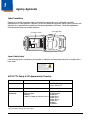
Label Locations ....................................................................................................................1-1
N4313-TTL Safety & RF Approvals by Country: ..................................................................1-1
Dolphin RF Terminal—802.11a/b/g/n and/or Bluetooth .......................................................1-2
Chapter 2 - Getting Started
Out of the Box ......................................................................................................................2-1
Initial Setup for Dolphin 6110 Terminals ..............................................................................2-1
LED Indicators................................................................................................................2-2
Home Screen .......................................................................................................................2-4
Title Bar................................................................................................................................2-4
Horizontal Scroll ...................................................................................................................2-5
Horizontal Scroll ...................................................................................................................2-6
Tile Bar.................................................................................................................................2-6
Pop-Up Menus .....................................................................................................................2-6
Selecting Programs..............................................................................................................2-6
File Explorer .........................................................................................................................2-7
File Provisioning on the Dolphin 6110 .................................................................................2-8
Search..................................................................................................................................2-8
Turning Power On/Off ..........................................................................................................2-9
Suspend Mode ...............................................................................................................2-9
Resetting the Terminal .........................................................................................................2-9
Chapter 3 - Hardware Overview
Standard Terminal Configurations .......................................................................................3-1
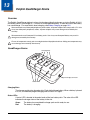
Dolphin Peripherals/Accessories for the Dolphin 6110 ........................................................3-1
USB Communication Cable for the Dolphin 6110 ................................................................3-2
Front Panel Features ...........................................................................................................3-2
Using the Touch Panel.........................................................................................................3-3
Installing a Screen Protector ..........................................................................................3-4
Back Panel Features............................................................................................................3-4
Left Side Panel Features .....................................................................................................3-5
Right Side Panel Features ...................................................................................................3-6
Top Panel Features .............................................................................................................3-6
Bottom Panel Features ........................................................................................................3-7
Battery Power ......................................................................................................................3-7
Battery Pack...................................................................................................................3-8
Managing Battery Power................................................................................................3-9
Storage Guidelines.........................................................................................................3-9
Hardware Maintenance ......................................................................................................3-10
Installing Memory Cards ..............................................................................................3-10
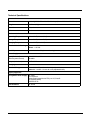
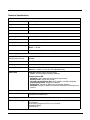
Dolphin 6110 Technical Specifications ..............................................................................3-12
iii