1
Call Features
Call Features
The following sections describe call-related features.
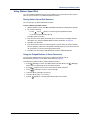
Using Handsfree Mode
You can use Handsfree Mode to activate the speakerphone.
The Ring Intercom Always feature prevents calls from being answered in
Handsfree Mode (see the following section).
NOTES
You cannot use Handsfree Mode if you are using a headset, or if you have more
than one endpoint assigned to an extension number.
The Model 5212 uses half-duplex audio when using the speakerphone (both
parties cannot talk at the same time).
To use Handsfree Mode:
With the handset on-hook, dial 319. HANDSFREE MODE ON appears. Dial 319 to turn
handset mode off.
Using Ring Intercom Always
If another extension has Handsfree Mode enabled for incoming internal calls (see the previous
section), you can use Ring Intercom Always to override Handsfree Mode on the extension,
requiring the called party to pick up the handset to answer your call.
To override Handsfree Mode for the current call:
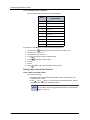
1. Before you enter the extension number, press #. RING EXTENSION NUMBER appears.
2. Dial the extension number.
To use Ring Intercom Always to always send non-handsfree calls:
With the handset on-hook, dial 377. RING IC ALWAYS ON appears. Dial 377 again to
turn Ring Intercom Always off.
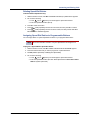
Using Mute
You can use Mute to temporarily turn off your microphone, preventing the other party on the call
from hearing you.
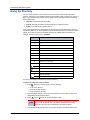
To mute or unmute the microphone:
While on a call, press
Mute on. MICROPHONE MUTE ON appears. When the
microphone is muted, the Mute button lamp is lit. Press Mute again to unmute the
microphone.
Mitel® Model 5212/5224 User Guide – Issue 2, October 2008
Page 29