1
Vodavi
When the system calls you it says, "I have a new
message for Your Name. Please enter your
password to accept the message".
Of course, you can access your messages
manually at anytime. However, if you are
expecting an important message or do not plan
to be in the office, this feature provides added
flexibility.
If you are not available when the system tries to
reach you, it redials periodically until you receive
the message.
Send Message To Distribution List
Send Message To Distribution List allows the
user to create a message and send it to a
distribution list. To use this feature, the Lists
setting in Class of Service must have been set to
either Personal, System or both.
1. Enter your mailbox number + [✳] +
password.
2. Press [2] to send a message.
3. Record your message after the tone.
When finished, press any key.
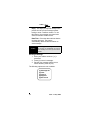
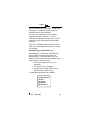
The following options are now available:
[1] Message OK
[2] Hear
[3] Cancel
[4] Append
[5] Re-record
Issue 2 - May 2004
19