1
Office
Back to Contents
Sharp MX-5500N
page 11 • September 21, 2006
Paper Handling: Paper Output/Finishing
WHAT WE LIKED
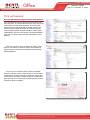
• The standard, right-side output tray of the device can be set up to receive
user specified copy/print jobs; or to separate faxes from the rest of copy/print
jobs, saving users from searching through a pile of printed copies. This feature is customisable by the administrator from the device management tool
or users at the walk-up panel.
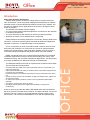
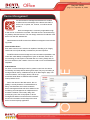
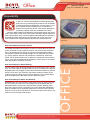
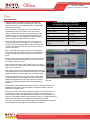
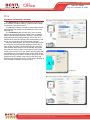
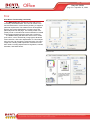
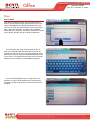
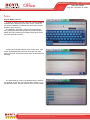
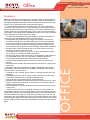
• When the user selects finishing options such as, hole punch, corner staple,
two-staple, or saddle-stitched creased booklets, small icons appear on the
screen adjacent to the area of the device where the finishing option will be
performed. This provides a visual cue to the user of the options selected,
prior to printing the actual document.
• Heavy card stock support is provided throughout the device (duplex, paper
trays, and bypass unit). In addition, page inserts, cover pages, tabs or special media can be added, allowing users to produce professional presentation materials.
• Neat stacking of collated copies make the finishing options easy to use and
save time.
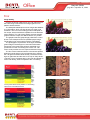
• The high stacking capacity of the output trays allow for long print runs with
versatile paper supplies. The high 12"x18" media capacity allows CRDs and
print shops to operate the device for approximately 2 hours for monochrome
prints and over 3.5 hours for colour prints without operator intervention.
WHAT WE WOULD LIKE TO SEE
• The ability to create tri-folds on A4, 8.5" x 14", A3 sized paper for governmental, informational and business pamphlets would expand output options
for end users.
• The ability to provide a professional die punch unit which creates in-line
punches for producing professional presentations or large legal summations.
• An automatic jog unit at the end of the output tray would keep the printed
documents neatly stacked.
Exceptional
OFFI CE
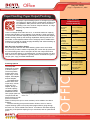
• The device is equipped with a post-printing capability; previously copied/
printed or cover pages can be sent through the feeder and finished via stapling, hole punching, and creased booklet making. Normally, a user sets up
copy/print jobs with finishing options at the start of a job. However, on other
devices, if a user needs to add the finishing options at a later time, they usually have to start over again. This valuable feature saves the user resources,
time, and money.
Copyright © 2006 MCA Internet, LLC dba BERTL. All Rights Reserved. The license under which this document is made available and applicable law prohibit any reproduction or further transmission of any
portion of this document. This document may only be viewed electronically through the www.BERTL.com Web site and may not be stored in electronic or hard copy format. Any reproduction of trademarks is
strictly prohibited. BERTL accepts no responsibility for any inaccuracies or omissions contained in this document.