1
Office
Back to Contents
Sharp MX-5500N
page 14 • September 21, 2006
Routine Maintenance
Toner Replacement Process
The overall maintenance of the Sharp MX-5500N is
straightforward and simple. Most users will find the directions easy to use. The toner bottle design ensures that
the toner cannot be placed in the incorrect slot. Both the
high-capacity tandem black toner and colour toners can be
replaced while the device is still printing. When a toner level
is low, a warning message appears on the touch screen.
The user can change the toner at this point or wait until the
toner is empty to replace it.
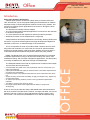
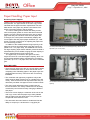
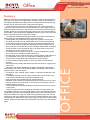
Refilling the toner is extremely simple and clean. The
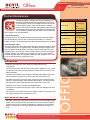
colour toner and two black toner bottles are located in the
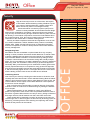
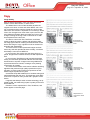
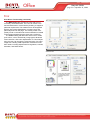
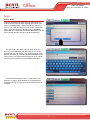
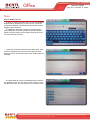
front main door, which opens down (Figure 1).
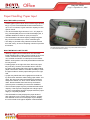
The bottles are horizontally spaced across the front of
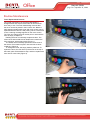
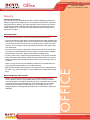
the device. Each bottle is equal in size and has a colourcoded top. (Figure 2)
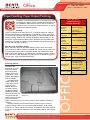
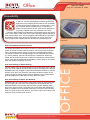
To change the toner, the empty bottle is pulled out. To
replace the toner, the user lines up the arrow on the top of
the bottle, pulls off the adhesive strip, and then replaces the
toner into its correct slot (Figure 3).
Figure 1
Figure 2
Figure 3
Exceptional
Copyright © 2006 MCA Internet, LLC dba BERTL. All Rights Reserved. The license under which this document is made available and applicable law prohibit any reproduction or further transmission of any
portion of this document. This document may only be viewed electronically through the www.BERTL.com Web site and may not be stored in electronic or hard copy format. Any reproduction of trademarks is
strictly prohibited. BERTL accepts no responsibility for any inaccuracies or omissions contained in this document.