1
SET-UP MODE INSTRUCTIONS
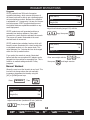
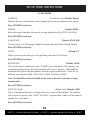
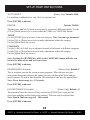
Default: 5.00
FIT-QUIK TIME CARDIO (Only affects stage 1):
Sets the time length of the 1st stage for the Fit-Quik program, before initiating the 2nd
stage.
Press [ENTER] to advance
Default: Enabled
FIT-QUIK REVERSE:
Sets the option to enable or disable the words “Change Direction” to display at the
top of the screen during the Fit-Quik 1st stage workout for those machines that are
bidirectional compatible.
Note: The banner will appear approximately every 27 seconds during the 1st stage
only.
Press [ENTER] to advance
Default: Machine Dependent
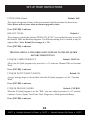
FIT-QUIK RPM TARGET:
Sets the RPM target for the 2nd stage of the Fit-Quik program.
Press [ENTER] to advance
(For 2nd stage) Default: 0:10
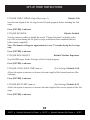
FIT-QUIK CHALLENGE TIME (mm:ss):
Allows the option to increase or decrease the time length of the forward portion of the
2nd stage.
Press [ENTER] to advance
(For 2nd stage) Default: 0:35
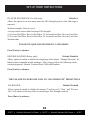
FIT-QUIK RECOVERY (mm:ss):
Allows the option to increase or decrease the time length of the reverse portion of the 2nd
stage.
Press [ENTER] to advance
25
SCIFIT
Scientific Solutions For Fitness
SCIFIT
Scientific Solutions For Fitness
SCIFIT