1
Hardkey/Softkey Reference
Analyzer Functions
Analyzer Functions
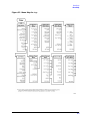
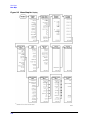
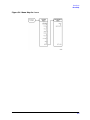
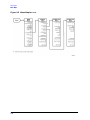
This section contains an alphabetical listing of softkey and front-panel functions, and a
brief description of each function.
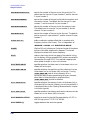
.
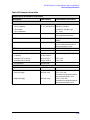
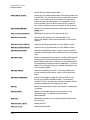
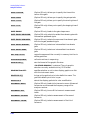
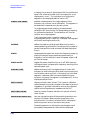
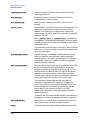
is used to add a decimal point to the number you are
entering.
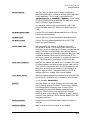
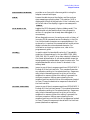
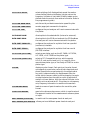
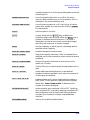
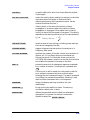
−
is used to add a minus sign to the number you are
entering.
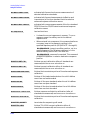
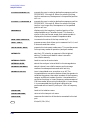
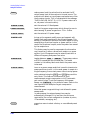
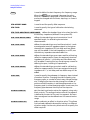
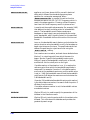
is used to step up the current value of the active function.
The analyzer defines the step size for different functions.
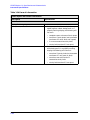
No units terminator is required. For editing a test
sequence, this key can be used to scroll through and
execute the displayed sequence one step at a time.
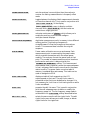
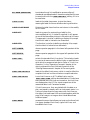
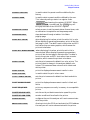
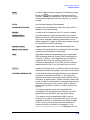
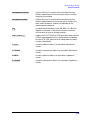
is used to step down the current value of the active
function. The analyzer defines the step size for different
functions. No units terminator is required. For editing a
test sequence, this key can be used to scroll backwards
through the displayed sequence without executing it.
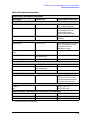
has two independent functions:
• modifies entries and test sequences
• moves marker information off of the graticules
The backspace key will delete the last entry, or the last
digit entered from the numeric keypad. The backspace key
can also be used in two ways for modifying a test sequence:
• deleting a single-key command that you may have
pressed by mistake, (for example A/R )
• deleting the last digit in a series of entered digits, as
long as you haven't yet pressed a terminator, (for
example if you pressed Start 1 2 but did not press
G/n , etc.)
The second function of this key is to move marker
information off of the graticules so that the display traces
are clearer. If there are two or more markers activated on
a channel on the right side of the display, pressing
will turn off the softkey menu and move the marker
information into the softkey display area. Pressing
,
or any hardkey which brings up a menu, or a softkey, will
restore the softkey menu and move the marker
information back onto the graticules.
4-4