1
CHAPTER 3: PLAYING BACK/RECORDING PATTERNS
3.1
PLAYBACK/RECORD BASICS
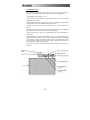
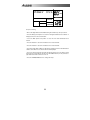
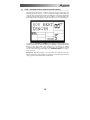
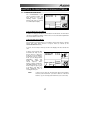
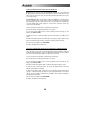
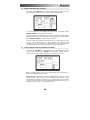
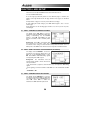
The PATTERN/SONG button
chooses between Pattern and
Song modes. For all of the
following Pattern operations,
Pattern mode must be selected,
as confirmed by the display.
ROCK 1
PATTERN
A
PRESS PLAY
TEMPO
PERFORM
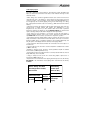
3.1A The Dual-Purpose Fill Button
In addition to calling up Fill Patterns as described in the Introduction, the FILL button
can also be used while recording to create a series of notes at the desired quantization
rate, as described in section 3.1K.
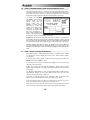
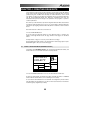
3.1B Perform/Compose Modes
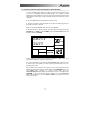
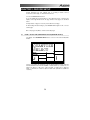
The Performance Pad doesn't have a record button. Instead, press PLAY to start the
Pattern, then select either Perform or Compose mode (as selected by the
PERFORM/COMPOSE button).
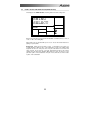
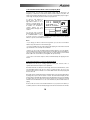
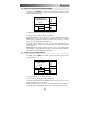
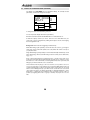
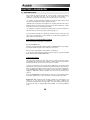
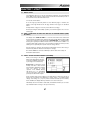
To record, choose Compose mode (as shown in the display). This also activates the
click.
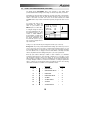
To listen, choose Perform (this
de-activates the click). You can
drop in and out of these two
modes as you record. While the
Performance Pad is in either
mode, you can change Pattern
quantization,
swing,
click
rhythm and volume, pad
velocity
response,
name,
drumset, drumset parameters,
and MIDI parameters. You can
therefore keep the groove going
at all times, even while you
make adjustments prior to
recording another part.
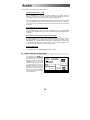
NOTE:
BEAT 001
PATTERN
A
USER
QUANTIZE
SWING OFF
CLICK
RECORDING
TEMPO
COMPOSE
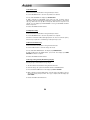
Compose mode cannot be selected when using Preset Patterns,
since they cannot be altered. If you wish to alter one of the Preset
Patterns, copy it to an empty User Pattern first. (see section 3.3A)
17