1
Using the TV Features
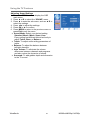
On-Screen Display of TV menu
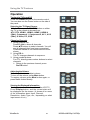
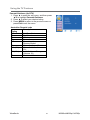
Viewing the Menus
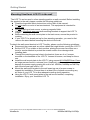
1. Press the MENU button to display the OSD
main menu. There are six main menus on the
screen: CHANNEL, PICTURE, SOUND, TIME,
OPTION and LOCK.
2. Press ▲▼ to select your desired menu.
3. Press OK or ► to enter the menu you select.
4. Use ▲▼ to select the control you want to adjust.
5. When selecting the control with ► to enter next
level menu or enable the function.
6. Press ◄► to adjust or select the settings.
7. Press Exit to exit from the OSD menu.
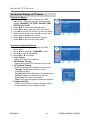
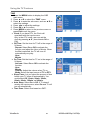
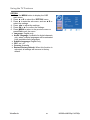
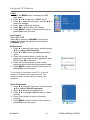
Storing Channels into Memory
1. Press the MENU button to display the OSD
main menu.
2. Press ▲▼ to select the “CHANNEL” menu.
3. Use ▲▼ to select the settings.
4. Press OK or ► to confirm.
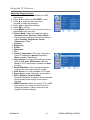
z Auto Tuning
Install DTV and ATV channels.
z DTV Manual Tuning
Search and install DTV channels one by one.
z ATV Manual Tuning
Search and install ATV channels one by one.
− Storage To: Save the channel to your
preferred location.
− Current CH: Switch the channel at present one.
− Search: Search the channel one by one.
− Fine-Tune: Fine tune the channel.
− Skip: Don’t save the present searched channel.
z Programme Edit
Use the color button to Delete, Rename, Move,
or Skip channels in the Progarmme list.
ViewSonic
25
N3290w/N4290p/ N4790p