Download D-Link Air DWL-520 Installation guide
Transcript
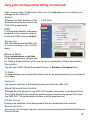
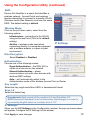
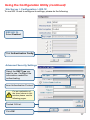
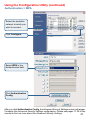
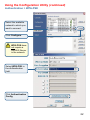
Using the Configuration Utility (continued) SSID: Service Set Identifier is a name that identifies a wireless network. Access Points and wireless devices attempting to connect to a specific WLAN (Wireless Local Area Network) must use the same SSID. The default setting is default. Configuration Wireless Mode: Click on the pull-down menu; select from the following options: Infrastructure - connecting to the WLAN using an Access Point.(This is the default setting). Ad-Hoc – wireless mode used when connecting directly to a computer equipped with a wireless adapter in a peer-to-peer environment. IP Settings Data Encryption: Select Enabled or Disabled. Authentication: Choose one of the following modes: Open Authentication – the DWL-520 is visible to all devices on the network Shared Authentication – allows communication only with other devices with identical WEP settings Auto – will automatically adjust to the Authentication mode of the wireless Access Point or Router Key Length: Select the key length and either ASCII or hexadecimal format. Keys 1-4: Select the default key Hexadecimal digits consist of the numbers 0-9 and the letters A-F ASCII (American Standard Code for Information Interchange) is a code for representing English letters as numbers from 0-127 IP Settings: When you click IP Settings in the Configuration window, the pop-up screen above will appear. Configure the IP Settings in this window. Click Apply to save changes. 13