1
RX8001_SG_EFS.qxd
29-03-2007
16:21
Pagina 5
RX8001 User Guide
Before You Start
RC9001 and makes it possible to
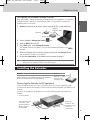
• Configure the Extender: connect it to the PC and use the Configuration Tool.
• Install the Extender: connect it to external A/V equipment, like a TV or receiver.
ENGLISH
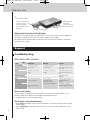
The Wireless Extender is an important element of the
control A/V equipment via RF in the entire house.
In order to use the Extender in a wireless
Network:
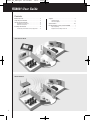
The Extender can be used in two ways:
Stand-alone Mode
This is the so-called ‘Ad-Hoc Mode’: a router is not required.
Stand-alone Advantages:
• The Extender is easily configured and installed.
• It operates independently from other networks and network settings.
Refer to the chapter ‘Stand-alone Connection’ on page 4 to configure the Extender in Stand-alone
Mode.
Note
If you want to use a Multimedia server, like the Escient Fireball, in combination with one or
more Extenders, the Extenders have to be configured in Network Mode.
Network Mode
This is the so-called ‘Infrastructure Mode’: the Extender is used in a network with a router.
Network Advantages:
• A network allows the use of repeaters, which enlarges the range of the
RC9001 System.
• When using a dedicated
Network, the Extender can operate independently from settings
in other networks.
• The Extender in Network Mode can be given a fixed IP address, which increases reliability.
• The network connection can be encrypted.
Refer to the chapter ‘Network Connection’ on page 4 to configure the Extender in Network Mode.
Note
An Extender that has been configured in Stand-alone Mode can always be reconfigured for use
in Network Mode and vice versa.
You can use up to 16 different Extenders in the same
Network.
2