1
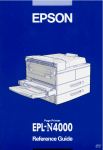
Printer Parts
control panel
face-down tray
power switch
MP tray(Multi-Purpose tray)
lower cassette
cover B
ethernet interface serial interface
connector
connector
optional interface
slot cover
lock
lever
parallel interface
connector
cover A
AC inlet
cover C1
Duplex Unit
connector
5-Bin Multi-Purpose
Unit connector
10-Bin Multi-Purpose
Unit connector
®
Laser Printer
All rights reserved. No part of this publication may be reproduced, stored in a retrieval
system, or transmitted in any form or by any means, mechanical, photocopying, recording,
or otherwise, without the prior written permission of SEIKO EPSON CORPORATION. No
patent liability is assumed with respect to the use of the information contained herein. Neither
is any liability assumed for damages resulting from the use of the information contained
herein.
Neither SEIKO EPSON CORPORATION nor its affiliates shall be liable to the purchaser of
this product or third parties for damages, losses, costs, or expenses incurred by purchaser or
third parties as a result of: accident, misuse, or abuse of this product or unauthorized
modifications, repairs, or alterations to this product, or (excluding the U.S.) failure to strictly
comply with SEIKO EPSON CORPORATION’s operating and maintenance instructions.
SEIKO EPSON CORPORATION shall not be liable against any damages or problems arising
from the use of any options or any consumable products other than those designated as
Original Epson Products or Epson Approved Products by SEIKO EPSON CORPORATION.
EPSON and EPSON ESC/P are registered trademarks and EPSON ESC/P 2 is a trademark
of SEIKO EPSON CORPORATION.
Speedo, Fontware, FaceLift, Swiss, and Dutch are trademarks of Bitstream Inc.
CG Times and CG Omega are registered trademarks of Miles, Inc.
Univers is a registered trademark of Linotype AG and/or its subsidiaries.
Antique Olive is a trademark of Fonderie Olive.
Albertus is a trademark of Monotype Corporation plc.
Coronet is a trademark of Ludlow Industries (UK) Ltd.
Arial and Times New Roman are registered trademarks of Monotype Corporation plc.
HP and HP LaserJet are registered trademarks of Hewlett-Packard Company.
Adobe and PostScript are trademarks of Adobe Systems Incorporated, which may be
registered in certain jurisdictions.
The PCL6-compatible interpreter is a customized version of IPS-PRINT SIX © developed by
Xionics Document Technologies, Inc., a subsidiary of Oak Technology, Inc.
General Notice: Other product names used herein are for identification purposes only and may be
trademarks of their respective owners. EPSON disclaims any and all rights in those marks.
Copyright © 2000 by SEIKO EPSON CORPORATION, Nagano, Japan.
Reference Guide
-2
Contents
Getting Started
About This Guide . . . . . . . . . . . . . . . . . . . . . . . . . . . . . . . . . . . . . . . 1
Warnings, Cautions, and Notes. . . . . . . . . . . . . . . . . . . . . . . . . . . . 2
About Your Printer . . . . . . . . . . . . . . . . . . . . . . . . . . . . . . . . . . . . . . 3
Features . . . . . . . . . . . . . . . . . . . . . . . . . . . . . . . . . . . . . . . . . . . 3
Options. . . . . . . . . . . . . . . . . . . . . . . . . . . . . . . . . . . . . . . . . . . . 4
Chapter 1 Controlling the printer
Controlling the Printer . . . . . . . . . . . . . . . . . . . . . . . . . . . . . . . . . . . 1-2
Printer driver. . . . . . . . . . . . . . . . . . . . . . . . . . . . . . . . . . . . . . . 1-2
Control panel. . . . . . . . . . . . . . . . . . . . . . . . . . . . . . . . . . . . . . . 1-2
Chapter 2 Printing with the EPL-N2750
Available Paper . . . . . . . . . . . . . . . . . . . . . . . . . . . . . . . . . . . . . . . . . 2-2
Basic Printing Operations. . . . . . . . . . . . . . . . . . . . . . . . . . . . . . . . . 2-3
Loading paper into the MP tray . . . . . . . . . . . . . . . . . . . . . . . 2-4
Loading paper into the lower cassette. . . . . . . . . . . . . . . . . . 2-8
Selecting the paper size . . . . . . . . . . . . . . . . . . . . . . . . . . . . . . 2-12
Special Printing Operations . . . . . . . . . . . . . . . . . . . . . . . . . . . . . . . 2-13
Printing on custom size paper . . . . . . . . . . . . . . . . . . . . . . . . 2-13
Printing one sheet at a time. . . . . . . . . . . . . . . . . . . . . . . . . . . 2-13
Optimizing Print Quality . . . . . . . . . . . . . . . . . . . . . . . . . . . . . . . . . 2-14
Resolution Improvement Technology (RITech). . . . . . . . . . 2-15
Enhanced MicroGray . . . . . . . . . . . . . . . . . . . . . . . . . . . . . . . . 2-15
Adjusting print density . . . . . . . . . . . . . . . . . . . . . . . . . . . . . . 2-16
Chapter 3 Functions of the Control Panel
Control Panel Operation. . . . . . . . . . . . . . . . . . . . . . . . . . . . . . . . . . 3-2
-iii
LCD panel. . . . . . . . . . . . . . . . . . . . . . . . . . . . . . . . . . . . . . . . .
Indicator lights. . . . . . . . . . . . . . . . . . . . . . . . . . . . . . . . . . . . .
Buttons . . . . . . . . . . . . . . . . . . . . . . . . . . . . . . . . . . . . . . . . . . .
Using the OneTouch Modes . . . . . . . . . . . . . . . . . . . . . . . . . . . . . .
OneTouch mode 1 . . . . . . . . . . . . . . . . . . . . . . . . . . . . . . . . . .
OneTouch mode 2 . . . . . . . . . . . . . . . . . . . . . . . . . . . . . . . . . .
Using SelecType . . . . . . . . . . . . . . . . . . . . . . . . . . . . . . . . . . . . . . . .
When to use SelecType . . . . . . . . . . . . . . . . . . . . . . . . . . . . . .
How to make the settings. . . . . . . . . . . . . . . . . . . . . . . . . . . .
SelecType menu table . . . . . . . . . . . . . . . . . . . . . . . . . . . . . . .
SelecType Settings . . . . . . . . . . . . . . . . . . . . . . . . . . . . . . . . . . . . . .
Test Menu . . . . . . . . . . . . . . . . . . . . . . . . . . . . . . . . . . . . . . . . .
Emulation Menu . . . . . . . . . . . . . . . . . . . . . . . . . . . . . . . . . . .
Printing Menu . . . . . . . . . . . . . . . . . . . . . . . . . . . . . . . . . . . . .
Tray Menu . . . . . . . . . . . . . . . . . . . . . . . . . . . . . . . . . . . . . . . .
Config Menu . . . . . . . . . . . . . . . . . . . . . . . . . . . . . . . . . . . . . .
Setup Menu . . . . . . . . . . . . . . . . . . . . . . . . . . . . . . . . . . . . . . .
Parallel Menu . . . . . . . . . . . . . . . . . . . . . . . . . . . . . . . . . . . . . .
Serial Menu. . . . . . . . . . . . . . . . . . . . . . . . . . . . . . . . . . . . . . . .
Network Menu. . . . . . . . . . . . . . . . . . . . . . . . . . . . . . . . . . . . .
AUX Menu . . . . . . . . . . . . . . . . . . . . . . . . . . . . . . . . . . . . . . . .
LJ4 Menu. . . . . . . . . . . . . . . . . . . . . . . . . . . . . . . . . . . . . . . . . .
GL2 Menu . . . . . . . . . . . . . . . . . . . . . . . . . . . . . . . . . . . . . . . . .
PS3 Menu . . . . . . . . . . . . . . . . . . . . . . . . . . . . . . . . . . . . . . . . .
ESCP2 Menu. . . . . . . . . . . . . . . . . . . . . . . . . . . . . . . . . . . . . . .
FX Menu . . . . . . . . . . . . . . . . . . . . . . . . . . . . . . . . . . . . . . . . . .
I239X Menu . . . . . . . . . . . . . . . . . . . . . . . . . . . . . . . . . . . . . . .
3-2
3-3
3-4
3-6
3-7
3-8
3-9
3-9
3-9
3-10
3-12
3-12
3-13
3-13
3-17
3-20
3-24
3-26
3-27
3-30
3-32
3-34
3-36
3-39
3-40
3-43
3-45
Chapter 4 Using Options
Printer Options . . . . . . . . . . . . . . . . . . . . . . . . . . . . . . . . . . . . . . . . .
500-Sheet Lower Cassette Unit . . . . . . . . . . . . . . . . . . . . . . . . . . . .
Installing the 500-Sheet Lower Cassette Unit . . . . . . . . . . .
Using the 500-Sheet Lower Cassette Unit . . . . . . . . . . . . . .
Large Capacity Paper Unit . . . . . . . . . . . . . . . . . . . . . . . . . . . . . . .
Installing the Large Capacity Paper Unit. . . . . . . . . . . . . . .
Using the Large Capacity Paper Unit. . . . . . . . . . . . . . . . . .
Duplex Unit . . . . . . . . . . . . . . . . . . . . . . . . . . . . . . . . . . . . . . . . . . . .
-iv
4-2
4-4
4-4
4-9
4-10
4-10
4-16
4-18
Installing the Duplex Unit. . . . . . . . . . . . . . . . . . . . . . . . . . . . 4-18
Removing the Duplex Unit . . . . . . . . . . . . . . . . . . . . . . . . . . . 4-25
Using the Duplex Unit . . . . . . . . . . . . . . . . . . . . . . . . . . . . . . . 4-26
5-Bin Multi-Purpose Unit . . . . . . . . . . . . . . . . . . . . . . . . . . . . . . . . . 4-27
Installing the 5-Bin Multi-Purpose Unit . . . . . . . . . . . . . . . . 4-27
Removing the 5-Bin Multi-Purpose Unit . . . . . . . . . . . . . . . 4-33
Using the 5-Bin Multi-Purpose Unit . . . . . . . . . . . . . . . . . . . 4-33
10-Bin Multi-Purpose Unit . . . . . . . . . . . . . . . . . . . . . . . . . . . . . . . . 4-36
Installing the 10-Bin Multi-Purpose Unit . . . . . . . . . . . . . . . 4-36
Removing the 10-Bin Multi-Purpose Unit . . . . . . . . . . . . . . 4-42
Using the 10-Bin Multi-Purpose Unit . . . . . . . . . . . . . . . . . . 4-43
Hard Disk Drive. . . . . . . . . . . . . . . . . . . . . . . . . . . . . . . . . . . . . . . . . 4-44
Installing the Hard Disk Drive . . . . . . . . . . . . . . . . . . . . . . . . 4-44
Removing the Hard Disk Drive . . . . . . . . . . . . . . . . . . . . . . . 4-50
Reformatting the Hard Disk Drive . . . . . . . . . . . . . . . . . . . . 4-55
Memory Modules . . . . . . . . . . . . . . . . . . . . . . . . . . . . . . . . . . . . . . . 4-55
Installing a memory module. . . . . . . . . . . . . . . . . . . . . . . . . . 4-56
Removing a memory module . . . . . . . . . . . . . . . . . . . . . . . . . 4-61
Adobe PostScript 3 ROM Module. . . . . . . . . . . . . . . . . . . . . . . . . . 4-66
Installing the ROM module . . . . . . . . . . . . . . . . . . . . . . . . . . 4-66
Removing the ROM module . . . . . . . . . . . . . . . . . . . . . . . . . . 4-71
Optional Interfaces . . . . . . . . . . . . . . . . . . . . . . . . . . . . . . . . . . . . . . 4-74
Installing an interface card . . . . . . . . . . . . . . . . . . . . . . . . . . . 4-75
Removing an interface card . . . . . . . . . . . . . . . . . . . . . . . . . . 4-77
Chapter 5 Maintenance and Transportation
Replacing the Imaging Cartridge . . . . . . . . . . . . . . . . . . . . . . . . . . 5-2
Cleaning the Printer . . . . . . . . . . . . . . . . . . . . . . . . . . . . . . . . . . . . . 5-6
Cleaning the inside of the printer . . . . . . . . . . . . . . . . . . . . . 5-6
Cleaning the printer case. . . . . . . . . . . . . . . . . . . . . . . . . . . . . 5-8
Transporting the Printer . . . . . . . . . . . . . . . . . . . . . . . . . . . . . . . . . . 5-8
Chapter 6 Troubleshooting
Introduction . . . . . . . . . . . . . . . . . . . . . . . . . . . . . . . . . . . . . . . . . . . . 6-2
Printer Problems . . . . . . . . . . . . . . . . . . . . . . . . . . . . . . . . . . . . . . . . 6-2
-v
Preventing paper feed and paper jam problems . . . . . . . .
Clearing paper jams . . . . . . . . . . . . . . . . . . . . . . . . . . . . . . . .
Solving printer operation problems . . . . . . . . . . . . . . . . . . .
Solving print quality problems . . . . . . . . . . . . . . . . . . . . . . .
Solving printer option problems . . . . . . . . . . . . . . . . . . . . . .
Status and Error Messages . . . . . . . . . . . . . . . . . . . . . . . . . . . . . . .
Hex Dump Mode . . . . . . . . . . . . . . . . . . . . . . . . . . . . . . . . . . . . . . .
Resetting the Printer. . . . . . . . . . . . . . . . . . . . . . . . . . . . . . . . . . . . .
Reformatting the Hard Disk Drive . . . . . . . . . . . . . . . . . . . . . . . .
Where to Get Help . . . . . . . . . . . . . . . . . . . . . . . . . . . . . . . . . . . . . .
6-2
6-3
6-12
6-14
6-18
6-18
6-29
6-29
6-30
6-31
Appendix A Technical Specifications
Paper Specifications . . . . . . . . . . . . . . . . . . . . . . . . . . . . . . . . . . . . .
Printer. . . . . . . . . . . . . . . . . . . . . . . . . . . . . . . . . . . . . . . . . . . . . . . . .
General . . . . . . . . . . . . . . . . . . . . . . . . . . . . . . . . . . . . . . . . . . .
Environmental . . . . . . . . . . . . . . . . . . . . . . . . . . . . . . . . . . . . .
Safety approvals . . . . . . . . . . . . . . . . . . . . . . . . . . . . . . . . . . .
Mechanical . . . . . . . . . . . . . . . . . . . . . . . . . . . . . . . . . . . . . . . .
Electrical . . . . . . . . . . . . . . . . . . . . . . . . . . . . . . . . . . . . . . . . . .
Interface . . . . . . . . . . . . . . . . . . . . . . . . . . . . . . . . . . . . . . . . . . . . . . .
Parallel interface . . . . . . . . . . . . . . . . . . . . . . . . . . . . . . . . . . .
Ethernet interface . . . . . . . . . . . . . . . . . . . . . . . . . . . . . . . . . .
Options and Consumables . . . . . . . . . . . . . . . . . . . . . . . . . . . . . . .
500-Sheet Lower Cassette Unit . . . . . . . . . . . . . . . . . . . . . . .
Large Capacity Paper Unit . . . . . . . . . . . . . . . . . . . . . . . . . .
Duplex Unit . . . . . . . . . . . . . . . . . . . . . . . . . . . . . . . . . . . . . . .
5-Bin Multi-Purpose Unit. . . . . . . . . . . . . . . . . . . . . . . . . . . .
10-Bin Multi-Purpose Unit . . . . . . . . . . . . . . . . . . . . . . . . . . .
Memory Module . . . . . . . . . . . . . . . . . . . . . . . . . . . . . . . . . . .
Imaging cartridge . . . . . . . . . . . . . . . . . . . . . . . . . . . . . . . . . .
A-2
A-4
A-4
A-5
A-5
A-6
A-7
A-7
A-7
A-14
A-15
A-15
A-16
A-17
A-18
A-19
A-19
A-20
Appendix B Symbol Sets
Introduction to Symbol Sets . . . . . . . . . . . . . . . . . . . . . . . . . . . . . . B-2
In LJ4 Emulation/EPSON GL2 Mode . . . . . . . . . . . . . . . . . . . . . . B-3
International character sets for ISO . . . . . . . . . . . . . . . . . . . B-24
-vi
In ESC/P2 or FX Modes . . . . . . . . . . . . . . . . . . . . . . . . . . . . . . . . . B-26
International character sets . . . . . . . . . . . . . . . . . . . . . . . . . . . B-33
Characters available with the ESC (^ command . . . . . . . . . B-34
In I239X Emulation Mode. . . . . . . . . . . . . . . . . . . . . . . . . . . . . . . . . B-34
In EPSON GL/2 Mode . . . . . . . . . . . . . . . . . . . . . . . . . . . . . . . . . . . B-34
Appendix C Command Summary
Introduction . . . . . . . . . . . . . . . . . . . . . . . . . . . . . . . . . . . . . . . . . . . . C-2
LaserJet 4000 (PCL5e)(LJ4) Emulation Commands . . . . . . . . . . . C-3
GL/2 context commands. . . . . . . . . . . . . . . . . . . . . . . . . . . . . C-10
ESC/P 2 and FX Commands . . . . . . . . . . . . . . . . . . . . . . . . . . . . . . C-13
ESC/P 2 mode. . . . . . . . . . . . . . . . . . . . . . . . . . . . . . . . . . . . . . C-13
FX mode . . . . . . . . . . . . . . . . . . . . . . . . . . . . . . . . . . . . . . . . . . . C-17
PJL Commands . . . . . . . . . . . . . . . . . . . . . . . . . . . . . . . . . . . . . . . . . C-22
I239X Emulation Commands . . . . . . . . . . . . . . . . . . . . . . . . . . . . . . C-23
Page format . . . . . . . . . . . . . . . . . . . . . . . . . . . . . . . . . . . . . . . . C-24
Text . . . . . . . . . . . . . . . . . . . . . . . . . . . . . . . . . . . . . . . . . . . . . . . C-25
Auxiliary functions. . . . . . . . . . . . . . . . . . . . . . . . . . . . . . . . . . C-28
AGM mode . . . . . . . . . . . . . . . . . . . . . . . . . . . . . . . . . . . . . . . . C-28
Appendix D Working with Fonts
Printer and Screen Fonts. . . . . . . . . . . . . . . . . . . . . . . . . . . . . . . . . . D-2
Available Fonts . . . . . . . . . . . . . . . . . . . . . . . . . . . . . . . . . . . . . . . . . D-2
Adding Fonts . . . . . . . . . . . . . . . . . . . . . . . . . . . . . . . . . . . . . . . . . . . D-7
Selecting Fonts . . . . . . . . . . . . . . . . . . . . . . . . . . . . . . . . . . . . . . . . . . D-8
Downloading Fonts. . . . . . . . . . . . . . . . . . . . . . . . . . . . . . . . . . . . . . D-8
EPSON BarCode Fonts . . . . . . . . . . . . . . . . . . . . . . . . . . . . . . . . . . . D-9
System requirements . . . . . . . . . . . . . . . . . . . . . . . . . . . . . . . . D-10
Installing EPSON BarCode Fonts. . . . . . . . . . . . . . . . . . . . . . D-11
Printing with EPSON BarCode Fonts . . . . . . . . . . . . . . . . . . D-12
EPSON BarCode Font specifications . . . . . . . . . . . . . . . . . . . D-16
Glossary
-vii
-viii
Getting Started
The EPSON EPL-N2750 printer combines high performance and
reliability with a wide range of features.
To get started with your laser printer, please:
❏ Read the laser printer precautions and important safety
instructions in the Setup Guide.
❏ Use your Setup Guide to set up and test your new printer.
❏ Have your network administrator refer to the Administrator’s
Guide to make network settings. See also the included
instructions on installing printer software.
❏ Refer to the Quick Reference Guide for help on understanding
printer messages, clearing paper jams, and replacing the
imaging cartridge. Keep the Quick Reference Guide in the
included storage box, which you can attach directly to the
printer.
❏ Refer to this Reference Guide for detailed information about
your printer.
About This Guide
This guide contains the following information:
Chapter 1, “Controlling the printer,” explains how you can
control the printer using the printer driver and the control panel.
Chapter 2, “Printing with the EPL-N2750,” provides you with
information on printing operations. Also consult this chapter
when you need information on the types of media that you can
use with this printer.
Getting Started
-1
Chapter 3, “Functions of the Control Panel,” provides you with
detailed information on the workings of the control panel. Read
this chapter if you cannot modify a printer setting from your
software. Also refer to this chapter for information on printer
emulation modes.
Chapter 4, “Using Options,” gives step-by-step instructions for
installing and using printer options.
Chapter 5, “Maintenance and Transportation,” provides you with
instructions on how to replace the imaging cartridge, and how to
clean and transport your printer.
Chapter 6, “Troubleshooting,” gives helpful information for what
to do if you encounter a printing problem.
Appendix A, “Technical Specifications,” contains technical
information about your printer and its options.
Appendix B, “Symbol Sets,” lists the symbol sets available in each
emulation mode with tables of the characters for each set.
Appendix C, “Command Summary,” lists the commands that can
be embedded in print jobs to control the printer. This appendix is
intended for advanced users only.
Appendix D, “Working with Fonts,” describes the steps you need
to follow to add more fonts. It also lists the available fonts with
samples.
Warnings, Cautions, and Notes
w
c
-2
Warnings must be followed carefully to avoid bodily injury.
Cautions must be observed to avoid damage to your equipment.
Getting Started
Notes contain important information and useful tips about the
operation of your printer.
About Your Printer
Your printer is the latest in EPSON’s advanced line of network
laser printers. It emulates the Hewlett-Packard® LaserJet 4000™
(LJ4) printer, allowing you to print using the wide variety of
software programs that support HP LaserJet printers.
The printer’s 600-dpi (dots per inch) resolution is enhanced by
EPSON’s Resolution Improvement Technology (RITech), which
smooths the jagged edges of diagonal lines in both text and
graphics. This gives your documents a clean, crisp look that
contributes to a professional appearance.
In addition, EPSON’s Enhanced MicroGray technology provides
you with better halftoning when printing graphics.
This printer is intended to be used in network environments.
Network administrators should refer to the included
Administrator’s Guide when setting up the printer for use on a
network. After the printer is set up on the network, install the
printer software on your computer as instructed by your
administrator.
The printer supports ECP mode in Microsoft® Windows® 98/95
and Windows 2000. ECP mode is useful for high-speed data
transfer and bidirectional communication with your computer.
Features
The printer comes with a full set of features that contributes to
ease of use and consistent, high-quality output. The main features
are described below.
Getting Started
-3
High-quality printing
Your printer provides 600-dpi printing at a speed of up to 27 pages
per minute. You’ll appreciate the professional print quality
produced by your printer and its quick processing speed.
Wide variety of fonts
The printer comes with a full selection of scalable TrueType®
fonts, LaserJet-compatible scalable fonts, and one bitmap font in
LJ4 emulation mode.
Toner Save mode
You can reduce the amount of toner used when printing rough
drafts by using the Toner Save mode.
Options
The following options are available for use with the EPL-N2750.
Duplex Unit
The Duplex Unit (C81318✽) allows you to print on both sides of
the paper.
The Duplex Unit can handle the following paper and envelope
sizes:
A3, A4, A5, B4, B5, IB5, Ledger, Legal, Government Legal,
Letter, Government Letter, Executive, H-Letter
To use this option, see “Duplex Unit” on page 4-18.
-4
Getting Started
Hard Disk Drive
The hard disk drive (C82377✽) expands your printer’s capacity
by allowing you to collate large print jobs, download PS3 fonts
(when the optional Adobe PostScript 3 ROM module is installed),
and increase the receive buffer when using the printer over a
network.
Memory
You can add memory modules (DIMMs) to expand the printer’s
standard 16 MB memory up to a maximum of 256 MB. See
“Memory Modules” on page 4-55 for details.
Interfaces
In addition to your printer’s built-in bidirectional parallel
interface, serial interface, and Ethernet interface, you can install
one of a variety of optional interfaces. See “Optional Interfaces”
on page 4-74 for details.
ROM module
The optional Adobe® PostScript® 3™ Kit (C83241✽) ROM module
generates crisp PostScript output. See “Adobe PostScript 3 ROM
Module” on page 4-66 for details.
Optional paper sources
The optional paper sources listed below are available to increase
paper-feeding capacity and to print on both sides of paper.
Note:
The asterisk (✽) is a substitute for the last digit of the product number,
which varies by country.
500-Sheet Lower Cassette Unit
You can load up to 500 sheets of plain paper in the 500-Sheet
Lower Cassette Unit (C81319✽). This unit can handle the
following paper sizes:
Getting Started
-5
A4, Letter, Government Letter, A3, Legal, Ledger, B4
You can install up to two optional 500-Sheet Lower Cassette Units,
or one 500-Sheet Lower Cassette Unit plus the optional Large
Capacity Paper Unit. To use this option, see “500-Sheet Lower
Cassette Unit” on page 4-4.
Large Capacity Paper Unit
The Large Capacity Paper Unit (C81322✽) allows you to load up
to 2,500 sheets of A4 and Letter size paper. To use this option, see
“Large Capacity Paper Unit” on page 4-10.
Optional output trays
The multiple-bin units listed below can be used as sorters, mail
boxes, or large-capacity stackers. When you use these units, you
cannot use the standard face-down tray.
5-Bin Multi-Purpose Unit
The 5-Bin Multi-Purpose Unit (C81320✽) accommodates up to 500
printed sheets in total. To use this option, see “5-Bin MultiPurpose Unit” on page 4-27.
10-Bin Multi-Purpose Unit
The 10-Bin Multi-Purpose Unit (C81321✽) accommodates up to
2,000 printed sheets in total. To use this unit, you need to purchase
a 500-Sheet Lower Cassette Unit and a Large Capacity Paper Unit.
To use this option, see “10-Bin Multi-Purpose Unit” on page 4-36.
-6
Getting Started
Chapter 1
Controlling the printer
Controlling the Printer . . . . . . . . . . . . . . . . . . . . . . . . . . . . . . . . . . . 1-2
Printer driver . . . . . . . . . . . . . . . . . . . . . . . . . . . . . . . . . . . . . . . 1-2
Control panel. . . . . . . . . . . . . . . . . . . . . . . . . . . . . . . . . . . . . . . 1-2
Controlling the printer
1-1
Controlling the Printer
You can control the operation of your printer from your computer
by using the printer driver software packaged with your printer,
or from the printer’s control panel by using the OneTouch modes
and SelecType menus. You should use your printer driver to
make printer settings whenever you can, since settings made in
the printer driver override similar settings you make from the
control panel.
Printer driver
Use the printer driver to make every day printer settings easily
and conveniently. You can access the printer driver through an
application’s Print command, or from Windows by choosing the
Printers folder or program group. Be aware that settings you
make in your application software override printer driver
settings. See the printer driver’s online help for more information.
Install the printer software in your computer as instructed by your
network administrator. An Administrator’s Guide is included in
this printer package to guide your network administrator when
setting up the printer for use on a network.
Control panel
Use the control panel’s OneTouch modes or SelecType menus to
make printer settings when you cannot make them in your
application software or printer driver.
The OneTouch modes are the easiest way to make several basic
settings from the printer’s control panel. See “Using the
OneTouch Modes” on page 3-6 for more information.
The SelecType menus have more detailed options than the
OneTouch modes, but it may take a few extra steps to make those
settings. See “Using SelecType” on page 3-9 for more information.
1-2
Controlling the printer
Chapter 2
Printing with the EPL-N2750
Available Paper . . . . . . . . . . . . . . . . . . . . . . . . . . . . . . . . . . . . . . . . . 2-2
Basic Printing Operations . . . . . . . . . . . . . . . . . . . . . . . . . . . . . . . . . 2-3
Loading paper into the MP tray . . . . . . . . . . . . . . . . . . . . . . . 2-4
Loading paper into the lower cassette. . . . . . . . . . . . . . . . . . 2-8
Selecting the paper size . . . . . . . . . . . . . . . . . . . . . . . . . . . . . . 2-12
Special Printing Operations . . . . . . . . . . . . . . . . . . . . . . . . . . . . . . . 2-13
Printing on custom size paper . . . . . . . . . . . . . . . . . . . . . . . . 2-13
Printing one sheet at a time . . . . . . . . . . . . . . . . . . . . . . . . . . . 2-13
Optimizing Print Quality . . . . . . . . . . . . . . . . . . . . . . . . . . . . . . . . . 2-14
Resolution Improvement Technology (RITech) . . . . . . . . . . 2-15
Enhanced MicroGray . . . . . . . . . . . . . . . . . . . . . . . . . . . . . . . . 2-15
Adjusting print density . . . . . . . . . . . . . . . . . . . . . . . . . . . . . . 2-16
Printing with the EPL-N2750
2-1
Available Paper
You can use many kinds of media with this printer, including
labels, envelopes, and overhead projector transparencies. The
type of paper you use in your printer can affect the quality of your
printed output. The smoother the paper, the smoother and
sharper your printing looks.
For best results, store paper in its original wrapper. Your printout
can be marred by moisture absorbed in the paper. Do not store
paper in a humid or damp environment.
Note:
Since the quality of any particular brand or type of paper may be changed
by the manufacturer at any time, EPSON cannot guarantee the quality
of any type of paper. Always test samples of paper stock before purchasing
large quantities or printing large jobs.
Labels
Use only labels designed for laser printers or plain-paper copiers.
Use the MP tray to print on this medium.
To prevent the adhesive from coming into contact with printer
parts, always use labels that completely cover the backing sheet
so that no gaps occur between the individual labels.
Test the label sheet for leaking adhesive by pressing a sheet of
paper on top of a sheet of labels. If the paper sticks to the label
sheet when you lift it off, do not use the labels.
Envelopes
Use the MP tray to print on envelopes. The supported envelope
sizes are as follows:
2-2
Printing with the EPL-N2750
Monarch (3 7/8 × 7 1/2 inches)
Commercial 10 (4 1/8 × 9 1/2 inches)
DL (110 × 220 mm)
C5 (162 × 229 mm)
C6 (114 × 162 mm)
International B5 (176 × 250 mm)
Printing quality on envelopes may be irregular because different
parts of an envelope have different thicknesses. If the printing is
too light, adjust the print density using the printer driver or the
printer’s control panel.
Note:
Because thickness and surface characteristics are especially important
when printing on envelopes, test a sample for print quality and proper
feeding before you buy a large number of envelopes.
Colored paper
You can use colored paper as long as it meets the weight limits
shown under the specifications for paper. Do not, however, use
coated paper (paper to which a clear or colored coating has been
added).
Transparencies
You can use overhead projector transparencies and adhesive
drafting film if they are made for use with plain-paper copiers or
laser printers. Use the MP tray to load these materials.
Basic Printing Operations
This section tells you how to print on standard paper sizes using
the standard paper sources and output tray.
Printing with the EPL-N2750
2-3
For information on using optional paper sources and output trays,
see Chapter 4, “Using Options.” To print on a custom paper size
or to print out one page at a time, see “Special Printing
Operations” on page 2-13.
Loading paper into the MP tray
The MP tray can accommodate various types and sizes of paper
and envelopes. The MP tray handles 250 sheets of plain paper,
allowing you to load a total of 750 sheets when used in
combination with the lower cassette.
You can load the following paper sizes. The loading orientation
differs depending on the paper size, as explained below:
Loading Orientation
Paper Size
Vertical
A4, A5, Executive, Letter, B5, G-Letter, HLT
Horizontal
A3, Ledger, Legal, B4, F4, G-Legal, Monarch,
Commercial 10, DL, C5, C6, International B5
See “Paper Specifications” on page A-2 for actual measurements.
Note:
When you load Executive, G-letter, HTL, Ledger, B4, G-Legal, and other
custom paper sizes, select the paper size in the printer driver, then set
the paper size for the MP tray using the SelecType Tray Menu. For
instructions, see “Tray Menu” on page 3-17.
Follow these steps to load paper into the MP tray:
2-4
Printing with the EPL-N2750
1. Pull out the paper cassette.
2. Push down the inner tray until it clicks onto the bottom of the
cassette.
Printing with the EPL-N2750
2-5
3. While pressing the vertical and horizontal paper guides, pull
them up and slide them outward to accommodate the size of
your paper.
4. Fan a stack of paper and tap it on a flat surface to even the
edges, then insert the paper into the cassette with the printable
surface facing up.
Note:
❏ Be sure not to load paper exceeding the maximum paper mark.
❏ If your printouts are curled or do not stack properly when using
plain paper, try turning the stack over and reloading it.
2-6
Printing with the EPL-N2750
5. Adjust the vertical and horizontal paper guides to fit your
paper size.
Note:
Make sure to adjust the paper guides to the paper size you load;
otherwise, the printer will not print properly.
6. Push the paper cassette back into the printer.
Printing with the EPL-N2750
2-7
7. Peel the appropriate paper size label from the label sheet
included with your printer and attach it to the outside of the
MP tray.
Loading paper into the lower cassette
The lower cassette can accommodate a variety of paper sizes. This
cassette handles 500 sheets of plain paper, allowing you to load a
total of 750 sheets when used in combination with the MP tray.
You can load the following paper sizes. The loading orientation
differs depending on the paper size, as explained below:
Loading Orientation
Paper Size
Vertical
A4, Letter, Government Letter
Horizontal
A3, Ledger, Legal, B4
See “Paper Specifications” on page A-2 for actual measurements.
The paper loading procedure is the same for the standard lower
cassette and the optional 500-Sheet Lower Cassette Unit.
Follow these steps to load paper into the standard lower cassette,
or into an optional 500-Sheet Lower Cassette Unit:
2-8
Printing with the EPL-N2750
1. Pull out the paper cassette.
2. Push down the inner tray until it clicks onto the bottom of the
cassette.
Printing with the EPL-N2750
2-9
3. While pressing the vertical paper guide, pull it up and slide
it outward to accommodate the size of paper you are loading.
4. Insert the horizontal paper guide into the slot for the paper
size you want to load.
2-10
Printing with the EPL-N2750
5. Fan a stack of paper and tap it on a flat surface to even the
edges. Insert the paper into the cassette printable side up,
aligning the corners of the paper with the metal retaining clips
inside the cassette.
Note:
❏ Be sure not to load paper exceeding the maximum paper mark.
❏ If your printouts are curled or do not stack properly when using
plain paper, try turning the stack over and reloading it.
❏ Make sure to adjust the paper guides to the paper size you load;
otherwise, the printer will not print properly.
6. Set the paper size with the paper-size dial.
Printing with the EPL-N2750
2-11
7. Push the paper cassette back into the printer.
8. Peel the appropriate paper size label from the label sheet
included with your printer and attach it to the outside of the
cassette.
Selecting the paper size
By default, the printer driver is set for A4 size paper. If you load
paper of a different size, change the paper size setting on the
printer driver’s Basic Settings tab. For more information on using
the printer driver, see the driver’s online help.
2-12
Printing with the EPL-N2750
You can also change this setting from the printer’s control panel
using OneTouch mode 1. For details, see “OneTouch mode 1” on
page 3-7.
Special Printing Operations
This section explains how to print on custom size paper or to print
out one page at a time.
Printing on custom size paper
You can use the MP tray to load non-standard paper sizes ranging
from 86 × 140 mm (3.4 × 5.5 in.) to 297 × 432 mm (11.7 × 17 in.).
Before printing on custom size paper, you need to specify the
paper size in the printer driver’s Basic Settings tab. Select User
Defined Size, then choose a Unit size and type the Paper Width
and Paper Height settings for your custom paper. Click OK to save
your custom paper size.
To make this setting from the printer’s control panel, access
OneTouch mode 1 and set the page size to CTM (custom). For
details, see “OneTouch mode 1” on page 3-7.
Note:
After making custom paper size settings in the printer driver or
SelecType menus, set the paper size for the MP tray using the SelecType
Tray Menu. For instructions, see “Tray Menu” on page 3-17.
Printing one sheet at a time
This mode is helpful when you want to check the print quality
after each page is printed.
Follow these steps to print in the manual feed mode:
Printing with the EPL-N2750
2-13
1. Access the printer driver.
Note:
If you have not installed the printer driver, install it as instructed
by your administrator. The “Administrator’s Guide” is included in
this printer package for your administrator.
2. In the Basic Settings tab, select the Manual Feed check box.
3. In the Paper Size drop-down list, scroll through the list of
paper sizes and click the size that matches the paper you will
load in the printer.
4. Insert a sheet or stack of the correct size paper into the desired
paper source. Adjust the paper guides to match the paper size
you are loading.
5. Send a print job from your application. The LCD panel shows
Manual Feed and the selected page size and tray.
6. Press the On Line button on the control panel to print. The
sheet of paper is fed and printed.
7. Press On Line again to print the next page, if necessary.
Repeat this step for every page to be printed.
Optimizing Print Quality
Your printer provides you with a number of ways to print your
documents to achieve the highest possible quality. The two
features discussed here are EPSON’s Resolution Improvement
Technology (RITech) and Enhanced MicroGray (Enh. MG). You
can also improve the print quality by adjusting the print density.
2-14
Printing with the EPL-N2750
Resolution Improvement Technology (RITech)
Resolution Improvement Technology (RITech) is EPSON’s
original printer technology that improves the appearance of
printed lines, text and graphics.
Your printer comes with RITech turned on, since this setting
produces the best quality text and graphics for nearly all
purposes. However, if you are printing a lot of gray shading or
screen patterns, turn RITech off by clearing the RITech check box
in the More Settings dialog box accessed through the Basic
Settings tab of the printer driver.
If you are printing from an application or operating system that
does not support your printer driver, you can also change this
setting from the printer’s display panel using OneTouch mode 2.
For details, see “OneTouch mode 2” on page 3-8.
Enhanced MicroGray
Enhanced MicroGray (Enh. MG) is EPSON’s new printer
technology created especially for high quality output of photos
and other detailed images.
Enh. MG off
Enh. MG on
To use the Enhanced MicroGray function, select the Enh. MG
radio button in the More Settings dialog box accessed through the
Basic Settings tab of the printer driver.
Printing with the EPL-N2750
2-15
Adjusting print density
Changing the print density affects all text and graphics; avoid
making unnecessary changes. When making changes, check the
new settings by printing several pages with various kinds of text
and graphics.
If your printouts are too light or too dark, change the Density
setting in the printer driver.
If you are printing from an application or operating system that
does not support your printer driver, you can change this setting
from the printer’s LCD panel by using SelecType. For details, see
“SelecType Settings” on page 3-12.
Note:
Increasing the print density increases toner consumption. If you select
darker printing, you may need to replace the imaging cartridge more
often.
2-16
Printing with the EPL-N2750
Chapter 3
Functions of the Control Panel
Control Panel Operation. . . . . . . . . . . . . . . . . . . . . . . . . . . . . . . . . . 3-2
LCD panel . . . . . . . . . . . . . . . . . . . . . . . . . . . . . . . . . . . . . . . . . 3-2
Indicator lights . . . . . . . . . . . . . . . . . . . . . . . . . . . . . . . . . . . . . 3-3
Buttons . . . . . . . . . . . . . . . . . . . . . . . . . . . . . . . . . . . . . . . . . . . . 3-4
Using the OneTouch Modes. . . . . . . . . . . . . . . . . . . . . . . . . . . . . . . 3-6
OneTouch mode 1. . . . . . . . . . . . . . . . . . . . . . . . . . . . . . . . . . . 3-7
OneTouch mode 2. . . . . . . . . . . . . . . . . . . . . . . . . . . . . . . . . . . 3-8
Using SelecType. . . . . . . . . . . . . . . . . . . . . . . . . . . . . . . . . . . . . . . . . 3-9
When to use SelecType . . . . . . . . . . . . . . . . . . . . . . . . . . . . . . 3-9
How to make the settings . . . . . . . . . . . . . . . . . . . . . . . . . . . . 3-9
SelecType menu table. . . . . . . . . . . . . . . . . . . . . . . . . . . . . . . . 3-10
SelecType Settings . . . . . . . . . . . . . . . . . . . . . . . . . . . . . . . . . . . . . . . 3-12
Test Menu . . . . . . . . . . . . . . . . . . . . . . . . . . . . . . . . . . . . . . . . . 3-12
Emulation Menu . . . . . . . . . . . . . . . . . . . . . . . . . . . . . . . . . . . . 3-13
Printing Menu . . . . . . . . . . . . . . . . . . . . . . . . . . . . . . . . . . . . . . 3-13
Tray Menu . . . . . . . . . . . . . . . . . . . . . . . . . . . . . . . . . . . . . . . . . 3-17
Config Menu . . . . . . . . . . . . . . . . . . . . . . . . . . . . . . . . . . . . . . . 3-20
Setup Menu . . . . . . . . . . . . . . . . . . . . . . . . . . . . . . . . . . . . . . . . 3-24
Parallel Menu . . . . . . . . . . . . . . . . . . . . . . . . . . . . . . . . . . . . . . 3-26
Serial Menu . . . . . . . . . . . . . . . . . . . . . . . . . . . . . . . . . . . . . . . . 3-27
Network Menu . . . . . . . . . . . . . . . . . . . . . . . . . . . . . . . . . . . . . 3-30
AUX Menu. . . . . . . . . . . . . . . . . . . . . . . . . . . . . . . . . . . . . . . . . 3-32
LJ4 Menu . . . . . . . . . . . . . . . . . . . . . . . . . . . . . . . . . . . . . . . . . . 3-34
GL2 Menu . . . . . . . . . . . . . . . . . . . . . . . . . . . . . . . . . . . . . . . . . 3-36
PS3 Menu . . . . . . . . . . . . . . . . . . . . . . . . . . . . . . . . . . . . . . . . . . 3-39
ESCP2 Menu . . . . . . . . . . . . . . . . . . . . . . . . . . . . . . . . . . . . . . . 3-40
FX Menu. . . . . . . . . . . . . . . . . . . . . . . . . . . . . . . . . . . . . . . . . . . 3-43
I239X Menu . . . . . . . . . . . . . . . . . . . . . . . . . . . . . . . . . . . . . . . . 3-45
Functions of the Control Panel
3-1
Control Panel Operation
The control panel is made up of three elements: a liquid crystal
display (LCD) panel, indicator lights, and buttons. The LCD panel
and indicator lights tell you the current status of the printer, and
you can use the printer buttons to select settings and functions.
However, settings made in application software and the printer
driver usually override settings made in the control panel.
LCD panel
indicator lights
indicator
lights
buttons
LCD panel
The LCD panel shows the following:
❏ Status messages, such as Warming Up, indicating the printer’s
current status.
❏ Error messages, such as Paper Out, identifying maintenance
procedures you must perform or error conditions you need
to correct.
❏ SelecType menus, such as Emulation Menu, allowing you to
control printer modes, font selection, paper handling, and
many other printer functions.
3-2
Functions of the Control Panel
Indicator lights
This section describes the various indicator lights on the control
panel.
4
5
1
2
3
6
1
On Line
On when the printer is online, indicating
that the printer can receive and print
data. When the printer is offline, this
light is off. The light flashes as the
system switches between online and
offline status.
2
Data
On when data is received and stored in
the printer buffer (printer memory
reserved for receiving data), but not yet
printed. Flashing indicates that the
printer is processing data. When no data
remains in the printer buffer, this light
turns off.
3
Continue
Flashes when an error is detected or a
maintenance procedure must be
performed. Check the LCD panel for
error or maintenance messages when
this light is flashing.
Functions of the Control Panel
3-3
4
OneTouch
mode 1
On when the printer is in OneTouch
mode 1. For details, see “Using the
OneTouch Modes” on page 3-6.
5
OneTouch
mode 2
On when the printer is in OneTouch
mode 2. For details, see “Using the
OneTouch Modes” on page 3-6.
6
SelecType
On when the printer is in the SelecType
mode. For more information on the
SelecType mode, see “Using SelecType”
on page 3-9.
Buttons
This section explains how to use the control panel buttons.
5
1
1
3-4
2
On Line
3
6
7
8
4
Switches the printer between online and
offline status.
Functions of the Control Panel
2
Form Feed
Pressing this button when the printer is
offline and data remains in the printer’s
memory (Data light is on) prints out the
data and clears the buffer.
3
Continue/
Reset
Pressing this button enables the printer
to resume printing after certain
maintenance-required conditions or
errors have been cleared. If the
Continue light is flashing, read the
status or error message on the LCD
panel and correct the problem as
described in “Status and Error
Messages” on page 6-18. If used in
combination with the ALT button, the
printer is reset.
4
SelecType/
ALT
Selects a OneTouch mode or SelecType
mode. Press this button once to enter
OneTouch mode 1. Press this button
again to enter OneTouch mode 2. Press
this button once more to enter the
SelecType mode. Pressing this button
while in the SelecType mode returns the
printer to online status.
5
Menu
Selects the corresponding OneTouch
mode setting listed above this button if
in OneTouch mode 1 or 2, or selects the
SelecType menu if in the SelecType
mode. Press this button when the printer
is online to enter the SelecType mode.
Functions of the Control Panel
3-5
6
Item
Selects the corresponding OneTouch
mode setting listed above this button if
in OneTouch mode 1 or 2, or selects the
function available within the current
menu after entering the SelecType
mode.
7
Value
Selects the corresponding OneTouch
mode option listed above this button if
in OneTouch mode 1 or 2, or selects the
value available for the current item, after
entering the SelecType mode menu.
8
Enter
(Status Sheet)
Selects the corresponding OneTouch
mode option listed above this button if
in OneTouch mode 1 or 2, or activates
the setting currently shown on the LCD
panel when in SelecType mode. Press
this button two times when the printer
is online to print a status sheet.
ALT + Menu, Item, or Returns the shown parameter or setting
Value
in each group to its previous value.
Using the OneTouch Modes
The OneTouch modes allow you to make the most common
printer settings from the control panel when printing from an
application or operating system that does not support your
printer driver. Be sure to use the printer driver to make these
settings whenever you can, since settings made in the software
always override OneTouch mode settings.
3-6
Functions of the Control Panel
To make OneTouch mode settings, access one of the modes as
described below and press the button located under the setting
you want to change to cycle forward through the available
options. You can also cycle backward through available options
by holding down ALT and pressing the button under the setting
you want to change.
OneTouch mode 1
To enter OneTouch mode 1, press the SelecType button
(repeatedly if necessary) until the light next to Paper Source
comes on. The current OneTouch mode 1 settings for Paper
Source, Page Size, Manual Feed, and Orientation are shown
on the LCD panel in this order.
Paper Source
Specifies whether paper feeds into the printer from the MP tray
or from a standard or optional lower cassette. If you select Auto,
the paper source containing the paper that matches the Page Size
setting will be used.
Page Size
Specifies the image size.
Manual Feed
Turns the manual feed mode on or off. For details on the manual
feed mode, see “Printing one sheet at a time” on page 2-13.
Orientation
Specifies whether the page is printed in portrait or landscape
orientation.
Functions of the Control Panel
3-7
OneTouch mode 2
To enter OneTouch mode 2, press the SelecType button
(repeatedly if necessary) until the indicator light next to RITech
comes on. The current OneTouch mode 2 settings for RITech,
Copies, MP Tray Size, and Toner Save Mode are shown on the
LCD panel in this order.
RITech
Turns the RITech setting on or off. RITech produces smoother and
crisper lines, text, and graphics.
Copies
Specifies the number of copies to be printed, up to 999.
MP Tray Size
Allows you to specify the paper size for the MP tray.
Toner Save Mode
Turns the Toner Save mode on or off. When turned on, the printer
saves toner by substituting a gray shade for the black inside of
characters. The characters are outlined in full black on the right
and lower edges.
3-8
Functions of the Control Panel
Using SelecType
When to use SelecType
In general, use SelecType only for settings you cannot make in
your application software or printer driver, including the
following:
❏ Changing the emulation modes and selecting the IES
(Intelligent Emulation Switching) mode
❏ Specifying a channel and configuring the interface
❏ Choosing the size of the memory buffer used to receive data
Keep in mind the following when using SelecType settings:
❏ A number of SelecType settings can be made directly using
the OneTouch modes
❏ Print a status sheet to see the current SelecType settings
How to make the settings
Use the buttons on the printer’s control panel to enter SelecType
mode. SelecType settings appear on the LCD panel.
Menu
Item
Value
Enter
Functions of the Control Panel
3-9
Note:
You can directly access certain menu items using the OneTouch modes.
For more information, see “Using the OneTouch Modes” on page 3-6.
1. Press the SelecType button several times until the light above
SelecType comes on.
2.
Press the Menu button to enter the SelecType mode.
3. Use the Menu, Item, and Value buttons to display settings,
like this:
To display menus, press Menu.
To display items in a menu, press Item.
To display values for an item, press Value.
An asterisk (✽) appears beside the currently activated value.
Press ALT in combination with each button to display menus,
items, or values in reverse order.
See “SelecType menu table” on page 3-10 for a list of
SelecType menus and items.
4. To activate a new setting, press Enter. An asterisk (✽) appears
beside the setting.
5. To exit SelecType mode, press On Line or SelecType.
See “SelecType Settings” on page 3-12 for a detailed description
of SelecType settings.
SelecType menu table
The following table shows the order in which SelecType menus
and menu items appear on the LCD panel.
3-10
Functions of the Control Panel
Press the Menu button to display the next menu. Press the Alt and
Menu buttons to display the previous menu.
Menu
Items
Test Menu
Status Sheet, Network Status Sheet, AUX Status
Sheet*, PS3 Status Sheet*, PS3 Font Sample*, LJ4
Font Sample, ESCP2 Font Sample, FX Font
Sample, I239X Font Sample
Emulation
Menu
Parallel, Serial, Network, AUX**
Printing Menu
Paper Source, Page Size, Wide A4, Orientation,
Out Bin, Copies, Manual Feed, Resolution, Skip
Blank Page, Auto Eject Page, Duplex*, Binding*,
Start Page*, Offset Stacking*
Tray Menu
MP Mode, MP Tray Size, LC1 Size, LC2 Size*, LC3
Size*, MP Type, LC1 Type, LC2 Type*, LC3 Type*
Config Menu
RITech, Toner Save, Density, Top Offset, Left
Offset, T Offset B*, L Offset B*, Size Ignore, Auto
Cont, Page Protect, Image Optimum, Paper
Type
Setup Menu
Time Out, Standby, Lang, Toner, Toner Out,
Multibin*, Total Pages, SelecType Init
Parallel Menu
Parallel I/F, Speed, Bi-D, Buffer Size
Serial Menu
Serial I/F, Word Length, Baud Rate, Parity, Stop
Bit, DTR, DSR, Xon/Xoff, Buffer Size
Network Menu
Network I/F, Network Config, Get IPAddress, IP
Byte 1, IP Byte 2, IP Byte 3, IP Byte 4, SM Byte 1,
SM Byte 2, SM Byte 3, SM Byte 4, GW Byte 1, GW
Byte 2, GW Byte 3, GW Byte 4, Buffer Size
AUX Menu**
AUX I/F, AUX Config, Get IPAddress, IP Byte 1, IP
Byte 2, IP Byte 3, IP Byte 4, SM Byte 1, SM Byte 2,
SM Byte 3, SM Byte 4, GW Byte 1, GW Byte 2, GW
Byte 3, GW Byte 4, Netware, AppleTalk, NetBEUI,
AUX Init, Buffer Size
LJ4 Menu
Font Source, Font Number, Pitch, Height,
SymSet, Form, Source SymSet, Dest SymSet, CR
Function, LF Function, Tray Assign
GL2 Menu
GL Mode, Scale, Origin, Pen, End, Join, Pen0,
Pen1, Pen2 to Pen6
Functions of the Control Panel
3-11
Menu
Items
PS3 Menu*
Error Sheet
ESCP2 Menu
Font, Pitch, Condensed, T.Margin, Text, CG
Table, Country, Auto CR, Auto LF, Bit Image,
ZeroChar
FX Menu
Font, Pitch, Condensed, T.Margin, Text, CG
Table, Country, Auto CR, Auto LF, Bit Image,
ZeroChar
I239X Menu
Font, Pitch, Code Page, T.Margin, Text, Auto CR,
Auto LF, Alt. Graphics, Bit Image, ZeroChar,
CharacterSet
* These items appear only when the corresponding options are installed.
** Available only when an optional level 3 interface card is installed.
SelecType Settings
Read this section for a complete description of the settings
available on the SelecType menus.
Test Menu
From this menu you can print status and sample sheets showing
the printer’s current settings, available fonts, and a brief summary
of features.
Press Item to select a status sheet or font sample, then press Enter
to print. There are no settings to select by pressing Value.
Status Sheet, Network Status Sheet, AUX Status Sheet*, PS3
Status Sheet**
Prints a sheet describing the current printer status. Use this item
to check whether your printer is working correctly.
3-12
Functions of the Control Panel
PS3 Font Sample**, LJ4 Font Sample, ESCP2 Font Sample, FX
Font Sample, I239X Font Sample
Prints a sample of the fonts available for your selected printer
emulation.
* Available only when an optional interface card is installed.
** Available only when the optional Adobe PostScript3 ROM module is installed.
Emulation Menu
Use this menu to select the printer emulation mode. You can
specify different emulations for each interface; in other words, for
each computer you connect the printer to. Since each emulation
mode has its own specific options, make settings in the LJ4,
ESCP2, FX, GL2, or I239X menus, as necessary. The options you
can set are the same for every interface.
Item
Values (default in bold)
Parallel
Auto, LJ4, ESCP2, FX, I239X, PS3*, GL2
Serial
Auto, LJ4, ESCP2, FX, I239X, PS3*, GL2
Network
Auto, LJ4, ESCP2, FX, I239X, PS3*, GL2
AUX**
Auto, LJ4, ESCP2, FX, I239X, PS3*, GL2
* Available only when the optional Adobe PostScript3 ROM module is installed.
** Available only when an optional interface card is installed.
Printing Menu
This menu allows you to make standard print settings, such as
paper source and page size, even when printing from an
application or operating system that does not support your
printer driver. Be sure to use the printer driver to make these
settings whenever you can, since settings made in the application
software always override SelecType settings.
Functions of the Control Panel
3-13
Most of the items in the Printing menu can be accessed directly
through the OneTouch modes. These items are listed on your
printer’s control panel beside the OneTouch mode indicator
lights. For more information, see “Using the OneTouch Modes”
on page 3-6.
Item
Values (default in bold)
Paper Source
Auto, MP, LC1, LC2*, LC3*
Page Size
A4, A3, A5, B4, B5, LT, B, HLT, LGL, GLT, GLG,
EXE, F4, MON, C10, DL, C5, C6, IB5, CTM
Wide A4
Off, On
Orientation
Port, Land
Out Bin
Face-Down, Stacker*, Mailbox1*,
Mailbox2*, Mailbox 3 to Mailbox10*, Sorter*
Copies
1 to 999
Manual Feed
Off, On
Resolution
600, 300
Skip Blank Page**
Off, On
Auto Eject Page
Off, On
Duplex*
Off, On
Binding*
Long Edge, Short Edge
Start Page*
Front, Back
Offset Stacking
Off, On
* These items appear only when the corresponding options are installed.
** Valid for the PCL5e, ESC/P2, FX and I239X emulation modes only.
Paper Source
Specifies whether paper feeds into the printer from the MP tray,
the lower cassette, or from an optional paper source.
If you select Auto, paper feeds from the paper source containing
paper that matches your Page Size setting.
3-14
Functions of the Control Panel
Note:
You can also make this setting directly from OneTouch mode 1.
Page Size
Specifies the paper size.
Note:
You can also make this setting directly from OneTouch mode 1.
Wide A4
Enables you to print 80 columns on A4 size paper in portrait
orientation when you print from a DOS application. Selecting this
setting changes the right and left margins from 4 mm to 3.4 mm.
Orientation
Specifies whether the page is printed in portrait or landscape
orientation. For example, this page is printed in portrait
orientation.
Note:
You can also make this setting directly from OneTouch mode 1.
Out Bin
Specifies the output destination if you have installed the 5-Bin or
10-Bin Multi-Purpose Unit.
Copies
Designates the number of copies to be printed, from 1 through
999.
Note:
You can also make this setting directly from OneTouch mode 2.
Functions of the Control Panel
3-15
Manual Feed
Allows you to select manual feed mode for all the paper sources.
For details on manual feed mode, see “Printing one sheet at a
time” on page 2-13.
Note:
You can also make this setting directly from OneTouch mode 1.
Resolution
Switches the resolution between 300 and 600 dpi.
Skip Blank Page
Enables you skip blank pages when printing. This setting is not
available when you print in GL2, PCL6, or PS3 mode.
Auto Eject Page
Sets whether or not to output paper when the time-out limit is
reached according to the Time Out setting in the Setup Menu. The
default is off, or paper is not printed when the time-out limit is
reached.
Duplex
Turns duplex printing on or off. This item is available only when
the optional Duplex Unit is installed.
Binding
Sets the binding direction of the printout. This item is available
only when the optional Duplex Unit is installed.
Start Page
Specifies whether printing starts from the front side or back side
of the page. This item is available only when the optional Duplex
Unit is installed.
3-16
Functions of the Control Panel
Offset Stacking
Offset stacking allows you to separate each set of printed copies
when printing to Bin 1 of the optional 5-Bin Multi-Purpose Unit.
When this setting is on, the first and second set of printed copies
are ejected to slightly different locations on Bin 1. This process is
repeated, resulting in each set of printed copies being offset from
the next set.
This setting is available only when the 5-Bin Multi-Purpose Unit
is installed. When this mode is selected, you cannot use Bin 2 to
Bin 5.
Tray Menu
This menu allows you to specify the size and type of paper loaded
in the MP tray. Accessing this menu also lets you check the size
of the paper currently loaded in the lower cassettes.
Functions of the Control Panel
3-17
The paper type settings in this menu can also be made from your
printer driver. The settings you make in your printer driver
override these SelecType settings, so use your printer driver
whenever you can.
Item
Values (default in bold)
MP Mode
Normal, Last
MP Tray Size
Auto, A4, A3, A5, B4, B5, LT, B, HLT, LGL, GLT,
GLG, EXE, F4, MON, C10, DL, C5, C6, IB5
LC1 Size
A4, A3, B4, LT, B, LGL, GLT
LC2 Size*
500-Sheet Lower Cassette Unit: A4, A3, B4,
LT, B, LGL, GLT
Large Capacity Paper Unit: A4, LT
LC3 Size*
500-Sheet Lower Cassette Unit: A4, A3, B4,
LT, B, LGL, GLT
Large Capacity Paper Unit: A4, LT
MP Type
Plain, Preprinted, Letterhead, Recycled,
Color, Trnsprncy, Labels
LC1 Type
Plain, Preprinted, Letterhead, Recycled,
Color
LC2 Type*
Plain, Preprinted, Letterhead, Recycled,
Color
LC3 Type*
Plain, Preprinted, Letterhead, Recycled,
Color
* These appear only when the corresponding options are installed.
MP Mode
When Normal is selected, the MP tray has the highest priority as
the paper source. If you select Last, the MP tray has the lowest
priority.
3-18
Functions of the Control Panel
MP Tray Size
When Auto is selected, the size of the paper loaded in the MP tray
is detected automatically for most common paper sizes. However,
if you are using an uncommon paper size, Check Paper Size may
appear on the LCD panel. In this case, select your paper size from
this menu.
Note:
You can also make the MP Tray Size setting directly from OneTouch
mode 2. For details, see “Using the OneTouch Modes” on page 3-6.
LC1 Size, LC2 Size, LC3 Size
Displays the paper size loaded in the standard and optional lower
cassettes. You cannot change the paper size from this menu.
MP Type
Lets you set the paper type loaded in the MP tray.
LC1 Type, LC2 Type, LC3 Type
Lets you select the paper type loaded in the standard and optional
lower cassettes.
Functions of the Control Panel
3-19
Config Menu
This menu allows you to control certain printer settings, such as
RITech, Toner Save, and the print density.
Item
Values (default in bold)
RITech
On, Off
Toner Save
Off, On
Density
1, 2, 3, 4, 5
Top Offset
-150.0 ... 0.0 ... 150.0 mm in 0.5 mm
increments
Left Offset
-150.0 ... 0.0 ... 150.0 mm in 0.5 mm
increments
T Offset B*
-150.0 ... 0.0 ... 150.0 mm in 0.5 mm
increments
L Offset B*
-150.0 ... 0.0 ... 150.0 mm in 0.5 mm
increments
Size Ignore
Off, On
Auto Cont
Off, On
Page Protect
Auto, On
Image Optimum
Auto, Off, On
Paper Type
Normal, Thick W, Thick N, Trnsprnc,
Letterhead
* These appear only when the optional Duplex Unit is installed.
RITech
When the RITech setting is on, you can produce smoother and
crisper lines, text, and graphics.
Note:
You can also make the RITech setting directly from OneTouch mode 2.
For details, see “Using the OneTouch Modes” on page 3-6.
3-20
Functions of the Control Panel
Toner Save
When you select On, the printer saves toner by substituting a gray
shade for the black inside of characters. The characters are
outlined in full black on the right and lower edges.
Note:
You can also make the Toner Save setting directly from OneTouch
mode 2.
Density
You can adjust the print density to make your printout lighter (1)
or darker (5).
Note:
Increasing the print density increases toner consumption. If you select
darker print, you may need to replace the imaging cartridge more often.
Top Offset
Make fine adjustments to the vertical position of the printing on
the page.
c
Caution:
Be sure that the printed image does not extend beyond the edge
of the paper. Otherwise, you may damage the printer.
Left Offset
Makes fine adjustments to the horizontal position of the printing
on the page. This is useful for fine adjustments when you are using
the manual feed mode.
c
Caution:
Be sure that the printed image does not extend beyond the edge
of the paper. Otherwise, you may damage the printer.
Functions of the Control Panel
3-21
T Offset B
Adjusts the vertical printing position on the back side of the paper
when printing on both sides. Use this if the printout on the back
side is not where you expected. This item is available only when
the optional Duplex Unit is installed.
L Offset B
Adjusts the horizontal printing position on the back side of the
paper when printing on both sides. Use this if the printout on the
back side is not where you expected. This item is available only
when the optional Duplex Unit is installed.
Size Ignore
If you want to ignore a paper size error, select On. When you turn
this item on, the printer keeps printing even if the image size
exceeds the printable area for the specified size of paper. This may
cause smudges because of toner that is not transferred onto the
paper properly. When this item is off, the printer stops printing
if a paper size error occurs.
Auto Cont
When you turn this setting on, the printer automatically continues
printing after a certain period of time when one of the following
errors occurs: Paper Set, Print Overrun, or Mem Overflow. When
this option is off, you must press the Continue button to resume
printing.
3-22
Functions of the Control Panel
Page Protect
Allocates additional printer memory for printing data, as
opposed to receiving it. You may need to use Page Protect if you
are printing a very complex page. If a Print Overrun error occurs,
change the setting to On and reprint your data. This reduces the
amount of memory reserved for receiving data so your computer
may take longer to send the print job, but it will allow you to print
complex jobs. Page Protect usually works best if set to Auto. You
will need to increase your printer’s memory if memory errors
continue to occur.
Note:
Changing the Page Protect setting reconfigures the printer's memory
which causes any downloaded fonts to be erased.
Image Optimum
When this mode is on, the quality of graphics is reduced. It
reduces the amount of graphics data when the data reaches the
memory limit, allowing complex documents to be printed.
Paper Type
Use this setting when you print on thick paper. Select Thick W
when the width of your thick paper is more than 201.5 mm, and
select Thick N when the width of the thick paper is less than
201.5 mm.
Functions of the Control Panel
3-23
Setup Menu
This menu allows you to customize various printer modes, select
an LCD panel language, check the total number of pages printed
to date, and check the toner counter.
Item
Values (default in bold)
Time Out
0, 5 ... 60 ... 300 in increments of 1
Standby
Enable, Disable
Lang
English, Français, Deutsch, ITALIANO,
ESPAÑOL, SVENSKA, Dansk, Nederl.,
SUOMI, Português
Toner
E****F
Toner Out
Stop, Continue
Multibin*
Mailbox, Stacker, Sorter, Multisort
Total Pages
0 to 99999999
SelecType Init
-
* This appears only when the corresponding option is installed.
Time Out
Sets the length of time the printer waits when it is online and no
new data is received. When this time is up, the printer searches
for new print data on other channels.
Standby
Saves power by reducing the power to the fixing heater if the
printer receives no data for 60 minutes. In this mode, the printer
begins warming up as soon as you send a print job and is ready
to print in about 60 seconds at the rated voltage.
Lang
Specifies the language displayed on the LCD panel and that
printed on the status sheet.
3-24
Functions of the Control Panel
Toner
Displays the amount of toner left in the imaging cartridge as
shown below:
E**** F
E*** F
E** F
E* F
E
F
(100-75%)
(75-50%)
(50-25%)
(25-0%)
(0%)
Toner Out
Printing automatically stops when the Toner Out error message
appears. You can continue to print by pressing the Continue
button for every page that you want to print. However, this
procedure can be circumvented by setting Toner Out to Continue.
When set to Continue, the printer continues to print and does not
display the Toner Out error message on the LCD panel although
the imaging cartridge is out of toner. It is recommended that you
set to Stop when you cannot check the printouts on the spot.
Multibin
Selects the mode setting for the optional 5-Bin or 10-Bin MultiPurpose Units. If you want to change the settings for a multibin
unit, always consult your printer’s administrator and inform all
other users to avoid confusion. Changing these settings often is
not recommended.
Note:
❏ To make the new settings effective, press the Continue and
SelecType buttons simultaneously until Reset All appears on
the LCD panel. Alternatively, turn off the printer, then after 5
seconds, turn it back on.
❏ Resetting the printer erases all print jobs. Make sure the On Line
light is not flashing when you reset the printer.
Functions of the Control Panel
3-25
Total Pages
Displays the total number of sheets printed to date.
SelecType Init
Erases all the SelecType settings you have changed, and resets
them to their factory default settings. However, interface settings
and counters are not initialized.
Parallel Menu
These settings control communication between the printer and
the computer when using the parallel interface.
Item
Values (default in bold)
Parallel I/F
On, Off
Speed
Fast, Normal
Bi-D
Nibble, ECP, Off
Buffer Size
Normal, Maximum, Minimum
Parallel I/F
Allows you to activate or deactivate the parallel interface.
Speed
Specifies the pulse width of the ACKNLG signal when receiving
data in the Compatibility or Nibble mode. When this option is set
to Fast, the pulse width is about 1 µs. When this option is set to
Normal, the pulse width is about 10 µs.
Bi-D
Allows you to specify the bidirectional communication mode.
When you select Off, bidirectional communication is disabled.
3-26
Functions of the Control Panel
Buffer Size
Determines the amount of memory to be used for receiving data
and printing data. If set to Maximum, more memory is allocated for
receiving data. If set to Minimum, more memory is allocated for
printing data.
Serial Menu
These settings control communication between the printer and
the computer when using the serial interface.
Item
Values (default in bold)
Serial I/F
On, Off
Word Length
8, 7
Baud Rate
9600, 19200, 38400, 57600, 76800,
115200, 300, 600, 1200, 2400, 4800
Parity
None, Even, Odd
Stop Bit
1, 2
DTR
On, Off
DSR
Off, On
Xon/Xoff
On, Off, Robust
Buffer Size
Normal, Maximum, Minimum
Serial I/F
Allows you to activate or deactivate the serial interface.
Word Length
You can select an 8-bit or 7-bit word length. See your computer
manual and software documentation for the proper setting.
Functions of the Control Panel
3-27
Baud Rate
Use this option to set the data transfer rate (baud) for the serial
interface. The baud rate is measured in bits per second (bps). See
your computer manual and software documentation for the
proper setting.
Parity
When this option is set to None, parity checking is disabled. The
parity bit, if used, provides a basic form of error detection. See
your computer manual and software documentation for the
proper setting.
Stop Bit
Use this option to set the number of stop bits for each character
of information sent to the printer. Stop bits signal the end of a
character.
DTR
Use DTR (Data Terminal Ready) to turn the printer’s DTR
communications protocol on or off. You can use DTR protocol in
combination with the Xon/Xoff option setting.
DSR
When DSR (Data Set Ready) is set to Off, the signal level is
permanently set high, allowing the printer to send data to the
computer. For most communications purposes, this option
should be set to Off (signal level high). When DSR is set to On,
data is sent to the computer only when the signal level is high.
Xon/Xoff
Use this option to set the Xon/Xoff communications protocol. You
can use Xon/Xoff protocol in combination with the DTR option
setting. If set to Robust, the printer sends an Xon signal every
second while the printer is waiting to receive data.
3-28
Functions of the Control Panel
Buffer Size
Determines the amount of memory to be used for receiving data
and printing data. If set to Maximum, more memory is allocated for
receiving data. If set to Minimum, more memory is allocated for
printing data.
Functions of the Control Panel
3-29
Network Menu
These items are for making network settings. Have your network
administrator make these settings while referring to the
Administrator’s Guide.
Item
Values (default in bold)
Network I/F
On, Off
Network Config
No, Yes
Get IPAddress*
Panel, AUTO**, PING
IP Byte 1*
0 ... 192 ... 255
IP Byte 2*
0 ... 168 ... 255
IP Byte 3*
0 ... 192 ... 255
IP Byte 4*
0 ... 168 ... 255
SM Byte 1*
0 to 255
SM Byte 2*
0 to 255
SM Byte 3*
0 to 255
SM Byte 4*
0 to 255
GW Byte 1*
0 to 255
GW Byte 2*
0 to 255
GW Byte 3*
0 to 255
GW Byte 4*
0 to 255
Buffer Size*
Normal, Maximum, Minimum
* Available only when Network Config is set to Yes.
** When Get IPAddress is set to Auto, all items between and including IP Byte
1 and GW Byte 4 are not available. Their default values will be used.
3-30
Functions of the Control Panel
Note:
❏ To make the new settings effective, press the Continue and
SelecType buttons simultaneously until Reset All appears on
the LCD panel. Alternatively, turn off the printer, then after 5
seconds, turn it back on.
❏ Resetting the printer erases all print jobs. Make sure the On Line
light is not flashing when you reset the printer.
Functions of the Control Panel
3-31
AUX Menu
This menu allows you to control the optional interface settings.
Item
Values (default in bold)
AUX I/F
On, Off
AUX Config*
No, Yes
Get IPAddress**
Panel, Auto, PING
IP Byte 1**
0 to 255
IP Byte 2**
0 to 255
IP Byte 3**
0 to 255
IP Byte 4**
0 to 255
SM Byte 1**
0 to 255
SM Byte 2**
0 to 255
SM Byte 3**
0 to 255
SM Byte 4**
0 to 255
GW Byte 1**
0 to 255
GW Byte 2**
0 to 255
GW Byte 3**
0 to 255
GW Byte 4**
0 to 255
NetWare**
On, Off
AppleTalk**
On, Off
NetBEUI**
On, Off
AUX Init**
-
Buffer Size
Normal, Maximum, Minimum
* Available only when an optional level 3 interface card is installed.
** Available only when AUX Config is set to Yes.
3-32
Functions of the Control Panel
AUX I/F
Allows you to activate or deactivate the AUX interface when an
optional interface card is installed.
Buffer Size
Determines the amount of memory to be used for receiving data
and printing data. If set to Maximum, more memory is allocated for
receiving data. If set to Minimum, more memory is allocated for
printing data.
Note:
❏ To make the new settings effective, press the Continue and
SelecType buttons simultaneously until Reset All appears on
the LCD panel. Alternatively, turn off the printer, then after 5
seconds, turn it back on.
❏ Resetting the printer erases all print jobs. Make sure the On Line
light is not flashing when you reset the printer.
Functions of the Control Panel
3-33
LJ4 Menu
These settings control the fonts and symbol sets when in the LJ4
mode.
Item
Values (default in bold)
Font Source
Resident, Download, DIMM A*, DIMM B*
Font Number
0 to 65535 (depending on your settings)
Pitch
0.44 ... 10.00 ... 99.99 cpi in 0.0-cpi increments
Height
4.00 ... 12.00 ... 999.75 pt in 0.25-pt increments
SymSet
IBM-US, Roman-8, Roman 9, ECM94-1, 8859-2
ISO, 8859-9 ISO, 8859-10ISO, 8859-15ISO,
PcBlt775, IBM-DN, PcMultiling, PcE.Europe,
PcTk437, PcEur858, Pc1004, WiAnsi,
WiE.Europe, WiTurkish, WiBALT, DeskTop,
PsText, VeInternati, VeUS, MsPublishin, Math8, PsMath, VeMath, PiFont, Legal, UK, ANSI
ASCII, Swedis2, Italian, Spanish, German,
Norweg1, French2, Windows, McText,
PcIcelandic, PcLt774, PcTurk1, PcPortugues,
PcEt850, PcTurk2, PcCanFrench, PcS1437,
PcNordic, 8859-3 ISO, 8859-4 ISO, WiBaltic,
WiEstonian, WiLatvian, Mazowia, CodeMJK,
BpBRASCII, BpAbicomp, PcGk437, PcGk851,
PcGk869, 8859-7 ISO, WiGreek, Europe3,
PcCy855, PcCy866, PcLt866, PcUkr866, 88595 ISO, WiCyrillic, Bulgarian, PcUkr866,
Hebrew7, 8859-8 ISO, Hebrew8, PcHe862,
Arabic8, PcAr864, 8859-6 ISO, OCR A, OCR B*
Form
5 ... 60/64** ... 128 lines
Source SymSet
0 ... 277 ... 3199
Dest SymSet
0 ... 277 ... 3199
CR Function
CR, CR + LF
LF Function
LF, CR + LF
Tray Assign
4, 4K, 5S
* Available only when the corresponding optional font ROM module is
installed.
** Depending on whether Letter (60) or A4 (64) paper has been selected.
3-34
Functions of the Control Panel
Note:
If you normally use the HP LaserJet 4 printer driver when printing, you
should change settings using this driver whenever you can. Printer
driver settings always override the LJ4 menu options.
FontSource
Sets the default font source.
Font Number
Sets the default font number for the default font source. The
available number depends on the settings you made.
Pitch
Specifies the default font pitch if the font is scalable and of fixedpitch. You can select from 0.44 to 99.99 cpi (characters per inch),
in 0.01-cpi increments. This item may not appear depending on
the Font Source or Font Number settings.
Height
Specifies the default font height if the font is scalable and
proportional. You can select from 4.00 to 999.75 points, in 0.25point increments. This item may not appear depending on the
Font Source or Font Number settings.
SymSet
Selects the default symbol set. If the font you selected in Font
Source and Font Number is not available in the new SymSet
setting, the Font Source and the Font Number values are
automatically replaced with their default values.
Functions of the Control Panel
3-35
Form
Selects the number of lines for the selected paper size and
orientation. This also causes a line spacing (VMI) change, and the
new VMI value is stored in the printer. This means that later
changes in the Page Size or the Orientation settings cause
changes in the Form value, based on the stored VMI.
Source SymSet, Dest SymSet
Available only in certain locations where printers are sold with a
special ROM module installed to handle specific languages.
Tray Assign
Changes the assignment for the paper source select command.
When 4 is selected, the commands are set as compatible with the
HP LaserJet 4. When 4K is selected, the commands are set as
compatible with the HP LaserJet 4000, 5000, and 8000. When 5S is
selected, the commands are set as compatible with the HP LaserJet
5Si.
GL2 Menu
This menu lets you set the printer to emulate a plotter, allowing
you to use software which requires a plotter for output. The
LJ4GL2 mode is similar to the GL/2 mode supported in HP
LaserJet 4 mode. The GLlike mode emulates some of the HP-GL
plotter commands and includes all the commands found in HP’s
GL/2 mode, as well as two additional commands.
3-36
Item
Values (default in bold)
GL Mode
LJ4GL2, GLlike
Scale
Off, A0, A1, A2, A3
Origin
Corner, Center
Pen
Pen0, Pen1, Pen2, Pen3, Pen4, Pen5, Pen6
Functions of the Control Panel
Item
Values (default in bold)
End
Butt, Square, Triangular, Round
Join
Mitered, Miteredbeveled, Triangular,
Round, Beveled, None
Pen 0 through 6
0.05 ... 0.35 ... 5.00 mm in 0.05 increments
Before you start printing in the GL/2 mode
You may need to change the following print options in your
application software, depending on your output needs. Check
these settings to make sure they match the data you are trying to
print.
Print Options
Settings
Paper size
Printer’s paper size setting
Driver (plotter
selection)
HP-GL/2 or HP-GL
Pen configuration
Pen thickness
Plot origin
Center or Corner
Orientation
GLlike offers landscape only LJ4GL2 offers
landscape and portrait
If you need to configure the printer settings, first switch the
emulation mode, then change the settings using the printer driver,
or SelecType.
Note:
Settings or data saved in the printer RAM (such as downloaded fonts)
may be erased when you change the emulation mode.
GL Mode
Specifies whether the printer uses a direct emulation of the GL/2
plotter language, or the HP LaserJet 4 emulation of GL/2.
Functions of the Control Panel
3-37
Scale
Specifies whether the output from the software is scaled. The scale
factor is based on the output paper size of the application
software.
Origin
Specifies whether the logical origin of the “plotter” is from the
corner or the center of the paper.
Pen
Allows you to choose a pen which you can then set the thickness
for in the Pen 0 through Pen 6 menu item. The LJ4GL2 mode
supports two pens (0 and 1), while the GLlike mode supports
seven pens (0 through 6).
End
Specifies the way in which lines end.
Join
Specifies the way in which lines are joined.
Pens 0 through 6
Allows you to set the thickness of the “pens” used to make the
printout. Pen 0 and Pen 1 are available in the LJ4GL2 mode, and
Pen 0 through Pen 6 are available in the GLlike mode.
3-38
Functions of the Control Panel
PS3 Menu
This menu is available only when the optional Adobe PostScript3
ROM module is installed. For installation instructions, see
“Adobe PostScript 3 ROM Module” on page 4-66. See also your
Adobe PostScript3 Kit documentation.
Item
Values (default in bold)
Error Sheet
Off, On
Error Sheet
When you select On, the printer prints out an error sheet.
Functions of the Control Panel
3-39
ESCP2 Menu
This menu allows you to make settings which affect the printer
when it is in the ESCP2 emulation mode.
Item
Values (default in bold)
Font
Courier, Prestige, Roman, Sans Serif,
Roman T, Orator S, Sans H, Script, OCR A,
OCR B
Pitch
10, 12, 15 cpi, Prop.
Condensed
Off, On
T. Margin
0.40 ... 0.50 ... 1.50 inch in 0.05 inch
increments
Text
1... 62/66*... 99 lines
CGTable
PcUSA, Italic, PcMultilin, PcPortugue,
PcCanFrenc, PcNordic, PcTurkish2,
PcIcelandic, PcE.Europe, BpBRASCII,
BpAbicomp, Roman-8, PcEur858, ISO
Latin1, 8859-15 ISO, PcS1437, PcTurkish1,
8859-9 ISO, Mazowia, CodeMJK,
PcGk437, PcGk851, PcGk869, 8859-7 ISO,
PcCy855, PcCy866, PcUkr866, Bulgarian,
Hebrew7, Hebrew8, PcHe862, PcAr864
Country
USA, France, Germany, UK, Denmark,
Sweden, Italy, Spain1, Japan, Norway,
Denmark2, Spain2, Latin Americ, Korea,
Legal
Auto CR
On, Off
Auto LF
Off, On
Bit Image
Dark, Light, BarCode
ZeroChar
0, (or the zero character with a slash)
* Depending on whether Letter (62) or A4 (66) paper has been selected
Font
Selects the font.
3-40
Functions of the Control Panel
Pitch
Selects the pitch (the horizontal spacing) of the font in fixed pitch,
measured in cpi (characters per inch), or you can choose
proportional spacing.
Condensed
Turns condensed printing on or off.
T. Margin
Sets the distance from the top of the page to the baseline of the
first printable line. The distance is measured in inches. The
smaller the value, the closer the printable line is to the top.
Text
Sets the page length in lines. For this option, a line is assumed to
be 1 pica (1/6 inch). If you change the Orientation, Page Size,
or T. Margin settings, the page length setting automatically
returns to the default setting for each paper size.
CG Table
Use the character generator (CG) table option to select the
graphics character table or the italics table. The graphics table
contains graphic characters for printing lines, corners, shaded
areas, international characters, Greek characters, and
mathematical symbols. If you select Italic, the upper half of the
character table is defined as italic characters.
Country
Use this option to select one of the fifteen international symbol
sets. See “International character sets” on page B-33 for samples
of the characters in each country’s symbol set.
Functions of the Control Panel
3-41
Auto CR
Specifies whether the printer performs a carriage-return/linefeed (CR-LF) operation whenever the printer position goes
beyond the right margin. If this setting is off, the printer does not
print any characters beyond the right margin and does not
perform any line wrapping until it receives a carriage-return
character. This function is handled automatically by most
application software.
Auto LF
If you set this option to Off, the printer does not send an automatic
line-feed (LF) command with each carriage-return (CR). If this is
set to On, a line-feed command is sent with each carriage-return.
Set to On if your text lines overlap.
Bit Image
The printer is able to emulate the graphics densities set with the
printer commands. If you select Dark, the bit image density is
high, and if you select Light, the bit image density is low.
If you select BarCode, the printer converts bit images to bar codes
by automatically filling in any vertical gaps between dots. This
produces unbroken vertical lines that can be read by a bar code
reader. This mode will reduce the size of the image being printed,
and may also cause some distortion when printing bit image
graphics.
ZeroChar
Specifies whether the printer prints a slashed or unslashed zero.
3-42
Functions of the Control Panel
FX Menu
This menu allows you to make settings which affect the printer
when it is in the FX emulation mode.
Item
Values (default in bold)
Font
Courier, Prestige, Roman, Sans Serif, Script,
Orator S, OCR A, OCR B
Pitch
10, 12, 15 cpi, Prop.
Condensed
Off, On
T. Margin
0.40 ... 0.50 ... 1.50 inch in 0.05 inch
increments
Text
1... 62/66*... 99 lines
CGTable
PcUSA, Italic, PcMultilin, PcPortugue,
PcCanFrenc, PcNordic, PcTurkish2,
PcIcelandic, PcE.Europe, BpBRASCII,
BpAbicomp, Roman-8, PcEur858, ISO
Latin1, 8859-15 ISO
Country
USA, France, Germany, UK, Denmark,
Sweden, Italy, Spain1, Japan, Norway,
Denmark2, Spain2, Latin Americ
Auto CR
On, Off
Auto LF
Off, On
Bit Image
Dark, Light, BarCode
ZeroChar
0, (or the zero character with a slash)
* Depending on whether Letter (62) or A4 (66) paper has been selected
Font
Selects the font.
Pitch
Selects the pitch (the horizontal spacing) of the font in fixed pitch,
measured in cpi (characters per inch), or you can choose
proportional spacing.
Functions of the Control Panel
3-43
Condensed
Turns condensed printing on or off.
T. Margin
Sets the distance from the top of the page to the baseline of the
first printable line. The distance is measured in inches. The
smaller the value, the closer the printable line is to the top.
Text
Sets the page length in lines. For this option, a line is assumed to
be 1 pica (1/6 inch). If you change the Orientation, Page Size,
or T. Margin settings, the page length setting automatically
returns to the default setting for each paper size.
CG Table
Use the character generator (CG) table option to select the
graphics character table or the italics table. The graphics table
contains graphic characters for printing lines, corners, shaded
areas, international characters, Greek characters, and
mathematical symbols. If you select Italic, the upper half of the
character table is defined as italic characters.
Country
Use this option to select one of the fifteen international symbol
sets. See “International character sets” on page B-33 for samples
of the characters in each country’s symbol set.
Auto CR
Specifies whether the printer performs a carriage-return/linefeed (CR-LF) operation whenever the printer position goes
beyond the right margin. If this setting is off, the printer does not
print any characters beyond the right margin and does not
perform any line wrapping until it receives a carriage-return
character. This function is handled automatically by most
application software.
3-44
Functions of the Control Panel
Auto LF
If you set this option to Off, the printer does not send an automatic
line-feed (LF) command with each carriage-return (CR). If this is
set to On, a line-feed command is sent with each carriage-return.
Set to On if your text lines overlap.
Bit Image
The printer is able to emulate the graphics densities set with the
printer commands. If you select Dark, the bit image density is
high, and if you select Light, the bit image density is low.
If you select BarCode, the printer converts bit images to bar codes
by automatically filling in any vertical gaps between dots. This
produces unbroken vertical lines that can be read by a bar code
reader. This mode will reduce the size of the image being printed,
and may also cause some distortion when printing bit image
graphics.
ZeroChar
Selects whether the printer prints a slashed or unslashed zero.
I239X Menu
The I239X mode emulates IBM 2390/2391 Plus commands.
Functions of the Control Panel
3-45
These settings are available only when the printer is in the I239X
mode.
Item
Values (default in bold)
Font
Courier, Prestige, Gothic, Orator, Script,
Presentor, Sans Serif
Pitch
10, 12, 15, 17, 20, 24 cpi, Prop.
Code Page
437, 850, 858, 860, 863, 865
T. Margin
0.30 ... 0.40 ...1.50 inch in 0.05-inch
increments
Text
1 ... 63/67* ... 99 lines
Auto CR
Off, On
Auto LF
Off, On
Alt. Graphics
Off, On
Bit Image
Dark, Light
ZeroChar
0, (or the zero character with a slash)
CharacterSet
1, 2
* Depends on whether Letter (63) or A4 (67) paper has been selected.
Font
Selects the font.
Pitch
Selects the pitch (the horizontal spacing) of the font in fixed pitch,
measured in cpi (characters per inch), or you can choose
proportional spacing.
Code Page
Selects the character tables. Character tables contain the
characters and symbols used by different languages. The printer
prints text based on the selected character table.
3-46
Functions of the Control Panel
T. Margin
Sets the distance from the top of the page to the baseline of the
first printable line. The distance is measured in inches. The
smaller the value, the closer the printable line is to the top.
Text
Sets the page length in lines. For this option, a line is assumed to
be 1 pica (1/6 inch). If you change the Orientation, Page Size,
or T. Margin settings, the page length setting automatically
returns to the default setting for each paper size.
Auto CR
Specifies whether the printer performs a carriage-return/linefeed (CR-LF) operation whenever the printer position goes
beyond the right margin. If this setting is off, the printer does not
print any characters beyond the right margin and does not
perform any line wrapping until it receives a carriage-return
character. This function is handled automatically by most
application software.
Auto LF
If you set this option to Off, the printer does not send an automatic
line-feed (LF) command with each carriage-return (CR). If this is
set to On, a line-feed command is sent with each carriage-return.
Set to On if your text lines overlap.
Alt.Graphics
Turns the Alternate Graphics option on or off.
Bit Image
The printer is able to emulate the graphics densities set with the
printer commands. If you select Dark, the bit image density is
high, and if you select Light, the bit image density is low.
Functions of the Control Panel
3-47
If you select BarCode, the printer converts bit images to bar codes
by automatically filling in any vertical gaps between dots. This
produces unbroken vertical lines that can be read by a bar code
reader. This mode will reduce the size of the image being printed,
and may also cause some distortion when printing bit image
graphics.
ZeroChar
Selects whether the printer prints a slashed or unslashed zero.
Character Set
Selects character table 1 or 2.
3-48
Functions of the Control Panel
Chapter 4
Using Options
Printer Options. . . . . . . . . . . . . . . . . . . . . . . . . . . . . . . . . . . . . . . . . . 4-2
500-Sheet Lower Cassette Unit . . . . . . . . . . . . . . . . . . . . . . . . . . . . 4-4
Installing the 500-Sheet Lower Cassette Unit . . . . . . . . . . . . 4-4
Using the 500-Sheet Lower Cassette Unit . . . . . . . . . . . . . . . 4-9
Large Capacity Paper Unit . . . . . . . . . . . . . . . . . . . . . . . . . . . . . . . . 4-10
Installing the Large Capacity Paper Unit . . . . . . . . . . . . . . . 4-10
Using the Large Capacity Paper Unit . . . . . . . . . . . . . . . . . . 4-16
Duplex Unit . . . . . . . . . . . . . . . . . . . . . . . . . . . . . . . . . . . . . . . . . . . . 4-18
Installing the Duplex Unit . . . . . . . . . . . . . . . . . . . . . . . . . . . . 4-18
Removing the Duplex Unit . . . . . . . . . . . . . . . . . . . . . . . . . . . 4-25
Using the Duplex Unit . . . . . . . . . . . . . . . . . . . . . . . . . . . . . . . 4-26
5-Bin Multi-Purpose Unit . . . . . . . . . . . . . . . . . . . . . . . . . . . . . . . . . 4-27
Installing the 5-Bin Multi-Purpose Unit . . . . . . . . . . . . . . . . 4-27
Removing the 5-Bin Multi-Purpose Unit . . . . . . . . . . . . . . . 4-33
Using the 5-Bin Multi-Purpose Unit . . . . . . . . . . . . . . . . . . . 4-33
10-Bin Multi-Purpose Unit . . . . . . . . . . . . . . . . . . . . . . . . . . . . . . . . 4-36
Installing the 10-Bin Multi-Purpose Unit . . . . . . . . . . . . . . . 4-36
Removing the 10-Bin Multi-Purpose Unit . . . . . . . . . . . . . . 4-42
Using the 10-Bin Multi-Purpose Unit . . . . . . . . . . . . . . . . . . 4-43
Hard Disk Drive. . . . . . . . . . . . . . . . . . . . . . . . . . . . . . . . . . . . . . . . . 4-44
Installing the Hard Disk Drive . . . . . . . . . . . . . . . . . . . . . . . . 4-44
Removing the Hard Disk Drive . . . . . . . . . . . . . . . . . . . . . . . 4-50
Reformatting the Hard Disk Drive. . . . . . . . . . . . . . . . . . . . . 4-55
Memory Modules . . . . . . . . . . . . . . . . . . . . . . . . . . . . . . . . . . . . . . . 4-55
Installing a memory module. . . . . . . . . . . . . . . . . . . . . . . . . . 4-56
Removing a memory module . . . . . . . . . . . . . . . . . . . . . . . . . 4-61
Adobe PostScript 3 ROM Module . . . . . . . . . . . . . . . . . . . . . . . . . . 4-66
Installing the ROM module. . . . . . . . . . . . . . . . . . . . . . . . . . . 4-66
Removing the ROM module . . . . . . . . . . . . . . . . . . . . . . . . . . 4-71
Using Options
4-1
Printer Options
You can add to your printer’s capabilities by installing any of the
following options:
Note:
The asterisk (✽) is a substitute for the last digit of the product number,
which varies by country.
❏ The 500-Sheet Lower Cassette Unit (C81319✽) fits directly
beneath the printer and can hold 500 sheets of plain paper in
the following sizes:
A3, A4, Ledger, Legal, B4, Letter, Government Letter
❏ The Large Capacity Paper Unit (C81322✽) fits directly beneath
the printer and can hold 2,500 sheets of plain paper in the
following sizes:
A4, Letter
❏ The Duplex Unit (C81318✽) allows you to print on both sides
of a sheet of plain paper, one sheet at a time. The Duplex Unit
accommodates the following paper and envelope sizes:
A3, A4, A5, B4, B5, IB5, Ledger, Legal, G-Legal, Letter, GLetter, Executive, H-Letter
❏ The 5-Bin Multi-Purpose Unit (C81320✽) can be used as a
mailbox, a sorter, a multiple sorter, or a large capacity stacker.
Output capacity is 500 printed sheets of plain paper in the
following sizes:
A3, A4, A5, Ledger, Legal, GLG, Letter, HLT, GLT, Executive,
F4
Output capacity is 20 printed sheets for labels, transparencies,
letterhead, thick paper, and envelopes. These media can only
be output to Bin 1. The following envelope sizes are
supported:
4-2
Using Options
Monarch, Commercial 10, DL, C5, C6, IB5
❏ The 10-Bin Multi-Purpose Unit (C81321✽) can be used as a
mailbox, a sorter, a multiple sorter, or a large capacity stacker.
Output capacity is 2,000 printed sheets of plain paper in the
following sizes:
A3, A4, A5, Ledger, Legal, GLG, Letter, HLT, GLT, Executive,
F4
Output capacity is 20 printed sheets for labels, transparencies,
letterhead, thick paper, and envelopes. These media can only
be output to Bin 1. The following envelope sizes are
supported:
Monarch, Commercial 10, DL, C5, C6, IB5
❏ The Hard Disk Drive (C82377✽) allows you to print complex
and large print jobs at high speed.
❏ Memory modules expand your printer’s memory.
❏ The Adobe PostScript3 Kit (C83241✽) ROM module generates
crisp PostScript output.
❏ A variety of interface cards provide additional links between
your printer and computers or networks.
Before installing an option, read the sheet packed with the option
as well as the installation instructions in this chapter.
Note:
Remember to keep any covers and screws you remove when installing
options. You may need them again when you remove the options.
Using Options
4-3
500-Sheet Lower Cassette Unit
Installing the 500-Sheet Lower Cassette Unit
It is best to install the optional 500-Sheet Lower Cassette Unit
when first setting up the printer. You can install up to two
optional 500-Sheet Lower Cassette Units, or one optional 500Sheet Lower Cassette Unit plus the optional Large Capacity Paper
Unit.
Please note that you will need the assistance of at least two other
people to lift up the printer when installing this option.
Follow these steps to install the 500-Sheet Lower Cassette Unit:
1. Turn off the printer.
2. Unplug the printer’s power cord from the electrical outlet.
3. Remove all interface cables from the interface connectors.
4. Unpack the 500-Sheet Lower Cassette Unit and remove all
protective materials.
Note:
Keep all packing materials for future use.
5. Place the unit near the printer.
4-4
Using Options
If you plan to install two 500-Sheet Lower Cassette Units,
stack the cassettes with the front of each cassette facing the
same direction.
If you plan to install the Large Capacity Paper Unit at the same
time, refer to the instructions under “Installing the Large
Capacity Paper Unit” on page 4-10 to complete the installation
of both units.
6. Remove the side cover from the bottom of the printer.
Using Options
4-5
7. With the assistance of two or more people, grasp the printer
at the positions indicated below and lift it carefully.
front
c
4-6
rear
Caution:
The printer weighs about 30 kg (66.1 lb); always lift it with
two or more people.
Using Options
8. Align each of the printer’s corners with those of the cassette
unit, then lower the printer until it rests securely on the unit.
9. Make sure all corners of the printer fit firmly onto the unit.
10. Pull out the paper cassette and fasten the 500-Sheet Lower
Cassette Unit using the fittings and screws provided.
Using Options
4-7
11. On the back of the printer, fasten the unit using the fittings
and screws provided.
12. Pull the paper cassette out and remove the protective
materials.
13. Attach the side cover to the bottom of the cassette unit as
shown below.
4-8
Using Options
14. Peel the appropriate cover and cassette numbering labels
from the label sheet included with the 500-Sheet Lower
Cassette Unit, and attach them to the unit as shown below.
15. Reconnect all interface cables.
16. Plug the power cord into an electrical outlet.
17. Turn on the printer.
Using the 500-Sheet Lower Cassette Unit
Each 500-Sheet Lower Cassette Unit can store 500 sheets of plain
paper.
You can load the following paper sizes. The loading orientation
differs depending on the paper size, as explained below:
Loading Orientation
Paper Size
Vertical
A4, Letter, Government Letter
Horizontal
A3, Ledger, Legal, B4
See “Paper Specifications” on page A-2 for actual measurements.
Using Options
4-9
The paper loading method for the 500-Sheet Lower Cassette Unit
is the same as that for the standard lower cassette that comes with
your printer. See “Loading paper into the lower cassette” on page
2-8 for loading instructions.
Large Capacity Paper Unit
Installing the Large Capacity Paper Unit
It is best to install the optional Large Capacity Paper Unit when
first setting up the printer. Please note that you will need the
assistance of at least two other people to lift up the printer when
installing this option.
Follow these steps to install the optional Large Capacity Paper
Unit:
1. Turn off the printer.
2. Unplug the printer’s power cord from the electrical outlet.
3. Remove all interface cables from the interface connectors.
4. Unpack the Large Capacity Paper Unit and remove all
protective materials.
Note:
Keep all packing materials for future use.
4-10
Using Options
5. With the assistance of two or more people, place the unit near
the printer.
Note:
The unit has four handles that you can use to lift it with. Pull the
handles out from the locations shown below when you need to use
them.
Using Options
4-11
6. You will find three casters at the bottom of the Large Capacity
Paper Unit. Lock the casters by pushing their levers down.
7. If you are also installing an optional 500-Sheet Lower Cassette
Unit, stack it on top of the Large Capacity Paper Unit. For
instructions on how to prepare the Lower Cassette Unit for
installation, see “Installing the 500-Sheet Lower Cassette
Unit” on page 4-4.
Note:
All subsequent illustrations show both an optional 500-Sheet Lower
Cassette Unit and an optional Large Capacity Paper Unit.
8. Remove the side cover from the bottom of the printer.
4-12
Using Options
9. With the assistance of two or more people, grasp the printer
at the positions indicated below and lift it carefully.
front
c
rear
Caution:
The printer weighs about 30 kg (66.1 lb); always lift it with
two or more people.
Using Options
4-13
10. Align each of the printer’s corners with those of the unit, then
lower the printer until it rests securely on the unit.
11. Make sure all corners of the printer fit firmly onto the unit.
Then pull out the paper cassette and fasten the unit using the
fittings and screws provided.
Note:
Also fasten the 500-Sheet Lower Cassette Unit with the fittings and
screws provided if you’re installing both options at the same time.
4-14
Using Options
12. On the back of the printer, fasten the unit using the fittings
and screws provided.
Note:
Also fasten the 500-Sheet Lower Cassette Unit with the fittings and
screws provided if you’re installing both options at the same time.
13. Pull the paper cassette out of the unit and remove the
protective materials.
14. Peel the appropriate cover and cassette numbering labels
from the label sheet included with the Large Capacity Paper
Unit and attach it to the unit.
Note:
Do the same for the optional 500-Sheet Lower Cassette Unit if you
are installing it at the same time.
Using Options
4-15
15. Pull out the cassette and attach the printer supports and
printer support covers to the front of the printer, then attach
the printer supports to the back of the printer.
16. Attach the included L-shaped printer support to the side of
the unit as shown below.
17. Reconnect all interface cables.
18. Plug the power cord into an electrical outlet.
19. Turn on the printer.
Using the Large Capacity Paper Unit
This unit can hold 2,500 sheets of plain paper and is useful for
feeding paper you use often and in large amounts.
4-16
Using Options
Follow these steps to load paper into the Large Capacity Paper
Unit:
1. Pull out the paper cassette.
2. Fan a stack of paper and tap it on a flat surface to even the
edges. Insert the paper into the cassette, making sure the
amount of paper does not exceed the maximum paper mark
inside the cassette.
Using Options
4-17
Note:
If your printouts are curled or do not stack properly when using
plain paper, try turning the stack over and reloading it.
3. Push the paper cassette back into the unit.
Duplex Unit
Installing the Duplex Unit
Follow these steps to install the optional Duplex Unit:
1. Turn off the printer.
2. Unplug the printer’s power cord from the electrical outlet.
3. Remove all interface cables from the interface connectors.
4. Unpack the Duplex Unit and remove all protective materials.
4-18
Using Options
c
Caution:
When removing the Duplex Unit from the box, do not grasp
the area indicated by the warning label shown below.
Otherwise, you may damage the unit.
Note:
Keep all packing materials for future use.
Using Options
4-19
5. Remove the cover and connector cover on the side of the
printer.
4-20
Using Options
6. Insert the paper transfer unit as shown below.
7. Fasten the paper transfer unit with the included screws.
Using Options
4-21
8. Connect the cable on the right side of the paper transfer unit
to the connector on the printer.
9. Remove the covers shown below.
4-22
Using Options
10. Hold the Duplex Unit at an angle and insert the two tabs at
the base of the unit into the slots (marked with arrows) on the
printer. Push to attach the upper portion of the unit onto the
printer.
11. Fasten the screws as shown below. (The screws are already
inside the Duplex Unit.)
Using Options
4-23
12. Remove the protective cover from the cable attached to the
Duplex Unit, then plug the ends of the cable into the
appropriate connectors at the side of the printer.
13. Replace the connector cover and fasten the screw.
14. After you install the Duplex Unit, slide the tether tension lever
to the position shown below.
4-24
Using Options
Note:
Be sure you close the cover of the Duplex Unit before you adjust the
tether.
15. Reconnect all interface cables.
16. Plug the power cord into an electrical outlet.
17. Turn on the printer.
To confirm that the Duplex Unit is installed correctly, print a
status sheet by pushing the Enter button on the control panel
twice while the printer is online. If the unit is not listed on the
status sheet, make sure the cables connecting the Duplex Unit to
the printer are connected securely.
Removing the Duplex Unit
Follow these steps to remove the Duplex Unit:
1. Turn off the printer.
2. Unplug the printer’s power cord from the electrical outlet.
3. Remove all interface cables from the interface connectors.
Using Options
4-25
4. Open the connector cover and unplug the ends of the Duplex
Unit cable from their connectors.
5. Loosen the screws on the Duplex Unit, then remove the unit
by pulling the upper portion of the unit away from the printer
then lifting the unit up and off the printer.
6. Remove the paper transfer unit.
7. Replace the covers on the printer, and fasten the screws.
8. Plug the power cord into an electrical outlet.
9. Turn on the printer.
Using the Duplex Unit
The Duplex Unit enables you to print on both sides of plain paper
and supports the following paper sizes:
A3, A4, A5, B4, B5, Ledger, Legal, G-Legal, Letter, G-Letter,
Executive, H-Letter
To use the Duplex Unit, select the Duplex Print Unit check box in
the printer driver. This check box is accessed by clicking the
Settings button in the Optional Settings tab of the printer driver.
When using the Duplex Unit, paper feeds automatically from the
MP tray, the lower cassette, or any installed optional cassettes.
After both sides of the paper have been printed on, the Duplex
Unit outputs the paper onto the face-down tray or into an optional
multibin unit, if installed.
4-26
Using Options
5-Bin Multi-Purpose Unit
Installing the 5-Bin Multi-Purpose Unit
Follow these steps to install the optional 5-Bin Multi-Purpose
Unit:
1. Turn off the printer.
2. Unplug the printer’s power cord from the electrical outlet.
3. Remove all interface cables from the interface connectors.
4. Unpack the 5-Bin Multi-Purpose Unit and remove all
protective materials.
Note:
Keep all packing materials for future use.
5. Remove the printer covers, as shown below.
Using Options
4-27
6. Place the unit on top of the printer, taking care not to drop the
unit.
7. Fasten the screw on the front of the unit.
4-28
Using Options
8. Fasten the screw on the back of the unit, then attach the cable
to the connector on the back of the printer.
9. Attach the covers as shown below.
Using Options
4-29
10. Insert the tray shown below into Bin 1. (The tray has the
number 1 printed on the top right corner). Note that this tray
differs in shape from the trays for the other bins.
top
4-30
Using Options
11. Insert the trays shown below into Bins 2 to 4, starting from the
bottom. (These trays are numbered from 2 to 4). Note that
these trays differ in shape from the trays for Bins 1 and 5.
top / bottom
Using Options
4-31
12. Insert the tray shown below into Bin 5. (The tray has the
number 5 printed on the top right corner). Note that the this
tray differs in shape from the trays for the other bins.
top / bottom
13. Open the back cover of the unit and remove all protective
materials.
14. Reconnect all interface cables.
15. Plug the power cord into an electrical outlet.
16. Turn on the printer.
4-32
Using Options
To confirm that this option is installed correctly, print a status
sheet by pushing the Enter button on the control panel twice while
the printer is online. If Multibin does not appear on the status
sheet, make sure the cables connecting the unit to the printer are
connected securely.
Removing the 5-Bin Multi-Purpose Unit
Follow these steps to remove the 5-Bin Multi-Purpose Unit:
1. Turn off the printer.
2. Unplug the printer’s power cord from the electrical outlet.
3. Remove the trays from the unit.
4. Remove the connector cover, and unplug the unit cable.
5. Remove the screw cover on the front side of the printer, then
remove the screws from the front and back of the unit and lift
the unit off the printer carefully.
6. Replace the covers on the printer.
7. Plug the power cord into an electrical outlet.
8. Turn on the printer.
Using the 5-Bin Multi-Purpose Unit
The 5-Bin Multi-Purpose Unit (C81320✽) can be used as a mailbox,
a sorter, a multiple sorter, or a large capacity stacker. You can also
use the unit for offset stacking in Bin 1.
Using Options
4-33
To set the output mode, access your printer driver’s Optional
Settings tab and click the Settings button. Select 5-Bin MultiPurpose Unit from the Optional Output Trays list, then select the
mode you want to use from the Multibin Mode Settings list. To
use the Offset Stacking feature, select Bin 1 from the Bin No. list
and select the Offset Stacking check box. See the printer driver’s
online help for more information.
If you are printing from an application or operating system that
does not support your printer driver, you can also select these
output modes from the printer’s control panel using the
SelecType menus. For details, see “SelecType Settings” on page
3-12.
The 5-Bin Multi-Purpose Unit has a total capacity of 500 sheets.
Bin 1 holds 250 sheets, Bins 2 through 4 hold 50 sheets each, and
Bin 5 holds 100 sheets.
Note:
❏ When this unit is installed, you cannot use the standard face-down
tray.
❏ Changing the output mode too frequently could cause confusion and
should be avoided.
❏ Before changing the output mode, always consult your printer’s
administrator and inform all other users of the changes.
Using the mailbox feature
The mailbox mode allows each bin to be assigned to an individual
or department.
When in the mailbox mode, if Bin 1 (the first bin from the bottom)
is assigned to you, you always need to select Bin 1 as your output
tray in the printer driver when sending a job to this printer.
Make sure all users know who is assigned to which bin.
4-34
Using Options
Using the sorter feature
You can use the 5-Bin Multi-Purpose Unit as a sorter, like those
on copiers. In this mode, you can print a total of five copies for
each print job, one copy in each bin. If your printer has at least
64 MB of memory installed, you can print more than five copies
at a time by using the multiple sorter feature explained below.
Using the multiple sorter feature
If your printer has at least 64 MB of memory, you can use the
multiple sorter feature to print out multiple copies of a print job
into each bin. This allows you to print more than five copies of a
print job at a time, up to 500 sheets.
Note:
If you printer does not have at least 64 MB of memory, printing in this
mode will produce only one copy of your document. In this case, please
use the sorter feature, or add more memory to your printer.
Using the large capacity stacker feature
When in Stacker mode, this unit functions as a large-capacity
output tray, allowing you print out a total of 500 sheets at a time.
Using the offset stacking feature
The offset stacking mode allows you to separate print jobs, or
multiple copies of your document, by alternating their positions
in Bin 1.
Note:
You cannot use Bin 2 to Bin 5 when in the offset stacking mode.
Using Options
4-35
10-Bin Multi-Purpose Unit
Installing the 10-Bin Multi-Purpose Unit
Follow these steps to install the optional 10-Bin Multi-Purpose
Unit:
1. Turn off the printer.
2. Unplug the printer’s power cord from the electrical outlet.
3. Remove all interface cables from the interface connectors.
4. Unpack the unit by opening the carton from the top and
removing the contents.
Note:
The 10-Bin Multi-Purpose Unit itself is heavy, so you will need the
assistance of at least one person to lift the inner box containing the
unit out of the carton, and to remove the unit from the inner box.
4-36
Using Options
5. Attach the two metal plates to the left side of the printer with
the included fittings and screws, as shown below.
6. Attach the lower support clamp to the bottom of the printer
as shown. Press up on the clamp until it clicks into place.
7. Open the cover on the back side of the 10-Bin Multi-Purpose
Unit and remove the protective materials inside.
Using Options
4-37
8. Insert one end of the lower support bar into the lower support
clamp on the printer and the other end into the lower support
clamp on the 10-Bin Multi-Purpose Unit.
Then roll the 10-Bin Multi-Purpose Unit toward the printer
until the magnets on the unit make contact with the metal
plates.
4-38
Using Options
9. Tighten the screw at the bottom of the unit to secure the lower
support bar.
10. Remove the stickers from the holes on the face-down tray,
then attach the lower paper guide as shown below.
Using Options
4-39
11. Open the upper paper guide cover, then insert the front of the
upper paper guide into the opening on the lower paper guide
and lower the guide onto the hooks on the 10-Bin MultiPurpose Unit. Tighten the screws on both sides of the paper
guide, then close the upper paper guide cover.
12. Attach the cables from the 10-Bin Multi-Purpose Unit to the
printer and the paper guide as shown below.
4-40
Using Options
13. Insert the output trays into the unit, starting from the bottom.
All the trays are of the same shape.
14. If you need to adjust the height of the unit, remove the cover
on the front wheel first, then turn the front screws to the left.
Turn the top screw to adjust the height of the unit, then turn
the front screws to the right to secure the top screw. Replace
the front wheel cover.
Using Options
4-41
15. Reconnect all interface cables.
16. Plug the power cord into an electrical outlet.
17. Turn on the printer.
To confirm that the unit is installed correctly, print a status sheet
by pushing the Enter button on the control panel twice while the
printer is online. If Multibin does not appear on the status sheet,
make sure the cables connecting the 10-Bin Multi-Purpose Unit to
the printer are connected securely.
Removing the 10-Bin Multi-Purpose Unit
Follow these steps to remove the 10-Bin Multi-Purpose Unit:
1. Turn off the printer.
2. Unplug the printer’s power cord from the electrical outlet.
3. Remove all the trays from the unit.
4. Detach the cable from the printer and the paper guide.
5. Remove the paper guide from both the 10-Bin Multi-Purpose
Unit and the printer.
6. Roll the unit away from the printer until the lower support
bar separates from the lower support clamp at the bottom of
the printer, then remove the lower support bar.
7. Remove the lower support clamp and metal plates from the
printer.
8. Plug the power cord into an electrical outlet.
9. Turn on the printer.
4-42
Using Options
Using the 10-Bin Multi-Purpose Unit
The 10-Bin Multi-Purpose Unit (C81321✽) can be used as a
mailbox, a sorter, a multiple sorter, or a large capacity stacker. To
set the output mode, access your printer driver’s Optional
Settings tab and click the Settings button. Select 10-Bin MultiPurpose Unit from the Optional Output Trays list, then select the
mode you want to use from the Multibin Mode Settings list. See
the printer driver’s online help for more information.
If you are printing from an application or operating system that
does not support your printer driver, you can also select these
output modes from the printer’s control panel using the
SelecType menus. For details, see “SelecType Settings” on page
3-12.
This option has a total capacity of 2,000 sheets. Each bin can hold
200 sheets.
Note:
❏ When this unit is installed, you cannot use the standard face-down
tray.
❏ Changing the output mode too frequently could cause confusion and
should be avoided.
❏ Before changing the output mode, always consult your printer’s
administrator and inform all other users of the changes.
Using the mailbox feature
The mailbox mode allows each bin to be assigned to an individual
or department.
When in the mailbox mode, if Bin 1 (the first bin from the top) is
assigned to you, you always need to select Bin 1 as your output
tray in the printer driver when sending a job to this printer.
Make sure all users know who is assigned to which bin.
Using Options
4-43
Using the sorter feature
You can use the 10-Bin Multi-Purpose Unit as a sorter, like those
on copiers. In this mode, you can print a total of ten copies for
each print job, one copy in each bin. If your printer has at least
64 MB of memory installed, you can print more than ten copies at
a time by using the multiple sorter feature explained below.
Using the multiple sorter feature
If your printer has at least 64 MB of memory, you can use the
multiple sorter feature to print out multiple copies of a print job
into each bin. This allows you to print more than ten copies of a
print job at a time, up to 2,000 sheets.
Note:
If you printer does not have at least 64 MB of memory, printing in this
mode will produce only one copy of your document. In this case, please
use the sorter feature, or add more memory to your printer.
Using the large capacity stacker feature
When in Stacker mode, this unit functions as a large-capacity
output tray, allowing you print out a total of 2,000 sheets at a time.
Hard Disk Drive
Installing the Hard Disk Drive
Follow these steps to install the optional Hard Disk Drive:
1. Turn off the printer.
w
4-44
Warning:
To avoid electrical shock, do not attempt to install a Hard
Disk Drive unless the printer is turned off.
Using Options
2. Unplug the printer’s power cord from the electrical outlet.
3. Remove all interface cables from the interface connectors.
4. Remove the 5-Bin or 10-Bin Multi-Purpose Unit if it is
installed. For instructions, see “Removing the 5-Bin MultiPurpose Unit” on page 4-33 or “Removing the 10-Bin MultiPurpose Unit” on page 4-42.
5. Open the top cover of the face-down tray.
6. Loosen the two retaining screws and remove the plate.
Using Options
4-45
Note:
To avoid losing the retaining screws, do not remove them completely
from the plate.
w
4-46
Warning:
Avoid touching electrical components that are exposed after
you remove the plate. They may be very hot if the printer has
been in use.
Using Options
7. Identify the Hard Disk Drive socket. Its relative location is as
shown below.
Hard Disk Drive
socket
8. Unpack the Hard Disk Drive.
9. Hold the Hard Disk Drive such that its electrical connector is
on the same side as the socket on the circuit board.
Using Options
4-47
10. Lower and attach the drive onto the circuit board, making
sure the connector is securely fastened into the socket.
11. Fasten the two screws provided in the positions illustrated
below.
4-48
Using Options
12. Return the plate to its original position. Place the two outside
tabs of the plate under the edge of the opening with the inside
tabs on top of the edge.
13. Push the plate down into place. Then fasten the two retaining
screws that you loosened earlier.
Using Options
4-49
14. Gently replace the top cover until it clicks shut.
To confirm that the Hard Disk Drive is installed correctly, print a
status sheet. If the drive is not listed on the status sheet, try
reinstalling the drive. Make sure that the electronic connector on
the Hard Disk Drive is securely connected to the socket on the
circuit board.
Removing the Hard Disk Drive
Follow these steps to remove the Hard Disk Drive:
1. Turn off the printer.
w
Warning:
To avoid electrical shock, do not attempt to remove a Hard
Disk Drive unless the printer is turned off.
2. Unplug the printer’s power cord from the electrical outlet.
3. Remove all interface cables from the interface connectors.
4-50
Using Options
4. Remove the 5-Bin or 10-Bin Multi-Purpose Unit if it is
installed. For instructions, see “Removing the 5-Bin MultiPurpose Unit” on page 4-33 or “Removing the 10-Bin MultiPurpose Unit” on page 4-42.
5. Open the top cover of the face-down tray.
6. Loosen the two retaining screws and remove the plate.
Using Options
4-51
Note:
To avoid losing the retaining screws, do not remove them completely
from the plate.
w
4-52
Warning:
Avoid touching electrical components that are exposed after
you remove the plate. They may be very hot if the printer has
been in use.
Using Options
7. Remove the two screws that secure the Hard Disk Drive onto
the circuit board, as shown below.
8. Grasp both sides of the Hard Disk Drive and gently pull it out.
Using Options
4-53
9. Return the plate to its original position. Place the two outside
tabs of the plate under the edge of the opening with the inside
tabs on top of the edge.
10. Push the plate down into place. Then fasten the two retaining
screws that you loosened earlier.
4-54
Using Options
11. Gently replace the top cover until it clicks shut.
12. Reconnect all interface cables.
13. Plug the power cord into an electrical outlet.
14. Turn on the printer.
Reformatting the Hard Disk Drive
For instructions on how you can reformat the Hard Disk Drive,
see “To reformat the Hard Disk Drive, follow the instructions
below.” on page 6-30.
Memory Modules
The printer comes with 16 MB of memory. By installing an
optional Dual In-line Memory Module (DIMM), you can increase
printer memory up to a maximum of 256 MB. You may want to
add memory if you are having difficulty printing complex,
graphics-intensive pages using one of the optional multibin units
with the duplex feature, or if you regularly use numerous
downloaded fonts.
Using Options
4-55
You can purchase DIMMs from various vendors. Be sure the
DIMM you purchase meets the following requirements:
❏ Synchronous Dynamic RAM Dual In-line Memory Module
(SDRAM DIMM)
❏ 64 bit, 168-pin type, with SPD
❏ Capacity of 16, 32, 64, 128, or 256 MB
❏ Access speed of 66.66 MHz or higher (15 ns or less)
❏ Less than 40 mm in height
Installing a memory module
Follow these steps to install an optional memory module:
1. Turn off the printer.
w
Warning:
To avoid electrical shock, do not attempt to install a DIMM
unless the printer is turned off.
2. Unplug the printer’s power cord from the electrical outlet.
3. Remove all interface cables from the interface connectors.
4. Remove the 5-Bin or 10-Bin Multi-Purpose Unit if it is
installed. For instructions, see “Removing the 5-Bin MultiPurpose Unit” on page 4-33 or “Removing the 10-Bin MultiPurpose Unit” on page 4-42.
4-56
Using Options
5. Open the top cover of the face-down tray.
6. Loosen the two retaining screws and remove the plate.
Note:
To avoid losing the retaining screws, do not remove them completely
from the plate.
w
Warning:
Avoid touching electrical components that are exposed after
you remove the plate. They may be very hot if the printer has
been in use.
Using Options
4-57
7. Identify the DIMM slot. Its relative location is as shown
below.
DIMM slot
8. Push the clips on each side of the DIMM slot outward.
4-58
Using Options
9. Hold the memory module above the DIMM slot in the
following orientation, then insert it into the slot. Do not apply
too much force.
10. Push one end of the DIMM into the slot until the clip comes
up.
11. With your other hand, push down the other end of the DIMM
into the slot until the clip comes up to retain the memory
module securely.
Using Options
4-59
12. Return the plate to its original position. Place the two outside
tabs of the plate under the edge of the opening with the inside
tabs on top of the edge.
13. Push the plate down into place. Then fasten the two retaining
screws that you loosened earlier.
4-60
Using Options
14. Gently replace the top cover until it clicks shut.
To confirm that the memory module is installed correctly, print a
status sheet. If the total amount of memory listed does not include
the size of the optional memory module, try reinstalling the
module. Make sure that the module is securely attached to the
DIMM slot.
Removing a memory module
Follow these steps to remove a memory module:
1. Turn off the printer.
w
Warning:
To avoid electrical shock, do not attempt to remove a DIMM
unless the printer is turned off.
2. Unplug the printer’s power cord from the electrical outlet.
3. Remove all interface cables from the interface connectors.
Using Options
4-61
4. Remove the 5-Bin or 10-Bin Multi-Purpose Unit if it is
installed. For instructions, see “Removing the 5-Bin MultiPurpose Unit” on page 4-33 or “Removing the 10-Bin MultiPurpose Unit” on page 4-42.
5. Open the top cover of the face-down tray.
6. Loosen the two retaining screws and remove the plate.
4-62
Using Options
Note:
To avoid losing the retaining screws, do not remove them completely
from the plate.
w
Warning:
Avoid touching electrical components that are exposed after
you remove the plate. They may be very hot if the printer has
been in use.
7. Push the clips on each side of the DIMM slot outward to
release the memory module.
Using Options
4-63
8. Grasp both sides of the memory module and pull the module
out.
9. Return the plate to its original position. Place the two outside
tabs of the plate under the edge of the opening with the inside
tabs on top of the edge.
4-64
Using Options
10. Push the plate down into place. Then fasten the two retaining
screws that you loosened earlier.
11. Gently replace the top cover until it clicks shut.
12. Reconnect all interface cables.
13. Plug the power cord into an electrical outlet.
14. Turn on the printer.
Using Options
4-65
Adobe PostScript 3 ROM Module
Installing the ROM module
Follow these instructions to install the optional Adobe PostScript
3 ROM module:
1. Turn off the printer.
w
Warning:
To avoid electrical shock, do not attempt to install a ROM
module unless the printer is turned off.
2. Unplug the printer’s power cord from the electrical outlet.
3. Remove all interface cables from the interface connectors.
4. Remove the 5-Bin or 10-Bin Multi-Purpose Unit if it is
installed. For instructions, see “Removing the 5-Bin MultiPurpose Unit” on page 4-33 or “Removing the 10-Bin MultiPurpose Unit” on page 4-42.
5. Open the top cover of the face-down tray.
6. Loosen the two retaining screws and remove the plate.
4-66
Using Options
Note:
To avoid losing the retaining screws, do not remove them completely
from the plate.
w
Warning:
Avoid touching electrical components that are exposed after
you remove the plate. They may be very hot if the printer has
been in use.
Using Options
4-67
7. Identify the slots for ROM modules. Their relative locations
are as shown below.
slot A
slot B
slot C
8. Hold the ROM module in the following orientation, then
insert the ROM module into slot A.
4-68
Using Options
9. Push the ROM module into the slot evenly until the button
comes up.
10. Return the plate to its original position. Place the two outside
tabs of the plate under the edge of the opening with the inside
tabs on top of the edge.
Using Options
4-69
11. Push the plate down into place. Then fasten the two retaining
screws that you loosened earlier.
12. Gently replace the top cover until it clicks shut.
To confirm that the Adobe PostScript 3 ROM module is installed
correctly, print a status sheet. If PS3 is not listed as an installed
emulation on the status sheet, try reinstalling the module making
sure that it is securely fastened to the ROM slot.
4-70
Using Options
Removing the ROM module
Follow these steps to remove the Adobe PostScript 3 ROM
module:
1. Turn off the printer.
w
Warning:
To avoid electrical shock, do not attempt to remove a ROM
module unless the printer is turned off.
2. Unplug the printer’s power cord from the electrical outlet.
3. Remove all interface cables from the interface connectors.
4. Remove the 5-Bin or 10-Bin Multi-Purpose Unit if it is
installed. For instructions, see “Removing the 5-Bin MultiPurpose Unit” on page 4-33 or “Removing the 10-Bin MultiPurpose Unit” on page 4-42.
5. Open the top cover of the face-down tray.
6. Loosen the two retaining screws and remove the plate.
Using Options
4-71
Note:
To avoid losing the retaining screws, do not remove them completely
from the plate.
w
Warning:
Avoid touching electrical components that are exposed after
you remove the plate. They may be very hot if the printer has
been in use.
7. Push down the button on the side of the ROM slot until the
module comes up.
8. Pull the ROM module up and out of the slot.
4-72
Using Options
9. Return the plate to its original position. Place the two outside
tabs of the plate under the edge of the opening with the inside
tabs on top of the edge.
10. Push the plate down into place. Then fasten the two retaining
screws that you loosened earlier.
Using Options
4-73
11. Gently replace the top cover until it clicks shut.
12. Reconnect all interface cables.
13. Plug the power cord into an electrical outlet.
14. Turn on the printer.
Optional Interfaces
This section describes how to install the optional interface cards
listed below:
❏ To add a direct connection to an Ethernet system, use an
optional Ethernet Card (C82362✽/C82363✽).
❏ To add a serial or parallel interface to your printer, use one of
the following:
32KB Serial Interface Card (C82307✽)
32KB Parallel Interface Card (C82310✽)
❏ To add a direct connection to an IBM mini or mainframe
system, use one of the following:
4-74
Using Options
Coax Interface Card (C82314✽)
Twinax Interface Card (C82315✽)
The coaxial and twinaxial connectors each contain a parallel
interface. Since the printer’s built-in parallel interface remains
active, this gives you two parallel interfaces and a coaxial or
twinaxial interface. Print jobs can be sent to any connection,
and the printer automatically switches between the active
ports.
The twinaxial interface is compatible with the following IBM
systems: AS-400, System 36, 5251 (model 12), System 34,
System 38, and 5294. When equipped with the EPSON
twinaxial interface, the printer can be used in place of the
following IBM system printers: 4210, 5224 (models 1 and 2),
5256 (models 1, 2, and 3), 3218 (non IPDS), 4214 (model 2),
5225 (models 1, 2, 3, and 4), and 5219 D01 and D02.
The coaxial interface allows the printer to be connected to the
following IBM control units and mainframe systems: 3174,
3276, 4274, and 3270.
❏ To add a direct connection to your GPIB network, use the
GPIB Interface Card (C82313✽).
Installing an interface card
Follow these steps to install an optional interface card:
1. Turn off the printer.
w
Warning:
To avoid electrical shock, do not attempt to install an
interface card unless the printer is turned off.
2. Unplug the printer’s power cord from the electrical outlet.
3. Face the back of the printer.
Using Options
4-75
4. Remove all interface cables from the interface connectors.
5. Remove the two screws that secure the interface slot cover
and remove the cover.
6. With the component side of the optional interface card facing
up, slide the interface card into the grooves of the interface
slot as shown below. Push the card firmly to lock it into place.
7. Secure the interface card by fastening the two retaining
screws.
4-76
Using Options
8. Reconnect all interface cables.
9. Plug the power cord into an electrical outlet.
10. Turn on the printer.
To confirm that the interface card is installed correctly, print a
status sheet. If the interface is not listed on the status sheet, try
reinstalling the card making sure the card is securely fastened to
the socket on the printer.
Removing an interface card
Follow these steps to remove an interface card:
1. Turn off the printer.
2. Unplug the printer’s power cord from the electrical outlet.
3. Face the back of the printer.
4. Remove all interface cables from the interface connectors.
5. Remove the two retaining screws that fasten the interface card
to the printer.
6. Pull the interface card out.
7. Replace the original interface slot cover and secure it with the
two retaining screws.
8. Reconnect all interface cables.
9. Plug the power cord into an electrical outlet.
10. Turn on the printer.
Using Options
4-77
4-78
Using Options
Chapter 5
Maintenance and Transportation
Replacing the Imaging Cartridge . . . . . . . . . . . . . . . . . . . . . . . . . . 5-2
Cleaning the Printer . . . . . . . . . . . . . . . . . . . . . . . . . . . . . . . . . . . . . 5-6
Cleaning the inside of the printer. . . . . . . . . . . . . . . . . . . . . . 5-6
Cleaning the printer case . . . . . . . . . . . . . . . . . . . . . . . . . . . . . 5-8
Transporting the Printer . . . . . . . . . . . . . . . . . . . . . . . . . . . . . . . . . . 5-8
Maintenance and Transportation
5-1
Replacing the Imaging Cartridge
The imaging cartridge prints up to 15,000 pages depending upon
the complexity of your print jobs.
If your printed images become faint, enter the SelecType Setup
Menu and use the Toner function to find out approximately how
much toner remains in the imaging cartridge. For instructions, see
“Setup Menu” on page 3-24.
Once the toner level is displayed on the LCD panel, simply count
the asterisks between the E (empty) and the F (full). Each asterisk
represents about 25% of the total toner capacity. If you see only
one asterisk on the LCD panel, prepare a replacement imaging
cartridge.
Replace the cartridge with the S051068 imaging cartridge even if
the cartridge you remove has a different part number. The
S051068 cartridge is specially designed for your high-quality 600dpi printer.
Follow these steps to replace the imaging cartridge:
5-2
Maintenance and Transportation
1. Make sure the printer is turned on.
2. Open the printer cover A.
w
Warning:
Do not touch the hot areas indicated by the caution labels
inside the printer cover.
CAUTION
Hot Surface Avoid Contact
3. Remove the imaging cartridge by pulling the handles on the
front of the cartridge toward you.
4. Dispose of the used imaging cartridge as a nonburnable item.
Maintenance and Transportation
5-3
w
Warning:
Do not dispose of used imaging cartridges in fire, as they can
explode and cause injury. Dispose of them according to local
regulations.
5. While holding the new imaging cartridge horizontally, gently
shake it a few times to distribute the toner evenly.
c
Caution:
❏ Do not turn the imaging cartridge upside down.
❏ Do not expose the imaging cartridge to room light any
longer than necessary. Overexposing the cartridge may
cause abnormally dark or light areas to appear on the
printed page and reduce the life of the cartridge.
5-4
Maintenance and Transportation
6. To release the spring-loaded carrying handles on the sides of
the new cartridge, hold down each handle with your hand
and remove the tape, then take your hand away slowly.
w
Warning:
When you remove the tape, the handle may spring up quickly
enough to hurt your fingers. To avoid this, hold the handle
firmly while peeling off the tape.
7. Pick up the imaging cartridge by the carrying handles and
insert the cartridge all the way into the printer.
Maintenance and Transportation
5-5
8. Close cover A by pushing it up and into the printer.
c
Caution:
Never transport the printer with the imaging cartridge installed.
Cleaning the Printer
The printer needs only minimal cleaning. If you notice a decline
in print quality, clean the inside of the printer as described below.
You should also clean the outside of the printer every few months.
These procedures are described later in this section.
Cleaning the inside of the printer
Follow these steps to clean the inside of the printer:
1. Make sure the printer is turned off.
5-6
Maintenance and Transportation
2. Gently open cover A.
w
Warning:
Opening the printer exposes the fuser, which is marked by a
caution label. If the printer has been in use, the fuser may be
hot. Do not touch it. Let the printer cool before you clean the
inside.
CAUTION
Hot Surface Avoid Contact
3. Wipe the inside with a soft, clean cloth.
4. Remove the imaging cartridge from the printer.
5. Carefully remove any dirt with a soft cloth.
6. Reinstall the imaging cartridge.
Maintenance and Transportation
5-7
7. Close cover A.
Cleaning the printer case
If the printer’s outer case is dirty or dusty, turn off the printer and
clean it with a soft, clean cloth dampened with a mild detergent.
c
Caution:
Never use alcohol or thinner to clean the printer cover; these
chemicals can damage the imaging cartridge, its components, and
the case. Be careful not to get water on the printer mechanism or
any electronic components.
Transporting the Printer
If you need to transport your printer, carefully repack it using the
original box and packing materials.
Follow these steps to repack the printer:
1. Turn off the printer.
2. Open cover A and remove the imaging cartridge.
3. Unplug the power cord from the electrical outlet.
4. Disconnect all interface cables from the printer.
5. Remove all installed options. For instructions, see Chapter 4,
“Using Options.”
6. Attach the protective materials to the printer, then repack the
printer in its original box.
c
5-8
Caution:
Do not expose the imaging cartridge to light any longer than
necessary.
Maintenance and Transportation
Chapter 6
Troubleshooting
Introduction . . . . . . . . . . . . . . . . . . . . . . . . . . . . . . . . . . . . . . . . . . . . 6-2
Printer Problems . . . . . . . . . . . . . . . . . . . . . . . . . . . . . . . . . . . . . . . . 6-2
Preventing paper feed and paper jam problems . . . . . . . . . 6-2
Clearing paper jams . . . . . . . . . . . . . . . . . . . . . . . . . . . . . . . . . 6-3
Solving printer operation problems. . . . . . . . . . . . . . . . . . . . 6-12
Solving print quality problems. . . . . . . . . . . . . . . . . . . . . . . . 6-14
Solving printer option problems . . . . . . . . . . . . . . . . . . . . . . 6-18
Status and Error Messages . . . . . . . . . . . . . . . . . . . . . . . . . . . . . . . . 6-18
Hex Dump Mode . . . . . . . . . . . . . . . . . . . . . . . . . . . . . . . . . . . . . . . . 6-29
Resetting the Printer . . . . . . . . . . . . . . . . . . . . . . . . . . . . . . . . . . . . . 6-29
Reformatting the Hard Disk Drive . . . . . . . . . . . . . . . . . . . . . . . . . 6-30
Where to Get Help . . . . . . . . . . . . . . . . . . . . . . . . . . . . . . . . . . . . . . . 6-31
Troubleshooting
6-1
Introduction
This chapter provides the information necessary for you to keep
the printer in optimum condition. This chapter tells you how to:
❏ Solve problems you may encounter
❏ Understand status and error messages
❏ Use the Hex Dump Mode to analyze communication errors
Also included is a complete description of the status, error, and
warning messages shown on the printer’s LCD panel.
Printer Problems
Preventing paper feed and paper jam problems
To prevent frequent paper feed or paper jam problems, use this
checklist of corrective measures:
❏ Use a high quality paper that is not too thin or too rough.
❏ Fan the stack of paper and tap its edges to align it before
loading.
❏ Be sure that you do not load too much paper into the paper
cassettes.
❏ Be sure to adjust the paper guides so that paper can slide in
and out freely.
❏ Never let more than 500 sheets accumulate in the output tray
(face-down tray) on top of the printer.
6-2
Troubleshooting
❏ Try turning over the stack of paper in the tray. Most paper
packages indicate the top side of the paper with an arrow at
the side of the package.
Clearing paper jams
When a paper jam occurs, a Jam xxx xxx xxx xxx message
appears on the LCD panel. Xxx indicates areas where jams may
be occurring, such as LC1 (standard lower cassette) or A (cover A).
See the relevant sections for instructions on clearing paper jams.
Note:
❏ Check for jams at all paper sources or paths indicated on the LCD
panel. The printer cannot resume printing until all the jams are
cleared.
❏ The LCD panel displays up to four paper sources or paths at the
same time. Other areas where jams may be occurring will be shown
on the LCD panel after you have checked all indicated jams.
Troubleshooting
6-3
E
B
A
MP
C1
LC1
C2
F
LC2
C3
LC3
G
D
MP
LC1
C1
LC2
C2
LC3
C3
Jam LC2, Jam LC3
These messages indicate that paper has jammed in one of the
optional lower cassettes. The standard lower cassette, located
directly beneath the MP tray, is always numbered LC1, and any
optional 500-Sheet Lower Cassette Units and the Large Capacity
Paper Unit are numbered LC2, LC3, and so on from top to bottom.
Follow these steps to clear paper jammed in the optional lower
cassettes:
1. Pull out the cassette indicated on the LCD panel.
2. Carefully remove any paper you find jammed inside the
cassette or printer.
6-4
Troubleshooting
3. Remove the stack of paper from the cassette. Even its edges
by tapping the paper on a flat surface. Then reinsert the stack
into the cassette, making sure the paper is evenly aligned and
rests below the maximum paper mark.
Make sure you are using the correct paper size and that your
paper meets the specifications for this printer.
4. Push in the cassette.
5. Clear other paper jams that are indicated on the LCD panel,
until all error messages disappear.
When the paper jam is cleared completely, the jammed page’s
print data is automatically reprinted.
Jam A, Jam B
This message indicates that there may be a paper jam inside cover
A or cover B on the right side of the printer.
Follow these steps to clear paper jammed inside cover A or B:
1. Gently open cover A.
Note:
Because the toner on the paper inside the printer may not have been
fixed on the page, toner may come off on your hands when you
remove the paper. If you spill toner on your clothing, rinse it off with
cold water. Using hot water may leave a permanent stain.
Troubleshooting
6-5
w
Warning:
When opening the printer, do not touch the hot areas
indicated by caution labels inside cover A.
CAUTION
Hot Surface Avoid Contact
2. Remove any paper you find jammed inside the printer.
3. If you do not see any paper inside cover A, open cover B.
6-6
Troubleshooting
4. Remove the paper inside cover B. If the paper is difficult to
remove, use the gear lever inside cover B as shown below.
Push the lever up and down to feed the jammed paper back
out through cover B.
5. Close covers B and A.
When the paper jam is cleared completely, the jammed page’s
print data is automatically reprinted.
Jam C1, Jam C2, Jam C3
This message indicates that there may be a paper jammed inside
cover C1, C2, or C3 on the right side of the lower cassettes.
Follow these steps to clear paper jammed inside the right covers
of the lower cassettes:
1. Open the cover indicated on the LCD panel. The names of the
cassettes are indicated on each cassette.
Note:
Because the toner on the paper inside the printer may not have been
fixed on the page, toner may come off on your hands when you
remove the paper. If you spill toner on your clothing, rinse it off with
cold water. Using hot water may leave a permanent stain.
Troubleshooting
6-7
2. Remove the paper inside the cover.
Note:
If the paper jam is in the Large Capacity Paper Unit, you may find
it easier to remove the jammed paper if you open both the cover and
the cassette.
When the paper jam is cleared completely, the jammed page’s
print data is automatically reprinted.
Jam D
This message indicates that there may be a paper jam inside the
cover of the Duplex Unit, which is also known as cover D.
Follow these steps to clear paper jammed inside the cover of the
Duplex Unit:
1. Open cover D.
Note:
Because the toner on the paper inside the printer may not have been
fixed on the page, toner may come off on your hands when you
remove the paper. If you spill toner on your clothing, rinse it off with
cold water. Using hot water may leave a permanent stain.
6-8
Troubleshooting
2. Remove the paper inside the cover.
When the paper jam is cleared completely and the cover closed,
the jammed page’s print data is automatically reprinted.
Jam E
This message indicates that there may be a paper jam inside cover
E on the back of the 5-Bin Multi-Purpose Unit.
Follow these steps to clear paper jammed inside the cover of the
5-Bin Multi-Purpose Unit:
1. Open cover E.
Note:
Because the toner on the paper inside the printer may not have been
fixed on the page, toner may come off on your hands when you
remove the paper. If you spill toner on your clothing, rinse it off with
cold water. Using hot water may leave a permanent stain.
Troubleshooting
6-9
2. Remove the paper inside the cover.
When the paper jam is cleared completely and the cover closed,
the jammed page’s print data is automatically reprinted.
Jam F
This message indicates that there may be a paper jam inside cover
F on the paper guide of the 10-Bin Multi-Purpose Unit.
Follow these steps to clear paper jammed inside the 10-Bin MultiPurpose Unit’s paper guide:
1. Open cover F.
Note:
Because the toner on the paper inside the printer may not have been
fixed on the page, toner may come off on your hands when you
remove the paper. If you spill toner on your clothing, rinse it off with
cold water. Using hot water may leave a permanent stain.
6-10
Troubleshooting
2. Remove the paper inside the cover.
When the paper jam is cleared completely and the cover closed,
the jammed page’s print data is automatically reprinted.
Jam G
This message indicates that there may be a paper jam inside the
upper or lower portion of cover G on the back of the 10-Bin MultiPurpose Unit.
Follow these steps to clear paper jammed at the back of the 10-Bin
Multi-Purpose Unit:
1. Move the 10-Bin Multi-Purpose Unit away from the printer.
2. Open cover G on the back of the 10-Bin Multi-Purpose Unit.
Note:
Because the toner on the paper inside the printer may not have been
fixed on the page, toner may come off on your hands when you
remove the paper. If you spill toner on your clothing, rinse it off with
cold water. Using hot water may leave a permanent stain.
3. Remove the paper inside the cover.
Troubleshooting
6-11
4. Close cover G and reattach the 10-Bin Multi-Purpose Unit to
the printer.
When the paper jam is cleared completely, the jammed page’s
print data is automatically reprinted.
Solving printer operation problems
If one of the following problems has occurred in the operation of
your printer, try the solutions listed for the problem.
Nothing appears on the LCD panel when you turn the printer
on
Turn off the printer and check the power cord connections
between the printer and the electrical outlet; then turn the printer
back on.
If the electrical outlet is controlled by an outside source such as a
wall switch, make sure the switch is turned on or plug another
electrical device into the outlet to check whether the outlet is
operating properly.
The On Line light is on but nothing prints
Your computer may not be properly connected to the printer.
Refer to the connecting instructions in the Setup Guide.
The interface cable may not be securely plugged in. Check both
ends of the cable between the printer and the computer.
Make sure that your interface cable meets the specifications for
the printer and computer.
If you are using the parallel interface, set the Speed setting in the
SelecType Parallel Menu to match the value that the computer
requires.
Make sure that your software is properly set up for your printer.
6-12
Troubleshooting
The imaging cartridge may be empty. Replace it as described in
“Replacing the Imaging Cartridge” on page 5-2.
Make sure your options are installed properly.
The printer doesn’t print and the On Line light is off
Press the On Line button once to put the printer on line. The On
Line light comes on.
A font selected with software commands won’t print
The selected font may not be installed in your printer. Be sure you
have installed the correct font.
Some or all of the output is garbled
Make sure that both ends of the interface cable are plugged in
securely.
Make sure you use a double-shielded, twisted-pair parallel
interface cable no longer than 1.8 meters (six feet) in length.
The Image Optimum setting may be set to Auto or On. If it is, certain
unexpected fonts may be printed to increase the printing speed.
Turn the Image Optimum setting off in the SelecType Config Menu.
The emulation setting for that port may not be correct. Specify the
correct emulation mode on the SelecType Emulation Menu.
If the printer still does not print correctly, contact your dealer or
a qualified service representative.
The position of the printout is not correct
Make sure that you are using the correct page length and margin
settings in your application program.
Set the paper guides to fit the paper size you are loading.
Troubleshooting
6-13
Graphics don’t print correctly
Make sure that your application software is set for the printer
emulation you are using. For example, if you are using the LJ4
emulation, be sure that your graphics software is set for a
LaserJet 4 printer.
Graphics require large amounts of memory, so you may need to
increase your printer’s memory. See “Memory Modules” on page
4-55 for information on adding memory modules.
SelecType does not function as expected
Settings made in the printer driver override SelecType settings.
Use your printer driver to make settings whenever possible. See
“When to use SelecType” on page 3-9 for more information.
Your settings may have been changed by your application
software. Perform a factory reset (initialize) with the SelecType
Init function in the SelecType Setup Menu. For more
information, see “Setup Menu” on page 3-24.
You may not have reset the printer after making settings. Press
the ALT and Continue buttons at the same time to reset the printer
and activate the new settings.
Solving print quality problems
If one of the following problems has occurred in your printout,
try the solutions listed for the problem.
Dark or dirty background
Darken the Density setting in the Expanded Settings dialog box
accessed through the Optional Settings tab of the printer driver.
You can also change this setting from the printer’s control panel
using SelecType. For details, see “Config Menu” on page 3-20.
6-14
Troubleshooting
Clean the paper path inside the printer with a clean, soft, lint-free
cloth.
Clean internal printer components by printing several pages with
only one character per page.
There may be a problem with the imaging cartridge. Remove the
cartridge, shake it from side to side, and then reinstall it. If this
does not solve the problem, replace the imaging cartridge as
described in “Replacing the Imaging Cartridge” on page 5-2.
Horizontal black or white bands appear in your printout, or the
printer prints a blank page
Install a new imaging cartridge as described in “Replacing the
Imaging Cartridge” on page 5-2.
Uneven darkness
Take out the imaging cartridge, shake it from side to side, and
reinstall it.
Your paper may be moist or damp. Printing is sensitive to
moisture absorbed by the paper. Do not store your paper in a
humid or damp environment.
Install a new imaging cartridge as described in “Replacing the
Imaging Cartridge” on page 5-2. Then print several pages to check
the print quality.
Toner smudges
Remove the imaging cartridge, shake it from side to side to
distribute the toner, and wipe the bottom of it with a clean, dry
cloth.
Clean the paper path inside the printer using a clean, soft, lintfree cloth.
Troubleshooting
6-15
Clean internal printer components by printing several pages with
only one character per page.
If the problem remains, replace the imaging cartridge as described
in “Replacing the Imaging Cartridge” on page 5-2.
Missing areas on printed image
Your paper may be moist or damp. Printing is sensitive to
moisture absorbed by the paper. The higher the moisture content
in the paper, the lighter the printed output. Do not store your
paper in a humid or damp environment.
You may not be using the correct type of paper for your printer.
If the surface of your paper is too rough, printed characters appear
distorted or broken. Smooth, high-quality copier paper is
recommended for best results. See “Paper Specifications” on page
A-2 for information on choosing paper.
Completely blank pages
Check the Toner function in the SelecType Setup Menu. If the
Toner message indicates that the amount of toner is low (E* F),
replace the imaging cartridge as described in “Replacing the
Imaging Cartridge” on page 5-2.
Check that the imaging cartridge is installed as described in
“Replacing the Imaging Cartridge” on page 5-2.
The problem may be with your application software or interface
cable. Print out a status sheet by pushing the Enter button on the
control panel twice while the printer is online. If the status sheet
is also blank, the problem may be with the printer. Turn off the
printer and contact your dealer or a qualified service
representative.
6-16
Troubleshooting
Printed image is light or faint
Darken the Density setting in the printer driver. You can also
change this setting from the printer’s control panel using
SelecType. For details, see “Config Menu” on page 3-20.
Your paper may be moist or damp. Printing is sensitive to
moisture absorbed by the paper. The higher the moisture content
in the paper, the lighter the printed output. Do not store your
paper in a humid or damp environment.
Take out the imaging cartridge, shake it from side to side to
distribute the toner, and then reinstall it. If the problem persists,
replace the imaging cartridge as described in “Replacing the
Imaging Cartridge” on page 5-2.
The Toner Save mode may be on. Turn off the Toner Save mode
by using the control panel’s OneTouch mode 2 or SelecType
Config Menu.
Image is too dark
Darken the Density setting in the Expanded Settings dialog box
accessed through the Optional Settings tab of the printer driver.
You can also change this setting from the printer’s control panel
using SelecType. For details, see “Config Menu” on page 3-20.
If the problem persists, replace the imaging cartridge as described
in “Replacing the Imaging Cartridge” on page 5-2.
Non-printed side of the page is dirty
Toner may have spilled onto the paper feed path. Remove the
imaging cartridge and then clean the paper path using a soft, lintfree cloth. See “Replacing the Imaging Cartridge” on page 5-2 for
more information.
w
Warning:
When opening the printer, do not touch the hot areas indicated
on the caution labels inside cover A.
Troubleshooting
6-17
Solving printer option problems
Paper does not feed from the optional 500-Sheet Lower
Cassette Unit or Large Capacity Paper Unit
Make sure you have selected the proper paper cassette in your
printer driver.
There may be no paper in the optional paper cassette. If so, load
paper into the cassette.
Make sure that the optional cassette unit is properly installed as
described in Chapter 4, “Using Options.”
Make sure you have not tried to load a cassette with too many
sheets of paper. The 500-Sheet Lower Cassette Unit can hold a
maximum of 500 sheets and the Large Capacity Paper Unit can
hold 2,500 sheets of 75g/m² (20 lb) paper.
Even with additional memory installed, complex pages don't
print and a Mem Overflow message still appears
The Page Protect setting in the printer driver or SelecType may
need to be changed.
You may not have enough memory installed. Printing at 300 dpi
may solve the problem.
When printing in Multiple Sorter mode, only one copy is printed
Your printer needs at least 64 MB of installed memory to print in
the Multiple Sorter mode. Install the required memory, or print
using the Sorter mode instead.
Status and Error Messages
This section contains an alphabetical list of status, error, and
warning messages that appear on the LCD panel.
6-18
Troubleshooting
Can't Print Duplex
In your printer driver, select the Duplex Print Unit check box in
the Optional Settings dialog box, then select the Duplex check box
in the Layout tab. Press the Continue button on the control panel
to clear the message. If this doesn’t solve the problem, one of the
conditions below has occurred and needs to be fixed.
❏ Paper Size is incorrectly set to CTM, MON, C10, DL, C5 or
C6; set this option to a supported paper size.
❏ Paper Type is set to something other than Normal; set this to
Normal.
❏ The Duplex Unit is not installed properly; reinstall the Duplex
Unit.
To clear the error message, (1) press Continue or (2) reset the
printer by pressing the ALT and Reset buttons at the same time.
Check Duplex-P Size
This message appears when the paper you loaded differs from the
paper size selected in the printer driver’s Basic Settings tab or
SelecType. Load the correct paper size, or change the paper size
setting, then open the Duplex Unit cover and remove any jammed
paper. Close the cover of the Duplex Unit, and the printer resumes
printing.
Check Paper Size
The Paper Size setting in the printer driver’s Basic Settings tab, or
in SelecType, is different from the size of paper loaded in the
printer. Make sure the correct size of paper is loaded in the printer;
then press the Continue button to clear the message.
Troubleshooting
6-19
Check Paper Type
The Paper Type setting in the printer driver’s Basic Settings tab,
or in SelecType, is different from the type of paper loaded in the
printer. Make sure the correct type of paper is loaded in the
printer; then press the Continue button to clear the message.
Collate was disabled
The printer does not have sufficient memory to collate print jobs.
Only one set of copies will be printed. Reduce the contents of your
print jobs or add more memory to the printer.
Press the Continue button to clear the message.
Cover A Open
Cover A, on the right side of the MP tray, is open. Pull up the latch
on cover A, then close the cover firmly.
w
Warning:
Do not touch the hot areas indicated on the caution labels inside
cover A.
If you still cannot close the cover, the imaging cartridge may not
be installed correctly. Reinstall the imaging cartridge as described
in “Replacing the Imaging Cartridge” on page 5-2.
Cover C1, C2, C3 Open
The cover on the right side of the standard lower cassette, an
optional 500-Sheet Lower Cassette Unit, or the Large Capacity
Paper Unit is open. Pull the latch on the cover indicated by the
message and then close the cover firmly. (The numbers indicate
the order in which the cassettes are stacked from top to bottom).
Cover D Open
Cover D, on the back of the Duplex Unit, is open. Pull the latch
on cover D and then close the cover firmly.
6-20
Troubleshooting
Cover E Open
Cover E, on the back of the 5-Bin Multi-Purpose Unit, is open. Pull
the latch on cover E and then close the cover firmly.
Cover F Open
Cover F, on the paper guide of the 10-Bin Multi-Purpose Unit, is
open. Pull the latch on cover F and then close the cover firmly.
Cover G Open
Cover G, on the back of the 10-Bin Multi-Purpose Unit, is open.
Move the 10-Bin Multi-Purpose Unit away from the printer, then
pull the latch on cover G and close the cover firmly.
Duplex Mem Overflow
There is not enough memory for duplex printing. The printer
prints only on the top side and ejects the paper. To correct this
error, follow the directions below.
If Auto Cont is set to Off in the SelecType Config Menu, (1) press
the Continue button or (2) reset the printer by pressing the ALT
and Reset buttons at the same time.
If Auto Cont is set to On in the SelecType Config Menu, the error
is corrected automatically.
Face-down Full
The face-down tray is full of printed sheets. Remove the sheets
from the face-down tray and press Continue.
Format Error ROM A
A ROM module which is not formatted is installed in slot A. If the
ROM had been written to, it is possible that the writing was not
completed. Also, the ROM’s memory may no longer be accessible,
in which case you should replace it.
Troubleshooting
6-21
To correct this error, (1) press the Continue button, or (2) turn off
the printer, then remove the ROM module from slot A.
Format Error ROM B
A ROM module which is not formatted is installed in slot B. If the
ROM had been written to, it is possible that the writing was not
completed. Also, the ROM’s memory may no longer be accessible,
in which case you should replace it.
To correct this error, (1) press the Continue button, or (2) turn off
the printer, then remove the ROM module from slot B.
Form Feed
When the printer is offline and data remains in the printer’s
memory, press the Form Feed button to print out the data and
clear the buffer. After printing, Ready appears on the LCD panel.
HDD CHECK
The printer is checking the optional Hard Disk Drive.
Image Optimum
The printer cannot print at the requested quality level because of
insufficient memory, and the printer reduces the quality
automatically so that it can continue printing. Check to see if the
printout is acceptable. If not, add more memory (for a permanent
solution) or temporarily set the Print Quality setting to Low in the
printer driver.
Insert Imaging Crtg
The imaging cartridge is not correctly installed. See “Replacing
the Imaging Cartridge” on page 5-2 to reinstall it.
6-22
Troubleshooting
Invalid AUX I/F Card
An interface card not supported by this printer is installed. Turn
off the printer, then remove the card.
Invalid HDD
A hard disk drive that cannot be used with this printer is installed.
Turn off the printer and remove the drive.
Invalid Option
An option not supported by this printer is installed, or a
supported option is installed incorrectly. See “Printer Options”
on page 4-2 to make sure you are using options made for this
printer or to reinstall the options.
Invalid PS3
A PostScript 3 ROM module not supported by this printer is
installed, or a supported module is installed incorrectly. See
“Adobe PostScript 3 ROM Module” on page 4-66 to make sure
you are using the correct PostScript3 module. If you are, try
reinstalling the module.
Invalid ROM A
The ROM module in slot A is not supported by this printer, or a
supported module is installed incorrectly. See “Adobe PostScript
3 ROM Module” on page 4-66 to make sure you are using a
suitable ROM module for this printer. If you are, try reinstalling
the module.
Invalid ROM B
The ROM module in slot B is not supported by this printer, or a
supported module is installed incorrectly. If you are using a
supported ROM module, try reinstalling it.
Troubleshooting
6-23
Jam xxx xxx xxx xxx
Paper is jammed in the tray, cassettes, covers, or other devices
indicated by xxx. Remove the jammed paper. See “Clearing paper
jams” on page 6-3 for help with clearing the jam. See “Preventing
paper feed and paper jam problems” on page 6-2 for advice on
preventing this problem.
Job Cancel
The print job sent to your printer is canceled.
Manual Feed xxx yyy
Manual feed mode is specified for the current print job. Make sure
the indicated paper size (xxx) is loaded in the indicated paper
source (yyy), then press the On Line button. The printer feeds
paper according to the Paper Source setting.
If you do not want to print this job in the manual feed mode, press
Continue.
For detailed information on the manual feed mode, see “Printing
one sheet at a time” on page 2-13.
Mem Overflow
The printer has insufficient memory available for the current task.
To correct this error, do one of the following: 1) press the
Continue button, or 2) reset the printer by pressing the ALT and
Reset buttons at the same time.
You can also clear this error by turning the printer off and back
on again. However, it may be necessary to reduce the number or
size of fonts, reduce the number or size of graphics, lower the
resolution, or add more memory to the printer.
6-24
Troubleshooting
Menus Locked
SelecType, which is usually accessible from the printer’s control
panel, has been disabled. This setting can be cleared by using the
EPSON WebAssist utility. Clear the Panel Lock setting in the
Configuration-Printer-Print-Setup Menu.
Multibin <N> Full
The bin indicated by <N> (1 to 10) on an optional multibin unit is
full. Remove the sheets from the bin and press Continue.
Multibin is Removed
The 10-Bin Multi-Purpose Unit is not installed properly, or is not
firmly attached to the printer. Install the unit as instructed in
“Installing the 10-Bin Multi-Purpose Unit” on page 4-36, then
press Continue.
Need Memory
Your printer lacks the printer memory required to print your print
job. Reduce the amount of images or text in the print job, or install
an optional memory module. See “Memory Modules” on page
4-55.
Offline
The printer is not ready to print.
Outbin Select Error
The printer cannot feed paper to the output tray you selected,
because of a paper size discrepancy. The printed sheet is fed to
the Face-down Tray (or Bin 1) of the Multi-Purpose Unit.
Press the Continue button to clear this message. Select Facedown Tray (Bin 1) as the Output Tray setting in the printer driver.
If you want to output to another tray instead of Bin 1, change the
Paper Size setting of your document.
Troubleshooting
6-25
Paper Out xxx yyy
There is no paper in the specified paper source (xxx). Load paper
of the indicated size (yyy) into the source. See “Basic Printing
Operations” on page 2-3 for instructions on loading paper.
Paper Set xxx yyy
The paper loaded in the indicated tray (xxx) does not match the
indicated paper size (yyy). Replace the paper with the correct size
of paper and press Continue.
Print Overrun
The time required to process data exceeds the print engine speed
because the volume of data is too great. Press Continue to resume
printing. If this message appears again, change the Page Protect
setting in the SelecType Config Menu.
PS3 Hard Disk Full
The writing of PostScript 3 commands on the optional Hard Disk
Drive is no longer possible as the amount of space allocated to
PostScript 3 on the Hard Disk Drive is used up.
Ready
The printer is ready to receive data and print.
Remove Output Paper
This message appears when the Multibin Mode setting has been
changed and paper remains in an optional multibin unit. Remove
all the paper in the multibin unit.
Reset
The printer’s current interface has been reset and the buffer is
cleared. However, other interfaces are still active and retain their
settings and data.
6-26
Troubleshooting
Reset All
All printer settings have been reset to the user default
configuration, or to the last settings that were saved.
Reset to Save
You have changed the SelecType setting but the new setting was
not activated immediately after exiting SelecType. To activate the
new setting, do one of the following: 1) exit SelecType by pressing
Continue or On Line (the new setting is activated after the
current print job is finished), or 2) reset the printer by pressing the
ALT and Reset buttons at the same time.
ROM CHECK
The printer is checking the ROM.
RAM CHECK
The printer is checking the RAM.
Self Test
The printer is performing a quick internal check.
Service Req xxxx
A controller error or a print engine error has been detected. Write
down the error number listed on the LCD panel (xxxx) and turn
off the printer. Wait at least five seconds and then turn it back on.
If the error message still appears, turn off the printer, unplug the
power cord, and contact a qualified service representative.
Standby
The printer is in its low power state; however, it is still online if
the On Line light is on.
Troubleshooting
6-27
Toner Low
The printer is almost out of toner. Prepare a new imaging
cartridge to replace the current one.
Toner Out
You must replace the imaging cartridge. See “Replacing the
Imaging Cartridge” on page 5-2.
Press Continue to print one more page.
Warming Up
The printer is warming up. When the printer is ready, this
message will change to Ready.
Write Error ROM A
There is no ROM module installed in slot A, or the installed
module cannot be written to. It is also possible that writing to the
ROM in slot A began, but did not complete properly.
To correct this error, do one of the following: 1) turn off the printer
and remove the ROM, then turn on the printer, or 2) reset the
printer by pressing the ALT and Reset buttons at the same time.
Write Error ROM P
The program ROM cannot be written to. It is also possible that
writing to the ROM was not completed.
To correct this error, do one of the following: 1) turn off the printer,
then turn it on again, 2) press the Continue button, or 3) reset the
printer by pressing the ALT and Reset buttons at the same time.
Writing ROM A
The printer is writing data onto the ROM module in slot A.
6-28
Troubleshooting
Writing ROM P
The printer is writing data onto the program ROM.
Hex Dump Mode
Hex Dump mode (also called data dump) is a special feature that
makes it easy for experienced users to find the cause of
communication problems between the printer and the computer.
In the Hex Dump mode, the printer produces an exact printout of
the codes it receives.
Follow these steps to print in the Hex Dump mode:
1. Make sure the paper is loaded and the printer is off.
2. Hold down the Form Feed button while you turn on the
printer. Make sure you hold the button down until you see
the message HEX Dump on the LCD panel.
3. Run any program that causes the printer to print. Your printer
prints out all the codes it receives in hexadecimal format.
4. To turn off the Hex Dump mode, turn off the printer or reset
it by pressing and holding the ALT and Continue buttons at
the same time. When Reset All appears on the LCD panel,
release the buttons.
Resetting the Printer
There are two ways to reset (return to a fixed set of conditions)
the printer.
Troubleshooting
6-29
Reset
Resetting the printer stops printing and clears the current print
job received from the active interface. You may want to reset the
printer when there is a problem with the print job itself and the
printer cannot print successfully.
To reset the printer, hold down the ALT and Reset buttons until
Reset appears on the LCD panel. Your printer is now reset and
ready to receive a new print job.
Reset All
Reset the settings for all emulation modes and interfaces by
holding down the ALT and Reset buttons until Reset All appears
on the LCD panel. You can also reset all emulation modes and
interfaces by turning the printer off and back on again.
Note:
Reset All clears all print jobs received from all interfaces; be careful not
to disrupt someone else's print job.
Reformatting the Hard Disk Drive
To reformat the Hard Disk Drive, follow the instructions below.
1. Make sure the printer is off.
2. Hold down the Value button while you turn on the printer.
3. When you see the message Support Mode on the LCD panel,
Select HDD format in the support menu.
Note:
❏ After reformatting the Hard Disk Drive, the printer will
automatically reboot.
6-30
Troubleshooting
❏ When you want to erase only the fonts installed from the optional
Adobe PostScript 3 (PS3), follow steps one through three above.
Select PS3 HDD Init when the optional Adobe PostScript 3 Kit is
installed.
❏ Other fonts installed from PS3 will also be erased.
❏ When installing a Hard Disk Drive from a different printer,
reformat it with this function.
Where to Get Help
If the printer is not operating properly and you cannot solve your
problem with the troubleshooting information in this guide and
online help, contact EPSON customer support services for
assistance.
We will be able to help you much more quickly if you are able to
give the exact information indicated below:
❏ Serial number of your printer (The serial number label is on
the back of the printer.)
❏ Printer model
❏ Brand and model of your computer
❏ Printer software version (Click About on the printer driver’s
Main menu.)
❏ Windows version (98, 95, 3.1, 2000, NT, etc.) you are using
❏ Version of software applications you normally use with your
printer
Troubleshooting
6-31
6-32
Troubleshooting
Appendix A
Technical Specifications
Paper Specifications. . . . . . . . . . . . . . . . . . . . . . . . . . . . . . . . . . . . . . A-2
Printer . . . . . . . . . . . . . . . . . . . . . . . . . . . . . . . . . . . . . . . . . . . . . . . . . A-4
General . . . . . . . . . . . . . . . . . . . . . . . . . . . . . . . . . . . . . . . . . . . . A-4
Environmental. . . . . . . . . . . . . . . . . . . . . . . . . . . . . . . . . . . . . . A-5
Safety approvals . . . . . . . . . . . . . . . . . . . . . . . . . . . . . . . . . . . . A-5
Mechanical . . . . . . . . . . . . . . . . . . . . . . . . . . . . . . . . . . . . . . . . . A-6
Electrical . . . . . . . . . . . . . . . . . . . . . . . . . . . . . . . . . . . . . . . . . . . A-7
Interface. . . . . . . . . . . . . . . . . . . . . . . . . . . . . . . . . . . . . . . . . . . . . . . . A-7
Parallel interface . . . . . . . . . . . . . . . . . . . . . . . . . . . . . . . . . . . . A-7
Ethernet interface . . . . . . . . . . . . . . . . . . . . . . . . . . . . . . . . . . . A-14
Options and Consumables . . . . . . . . . . . . . . . . . . . . . . . . . . . . . . . . A-15
500-Sheet Lower Cassette Unit . . . . . . . . . . . . . . . . . . . . . . . . A-15
Large Capacity Paper Unit . . . . . . . . . . . . . . . . . . . . . . . . . . . A-16
Duplex Unit . . . . . . . . . . . . . . . . . . . . . . . . . . . . . . . . . . . . . . . . A-17
5-Bin Multi-Purpose Unit . . . . . . . . . . . . . . . . . . . . . . . . . . . . A-18
10-Bin Multi-Purpose Unit . . . . . . . . . . . . . . . . . . . . . . . . . . . A-19
Memory Module . . . . . . . . . . . . . . . . . . . . . . . . . . . . . . . . . . . . A-19
Imaging cartridge . . . . . . . . . . . . . . . . . . . . . . . . . . . . . . . . . . . A-20
Technical Specifications
A-1
Paper Specifications
This section provides you with information on the types and sizes
of media that you can use with this printer.
Note:
Since the quality of any particular brand or type of paper may be changed
by the manufacturer at any time, EPSON cannot guarantee the quality
of any type of paper. Always test samples of paper stock before purchasing
large quantities or printing large jobs.
Paper types:
Plain paper, recycled paper, labels,
envelopes, transparencies, colored paper,
card stock, letterhead
Note:
Use recycled paper under normal temperature and humidity conditions
only. Poor quality paper may reduce print quality, cause paper jams and
other problems.
Paper weight:
A-2
Plan paper:
60 to 90 g/m², 16 to 24 lb
Card stock:
90 to 190 g/m², 24 to 50 lb
Technical Specifications
Paper size:
Paper:
A3 (297 × 420 mm)
A4 (210 × 297 mm)
A5 (148 × 210 mm)
B5 (182 × 257 mm)
Letter (216 × 279 mm, 8.5 × 11 in.)
Half Letter (140 × 216 mm, 5.5 × 8.5 in.)
Legal (216 × 356 mm, 8.5 × 14 in.)
Executive (184 × 267 mm, 7.25 × 10.5 in.)
Government Legal (216 × 330 mm, 8.5 × 13 in.)
Ledger (279 × 432 mm, 11 × 17 in.)
Government Letter (203 × 267 mm, 8 × 10.5 in.)
F4 (210 × 330 mm, 8.3 × 13 in.)
Supported paper size range (86 × 140 mm to 297
× 432 mm, 3.4 × 5.5 in. to 11.7 × 17 in.)
Envelopes:
Monarch (98 × 191 mm, 3.9 × 7.5 in.)
Commercial 10 (105 × 241 mm, 4.1 × 9.5 in.)
DL (110 × 220 mm, 4.3 × 8.7 in.)
C5 (162 × 229 mm, 6.4 × 9 in.)
C6 (114 × 162 mm, 4.5 × 6.4 in.)
International B5 (176 × 250 mm, 7 × 9.8 in.)
c
Caution:
Only load the paper sizes listed above.
Printable area
4-mm minimum margin on all sides
(3.4-mm minimum left and right margin
when you print with 80-column setting
from DOS applications.)
Note:
The printable area varies according to the emulation mode.
Technical Specifications
A-3
Printer
General
Printing method:
Laser beam scanning and dry
electrophotographic process
Resolution:
600 × 600 dpi, 300 × 300 dpi
Printing speed:
MP tray:
Up to 26 pages per minute on A4 paper
depending on the font, quantity of data,
and paper source
Lower cassette:
Up to 27 pages per minute on A4 paper
depending on the font, quantity of data,
and paper source
First page
printing time:
11.2 seconds minimum on A4 or Letter
size paper
Warm-up time:
60 seconds maximum at rated voltage
Paper feed:
Automatic or manual feed
Paper feed alignment: Center alignment for all paper sizes
Input paper supply:
(75 g/m² paper)
Up to 250 sheets in the MP tray and up to
500 sheets in the lower cassette
Paper type:
MP tray:
Plain paper, such as copier paper and
recycled paper, card stock, envelopes,
labels, transparencies, thick paper,
letterhead
Lower cassette:
Plain paper, such as copier paper and
recycled paper
Paper output:
A-4
Technical Specifications
Face down
Paper output capacity: 500 sheets
(75 g/m² paper)
Internal emulation:
HP LaserJet 4000 emulation (LJ4 mode)
HP LaserJet 5000 emulation (PCL6 mode)
HP-GL/2 emulation (GL2 mode)
ESC/P 24-pin printer emulation (ESC/P 2
mode)
ESC/P 9-pin printer emulation (FX mode)
IBM Proprinter emulation (I239X mode)
Optional emulation:
Adobe PostScript 3
Resident fonts:
80 scalable fonts, and one bitmap font (in
LJ4 mode and PCL6 mode)
RAM:
16 MB, expandable up to 256 MB
Environmental
Temperature:
operation: 10 to 35°C (50 to 95°F)
storage: 0 to 35°C (32 to 95°F)
Humidity:
operation: 15 to 85% RH
storage: 15 to 85% RH
Altitude:
2,500 meters (8,200 feet) maximum
Safety approvals
Safety standards:
U.S. model
European model
UL 1950
CSA C22.2 No.950
Directive 73/23/EEC
EN60950
Technical Specifications
A-5
EMC:
U.S. model
European model
Australian model
FCC part 15 subpart B class B
Directive 89/336 /EEC
EN 55022 (CISPR Pub. 22) class B
EN 50082-1
IEC 60801-2
IEC 60801-3
IEC 60801-4
EN 61000-3-2
EN 61000-3-3
AS/NZS 3548 class B
Mechanical
Dimensions and weight:
Height:
428 mm (16.9 inches)
Width:
535 mm (21.1 inches)
Depth:
559 mm (22 inches) in depth
Weight:
Approx. 30 kg (66.1 lb) without the
imaging cartridge
Durability:
A-6
Technical Specifications
5 years or 600,000 sheets, whichever
comes first
Electrical
120 V model
230 V model
Voltage
108 V to 132 V
198 V to 264 V
Rated frequency
50 Hz to 60 Hz
Rated current
11 A
6A
Power consumption
Less than 1050 W
Less than 1050 W
Power consumption *
in Standby mode
Less than 45 W
* No option installed
Note:
Check the label on the back of the printer for the voltage of your printer.
Interface
Parallel interface
The parallel (IEEE 1284-I compliant) interface connector pin
assignments are shown in the table below. The column heading
“Direction” refers to the direction of signal flow as viewed from
the printer.
Pin No.
Direction
IEEE 1284-B connector
Compatibility
Nibble
1
IN
nStorbe
2
IN/OUT
DATA1
3
IN/OUT
DATA2
4
IN/OUT
DATA3
5
IN/OUT
DATA4
ECP
HostClk
Technical Specifications
A-7
Pin No.
Direction
IEEE 1284-B connector
Compatibility
A-8
Nibble
ECP
6
IN/OUT
DATA5
7
IN/OUT
DATA6
8
IN/OUT
DATA7
9
IN/OUT
DATA8
10
OUT
nACK
PtrClk
PeriphClk
11
OUT
Busy
PrtBusy
PeriphAck
12
OUT
PError
13
OUT
Select
14
IN
nAutoFd
15
-
NC
16
-
GND
17
-
CG
18
OUT
PeripheralLogic High
19 - 30
-
GND
31
IN
32
OUT
33
-
GND
34
-
NC
35
OUT
+5V
36
IN
Technical Specifications
AckDataReq
Xflag
HostBusy
nlnit
nFault
nSelectln
nAckReverse
HostAck
nReverse
Request
nDataAvail
nPeriphRequest
IEEE1284 Active
nstrobe/HostClk
Compatibility mode:
Latch pulse used to read in print data.
When low, DATA is valid.
Negotiation phase:
Latch pulse used to read in extensibility
request values.
Nibble mode:
Always high.
ECP mode:
Used to transfer data and addresses from
the host to the printer with handshaking
via PeriphAck (Busy).
DATA 1 to DATA 8 (bidirectional, but may always be an input
if ECP or EPP mode is not supported)
Compatibility mode:
Forward channel data
Negotiation phase:
Extensibility request value
Nibble mode:
Not used
ECP mode:
Bidirectional data
Technical Specifications
A-9
nACK/PtrClk/PeriphClk
All modes:
DATA 8 is the MSB, DATA 1 is the LSB.
Compatibility mode:
Acknowledgment low pulse in order to
indicate that data was transferred from
the host.
Negotiation phase:
Low signal indicates IEEE 1284 is
supported; set to high to indicate that the
Xflag and “data available” flag are valid.
Reverse data
transfer phase:
In nibble mode, a low signal indicates that
the nibble data is valid.
Reverse idle phase:
When switched from low to high,
generates an interrupt that notifies the
host that there is data available.
ECP mode:
Used to transfer data from the printer to
the host with handshaking via HostAck
(nAutoFd).
Busy/PtrBusy/PeriphClk
A-10
Compatibility mode:
High signal indicates that the printer is not
ready to receive data.
Negotiation phase:
Reflects the BUSY status of the forward
channel.
Reverse data
transfer phase:
In nibble mode, this signal serves as nibble
data bit 3 and then 7.
Reverse idle phase:
Reflects the BUSY status of the forward
channel.
ECP mode:
Used for forward direction flow control.
In reverse direction, this signal is used as
a ninth data bit that indicates whether the
data signals indicate a command or data.
Technical Specifications
PError/AckDataReq/nAckReverse
Compatibility mode:
High signal indicates that a feed jam
occurred in the paper supply section, or
that there is no paper in the paper tray.
Negotiation phase:
High signal indicates whether or not IEEE
1284 is supported. This signal conforms
with nDataAvail (nFault).
Reverse data
transfer phase:
In nibble mode, this signal serves as nibble
data bit 2 and then 6.
Reverse final phase:
High until the host requests a data
transfer. This signal conforms with
nDataAvail (nFault).
ECP mode:
Low signal authorizes nReverseRequest.
The host looks at this signal in order to
determine whether or not it has
permission to drive the data signals.
Set/Xflag
Compatibility mode:
Always high.
Negotiation phase:
Xflag indicates the extensibility flag. Used
to respond to the extensibility request
value sent from the host.
Reverse data
transfer phase:
In nibble mode, this signal serves as nibble
data bit 1 and then 5.
Reverse idle phase:
Same as negotiation phase.
ECP mode:
Same as negotiation phase.
Technical Specifications
A-11
nAutoFd/HostBusy/HostAck
Compatibility mode:
Not used.
Negotiation phase:
In order to request 1284 mode, this signal
is set low and IEEE 1284 Active (nSelectIn)
is set high. This signal is set high when
PtrClk (nAck) is set low.
Reverse data
transfer phase:
In nibble mode, setting this signal low
indicates to the printer that the host is
ready to receive data. When this signal is
subsequently set high, it indicates that the
host received the data.
Reverse idle phase:
This signal is set high in response to a
PtrClk (nAck) low pulse in order to return
to reverse data phase. If this signal is set
high at the same time that IEEE 1284
Active (nSelectIn) is set low, the IEEE 1284
idle phase is aborted and the interface
returns to compatibility mode.
ECP mode:
Used for reverse direction flow control.
Also used for handshaking via PeriphClk
(nAck).
NC
Not used.
PeripheralLogicHigh
Pull up to + 5 V with 3.9 kΩ.
A-12
Technical Specifications
nInit/nReverseRequest
Compatibility mode:
When a low signal is detected, the printer
is BUSY until the low signal is released.
Negotiation phase:
Always high.
Reverse data
transfer phase:
Always high.
ECP mode:
Low when switching to reverse direction.
The peripheral device has permission to
drive the data signal only when this signal
is low and 1284 Active is high.
nFault/DataAvail/nPeriphRequest
Compatibility mode:
Low signal indicates that an error
occurred.
Negotiation phase:
This signal is set high in order to authorize
1284 compatibility. In nibble mode, after
the host sets HostBusy (nAutoFd) high,
this signal is set low in order to indicate
that the transmission data is ready.
Reverse data
transfer phase:
This signal is set low in order to indicate
to a nibble mode host that the
transmission data is ready. This signal
serves as nibble data bit 0 and then 4.
Reverse final phase:
Indicates whether or not the data is valid.
ECP mode:
This signal is set low to request
communications with the host. Valid in
both forward and reverse direction.
Technical Specifications
A-13
nSelectIn/IEEE1284active
Compatibility mode:
Always low.
Negotiation phase:
This signal is set high at the same time that
HostBusy is low in order to request 1284
mode.
Reverse data
transfer phase:
This signal is set high to indicate that the
bus direction is from the printer to the
host. This signal is set low to terminate
1284 mode, setting the bus direction from
the host to the printer.
Reverse idle phase:
Same as reverse data transfer phase.
ECP mode:
Always high. This signal is set low to
terminate ECP mode and return to
compatibility mode.
GND
Twisted pair return signal.
CG
Connected to the printer chassis. This signal and GND are
connected.
+5V
Pull up to + 5 V with 1 kΩ.
Ethernet interface
You can use an IEEE 802.3 10BASE-T/100BASE-TX straightthrough shield twisted pair modular cable via the RJ45 connector.
A-14
Technical Specifications
Options and Consumables
500-Sheet Lower Cassette Unit
Paper size:
A4, Letter, Government Letter, A3,
Ledger, Legal, B4
Paper weight:
60 to 90 g/m² (16 to 24 lb)
Paper feed:
Automatic feed delivery system
Cassette capacity:
Up to 500 sheets (75 g/m² or 20 lb paper)
First print (with
A4/Letter):
12 seconds
Continuous printing
27 pages per minute
speed (with A4/Letter):
Paper types:
Plain paper, such as copier paper and
recycled paper
Power supply:
DC 5V and 24V supplied by the printer
Dimensions and weight:
Height:
127.5 mm (5 inches)
Width:
535 mm (21.1 inches)
Depth:
544 mm (21.4 inches)
Weight:
8 kg (17.6 lb)
Technical Specifications
A-15
Large Capacity Paper Unit
Paper size:
A4, Letter (depending on the country of
purchase)
Paper weight:
60 to 90 g/m² (16 to 24 lb)
Paper feed:
Automatic feed delivery system
Cassette capacity:
Up to 2,500 sheets (75 g/m² or 20 lb
paper)
First print (with
A4/Letter):
12 seconds
Continuous printing 27 pages per minute
speed (with A4/Letter):
Paper types:
Plain paper, such as copier paper and
recycled paper
Power supply:
DC 5V and 24V supplied by the printer
Dimensions and weight:
A-16
Height:
284 mm (11.2 inches)
Width:
535 mm (21.1 inches)
Depth:
545 mm (21.5 inches)
Weight:
17 kg (37.5 lb)
Technical Specifications
Duplex Unit
Paper size:
A3, A4, A5, B4, B5, IB5, Ledger, Legal,
Letter, Government Legal, Government
Letter, Executive, H-Letter
Paper weight:
60 to 90 g/m² (16 to 24 lb)
Feeding speed:
20.1 seconds or less for the first A4 or
Letter size sheet; 16.9 pages per minute for
subsequent sheets (from MP tray to facedown tray)
Power supply:
DC 5V and 24V supplied by the printer
Dimensions and weight:
Height:
255 mm (10 inches)
Width:
55 mm (2.2 inches)
Depth:
415 mm (16.3 inches)
Weight:
2 kg (4 lb)
Technical Specifications
A-17
5-Bin Multi-Purpose Unit
Paper size:
Width:
86 to 297 mm
Length:
140 to 432 mm
Paper type:
Plain paper, recycled paper
(card stock, envelopes, transparencies,
labels, thick paper for Bin 1 only)
Paper weight:
60 to 90 g/m² (16 to 24 lb)
Output capacity:
Bin1:
250 sheets
Bin 2, Bin 3, Bin 4:
50 sheets
Bin 5:
100 sheets
Total:
500 sheets
Power supply:
DC 5V and 24V supplied by the printer
Dimensions and weight:
Height:
356 mm (14 inches)
Width:
481 mm (18.9 inches)
Depth:
543 mm (21.4 inches)
Weight:
12.2 kg (26.9 lb)
Note:
Offset printing is available only for Bin 1.
A-18
Technical Specifications
10-Bin Multi-Purpose Unit
Paper size:
Width:
86 to 297 mm
Length:
140 to 432 mm
Paper type:
Plain paper, recycled paper
(card stock, envelopes, transparencies,
labels, thick paper for only Bin 1)
Paper weight:
60 to 90 g/m² (16 to 24 lb)
Output capacity:
Bin 1 to Bin 10:
200 sheets
Total:
2,000 sheets
Power supply:
DC 5V and 24V supplied by the printer
Dimensions and weight:
Height:
863 mm (34 inches)
Width:
480 mm (19 inches)
Depth:
512 mm (20.2 inches)
Weight:
29.5 kg (65 lb)
Memory Module
DRAM type:
Synchronous Dynamic RAM Dual In-line
Memory Module (SDRAM DIMM)
Memory size:
16 MB, 32 MB, 64 MB, 128 MB, or 256 MB
Type:
168-pin type, 64 bit, with SPD
Access speed:
66.66 MHz or higher (15 ns or less)
Height:
Less than 40 mm
Technical Specifications
A-19
Imaging cartridge
Storage temperature: 0 to 35°C (32 to 95°F)
Storage humidity:
15 to 85% RH
Shelf life:
18 months after production
Life:
Up to 15,000 pages under the following
conditions: Letter or A4 size paper,
continuous printing, and 5% print ratio
The number of pages you can print with an imaging cartridge
varies depending on the type of printing. If you print a few pages
at a time or print dense text exceeding the 5% print ratio, your
cartridge may print fewer pages.
A-20
Technical Specifications
Appendix B
Symbol Sets
Introduction to Symbol Sets . . . . . . . . . . . . . . . . . . . . . . . . . . . . . . . B-2
In LJ4 Emulation/EPSON GL2 Mode. . . . . . . . . . . . . . . . . . . . . . . B-3
International character sets for ISO . . . . . . . . . . . . . . . . . . . . B-25
In ESC/P2 or FX Modes . . . . . . . . . . . . . . . . . . . . . . . . . . . . . . . . . . B-26
International character sets . . . . . . . . . . . . . . . . . . . . . . . . . . . B-33
Characters available with the ESC (^ command . . . . . . . . . B-34
In I239X Emulation Mode. . . . . . . . . . . . . . . . . . . . . . . . . . . . . . . . . B-34
In EPSON GL/2 Mode . . . . . . . . . . . . . . . . . . . . . . . . . . . . . . . . . . . B-34
Symbol Sets
B-1
Introduction to Symbol Sets
Your printer can access a variety of symbol sets. Many of these
symbol sets differ only in the international characters specific to
each language.
Note:
Since most software handle fonts and symbols automatically, you would
probably never need to adjust the printer’s settings. However, if you are
writing your own printer control programs, or if you are using older
software that cannot control fonts, refer to the following sections for
symbol set details.
When you are considering which font to use, you should also
consider which symbol set to combine with the font. Available
symbol sets vary depending on which emulation mode you use
and which font you choose.
B-2
Symbol Sets
In LJ4 Emulation/EPSON GL2 Mode
The following table lists the symbol sets available in LJ4 emulation
mode.
A table of the characters for each set is included later in this
chapter.
Symbol set name
Symbol set
ID for ESC (
Available typefaces
IBM-US
Roman-8*
(includes another 19 sets)
Roman Extension
Roman-9
ECM94-1
8859-2 ISO
8859-9 ISO
8859-10 ISO
8859-15 ISO
PcBlt775
IBM-DN
PcMultilingual
PcE.Europe
PcTk437
PcEur858
Pc1004
WiAnsi
WiE.Europe
WiTurkish
WiBALT
DeskTop
PsText
VeInternational
VeUS
MsPublishing
Math-8
PsMath
VeMath
PiFont
Legal
Windows
McText
Symbol
10U
8U
76 typefaces + Line Printer
76 typefaces + Line Printer
0E
4U
0N
2N
5N
6N
9N
26U
11U
12U
17U
9T
13U
9J
19U
9E
5T
19L
7J
10J
13J
14J
6J
8M
5M
6M
15U
1U
9U
12J
19M
Wingdings
OCR A
579L
0O
bitmap
76 typefaces + Line Printer
76 typefaces + Line Printer
76 typefaces + Line Printer
76 typefaces + Line Printer
76 typefaces + Line Printer
76 typefaces + Line Printer
76 typefaces
76 typefaces + Line Printer
76 typefaces + Line Printer
76 typefaces
76 typefaces
76 typefaces + Line Printer
76 typefaces
76 typefaces
76 typefaces
76 typefaces
76 typefaces
76 typefaces
76 typefaces
76 typefaces
76 typefaces
76 typefaces
76 typefaces
76 typefaces
76 typefaces
76 typefaces
76 typefaces + Line Printer
76 typefaces
76 typefaces
Symbol Set SWA,
Symbol Set SWM
More WingBats SWM
OCR A
Symbol Sets
B-3
Symbol set name
Symbol set
ID for ESC (
Available typefaces
OCR B
OCR B Extension
Code 39
EAN/UPC
1O
3Q
0Y
8Y
OCR B
OCR B
Code 39 (2 types)
EAN/UPC (2 types)
* The other 19 sets are the following: ANSI ASCII, Norweg1, French, HP German,
Italian, JIS ASCll, Swedis 2, Norweg 2, UK, French 2, German, HP Spanish,
Chinese, Spanish, IRV, Swedish, Portuguese, IBM Portuguese, and IBM
Spanish. These are partial variations of the Roman-8 set.
The 76 typefaces refer to those shown below:
Courier SWC
Dutch 801 SWC
Zapf Humanist 601 SWC
Ribbon 131 SWC
Clarendon Condensed SWC
Swiss 742 SWC
Swiss 742 Condensed SWC
Incised 901 SWC
Original Garamond SWC
Audrey Two SWC
Flareserif 821 SWC
Swiss 721 SWM
Dutch 801 SWM
Swiss 721 SWA
B-4
Symbol Sets
Swiss 721 Narrow SWA
Zapf Calligraphic 801 SWA
ITC Avant Garde SWA
ITC Bookman SWA
Century Schoolbook SWA
Dutch 801 SWA
ITC Zapf Chancery SWA Italic
Letter Gothic SWC
Courier SWA
IBM-US (10U)
Roman-8 (8U)
Symbol Sets
B-5
Roman Extension (0E)
Roman-9 (4U)
B-6
Symbol Sets
ECM94-1 (0N)
8859-2 ISO (2N)
Symbol Sets
B-7
8859-9 ISO (5N)
8859-10 ISO (6N)
B-8
Symbol Sets
8859-15 ISO (9N)
PcBlt775 (26U)
Symbol Sets
B-9
IBM-DN (11U)
PcMultilingual (12U)
B-10
Symbol Sets
PcE.Europe (17U)
PcTk437 (9T)
Symbol Sets
B-11
PcEur858(13U)
Pc1004 (9J)
B-12
Symbol Sets
WiAnsi (19U)
WiE.Europe (9E)
Symbol Sets
B-13
WiTurkish (5T)
WiBALT (19L)
B-14
Symbol Sets
DeskTop (7J)
PsText (10J)
Symbol Sets
B-15
VeInternational (13J)
VeUS (14J)
B-16
Symbol Sets
MsPublishing (6J)
Math-8 (8M)
Symbol Sets
B-17
PsMath (5M)
VeMath (6M)
B-18
Symbol Sets
PiFont (15U)
Legal (1U)
Symbol Sets
B-19
Windows (9U)
McText (12J)
B-20
Symbol Sets
Symbol (19M)
Wingdings (579L)
Symbol Sets
B-21
OCR A (0O)
OCR B (1O)
B-22
Symbol Sets
OCR B Extension (3Q)
Code 39 (0Y)
Symbol Sets
B-23
EAN/UPC (8Y)
International character sets for ISO
To obtain the symbol sets listed below, substitute the characters
in the ANSI ASCII sets with the characters in the table below.
B-24
Symbol Sets
ISO set
ASCII code hex
23 24 40 5B 5C 5D 5E 60 7B 7C 7D 7E
ANSI ASCII (0U)
Norweg 1 (0D)
French (0F)
HP German (0G)
Italian (0l)
JlS ASCII (0K)
Swedis 2 (0S)
Norweg 2 (1D)
UK (1E)
French 2 (1F)
German (1G)
HP Spanish (1S)
Chinese (2K)
Spanish (2S)
IRV (2U)
Swedish (3S)
Portuguese (4S)
IBM Portuguese (5S)
IBM Spanish (6S)
Symbol Sets
B-25
In ESC/P2 or FX Modes
Pc 437
Pc 850(Multilingual),
(U.S./Standard Pc 860(Portuguese),
Europe)
Pc 863(Canadian-French),
Pc 865(Nordic), Roman-8,
8859-15 ISO
Pc 857(Turkish),
Pc858
Pc 861(Icelandic),
Pc 852(East Europe),
BRASCIl, Abicomp,
ISOLatin1
Courier SWC
available
available
available
available not
available
EPSON
Prestige
available
available
not available
available not
available
EPSON
Roman
available
available
not available
available not
available
EPSON Sans
serif
available
available
not available
available not
available
Swiss 721
SWM*
available
available
available
available not
available
Letter Gothic
SWC
available
available
available
available not
available
Dutch 801
SWM*
available
available
available
available not
available
EPSON Script
available
available
not available
available not
available
OCR A
not available
not available
not available
not
available
available
OCR B
available
not available
not available
available not
available
* Available only in ESC/P 2 mode.
Note:
❏ Swiss 721 SWM is a typeface compatible with RomanT.
❏ Letter Gothic SWC is a typeface compatible with OratorS.
❏ Dutch 801 SWM is a typeface compatible with SansH.
B-26
Symbol Sets
OCR A
Pc 437 (U.S./Standard Europe)
Pc 850 (Multilingual)
Pc 860 (Portuguese)
Symbol Sets
B-27
Pc 863 (Canadian-French)
Roman-8
B-28
Symbol Sets
Pc 865 (Nordic)
8859-15 ISO
Pc 857 (Turkish)
Symbol Sets
B-29
Pc 861(Icelandic)
Pc 852 (East Europe)
B-30
Symbol Sets
BRASCII
Abicomp
ISOLatin 1
Symbol Sets
B-31
Pc858
OCR A
B-32
Symbol Sets
No characters are available for hex code 15 in the italic character
table.
International character sets
You can select one of the following international character sets
using the Remote Control Panel utility or the ESC R command:
Country
ASCII code hex
23 24 40 5B 5C 5D 5E 60 7B 7C 7D 7E
USA
France
Germany
UK
Denmark
Sweden
Italy
Spain
Japan
Norway
Denmark II
Spain II
Latin America
Korea*
Legal*
* Available for ESC/P 2 emulation only
Symbol Sets
B-33
Characters available with the ESC (^ command
To print the characters in the table below, use the ESC (^
command.
In I239X Emulation Mode
The available symbol sets in the I239X mode are Pc437, Pc850,
Pc858, Pc860, Pc863 and Pc865. See “In ESC/P2 or FX Modes” on
page B-26.
The available fonts are EPSON Sans Serif, Courier SWC, EPSON
Prestige, EPSON Gothic, EPSON Presentor, EPSON Orator, and
EPSON Script.
In EPSON GL/2 Mode
The available symbol sets in the EPSON GL/2 mode are the same
as those in LaserJet 4000 emulation mode. See “In LJ4
Emulation/EPSON GL2 Mode” on page B-3.
B-34
Symbol Sets
Appendix C
Command Summary
Introduction . . . . . . . . . . . . . . . . . . . . . . . . . . . . . . . . . . . . . . . . . . . . C-2
LaserJet 4000 (PCL5e)(LJ4) Emulation Commands . . . . . . . . . . . C-3
GL/2 context commands . . . . . . . . . . . . . . . . . . . . . . . . . . . . . C-10
ESC/P 2 and FX Commands . . . . . . . . . . . . . . . . . . . . . . . . . . . . . . C-13
ESC/P 2 mode . . . . . . . . . . . . . . . . . . . . . . . . . . . . . . . . . . . . . . C-13
FX mode . . . . . . . . . . . . . . . . . . . . . . . . . . . . . . . . . . . . . . . . . . . C-17
PJL Commands. . . . . . . . . . . . . . . . . . . . . . . . . . . . . . . . . . . . . . . . . . C-22
I239X Emulation Commands . . . . . . . . . . . . . . . . . . . . . . . . . . . . . . C-23
Page format . . . . . . . . . . . . . . . . . . . . . . . . . . . . . . . . . . . . . . . . C-24
Text . . . . . . . . . . . . . . . . . . . . . . . . . . . . . . . . . . . . . . . . . . . . . . . C-25
Auxiliary functions. . . . . . . . . . . . . . . . . . . . . . . . . . . . . . . . . . C-28
AGM mode . . . . . . . . . . . . . . . . . . . . . . . . . . . . . . . . . . . . . . . . C-28
Command Summary
C-1
Introduction
Your printer has the ability to emulate the following printers
depending on the printer emulation mode:
LJ-4
Hewlett-Packard LaserJet 4000 (PCL5e)
ESC/P2
EPSON LQ-570/1070, LQ-2170 (24-pin)
FX
EPSON FX-870/1170, FX-880, or LX-100 (9-pin)
GL/2
Hewlett-Packard GL/2 graphics language
I239X
IBM239X plus (24-pin)
PCL6
Hewlett-Packard LaserJet 5000 (PCL6)
In addition, the following printer control languages are
supported:
PJL
Printer Job Language
EJL
EPSON Job Control Language
This appendix lists the printer commands for these modes. Most
of the commands closely emulate the original printer or the
control language; however, some have operational differences
because the printers use different technologies.
For more information on selecting emulation modes, see
“Emulation Menu” on page 3-13. For information on character
sets supported in each emulation mode, see Appendix B, “Symbol
Sets.”
C-2
Command Summary
LaserJet 4000 (PCL5e)(LJ4) Emulation
Commands
This section lists the printer commands supported in the LJ4
emulation mode. For more information on printer commands, see
Hewlett-Packard’s LaserJet® 4000 reference manual.
Command Summary
C-3
Job control
Reset
ESC E
Number of copies
ESC &l#X
Universal exit language
ESC%#X
Long-edge (left) offset registration
ESC &l#U
Short-edge (top) offset registration
ESC &l#Z
Unit of measure
ESC &u#D
Simplex/Duplex print
ESC &l#S
Output (Media) bin selection
ESC &l#G
Page control
C-4
Paper (Media) source
ESC &l#H
Page size
ESC &l#A
Page length
ESC &l#P
Orientation
ESC &l#O
Print direction
ESC &a#P
Top margin
ESC &l#E
Text length
ESC &l#F
Left margin
ESC &a#L
Right margin
ESC &a#M
Clear horizontal margins
ESC 9
Perforation skip
ESC &l#L
Horizontal Motion Index (HMI)
ESC &k#H
Vertical Motion Index (VMI)
ESC &l#C
Command Summary
Line spacing
ESC &l#D
Alphanumeric ID (Media selection by
type only)
ESC
&n#W[operation]
[string]
Command Summary
C-5
Cursor positioning
Vertical position
ESC &a#R
ESC *p#Y
ESC &a#V
Horizontal position
ESC &a#C
ESC *p#X
ESC &a#H
Half line feed
ESC =
Line termination
ESC &k#G
Push/pop position
ESC &f#S
Font selection
C-6
Primary symbol set
ESC (id
Secondary symbol set
ESC )id
Primary spacing
ESC (s#P
Secondary spacing
ESC )s#P
Primary pitch
ESC (s#H
Secondary pitch
ESC )s#H
Set pitch mode
ESC &k#S
Primary height
ESC (s#V
Secondary height
ESC )s#V
Primary style
ESC (s#S
Secondary style
ESC )s#S
Primary font stroke weight
ESC (s#B
Secondary font stroke weight
ESC )s#B
Primary typeface family
ESC (s#T
Secondary typeface family
ESC )s#T
Primary font default
ESC (3@
Command Summary
Secondary font default
ESC )3@
Enable underline
ESC &d#D
Disable underline
ESC &d@
Transparent print data
ESC &p#X[data]
Command Summary
C-7
Font management
Assign font ID
ESC *c#D
Font and character control
ESC *c#F
Set symbol set
ESC *c#R
Define symbol set
ESC (f#W[data]
Symbol set control
ESC *c#S
Select primary font with ID#
ESC (#X
Select secondary font with ID#
ESC )#X
Soft font creation
Font descriptor
ESC )s#W[data]
Download character
ESC (s#W[data]
Character code
ESC *c#E
Raster graphics
C-8
Raster resolution
ESC *t#R
Raster graphics presentation
ESC *r#F
Start raster graphics
ESC *r#A
Raster Y offset
ESC *b#Y
Set raster compression mode
ESC *b#M
Transfer raster data by row
ESC *b#W[data]
End raster graphics (version B)
ESC *rB
End raster graphics (version C)
ESC *rC
Raster height
ESC *r#T
Raster width
ESC *r#S
Command Summary
Print model
Select current pattern
ESC *v#T
Select source transparency mode
ESC *v#N
Select pattern transparency mode
ESC *v#O
Rectangle width (PCL unit)
ESC *c#A
Rectangle width (decipoints)
ESC *c#H
Rectangle height (PCL unit)
ESC *c#B
Rectangle height (decipoints)
ESC *c#V
Fill rectangular area
ESC *cP
Pattern ID
ESC *c#G
Define pattern
ESC *c#W[data]
User-defined pattern control
ESC *c#Q
Set pattern reference point
ESC *p#R
Macros
Macro ID
ESC &f#Y
Macro control
ESC &f#X
Status readback
Set status readback location type
ESC *s#T
Set status readback location unit
ESC *s#U
Inquire status readback entity
ESC *s#I
Flush all pages
ESC &r#F
Free memory space
ESC *s1M
Echo
ESC *s#X
Command Summary
C-9
Programming hints
End-of-line wrap
ESC &s#C
Enable display functions
ESC Y
Disable display functions
ESC Z
PCL vector graphics switching/set-up picture frame
Enter GL/2 mode
ESC %#B
GL/2 plot horizontal size
ESC*c#K
GL/2 plot vertical size
ESC*c#L
Set picture frame anchor point
ESC*c0T
Picture frame horizontal size
ESC*c#X
Picture frame vertical size
ESC*c#Y
GL/2 context commands
Dual context extensions
Enter PCL mode
ESC %#A
Reset
ESC E
Primary font
FI
Secondary font
FN
Scalable or bitmapped fonts
SB
Palette extensions
C-10
Transparency mode
TR
Screened vectors
SV
Number of pens
NP
Command Summary
Vector group
Arc absolute
AA
Arc relative
AR
Absolute arc three point
AT
Bezier absolute
BZ
Bezier relative
BR
Plot absolute
PA
Plot relative
PR
Pen down
PD
Pen up
PU
Relative arc three point
RT
Polyline encoded
PE
Polygon group
Circle
CI
Fill rectangle absolute
RA
Fill rectangle relative
RR
Edge rectangle absolute
EA
Edge rectangle relative
ER
Fill wedge
WG
Edge wedge
EW
Polygon mode
PM
Fill polygon
FP
Edge polygon
EP
Circle
CI
Command Summary
C-11
Character group
Select standard font
SS
Select alternate font
SA
Absolute direction
DI
Relative direction
DR
Absolute character size
SI
Relative character size
SR
Character slant
SL
Extra space
ES
Standard font definition
SD
Alternate font definition
AD
Character fill mode
CF
Label origin
LO
Label
LB
Define label terminator
DT
Character plot
CP
Transparent data
TD
Define variable text path
DV
Line and fill attribute group
C-12
Line type
LT
Line attribute
LA
Pen width
PW
Pen width unit selection
WU
Select pen
SP
Symbol mode
SM
Command Summary
Fill type
FT
Anchor corner
AC
Raster fill definition
RF
User defined line type
UL
Configuration and status group
Scale
SC
Input window
IW
Input P1 and P2
IP
Input relative P1 and P2
IR
Default values
DF
Initialize
IN
Rotate coordinate system
RO
Comment
CO
ESC/P 2 and FX Commands
This section lists the printer commands supported in the ESC/P
2 and FX emulation modes.
ESC/P 2 mode
General operation
Initialize printer
ESC @
Control paper loading/ejecting
ESC EM n
Command Summary
C-13
Paper feeding
Carriage return
CR
Form feed
FF
Line feed
LF
Select 1/8-inch line spacing
ESC 0
Select 1/6-inch line spacing
ESC 2
Set n/180-inch line spacing
ESC 3 n
Set n/360-inch line spacing
ESC + n
Page format
C-14
Set page format
ESC ( c nn
Set page length in defined units
ESC ( C nn
Set page length in lines
ESC C n
Set page length in inches
ESC C NUL
Set bottom margin for continuous
paper
ESC N n
Cancel top/bottom margin for
continuous paper
ESC O
Set left margin
ESC l n
Set right margin
ESC Q n
Command Summary
Print position motion
Set absolute horizontal print position
ESC $ n1 n2
Set relative horizontal print position
ESC \ n1 n2
Set absolute vertical print position
ESC ( V nn
Set relative vertical print position
ESC ( v nn
Set horizontal tabs
ESC D nn
Tab horizontally
HT
Set vertical tabs
ESC B nn
Tab vertically
VT
Perform n/180 inch line feed
ESC J n
Reverse n/180 inch line feed
ESC j n
Font selection
Select typeface
ESC k n
Select font by pitch and point
ESC X nn
Select 10 cpi
ESC P
Select 12 cpi
ESC M
Select 15 cpi
ESC g
Select proportional mode on/off
ESC p 1/0
Select Letter Quality or draft
ESC x n
Select italic font
ESC 4
Cancel italic font
ESC 5
Select bold font
ESC E
Cancel bold font
ESC F
Set printing mode
ESC ! n
Set Horizontal Motion Index (HMI)
ESC c
Command Summary
C-15
Font enhancement
Select condensed printing
SI
Cancel condensed printing
DC2
Select double-width printing (one line)
SO
Turn double-width printing on/off
ESC W 1/0
Cancel double-width printing (one line)
DC4
Turn double-height printing on/off
ESC w 1/0
Select double-strike printing
ESC G
Cancel double-strike printing
ESC H
Select superscript/subscript printing
ESC Sn
Select condensed printing
ESC S I
Cancel superscript/subscript printing
ESC T
Select line/score
ESC ( - nn
Turn underline on/off
ESC - 1/0
Select character style
ESC q n
Select double-width printing (one line)
ESC SO
Spacing
Set intercharacter space
ESC SP n
Define unit
ESC ( U nn
Character handling
C-16
Assign character table
ESC ( t
Select character table
ESC t n
Select an international character set
ESC R n
Define User-Defined character
ESC &
Command Summary
Copy ROM to RAM
ESC :
Select user-defined set
ESC % n
Set upper control codes
ESC 6
Cancel upper control codes
ESC 7
Print data as characters
ESC ( ^
Bit image
Select bit image printing
ESC *
Select graphic mode
ESC ( G nn
Print raster graphics
ESC . c v hm
FX mode
The following section lists and describes all FX and LQ commands
by topic.
Command Summary
C-17
Printer operation
Initialize printer
ESC @
Control paper loading/ejecting
ESC EM n
Data control
Carriage return
CR
Vertical motion
Form feed
FF
Set page length in lines
ESC C n
Set page length in inches
ESC C NUL
Set skip over perforation
ESC N n
Cancel skip over perforation
ESC O
Line feed
LF
Select 1/8-inch line spacing
ESC 0
Select 7/72-inch line spacing
ESC 1
Select 1/6-inch line spacing
ESC 2
Select n/216-inch line spacing
ESC 3 n
Perform n/216-inch line spacing
ESC J
Tab vertically
VT
Set vertical tabs
ESC B nn
Note:
Your printer will not print characters beyond one page length (set with
the ESC C or ESC C 0 commands), while an FX printer might print
them.
C-18
Command Summary
Horizontal motion
Set absolute horizontal print position
ESC $ n1 n2
Set relative horizontal print position
ESC\n1 n2
Set left margin
ESC l n
Set right margin
ESC Q n
Tab horizontally
HT
Set horizontal tabs
ESC D nn
Overall printing style
Select letter quality or draft
ESC x n
Note:
The print quality and speed cannot be changed even if you send the ESC
x command.
Select typeface family
ESC k n
Set printing mode
ESC ! n
Command Summary
C-19
Print size and character width
Select 10 cpi
ESC P
Select 12 cpi
ESC M
Select proportional mode on/off
ESC p 1/0
Select condensed printing
SI
Cancel condensed printing
DC2
Select double-width printing (one line)
SO
Cancel double-width printing (one line)
DC4
Turn double-width printing on/off
ESC W 1/0
Turn double-height printing on/off
ESC w 1/0
Font enhancement
Select bold font
ESC E
Cancel bold font
ESC F
Select double-strike printing
ESC G
Cancel double-strike printing
ESC H
Note:
The ESC G and ESC E commands produce identical effects; you cannot
obtain darker print by combining the two.
C-20
Select superscript/subscript printing
ESC Sn
Cancel superscript/subscript printing
ESC T
Select italic font
ESC 4
Cancel italic font
ESC 5
Turn underline on/off
ESC - 1/0
Command Summary
Word processing
Set intercharacter space
ESC SP n
Select character tables
ESC t n
Assign character tables
ESC ( t nn
Select international character set
ESC R n
Set upper control codes
ESC 6
Cancel upper control codes
ESC 7
User-defined characters
Define user-defined characters
ESC &
Note:
The appearance of characters defined using ESC & may differ slightly
from an actual FX printer.
Copy ROM to RAM
ESC :
Select user-defined set
ESC % n
Set upper control codes
ESC I n
Command Summary
C-21
Bit image
Select bit image printing
ESC * m n
Select 9-dot bit image printing
ESC ^ m n
PJL Commands
This section lists the available commands for the printer job
language mode (PJL). For more information on PJL, refer to the
Printer Job Language Technical Reference Manual from HewlettPackard.
C-22
COMMENT
@PJL COMMENT [words] [<CR>] <LF>
DEFAULT
@PJL DEFAULT [LPARM: ***] variable =
value [<CR>] <LF>
DINQUIRE
@PJL DINQUIRE [LPARM: ***] variable
[<CR>] <LF>
ECHO
@PJL ECHO [Words] [<CR>] <LF>
ENTER
@PJL ENTER LANGUAGE = *** [<CR>]
<LF>
EOJ
@PJL EOJ [NAME= ***] [<CR>] <LF>
INFO
@PJL INFO read only variable [<CR>]
<LF>
INITIALIZE
@PJL INITIALIZE [<CR>] <LF>
INQUIRE
@PJL INQUIRE [LPARM: ***] variable
[<CR>] <LF>
JOB
@PJL JOB [NAME = ***][START = ***][END
= ***][<CR>] <LF>
OPMSG
@PJL OPMSG DISPLAY = *** [<CR>] <LF>
RDYMSG
@PJL RDYMSG DISPLAY = *** [<CR>]
<LF>
RESET
@PJL RESET [<CR>] <LF>
Command Summary
SET
@PJL SET [LPARM: ***] variable = value
[<CR>] <LF>
STMSG
@PJL STMSG DISPLAY = *** [<CR>] <LF>
UEL
<ESC>%-12345X
USTATUS
@PJL USTATUS variable = value [<CR>]
<LF>
USTATUSOFF
@PJL USTATUSOFF [<CR>] <LF>
PJL
@PJL [<CR>] <LF>
I239X Emulation Commands
This section lists the printer commands supported in the I239X
emulation mode. For more information on these commands, see
IBM’s 2390/2391 reference manual.
Command Summary
C-23
Page format
Printable area
Set page length in lines
ESC C n
Set page length in inches
ESC C NUL n
Set skip perforation
ESC N n
Cancel skip perforation
ESC O
Set horizontal margins
ESC X
Line spacing
Set line space to 1/8 inch
ESC 0
Set line space to 7/72 inch
ESC 1
Activate line spacing for text
ESC 2
Set line spacing for graphics (n/180,
n/216, or n/360 inch)
ESC 3 n
Set line spacing for text (n/72 inch)
ESC A n
Unit definition
Set vertical units (1/180, 1/216, or 1/360
inch)
ESC [ \
Set vertical tab stops
ESC B
Set default tab stops
ESC R
Set horizontal tab stops
ESC D
Tab
C-24
Command Summary
Paper feeding/print position motion
Carriage return
CR
Line feed
LF
Form feed
FF
Move paper vertically (n/180, n/216, or
n/360 inch)
ESC J
Automatic line feed
ESC 5
Reverse line feed
ESC ]
Back space
BS
Space
SP
Horizontal tab
HT
Vertical tab
VT
Move current print position (1/120 inch)
ESC d
Set top of form
ESC 4
Text
Font selection
Select 10 pitch font
DC2
Select 12 pitch font
ESC:
Start 17 cpi printing
SI
Start 17 cpi printing
ESC SI
Proportional spacing
ESC P
Begin subscript/superscript
ESC S
End subscript/superscript
ESC T
Select font and pitch
ESC[I
Select print or font
ESC I
Command Summary
C-25
C-26
Select character set 2
ESC 6
Select character set 1
ESC 7
Select page code
ESC[T
Print one character
ESC ^
Print character from A Code Page
ESC \
Select character quality
ESC[d
Command Summary
Font enhancement
Continuous overscore
ESC_
Continuous underline
ESC-
Score select
ESC[-
Select print type style
ESC[@
Begin double-width printing by line
SO
Begin double-width printing by line
ESC SO
End double-width printing by line
DC4
Double-width printing
ESC W
Begin emphasized (bold) print
ESC E
End emphasized (bold) print
ESC F
Begin double-strike print
ESC G
End double-strike print
ESC H
Bit image
Normal-density bit image graphics
ESC K
Double-density bit image graphics (half
speed)
ESC L
Double-density bit image graphics
(normal speed)
ESC Y
High-density bit image graphics
ESC Z
Graphic print mode
ESC [g
Bar code
Bar code set up
ESC [f
Bar code transfer
ESC [P-
Command Summary
C-27
Auxiliary functions
Initialize
Set initial conditions
ESC [K
Data input control
Cancel 1 line
CAN
Auxiliary function
Select paper tray
ESC [F
AGM mode
Line spacing
Set line spacing for graphics
(n/180, n/216, or n/360 inch)
ESC 3
Set line spacing for text (n/60 inch)
ESC A
Paper feeding/print position motion
Move paper vertically
(n/180, n/216, or n/360 inch)
ESC J
Line feed
LF
Bit image
C-28
Normal-density bit image graphics
ESC K
Double-density bit image graphics
(half speed)
ESC L
Command Summary
Double-density bit image graphics
(normal speed)
ESC Y
High-density bit image graphics
ESC Z
Graphic print mode
ESC [g
Select graphic mode
ESC *
Command Summary
C-29
C-30
Command Summary
Appendix D
Working with Fonts
Printer and Screen Fonts. . . . . . . . . . . . . . . . . . . . . . . . . . . . . . . . . . D-2
Available Fonts. . . . . . . . . . . . . . . . . . . . . . . . . . . . . . . . . . . . . . . . . . D-2
Adding Fonts . . . . . . . . . . . . . . . . . . . . . . . . . . . . . . . . . . . . . . . . . . . D-7
Selecting Fonts . . . . . . . . . . . . . . . . . . . . . . . . . . . . . . . . . . . . . . . . . . D-8
Downloading Fonts . . . . . . . . . . . . . . . . . . . . . . . . . . . . . . . . . . . . . . D-8
EPSON BarCode Fonts . . . . . . . . . . . . . . . . . . . . . . . . . . . . . . . . . . . D-9
System requirements . . . . . . . . . . . . . . . . . . . . . . . . . . . . . . . . D-10
Installing EPSON BarCode Fonts . . . . . . . . . . . . . . . . . . . . . . D-11
Printing with EPSON BarCode Fonts . . . . . . . . . . . . . . . . . . D-12
EPSON BarCode Font specifications . . . . . . . . . . . . . . . . . . . D-16
Working with Fonts
D-1
Printer and Screen Fonts
Fonts are installed on both the printer and the computer. The
printer fonts, which reside in printer memory, are used by the
printer to print text. Screen fonts, which are stored in your
computer, are used to display text on screen to represent the fonts
that will be printed.
Two separate sets of fonts are needed because the monitor and
the printer have different requirements for producing fonts. The
monitor normally uses bitmap fonts that are specially designed
for the screen’s resolution. A bitmap is a dot-by-dot
representation of an image or character. The printer, however,
uses an outline font that is created from a mathematical formula
that describes the outline of each character. Using outline fonts
allows the printer to render any character in the requested size.
printer font
screen font
Note:
The distinction between printer and screen fonts is not as important
when you are using TrueType® fonts, which are included with
Windows. TrueType is an outline font format that can be used by both
the printer and the screen.
Available Fonts
The following table lists the fonts that are installed on your
printer. The names of all the fonts appear in your application
software’s font list if you are using the driver provided with the
printer. If you are using a different driver, all of these fonts may
not be available.
D-2
Working with Fonts
The fonts provided with the printer are shown below, according
to the emulation mode.
Working with Fonts
D-3
LJ4/GL2 mode
D-4
Font name
Family
HP
equivalent
Courier SWC
Medium, Bold, Italic, Bold
Italic
Courier
Dutch 801 SWC
Medium, Bold, Italic, Bold
Italic
CG Times
Zapf Humanist 601
SWC
Medium, Bold, Italic, Bold
Italic
CG Omega
Ribbon 131 SWC
-
Coronet
Clarendon
Condensed SWC
-
Clarendon
Condensed
Swiss 742 SWC
Medium, Bold, Italic, Bold
Italic
Univers
Swiss 742
Condensed SWC
Condensed, Condensed
Bold, Condensed Italic,
Condensed Bold Italic
Univers
Condensed
Incised 901 SWC
Medium, Bold, Italic
Antique
Olive
Original Garamond
SWC
Medium, Bold, Italic, Bold
Italic
Garamond
Audrey Two SWC
-
Marigold
Flareserif 821 SWC
Medium, Extra Bold
Albertus
Swiss 721 SWM
Medium, Bold, Italic, Bold
Italic
Arial
Dutch 801 SWM
Medium, Bold, Italic, Bold
Italic
Times New
Swiss 721 SWA
Medium, Bold, Italic,
Bold Italic
Helvetica
Swiss 721 Narrow
SWA
Medium, Bold, Italic,
Bold Italic
Helvetica
Narrow
Zapf Calligraphic
801 SWA
Medium, Bold, Italic,
Bold Italic
Palatino
Roman
Working with Fonts
Font name
Family
HP
equivalent
ITC Avant Garde
SWA
Medium, Bold, Italic,
Bold Italic
ITC Avant
Garde
Gothic
ITC Bookman SWA
Medium, Bold, Italic,
Bold Italic
ITC Bookman
Century
Schoolbook SWA
Medium, Bold, Italic,
Bold Italic
New Century
Schoolbook
Dutch 801 SWA
Medium, Bold, Italic,
Bold Italic
Times
ITC Zapf Chancery
SWA Italic
-
ITC Zapf
Chancery
Medium
Italic
Symbol Set SWM
-
Symbol
Symbol Set SWA
-
SymbolPS
More WingBats
SWM
-
Wingdings
ITC Zapf Dingbats
SWA
-
ITC Zapf
Dingbats
Letter Gothic SWC
Medium, Bold, Italic
Letter Gothic
Courier SWA
Medium, Bold, Italic,
Bold Italic
CourierPS
Line Printer
-
Line Printer
OCR A
-
-
OCR B
-
-
Code 39
9.37 pitch, 4.68 pitch
-
EAN/UPC
Bold, Medium
-
When selecting fonts in your application software, choose the font
name listed in the HP equivalent column.
Working with Fonts
D-5
Note:
Depending on the print density, or on the quality or color of the paper,
OCR A, OCR B, Code 39, FAN/UPC fonts may not be readable. Print
a sample and make sure the fonts can be read before printing large
quantities.
ESC/P 2 and FX modes
Font name
Family
Courier SWC
Medium, Bold
EPSON Prestige
-
EPSON Roman
-
EPSON Sans serif
-
Swiss 721 SWM*
Medium, Bold
Letter Gothic SWC
Medium, Bold
Dutch 801 SWM*
Medium, Bold
EPSON Script
-
OCR A
-
OCR B
-
* Available only in ESC/P 2 mode.
Note:
Depending on the print density, or on the quality or color of the paper,
OCR A and OCR B fonts may not be readable. Print a sample and make
sure the fonts can be read before printing large quantities.
D-6
Working with Fonts
I239X mode
Font name
Family
Courier SWC
Medium, Bold
EPSON Prestige
-
EPSON Gothic
-
EPSON Orator
-
EPSON Script
-
EPSON Presentor
-
EPSON Sans serif
-
OCR B
-
Note:
Depending on the print density, or on the quality or color of the paper,
OCR B font may not be readable. Print a sample and make sure the font
can be read before printing large quantities.
You can print font samples for viewing by using the SelecType
Test menu. Follow these steps to print font samples:
1. Make sure that paper is loaded.
2. Press Menu while the printer is online.
3. Press Item until the font sample you want appears.
4. Press Enter, a Font Sample sheet is printed.
Adding Fonts
You can install more fonts into your Windows operating system.
Most font packages include an installer for this purpose.
Working with Fonts
D-7
If you’re running Windows, you can also install fonts from within
the Fonts window. To access this window, open the Control Panel
and double-click the Fonts icon. Once installed, the fonts are
available in all your Windows applications.
Selecting Fonts
Whenever possible select fonts from the font list in your
application. See your software documentation for instructions.
If you are sending unformatted text to the printer directly from
DOS or if you are using a simple software package that does not
include font selection, you can select fonts with SelecType when
in the LJ4, ESC/P 2, FX, or I239X menu.
Downloading Fonts
Fonts that reside on your computer’s hard disk can be
downloaded, or transferred, to the printer so they can be printed.
Downloaded fonts, also called soft fonts, remain in printer
memory until you turn off the printer or otherwise reinitialize it.
If you plan on downloading many fonts, make sure your printer
has sufficient memory.
Most font packages make it easy to manage fonts by providing
their own installer. The installer gives you the option of having
the fonts automatically downloaded whenever you start your
computer or having fonts downloaded only when you need to
print a particular font.
D-8
Working with Fonts
EPSON BarCode Fonts
EPSON BarCode Fonts let you easily create and print many types
of barcodes.
Normally, barcode creation is a laborious process requiring you
to specify various command codes, such as Start bar, Stop bar and
OCR-B, in addition to the barcode characters themselves.
However, EPSON BarCode Fonts are designed to add such codes
automatically, allowing you to easily print barcodes that conform
to a variety of barcode standards.
EPSON BarCode Fonts support the following types of barcodes:
Barcode
Standard
EPSON
BarCode
OCR-B
Check
Digit
Comments
EAN
EPSON
EAN-8
Yes
Yes
Creates EAN
(abbreviated
version)
barcodes.
EPSON
EAN-13
Yes
Yes
Creates EAN
(standard
version)
barcodes.
UPC-A
EPSON
UPC-A
Yes
Yes
Creates UPC-A
barcodes.
UPC-E
EPSON
UPC-E
Yes
Yes
Creates UPC-E
barcodes.
Code39
EPSON
Code39
No
No
EPSON
Code 39CD
No
Yes
Printing of OCRB and check
digits can be
specified with
the font name.
EPSON
Code39
CD Num
Yes
Yes
EPSON
Code39
Num
Yes
No
Working with Fonts
D-9
Barcode
Standard
EPSON
BarCode
OCR-B
Check
Digit
Comments
Code128
EPSON
Code128
No
Yes
Creates
Code128
barcodes.
Interleaved
2 of 5 (ITF)
EPSON ITF
No
No
EPSON ITF
CD
No
Yes
Printing of OCRB and check
digits can be
specified with
the font name.
EPSON ITF
CD Num
Yes
Yes
EPSON ITF
Num
Yes
No
EPSON
Codabar
No
No
EPSON
Codabar
CD
No
Yes
EPSON
Codabar
CD Num
Yes
Yes
EPSON
Codabar
Num
Yes
No
Codabar
Printing of OCRB and check
digits can be
specified with
the font name.
System requirements
To use EPSON BarCode Fonts, your computer system should
meet the following requirements.
Printer:
D-10
EPSON EPL-5700EPL-5700i/EPL5700L/EPL-N1600/EPL-N4000/EPLN4000+/EPL-C8000/EPL-C8200/EPLN2700/ENL-N2050/EPL-N2750 or later
products
Working with Fonts
Computer:
IBM PC series or IBM compatible with an
i386SX or higher CPU
Operating system: Microsoft Windows 98/95, Windows
2000/NT 4.0/3.5x
Hard disk:
15-30 KB free space (This differs depending
on the font.)
Printer driver:
EPSON EPL-5700 Advanced, EPSON EPL5700i Advanced, EPSON EPL-5700L
Advanced, EPSON EPL-N1600 Advanced,
EPSON EPL-N4000 Advanced, EPSON EPLN4000+ Advanced, EPSON EPL-C8000
Advanced, EPSON EPL-C8200 Advanced,
EPSON EPL-N2700 Advanced, EPSON EPLN2050 Advanced, EPSON EPL-N2750
Advanced or later driver
Note:
EPSON BarCode Fonts can only be used with EPSON printer drivers.
Installing EPSON BarCode Fonts
Follow these steps to install EPSON BarCode Fonts. The
procedure described here is for installation in Windows NT 4.0;
the procedure for other Windows operating systems is nearly the
same.
1. Turn on the computer and start Windows.
2. Insert the CD-ROM or floppy disk containing the EPSON
BarCode Fonts into the appropriate drive.
3. Click Start, point to Settings, then click Control Panel.
4. Double click Fonts.
Working with Fonts
D-11
5. From the File menu, select Install New Font.
6. Select the appropriate CD-ROM or floppy drive, then select
the BarCode Fonts folder from the Folders list.
7. In the List of fonts box, select the BarCode Font you want to
install, or click the Select All button to install all EPSON
BarCode Fonts.
8. Click OK. The selected EPSON BarCode Fonts are installed in
the Windows Fonts folder.
Printing with EPSON BarCode Fonts
Follow these steps to create and print barcodes using EPSON
BarCode Fonts. The application featured in these instructions is
Microsoft WordPad. The actual procedure may differ slightly
when printing from other applications.
D-12
Working with Fonts
1. Open a document in your application and enter the characters
you want to convert to a barcode.
2. Select the characters, then select Font from the Format menu.
Working with Fonts
D-13
3. Select the EPSON BarCode Font you want to use, then set the
font size and click OK.
Note:
In Windows NT 4.0/3.5x, you cannot use font sizes larger than 96
points when printing barcodes.
4. The characters you selected appear as barcodes similar to
those shown below.
D-14
Working with Fonts
5. Select Print from the File menu, then select your EPSON
printer and click Properties. Make the following printer
driver settings:
Monochrome
Printer Driver
Color Printer
Driver
Color
(not available)
Black
Print Quality
600 dpi
600 dpi
Toner Save
Not selected
Not selected
Zoom Options
Not selected
Not selected
Graphic mode (in the
Extended Settings dialog
box accessed through
the Optional Settings tab)
Standard
(not available)
Printing Mode (in the
More Settings dialog box
accessed through the
Basic Settings tab)
(not available)
Standard
6. Click OK to print the barcode.
Note:
If there is an error in the barcode character string, such as
inappropriate data, the barcode will be printed as it appears on the
screen, but it cannot be read by a barcode reader.
Notes on inputting and formatting barcodes
Please note the following when inputting and formatting barcode
characters:
❏ Do not apply shading or special character formatting, such as
bold, italic, or underline.
❏ Print barcodes in black and white only.
❏ When rotating characters, only specify rotation angles of 90°,
180° and 270°.
Working with Fonts
D-15
❏ Turn off all automatic character and word spacing settings in
your application.
❏ Do not use features in your application which enlarge or
reduce the size of characters in only the vertical or horizontal
direction.
❏ Turn off your application’s auto-correct features for spelling,
grammar, spacing, etc.
❏ To more easily distinguish barcodes from other text in your
document, set your application to show text symbols, such as
paragraph marks, tabs, etc.
❏ Because special characters such as Start bar and Stop bar are
added when an EPSON BarCode Font is selected, the
resulting barcode may have more characters than were
originally input.
❏ For best results, use only the font sizes recommended in
“EPSON BarCode Font specifications” on page D-16 for the
EPSON BarCode Font you are using. Barcodes in other sizes
may not be readable with all barcode readers.
Note:
Depending on the print density, or on the quality or color of the paper,
barcodes may not be readable with all barcode readers. Print a sample
and make sure the barcode can be read before printing large quantities.
EPSON BarCode Font specifications
This section contains details on the character input specifications
for each EPSON BarCode Font.
EPSON EAN-8
❏ EAN-8 is an eight-digit abbreviated version of the EAN
barcode standard.
D-16
Working with Fonts
❏ Because the check digit is added automatically, only 7
characters can be input.
Character type
Numbers (0 to 9)
Number of characters
Up to 7 characters
Font size
52 pt to130 pt (up to 96 pt in Windows
NT). Recommended sizes are 52 pt, 65 pt
(standard), 97.5 pt and 130 pt.
The following codes are inserted automatically and need not be
input by hand:
❏ Left/right margin
❏ Left/right guard bar
❏ Center bar
❏ Check digit
❏ OCR-B
Print Sample
EPSON EAN-8
EPSON EAN-13
❏ EAN-13 is the standard 13-digit EAN barcode.
Working with Fonts
D-17
❏ Because the check digit is added automatically, only 12
characters can be input.
Character type
Numbers (0 to 9)
Number of characters
Up to 12 characters
Font size
60 pt to150 pt (up to 96 pt in Windows
NT). Recommended sizes are 60 pt, 75 pt
(standard), 112.5 pt and 150 pt.
The following codes are inserted automatically and need not be
input by hand:
❏ Left/right margin
❏ Left/right guard bar
❏ Center bar
❏ Check digit
❏ OCR-B
Print Sample
EPSON EAN-13
EPSON UPC-A
❏ UPC-A is the UPC-A standard barcode specified by the
American Universal Product Code (UPC Symbol
Specification Manual).
D-18
Working with Fonts
❏ Only regular UPC codes are supported. Supplementary codes
are not supported.
Character type
Numbers (0 to 9)
Number of characters
Up to 11 characters
Font size
60 pt to150 pt (up to 96 pt in Windows
NT). Recommended sizes are 60 pt, 75 pt
(standard), 112.5 pt and 150 pt.
The following codes are inserted automatically and need not be
input by hand:
❏ Left/right margin
❏ Left/right guard bar
❏ Center bar
❏ Check digit
❏ OCR-B
Working with Fonts
D-19
Print Sample
EPSON UPC-A
EPSON UPC-E
❏ UPC-E is the UPC-A zero-suppression (deletes extra zeros)
barcode specified by the American Universal Product Code
(UPC Symbol Specification Manual).
Character type
Numbers (0 to 9)
Number of characters
Up to 6 characters
Font size
60 pt to150 pt (up to 96 pt in Windows
NT). Recommended sizes are 60 pt, 75 pt
(standard), 112.5 pt and 150 pt.
The following codes are inserted automatically and need not be
input by hand:
❏ Left/right margin
❏ Left/right guard bar
❏ Check digit
❏ OCR-B
❏ The numeral “0”
D-20
Working with Fonts
Print Sample
EPSON UPC-E
EPSON Code39
❏ Four Code39 fonts are available, allowing you to enable and
disable the automatic insertion of check digits and OCR-B.
❏ The height of the barcode is automatically adjusted to 15% or
more of its total length, in conformance to the Code39
standard. For this reason, it is important to keep at least one
space between the barcode and the surrounding text to
prevent overlapping.
❏ Spaces in Code39 barcodes should be input as “_” underbars.
❏ When printing two or more barcodes on one line, separate the
barcodes with a tab, or select a font other than a BarCode Font
and input the space. If a space is input while a Code39 font is
selected, the barcode will not be correct.
Character type
Alphanumeric characters (A to Z, 0 to 9)
Symbols ( -. space $ / + %)
Number of characters
No limit
Working with Fonts
D-21
Font size
When OCR-B is not used: 26 pt or more
(up to 96 pt in Windows NT).
Recommended sizes are 26 pt, 52 pt, 78
pt and 104 pt.
When OCR-B is used: 36 pt or more (up
to 96 pt in Windows NT).
Recommended sizes are 36 pt, 72 pt, 108
pt and 144 pt.
The following codes are inserted automatically and need not be
input by hand:
❏ Left/right quiet zone
❏ Check digit
❏ Start/Stop character
Print Sample
EPSON Code39
EPSON Code39 CD
EPSON Code39 Num
EPSON Code39 CD Num
EPSON Code128
❏ Code128 fonts support code sets A, B, and C. When the code
set of a line of characters is changed in the middle of the line,
a conversion code is automatically inserted.
D-22
Working with Fonts
❏ The height of the barcode is automatically adjusted to 15% or
more of its total length, in conformance to the Code128
standard. For this reason, it is important to keep at least one
space between the barcode and the surrounding text to
prevent overlapping.
❏ Some application software automatically deletes the spaces at
the end of lines or changes multiple spaces into tabs. Barcodes
containing spaces may not be correctly printed from
applications that automatically delete spaces from the ends of
lines or change multiple spaces into tabs.
❏ When printing two or more barcodes on one line, separate the
barcodes with a tab, or select a font other than a BarCode Font
and input the space. If a space is input while Code128 is
selected, the barcode will not be correct.
Character type
All ASCII characters (95 in total)
Number of characters
No limit
Font size
26 pt to 104 pt (up to 96 pt in Windows
NT). Recommended sizes are 26 pt, 52
pt, 78 pt and 104 pt.
The following codes are inserted automatically and need not be
input by hand:
❏ Left/right quiet zone
❏ Start/Stop character
❏ Check digit
❏ Change code set character
Working with Fonts
D-23
Print Sample
EPSON Code128
EPSON ITF
❏ The EPSON ITF fonts conform to the USS Interleaved 2-of-5
standard (American).
❏ Four EPSON ITF fonts are available, allowing you to enable
and disable the automatic insertion of check digits and OCRB.
❏ The height of the barcode is automatically adjusted to 15% or
more of its total length, in conformance to the Interleaved 2of-5 standard. For this reason, it is important to keep at least
one space between the barcode and the surrounding text to
prevent overlapping.
❏ Interleaved 2 of 5 treats every two characters as one set. When
there are an odd number of characters, EPSON ITF fonts
automatically add a zero to the beginning of the character
string.
Character type
Numbers (0 to 9)
Number of characters
No limit
Font size
When OCR-B is not used: 26 pt or more
(up to 96 pt in Windows NT).
Recommended sizes are 26 pt, 52 pt, 78
pt and 104 pt.
When OCR-B is used: 36 pt or more (up
to 96 pt in Windows NT).
Recommended sizes are 36 pt, 72 pt, 108
pt and 144 pt.
D-24
Working with Fonts
The following codes are inserted automatically and need not be
input by hand:
❏ Left/right quiet zone
❏ Start/Stop character
❏ Check digit
❏ The numeral “0” (added to the beginning of character strings
as needed)
Print Sample
EPSON ITF
EPSON ITF CD
EPSON ITF Num
EPSON ITF CD Num
EPSON Codabar
❏ Four Codabar fonts are available, allowing you to enable and
disable the automatic insertion of check digits and OCR-B.
Working with Fonts
D-25
❏ The height of the barcode is automatically adjusted to 15% or
more of its total length, in conformance to the Codabar
standard. For this reason, it is important to keep at least one
space between the barcode and the surrounding text to
prevent overlapping.
❏ When either a Start or a Stop character is input, Codabar fonts
automatically insert the complimentary character.
❏ If neither a Start nor a Stop character is input, these characters
are automatically input as the letter A.
Character type
Numbers (0 to 9)
Symbols ( - $ : / . +)
Number of characters
No limit
Font size
When OCR-B is not used: 26 pt or more
(up to 96 pt in Windows NT).
Recommended sizes are 26 pt, 52 pt, 78
pt and 104 pt.
When OCR-B is used: 36 pt or more (up
to 96 pt in Windows NT).
Recommended sizes are 36 pt, 72 pt, 108
pt and 144 pt.
The following codes are inserted automatically and need not be
input by hand:
❏ Left/right quiet zone
❏ Start/Stop character (when not input)
❏ Check digit
D-26
Working with Fonts
Print Sample
EPSON Codabar
EPSON Codabar CD
EPSON Codabar Num
EPSON Codabar CD Num
Working with Fonts
D-27
D-28
Working with Fonts
Glossary
ASCII
American Standard Code for Information Interchange. A standardized way of
assigning codes to characters and control codes. The system is widely used by
manufacturers of computers, printers, and software.
auto line feed
A printer feature in which each carriage return (CR) code is automatically
accompanied by a line feed (LF) code.
bitmap font
The dot-by-dot representation of a font. Bitmap fonts are displayed on computer
screens and printed by dot matrix printers. See outline font.
buffer
See memory.
character set
A collection of letters, numbers, and symbols used in a particular language.
cpi (characters per inch)
A measure of the size of fixed-width text characters.
default
A value or setting that takes effect when the printer is turned on, reset, or
initialized.
dots per inch (dpi)
The number of dots per inch is a measure of printer resolution. The higher the
number of dots, the higher the resolution.
download
To transfer information from the computer to the printer.
downloaded font
A font that is loaded into the printer’s memory from an outside source, such as
a computer. Also called soft font.
dpi
See dots per inch.
driver
The part of a software program that converts commands from the program into
commands used by the printer. Also known as the printer driver.
drum
The part of the printer mechanism where the image is formed and transferred to
the paper.
Glossary
-1
emulation
See printer emulation.
fixed-width font
A font whose characters are allotted the same amount of horizontal space, no
matter the width of the character. Thus the uppercase M receives the same
amount of space as the letter l.
font
A set of characters and symbols that share a common typographic design and
style.
font family
The collection of all sizes and styles of a font.
halftone
A grayscale image that is composed of small dots. The dots can be close together
to create black or more widely spaced to create gray or white areas in the image.
Newspaper photographs are common examples of halftones.
imaging cartridge
The imaging cartridge contains a photosensitive print drum and a supply of
toner.
initialization
The act of returning the printer to its defaults (fixed set of conditions).
interface
The connection between the printer and the computer. A parallel interface
transmits data one character or code at a time, and a serial interface transmits
data one bit at a time.
landscape
Printing that is oriented sideways on the page. This orientation gives you a page
that is wider than it is high and is useful for printing spreadsheets.
memory
The part of the printer’s electronic system that is used to store information. Some
information is fixed and is used to control how the printer operates. Information
that is sent to the printer from the computer (such as downloaded fonts) is stored
in memory temporarily. See also RAM and ROM.
orientation
Refers to the direction in which characters are printed on a page. This direction
is either portrait, where the length of the page is longer than its width, or
landscape, where the width is longer than its length.
outline font
A font whose outline is described mathematically, allowing it to be rendered
(printed or drawn) smoothly at any size.
-2
Glossary
PCL
The command language built into the Hewlett-Packard LaserJet series printers.
photoconductor unit
A component of the printer that contains a photosensitive print drum.
pitch
A measure of the number of characters per inch (cpi) for fixed-width fonts.
point size
The height of a particular font as measured from the top of the tallest character
to the bottom of the lowest. A point is a typographic unit of measure equivalent
to 1/72 of an inch.
portrait
Printing that is oriented upright on the page (as opposed to landscape, in which
printing is oriented sideways on the page). This is the standard orientation for
printing letters or documents.
printer driver
See driver.
printer emulation
A set of operating commands that determines how data sent from the computer
is interpreted and acted upon. Printer emulations replicate existing printers, such
as the HP LaserJet 4.
proportional font
A font whose characters have varying amounts of horizontal space depending
on the width of the character. Thus the uppercase M takes up more horizontal
space than the lowercase l.
RAM
Random Access Memory (RAM) is where temporary information is stored.
reset
A printer command that clears the printer's memory and erases the current print
jobs.
resident font
A font that is stored permanently in the printer's memory.
resolution
A measure of the fineness and clarity of images produced by the printer or
monitor. Printer resolution is measured in dots per inch. Monitor resolution is
measured in pixels.
RITech
Resolution Improvement Technology. A feature that smooths the jagged edges
of printed lines or shapes.
Glossary
-3
ROM
Read Only Memory (ROM) is where permanent information is stored.
sans serif font
A font lacking serifs. See also serif.
scalable font
See outline font.
SelecType
A feature of the printer that allows you to set printer values and control most of
the printer's functions from the control panel.
serif
The small decorative strokes that come off the main lines of a character.
status sheet
A report that lists the printer settings and other printer information.
symbol set
A collection of symbols and special characters. Symbols are assigned to specific
codes in a character table.
TrueType
An outline font format that was developed jointly by Apple® Computer and
Microsoft Corporation. TrueType fonts are outline fonts that can be easily resized
for screen display or for printing.
-4
Glossary