1
Hardware Setup
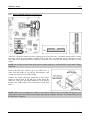
The cap plays an important role in protecting
contact pins. In order to prevent bent pin, PUT
ON the cap after operation or testing.
2-3
For detailed information on how to install your
heatsink and fan assembly, please refer to the
instruction manual came packed with the
heatsink and fan assembly you bought.
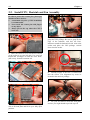
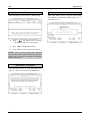
7. Lower the plate onto the CPU package.
Engage the load lever while gently pressing
down the load plate.
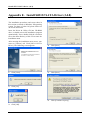
10. Press each of the four fasteners down into
the mounting holes.
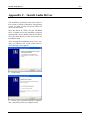
8. Secure the lever with the hook under
retention tab.
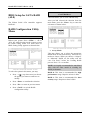
11. Rotate the fastener clock-wise to lock the
heatsink and fan assembly into position.
9. Place the heatsink and fan assembly onto
the socket. Align the four fasteners toward the
four mounting holes on the motherboard.
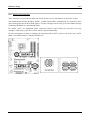
12. Attach the four-pin power plug from the
heatsink and fan assembly to the CPU FAN
connector.
User’s Manual