1
Draft
Camera Interface
2.5.6 Integrate Enabled Signal
An RS-644 LVDS output signal called Integrate Enabled (IntEn) is available on L304kc cameras.
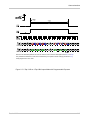
The integrate enabled signal indicates that an exposure is taking place. The signal will go high
when each exposure begins and go low when the exposure ends. As shown in the schematic in
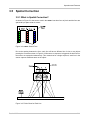
Section 2.3, the IntEn signal is available on pins 24 and 11 of the 26-pin connector on the L304kc.
The integrate enabled signal can not be easily accessed if a 3M Camera Link Cable is used
between the camera and the frame grabber. However, a Camera Link cable that allows easy
access to this signal is available from Basler as a stock item (part # 100013041 for a 3 meter cable
and part # 100013042 for a 5 meter cable).
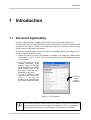
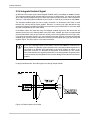
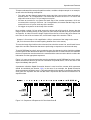
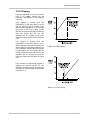
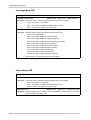
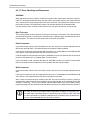
In the Basler cable, the wires that carry the integrate enabled signal from the camera are not
attached to the pins in the frame grabber end of the cable. Instead, the wires are unterminated
and are folded back inside of the connector housing on the frame grabber end (see Figure 2-8).
If you open the connector housing, you can locate the wires and use them to access the integrate
enabled signal. As shown below, a blue wire carries the positive signal and a gray wire carries the
negative signal. The wires require a 100 Ohm termination.
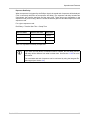
L
If you use a standard Camera Link cable to connect the L304kc to a Camera Link
frame grabber, the RS-644 LVDS transmitter for the integrate enabled signal will be
connected to an RS-644 LVDS transmitter in the frame grabber as shown in the
schematic in Section 2.3. Because the transmitter in the camera is a low current
source and because the opposing transmitter in the frame grabber is typically short
circuit protected, this configuration will not cause damage to the camera or the frame
grabber.
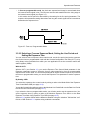
In edge-controlled mode, the IntEn signal is low during charge transfer.
Figure 2-8: Basler Camera Link Cable
2-16
Basler L304kc