1
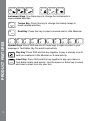
After that, you can choose an activity in the following ways:
when you see an activity you like.
1) Press
2) Use
to cycle through the activities manually, and
press
to choose one.
3) Use the mouse to click the arrow icon on the screen and cycle through the activities, and then click the screen when you see an activity you like.
PRODUCT FEATURES
4) Type the activity number and press
.
LEVEL SELECTION
Pressing
will pop up a menu at first. Use
and
, mouse or number keys to choose a level you like. Level one is
the default setting when starting a new activity.
ANSWER
In most activities, the answer will be provided after a certain number of tries.
Or you can press the
key to reveal the answer.
SHORT BREAK MODE
After playing five rounds in a row in most activities, you will enjoy a fun musical
break!
FUN TIME MODE
Enjoy a fun cartoon by pressing
at any time!
AUTOMATIC POWER-OFF
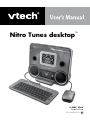
To save power, your Nitro Tunes desktop™ automatically shuts down if it
does not receive any input after several minutes. Press
to wake your unit.
We recommend that you turn off the unit when finished playing. Remove the
batteries or unplug the adaptor if your Nitro Tunes desktop ™ will not
be used for an extended period of time.