1
WARNING:
All packing materials such as tape, plastic sheets, wire ties and tags are not
part of this toy and should be discarded for your child’s safety.
Demo strip removal:
When the product is taken out of the packaging, please remove the
demo strip from the unit to activate normal play mode.
GETTING STARTED
GETTING STARTED
POWER SOURCE
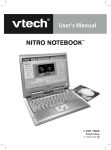
The Nitro Tunes desktop™ operates on 4 “AA” sized batteries (AM-3/LR6)
or a VTech® 9V adaptor (sold separately). The “AA” sized batteries included
in the unit are for demo purposes only and are not long-life batteries.
If you are using a power supply adaptor, please remember to empty
the battery slot first. Before playing, please make
sure the plastic strip is removed from the back of
the unit.
BATTERY INSTALLATION
NOTE: For best performance, remove all factoryinstalled batteries and use new, alkaline batteries.
. Make sure the unit is turned OFF.
. Locate the battery cover at the back of the unit
and open it.
3. Insert 4 “AA” sized batteries as illustrated.
4. Close the battery cover.
RECHARGEABLE BATTERIES ARE NOT RECOMMENDED.
BATTERY NOTICE
•
•
•
•
•
•
•
•
•
•
The use of new alkaline batteries is recommended for maximum performance.
Do not try to recharge non-rechargeable batteries.
Rechargeable batteries are to be removed from the toy before being charged.
Rechargeable batteries are only to be charged under adult supervision.
Do not mix different types of batteries: alkaline, standard (carbon-zinc) or
rechargeable (nickel-cadmium).
Do not mix new and used batteries.
Only use batteries of the recommended or equivalent type.
Install batteries correctly observing the polarity (+, -) signs to avoid leakage.
Batteries that have run out of energy must be removed from the toy.
Do not short circuit the supply terminals.