1
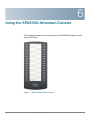
Using the SPA500S Attendant Console
Connecting the SPA500S Attendant Console to the IP Phone
6
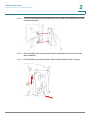
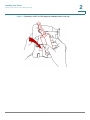
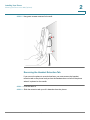
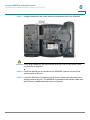
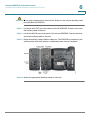
STEP 7 Using an attachment arm screw, secure the attachment arm to the SPA500S.
!
CAUTION Do not plug a telephone line cord into the AUX port. Use only the auxiliary cable
provided with the SPA500S.
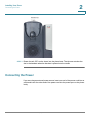
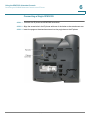
STEP 8 Locate the AUX IN port on the back of the SPA500S. Connect one end of the
auxiliary cable to this port.
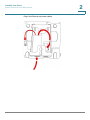
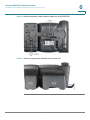
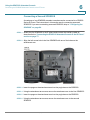
STEP 9 Locate the AUX port on the back of the IP phone. Connect the other end of the
auxiliary cable to this port. The SPA500S is powered by the auxiliary cable with
the IP phone; no additional power source is required.
Cisco Small Business Pro IP Phone SPA50X User Guide (SIP)
80